Der RealSimGear - Dual Desktop Stand für RealSimGear GNS530 & GNS430 wurde entwickelt, um eine stabile und erhöhte Basis für Ihr Avionik-Setup bereitzustellen. Hergestellt aus 3 mm Edelstahl mit einer widerstandsfähigen, pulverbeschichteten mattschwarzen Oberfläche, kombiniert dieser Ständer Langlebigkeit mit einem eleganten Design. Die gummierten Anti-Rutsch-Füße gewährleisten, dass Ihre Geräte auch während intensiver Flugsimulationen sicher an ihrem Platz bleiben. Durch das durchdachte Design wird eine realitätsnahe Cockpitplatzierung erreicht, die das GNS530 und GNS430 ergonomisch ausrichtet.
Was macht den RealSimGear - Dual Desktop Stand für RealSimGear GNS530 & GNS430 besonders?
Robuste und langlebige Konstruktion Gefertigt aus 3 mm Edelstahl mit einer pulverbeschichteten mattschwarzen Oberfläche, ist dieser Ständer auf eine lange Lebensdauer ausgelegt. Er widersteht Abnutzung und Korrosion und bleibt stabil, selbst bei regelmäßigem Auf- und Abbau.
Durchdachte Montagekompatibilität Die Basis verfügt über vorgebohrte Montageöffnungen, die mit verschiedenen Setups kompatibel sind, darunter das Honeycomb Alpha Yoke, das Bravo Throttle und das Saitek/Logitech Yoke. Diese Vielseitigkeit erleichtert die Integration in eine breite Palette von Flugsimulations-Cockpits.
Realitätsnahe Platzierung Der Ständer bietet eine erhöhte Montageposition, die der Anordnung in der allgemeinen Luftfahrt entspricht. Dies sorgt für eine intuitive und komfortable Nutzung während Ihrer Flugsimulationen.
Hohe Stabilität Dank der gummierten Anti-Rutsch-Füße bleibt der Ständer fest auf Ihrem Schreibtisch stehen, auch bei intensiven Manövern. Kein Verrutschen oder Wackeln – Sie können sich vollständig auf das Fliegen konzentrieren.
Vorteile und Nachteile
Vorteile
Nachteile
Robuste 3 mm Edelstahlkonstruktion mit mattschwarzer Oberfläche.
Ausschließlich für GNS530 & GNS430 konzipiert.
Gummierte Anti-Rutsch-Füße sorgen für hohe Stabilität.
Nimmt mehr Platz ein als Einzelhalterungen.
Kompatibel mit verschiedenen Yoke-Systemen und Montageplatten.
Spezifikationen
Spezifikation
Wert
Material
3 mm Edelstahl
Oberfläche
Pulverbeschichtet, mattschwarz
Fußtyp
Gummierte Anti-Rutsch-Füße
Montagekompatibilität
Honeycomb Alpha/Bravo, Saitek/Logitech Yoke
RealSimGear - Dual Desktop Stand für RealSimGear GNS530 & GNS430 Kompatibilität
Der RealSimGear - Dual Desktop Stand für RealSimGear GNS530 & GNS430 wurde speziell für die GNS530 und GNS430 Geräte entwickelt und bietet eine stabile und ergonomische Halterung. Die vorgebohrten Löcher ermöglichen eine problemlose Montage an Honeycomb Alpha Yokes, Bravo Throttles und Saitek/Logitech Yoke Montagesystemen. Dadurch lässt sich der Ständer einfach in verschiedene Cockpit-Konfigurationen integrieren.
Dieser Ständer wurde für PC-basierte Flugsimulationen entwickelt und ist mit führenden Simulatoren wie X-Plane und Microsoft Flight Simulator kompatibel. Er ist nicht für Konsolen geeignet, sondern richtet sich an anspruchsvolle Simulations-Enthusiasten, die ein realistisches und professionelles Flugerlebnis anstreben.
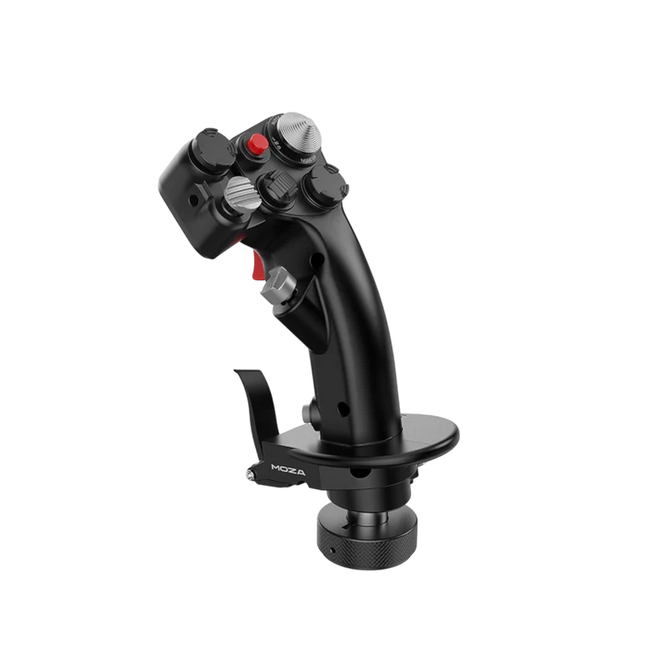
Der Moza MH16 Flightstick bringt einen kompromisslosen Ansatz in die Flugsimulation. Gefertigt aus Luftfahrt-Aluminiumlegierung, ist dieser Flightstick nicht nur optisch ansprechend, sondern auch für intensive Nutzung konzipiert. Mit 27 Eingabesignalen und einem 8-Wege-ALPS-Daumenstick sind alle Befehle griffbereit und ermöglichen präzise Manöver. Dank abnehmbarer, modularer Komponenten kann das Setup individuell angepasst werden, während die robuste Konstruktion für Stabilität sorgt – selbst in den anspruchsvollsten Dogfights. Ob beim entspannten Reiseflug oder in engen Kurven, dieser Flightstick bietet eine Kontrolle, die das Simulationserlebnis auf ein neues Level hebt.
Was macht den Moza MH16 Flightstick besonders?
Gebaut wie ein echter Kampfjet-Flightstick – Das Vollmetall-Design sorgt nicht nur für eine beeindruckende Optik, sondern auch für ein realistisches Gewicht und Gefühl, ähnlich einem echten Flugsteuerknüppel. Im Vergleich zu Kunststoff-Alternativen bietet der MH16 eine stabilere Griffigkeit und langfristige Haltbarkeit.
Modular und erweiterbar – Im Gegensatz zu vielen fest verbauten Flightsticks verfügt der MH16 über abnehmbare Module mit Pogo-Pin-Verbindungen, die eine einfache Anpassung und Erweiterung ermöglichen – ganz ohne kompliziertes Neuverdrahten oder Demontieren.
Umfangreiche Individualisierung – Mit 27 Eingabesignalen und einem 8-Wege-ALPS-Daumenstick lassen sich alle wichtigen Befehle optimal belegen. Diese Anpassungsmöglichkeiten machen ihn zur idealen Wahl für Piloten, die maximale Kontrolle über ihr Simulations-Erlebnis wünschen.
Nahtlose Plug-and-Play-Kompatibilität – Keine aufwendige Einrichtung, keine zusätzlichen Treiber – einfach anschließen und loslegen. Der 5-Pin-Luftfahrtanschluss sorgt für eine sichere und stabile Signalübertragung und ermöglicht die Nutzung mit den meisten gängigen Flightbases.
Vorteile und Nachteile
Vorteile
Nachteile
Gehäuse aus Luftfahrt-Aluminium für Langlebigkeit und eine solide Griffigkeit.
Oft vergriffen – Verfügbarkeit kann ein Problem sein.
Abnehmbare Module ermöglichen eine einfache Anpassung.
Keine offizielle MacOS-Unterstützung.
27 Eingänge und ALPS-Daumenstick für umfangreiche Steuerungsmöglichkeiten.
Plug-and-Play-Kompatibilität mit den meisten Flightbases.
Spezifikationen
Spezifikation
Wert
Plattform
PC
Hauptmaterial
Luftfahrt-Aluminiumlegierung
Nennspannung
3,3V
Nennstrom
5A
Steckverbindung
5-Pin-Luftfahrtanschluss
Z-Achsen-Modul
Optional
Abmessungen
99×213,5×132mm
Moza MH16 Flightstick Kompatibilität
Kompatibel mit
Nicht kompatibel mit
PC (Windows-basierte Systeme)
MacOS
Die meisten Flightbases mit 5-Pin-Luftfahrtanschluss
Konsolen (PlayStation, Xbox)
MOZA Cockpit Control Software
Nicht standardisierte USB-Schnittstellen
Der Moza MH16 Flightstick funktioniert nahtlos mit den meisten PC-basierten Flugsimulations-Setups, dank seines 5-Pin-Luftfahrtanschlusses und der Plug-and-Play-Funktionalität. Mac-Nutzer müssen sich jedoch nach Alternativen umsehen, da keine offizielle Unterstützung für macOS existiert. Nutzer berichten von einer soliden Integration mit einer Vielzahl von Bases, was ihn zu einer flexiblen Option für Simulationsfans macht, die ihr Equipment individuell anpassen möchten.
Was die Gaming-Plattformen betrifft, so ist der MH16 rein für PC-Nutzer konzipiert. Er funktioniert problemlos mit Windows-basierten Flugsimulatoren wie DCS, MSFS2020 und X-Plane, während Konsolenspieler leider außen vor bleiben – es gibt keine native PlayStation- oder Xbox-Unterstützung. Für ernsthafte Sim-Piloten ist das jedoch kein Nachteil, da der PC nach wie vor die bevorzugte Plattform für realistische Flugsimulationen bleibt.
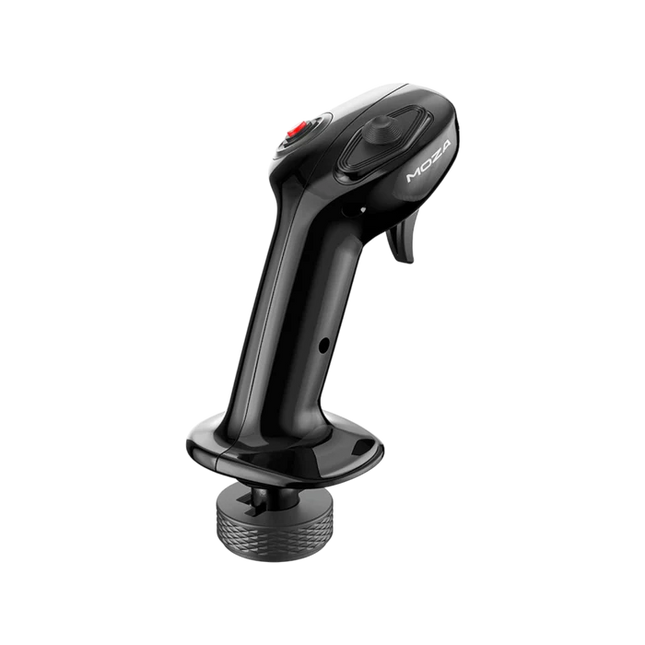
Der Moza MA3X Flightstick vereint klassisches Flugzeugdesign mit moderner Technik für ein beeindruckendes Flugsimulationserlebnis. Gefertigt aus hochfestem Verbundmaterial, bleibt er leicht, aber dennoch robust genug, um bis zu 30 kg Kraft auszuhalten. Die ALPS-Schalter sind für 100.000 Zyklen ausgelegt und gewährleisten eine langanhaltende, zuverlässige Steuerung. Eine mehrschichtige Sprüh- und UV-Behandlung ahmt das taktile Gefühl echter Flugzeugmaterialien nach und verbessert das Gesamtgefühl. Dank eines erweiterten Tastenlayouts und breiter Kompatibilität passt sich der MA3X mühelos jeder Simulationseinrichtung an und bietet sowohl Flexibilität als auch Verlässlichkeit.
Was macht den Moza MA3X Flightstick besonders?
Robuste, aber leichte Bauweise – Im Gegensatz zu schwereren Metallsticks besteht der MA3X aus hochfestem Verbundmaterial. Dadurch wiegt er nur 220 g, kann aber dennoch bis zu 30 kg Kraft aushalten, ohne an struktureller Integrität einzubüßen.
Erweitertes Tastenlayout – Der MA3X verfügt über vier physische Tasten, kann jedoch auf bis zu 12 Eingabesignale erweitert werden. Diese zusätzliche Flexibilität ermöglicht eine präzise Anpassung für verschiedene Simulationsszenarien.
ALPS-Schalter für Langlebigkeit – Viele Flightsticks unterliegen langfristigem Verschleiß, doch die ALPS-Schalter des MA3X sind für bis zu 100.000 Zyklen ausgelegt. Dadurch profitieren Piloten von einer gleichbleibenden, reaktionsschnellen Steuerung auch nach intensiver Nutzung.
Breite Kompatibilität und Plug-and-Play – Entwickelt für alle Moza-Basen und die meisten Drittanbieter-Basen, benötigt der MA3X keine zusätzlichen Treiber oder komplizierte Einrichtung. Der 5-Pin-Luftfahrtanschluss sorgt für eine stabile und sichere Verbindung.
Vorteile und Nachteile
Vorteile
Nachteile
Hochfestes Verbundmaterial für lange Haltbarkeit.
Keine offizielle Unterstützung für macOS.
Erweiterbares Tastenlayout mit bis zu 12 Eingaben.
Begrenzte eigenständige Funktionalität ohne kompatible Basis.
ALPS-Schalter für bis zu 100.000 Zyklen ausgelegt.
Funktioniert mit Moza- und den meisten Drittanbieter-Basen.
Spezifikationen
Spezifikation
Wert
Gehäusematerial
Verbundmaterial
Schaltermaterial
ABS
Gewicht
220 g
8-Positionen-Schalter
1
Trigger
1
Umschalter
1
Steckverbindung
5-Pin-Luftfahrtanschluss
Moza MA3X Flightstick Kompatibilität
Kompatibel mit
Nicht kompatibel mit
PC (Windows-basierte Systeme)
macOS
Alle Moza-Basen
Konsolen (PlayStation, Xbox)
Die meisten Drittanbieter-Basen
Nur USB-basierte Eingabesysteme
Der Moza MA3X Flightstick ist vollständig kompatibel mit allen Moza-Basen und unterstützt die meisten Drittanbieter-Basen über seinen 5-Pin-Luftfahrtanschluss. Im Gegensatz zu einigen Flightsticks, die Benutzer auf bestimmte Ökosysteme beschränken, bietet der MA3X ein flexibles Design, das ohne zusätzliche Adapter eine breite Kompatibilität ermöglicht.
Auf der Softwareseite ist der MA3X vollständig kompatibel mit Windows-basierten Flugsimulatoren, bietet jedoch keine Unterstützung für macOS. Er funktioniert hervorragend mit führenden Titeln wie MSFS2020, X-Plane und DCS. Konsolennutzer müssen sich jedoch nach Alternativen umsehen, da der MA3X weder PlayStation noch Xbox unterstützt.
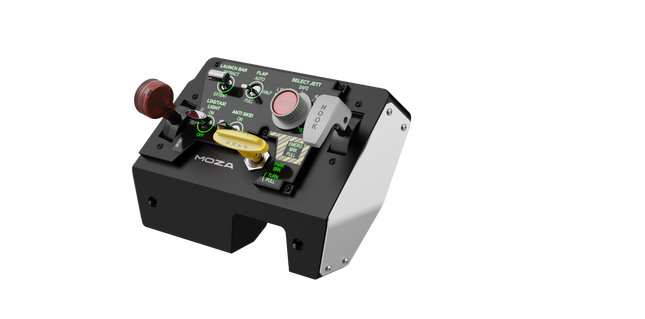
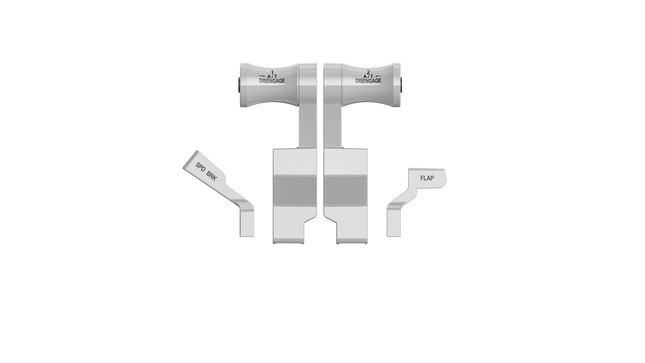
Moza MTLP Take-off Landing Panel bringt das Gefühl eines echten Kampfjet-Betriebs in das Heim-Cockpit mit einem robusten, taktilen Steuerungssystem, das für ernsthafte Sim-Piloten entwickelt wurde. Inspiriert vom F/A-18-Landepanel bietet es ein intuitives Schalterlayout, das schnelle, instinktive Eingaben ermöglicht, ohne auf visuelle Bestätigung angewiesen zu sein. Der authentische Feststellbremsmechanismus sorgt für einen soliden, mechanischen Rückstoß, der sich anfühlt, als käme er direkt aus einem echten Kampfjet. Mit 25 programmierbaren Schaltsignalen und Hall-Effekt-Sensoren für höchste Präzision überbrückt dieses Panel die Lücke zwischen virtueller und haptischer Cockpit-Interaktion.
Was hebt das Moza MTLP Take-off Landing Panel hervor?
Entwickelt für direkte Steuerung Nach dem Vorbild des F/A-18-Landepanels priorisiert dieses Setup eine intuitive Bedienung. Das Schalterlayout ermöglicht es Piloten, kritische Flugzeugfunktionen durch bloße Haptik zu steuern, wodurch die Notwendigkeit entfällt, den Blick vom Bildschirm abzuwenden – ein entscheidender Vorteil in schnellen Umgebungen wie Kampfeinsätzen und Trägerlandungen.
Hall-Sensor-Präzision für zentrale Funktionen Im Gegensatz zu herkömmlichen mechanischen Schaltern integriert das MTLP Hall-Effekt-Sensoren in Schlüsselsteuerungen wie das Fahrwerk und den Fanghaken. Diese Sensoren gewährleisten eine langfristige Zuverlässigkeit und gleichbleibende Eingabepräzision, ohne dass Abnutzung oder Drift entstehen.
Robuste Konstruktion für dauerhafte Nutzung Die Aluminiumlegierung, die für den Bremshebel, den Fanghaken und das Fahrwerk verwendet wird, sorgt für Langlebigkeit. Diese Komponenten sind auf wiederholte, kraftvolle Betätigung ausgelegt und machen das Panel zu einer langfristigen Investition für Flugenthusiasten, die mechanische Robustheit schätzen.
Nahtlose Integration in das Moza-Ökosystem Das MTLP wurde speziell für die reibungslose Zusammenarbeit mit dem Moza MTP Throttle Panel entwickelt, um ein vollständiges Kampfjet-Steuerungssetup zu bilden. Über die Moza Cockpit-Software können Nutzer telemetriegesteuerte Beleuchtungseffekte synchronisieren und ihre Tastenbelegungen individuell anpassen.
Vorteile und Nachteile
Vorteile
Nachteile
Nach dem F/A-18-Landepanel modelliert
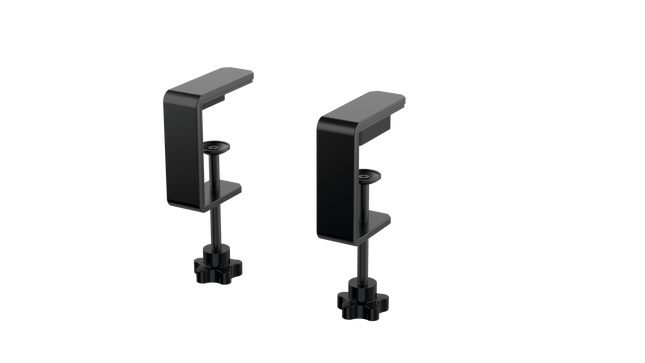
Tischklemme separat erhältlich
Hall-Effekt-Sensoren für Präzision und Langlebigkeit
Nur PC-kompatibel
25 programmierbare Schaltsignale für umfangreiche Steuerung
Kompatibel mit Moza-Ökosystem für vollständiges Kampfjet-Setup
Spezifikationen
Spezifikation
Wert
Abmessungen
196.5 × 134.7 × 149 mm
Gehäusematerial
Verbundmaterialien
Bremshebel-Material
Aluminiumlegierung
Gewicht
680g
Schaltsignale
25
Telemetrie-Beleuchtung
Ja (kein zusätzliches Plug-in erforderlich)
Unterstützte Plattform
PC
Tischklemme
Optionales Zubehör
Enthaltenes Zubehör
Datenkabel, Benutzerhandbuch
Kompatibilität des Moza MTLP Take-off Landing Panel
Kompatibel mit
Nicht kompatibel mit
Moza MTP Throttle Panel
Schubhebel von Drittanbietern
Moza Cockpit-Software zur Anpassung
Konsolenplattformen
PC-basierte Flugsimulatoren
MacOS
Entwickelt für PC-basierte Simulatoren, integriert sich das MTLP nahtlos mit dem Moza MTP Throttle Panel, um eine fighter-jet-ähnliche Steuerkonfiguration zu ermöglichen. Das Panel wird über die Moza Cockpit-Software konfiguriert und bietet umfangreiche Anpassungsmöglichkeiten, einschließlich telemetriegesteuerter Beleuchtungseffekte. Es unterstützt jedoch keine Schubhebel von Drittanbietern, sodass die beste Funktionalität innerhalb des Moza-Ökosystems erreicht wird.
Ausschließlich PC-Kompatibilität gewährleistet Unterstützung für die wichtigsten Flugsimulatoren, aber MacOS und Konsolen werden nicht unterstützt. Flugenthusiasten, die Microsoft Flight Simulator 2020, Microsoft Flight Simulator 2024 und X-Plane 12 nutzen, finden das Panel nativ erkannt mit direkter Plug-and-Play-Funktionalität über USB. Xbox- oder PlayStation-Nutzer müssen jedoch auf alternative Hardware zurückgreifen.
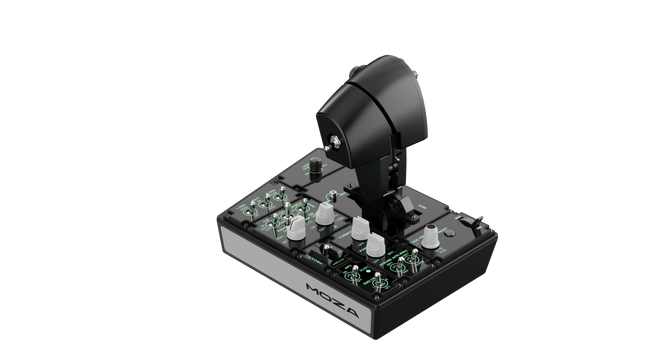
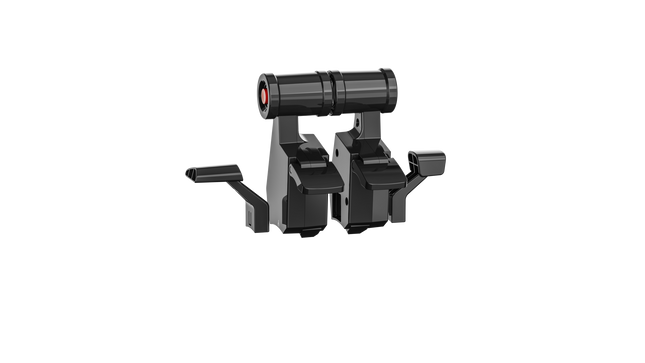
Moza MTP Throttle Panel bietet eine robuste Flugsteuerungserfahrung, inspiriert von trägergestützten Kampfflugzeugen. Das einstellbare Rastensystem ermöglicht eine präzise Kontrolle, sei es beim Management von Nachbrennern oder beim Simulieren von Mittellagen in Weltraumsimulationen. Das integrierte Vibrations-Feedback verbessert das Situationsbewusstsein, indem es Piloten auf aerodynamische Veränderungen, Geschwindigkeitsüberschreitungen und Kampfbedingungen hinweist. Mit 27 programmierbaren Schaltern, einem Hall-Effekt-Joystick und Griffen aus Aluminiumlegierung ist dieses Schubhebelpanel für Simulationspiloten konzipiert, die höchste Präzision in anspruchsvollen Umgebungen fordern.
Was hebt das Moza MTP Throttle Panel hervor?
Anpassbares Rastensystem für maximale Kontrolle Das MTP Throttle ermöglicht es Nutzern, Rastpunkte fein abzustimmen, was es ideal für Nachbrenner-Einstellungen, Umkehrschub oder präzise Raumflugmanöver macht. Ob beim Feineinstellen von Leistungskurven oder beim Erstellen klar definierter Triebwerksstufen – dieses Feature bietet eine Flexibilität, die in anderen Schubhebel-Setups selten zu finden ist.
Integriertes Vibrations-Feedback für verbessertes Situationsbewusstsein Im Gegensatz zu passiven Schubhebeln enthält das MTP Vibrationsmotoren, die auf Telemetriedaten des Simulators reagieren. Dieses Feedback-System liefert haptische Warnungen zu aerodynamischem Widerstand, Geschwindigkeitsüberschreitungen und Systemausfällen und gibt Piloten eine zusätzliche Informationsquelle während des Fluges.
27 programmierbare Schalter für komplexe Flugoperationen Die Steuerfläche ist mit 27 Schaltern ausgestattet, die für wichtige Funktionen wie Fahrwerksausfahren, Triebwerkszündung oder Kampfsysteme konfiguriert werden können. Das optimierte Layout stellt sicher, dass alle Befehle während des Fluges problemlos erreichbar bleiben.
Hall-Effekt-Joystick für zusätzliche Eingabemöglichkeiten Direkt in den Schubhebel integriert, ermöglicht dieser Joystick eine driftfreie Eingabe für präzise Steuerungsanpassungen. Ob für Höhenruder-Trimm, Seitenrudereingaben oder sogar Kamerasteuerung – der Hall-Effekt-Sensor sorgt für konstante Leistung ohne den Verschleiß herkömmlicher Potentiometer.
Vorteile und Nachteile
Vorteile
Nachteile
Einstellbares Rastensystem für Nachbrenner und Weltraumsimulationen
Tischklemme separat erhältlich
Integriertes Vibrations-Feedback reagiert auf Flugbedingungen
Nur PC-Unterstützung, keine Konsolenkompatibilität
27 programmierbare Schalter für umfassende Steuerung
Langlebiger Aluminiumgriff mit taktilem Gefühl
Spezifikationen
Spezifikation
Wert
Abmessungen
277 × 194 × 216 mm
Gehäusematerial
Verbundmaterial
Schubhebelgriff-Material
Aluminiumlegierung
Gewicht
2,1 kg
Physische Schalter
27
Vibrations-Telemetrie
Unterstützt (kein Plug-in erforderlich)
Beleuchtungs-Telemetrie
Unterstützt (kein Plug-in erforderlich)
Unterstützte Plattform
PC
Tischklemme
Optional
Tischmontageplatte
Optional
Enthaltenes Zubehör
Datenkabel, Schraubenschlüssel, Benutzerhandbuch
Kompatibilität des Moza MTP Throttle Panel
Kompatibel mit
Nicht kompatibel mit
MOZA Cockpit-Software zur Anpassung
Konsolenplattformen
MOZA MTLP Panel für vollständiges Kampfflugzeug-Setup
Schubhebel von Drittanbietern
PC-basierte Flugsimulatoren
MacOS
Entwickelt für PC-basierte Simulatoren, integriert sich das MTP Throttle nahtlos mit der MOZA Cockpit-Software, die präzise Anpassungen für Vibrations-Feedback, Schalterbelegung und telemetriegestützte Beleuchtungseffekte ermöglicht. Es lässt sich zudem mit dem MOZA MTLP Panel kombinieren, um ein modulares Kampfflugzeug-Steuerungssystem zu schaffen, das das Start- und Landungserlebnis verbessert.
Ausschließlich PC-Kompatibilität gewährleistet Plug-and-Play-Funktionalität mit Microsoft Flight Simulator 2020, Microsoft Flight Simulator 2024 und X-Plane 12. Allerdings werden MacOS und Konsolen nicht unterstützt, sodass Xbox- und PlayStation-Nutzer nach alternativen Schubhebel-Lösungen suchen müssen.
Nicht vorrätig,
Vorbestellungen möglich. Versand in 2–2,5 Wochen.
Honeycomb Sierra TPM Module bringt den taktilen Charme der klassischen General Aviation direkt auf Ihren Schreibtisch – mit einem arretierbaren Metall-Gasvernier, das sich angenehm mechanisch anfühlt, und einem integrierten hochauflösenden Trimmrad, mit dem sich die Fluglage präzise mit den Fingerspitzen einstellen lässt. Entwickelt mit einmotorigen Propellerflugzeugen wie der Cessna 172 im Blick, kombiniert es eine Vollmetallkonstruktion, integrierte Klappen- und Parkbremsensteuerung sowie LED-Fahrwerksanzeigen in einem kompakten Modul, das sich nahtlos in ein anspruchsvolles Home-Cockpit einfügt.
Was zeichnet das Honeycomb Sierra TPM Module aus?
Echtes General-Aviation-Vernier-Gefühl Das arretierbare Metall-Gasvernier mit fein einstellbaren Propeller- und Gemischreglern sieht nicht nur authentisch aus – es liefert genau das Druck-Zieh- und Dreh-zur-Feineinstellung-Gefühl, das Piloten aus klassischen GA-Cockpits kennen. Viele Nutzer heben hervor, wie die schrittweise Feinjustierung sanftere Leistungsänderungen im Steigflug und im Anflug ermöglicht, insbesondere bei Kolbenflugzeugen, im Vergleich zu Schubhebeln, die für ein sensibles Motormanagement oft zu abrupt reagieren.
Integrierter Cockpit-Workflow Anstatt Bedienelemente auf mehrere Panels zu verteilen, vereint das Sierra TPM Trimmung, Klappen, Parkbremse und Fahrwerk in einem stimmigen Layout. Das flache, hochauflösende Trimmrad wird besonders für seine gleichmäßige Rotation und präzise Eingabe gelobt, wodurch Nickanpassungen im Reiseflug oder im Endanflug natürlich wirken. Es reduziert die Abhängigkeit von Tastaturbefehlen und sorgt dafür, dass die Hände dort bleiben, wo sie hingehören – an dedizierter Hardware.
Stabile Vollmetallkonstruktion Gefertigt mit Honeycomb-Komponentenqualität und einem robusten Vollmetall-Chassis, vermittelt dieses Modul spürbares Gewicht und hohe Steifigkeit. Enthusiasten erwähnen häufig, dass es fest auf dem Schreibtisch steht und selbst bei energischen Gasbewegungen kaum nachgibt. Im Vergleich zu leichteren Kunststoffalternativen bleibt das Sierra TPM langfristig strukturell stabil – besonders geschätzt in permanenten oder semi-permanenten Cockpit-Setups.
Nahtlose Integration in das Honeycomb-Ökosystem Entwickelt für die perfekte Kombination mit Honeycomb-Steuerhörnern und Montagesystemen, vereinfacht die mitgelieferte Dual-Montagelösung Ausrichtung und Positionierung. Nutzer, die bereits Alpha- oder Bravo-Einheiten verwenden, betonen häufig, wie Design und Bedienelement-Abstände harmonieren und so ein optisch einheitliches sowie ergonomisch stimmiges Flugdeck ohne uneinheitliche Module entsteht.
Vor- und Nachteile
Vorteile
Nachteile
Metall-Vernier-Gashebel ermöglicht feine, schrittweise Steuerung.
Primär für einmotorige GA-Flugzeuge konzipiert.
Integriertes Trimmrad sorgt für sanfte Nickanpassungen.
Benötigt Schreibtischplatz für die vollständige Montagelösung.
Vollmetall-Chassis wirkt stabil und langlebig.
LED-Fahrwerksanzeigen bieten klare visuelle Rückmeldung.
Spezifikationen
Spezifikation
Wert
Product Name
Honeycomb Sierra TPM Module
EAN
4039621003998
Construction
Vollmetallkonstruktion mit Honeycomb-Komponentenqualität
Throttle Type
Arretierbares Metall-Gasvernier mit Propeller- und Gemischreglern
Integrated Controls
Trimmrad, Parkbremse, Klappenhebel, Fahrwerkshebel mit LED-Anzeigen
Layout
General-Aviation-Stil für einmotorige Propellerflugzeuge
Mounting
Dual-Montagelösung im Lieferumfang enthalten
Connection
USB-C zu USB-A Kabel
Compatibility
PC und Mac
Drivers
MSFS 2020 Driver, MSFS 2024 Driver
Included in the Box
Sierra TPM Module, Dual Mounting Solution, USB-C to USB-A Cable, Quick Start Guide (EFIGS)
Honeycomb Sierra TPM Module Kompatibilität
Platform
Compatibility
Operating Systems
PC und Mac
Connection Type
USB-C zu USB-A (direkte USB-Verbindung)
Primary Ecosystem Pairing
Honeycomb Alpha und Bravo Hardware
Das Sierra TPM Module wird über direktes USB angeschlossen und lässt sich dadurch unkompliziert in die meisten Desktop-Cockpit-Setups integrieren. Es harmoniert besonders gut mit Honeycomb Alpha Steuerhörnern und Bravo Schubquadranten und teilt dieselbe Designphilosophie sowie dasselbe Montagesystem. Dank der Dual-Montagelösung kann es zusammen mit anderen Honeycomb-Einheiten am Schreibtisch montiert werden, um ein einheitliches Layout zu schaffen. Es ist nicht für Konsolen-Setups vorgesehen und kann ohne kompatiblen PC oder Mac nicht direkt mit eigenständiger Hardware verbunden werden.
Auf Softwareseite unterstützt es Microsoft Flight Simulator 2020 und Microsoft Flight Simulator 2024 über dedizierte Treiber und funktioniert zudem mit Simulatoren wie X-Plane und Prepar3D auf dem PC. Es ist nicht mit Xbox-Konsolen kompatibel, da es auf standardmäßige USB-PC/Mac-Treiber und nicht auf konsolenzertifizierte Firmware angewiesen ist. Für Desktop-Sim-Piloten mit Fokus auf General Aviation fügt es sich nahtlos in moderne, PC-basierte Simulationsplattformen ein.
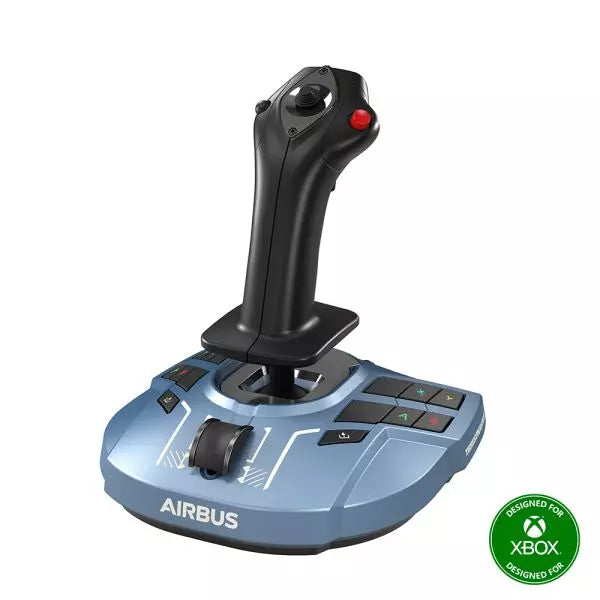
Honeycomb Foxtrot Aviation Stick wurde für Piloten entwickelt, die einen Sidestick in der Hand und einen aufgeräumten Schreibtisch vor sich bevorzugen. Schon bei der ersten Bewegung fühlt sich das sanfte lineare Widerstandssystem ohne Center-Detent flüssig und kontrolliert an – ideal für Airbus-typische Eingaben und Kunstflugmanöver. Im Inneren sorgt die 16-Bit-Auflösung mit Hall-Effekt-Sensortechnologie dafür, dass selbst feinste Handgelenkbewegungen präzise in Steuerbefehle auf dem Bildschirm umgesetzt werden. Mit einstellbarer Spannung und vollständig beidhändigem Design entsteht ein Stick, der sich durchdacht und hochwertig anfühlt – nicht wie ein Spielzeug.
Was zeichnet den Honeycomb Foxtrot Aviation Stick aus?
Steuerphilosophie ohne Center-Detent Viele Sticks verfügen über eine spürbare Mittelrastung, die kleine Korrekturen mechanisch wirken lassen kann. Das lineare Widerstandssystem des Foxtrot verzichtet auf diese Rastung und ermöglicht einen gleichmäßigen Übergang über den gesamten Achsenbereich. Besonders Piloten von Airbus-Flugzeugen schätzen dieses Design, da es das Verhalten eines echten Sidesticks realistischer widerspiegelt und sanfte Nick- und Rollkorrekturen ohne ein federbelastetes „Klicken“ in der Mitte erlaubt.
Synergie aus Sensorik und Auflösung Mit 16-Bit-Auflösung in Kombination mit Hall-Effekt-Sensoren liefert der Foxtrot eine saubere, berührungslose Eingabeerkennung. Enthusiasten heben häufig die langfristige Konstanz hervor – kein Spiking, keine schleichende Abnutzung wie bei mechanischen Potentiometern. Feine Trimmkorrekturen im Anflug oder präzise Rollbewegungen im Kunstflug bleiben stabil und vorhersehbar, insbesondere im Vergleich zu Einsteiger-Sticks, die nahe der Mittelstellung zu Zittern neigen können.
Konfigurierbarer Widerstand und Ergonomie Dank einstellbarer Spannung lässt sich der Stick individuell anpassen – egal ob leichte Fingerspitzensteuerung oder höherer Widerstand für kontrollierte Bewegungen bevorzugt wird. In Verbindung mit dem beidhändigen Griffdesign eignet sich der Foxtrot sowohl für Links- als auch für Rechtshänder. Nutzer mit kompakten Cockpit-Setups betonen häufig seine Flexibilität in unterschiedlichen Sitzpositionen, einschließlich Mittel- oder Seitenmontage.
Hohe Schalterdichte ohne Überladung Mit 5 Zwei-Wege-Schaltern, 4 programmierbaren Aktionstasten, POV-Hat, Trigger, Rockern und einem Mehrwege-Drehregler-Panel bietet der Stick umfangreiche Eingabemöglichkeiten. Besonders hervorzuheben ist die logische Anordnung der Bedienelemente; Sim-Piloten berichten häufig, dass Funktionen wie Trimmung, Autopilot-Modi oder Kamerasteuerung zugewiesen werden können, ohne dass es beengt wirkt oder man im Flug nach Tasten suchen muss.
Vor- und Nachteile
Vorteile
Nachteile
Linearer Widerstand ohne Center-Detent fühlt sich gleichmäßig an.
Keine native Konsolenkompatibilität.
Hall-Effekt-Sensoren reduzieren langfristigen Verschleiß.
Keine dedizierte Montagebasis im Lieferumfang enthalten.
Einstellbare Spannung für unterschiedliche Flugstile.
Umfangreiche Konfigurationsmöglichkeiten für Schalter und Tasten.
Spezifikationen
Spezifikation
Wert
Product Name
Honeycomb Foxtrot Aviation Stick
Control System
Lineares Widerstandssystem ohne Center-Detent
Sensor Technology
Hall-Effekt-Sensoren
Resolution
16-bit
Tension Adjustment
Einstellbarer Stick-Widerstand
Switches
5 Zwei-Wege-Schalter
Action Buttons
4 programmierbare Tasten
Rotary Panel
3-, 4- und 5-Wege-Drehregler
Grip Design
Beidhändig
Connection
USB-C to USB-A cable
System Compatibility
PC und Mac
Included in the Box
Foxtrot Aviation Stick, USB-C to USB-A Cable, Quick Start Guide (EFIGS)
Download Support
Basic Bindings Profiles (XML) für MSFS 2024
Honeycomb Foxtrot Aviation Stick Kompatibilität
Platform
Compatibility
Operating Systems
PC und Mac
Connection Type
USB-C to USB-A direkte USB-Schnittstelle
Primary Sim Support
MSFS 2024 (XML Bindings), MSFS, X-Plane, Prepar3D
Der Foxtrot Aviation Stick wird über Standard-USB angeschlossen und lässt sich dadurch problemlos in die meisten Desktop-Cockpit-Setups integrieren. Dank seiner Plug-and-Play-HID-Architektur arbeitet er nahtlos mit Schubquadranten, Seitenrudern und Funkpanels anderer großer Marken zusammen. Sein beidhändiges Design eignet sich für Links- oder Rechtskonfigurationen, einschließlich seitlicher Montage im Airbus-Stil. Er ist nicht mit Xbox-Konsolen kompatibel und funktioniert nicht als eigenständiges Gerät ohne angeschlossenen PC oder Mac.
Auf Softwareseite unterstützt er Microsoft Flight Simulator 2024 mit dedizierten XML-Bindings und arbeitet mit beliebten PC-Simulatoren wie Microsoft Flight Simulator (2020), X-Plane und Prepar3D über manuelle oder Community-Mappings. Er ist nicht für konsolenbasierte Plattformen ausgelegt, da er auf nativer PC/Mac-Treibererkennung statt auf konsolenzertifizierter Firmware basiert.
Nicht vorrätig,
Vorbestellungen möglich. Versand in 2–2,5 Wochen.
Honeycomb Bravo Throttle Quadrant Lite destilliert das Kernerlebnis des originalen Bravo in ein kompakteres und fokussierteres Paket. Die vier austauschbaren Hebel mit einstellbarem Widerstand gleiten mit einem beruhigenden mechanischen Gewicht, während das integrierte, flache Trimrad mit hoher Auflösung eine präzise Feineinstellung der Nickachse per Fingerspitzengefühl ermöglicht. Vom satten Klick des Fahrwerkshebels mit LED-Anzeige bis zum zufriedenstellenden Zug an der Parkbremse liefert diese Einheit zuverlässige Eingaben für GA- und Zweimotoren-Setups, ohne Einsteiger im Cockpitbau zu überfordern.
Was zeichnet das Honeycomb Bravo Throttle Quadrant Lite aus?
Verschlankt, ohne abgespeckt zu wirken Im Gegensatz zu vielen einsteigerorientierten throttle quadrants, die Flexibilität opfern, bewahrt das Bravo Lite seine modulare DNA. Nutzer heben häufig hervor, dass es austauschbare Hebel und anpassbare Flap-Detents beibehält, während es einen Teil der Komplexität des vollständigen Bravo reduziert. Das Ergebnis ist eine kompakte Einheit, die weiterhin Einmotor- und Zweimotor-Layouts unterstützt und damit besonders für Piloten attraktiv ist, die von einfachen Kunststoff-Throttles aufrüsten.
Einstellbarer Widerstand mit mechanischem Feedback Der Hebelwiderstand lässt sich individuell anpassen, was sich besonders bei Leistungsänderungen im Steigflug und bei Korrekturen im kurzen Endanflug bemerkbar macht. Viele Sim-Piloten berichten, dass sich die Bewegung geschmeidig und kontrolliert anfühlt statt locker oder federnd. Im Vergleich zu leichteren Quadrants vermittelt das Bravo Lite ein stabileres Gefühl bei Leistungsübergängen, insbesondere wenn es mit der mitgelieferten Dual-Mounting-Lösung sicher befestigt ist.
Integrierte Trim- und Bodenbedienelemente Das integrierte Trimrad und die Parkbremse machen zusätzliche Peripheriegeräte überflüssig. Die hohe Auflösung des Trimrads wird häufig dafür gelobt, Anflüge zu stabilisieren, ohne ständige Mikrokorrekturen über Tastatur oder Yoke-Tasten vornehmen zu müssen. Ergänzt durch den Fahrwerkshebel mit LED-Statusanzeige erhält man eine klare visuelle Bestätigung während der Fahrwerkszyklen – ein kleines Detail mit großer Wirkung in arbeitsintensiven Platzrunden.
Fokussierte MSFS-Optimierung Entwickelt mit Microsoft Flight Simulator im Fokus, profitiert das Bravo Lite von dediziertem Treibersupport und herunterladbaren Profilen. Nutzer schätzen, wie schnell es sich in MSFS 2020 und 2024 konfigurieren lässt, verglichen mit einigen generischen USB-Quadrants. Gleichzeitig bleibt es kompatibel mit X-Plane und Prepar3D, was ihm in dieser Preisklasse eine breitere Einsatzmöglichkeit verleiht als vielen simulator-spezifischen throttle units.
Vor- und Nachteile
Vorteile
Nachteile
Austauschbare Hebel unterstützen mehrere Flugzeugtypen.
Weniger Bedienelemente als die vollständige Bravo-Version.
Einstellbarer Widerstand verbessert das Throttle-Gefühl.
Nur für PC und Mac, keine Konsolenunterstützung.
Integriertes Trimrad ermöglicht präzise Nicksteuerung.
LED-Fahrwerksanzeige bietet klares Status-Feedback.
Spezifikationen
Spezifikation
Wert
Product Name
Honeycomb Bravo Throttle Quadrant Lite
Dimensions (L x H x W)
40 x 13 x 27 cm (15.75 x 5.19 x 10.63 inches)
Throttle Levers
Vier austauschbare Hebel mit einstellbarem Widerstand
Flap System
Austauschbare Flap-Detent-Einsätze enthalten
Trim Control
Integriertes, flaches Trimrad mit hoher Auflösung
Landing Gear Lever
Mit LED-Statusanzeige
Parking Brake
Integrierter Hebel
Connectivity
USB-C to USB-A (Kabel enthalten)
System Compatibility
PC und Mac
Software Compatibility
Microsoft Flight Simulator 2020/2024, FSX, Prepar3D V3-V5, X-Plane 11/12
Included in the Box
Throttle Quadrant Lite, Flap detent inlays, Interchangeable levers (Commercial & GA), USB-C cable, Dual mounting solution, Quick Start Guide
Honeycomb Bravo Throttle Quadrant Lite Kompatibilität
Kategorie
Kompatibilität
Operating Systems
Microsoft Windows (64-bit), macOS
Connection
USB-C to USB-A (Standard-USB-Anschluss erforderlich)
Supported Simulators
MSFS 2020/2024, FSX, Prepar3D V3–V5, X-Plane 11/12
Das Bravo Lite wird über Standard-USB angeschlossen und lässt sich dadurch problemlos mit Yokes, Sticks und Ruderpedalen verschiedener Marken integrieren. In Kombination mit Honeycomb Alpha Yokes und anderer modularer Cockpit-Hardware harmoniert es dank der Dual-Mounting-Lösung besonders gut. Es ist ausschließlich für PC- und Mac-Systeme konzipiert und funktioniert nicht eigenständig ohne angeschlossenen Computer.
Auf Simulatorseite ist es für Microsoft Flight Simulator 2020 und 2024 optimiert, inklusive dedizierter LED-Treiber und herunterladbarer Flugzeugprofile. Zudem arbeitet es mit X-Plane 11 und 12, FSX und Prepar3D V3–V5 über standardmäßige USB-HID-Erkennung. Es ist nicht mit Xbox-Konsolen kompatibel, da es auf einer PC-basierten Treiber- und USB-Architektur und nicht auf konsolenzertifizierter Firmware basiert.
Nicht vorrätig,
Vorbestellungen möglich. Versand in 2–2,5 Wochen.
WINCTRL URSA MINOR Airline Joystick R brings airline-style control to the desktop with a clever mix of tactile feedback and thoughtful engineering. The standout feature is the flight-data-linked vibration engine, which adds subtle physical cues during events like flap deployment, airflow changes, and touchdown. Pair that with non-contact magnetic resistance sensors on the X and Y axes, and the stick delivers smooth, stable inputs without the wear issues common in cheaper mechanisms. The result is a joystick that feels lively in hand yet technically grounded under the hood.
What Sets the WINCTRL URSA MINOR Airline Joystick R apart?
Flight Data Driven Vibration Feedback The URSA MINOR stands out with a vibration motor tied directly to in-sim flight data. Instead of generic rumble, the stick reacts to events like landing contact, airflow changes, or flap movement. Pilots online often mention how this adds subtle physical cues during phases like flare or speed changes, providing a tactile reminder of what the aircraft is doing without constantly glancing at instruments.
Robust Gimbal With Magnetic Sensors At the core of the stick is a glass-fiber-reinforced nylon gimbal running on ball bearings, paired with non-contact magnetic sensors for the primary axes. This combination helps maintain smooth motion over time without the jitter common in potentiometer-based designs. Enthusiasts frequently note that the stick movement feels stable across the entire travel range, particularly during small pitch adjustments on final approach.
Airliner-Inspired Grip Layout The grip design borrows cues from airline sidestick ergonomics, offering a balanced control layout that includes a PTT trigger, autopilot disconnect switch, and a concealed five-way switch beneath a magnetic cover. Pilots often highlight how practical this arrangement is for everyday flying tasks—radio calls, autopilot overrides, and camera views can all be handled without reaching for the keyboard.
Flexible Mounting and Maintenance Design The base includes anti-slip pads for desktop use along with pre-drilled mounting holes for cockpit rigs. A quick-release base cover allows access to internal adjustments without dismantling the entire unit. This detail is frequently appreciated by sim cockpit builders who prefer gear that can be tuned or serviced easily rather than permanently sealed hardware.
Pros and Cons
Pros
Cons
Flight-data vibration feedback adds tactile flight cues.
Plastic construction compared to metal joystick designs.
Magnetic sensors reduce wear and input drift.
Limited axis travel compared to extended bases.
Good button layout for airliner-style flying tasks.
Desk or cockpit mounting options included.
Specifications
Specification
Value
Product Model
URSA MINOR-Airline-Joystick R
Material
Industrial ABS plastic (PC + ABS)
Controller
32-bit ARM controller
X/Y Axis Movement Angle
±15°
Z Axis Rotation Angle
±20°
X/Y Sensors
Non-contact magnetic resistance sensors
Gimbal Construction
Glass fiber reinforced nylon with ball bearings
Operating Force (X/Y)
Approximately 6N
Rotation Torque (Z)
~4 kgf·cm
Throttle Axis Type
Long-travel sliding potentiometer
Throttle Axis Travel
38 mm
Buttons
14 buttons (250gf press force, 0.25 mm travel)
Special Controls
Hidden 5-way switch, PTT trigger, autopilot disconnect
Vibration Feature
Adjustable amplitude levels from 0–255
Mounting Options
Anti-slip desktop pads and cockpit mounting holes
Item Weight
3 kg
Included in Box
J5-BASE-BLACK + JGRIP-C1-R, Data Cable, Toolkit, Accessories Pack
WINCTRL URSA MINOR Airline Joystick R Compatibility
Platform
Compatibility
Connection Type
USB plug-and-play connection
Software Configuration
WW SIMAPP Pro software for button mapping
Mounting
Desktop use or cockpit mounting
The URSA MINOR Airline Joystick R connects via standard USB, allowing it to integrate easily with throttle quadrants, rudder pedals, and other flight hardware from many manufacturers. The base supports both desktop placement with anti-slip pads and cockpit mounting using pre-drilled holes, which is useful for sim rigs or permanent setups. Configuration is handled through WW SIMAPP Pro software, enabling button assignments and vibration adjustments directly from a visual interface.
Within a flight setup, the joystick works well alongside external throttles, radio panels, or pedal systems because it behaves as a standard USB HID controller. It does not require proprietary ecosystems and can coexist with other brands in the same cockpit. However, it is intended for PC-based simulation environments and does not integrate directly with console platforms.
In terms of simulators, the stick supports Microsoft Flight Simulator 2020, X-Plane, Prepar3D, and also space or combat titles like Star Citizen, Elite Dangerous, and War Thunder. Its plug-and-play USB design allows quick recognition in most PC simulation platforms. It is not designed for Xbox or PlayStation consoles, as those systems typically require licensed hardware and different firmware structures.