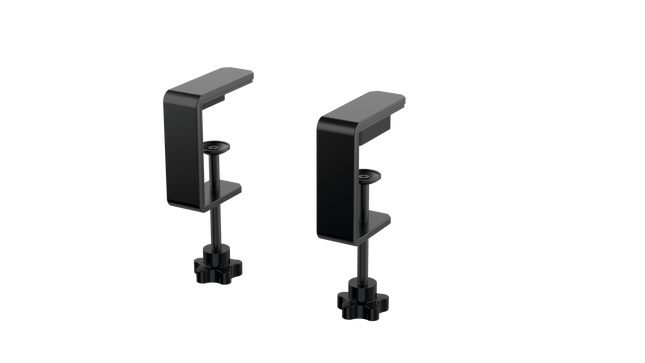
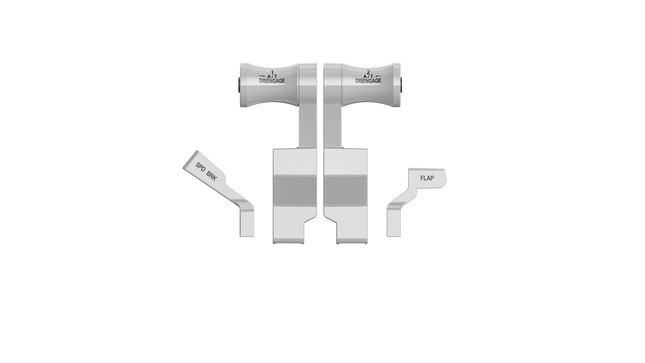
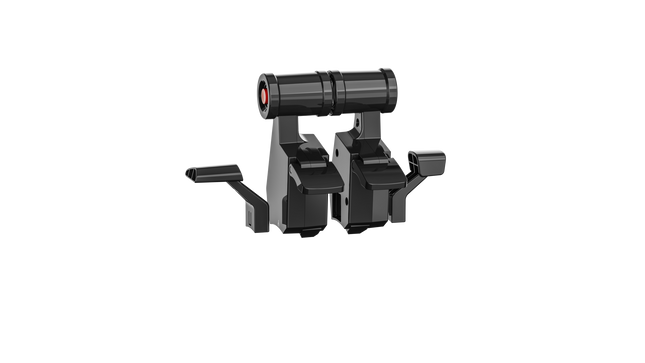
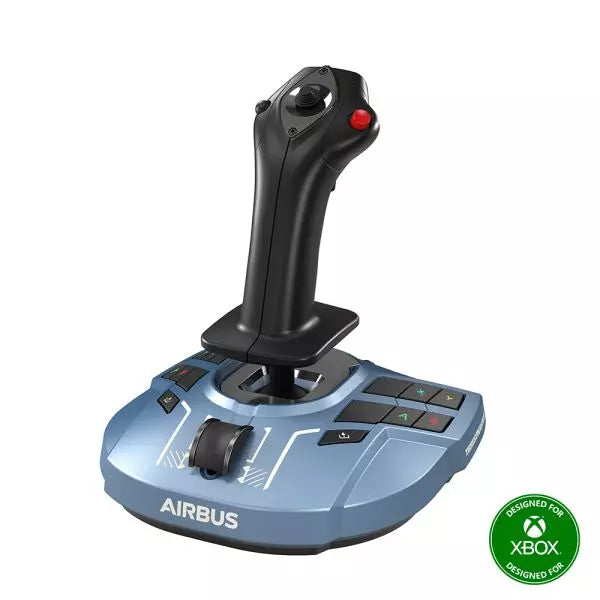
The RealSimGear - Dual Desktop Stand for RealSimGear GNS530 & GNS430 is built to provide a stable, elevated home for your avionics setup. Made from sturdy 3mm stainless steel, this stand boasts a durable, powder-coated matte black finish that resists wear and keeps things looking sharp. With rubber non-slip feet, your devices stay put during the most demanding flights. Its thoughtful design mimics real cockpit placements, ensuring your GNS530 and GNS430 are mounted at a comfortable and practical angle.
RealSimGear - Dual Desktop Stand for RealSimGear GNS530 & GNS430 apart?
Durable and Robust Construction Constructed from 3mm stainless steel, this stand is built to last. The powder-coated matte black finish not only adds a sleek appearance but also ensures the stand withstands long-term use without corrosion or wear. It's a dependable piece that can handle regular setup and breakdown without losing its shape or stability.
Thoughtful Mounting Compatibility The base comes with mounting holes that cater to various setups, including the Honeycomb Alpha yoke, Bravo throttle, and Saitek/Logitech yoke systems. This versatility makes it easy to integrate the stand into a broader flight sim configuration, avoiding compatibility headaches.
Realistic Placement Angle This stand provides an elevated mounting position similar to what you’d find in general aviation aircraft, giving your GNS530 and GNS430 a realistic layout. This attention to detail makes practice sessions more intuitive and comfortable, fostering a familiar feel when training or flying.
Solid Stability Features The rubber non-slip feet ensure that the stand stays firmly on your desk even during intense maneuvers. No sliding or shifting, so you can focus on piloting without constantly adjusting your setup. This small feature adds significant value by ensuring steady operation throughout flights.
Pros and Cons
Pros
Cons
Sturdy 3mm stainless steel construction with matte black finish.
Specifically designed for GNS530 & GNS430 only.
Rubber non-slip feet provide strong stability on any surface.
May occupy more space than single-unit stands.
Compatible with multiple yoke systems and mounting plates.
Specifications
Specification
Value
Material
3mm stainless steel
Finish
Powder-coated matte black
Foot Type
Rubber non-slip feet
Mounting Holes
Compatible with Honeycomb Alpha/Bravo, Saitek/Logitech yoke
RealSimGear - Dual Desktop Stand for RealSimGear GNS530 & GNS430 Compatibility
The RealSimGear - Dual Desktop Stand for RealSimGear GNS530 & GNS430 is engineered to perfectly fit both the GNS530 and GNS430 units, providing a cohesive mounting solution. It features pre-drilled holes that support a range of popular systems, including the Honeycomb Alpha yoke, Bravo throttle, and Saitek/Logitech yoke mounting plates. This ensures that it integrates seamlessly with a variety of cockpit configurations, making it an adaptable option for many sim pilots.
When it comes to gaming platforms, this stand is tailored for PC-based flight simulations, aligning well with simulators such as X-Plane and Microsoft Flight Simulator. It is not designed for console use, making it best suited for those running dedicated PC setups with realistic avionics add-ons.
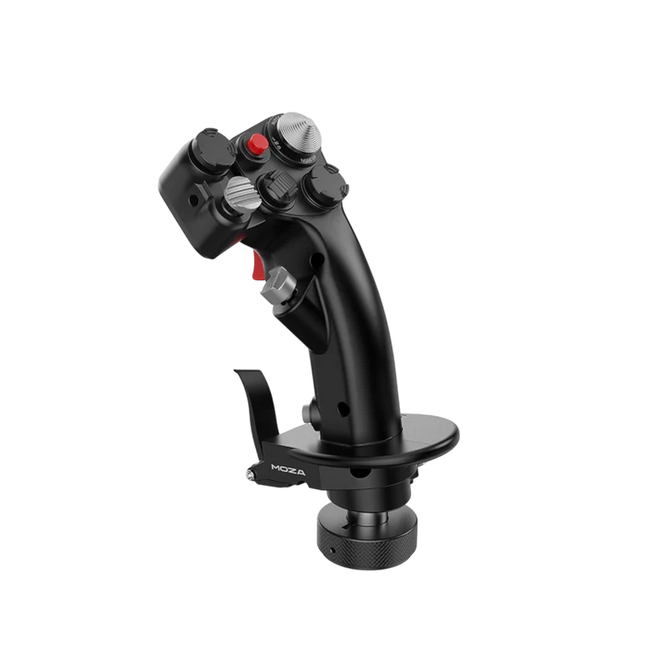
Le Moza MH16 Flightstick adopte une approche audacieuse et sans compromis en matière de simulation de vol. Conçu en alliage d'aluminium de qualité aérospatiale, ce manche ne se limite pas à son apparence : il est conçu pour résister aux sessions les plus intenses. Avec 27 signaux d'entrée et un mini-stick ALPS 8 directions, chaque commande est à portée de main pour des manœuvres de précision. Ses composants modulaires détachables permettent une personnalisation optimale, tandis que sa construction robuste assure une stabilité parfaite, même dans les combats aériens les plus exigeants. Que vous soyez en croisière à haute altitude ou engagé dans un virage serré, ce flightstick vous offre un niveau de contrôle qui vous garde totalement immergé.
Qu'est-ce qui distingue le Moza MH16 Flightstick ?
Construit comme un manche de chasseur réel – Le design entièrement métallique ne se limite pas à l'esthétique : il procure le poids et la sensation d'un véritable système de commande d'aéronef. Contrairement aux flightsticks en plastique, le MH16 offre une prise en main plus robuste et durable, réduisant la flexion et garantissant une longévité exceptionnelle.
Modulaire et évolutif – Contrairement aux manches fixes, le MH16 propose des modules détachables avec des connexions à broches pogo, permettant une personnalisation sans effort. Les utilisateurs peuvent ainsi échanger ou améliorer les composants sans avoir à démonter l'ensemble de l'unité.
Personnalisation poussée – Avec 27 signaux d'entrée et un mini-stick ALPS 8 directions, les pilotes peuvent configurer leurs commandes selon leurs préférences. Cette flexibilité dans l'attribution des boutons et des fonctions en fait un choix incontournable pour ceux qui exigent un contrôle total de leur expérience de simulation.
Compatibilité Plug-and-Play – Aucune installation complexe, aucun pilote supplémentaire requis : il suffit de brancher et de jouer. Le connecteur d'aviation 5 broches garantit une transmission de signal stable et sécurisée, rendant le MH16 immédiatement fonctionnel avec la plupart des bases de vol du marché.
Avantages et Inconvénients
Avantages
Inconvénients
Corps en aluminium de qualité aérospatiale, offrant durabilité et prise en main solide.
Rupture de stock fréquente, disponibilité limitée.
Modules détachables facilitant la personnalisation.
Pas de prise en charge officielle pour MacOS.
27 entrées et mini-stick ALPS offrant un contrôle étendu.
Plug-and-play avec la plupart des bases de vol.
Caractéristiques Techniques
Caractéristique
Valeur
Plateforme
PC
Matériau principal
Alliage d'aluminium de qualité aérospatiale
Tension nominale
3.3V
Courant nominal
5A
Connecteur
Connecteur d'aviation 5 broches
Module axe Z
Optionnel
Dimensions
99×213.5×132mm
Compatibilité du Moza MH16 Flightstick
Compatible avec
Non compatible avec
PC (systèmes sous Windows)
MacOS
La plupart des bases de vol avec connecteur d'aviation 5 broches
Consoles (PlayStation, Xbox)
Logiciel MOZA Cockpit Control
Interfaces USB non standards
Le Moza MH16 Flightstick fonctionne parfaitement avec la plupart des configurations de vol sur PC grâce à son connecteur d'aviation 5 broches et sa compatibilité plug-and-play. Cependant, les utilisateurs de Mac devront chercher d'autres alternatives, car aucune prise en charge officielle n'existe pour macOS. Les retours utilisateurs indiquent une excellente intégration avec diverses bases, ce qui en fait une option flexible pour les pilotes aimant personnaliser leur matériel.
Concernant les plateformes de jeu, le MH16 est strictement réservé aux utilisateurs PC. Il fonctionne parfaitement sur les simulateurs de vol sous Windows tels que DCS, MSFS2020 et X-Plane, mais les joueurs sur console devront se tourner vers d'autres solutions, faute de compatibilité avec les plateformes PlayStation et Xbox. Pour les passionnés de simulation de vol, ce flightstick représente une solution idéale, le PC restant la plateforme de choix pour une expérience immersive.
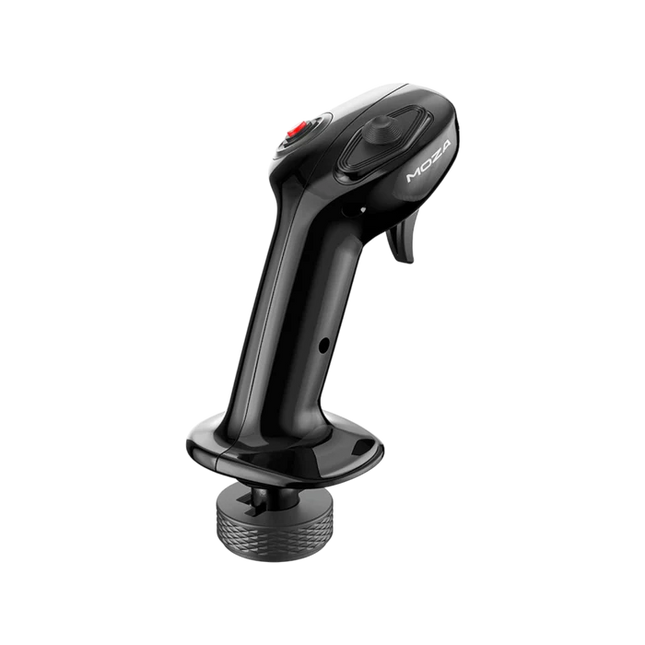
Moza MA3X Flightstick allie un design inspiré des avions classiques à une ingénierie moderne pour offrir une expérience de simulation de vol immersive. Construit à partir d'un matériau composite ultra-résistant, il reste léger tout en étant suffisamment robuste pour supporter jusqu'à 30 kg de force. Les interrupteurs ALPS garantissent une longévité exceptionnelle, évaluée à 100 000 cycles, offrant ainsi un contrôle constant et fiable aux pilotes. Un traitement multicouche par pulvérisation et aux UV reproduit la sensation tactile des matériaux d'avion réels, améliorant ainsi le ressenti global. Avec une disposition de boutons étendue et une large compatibilité, le MA3X s'adapte parfaitement à toute configuration, offrant à la fois flexibilité et fiabilité.
Qu'est-ce qui distingue le Moza MA3X Flightstick ?
Construction durable mais légère – Contrairement aux joysticks de vol plus massifs en métal, le MA3X est fabriqué en matériau composite ultra-résistant. Cela lui permet de rester léger avec seulement 220 g tout en supportant jusqu'à 30 kg de force sans compromettre son intégrité structurelle.
Disposition des boutons améliorée – Le MA3X est équipé de quatre boutons physiques mais peut être étendu pour prendre en charge jusqu'à 12 signaux d'entrée. Cette flexibilité supplémentaire permet aux utilisateurs de configurer leurs commandes exactement comme ils en ont besoin pour différents scénarios de simulation.
Interrupteurs ALPS pour une longévité accrue – De nombreux joysticks de vol s'usent avec le temps, mais le MA3X est équipé d'interrupteurs ALPS évalués à 100 000 cycles. Cela signifie que les pilotes peuvent compter sur un fonctionnement fluide et constant, même après une utilisation intensive.
Large compatibilité et installation Plug-and-Play – Conçu pour fonctionner avec toutes les bases Moza et la plupart des bases tierces, le MA3X ne nécessite aucun pilote supplémentaire ni configuration complexe. Le connecteur d'aviation à 5 broches garantit une connexion stable et sécurisée.
Avantages et Inconvénients
Avantages
Inconvénients
Matériau composite durable résistant à une utilisation intensive.
Aucune prise en charge officielle de MacOS.
Disposition de boutons extensible jusqu'à 12 signaux d'entrée.
Fonctionnalité autonome limitée sans base compatible.
Interrupteurs ALPS évalués à 100 000 cycles.
Compatible avec les bases Moza et la plupart des bases tierces.
Caractéristiques Techniques
Caractéristique
Valeur
Matériau du boîtier
Composite
Matériau des interrupteurs
ABS
Poids
220g
Interrupteur à 8 positions
1
Détente
1
Interrupteur inverseur
1
Connecteur
Connecteur d'aviation à 5 broches
Compatibilité du Moza MA3X Flightstick
Compatible avec
Non compatible avec
PC (systèmes sous Windows)
MacOS
Toutes les bases Moza
Consoles (PlayStation, Xbox)
La plupart des bases tierces
Systèmes d'entrée uniquement USB
Le Moza MA3X Flightstick s'intègre parfaitement à toutes les bases Moza et prend en charge la plupart des bases tierces grâce à son connecteur d'aviation à 5 broches. Contrairement à certains joysticks de vol qui enferment les utilisateurs dans des écosystèmes spécifiques, le MA3X conserve un design plus flexible, permettant une compatibilité plus large sans adaptateurs supplémentaires.
Sur le plan logiciel, le MA3X est entièrement compatible avec les simulateurs de vol sous Windows, mais ne prend pas en charge MacOS. Il fonctionne parfaitement avec des titres phares tels que MSFS2020, X-Plane et DCS. Cependant, les utilisateurs de consoles devront chercher ailleurs, car le MA3X n'est pas compatible avec les plateformes PlayStation ou Xbox.
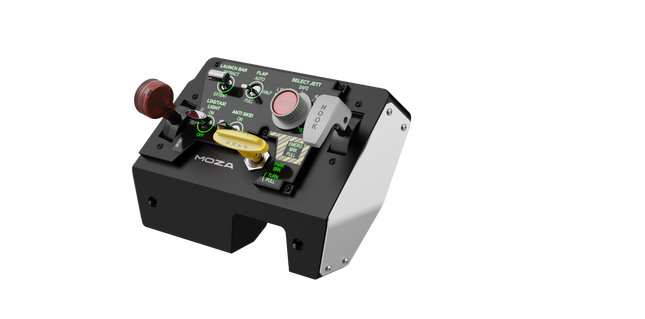
Moza MTLP Take-off Landing Panel apporte l'essence des opérations des chasseurs à réaction dans le cockpit domestique avec un système de contrôle robuste et tactile conçu pour les pilotes de simulation sérieux. Inspiré du panneau d'atterrissage du F/A-18, il offre une disposition intuitive des interrupteurs permettant des entrées rapides et instinctives sans dépendre de la confirmation visuelle. Le mécanisme authentique de frein de stationnement procure un rebond mécanique solide, digne d'un véritable chasseur. Avec 25 signaux d'interrupteurs programmables et des capteurs à effet Hall pour une précision optimale, ce panneau comble l'écart entre l'interaction virtuelle et physique du cockpit.
Qu'est-ce qui distingue le Moza MTLP Take-off Landing Panel ?
Conçu pour un contrôle intuitif Modélisé d'après le panneau d'atterrissage du F/A-18, ce système met l'accent sur une exploitation instinctive. La disposition des interrupteurs permet aux pilotes de gérer les fonctions critiques de l'avion au toucher, réduisant ainsi le besoin de quitter l'écran des yeux. Ce renforcement tactile est essentiel pour les environnements dynamiques comme les vols de combat et les atterrissages sur porte-avions.
Précision des capteurs à effet Hall Contrairement aux interrupteurs mécaniques standards, le MTLP intègre des capteurs à effet Hall dans des entrées clés comme les leviers du train d'atterrissage et du crochet d'appontage. Ces capteurs garantissent une fiabilité à long terme et une précision constante des entrées, éliminant ainsi toute usure ou dégradation au fil du temps.
Conception robuste pour une utilisation intensive La construction en alliage d'aluminium du levier de frein, du crochet d'appontage et du train d'atterrissage assure une durabilité maximale. Ces composants résistent à des sollicitations répétées et intenses, en faisant un investissement à long terme pour les passionnés de simulation exigeant une robustesse mécanique.
Intégration transparente avec l'écosystème Moza Le MTLP est conçu pour fonctionner en harmonie avec le Moza MTP Throttle Panel, formant un système de contrôle cohérent pour les chasseurs. Via le logiciel Moza Cockpit, les utilisateurs peuvent synchroniser les effets lumineux basés sur la télémétrie et personnaliser leurs configurations de boutons selon leur style de vol.
Avantages et inconvénients
Avantages
Inconvénients
Inspiré du panneau d'atterrissage du F/A-18
Pince de fixation de bureau vendue séparément
Capteurs à effet Hall pour une précision et une longévité accrues
Compatibilité limitée aux PC
25 signaux d'interrupteurs programmables pour un contrôle étendu
Compatible avec l'écosystème Moza pour une configuration complète de chasseur
Spécifications
Spécification
Valeur
Dimensions
196.5 × 134.7 × 149 mm
Matériau du boîtier
Matériaux composites
Matériau du levier de frein
Alliage d'aluminium
Poids
680g
Signaux d'interrupteurs
25
Éclairage télémétrique
Oui (aucun plug-in supplémentaire requis)
Plateforme prise en charge
PC
Pince de fixation de bureau
Accessoire optionnel
Accessoires inclus
Câble de données, manuel d'utilisation
Compatibilité du Moza MTLP Take-off Landing Panel
Compatible avec
Non compatible avec
Moza MTP Throttle Panel
Panneaux de gaz tiers
Logiciel Moza Cockpit pour personnalisation
Plates-formes consoles
Simulateurs de vol sur PC
MacOS
Conçu pour les simulateurs de vol sur PC, le MTLP s'intègre parfaitement avec le Moza MTP Throttle Panel pour créer un système de contrôle de style chasseur à réaction. Le panneau est configuré via le logiciel Moza Cockpit, permettant une personnalisation avancée, y compris des effets lumineux synchronisés avec la télémétrie. Toutefois, il ne prend pas en charge les panneaux de gaz tiers, ce qui signifie que ses performances optimales sont obtenues au sein de l'écosystème Moza.
Compatibilité exclusivement PC, garantissant la prise en charge des principaux simulateurs de vol, mais MacOS et les consoles ne sont pas pris en charge. Les passionnés de simulation utilisant Microsoft Flight Simulator 2020, Microsoft Flight Simulator 2024 et X-Plane 12 trouveront le panneau reconnu nativement, offrant une fonctionnalité plug-and-play directe via USB. Cependant, ceux recherchant une compatibilité avec Xbox ou PlayStation devront envisager d'autres solutions matérielles.
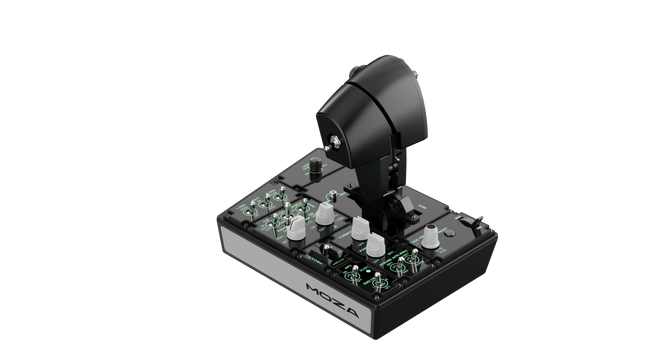
Moza MTP Throttle Panel offre une expérience de contrôle de vol robuste inspirée des chasseurs embarqués. Le système de détentes ajustables permet un contrôle précis, que ce soit pour gérer les postcombustions ou simuler des détentes centrales dans les simulations spatiales. Le retour vibratoire intégré améliore la conscience situationnelle, alertant les pilotes des changements aérodynamiques, des avertissements de survitesse et des conditions de combat. Avec 27 interrupteurs programmables, un joystick à effet Hall et des poignées en alliage d'aluminium, ce panneau de manette des gaz est conçu pour les passionnés de simulation de vol recherchant un contrôle précis dans des environnements exigeants.
Qu'est-ce qui distingue le Moza MTP Throttle Panel ?
Système de détentes personnalisable pour un contrôle maximal Le MTP Throttle permet aux utilisateurs d'ajuster les positions des détentes, ce qui le rend idéal pour régler les postcombustions, la poussée inverse ou les manœuvres de vol spatial précises. Que ce soit pour ajuster les courbes de puissance ou créer des paliers moteurs distincts, cette fonctionnalité offre une flexibilité rarement trouvée dans d'autres systèmes de manette des gaz.
Retour vibratoire intégré pour une meilleure perception des conditions de vol Contrairement aux manettes passives, le MTP est équipé de moteurs vibrants réagissant aux données télémétriques du simulateur. Ce système de retour haptique fournit des alertes sur la résistance aérodynamique, les avertissements de survitesse et les pannes système, offrant aux pilotes un niveau de conscience situationnelle accru.
27 interrupteurs programmables pour des opérations de vol complexes La surface de contrôle est dotée de 27 interrupteurs configurables pour des fonctions essentielles telles que le déploiement du train d'atterrissage, l'allumage des moteurs ou les systèmes de combat. La disposition optimisée garantit un accès facile aux commandes sans avoir à chercher en plein vol.
Joystick à effet Hall pour une flexibilité de contrôle supplémentaire Intégré directement dans la manette des gaz, ce joystick offre une entrée sans dérive pour des ajustements fins de contrôle. Qu'il soit affecté au trim, à la gouverne ou à la navigation de la caméra, le capteur à effet Hall assure des performances constantes sans l'usure des potentiomètres traditionnels.
Avantages et inconvénients
Avantages
Inconvénients
Système de détentes ajustable pour postcombustion et simulations spatiales
Fixation de bureau vendue séparément
Retour vibratoire réagissant aux conditions de vol
Compatibilité uniquement avec PC, pas de support pour consoles
27 interrupteurs programmables pour une cartographie étendue des commandes
Poignée en aluminium durable avec un toucher tactile
Spécifications
Spécification
Valeur
Dimensions
277 × 194 × 216 mm
Matériau du boîtier
Matériaux composites
Matériau de la poignée des gaz
Alliage d'aluminium
Poids
2,1 kg
Interrupteurs physiques
27
Télémétrie vibratoire
Pris en charge (aucun plug-in requis)
Télémétrie lumineuse
Pris en charge (aucun plug-in requis)
Plateforme prise en charge
PC
Fixation de bureau
Optionnelle
Plaque de montage sur bureau
Optionnelle
Accessoires inclus
Câble de données, clé, manuel d'utilisation
Compatibilité du Moza MTP Throttle Panel
Compatible avec
Non compatible avec
Logiciel MOZA Cockpit pour personnalisation
Plates-formes consoles
Panneau MOZA MTLP pour une configuration complète de chasseur
Quadrants de gaz tiers
Rigs de simulation de vol sur PC
MacOS
Conçu pour les simulateurs de vol sur PC, le MTP Throttle s'intègre parfaitement avec le logiciel MOZA Cockpit, permettant des réglages avancés du retour vibratoire, de la cartographie des interrupteurs et des effets lumineux basés sur la télémétrie. Il s'associe également au panneau MOZA MTLP, créant un système de contrôle modulaire pour les avions de chasse, améliorant ainsi l'expérience de décollage et d'atterrissage.
Compatibilité uniquement PC garantissant une fonctionnalité plug-and-play avec Microsoft Flight Simulator 2020, Microsoft Flight Simulator 2024 et X-Plane 12. Cependant, ce système n'est pas compatible avec MacOS ni les consoles, ce qui signifie que les utilisateurs Xbox et PlayStation devront chercher une autre solution de manette des gaz.
Rupture de stock,
Précommandes disponibles. Expédition sous 2 à 2,5 semaines.
Honeycomb Sierra TPM Module apporte le charme tactile de l’aviation générale classique directement sur votre bureau, avec une manette de gaz vernier en métal verrouillable offrant une sensation mécanique satisfaisante en main et une roue de trim intégrée haute résolution permettant d’ajuster l’assiette avec précision du bout des doigts. Conçu pour les avions monomoteurs à hélice comme le Cessna 172, il associe une construction entièrement métallique, des commandes intégrées de volets et de frein de parking ainsi que des indicateurs LED de train d’atterrissage dans un module compact qui s’intègre parfaitement dans un cockpit domestique exigeant.
Qu’est-ce qui distingue le Honeycomb Sierra TPM Module ?
Sensation Vernier authentique d’aviation générale La manette de gaz vernier en métal verrouillable avec réglages fins d’hélice et de mixture ne se contente pas d’être fidèle visuellement — elle procure cette sensation pousser-tirer et tourner-pour-ajuster que les pilotes associent aux cockpits GA classiques. De nombreux utilisateurs soulignent que le réglage incrémentiel permet des variations de puissance plus fluides en montée et en approche, notamment sur les avions à moteur à pistons, comparé aux manettes à glissière souvent trop brusques pour une gestion moteur précise.
Flux de travail cockpit intégré Au lieu de disperser les commandes sur différents panneaux, le Sierra TPM regroupe trim, volets, frein de parking et train d’atterrissage dans une disposition cohérente. La roue de trim basse hauteur et haute résolution est particulièrement appréciée pour sa rotation fluide et son entrée précise, rendant les ajustements de tangage en croisière ou en approche finale naturels. Elle réduit la dépendance aux raccourcis clavier et maintient les mains là où elles doivent être — sur du matériel dédié.
Construction robuste entièrement métallique Construit avec des composants de qualité Honeycomb et un châssis entièrement métallique durable, ce module offre un poids et une rigidité notables. Les passionnés mentionnent fréquemment sa stabilité sur le bureau, avec une flexion minimale lors de mouvements de gaz énergiques. Comparé aux alternatives plus légères en plastique, le Sierra TPM conserve sa stabilité structurelle dans le temps, un atout particulièrement apprécié dans les installations de cockpit permanentes ou semi-permanentes.
Intégration transparente dans l’écosystème Honeycomb Conçu pour s’associer parfaitement aux yokes Honeycomb et aux systèmes de fixation, la solution de double montage incluse facilite l’alignement et le positionnement. Les utilisateurs disposant déjà des unités Alpha ou Bravo soulignent souvent l’harmonie du design et de l’espacement des commandes, créant un poste de pilotage visuellement cohérent et ergonomiquement homogène, sans modules disparates.
Avantages et Inconvénients
Avantages
Inconvénients
La manette de gaz vernier en métal offre un contrôle incrémentiel précis.
Principalement conçu pour les avions GA monomoteurs.
La roue de trim intégrée assure des ajustements de tangage fluides.
Nécessite de l’espace sur le bureau pour la solution de montage complète.
Le châssis entièrement métallique est stable et durable.
Les indicateurs LED de train offrent un retour visuel clair.
Spécifications
Spécification
Valeur
Product Name
Honeycomb Sierra TPM Module
EAN
4039621003998
Construction
Construction entièrement métallique avec composants de qualité Honeycomb
Throttle Type
Manette de gaz vernier en métal verrouillable avec commandes d’hélice et de mixture
Integrated Controls
Roue de trim, frein de parking, levier de volets, levier de train d’atterrissage avec indicateurs LED
Layout
Style aviation générale pour avions monomoteurs à hélice
Mounting
Solution de double montage incluse
Connection
Câble USB-C vers USB-A
Compatibility
PC et Mac
Drivers
MSFS 2020 Driver, MSFS 2024 Driver
Included in the Box
Sierra TPM Module, Dual Mounting Solution, USB-C to USB-A Cable, Quick Start Guide (EFIGS)
Compatibilité du Honeycomb Sierra TPM Module
Platform
Compatibility
Operating Systems
PC et Mac
Connection Type
USB-C vers USB-A (connexion USB directe)
Primary Ecosystem Pairing
Matériel Honeycomb Alpha et Bravo
Le Sierra TPM Module se connecte via USB direct, ce qui facilite son intégration dans la plupart des configurations de cockpit de bureau. Il s’associe particulièrement bien aux yokes Honeycomb Alpha et aux quadrants de manette des gaz Bravo, partageant la même philosophie de conception et le même écosystème de montage. Grâce à sa solution de double montage, il peut être installé sur le bureau aux côtés d’autres unités Honeycomb pour une disposition harmonisée. Il n’est pas destiné aux configurations console et ne fonctionne pas directement avec du matériel autonome sans PC ou Mac compatible.
Côté logiciel, il prend en charge Microsoft Flight Simulator 2020 et Microsoft Flight Simulator 2024 via des pilotes dédiés, et fonctionne également avec des simulateurs comme X-Plane et Prepar3D sur PC. Il est non compatible avec les consoles Xbox, car il repose sur des pilotes USB standards PC/Mac plutôt que sur un firmware certifié console. Pour les sim pilotes sur PC axés sur l’aviation générale, il s’intègre parfaitement aux plateformes de simulation modernes basées sur PC.
Honeycomb Foxtrot Aviation Stick est conçu pour les pilotes qui préfèrent un sidestick en main et un bureau dégagé devant eux. Dès le premier mouvement, le système de résistance linéaire fluide sans point dur central offre une sensation précise et maîtrisée, idéale pour les commandes de type Airbus et les manœuvres acrobatiques. À l’intérieur, la résolution 16-bit associée à la technologie de capteurs à effet Hall traduit les moindres mouvements du poignet en un contrôle précis à l’écran. Ajoutez une tension réglable et une conception entièrement ambidextre, et vous obtenez un stick à la sensation professionnelle, loin d’un simple accessoire ludique.
Qu’est-ce qui distingue le Honeycomb Foxtrot Aviation Stick ?
Philosophie de contrôle sans point dur central De nombreux sticks reposent sur une bosse centrale perceptible, ce qui peut rendre les petites corrections mécaniques. Le système de résistance linéaire du Foxtrot supprime ce cran, assurant une transition fluide sur toute la course des axes. Les pilotes volant sur Airbus apprécient particulièrement cette conception, car elle reproduit plus fidèlement le comportement d’un sidestick et permet des corrections douces de tangage et de roulis sans lutter contre un « clic » à ressort au centre.
Synergie entre capteurs et résolution Avec une résolution 16-bit associée à des capteurs à effet Hall, le Foxtrot offre une détection d’entrée propre et sans contact. Les passionnés soulignent souvent sa constance dans le temps : pas de pics, pas de dégradation progressive liée aux potentiomètres mécaniques. Les ajustements subtils du trim en approche ou les entrées précises en roulis en voltige restent stables et prévisibles, notamment comparé aux sticks d’entrée de gamme qui peuvent présenter des tremblements près du centre.
Résistance et ergonomie configurables La tension réglable permet d’adapter le stick aux préférences personnelles, que vous privilégiez des commandes légères du bout des doigts ou une résistance plus ferme pour des mouvements contrôlés. Associé à sa poignée ambidextre, le Foxtrot convient aussi bien aux configurations gaucher que droitier. Les utilisateurs disposant de cockpits compacts mettent souvent en avant son adaptabilité à différentes positions d’assise, y compris en montage central ou latéral.
Densité de commandes sans encombrement Avec 5 interrupteurs à deux positions, 4 boutons d’action programmables, un POV hat, une gâchette, des rockers et un panneau rotatif multi-direction, le stick offre une grande flexibilité de commandes. Ce qui ressort particulièrement, c’est la disposition logique des contrôles ; les sim pilots mentionnent fréquemment que des fonctions comme le trim, les modes du pilote automatique ou les commandes caméra peuvent être assignées sans sensation d’encombrement ni recherche à l’aveugle en plein vol.
Avantages et Inconvénients
Avantages
Inconvénients
Résistance linéaire sans point dur central, sensation fluide.
Aucune compatibilité native avec les consoles.
Les capteurs à effet Hall réduisent l’usure à long terme.
Aucune base de montage dédiée incluse.
Tension réglable adaptée à différents styles de vol.
Nombreuses options de configuration des interrupteurs et boutons.
Spécifications
Spécification
Valeur
Product Name
Honeycomb Foxtrot Aviation Stick
Control System
Système de résistance linéaire sans point dur central
Sensor Technology
Capteurs à effet Hall
Resolution
16-bit
Tension Adjustment
Résistance du stick réglable
Switches
5 interrupteurs à deux positions
Action Buttons
4 boutons programmables
Rotary Panel
Commandes rotatives 3, 4 et 5 positions
Grip Design
Ambidextre
Connection
USB-C to USB-A cable
System Compatibility
PC et Mac
Included in the Box
Foxtrot Aviation Stick, USB-C to USB-A Cable, Quick Start Guide (EFIGS)
Download Support
Profils Basic Bindings (XML) pour MSFS 2024
Compatibilité Honeycomb Foxtrot Aviation Stick
Platform
Compatibility
Operating Systems
PC et Mac
Connection Type
USB-C to USB-A interface USB directe
Primary Sim Support
MSFS 2024 (XML bindings), MSFS, X-Plane, Prepar3D
Le Foxtrot Aviation Stick se connecte via USB standard, ce qui permet une intégration facile dans la plupart des configurations de cockpit de bureau. Il fonctionne parfaitement aux côtés de throttle quadrants, pédales de palonnier et panneaux radio d’autres grandes marques grâce à son architecture HID plug-and-play. Sa conception ambidextre le rend adapté aux configurations siège gauche ou droit, y compris un montage latéral de type Airbus. Il est non compatible avec les consoles Xbox et ne fonctionne pas comme appareil autonome sans PC ou Mac connecté.
Côté logiciel, il prend en charge Microsoft Flight Simulator 2024 avec des profils XML dédiés et fonctionne avec des simulateurs PC populaires tels que Microsoft Flight Simulator (2020), X-Plane et Prepar3D via des configurations manuelles ou communautaires. Il n’est pas conçu pour les plateformes basées sur console, car il repose sur la reconnaissance native des pilotes PC/Mac plutôt que sur un firmware certifié console.
Rupture de stock,
Précommandes disponibles. Expédition sous 2 à 2,5 semaines.
Honeycomb Bravo Throttle Quadrant Lite condense l’expérience essentielle du Bravo original dans un format plus compact et ciblé. Les quatre leviers interchangeables avec tension réglable coulissent avec un poids mécanique rassurant, tandis que la roue de trim intégrée basse hauteur et haute résolution permet d’affiner le tangage du bout des doigts. Du clic ferme du levier de train d’atterrissage avec indication LED à la traction satisfaisante du frein de parking, cette unité fournit des commandes fiables pour les configurations GA et bimoteur sans submerger les nouveaux constructeurs de cockpit.
Qu’est-ce qui distingue le Honeycomb Bravo Throttle Quadrant Lite ?
Épuré Sans Être Dépouillé Contrairement à de nombreux throttle quadrants orientés entrée de gamme qui sacrifient la flexibilité, le Bravo Lite conserve l’ADN modulaire. Les utilisateurs soulignent souvent qu’il maintient les leviers interchangeables et la personnalisation des crans de volets tout en réduisant une partie de la complexité du Bravo complet. Le résultat est une unité compacte qui prend toujours en charge les configurations monomoteur et bimoteur, ce qui la rend attrayante pour les pilotes passant de manettes en plastique basiques.
Tension Réglable avec Retour Mécanique La résistance des leviers peut être ajustée selon les préférences personnelles, ce qui fait une différence notable lors des variations de puissance en montée et des ajustements en courte finale. De nombreux sim pilots mentionnent que le mouvement est fluide et maîtrisé plutôt que lâche ou élastique. Comparé à des quadrants plus légers, le Bravo Lite procure une sensation plus stable lors des transitions de puissance, surtout lorsqu’il est solidement fixé grâce à la dual mounting solution incluse.
Trim et Commandes au Sol Intégrés La roue de trim et le frein de parking intégrés éliminent le besoin de périphériques séparés. La haute résolution de la roue de trim est fréquemment saluée pour aider à stabiliser les approches sans micro-corrections constantes via le clavier ou les boutons du yoke. Ajoutez le levier de train avec indicateur LED d’état, et vous obtenez une confirmation visuelle claire lors des cycles du train — un petit détail qui renforce considérablement la confiance dans les circuits chargés.
Optimisation Axée MSFS Conçu en pensant à Microsoft Flight Simulator, le Bravo Lite bénéficie d’un support de pilotes dédié et de profils téléchargeables. Les utilisateurs apprécient la rapidité de configuration dans MSFS 2020 et 2024 par rapport à certains quadrants USB génériques. En même temps, il reste compatible avec X-Plane et Prepar3D, ce qui lui confère un attrait plus large que de nombreuses unités throttle spécifiques à un simulateur dans cette gamme de prix.
Avantages et Inconvénients
Avantages
Inconvénients
Leviers interchangeables compatibles avec plusieurs types d’aéronefs.
Moins de commandes que la version Bravo complète.
Tension réglable améliorant la sensation des gaz.
PC et Mac uniquement, aucun support console.
Roue de trim intégrée pour un contrôle précis du tangage.
Indicateur LED du train fournissant un retour d’état clair.
Spécifications
Spécification
Valeur
Product Name
Honeycomb Bravo Throttle Quadrant Lite
Dimensions (L x H x W)
40 x 13 x 27 cm (15.75 x 5.19 x 10.63 inches)
Throttle Levers
Quatre leviers interchangeables avec tension réglable
Flap System
Inserts de crans de volets interchangeables inclus
Trim Control
Roue de trim intégrée basse hauteur et haute résolution
Landing Gear Lever
Avec indicateur LED d’état
Parking Brake
Levier intégré
Connectivity
USB-C to USB-A (câble inclus)
System Compatibility
PC et Mac
Software Compatibility
Microsoft Flight Simulator 2020/2024, FSX, Prepar3D V3-V5, X-Plane 11/12
Included in the Box
Throttle Quadrant Lite, Flap detent inlays, Interchangeable levers (Commercial & GA), USB-C cable, Dual mounting solution, Quick Start Guide
Compatibilité Honeycomb Bravo Throttle Quadrant Lite
Category
Compatibility
Operating Systems
Microsoft Windows (64-bit), macOS
Connection
USB-C to USB-A (port USB standard requis)
Supported Simulators
MSFS 2020/2024, FSX, Prepar3D V3–V5, X-Plane 11/12
Le Bravo Lite se connecte via USB standard, ce qui facilite son intégration avec des yokes, sticks et pédales de palonnier de différentes marques. Il s’associe particulièrement bien avec les yokes Honeycomb Alpha et d’autres équipements de cockpit modulaires grâce à la dual mounting solution. Il est conçu exclusivement pour les systèmes PC et Mac et ne fonctionne pas de manière autonome sans ordinateur connecté.
Côté simulation, il est optimisé pour Microsoft Flight Simulator 2020 et 2024, avec des pilotes LED dédiés et des profils d’aéronefs téléchargeables. Il fonctionne également avec X-Plane 11 et 12, FSX et Prepar3D V3–V5 via la reconnaissance USB HID standard. Il est non compatible avec les consoles Xbox, car il repose sur une architecture USB et des pilotes basés sur PC plutôt que sur un firmware certifié console.
Rupture de stock,
Précommandes disponibles. Expédition sous 2 à 2,5 semaines.
WINCTRL URSA MINOR Airline Joystick R brings airline-style control to the desktop with a clever mix of tactile feedback and thoughtful engineering. The standout feature is the flight-data-linked vibration engine, which adds subtle physical cues during events like flap deployment, airflow changes, and touchdown. Pair that with non-contact magnetic resistance sensors on the X and Y axes, and the stick delivers smooth, stable inputs without the wear issues common in cheaper mechanisms. The result is a joystick that feels lively in hand yet technically grounded under the hood.
What Sets the WINCTRL URSA MINOR Airline Joystick R apart?
Flight Data Driven Vibration Feedback The URSA MINOR stands out with a vibration motor tied directly to in-sim flight data. Instead of generic rumble, the stick reacts to events like landing contact, airflow changes, or flap movement. Pilots online often mention how this adds subtle physical cues during phases like flare or speed changes, providing a tactile reminder of what the aircraft is doing without constantly glancing at instruments.
Robust Gimbal With Magnetic Sensors At the core of the stick is a glass-fiber-reinforced nylon gimbal running on ball bearings, paired with non-contact magnetic sensors for the primary axes. This combination helps maintain smooth motion over time without the jitter common in potentiometer-based designs. Enthusiasts frequently note that the stick movement feels stable across the entire travel range, particularly during small pitch adjustments on final approach.
Airliner-Inspired Grip Layout The grip design borrows cues from airline sidestick ergonomics, offering a balanced control layout that includes a PTT trigger, autopilot disconnect switch, and a concealed five-way switch beneath a magnetic cover. Pilots often highlight how practical this arrangement is for everyday flying tasks—radio calls, autopilot overrides, and camera views can all be handled without reaching for the keyboard.
Flexible Mounting and Maintenance Design The base includes anti-slip pads for desktop use along with pre-drilled mounting holes for cockpit rigs. A quick-release base cover allows access to internal adjustments without dismantling the entire unit. This detail is frequently appreciated by sim cockpit builders who prefer gear that can be tuned or serviced easily rather than permanently sealed hardware.
Pros and Cons
Pros
Cons
Flight-data vibration feedback adds tactile flight cues.
Plastic construction compared to metal joystick designs.
Magnetic sensors reduce wear and input drift.
Limited axis travel compared to extended bases.
Good button layout for airliner-style flying tasks.
Desk or cockpit mounting options included.
Specifications
Specification
Value
Product Model
URSA MINOR-Airline-Joystick R
Material
Industrial ABS plastic (PC + ABS)
Controller
32-bit ARM controller
X/Y Axis Movement Angle
±15°
Z Axis Rotation Angle
±20°
X/Y Sensors
Non-contact magnetic resistance sensors
Gimbal Construction
Glass fiber reinforced nylon with ball bearings
Operating Force (X/Y)
Approximately 6N
Rotation Torque (Z)
~4 kgf·cm
Throttle Axis Type
Long-travel sliding potentiometer
Throttle Axis Travel
38 mm
Buttons
14 buttons (250gf press force, 0.25 mm travel)
Special Controls
Hidden 5-way switch, PTT trigger, autopilot disconnect
Vibration Feature
Adjustable amplitude levels from 0–255
Mounting Options
Anti-slip desktop pads and cockpit mounting holes
Item Weight
3 kg
Included in Box
J5-BASE-BLACK + JGRIP-C1-R, Data Cable, Toolkit, Accessories Pack
WINCTRL URSA MINOR Airline Joystick R Compatibility
Platform
Compatibility
Connection Type
USB plug-and-play connection
Software Configuration
WW SIMAPP Pro software for button mapping
Mounting
Desktop use or cockpit mounting
The URSA MINOR Airline Joystick R connects via standard USB, allowing it to integrate easily with throttle quadrants, rudder pedals, and other flight hardware from many manufacturers. The base supports both desktop placement with anti-slip pads and cockpit mounting using pre-drilled holes, which is useful for sim rigs or permanent setups. Configuration is handled through WW SIMAPP Pro software, enabling button assignments and vibration adjustments directly from a visual interface.
Within a flight setup, the joystick works well alongside external throttles, radio panels, or pedal systems because it behaves as a standard USB HID controller. It does not require proprietary ecosystems and can coexist with other brands in the same cockpit. However, it is intended for PC-based simulation environments and does not integrate directly with console platforms.
In terms of simulators, the stick supports Microsoft Flight Simulator 2020, X-Plane, Prepar3D, and also space or combat titles like Star Citizen, Elite Dangerous, and War Thunder. Its plug-and-play USB design allows quick recognition in most PC simulation platforms. It is not designed for Xbox or PlayStation consoles, as those systems typically require licensed hardware and different firmware structures.