Brak w magazynie,
Zamówienia w przedsprzedaży dostępne. Wysyłka w ciągu 2-2,5 tygodnia.
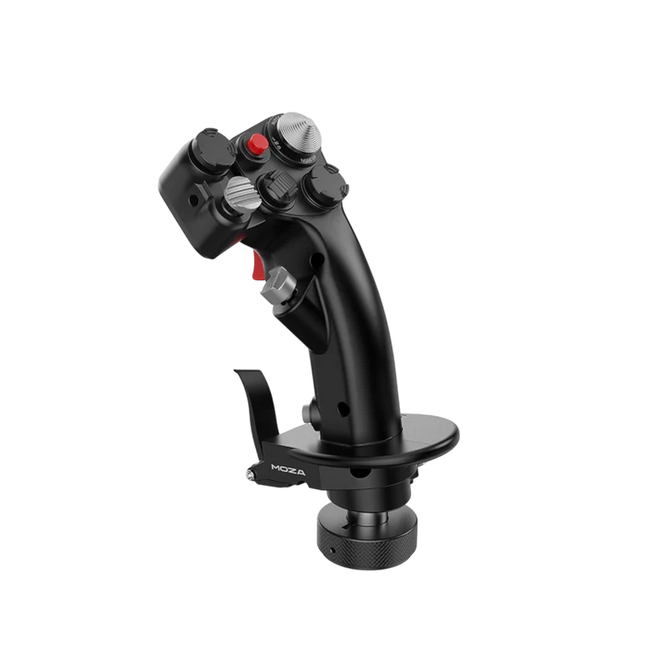
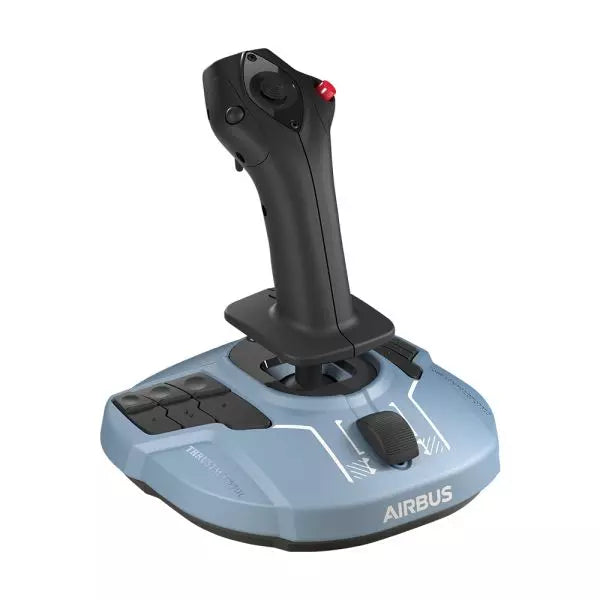
WINCTRL URSA MINOR Airline Joystick L brings airline-style control to the desktop with a clever mix of tactile feedback and thoughtful engineering. The standout feature is the flight-data-linked vibration engine, which adds subtle physical cues during events like flap deployment, airflow changes, and touchdown. Pair that with non-contact magnetic resistance sensors on the X and Y axes, and the stick delivers smooth, stable inputs without the wear issues common in cheaper mechanisms. The result is a joystick that feels lively in hand yet technically grounded under the hood.
What Sets the WINCTRL URSA MINOR Airline Joystick L apart?
Flight Data Driven Vibration Feedback The URSA MINOR stands out with a vibration motor tied directly to in-sim flight data. Instead of generic rumble, the stick reacts to events like landing contact, airflow changes, or flap movement. Pilots online often mention how this adds subtle physical cues during phases like flare or speed changes, providing a tactile reminder of what the aircraft is doing without constantly glancing at instruments.
Robust Gimbal With Magnetic Sensors At the core of the stick is a glass-fiber-reinforced nylon gimbal running on ball bearings, paired with non-contact magnetic sensors for the primary axes. This combination helps maintain smooth motion over time without the jitter common in potentiometer-based designs. Enthusiasts frequently note that the stick movement feels stable across the entire travel range, particularly during small pitch adjustments on final approach.
Airliner-Inspired Grip Layout The grip design borrows cues from airline sidestick ergonomics, offering a balanced control layout that includes a PTT trigger, autopilot disconnect switch, and a concealed five-way switch beneath a magnetic cover. Pilots often highlight how practical this arrangement is for everyday flying tasks—radio calls, autopilot overrides, and camera views can all be handled without reaching for the keyboard.
Flexible Mounting and Maintenance Design The base includes anti-slip pads for desktop use along with pre-drilled mounting holes for cockpit rigs. A quick-release base cover allows access to internal adjustments without dismantling the entire unit. This detail is frequently appreciated by sim cockpit builders who prefer gear that can be tuned or serviced easily rather than permanently sealed hardware.
Pros and Cons
Pros
Cons
Flight-data vibration feedback adds tactile flight cues.
Plastic construction compared to metal joystick designs.
Magnetic sensors reduce wear and input drift.
Limited axis travel compared to extended bases.
Good button layout for airliner-style flying tasks.
Desk or cockpit mounting options included.
Specifications
Specification
Value
Product Model
URSA MINOR-Airline-Joystick L
Material
Industrial ABS plastic (PC + ABS)
Controller
32-bit ARM controller
X/Y Axis Movement Angle
±15°
Z Axis Rotation Angle
±20°
X/Y Sensors
Non-contact magnetic resistance sensors
Gimbal Construction
Glass fiber reinforced nylon with ball bearings
Operating Force (X/Y)
Approximately 6N
Rotation Torque (Z)
~4 kgf·cm
Throttle Axis Type
Long-travel sliding potentiometer
Throttle Axis Travel
38 mm
Buttons
14 buttons (250gf press force, 0.25 mm travel)
Special Controls
Hidden 5-way switch, PTT trigger, autopilot disconnect
Vibration Feature
Adjustable amplitude levels from 0–255
Mounting Options
Anti-slip desktop pads and cockpit mounting holes
Item Weight
3 kg
Included in Box
J5-BASE-BLACK + JGRIP-C1-R, Data Cable, Toolkit, Accessories Pack
WINCTRL URSA MINOR Airline Joystick L Compatibility
Platform
Compatibility
Connection Type
USB plug-and-play connection
Software Configuration
WW SIMAPP Pro software for button mapping
Mounting
Desktop use or cockpit mounting
The URSA MINOR Airline Joystick L connects via standard USB, allowing it to integrate easily with throttle quadrants, rudder pedals, and other flight hardware from many manufacturers. The base supports both desktop placement with anti-slip pads and cockpit mounting using pre-drilled holes, which is useful for sim rigs or permanent setups. Configuration is handled through WW SIMAPP Pro software, enabling button assignments and vibration adjustments directly from a visual interface.
Within a flight setup, the joystick works well alongside external throttles, radio panels, or pedal systems because it behaves as a standard USB HID controller. It does not require proprietary ecosystems and can coexist with other brands in the same cockpit. However, it is intended for PC-based simulation environments and does not integrate directly with console platforms.
In terms of simulators, the stick supports Microsoft Flight Simulator 2020, X-Plane, Prepar3D, and also space or combat titles like Star Citizen, Elite Dangerous, and War Thunder. Its plug-and-play USB design allows quick recognition in most PC simulation platforms. It is not designed for Xbox or PlayStation consoles, as those systems typically require licensed hardware and different firmware structures.
Brak w magazynie,
Zamówienia w przedsprzedaży dostępne. Wysyłka w ciągu 2-2,5 tygodnia.
WINCTRL URSA MINOR Airline Joystick R brings airline-style control to the desktop with a clever mix of tactile feedback and thoughtful engineering. The standout feature is the flight-data-linked vibration engine, which adds subtle physical cues during events like flap deployment, airflow changes, and touchdown. Pair that with non-contact magnetic resistance sensors on the X and Y axes, and the stick delivers smooth, stable inputs without the wear issues common in cheaper mechanisms. The result is a joystick that feels lively in hand yet technically grounded under the hood.
What Sets the WINCTRL URSA MINOR Airline Joystick R apart?
Flight Data Driven Vibration Feedback The URSA MINOR stands out with a vibration motor tied directly to in-sim flight data. Instead of generic rumble, the stick reacts to events like landing contact, airflow changes, or flap movement. Pilots online often mention how this adds subtle physical cues during phases like flare or speed changes, providing a tactile reminder of what the aircraft is doing without constantly glancing at instruments.
Robust Gimbal With Magnetic Sensors At the core of the stick is a glass-fiber-reinforced nylon gimbal running on ball bearings, paired with non-contact magnetic sensors for the primary axes. This combination helps maintain smooth motion over time without the jitter common in potentiometer-based designs. Enthusiasts frequently note that the stick movement feels stable across the entire travel range, particularly during small pitch adjustments on final approach.
Airliner-Inspired Grip Layout The grip design borrows cues from airline sidestick ergonomics, offering a balanced control layout that includes a PTT trigger, autopilot disconnect switch, and a concealed five-way switch beneath a magnetic cover. Pilots often highlight how practical this arrangement is for everyday flying tasks—radio calls, autopilot overrides, and camera views can all be handled without reaching for the keyboard.
Flexible Mounting and Maintenance Design The base includes anti-slip pads for desktop use along with pre-drilled mounting holes for cockpit rigs. A quick-release base cover allows access to internal adjustments without dismantling the entire unit. This detail is frequently appreciated by sim cockpit builders who prefer gear that can be tuned or serviced easily rather than permanently sealed hardware.
Pros and Cons
Pros
Cons
Flight-data vibration feedback adds tactile flight cues.
Plastic construction compared to metal joystick designs.
Magnetic sensors reduce wear and input drift.
Limited axis travel compared to extended bases.
Good button layout for airliner-style flying tasks.
Desk or cockpit mounting options included.
Specifications
Specification
Value
Product Model
URSA MINOR-Airline-Joystick R
Material
Industrial ABS plastic (PC + ABS)
Controller
32-bit ARM controller
X/Y Axis Movement Angle
±15°
Z Axis Rotation Angle
±20°
X/Y Sensors
Non-contact magnetic resistance sensors
Gimbal Construction
Glass fiber reinforced nylon with ball bearings
Operating Force (X/Y)
Approximately 6N
Rotation Torque (Z)
~4 kgf·cm
Throttle Axis Type
Long-travel sliding potentiometer
Throttle Axis Travel
38 mm
Buttons
14 buttons (250gf press force, 0.25 mm travel)
Special Controls
Hidden 5-way switch, PTT trigger, autopilot disconnect
Vibration Feature
Adjustable amplitude levels from 0–255
Mounting Options
Anti-slip desktop pads and cockpit mounting holes
Item Weight
3 kg
Included in Box
J5-BASE-BLACK + JGRIP-C1-R, Data Cable, Toolkit, Accessories Pack
WINCTRL URSA MINOR Airline Joystick R Compatibility
Platform
Compatibility
Connection Type
USB plug-and-play connection
Software Configuration
WW SIMAPP Pro software for button mapping
Mounting
Desktop use or cockpit mounting
The URSA MINOR Airline Joystick R connects via standard USB, allowing it to integrate easily with throttle quadrants, rudder pedals, and other flight hardware from many manufacturers. The base supports both desktop placement with anti-slip pads and cockpit mounting using pre-drilled holes, which is useful for sim rigs or permanent setups. Configuration is handled through WW SIMAPP Pro software, enabling button assignments and vibration adjustments directly from a visual interface.
Within a flight setup, the joystick works well alongside external throttles, radio panels, or pedal systems because it behaves as a standard USB HID controller. It does not require proprietary ecosystems and can coexist with other brands in the same cockpit. However, it is intended for PC-based simulation environments and does not integrate directly with console platforms.
In terms of simulators, the stick supports Microsoft Flight Simulator 2020, X-Plane, Prepar3D, and also space or combat titles like Star Citizen, Elite Dangerous, and War Thunder. Its plug-and-play USB design allows quick recognition in most PC simulation platforms. It is not designed for Xbox or PlayStation consoles, as those systems typically require licensed hardware and different firmware structures.
Honeycomb Foxtrot Aviation Stick is built for pilots who prefer a sidestick in hand and a clean desk in front of them. From the first movement, the smooth linear resistance system with no center detent feels fluid and deliberate, ideal for Airbus-style inputs and aerobatic maneuvers. Under the hood, 16-bit resolution with Hall Effect sensor technology translates subtle wrist movements into accurate on-screen control. Add adjustable tension and a fully ambidextrous layout, and you’ve got a stick that feels purposeful rather than toy-like.
What Sets the Honeycomb Foxtrot Aviation Stick apart?
Center-Detent-Free Control Philosophy Many sticks rely on a noticeable center bump, which can make small corrections feel mechanical. The Foxtrot’s linear resistance system eliminates that notch, creating a smooth transition across the full axis range. Pilots flying Airbus aircraft in particular appreciate this design, as it mirrors sidestick behavior more closely and allows gentle pitch and roll corrections without fighting a spring-loaded “click” at center.
Sensor and Resolution Synergy With 16-bit resolution paired to Hall Effect sensors, the Foxtrot delivers clean, contactless input detection. Enthusiasts often point out the consistency over time—no spiking, no gradual degradation from physical potentiometers. Subtle trim adjustments during approach or careful roll inputs in aerobatics feel steady and predictable, especially when compared to entry-level sticks that can show jitter near center.
Configurable Resistance and Ergonomics Adjustable tension allows the stick to be tuned to personal preference, whether you prefer lighter fingertip inputs or firmer resistance for controlled movements. Combined with its ambidextrous grip design, the Foxtrot suits both left- and right-handed setups. Users with compact cockpit builds often highlight how adaptable it feels in different seating positions, including center-mounted or side-mounted configurations.
Switch Density Without Clutter Between the 5 two-way switches, 4 programmable action buttons, POV hat, trigger, rockers, and multi-way rotary panel, the stick offers serious input flexibility. What stands out is how logically the controls are spaced; sim pilots frequently mention that functions like trim, autopilot modes, or camera controls can be assigned without feeling cramped or hunting blindly mid-flight.
Pros and Cons
Pros
Cons
Linear resistance without center detent feels smooth.
No native console compatibility.
Hall Effect sensors reduce long-term wear.
No included dedicated mounting base.
Adjustable tension suits different flying styles.
Extensive switch and button configuration options.
Specifications
Specification
Value
Product Name
Honeycomb Foxtrot Aviation Stick
Control System
Linear resistance system with no center detent
Sensor Technology
Hall Effect sensors
Resolution
16-bit
Tension Adjustment
Adjustable stick resistance
Switches
5 two-way switches
Action Buttons
4 programmable buttons
Rotary Panel
3-, 4-, and 5-way rotary controls
Grip Design
Ambidextrous
Connection
USB-C to USB-A cable
System Compatibility
PC and Mac
Included in the Box
Foxtrot Aviation Stick, USB-C to USB-A Cable, Quick Start Guide (EFIGS)
Download Support
Basic Bindings Profiles (XML) for MSFS 2024
Honeycomb Foxtrot Aviation Stick Compatibility
Platform
Compatibility
Operating Systems
PC and Mac
Connection Type
USB-C to USB-A direct USB interface
Primary Sim Support
MSFS 2024 (XML bindings), MSFS, X-Plane, Prepar3D
The Foxtrot Aviation Stick connects via standard USB, allowing it to integrate easily into most desktop cockpit setups. It works seamlessly alongside throttle quadrants, rudder pedals, and radio panels from other major brands thanks to its plug-and-play HID architecture. Its ambidextrous design makes it suitable for left- or right-seat configurations, including Airbus-style side mounting. It is not compatible with Xbox consoles and does not function as a standalone device without a connected PC or Mac.
On the software side, it supports Microsoft Flight Simulator 2024 with dedicated XML binding profiles and operates with popular PC simulators such as Microsoft Flight Simulator (2020), X-Plane, and Prepar3D through manual or community mappings. It is not designed for console-based platforms, as it relies on native PC/Mac driver recognition rather than console-certified firmware.
Honeycomb Bravo Throttle Quadrant Lite distills the core experience of the original Bravo into a tighter, more focused package. The four interchangeable levers with adjustable tension glide with reassuring mechanical weight, while the integrated low-profile, high-resolution trim wheel lets you fine-tune pitch with fingertip control. From the firm click of the landing gear lever with LED indication to the satisfying pull of the parking brake, this unit delivers dependable input for GA and twin-engine setups without overwhelming newer cockpit builders.
What Sets the Honeycomb Bravo Throttle Quadrant Lite apart?
Streamlined Without Feeling Stripped Unlike many entry-focused throttle quadrants that sacrifice flexibility, the Bravo Lite keeps the modular DNA alive. Users often highlight how it maintains interchangeable levers and flap detent customization while shedding some of the complexity of the full Bravo. The result is a compact unit that still supports single-engine and twin-engine layouts, making it appealing for pilots upgrading from basic plastic throttles.
Adjustable Tension with Mechanical Feedback The lever resistance can be tuned to personal taste, which makes a noticeable difference during climb power changes and short final adjustments. Many sim pilots mention that the movement feels smooth and controlled rather than loose or springy. Compared to lighter quadrants, the Bravo Lite offers a more planted sensation during throttle transitions, especially when mounted securely with the included dual mounting solution.
Integrated Trim and Ground Controls The built-in trim wheel and parking brake eliminate the need for separate peripherals. The trim wheel’s fine resolution is frequently praised for helping stabilize approaches without constant micro-corrections via keyboard or yoke buttons. Add the landing gear lever with LED status indicator, and you get clear visual confirmation during gear cycles—small detail, big confidence boost during busy patterns.
Focused MSFS Optimization Designed with Microsoft Flight Simulator in mind, the Bravo Lite benefits from dedicated driver support and downloadable profiles. Users appreciate how quickly it maps in MSFS 2020 and 2024 compared to some generic USB quadrants. At the same time, it remains compatible with X-Plane and Prepar3D, giving it broader appeal than many simulator-specific throttle units in this price bracket.
Pros and Cons
Pros
Cons
Interchangeable levers support multiple aircraft types.
Fewer controls than full Bravo version.
Adjustable tension improves throttle feel.
PC and Mac only, no console support.
Integrated trim wheel adds fine pitch control.
LED gear indicator provides clear status feedback.
Specifications
Specification
Value
Product Name
Honeycomb Bravo Throttle Quadrant Lite
Dimensions (L x H x W)
40 x 13 x 27 cm (15.75 x 5.19 x 10.63 inches)
Throttle Levers
Four interchangeable levers with adjustable tension
Flap System
Swappable flap detent inlays included
Trim Control
Integrated low-profile, high-resolution trim wheel
Landing Gear Lever
With LED status indicator
Parking Brake
Integrated lever
Connectivity
USB-C to USB-A (cable included)
System Compatibility
PC and Mac
Software Compatibility
Microsoft Flight Simulator 2020/2024, FSX, Prepar3D V3-V5, X-Plane 11/12
Included in the Box
Throttle Quadrant Lite, Flap detent inlays, Interchangeable levers (Commercial & GA), USB-C cable, Dual mounting solution, Quick Start Guide
Honeycomb Bravo Throttle Quadrant Lite Compatibility
Category
Compatibility
Operating Systems
Microsoft Windows (64-bit), macOS
Connection
USB-C to USB-A (standard USB port required)
Supported Simulators
MSFS 2020/2024, FSX, Prepar3D V3–V5, X-Plane 11/12
The Bravo Lite connects through standard USB, making it easy to integrate with yokes, sticks, and rudder pedals from various brands. It pairs especially well with Honeycomb Alpha yokes and other modular cockpit hardware thanks to the dual mounting solution. It is designed strictly for PC and Mac systems and does not function independently without a connected computer.
On the simulator side, it is optimized for Microsoft Flight Simulator 2020 and 2024, with dedicated LED drivers and downloadable aircraft profiles. It also works with X-Plane 11 and 12, FSX, and Prepar3D V3–V5 through standard USB HID recognition. It is not compatible with Xbox consoles, as it relies on PC-based driver and USB architecture rather than console-certified firmware.
The Virtual Fly Yoko+ is a meticulously crafted flight yoke designed for pilots who demand superior control and durability. Featuring magnetic Hall sensors for wear-free accuracy and a robust 90% metal construction, this yoke excels in precision and longevity. With a 14.4 cm pitch travel and 180° range of motion, it provides an expansive, fluid control experience. The addition of a POV hat switch ensures seamless camera management, making it a standout choice for serious sim pilots.
What sets the Virtual Fly Yoko+ apart?
Exceptional Build Quality The Yoko+ is constructed with 90% metal, giving it a rugged yet refined build that stands up to years of intense use. Its weight and solid design provide a dependable, substantial feel, elevating it beyond other yokes that rely heavily on plastic components.
Magnetic Hall Sensors Unlike potentiometers found in some yokes, the Yoko+ employs magnetic sensors, offering wear-free operation and consistent input accuracy. These sensors ensure long-lasting performance, making it a reliable choice for extended simulation sessions.
Wide Range of Motion With 14.4 cm of pitch travel and a 180° rotational range, the Yoko+ provides nuanced control for even the most demanding flight maneuvers. This extensive movement range mimics real-world yoke behavior, giving pilots an authentic experience.
POV Hat Switch The addition of a hat switch enables precise camera control, a feature absent in its predecessor. This improvement streamlines cockpit navigation, ensuring you maintain focus on critical flight controls without interruption.
Pros and Cons
Pros
Cons
Solid metal construction ensures durability and stability.
Does not include throttle control functionality.
Magnetic sensors provide accurate and wear-free operation.
Higher price point compared to other yokes.
Wide pitch and roll range for realistic input control.
POV hat switch simplifies cockpit camera management.
Specifications
Specification
Value
Material
90% metal construction
Pitch Travel
14.4 cm
Roll Range
180°
Sensors
Magnetic Hall sensors
Connectivity
USB
Virtual Fly Yoko+ Compatibility
The Virtual Fly Yoko+ is compatible with a wide range of flight simulators, including Microsoft Flight Simulator (FSX and MSFS), Prepar3D, and X-Plane. Its plug-and-play USB connection ensures easy integration, while tools like FSUIPC allow for advanced customization. However, it is not compatible with console platforms, focusing exclusively on PC setups.
In terms of hardware, the Yoko+ connects seamlessly to standard flight sim rigs and complements other Virtual Fly products. The metal build and smooth movement make it suitable for use with professional and enthusiast-grade setups. It is best paired with other high-quality peripherals for a cohesive experience.
On the platform side, the Yoko+ excels on PC, working perfectly with major simulation software. However, its USB-only connection means it cannot natively support gaming consoles. For PC users, this yoke delivers an exceptional flying experience across supported titles.
The AVA F/A-18 Super Hornet Flightstick is a meticulously crafted masterpiece designed for aviation enthusiasts seeking unmatched adaptability and authenticity. Featuring a 1:1 scale replica of the F/A-18C Hornet flight stick and the versatile AVA modular base, it offers unparalleled customization through adjustable axis curves, resistance, and damping. Whether navigating aerial dogfights or perfecting civilian landings, this flightstick provides tactile satisfaction with its all-metal construction and precise control mechanisms. It's not just equipment—it's your co-pilot in the cockpit, ready to handle any mission.
What sets the AVA F/A-18 Super Hornet Flightstick apart?
Unrivaled Customization The AVA base allows you to adjust axis curves, resistance, travel, and damping, letting you tailor every detail to your flying style. Swapping cams and springs is quick, enabling seamless adjustments mid-session without breaking your flow.
Officially Licensed 1:1 Scale Replica The F/A-18C Hornet grip is a licensed Boeing replica, crafted with all-metal construction and an array of 19 action buttons. This ensures an authentic layout for military-grade simulations, elevating its appeal for fans of precise recreations.
AXY Technology for Precision Control The dual AXY sensors let you fine-tune center-point tension and stick progressiveness, giving a level of control that stands out among competitors. It's perfect for achieving consistent, repeatable maneuvers in all types of aviation.
Modular Ecosystem Designed for scalability, the AVA platform supports current and future add-ons like additional grips and dampers, making it a long-term investment for flight sim enthusiasts. This ecosystem approach ensures the setup evolves with your skills and needs.
Pros and Cons
Pros
Cons
Highly customizable for various aviation styles.
Steep learning curve for initial setup.
Durable all-metal construction ensures longevity.
Premium price may not suit all budgets.
Official F/A-18C Hornet replica with authentic layout.
Specifications
Specification
Value
Width
5.0” / 12.8 cm
Depth
6.7” / 17.0 cm
Height
13.4” / 34.1 cm (with grip and adapter)
Weight
7.6 lb / 3.5 kg
Package Contents
AVA base, F/A-18C Hornet grip, offset adapter, base plate, cams, springs, masks, hex keys, USB-C cable
Material
All-metal construction
AVA F/A-18 Super Hornet Flightstick Compatibility
The AVA F/A-18 Super Hornet Flightstick is fully compatible with PC platforms running Windows 10/11, with plug-and-play functionality in leading flight simulators like DCS, X-Plane 11/12, and Microsoft Flight Simulator 2020. The official recognition by these games ensures seamless integration, letting you focus on flying rather than configuration. However, it is not compatible with consoles, limiting its versatility for multi-platform gamers.
Its modular design supports compatibility with the expanding AVA ecosystem, allowing you to integrate additional grips, dampers, and other accessories for a tailored experience. The USB-C connection ensures reliable, fast data transfer, but it may require adapter solutions for older USB ports.
For gaming, the stick works flawlessly with most PC-based simulators, particularly those that support HOTAS configurations. With an extensive array of buttons and excellent in-game recognition, the AVA F/A-18 Flightstick is a great choice for serious sim pilots who primarily fly on PC platforms.
Honeycomb Alpha Flight Controls XPC brings a refined yoke experience to sim pilots seeking robust control and ergonomic design. The 180° yoke rotation with upgraded Hall Effect sensors ensures smooth handling without a center detent, while the multi-function switch panel gives instant access to critical aircraft systems. The damped, self-centering mechanism allows for fluid maneuvering, and the illuminated base provides visibility for night flights. With full Xbox and PC compatibility, it integrates seamlessly with Microsoft Flight Simulator and other major titles.
What Sets the Honeycomb Alpha Flight Controls XPC Apart?
Smooth and Accurate Hall Effect Sensors – Unlike traditional potentiometers, Hall Effect sensors provide longevity and reliability by eliminating physical wear. The result is consistent control input over time, free from degradation or calibration drift.
Comprehensive Switch Panel for Realistic Workflow – The built-in switch panel eliminates the need for extra hardware, featuring controls for master, alternator, avionics, and lights, plus a five-position ignition switch for proper startup sequences.
Ergonomic and Fully-Equipped Handles – The left handle features an 8-way hat switch and two-way rocker switches, while the right includes additional toggles and buttons. This ensures easy camera control, trim adjustment, and in-flight commands without lifting a hand off the yoke.
True Multi-Platform Support – Many yokes are PC-exclusive, but this one works with Xbox Series X|S as well, making it a rare option for console sim enthusiasts. It’s automatically recognized in Microsoft Flight Simulator, reducing setup time.
Pros and Cons
Pros
Cons
Durable Hall Effect sensors reduce calibration drift
No force feedback or haptic resistance
Integrated switch panel for electrical controls
Not compatible with PlayStation
Xbox compatibility expands beyond PC users
Mounting requires additional space
Specifications
Specification
Value
Yoke Rotation
180°
Sensor Type
Hall Effect
Switch Panel
Master, alternator, avionics, light switches
Ignition
5-position rotary switch
Connectivity
USB-C to USB-A
Dimensions
40 x 13 x 27 cm / 15.75 x 5.19 x 10.63 in
Compatibility
PC (Windows), Xbox Series X|S, Xbox One
Warranty
2 years
Honeycomb Alpha Flight Controls XPC Compatibility
Software Compatibility
Details
Full Compatibility
Microsoft Flight Simulator, X-Plane 11 & 12, Prepar3D
Hardware Compatibility
Details
PC (Windows)
Works with all major flight sims via USB connection
Xbox Series X|S
Full plug-and-play functionality with Microsoft Flight Simulator
Seamlessly integrates with Microsoft Flight Simulator, automatically detecting the yoke and eliminating the need for extensive setup. It also works with X-Plane and Prepar3D, making it a versatile choice for flight sim enthusiasts across multiple platforms.
Designed for PC and Xbox Series X|S, this yoke does not support PlayStation or MacOS. The direct USB connection ensures low latency input, while the integrated switches add extra functionality without requiring additional peripherals.
The Alpha Flight Controls by Honeycomb Aeronautical is a feature-rich, durable yoke designed to elevate your flight simulation experience. Built with aerospace-grade internal components, it offers a buttery-smooth 180° turn radius and 15 cm of travel along its steel shaft, delivering precision and fluidity in every maneuver. Its integrated switch panel with red LED backlighting replicates real-world avionics, while the ergonomic handle design packs an array of tactile buttons and switches for versatile control. This is a simulator tool for those who appreciate robust design and reliable performance.
What sets the Alpha Flight Controls apart?
Robust Construction Built with a steel shaft and aerospace-grade components, the yoke ensures durability for years of regular use. This sturdiness gives users the confidence to push boundaries without worrying about wear and tear, a significant advantage over its plastic-heavy competitors.
Comprehensive Switch Panel The integrated switch panel with master, alternator, avionics, and light switches is a standout feature. Coupled with an ignition switch, it allows users to simulate pre-flight checks and engine starts accurately, adding a layer of realism many products overlook.
Ergonomic Design and Customization Thoughtfully designed handles include multiple buttons, hat switches, and a push-to-talk button for intuitive control. The array of functions and customizable software profiles cater to both casual sim enthusiasts and aspiring pilots looking to fine-tune their experience.
Cross-Compatible and Future-Ready Mounting points and brackets allow seamless integration with other Honeycomb and Saitek products, making it ideal for those with an expanding home cockpit. Its compatibility with popular simulators ensures versatility for any flight sim setup.
Pros and Cons
Pros
Cons
Durable steel shaft with aerospace-grade components.
Not compatible with older operating systems like Windows 7.
Integrated switch panel with LED backlighting.
Software required for full functionality can be complex to set up.
Compatible with major flight simulators and accessories.
Limited adjustability for handle ergonomics.
Wide 180° turn radius for smooth control inputs.
No included mount for desk setups, requires separate purchase.
Specifications
Specification
Value
Dimensions (Sleeve)
44.8 x 31.4 x 23.7 cm
Dimensions (Carton)
46.2 x 32.7 x 25.5 cm
Travel Length
15 cm
Turn Radius
180°
Compatibility
Windows 10 (64-bit), macOS
Package Contents
Alpha Flight Controls unit, drivers
Alpha Flight Controls Compatibility
The Alpha Flight Controls is compatible with major flight simulators, including Microsoft Flight Simulator 2020, X-Plane 11, and Lockheed Martin Prepar3D (v3-v5). It supports both Windows 10 (64-bit) and macOS, although some features require the Honeycomb Config Tool for optimal use. Notably, older operating systems like Windows 7 and FSX are not supported, which may limit users with legacy setups.
For hardware compatibility, it includes mounting points and brackets designed to pair seamlessly with Honeycomb Bravo Throttle Quadrant and Saitek panels. The yoke integrates effortlessly into a range of cockpit builds, making it an excellent choice for expandable setups. However, note that desk clamps or mounts are sold separately.
In terms of gaming platforms, the Alpha Flight Controls is PC-centric, with no console support. It’s optimized for simulation platforms requiring USB connections and doesn’t cater to Xbox or PlayStation. Its compatibility with varied simulators ensures a flexible and robust option for PC-based flight enthusiasts.
The T16000M FCS is a versatile flight stick designed for pilots who demand greater control and flexibility. Featuring the innovative H.E.A.R.T HallEffect AccuRate Technology™, it delivers a resolution of 16,000 x 16,000 values for pinpoint accuracy. Its ambidextrous design caters to both left-handed and right-handed users, with removable components for customization. With 16 action buttons, an 8-way hat switch, and twist rudder capabilities, the T16000M FCS is an ergonomic marvel that ensures every input feels deliberate and controlled.
What sets the T16000M FCS apart?
Ambidextrous Design The T16000M FCS offers true versatility with a fully ambidextrous design that can be tailored for left- or right-handed use. This makes it one of the few joysticks that works seamlessly for dual-stick setups, giving you flexibility for both traditional flight simulation and complex space sim configurations.
H.E.A.R.T. Technology Its HallEffect sensors ensure long-lasting accuracy, free from the wear-and-tear issues that plague potentiometer-based systems. With 16-bit resolution, it provides incredibly fine control over pitch, roll, and yaw, setting it apart from many of its competitors in the mid-tier joystick category.
Comprehensive Button Layout With 16 buttons equipped with tactile “braille”-style identifiers, an 8-way PoV hat switch, and multiple axes, the T16000M FCS delivers a cockpit-like experience. This rich input map makes it ideal for complex control schemes, such as those found in combat or space exploration simulators.
T.A.R.G.E.T. Software Integration By combining with Thrustmaster's T.A.R.G.E.T. software, users can create custom profiles and merge the joystick with other Thrustmaster peripherals. This feature offers unparalleled flexibility for fine-tuning your hardware setup to meet the demands of specific games.
Pros and Cons
Pros
Cons
Ambidextrous design accommodates both left- and right-handed users.
Limited compatibility with consoles; PC-only use.
HallEffect sensors ensure durable and accurate performance.
Plastic construction feels less robust compared to pricier models.
Affordable price point for the range of features offered.
Specifications
Specification
Value
Technology
H.E.A.R.T. HallEffect AccuRate Technology™
Axes
4 independent axes, including twist rudder
Buttons
16 action buttons + 8-way hat switch
Compatibility
PC via USB, Windows 7/8/10
Customizable Design
Ambidextrous with 3 removable components
T16000M FCS Compatibility
The T16000M FCS is designed for PC use, supporting USB connectivity on Windows 7, 8, and 10. It works seamlessly with Thrustmaster’s T.A.R.G.E.T. software, which allows you to integrate it with other Thrustmaster peripherals, such as the TWCS Throttle or TFRP Rudder Pedals, for a unified control experience. While the joystick is not compatible with consoles like Xbox or PlayStation, its flexibility with PC-based games makes it a popular choice for dedicated sim pilots.
For gaming platforms, the T16000M FCS excels in flight and space sims, with full compatibility in titles like Microsoft Flight Simulator, Elite Dangerous*, and Star Citizen. It lacks native support for consoles or mobile devices, but its integration with PC games is enhanced by its high customizability and programmable input profiles, making it a preferred choice for complex simulations.
The T.Flight Stick X is a versatile and affordable joystick designed for PC flight simulation enthusiasts. With 12 programmable action buttons and a twist rudder feature, this joystick adapts seamlessly to every flight scenario—from dogfights to commercial aviation. Its ergonomic design ensures comfort during long sessions, while the integrated throttle and lockable twist rudder provide precise control. Whether you're navigating civil skies or engaging in space battles, the T.Flight Stick X delivers an intuitive experience that keeps you fully engaged in your mission.
What sets the T.Flight Stick X apart?
Programmable Controls for Complete Customization The T.Flight Stick X features 12 programmable buttons and 4 axes, allowing users to configure the joystick to their exact preferences. This level of control ensures compatibility with various flight simulation games and enables quick adjustments during gameplay, making it suitable for both beginners and experienced pilots.
Twist Rudder with Locking Mechanism The twist rudder function adds a layer of control, especially in tight maneuvers. For those who prefer traditional rudder pedals or a more stable experience, the lockable handle allows for straightforward, fixed-axis control, providing versatility for different playstyles.
Ergonomic Design for Comfortable Use Its ergonomic build accommodates extended gaming sessions by reducing hand fatigue. The carefully contoured grip and intuitive button placement ensure that all essential controls are within easy reach, enhancing both comfort and functionality.
Plug-and-Play Simplicity Designed for hassle-free setup, the T.Flight Stick X is fully Plug-and-Play compatible with PC, eliminating the need for complicated installations. It works out of the box with most popular flight simulation games, making it a great choice for newcomers to the genre.
Pros and Cons
Pros
Cons
Programmable buttons allow extensive customization for gameplay.
Build materials feel less premium than competitors.
Lockable twist rudder offers versatile handling options.
No separate throttle unit included.
Plug-and-Play ensures easy setup for PC users.
Specifications
Specification
Value
Action Buttons
12 programmable
Axes
4
Throttle
Integrated
Rudder
Twist with locking mechanism
Compatibility
PC (Plug-and-Play)
T.Flight Stick X Compatibility
Compatibility
Details
Platforms
PC (Plug-and-Play)
Games
Compatible with most PC flight simulators
The T.Flight Stick X is designed for PC and works seamlessly with a wide range of flight simulation games, including popular titles like Microsoft Flight Simulator and X-Plane. Its Plug-and-Play capability means there's no need for drivers or special software—just connect and play. While it lacks console support, it excels in providing straightforward compatibility for PC gaming.
With its integrated throttle and programmable buttons, the T.Flight Stick X adapts well to both modern and classic flight simulators. While it does not include additional hardware like rudder pedals, its built-in twist rudder and locking mechanism ensure versatile control options, making it an excellent entry point for aspiring flight sim pilots.
The T.Flight Hotas One is a versatile joystick and throttle combo, officially licensed for Xbox and Windows, delivering a smooth and engaging piloting experience. With a detachable, full-size throttle for precise control and a dual rudder system that feels natural in hand, this setup adapts to everything from civil aviation to space exploration. Its ergonomic design, weighted base, and adjustable handle resistance make long sessions comfortable and steady, while intuitive controls ensure every action is at your fingertips.
What sets the T.Flight Hotas One apart?
Detachable Throttle for Flexible Setup The full-size throttle can be used separately from the joystick or attached to save space. This flexibility allows you to recreate authentic cockpit conditions or streamline your desk setup, providing versatility for any gaming environment.
Intuitive Dual Rudder System The rudder system offers two input methods: a rotating handle for traditional use or a progressive tilting lever for added precision. This duality makes it an ideal choice for both seasoned pilots and newcomers who want fine control without needing additional pedals.
Xbox and Windows Integration Designed with official Xbox buttons, it offers seamless integration with Xbox consoles, including Series X|S, and PC. Gamers can easily navigate menus, adjust settings, or swap between game and system with a layout that feels like an extension of the console itself.
Ergonomics Tailored for Flight A wide hand rest, weighted base, and adjustable stick resistance ensure comfort and stability during extended use. These features reduce fatigue and keep movements fluid, ideal for complex flight missions or extended exploration sessions.
Pros and Cons
Pros
Cons
Detachable throttle offers flexible configuration options.
Plastic build feels less premium compared to rivals.
Compatible with both Xbox consoles and PC.
Limited button mapping customization on some games.
Weighted base enhances stability during intense sessions.
Specifications
Specification
Value
Axes
5
Buttons
14 action buttons + 1 rapid-fire trigger
Hat Switch
Multidirectional (navigation/panoramic view)
Throttle
Detachable, full-size
Rudder System
Dual (rotating handle or tilting lever)
Console Buttons
Guide, View, Menu
Platform Compatibility
Xbox One, Xbox Series X|S, Windows
T.Flight Hotas One Compatibility
Compatibility
Details
Hardware
Supports T.Flight Rudder Pedals with S.M.A.R.T. rails.
Platforms
Xbox One, Xbox Series X|S, Windows PC.
The T.Flight Hotas One integrates seamlessly with Xbox consoles, including Xbox One and Xbox Series X|S, using its official buttons for effortless navigation and system controls. Its compatibility with Windows PCs adds flexibility, offering gamers a single joystick solution across both console and PC platforms. For flight enthusiasts looking for an expandable setup, it supports T.Flight Rudder Pedals, allowing smoother turns and advanced control options.
When it comes to gaming platforms, the T.Flight Hotas One works flawlessly with popular simulation titles like Microsoft Flight Simulator on Xbox and PC. However, it lacks official support for PlayStation consoles. Its customizable setup and broad game compatibility make it a strong choice for any flight simulation fan looking to elevate their cockpit experience.
The TWCS Throttle brings finesse and control to your left hand, making every flight an exercise in precision. Featuring the patented S.M.A.R.T. (Sliding Motion Advanced Rail Tracks) system, its smooth sliding motion feels natural and satisfying during extended use. With 5+3 axes, 14 buttons, and a mini-stick, the throttle provides extensive functionality for complex flight operations. Whether you’re strafing in space or commanding an aerial dogfight, this throttle combines versatility and ergonomics to keep you firmly in command.
What sets the TWCS Throttle apart?
Smooth and Adjustable Sliding Motion The S.M.A.R.T. rail system ensures consistent and frictionless throttle travel, eliminating the uneven resistance common in many competing products. The adjustable tension screw further lets you fine-tune the throttle feel to match your preferences, offering both smoothness and stability for precise maneuvers.
Extensive Control Options With 5 primary axes and three additional ones, the TWCS Throttle accommodates complex flight scenarios. The mini-stick for elevation and strafing and the rotary dial for antenna control add extra layers of versatility, perfect for detailed cockpit management or space simulation games.
Modular Compatibility The TWCS Throttle integrates seamlessly into the Thrustmaster ecosystem, with a connector for external TFRP rudder pedals and full support for other peripherals. This modular approach ensures an expandable setup for pilots looking to enhance their controls further.
Ready for Cockpit Mounting Featuring two M6 screw threads and four rubber pads, the throttle is equally at home mounted in a cockpit or placed on a desk. This adaptability gives pilots the freedom to design their setup as they see fit, ensuring comfort and stability in any environment.
Pros and Cons
Pros
Cons
Smooth sliding motion with adjustable tension.
Plastic construction may lack durability for heavy use.
14 buttons and 8-way PoV hat offer versatility.
No dedicated PlayStation support outside Thrustmaster ecosystem.
Compact design is easy to integrate into setups.
Specifications
Specification
Value
Slide Rail System
S.M.A.R.T. (Sliding Motion Advanced Rail Tracks)
Axes
5 (+3 optional)
Buttons
14 action buttons + 8-way PoV hat
Mini-Stick
Elevation, strafing, and menu control
Mounting Options
2 M6 screw threads + 4 rubber pads
Resistance Adjustment
Tension screw on throttle base
TWCS Throttle Compatibility
Compatibility
Details
Thrustmaster Ecosystem
Works with FCS flight stick, TFRP rudder, and more.
External Rudder Pedals
Supports TFRP rudder via connector port.
Platform
Designed for PC use.
The TWCS Throttle is a PC-focused device that integrates seamlessly with the Thrustmaster ecosystem. It connects directly to TFRP rudder pedals and other Thrustmaster peripherals, enabling a fully synchronized control setup. While it is primarily designed for PC users, its connector port adds flexibility for pilots looking to expand their configurations. However, it does not natively support PlayStation platforms outside specific Thrustmaster devices.
For gaming platforms, the TWCS Throttle excels on PC, working flawlessly with games that recognize throttle and axis inputs. It supports T.A.R.G.E.T software for advanced programming, giving users the ability to create custom profiles for their favorite games. While console compatibility is limited, PC users will appreciate the versatility and expandability it offers for flight and space simulation games.




