Kontroler symulatora lotu

42 products

  • Sale -2%Last stock! Moza AB6 Bundle for sale on FlightSimZone

    Moza Zestaw Symulatora Lotu Moza AB6

    6 reviews

    3 w magazynie Wysyłka w ciągu 1–3 dni roboczych.

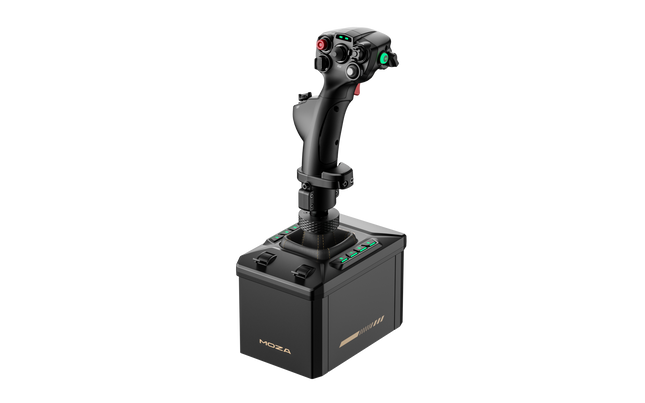
    Zestaw Symulatora Lotu Moza AB6 przybliża pasjonatów lotnictwa do odczuć prawdziwego sterowania w kokpicie. Dzięki swojej bazie force feedback o momencie 6 Nm i solidnej, w pełni metalowej konstrukcji przekłada dynamikę lotu na dotykową precyzję, która ożywa w Twoich dłoniach. Dołączony joystick Moza zapewnia doskonałe zanurzenie w symulacji lotu. Konfigurowalny panel przedni RGB świeci niczym konsola dowodzenia o zmierzchu, a podwójne suwaki przepustnicy umożliwiają płynne, skoordynowane sterowanie. Każdy detal — od precyzyjnie dostrojonego silnika po 15-bitowy enkoder magnetyczny — sprawia, że AB6 przypomina narzędzie inżynieryjne, które po prostu potrafi latać. Co wyróżnia Zestaw Symulatora Lotu Moza AB6? Wyjątkowa spójność force feedback — Wielu użytkowników zauważa stabilność AB6 podczas długotrwałego użytkowania. Podczas gdy inne urządzenia mogą tracić płynność lub drgać pod obciążeniem, ta jednostka utrzymuje moment obrotowy 6 N·m z imponującą gładkością, pozwalając pilotom odczuwać opór aerodynamiczny w zakrętach i podczas nurkowania. Charakterystyka dotykowa sprzężenia zwrotnego nie zmienia się — pozostaje precyzyjna, stabilna i pewna przez całą sesję. Wysoka jakość wykonania i materiały — W przeciwieństwie do konstrukcji zdominowanych przez plastik w tej klasie, struktura AB6 z aluminium i stali zapewnia odpowiednią wagę i wysokiej jakości wykończenie. Użytkownicy doceniają, że pozostaje cicha pod obciążeniem i skutecznie odprowadza ciepło. To nie tylko solidne urządzenie — sprawia wrażenie zaprojektowanego z myślą o trwałości, bardziej jak komponent lotniczy niż peryferium do gier. Wszechstronny montaż i integracja — Kompaktowa forma AB6 kryje system montażu, który dopasowuje się do niemal każdego stanowiska. Piloci z ograniczoną przestrzenią na biurku chwalą, jak łatwo mieści się na centralnych uchwytach lub profilach aluminiowych. Uniwersalne złącze pozwala na współpracę z różnymi typami drążków sterowych, zarówno MOZA, jak i firm trzecich, wydłużając jego użyteczność wraz z rozwojem konfiguracji. Zaawansowane oprogramowanie ponad oczekiwania — Oprogramowanie MOZA Cockpit oferuje szczegółowe możliwości konfiguracji — użytkownicy mogą regulować tarcie, tłumienie, siłę centrowania, a nawet logikę telemetrii LED. Największą zaletą jest możliwość zapisywania i przywoływania profili dla różnych statków powietrznych, co sprawia, że przełączanie się między myśliwcami a samolotami pasażerskimi jest płynne i intuicyjne. Zalety i wady Zalety Wady Wytrzymała, w pełni metalowa konstrukcja zwiększa stabilność i trwałość. Ograniczona kompatybilność z konsolami; system skoncentrowany na PC. Moment 6 N·m zapewnia spójne, dotykowe sprzężenie zwrotne. Kompaktowa konstrukcja ogranicza przestrzeń chłodzenia wewnętrznego. Konfigurowalne przyciski RGB poprawiają widoczność i mapowanie sterowania. Enkoder magnetyczny zapewnia płynne i precyzyjne śledzenie wejść. Specyfikacja Specyfikacja Wartość Moment Force Feedback 6 N·m Typ silnika Silnik typu outrunner Enkoder 15-bitowy enkoder magnetyczny Materiał konstrukcji Stop aluminium i stal Przyciski panelu przedniego 8 programowalnych z podświetleniem RGB Suwaki przepustnicy Podwójne suwaki analogowe Opcje montażu Kompatybilny z rigami lotniczymi i profilami aluminiowymi Oprogramowanie MOZA Cockpit Złącze Uniwersalne złącze flightstick (MOZA i wybrane urządzenia firm trzecich) Kompatybilność Zestaw Symulatora Lotu Moza AB6 Kompatybilne flightsticki Uwagi MOZA Flightsticks Pełna kompatybilność poprzez uniwersalne złącze Wybrane flightsticki firm trzecich Obsługiwane przez adapter lub natywne dopasowanie złącza Zestaw Symulatora Lotu Moza AB6 działa bezproblemowo z flightstickami MOZA i obsługuje kilka modeli firm trzecich dzięki uniwersalnemu złączu. Dzięki konstrukcji przyjaznej montażowi może być zintegrowany z konfiguracjami centralnymi, bocznymi lub sufitowymi przy minimalnej regulacji. Solidna konstrukcja doskonale współgra z metalowymi i profilowymi kokpitami, a łączność USB zapewnia niezawodną komunikację bez ograniczeń wynikających z zamkniętych systemów. Nie jest jednak kompatybilny z konsolami takimi jak Xbox czy PlayStation i pozostaje urządzeniem przeznaczonym na PC. Pod względem kompatybilności oprogramowania AB6 integruje się bezproblemowo z głównymi symulatorami lotu, w tym Microsoft Flight Simulator 2020 i 2024, X-Plane 10/11/12, DCS World oraz IL-2 Sturmovik. Użytkownicy zgłaszają również płynne działanie w War Thunder. Obsługuje systemy Windows i standardowe sterowniki USB bez potrzeby dodatkowego oprogramowania pośredniego. Choć nie oferuje natywnego wsparcia dla Mac ani konsol, jego szeroka integracja z symulatorami sprawia, że doskonale sprawdza się w niemal każdym środowisku kokpitu PC.

    3 w magazynie Wysyłka w ciągu 1–3 dni roboczych.

    €459,00 €449,00

  • Last stock! Honeycomb Bundle (Yoke & Throttle) For Sale On FlightSimZone

    Fly Honeycomb Honeycomb Bundle (Yoke & Throttle)

    14 reviews

    2 w magazynie Wysyłka w ciągu 1–3 dni roboczych.

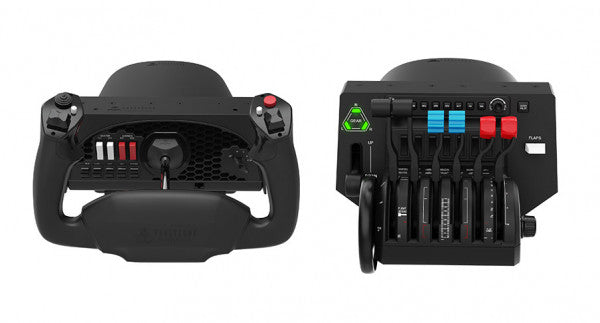
    The Honeycomb Bundle (Yoke & Throttle) is a dream package for flight simulation enthusiasts, combining the acclaimed Alpha Flight Controls and Bravo Throttle Quadrant into a single, cost-saving package. Designed with input from professional pilots and aerospace engineers, it boasts a robust all-metal yoke mechanism and customizable throttle configurations. Whether you're fine-tuning a smooth landing or managing multi-engine systems, the bundle’s intuitive controls and comprehensive switch panels offer unparalleled control and versatility. This isn’t just gear; it’s your co-pilot for a truly elevated sim experience. What sets the Honeycomb Bundle (Yoke & Throttle) apart? Durable Build for Long-Term Use The bundle is built with aerospace-grade components and an all-metal yoke mechanism, ensuring it withstands hours of intensive use. This makes it a trusted companion for both aspiring pilots and seasoned sim enthusiasts seeking equipment that doesn’t flinch under pressure. Incredibly Versatile Throttle Configuration The Bravo Throttle Quadrant is a standout, accommodating single-engine to four-engine setups with ease. Its detailed customization options include thrust reversers, autopilot systems, and a trim wheel, offering flexibility across different aircraft types. Enhanced Switch and Control Panels The switch panel on the Alpha yoke and the annunciator panel on the Bravo throttle provide a plethora of controls, making external keyboard usage almost obsolete. The clear LED backlighting ensures visibility in any lighting conditions. Seamless Integration with Popular Simulators The bundle is compatible with all major flight simulators like Microsoft Flight Simulator and X-Plane 11, providing plug-and-play functionality with profiles designed to simplify setup and maximize control precision. Pros and Cons Pros Cons Exceptional durability with all-metal yoke mechanism. Throttle quadrant levers feel slightly stiff initially. Versatile throttle configurations for various aircraft types. LED backlighting is not adjustable in brightness. Comprehensive switch and annunciator panels reduce keyboard reliance. Compatible with multiple operating systems and platforms. Specifications Specification Value Yoke Turn Radius 180° Yoke Shaft Travel 15 cm Throttle Configurations Single to four-engine, piston or jet Mounting Compatibility Honeycomb and Saitek products Supported OS Windows 10 (64-bit), macOS, Linux Warranty 2 years Honeycomb Bundle (Yoke & Throttle) Compatibility The Honeycomb Bundle (Yoke & Throttle) offers seamless compatibility with major flight simulation software, including Microsoft Flight Simulator, X-Plane 11, and Prepar3D. While the Alpha yoke functions without additional software for X-Plane 11, the Bravo throttle requires the Honeycomb Config Tool for full functionality on Windows and macOS. It lacks support for older simulators like FSX/P3D v3, but profiles are available for more recent platforms, ensuring a hassle-free experience. In terms of hardware, the bundle integrates easily with Honeycomb and Saitek mounting systems, adding versatility to your cockpit setup. While it doesn’t support consoles, it connects effortlessly to PCs through USB and offers plug-and-play functionality for supported games. This makes it a solid choice for simmers who value flexibility in their cockpit configuration. For gaming platforms, the bundle is focused on PC-based simulators and is not compatible with consoles like Xbox or PlayStation. It shines when paired with games like Microsoft Flight Simulator, offering robust support for both general aviation and airliner setups, allowing simmers to explore skies with exceptional control.

    2 w magazynie Wysyłka w ciągu 1–3 dni roboczych.

    €509,00

  • Last stock! MOZA TQA Throttle Module

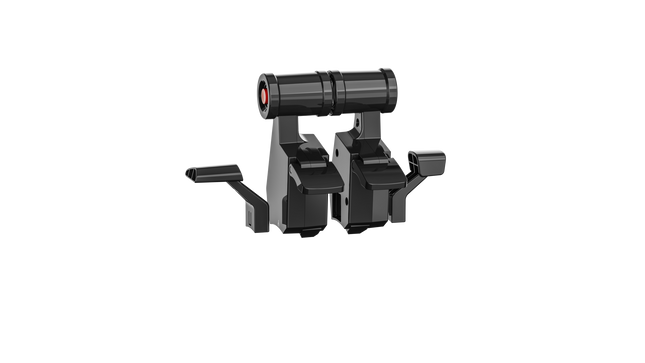
    MOZA TQA Throttle Module

    2 w magazynie Wysyłka w ciągu 1–3 dni roboczych.

    2 w magazynie Wysyłka w ciągu 1–3 dni roboczych.

    €45,00

  • Sale -4%Last stock! Moza AY210 Bundle for sale at FlightSimZone

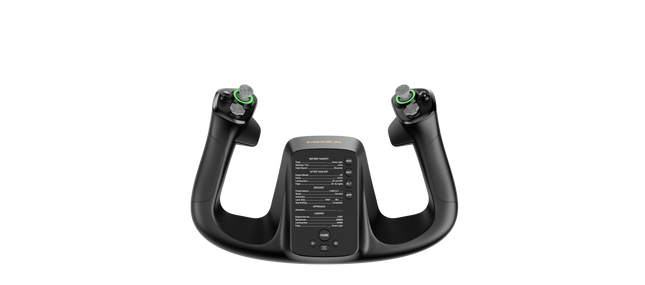
    Moza Zestaw Moza Yoke

    3 reviews

    2 w magazynie Wysyłka w ciągu 1–3 dni roboczych.

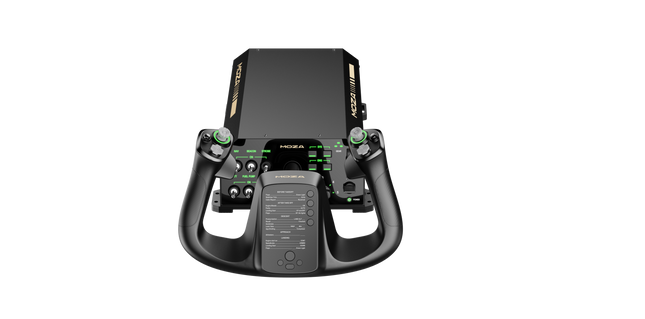
    Zestaw Moza Yoke (MFY Yoke + baza Yoke AY210 zapewnia imponujące połączenie inżynierii i kontroli w symulacji lotu. Moment obrotowy 9Nm oraz siła nacisku 210N w bazie wolantu gwarantują płynne i mocne sprzężenie zwrotne, przekładając każdy efekt aerodynamiczny na odczuwalne wrażenia dotykowe. Wolant z PA66 wzmocnionego włóknem szklanym oferuje trwałość i dopracowany chwyt, a konfigurowalne spusty, zintegrowany joystick z czujnikiem Halla oraz magnetyczne panele DIY zwiększają wszechstronność. W połączeniu z systemem szybkiego zwalniania z aluminium oraz rozbudowanymi opcjami personalizacji w oprogramowaniu, zestaw ten został stworzony dla osób wymagających precyzji i elastyczności w każdym locie. Co wyróżnia Zestaw Moza Yoke (MFY Yoke + baza Yoke AY210)? Moment 9Nm i siła 210N dla lepszej kontroli W przeciwieństwie do standardowych wolantów, ten system oferuje mocne, wyraźne sprzężenie zwrotne z momentem obrotowym przechyłu 9Nm oraz siłą push-pull 210N na osi pochylenia. Ten poziom feedbacku przekłada opór powietrza i turbulencje na szczegółowe doznania dotykowe. Szybkozłącze inspirowane motorsportem dla błyskawicznych zmian Aluminiowy system quick-release umożliwia płynne przełączanie między różnymi wolantami. Niezależnie od zmiany typu statku powietrznego czy zadania, mechanizm push-and-pull pozwala na szybką rekonfigurację. Rozbudowana personalizacja sterowania Dzięki 34 konfigurowalnym wejściom MFY Yoke oraz 13 programowalnym przełącznikom w bazie AY210, zestaw zapewnia głęboki poziom kontroli kokpitu. Oprogramowanie Moza umożliwia mapowanie przycisków, przypisywanie funkcji do długiego naciśnięcia oraz dostosowanie oświetlenia na podstawie telemetrii. Czujniki Hall Effect i magnetyczne panele DIY Wolant wyposażono w podwójne joysticki z czujnikami Halla dla precyzyjnego sterowania oraz bezkontaktową konstrukcję zwiększającą trwałość. Dodatkowo magnetyczne panele DIY z przodu pozwalają użytkownikom personalizować interfejs kokpitu za pomocą nadrukowanych nakładek, ułatwiając identyfikację funkcji. Zalety i wady Zalety Wady Mocne sprzężenie zwrotne z momentem 9Nm i siłą 210N Tylko PC, brak wsparcia dla konsol 34 konfigurowalne wejścia i joystick z czujnikiem Halla Wymaga oprogramowania Moza do pełnej personalizacji System quick-release do łatwej wymiany wolantu Magnetyczne panele DIY do personalizowanego oznaczania Specyfikacja Specyfikacja Wartość Materiał wolantu PA66 wzmocniony włóknem szklanym Materiał bazy wolantu Stop aluminium Waga wolantu 1.3 kg Waga bazy 8.0 kg Maksymalny moment przechyłu 9Nm Maksymalna siła pochylenia 210N Zakres ruchu 150mm Częstotliwość odświeżania USB 1000Hz Wejścia przycisków 34 konfigurowalne (wolant), 13 programowalne (baza) Porty połączeń Zasilanie, USB, throttle, rudder pedals, panel Opcje montażu Uchwyt biurkowy (opcjonalny), montaż w kokpicie Wsparcie oprogramowania Oprogramowanie Moza Cockpit Obsługiwane platformy PC Dołączone akcesoria Zasilacz, kabel zasilający, kabel danych, śruby, klucz, instrukcja obsługi Kompatybilność Zestaw Moza Yoke (MFY Yoke + baza Yoke AY210) Kompatybilne z Niekompatybilne z Oprogramowanie Moza Cockpit do mapowania przycisków i telemetrii Platformy konsolowe Seria Moza Yoke Bazy wolantów firm trzecich Główne symulatory lotu (MSFS, X-Plane 12) MacOS Zaprojektowany dla symulatorów lotu na PC, ten zestaw w pełni integruje się z oprogramowaniem Moza Cockpit, umożliwiając szeroką personalizację force feedback, przypisań przycisków oraz efektów świetlnych. MFY Yoke jest w pełni kompatybilny z bazą AY210 Yoke Base, zapewniając doświadczenie plug-and-play w ekosystemie Moza. Kompatybilność wyłącznie z PC oznacza pełne wsparcie dla Microsoft Flight Simulator 2020, Microsoft Flight Simulator 2024 oraz X-Plane 12. Użytkownicy konsol muszą jednak szukać alternatywnego sprzętu, ponieważ ten zestaw nie obsługuje systemów Xbox ani PlayStation.

    2 w magazynie Wysyłka w ciągu 1–3 dni roboczych.

    €949,00 €909,00

  • Last stock! Moza MFY Yoke kopen bij FlightSimZone

    Moza Jarzmo Moza MFY

    2 w magazynie Wysyłka w ciągu 1–3 dni roboczych.

    Jarzmo Moza MFY został zaprojektowany dla pilotów, którzy oczekują wszechstronności i kontroli w swoim doświadczeniu symulacji lotu. Dzięki konstrukcji z PA66 wzmocnionego włóknem szklanym wytrzymuje siłę do 30kg, zachowując integralność strukturalną. Mechanizm quick-release ze stopu aluminium umożliwia płynną zmianę konfiguracji, naśladując rozwiązania znane z motorsportu. Wyposażony w 34 konfigurowalne wejścia, joystick z czujnikiem Halla oraz konfigurowalne podświetlenie RGB, ten wolant oferuje interfejs klasy kokpitu, który dopasowuje się do szerokiego zakresu scenariuszy lotu — od lotnictwa cywilnego po manewry akrobacyjne. Co wyróżnia Jarzmo Moza MFY? Wytrzymała, a zarazem lekka konstrukcja Wykonany z PA66 wzmocnionego włóknem szklanym, ten wolant oferuje idealną równowagę między trwałością a wagą. Może wytrzymać do 30kg siły bez odkształceń, zapewniając pewny chwyt bez nadmiernej masy. W przeciwieństwie do cięższych metalowych wolantów, oferuje długotrwałą wytrzymałość bez obciążania systemów montażowych. System quick-release do szybkiej wymiany Inspirowany technologią samochodów wyścigowych, aluminiowy system quick-release umożliwia błyskawiczną zmianę wolantu. Niezależnie od przejścia z samolotu GA do konfiguracji myśliwca, mechanizm push-and-pull zapewnia minimalne przestoje między lotami. Joystick Hall Effect dla dodatkowej kontroli Zintegrowany bezpośrednio w wolancie joystick z czujnikiem Halla zapewnia dodatkowe osie sterowania bez dryfu i zużycia mechanicznego. Może działać zarówno jako oś, jak i sygnał przycisku, co czyni go idealnym do regulacji trymu, sterowania rudder pedals lub nawet ruchu kamery w kokpicie. Szerokie możliwości personalizacji Dzięki 34 konfigurowalnym wejściom, konfigurowalnemu podświetleniu RGB oraz magnetycznym panelom DIY, MFY Yoke dopasowuje się do indywidualnych preferencji pilota. Niezależnie od tego, czy chodzi o mapowanie przycisków, czy dostosowanie wyglądu kokpitu, system ten oferuje wyjątkowy poziom kontroli użytkownika. Zalety i wady Zalety Wady Lekka, a jednocześnie trwała konstrukcja z włókna szklanego Nie zawiera dedykowanego systemu montażu System quick-release do szybkiej wymiany wolantu Ograniczona kompatybilność z ekosystemami firm trzecich Joystick Hall Effect zapewnia dodatkowe wejścia sterujące 34 konfigurowalne wejścia dla szerokiej personalizacji Specyfikacja Specyfikacja Wartość Wymiary 142.5 × 202 × 313 mm Materiał obudowy Materiały kompozytowe Materiał quick-release Stop aluminium Materiał nakładek przycisków Tworzywo ABS Waga 1.3 kg Przełączniki 8-kierunkowe 2 Joysticki Hall Effect 2 Przyciski LB/RB 2 Spusty 2 Łączna liczba sygnałów Obsługuje do 34 Dołączone akcesoria Instrukcja użytkownika Kompatybilność Jarzmo Moza MFY Kompatybilne z Niekompatybilne z Oprogramowanie MOZA Cockpit Platformy konsolowe Ekosystem MOZA (bazy wolantów, throttles, pedały rudder pedals) Bazy wolantów firm trzecich Symulatory lotu na PC MacOS Zaprojektowany dla symulatorów lotu na PC, MFY Yoke w pełni integruje się z oprogramowaniem MOZA Cockpit, oferując szerokie możliwości personalizacji przypisań przycisków, konfiguracji spustów oraz efektów RGB. Został zaprojektowany do współpracy z bazami wolantów MOZA, throttles oraz pedałami rudder pedals, zapewniając płynne działanie w ramach ekosystemu marki. Nie obsługuje jednak baz wolantów firm trzecich ani systemu MacOS. Kompatybilność wyłącznie z PC zapewnia natywne wsparcie dla Microsoft Flight Simulator 2020, Microsoft Flight Simulator 2024 oraz X-Plane 12, gdzie wszystkie konfigurowalne wejścia są rozpoznawane. Użytkownicy konsol muszą jednak poszukać alternatyw, ponieważ ten wolant nie obsługuje systemów Xbox ani PlayStation.

    2 w magazynie Wysyłka w ciągu 1–3 dni roboczych.

    €159,00

  • Moza AY210 Table Clamp

    Moza AY210 Table Clamp

    Brak w magazynie, Zamówienia w przedsprzedaży dostępne. Wysyłka w ciągu 2-2,5 tygodnia.

    Brak w magazynie, Zamówienia w przedsprzedaży dostępne. Wysyłka w ciągu 2-2,5 tygodnia.

    €29,00

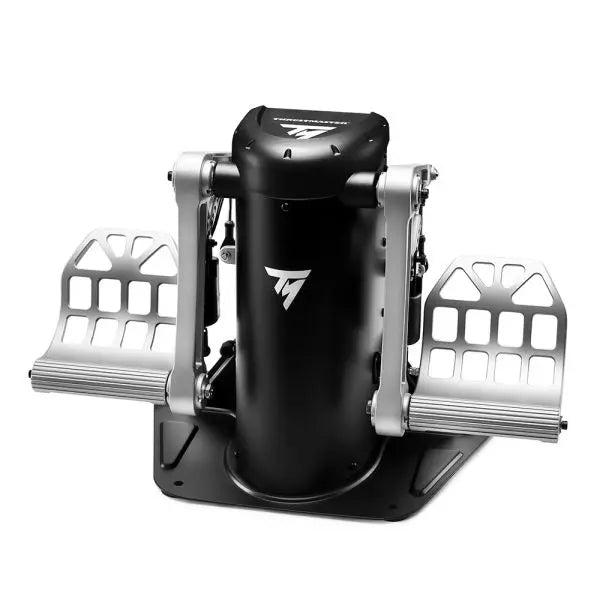
  • Last stock! TPR: Thrustmaster Pendular Rudder

    Thrustmaster TPR: Thrustmaster Pendular Rudder

    2 w magazynie Wysyłka w ciągu 1–3 dni roboczych.

    The TPR: Thrustmaster Pendular Rudder brings a whole new dimension to flight simulation with its innovative design and uncompromising build quality. Featuring PENDUL_R technology, it delivers ultra-smooth and fluid motion for precise rudder control. Its 100% metal structure exudes durability, while adjustable pedals and customizable resistance make it adaptable to every pilot’s preference. Paired with H.E.A.R.T. HallEffect magnetic sensors, this rudder system ensures accuracy and longevity, creating an experience that feels as intuitive as it is powerful. What sets the TPR: Thrustmaster Pendular Rudder apart? Unique PENDUL_R Mechanism The suspended PENDUL_R technology sets this rudder apart, offering fluid, natural movement that closely mirrors real-world aircraft rudder dynamics. This mechanism creates a more tactile and intuitive experience, especially during small, delicate adjustments, making it stand out in the world of simulation hardware. Customizable to Your Preferences With adjustable pedal angles and resistance levels, the TPR caters to a variety of preferences and setups. Whether you prefer a light touch or firm resistance, the included springs and versatile configuration options ensure you can tailor it to your exact needs. Built for Stability and Longevity The TPR’s solid metal construction ensures it remains steadfast during even the most demanding sessions. Its weight and mounting holes keep it stable, while the H.E.A.R.T. sensors deliver frictionless performance that won’t degrade over time, offering incredible reliability. Comprehensive Ecosystem Integration Designed to work seamlessly with Thrustmaster’s T.A.R.G.E.T software, the TPR can be paired with other devices for unified profiles. This integration enhances its usability across a wide range of flight sim setups, from helicopters to fighter jets. Pros and Cons Pros Cons Durable 100% metal construction for long-term use. Expensive compared to other rudder systems. Fluid, realistic movement with PENDUL_R technology. Large footprint requires substantial space. Customizable resistance and pedal angles. Seamless integration with Thrustmaster T.A.R.G.E.T software. Specifications Specification Value Product Dimensions 20.9 x 14.2 x 14.2” / 53 x 36 x 36 cm Product Weight 15.4 lb / 7 kg Material 100% metal construction Adjustable Features Pedal angles (35° to 75°), resistance springs Package Contents TPR rudder, brake pedals, tools, manual TPR: Thrustmaster Pendular Rudder Compatibility The TPR: Thrustmaster Pendular Rudder is designed to work on PC with all major flight simulation software, including Microsoft Flight Simulator 2020, X-Plane 11/12, and DCS World. It is also compatible with Thrustmaster's T.A.R.G.E.T software, which allows you to integrate it with other Thrustmaster peripherals like the HOTAS Warthog. This creates a unified ecosystem, enabling seamless control across multiple devices. However, it is not compatible with consoles or non-PC platforms. When it comes to hardware integration, the TPR features standard USB connectivity and operates as a standalone device or part of a setup. Its sturdy metal base includes mounting holes for cockpit setups, ensuring compatibility with a wide range of custom and professional configurations. The adjustable pedals and resistance settings make it flexible for diverse setups, from compact spaces to larger rigs. For gaming platforms, the TPR connects directly to PC systems via USB, offering plug-and-play functionality. It is automatically recognized by supported software, allowing for quick and hassle-free setup. The lack of console support may be a drawback for some, but its PC-focused design ensures uncompromised performance for simulation enthusiasts.

    2 w magazynie Wysyłka w ciągu 1–3 dni roboczych.

    €549,00

  • Last stock! Honeycomb Sierra TPM Module

    Fly Honeycomb Honeycomb Sierra TPM Module

    3 w magazynie Wysyłka w ciągu 1–3 dni roboczych.

    Honeycomb Sierra TPM Module brings the tactile charm of classic general aviation straight to your desk, with a lockable metal throttle vernier that feels satisfyingly mechanical in hand and a high-resolution integrated trim wheel that lets you dial in attitude with fingertip finesse. Designed with single-prop aircraft like the Cessna 172 in mind, it combines all-metal construction, integrated flap and parking brake controls, and LED landing gear indicators into a compact module that slots neatly into a serious home cockpit. What Sets the Honeycomb Sierra TPM Module apart? True General Aviation Vernier Feel The lockable metal throttle vernier with fine-tune prop and mixture knobs doesn’t just look the part—it delivers that push-pull, twist-to-adjust sensation pilots associate with classic GA cockpits. Many users highlight how the incremental adjustment allows smoother power changes during climb and approach, especially in piston aircraft, compared to sliding lever-based throttles that can feel too abrupt for delicate engine management. Integrated Cockpit Workflow Instead of scattering controls across separate panels, the Sierra TPM places trim, flaps, parking brake, and landing gear in one cohesive layout. The low-profile, high-resolution trim wheel earns particular praise for its smooth rotation and granular input, making pitch adjustments during cruise or final approach feel natural. It reduces reliance on keyboard shortcuts and keeps hands where they belong—on dedicated hardware. Solid All-Metal Construction Built with Honeycomb-grade components and a durable all-metal chassis, this module has noticeable heft and rigidity. Enthusiasts frequently mention that it feels planted on the desk, with minimal flex during aggressive throttle movements. Compared to lighter plastic alternatives, the Sierra TPM maintains structural stability over time, which is especially appreciated in permanent or semi-permanent cockpit setups. Seamless Integration with Honeycomb Ecosystem Designed to pair cleanly with Honeycomb yokes and mounting systems, the included dual mounting solution simplifies alignment and positioning. Users who already run Alpha or Bravo units often comment on how the design language and control spacing feel unified, creating a visually coherent and ergonomically consistent flight deck without mismatched modules. Pros and Cons Pros Cons Metal vernier throttle offers fine incremental control. Designed primarily for single-engine GA aircraft. Integrated trim wheel provides smooth pitch adjustments. Requires desk space for full mounting solution. All-metal chassis feels stable and durable. LED gear indicators add clear visual feedback. Specifications Specification Value Product Name Honeycomb Sierra TPM Module EAN 4039621003998 Construction All-metal construction with Honeycomb-grade components Throttle Type Lockable metal throttle vernier with prop and mixture knobs Integrated Controls Trim wheel, parking brake, flap lever, landing gear lever with LED indicators Layout General aviation style for single prop airplanes Mounting Dual mounting solution included Connection USB-C to USB-A cable Compatibility PC and Mac Drivers MSFS 2020 Driver, MSFS 2024 Driver Included in the Box Sierra TPM Module, Dual Mounting Solution, USB-C to USB-A Cable, Quick Start Guide (EFIGS) Honeycomb Sierra TPM Module Compatibility Platform Compatibility Operating Systems PC and Mac Connection Type USB-C to USB-A (direct USB connection) Primary Ecosystem Pairing Honeycomb Alpha and Bravo hardware The Sierra TPM Module connects via direct USB, making it straightforward to integrate into most desktop cockpit builds. It pairs especially well with Honeycomb Alpha yokes and Bravo throttle quadrants, sharing the same design philosophy and mounting ecosystem. Thanks to its dual mounting solution, it can be desk-mounted alongside other Honeycomb units for a unified layout. It is not intended for console setups and does not interface directly with standalone hardware without a compatible PC or Mac. On the software side, it supports Microsoft Flight Simulator 2020 and Microsoft Flight Simulator 2024 through dedicated drivers, and it also works with simulators like X-Plane and Prepar3D on PC. It is not compatible with Xbox consoles, as it relies on standard USB PC/Mac drivers rather than console-certified firmware. For desktop sim pilots focused on general aviation, it slots cleanly into modern PC-based sim platforms.

    3 w magazynie Wysyłka w ciągu 1–3 dni roboczych.

    €269,00

  • Sale -3%Last stock! Honeycomb Bravo Throttle Quadrant For Sale On FlightSimZone

    Fly Honeycomb Honeycomb Bravo Throttle Quadrant

    1 w magazynie Wysyłka w ciągu 1–3 dni roboczych.

    The Honeycomb Bravo Throttle Quadrant is a versatile all-in-one control system that lets you soar through the skies in virtual aviation with precision. Designed for both casual pilots and seasoned simmers, it adapts to your flying style, offering configurations for small aircraft and large airliners alike. Featuring a fully functional autopilot panel and customizable thrust levers, it puts essential controls at your fingertips. Whether you're managing thrust reversers or adjusting flaps, this sleek device is built to elevate your cockpit setup and make every flight unforgettable. What sets the Bravo Throttle Quadrant apart? Unmatched Versatility The Honeycomb Bravo Throttle Quadrant adapts to a variety of aircraft configurations, from single-engine planes to four-engine airliners. This flexibility means it can handle piston, jet, and turboprop controls seamlessly, catering to both general aviation enthusiasts and commercial flight sim fans. Enhanced Physical Feedback With its sturdy levers, clickable buttons, and smooth trim wheel, the tactile experience feels as close as it gets to operating a real cockpit. The gear lever and annunciator panel add an extra layer of functionality, keeping your hands busy and your keyboard untouched. Comprehensive Autopilot and Annunciator Features The included autopilot panel mimics the functionality of systems found in real aircraft, while the annunciator panel delivers vital status alerts. These features reduce reliance on on-screen controls and make managing complex systems much easier. Expandable Design With integrated mounting points, the Bravo works seamlessly with other Honeycomb and Saitek products. This modularity allows users to grow their setup over time, creating a cohesive and customizable virtual cockpit. Pros and Cons Pros Cons Wide range of configuration options for all aircraft types. Annunciator lights and some features don’t work on Xbox. Durable design with a solid, professional feel. Relatively large footprint, requires space for optimal use. Comprehensive autopilot and annunciator panels included. Requires external software for optimal customization. Compatible with multiple simulators on PC and Mac. No support for FSX on the latest version of the Config Tool. Specifications Specification Value Package Contents Throttle quadrant, mounting points, brackets Compatibility Microsoft Flight Simulator, X-Plane 11, Prepar3D V3-V5 Operating Systems Windows 10 (64-bit), macOS Catalina+ Warranty 2 years Bravo Throttle Quadrant Compatibility Simulator Compatibility Microsoft Flight Simulator Fully supported with Config Tool X-Plane 11 Fully supported, with Windows and Mac versions Prepar3D Supported for versions 3, 4, and 5 The Honeycomb Bravo Throttle Quadrant is engineered for compatibility with popular simulator platforms, including Microsoft Flight Simulator 2020, X-Plane 11, and Prepar3D. While PC users can enjoy full functionality, Xbox users must note that some features, such as the annunciator lights, won't work when connected via the XPC Hub. This makes it an excellent choice for PC-based setups but requires consideration for console users. When it comes to hardware, the Bravo pairs seamlessly with other Honeycomb products, like the Alpha Flight Controls, and integrates with Saitek peripherals through its mounting points. These features ensure a cohesive and expandable setup. However, it’s not compatible with older FSX versions unless you're running the older Config Tool, so check your software version before diving in.

    1 w magazynie Wysyłka w ciągu 1–3 dni roboczych.

    €309,00 €300,00

  • Last stock! TM Flying Clamp

    Thrustmaster TM Flying Clamp

    1 w magazynie Wysyłka w ciągu 1–3 dni roboczych.

    TM Flying Clamp is a rock-solid solution for securing flight controls without the need for a full cockpit setup. The 100% metal structure ensures long-term durability, while the adjustable height and depth settings provide a fully customizable positioning experience. With two anchor screws gripping desks between 15 and 45 mm thick, this clamp locks flight peripherals into place, eliminating unwanted movement. Whether you're banking hard in a dogfight or smoothly guiding an airliner in for landing, this clamp keeps everything where it should be. What Sets the TM Flying Clamp Apart? All-Metal Construction for Lasting Durability – Unlike plastic mounts that flex under pressure, this clamp is built entirely from metal. That means it can handle intense use without weakening, offering a secure mount for your flight controls every session. Adjustable Positioning for Personalized Comfort – Some desk clamps force you into a fixed setup, but this one allows height and depth adjustments. Whether you need to lower your throttle quadrant or bring your sidestick closer, it adapts to your preferences. Firm Grip with Dual Anchor Screws – Stability is key in flight sims, and the dual anchor screws provide an extra layer of security. Once tightened, the clamp won’t budge, even during aggressive maneuvers or forceful inputs. Wide Compatibility with Thrustmaster Peripherals – Designed specifically for Thrustmaster gear, this clamp supports the TCA Sidestick Airbus Edition, TCA Quadrant Airbus Edition, T.16000M FCS joystick, and TWCS throttle. It integrates seamlessly with these devices for a hassle-free mounting experience. Pros and Cons Pros Cons Metal construction provides excellent durability Only fits desks between 15-45mm thick Adjustable depth and height for better positioning Not universally compatible with non-Thrustmaster products Dual anchor screws offer solid grip No included padding for desk protection Specifications Specification Value Material 100% metal Clamp Thickness Range 15 - 45 mm Adjustment Options Height and depth adjustable Mounting System Dual anchor screws Compatible Products Thrustmaster TCA Sidestick, Quadrant, T.16000M, TWCS TM Flying Clamp Compatibility Compatible Thrustmaster Products Details TCA Sidestick Airbus Edition Attaches securely for stable joystick control TCA Quadrant Airbus Edition Allows ergonomic positioning of throttle quadrant T.16000M FCS Joystick Mounts joystick for steady handling TWCS Power Controller Supports throttle attachment for better desk organization Designed specifically for Thrustmaster peripherals, this clamp offers a seamless fit for supported joysticks and throttles. If you’re using a TCA Sidestick, Quadrant, or TWCS throttle, expect rock-solid mounting with minimal hassle. However, it may not be universally compatible with other brands due to its tailored design. Strictly a hardware mounting solution, the TM Flying Clamp does not require PC or console connectivity. It works purely as a stabilizing accessory for supported flight sim peripherals, keeping them secured for precise control without requiring a full cockpit setup.

    1 w magazynie Wysyłka w ciągu 1–3 dni roboczych.

    €79,00

  • Last stock! Moza Throttle Quadrant for sale at FlightSimZone

    Moza Moza MTP Throttle Panel

    2 w magazynie Wysyłka w ciągu 1–3 dni roboczych.

    Moza MTP Throttle Panel delivers a robust flight control experience inspired by carrier-based fighter jets. The adjustable detent system allows for fine-tuned control, whether managing afterburners or simulating center detents in space sims. The built-in vibration feedback enhances situational awareness, alerting pilots to aerodynamic shifts, overspeed warnings, and combat conditions. With 27 programmable switches, a Hall effect joystick, and aluminum alloy grips, this throttle panel is built for flight sim enthusiasts who want precision control in high-stakes environments. What Sets the Moza MTP Throttle Panel apart? Customizable Detent System for Maximum Control The MTP Throttle allows users to fine-tune detent positions, making it ideal for afterburner settings, reverse thrust, or precise spaceflight maneuvers. Whether fine-tuning power curves or creating distinct engine stages, this feature provides flexibility not commonly found in other throttle setups. Built-In Vibration Feedback for Enhanced Awareness Unlike passive throttles, the MTP includes vibration motors that react to telemetry data from the simulator. This feedback system provides haptic alerts for conditions like aerodynamic resistance, overspeed warnings, and system failures, offering pilots an extra layer of situational awareness. 27 Programmable Switches for Complex Flight Operations The control surface is loaded with 27 switches, all of which can be configured for essential functions such as gear deployment, engine ignition, or combat systems. The optimized layout ensures that commands remain easily accessible without fumbling mid-flight. Hall Effect Joystick for Additional Input Flexibility Integrated directly into the throttle, this joystick offers drift-free input for fine control adjustments. Whether assigned to pitch trim, rudder inputs, or even camera navigation, the Hall effect sensor ensures consistent performance without the wear and tear of traditional potentiometers. Pros and Cons Pros Cons Adjustable detent system for afterburners and space sims Desktop clamp sold separately Built-in vibration feedback reacts to flight conditions PC-only support, no console compatibility 27 programmable switches for extensive control mapping Durable aluminum grip with tactile feel Specifications Specification Value Dimensions 277 × 194 × 216 mm Housing Material Composite material Throttle Grip Material Aluminum alloy Weight 2.1 kg Physical Switches 27 Vibration Telemetry Supported (no plug-ins required) Lighting Telemetry Supported (no plug-ins required) Supported Platform PC Desktop Clamp Optional Desktop Mounting Plate Optional Included Accessories Data cable, wrench, user manual Moza MTP Throttle Panel Compatibility Compatible With Not Compatible With MOZA Cockpit software for customization Console platforms MOZA MTLP Panel for full fighter jet setup Third-party throttle quadrants PC-based flight simulation rigs MacOS Designed for PC-based simulators, the MTP Throttle integrates seamlessly with MOZA Cockpit software, enabling fine-tuned adjustments for vibration feedback, switch mapping, and telemetry-based lighting effects. It also pairs with the MOZA MTLP Panel, creating a modular fighter jet control system that enhances the takeoff and landing experience. PC-only compatibility ensures plug-and-play functionality with Microsoft Flight Simulator 2020, Microsoft Flight Simulator 2024, and X-Plane 12. However, this system does not support MacOS or consoles, meaning Xbox and PlayStation users will need to look elsewhere for compatible throttle solutions.

    2 w magazynie Wysyłka w ciągu 1–3 dni roboczych.

    €359,00

  • Last stock! Moza AY210 for sale at FlightSimZone

    Moza Baza Jarzma Moza AY210 Force Feedback

    2 w magazynie Wysyłka w ciągu 1–3 dni roboczych.

    Baza Jarzma Moza AY210 Force Feedback wprowadza odważne podejście do symulacji lotu, łącząc solidną konstrukcję z zaawansowaną technologią force feedback. Moment obrotowy 9Nm oraz siła nacisku 210N zapewniają intensywny poziom kontroli, sprawiając, że każdy ruch w osi pitch i roll przypomina sterowanie prawdziwym samolotem. Konstrukcja w całości z aluminium nadaje jej przemysłowy charakter, a system szybkiego zwalniania wolantu umożliwia łatwą wymianę. Zaprojektowana z myślą o wszechstronności, obsługuje różne opcje montażu i oferuje w pełni konfigurowalny panel przełączników. Dla osób, które poważnie traktują symulację lotu, ta baza wolantu to prawdziwy przełom. Co wyróżnia Baza Jarzma Moza AY210 Force Feedback? Force feedback o ogromnej mocy Dzięki stałemu momentowi przechyłu 9Nm oraz sile do 210N na osi pitch, ta baza wolantu oferuje poziom sprzężenia zwrotnego, z którym niewiele innych produktów może się równać. Niezależnie od tego, czy wychodzisz ze stromego wznoszenia, czy odczuwasz turbulencje, system force feedback zapewnia głębokie połączenie między pilotem a samolotem. Mechanizm quick-release wolantu W przeciwieństwie do większości wolantów wymagających czasochłonnego demontażu przy personalizacji, ten model posiada mechanizm szybkiego zwalniania inspirowany motorsportem. Umożliwia to błyskawiczną wymianę wolantów w zależności od typu samolotu, skracając czas przygotowania i umożliwiając płynne przełączanie między konfiguracjami kokpitu. Wytrzymała konstrukcja z aluminium Wykonana w całości ze stopu aluminium, baza wolantu została zaprojektowana tak, aby wytrzymać intensywne manewry i długie sesje bez odkształceń czy zużycia. Jej duża masa zapewnia stabilność, utrzymując urządzenie na miejscu nawet przy wysokich obciążeniach force feedback. Rozbudowana personalizacja w oprogramowaniu Oprogramowanie MOZA Cockpit umożliwia precyzyjne dostosowanie ustawień, od profili force feedback po konfigurację panelu przełączników. Użytkownicy mogą regulować oświetlenie, integrację z telemetrią, a nawet funkcje przycisków przy długim naciśnięciu. Zalety i wady Zalety Wady Mocny force feedback z momentem 9Nm i siłą 210N Waga 8kg utrudnia przenoszenie Konstrukcja w całości z aluminium zapewnia trwałość i stabilność Wymaga zewnętrznego zasilacza (w zestawie) Modułowa konstrukcja z mechanizmem quick-release W pełni konfigurowalny panel przełączników z oprogramowaniem MOZA Cockpit Specyfikacja Specyfikacja Wartość Wymiary 243 × 403 × 216 mm Materiał obudowy Stop aluminium Waga 8.0 kg Silniki Podwójne silniki serwo Maksymalna siła pitch 210N Stały moment przechyłu 9Nm Zakres ruchu 150mm Kompatybilne wolanty MOZA Yoke Series Moc 216W Napięcie 110~220V AC → 36V DC Precyzja układu 15-bitowy enkoder magnetyczny Częstotliwość odświeżania USB 1000Hz Opcje montażu Uchwyt biurkowy (opcjonalny), montaż w kokpicie Porty połączeń Zasilanie, USB, throttle, rudder pedals, panel Wyłącznik awaryjny Opcjonalny Telemetryczny force feedback Obsługiwany (bez potrzeby wtyczek) Obsługiwane platformy PC Kompatybilność Baza Jarzma Moza AY210 Force Feedback Kompatybilne z Niekompatybilne z MOZA Yoke Series Wolanty firm trzecich Oprogramowanie MOZA Cockpit do personalizacji Platformy konsolowe Konfiguracje symulatorów lotu na PC MacOS Pełna kompatybilność z PC zapewnia bezproblemową integrację z głównymi symulatorami, w tym Microsoft Flight Simulator 2020, Microsoft Flight Simulator 2024 oraz X-Plane 12. Wbudowany system telemetrycznego force feedback oznacza brak konieczności instalowania dodatkowych wtyczek, zapewniając bezpośrednie sprzężenie zwrotne z wybranego symulatora. Jednak urządzenie nie obsługuje MacOS ani konsol. Choć zaprojektowany wyłącznie dla PC, system oferuje pełne wsparcie dla zaawansowanych symulatorów lotu. Microsoft Flight Simulator i X-Plane 12 działają natywnie, z szerokimi możliwościami mapowania sterowania. W przeciwieństwie do niektórych konkurencyjnych produktów, baza ta nie oferuje funkcji plug-and-play dla użytkowników Xbox lub PlayStation, koncentrując się zamiast tego na głębokiej personalizacji oprogramowania i telemetrycznym force feedback.

    2 w magazynie Wysyłka w ciągu 1–3 dni roboczych.

    €769,00

Flight simulator controller for sale at FlightSImZone

Login

Forgot your password?

Don't have an account yet?
Create account




