Brak w magazynie,
Zamówienia w przedsprzedaży dostępne. Wysyłka w ciągu 2-2,5 tygodnia.
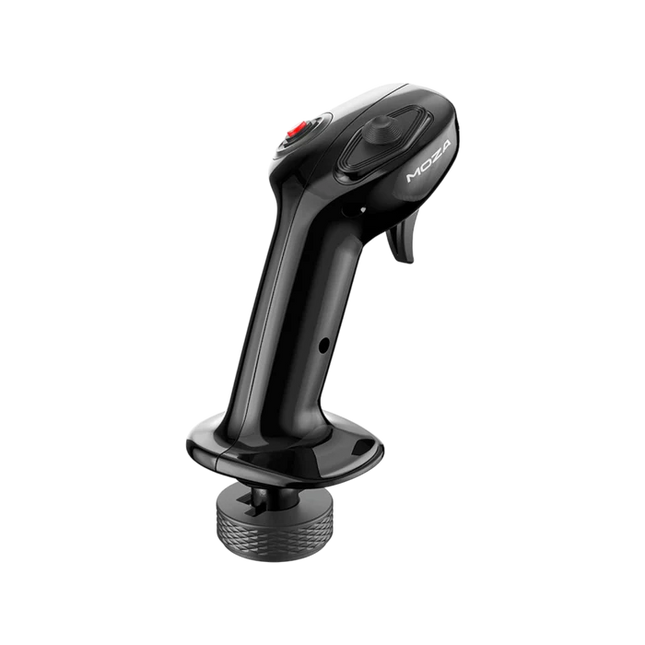
Moza MA3X Flightstick blends classic aircraft-inspired design with modern engineering to deliver an engaging flight simulation experience. Built from ultra-strong composite material, it remains lightweight yet durable enough to handle up to 30 kg of force. The ALPS switches ensure longevity, rated for 100,000 cycles, giving pilots consistent and reliable control. A multi-layer spray and UV treatment replicate the tactile sensation of real aircraft materials, elevating the overall feel. With an expanded button layout and broad compatibility, the MA3X adapts seamlessly to any setup, offering both flexibility and reliability.
What Sets the Moza MA3X Flightstick Apart?
Durable Yet Lightweight Build – Unlike bulkier metal-based flightsticks, the MA3X is constructed from ultra-strong composite material. This allows it to remain lightweight at just 220g while still handling up to 30 kg of force without compromising structural integrity.
Enhanced Button Layout – The MA3X comes with four physical buttons but can be expanded to support up to 12 input signals. This added flexibility ensures that users can configure their controls exactly how they need for various simulation scenarios.
ALPS Switches for Longevity – Many flightsticks suffer from wear and tear over time, but the MA3X is equipped with ALPS switches rated for 100,000 cycles. This means pilots can rely on smooth and consistent operation, even after extensive use.
Wide Compatibility and Plug-and-Play Setup – Designed to work with all Moza bases and most third-party bases, the MA3X requires no additional drivers or complex setup. The 5-pin aviation connector ensures a stable and secure connection.
Pros and Cons
Pros
Cons
Durable composite material withstands heavy use.
No official support for MacOS.
Expandable button layout with up to 12 input signals.
Limited standalone functionality without a compatible base.
ALPS switches rated for 100,000 cycles.
Works with Moza and most third-party bases.
Specifications
Specification
Value
Housing Material
Composite
Switch Material
ABS
Weight
220g
8-Position Switch
1
Trigger
1
Changeover Switch
1
Connector
5-pin aviation connector
Moza MA3X Flightstick Compatibility
Compatible With
Not Compatible With
PC (Windows-based systems)
MacOS
All Moza bases
Consoles (PlayStation, Xbox)
Most third-party bases
USB-only input systems
The Moza MA3X Flightstick integrates effortlessly with all Moza bases and supports most third-party bases using its 5-pin aviation connector. Unlike some flightsticks that lock users into specific ecosystems, the MA3X maintains a more flexible design, allowing for broader compatibility without extra adapters.
On the software side, the MA3X is fully compatible with Windows-based flight simulators but does not support MacOS. It works well with leading titles such as MSFS2020, X-Plane, and DCS. However, console users should look elsewhere, as the MA3X does not support PlayStation or Xbox platforms.
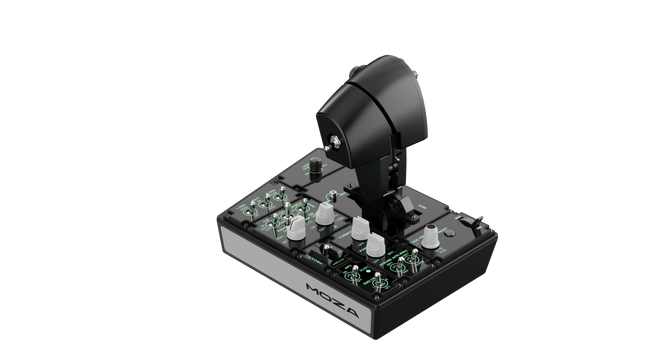
Moza MTLP Take-off Landing Panel brings the essence of fighter jet operations to the home cockpit with a rugged, tactile control system built for serious sim pilots. Designed after the F/A-18 landing panel, it offers an intuitive switch layout that allows for quick, instinctive inputs without relying on visual confirmation. The authentic parking brake mechanism delivers a solid, mechanical rebound that feels straight out of a real fighter jet. With 25 programmable switch signals and Hall effect sensors for accuracy, this panel bridges the gap between virtual and hands-on cockpit interaction.
What Sets the Moza MTLP Take-off Landing Panel apart?
Designed for Hands-On Control Modeled after the F/A-18 landing panel, this setup prioritizes instinctive operation. The switch layout allows pilots to manage critical aircraft functions by feel, reducing the need to glance away from the screen. This kind of tactile reinforcement is essential for fast-paced environments like combat flights and carrier landings.
Hall Sensor Precision for Key Functions Unlike standard mechanical switches, the MTLP integrates Hall effect sensors into key inputs like the landing gear and tailhook levers. These sensors provide long-term reliability and consistent input accuracy, eliminating wear-related drift or degradation over time.
Built to Handle Repeated Use The aluminum alloy construction used in the brake lever, tailhook lever, and landing gear ensures durability. These components can withstand repeated, forceful engagement, making the panel a long-term investment for flight enthusiasts who demand mechanical robustness.
Seamless Integration with Moza's Ecosystem The MTLP is designed to work effortlessly with the Moza MTP Throttle Panel, forming a cohesive fighter jet control setup. Through Moza Cockpit software, users can synchronize telemetry-driven lighting effects and customize their button configurations to match their flying style.
Pros and Cons
Pros
Cons
Modeled after the F/A-18 landing panel
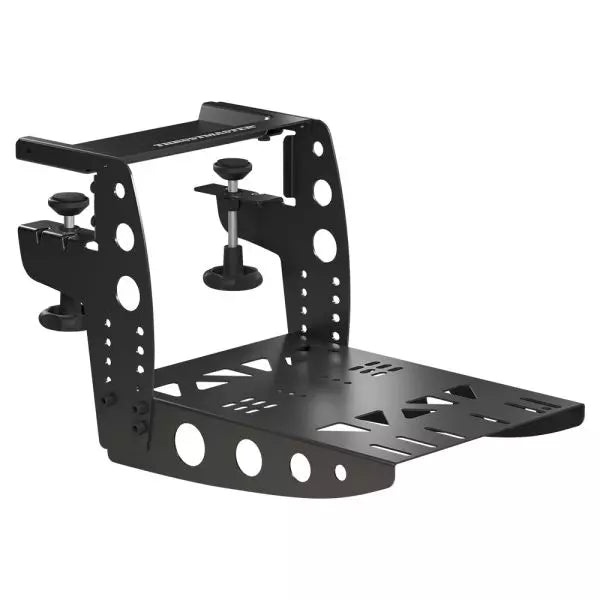
Desk clamp sold separately
Hall effect sensors for accuracy and longevity
Limited to PC compatibility
25 programmable switch signals for extensive control
Compatible with Moza’s ecosystem for full fighter setup
Specifications
Specification
Value
Dimensions
196.5 × 134.7 × 149 mm
Housing Material
Composite materials
Brake Lever Material
Aluminum alloy
Weight
680g
Switch Signals
25
Telemetry Lighting
Yes (no additional plugins required)
Supported Platform
PC
Desk Clamp
Optional accessory
Included Accessories
Data cable, user manual
Moza MTLP Take-off Landing Panel Compatibility
Compatible With
Not Compatible With
Moza MTP Throttle Panel
Third-party throttle panels
Moza Cockpit software for customization
Console platforms
PC-based flight simulators
MacOS
Designed for PC-based simulators, the MTLP integrates seamlessly with Moza's MTP Throttle Panel to create a fighter jet-style control suite. The panel is configured through Moza Cockpit software, allowing for extensive customization, including telemetry-linked lighting effects. However, it does not support third-party throttle panels, meaning full functionality is best achieved within the Moza ecosystem.
PC-only compatibility ensures support for major flight simulators, but MacOS and consoles are not supported. Flight sim enthusiasts using Microsoft Flight Simulator 2020, Microsoft Flight Simulator 2024, and X-Plane 12 will find the panel natively recognized, offering direct plug-and-play functionality through USB. However, users looking for Xbox or PlayStation support will need to consider alternative hardware.
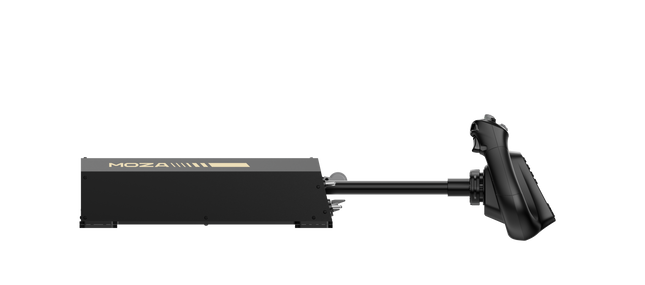
Moza MH16 Flightstick brings a bold, no-compromise approach to flight simulation. Designed with aerospace-grade aluminum alloy, this flightstick isn’t just about looks—it’s built to withstand intense sessions without breaking a sweat. With 27 input signals and an 8-way ALPS thumbstick, every command is at your fingertips, ready for precision maneuvers. Detachable modular components mean you can tailor the setup to your needs, while the sturdy construction ensures stability even in the most demanding dogfights. Whether you're cruising at altitude or locking into a tight turn, this flightstick offers a level of control that keeps you fully engaged.
What Sets the Moza MH16 Flightstick Apart?
Built Like a Real Fighter Jet Stick – The all-metal design isn't just for aesthetics—it provides the heft and feel of a real aircraft control system. Compared to plastic-based competitors, the MH16 gives a more substantial and robust grip, reducing flex and ensuring long-term durability.
Modular and Expandable – Unlike many fixed flightsticks, the MH16 features detachable modules with pogo pin connections, allowing for easy customization. This means users can swap out or upgrade components without the hassle of rewiring or disassembling the entire unit.
Extensive Customization – With 27 input signals and an 8-way ALPS thumbstick, pilots can map commands exactly how they want. This level of button and function assignment flexibility makes it a standout choice for those who demand complete control over their simulation experience.
Seamless Plug-and-Play Compatibility – No convoluted setup, no extra drivers needed—just connect and go. The 5-pin aviation connector ensures secure and stable input transmission, making it instantly operational with most flight bases on the market.
Pros and Cons
Pros
Cons
Aerospace-grade aluminum body offers durability and solid grip.
Out of stock—availability can be an issue.
Detachable modules allow for easy customization.
No official MacOS support.
27 inputs and ALPS thumbstick provide extensive control.
Plug-and-play with most flight bases.
Specifications
Specification
Value
Platform
PC
Main Material
Aerospace-grade aluminum alloy
Rated Voltage
3.3V
Rated Current
5A
Connector
5-pin aviation connector
Z-axis Module
Optional
Dimensions
99×213.5×132mm
Moza MH16 Flightstick Compatibility
Compatible With
Not Compatible With
PC (Windows-based systems)
MacOS
Most flight bases with a 5-pin aviation connector
Consoles (PlayStation, Xbox)
MOZA Cockpit Control Software
Non-standard USB interfaces
The Moza MH16 Flightstick works seamlessly with most PC-based flight setups, thanks to its 5-pin aviation connector and plug-and-play capability. However, Mac users will need to look elsewhere, as no official support exists for macOS. Users have reported solid integration with a variety of bases, making it a flexible option for those who like to mix and match their gear.
As for gaming platforms, the MH16 is strictly for PC users. It runs smoothly on Windows-based flight simulators like DCS, MSFS2020, and X-Plane, but console gamers are out of luck—there’s no native PlayStation or Xbox support. If you're deep into flight sims, though, this is a non-issue, as PC remains the go-to platform for serious pilots.
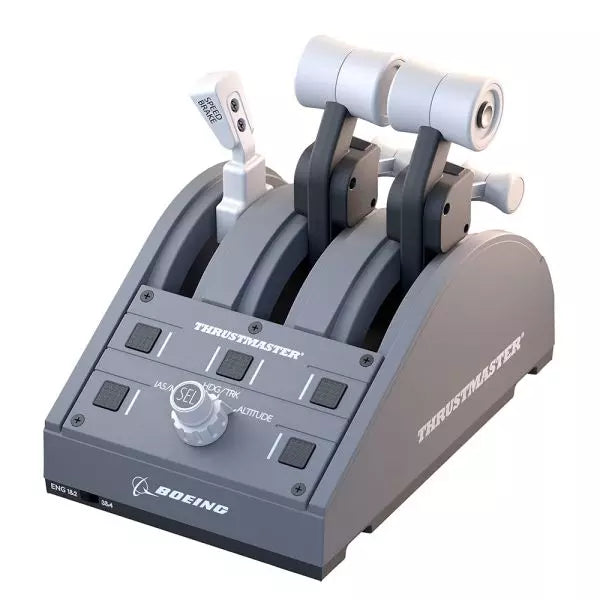
The TCA Quadrant Boeing Edition is a throttle quadrant that brings the iconic feel of Boeing airliners into your hands. With swappable levers for a customizable experience and magnetic technology ensuring smooth operation across all three axes, this device lets you experience the same tactile control as real Boeing pilots. Officially licensed by Boeing and Xbox, and compatible with PC, it’s a compact yet robust addition to any flight sim setup, designed to elevate your virtual cockpit.
What sets the TCA Quadrant Boeing Edition apart?
Swappable and Customizable Levers The TCA Quadrant Boeing Edition includes four interchangeable levers that can be arranged to suit your preference. Whether you need a speed brake, throttle, or flaps, the levers can adapt, making it ideal for left- or right-handed pilots seeking precise control over their setup.
Boeing-Inspired Linear Resistance The throttle levers are built to mimic the resistance you’d feel in the Dreamliner’s throttle quadrant. This subtle detail brings a sense of heft and deliberation to every adjustment, ensuring you feel each power setting in your fingertips.
Iconic Autopilot Controls The integrated autopilot rotary knob allows for intuitive adjustments to altitude, airspeed, and heading. This feature mirrors the functionality of real Boeing airliners, giving you an intuitive way to manage your flight path without additional peripherals.
Magnetic Technology for Smooth Operation Utilizing Thrustmaster’s H.E.A.R.T magnetic technology, this quadrant offers seamless movement with pinpoint accuracy. The lack of mechanical parts means no degradation over time, ensuring lasting performance in your flight simulator cockpit.
Pros and Cons
Pros
Cons
Swappable levers allow for a tailored setup.
Requires TCA Yoke Boeing Edition for Xbox use.
Boeing-inspired linear resistance adds tactile feedback.
Limited functionality without a matching yoke system.
Magnetic sensors ensure smooth, wear-free operation.
Autopilot control can be tricky to master initially.
Specifications
Specification
Value
Dimensions
130mm (W) x 195mm (D) x 150mm (H)
Weight
600 g / 1.3 lb
Included Components
Throttle quadrant, 4 levers, crossbar, attachment pieces
Connection Type
USB
Compatibility
Xbox (with TCA Yoke), PC
TCA Quadrant Boeing Edition Compatibility
The TCA Quadrant Boeing Edition is designed to work seamlessly with Thrustmaster’s TCA Yoke Boeing Edition, required for Xbox compatibility. When paired with the yoke, it connects directly to Xbox Series X|S or Xbox One. On PC, it integrates smoothly into flight simulators, making it an excellent choice for users of Microsoft Flight Simulator 2020. However, it’s not compatible with other yoke systems or standalone operation on Xbox platforms.
The quadrant is officially licensed by both Boeing and Xbox, ensuring a fully-supported experience across compatible systems. It supports Microsoft Windows PCs and works automatically with Microsoft Flight Simulator on Xbox Series X|S, delivering plug-and-play convenience. Unfortunately, it lacks Mac compatibility, so macOS users may need to explore alternative options for their flight sim needs.
The TCA Sidestick X Airbus Edition is a sleek and versatile flight stick designed to bring Airbus-inspired handling into your hands. With an ergonomic design modeled on the Airbus A320, it offers an incredible feel for any virtual pilot. Featuring a built-in throttle with thrust reverser and 21 remappable buttons, this sidestick delivers control options galore for every phase of flight. Its integrated Ecosystem Hub simplifies setup, allowing seamless compatibility with Xbox Series X|S and PC. A perfect balance of function and flair, this sidestick is ready for takeoff!
What sets the TCA Sidestick X Airbus Edition apart?
1:1 Airbus Ergonomics Crafted as a true-to-life Airbus A320 sidestick replica, this device provides a tactile connection that mirrors the real-world aircraft. The design makes it ideal for Airbus enthusiasts or anyone wanting to elevate their sim experience with authentic shaping and layout.
Swappable Head Modules With four interchangeable head button modules, you can adapt the stick’s configuration for left-handed, right-handed, or central positioning. This modularity allows personalized setups, whether you're flying solo or as part of a crew.
Integrated Ecosystem Hub The built-in hub brings the entire Thrustmaster Airbus ecosystem to Xbox Series X|S. Connecting add-ons like throttles or pedals is now streamlined, reducing cable clutter to a single USB connection for the PC or console.
Enhanced Throttle with Thrust Reverser The improved throttle in the base features a thrust reverser, a rare addition for airliner flight sticks. It delivers greater control during landings, especially in demanding runway conditions.
Pros and Cons
Pros
Cons
Ergonomic Airbus-inspired design feels natural and intuitive.
Not compatible with PlayStation systems.
Swappable modules allow flexible configurations.
Some users report light base weight causing movement.
Integrated Ecosystem Hub simplifies connectivity across devices.
Throttle lacks fine adjustment for some sim setups.
Built-in throttle includes thrust reverser for better landing control.
Specifications
Specification
Value
Width
7.7 inches / 195 mm
Depth
7.7 inches / 195 mm
Height
8.9 inches / 225 mm
Weight
787 g
Package Contents
1 TCA Sidestick X, 4 swappable joystick head modules, 1 USB-C cable, User manual
TCA Sidestick X Airbus Edition Compatibility
The TCA Sidestick X Airbus Edition integrates smoothly into the Thrustmaster ecosystem. It connects to add-ons like the TCA Quadrant Airbus Edition and T.Flight Rudder Pedals, expanding its functionality. The built-in hub reduces clutter by allowing multiple devices to link through a single USB connection to your PC or Xbox Series X|S. However, this sidestick is not compatible with PlayStation systems, limiting its audience to PC and Xbox users.
On the gaming side, the sidestick is fully compatible with Microsoft Flight Simulator 2020 on both PC and Xbox, making it an excellent choice for simmers on those platforms. While its compatibility with other simulators like X-Plane and DCS World isn't officially listed, PC users should experience no issues thanks to its flexible design and connectivity options.
Brak w magazynie,
Zamówienia w przedsprzedaży dostępne. Wysyłka w ciągu 2-2,5 tygodnia.
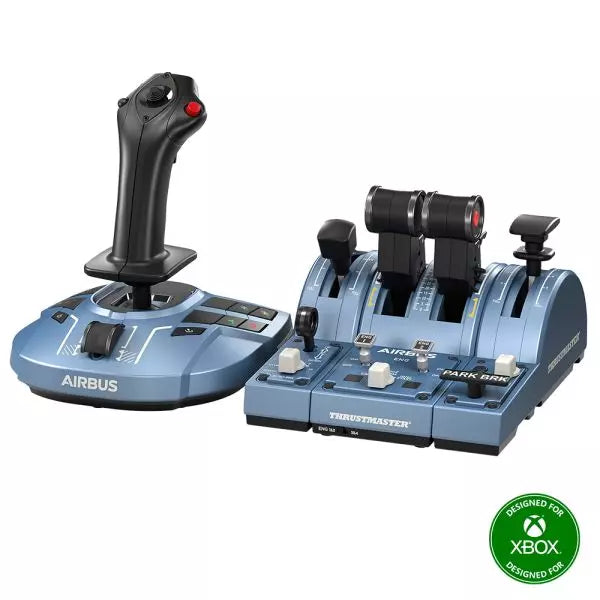
The TCA Captain Pack X Airbus Edition is an exciting leap for flight sim enthusiasts who dream of commanding the cockpit of an Airbus A320. Combining the ergonomic replicas of the Airbus sidestick and quadrant, it delivers a feature-rich experience inspired by authentic aviation controls. From the tactile feedback of its 31 action buttons to the satisfying resistance of the throttle’s detents, this setup immerses you in every aspect of flight. Whether you're handling precise approaches or testing the thrust reverser, this package elevates your sim flights to a whole new level.
What sets the TCA Captain Pack X Airbus Edition apart?
Airbus-Authentic Design The sidestick and quadrant are true 1:1 scale replicas, giving you the same control layout and feel as the real Airbus A320. With this attention to detail, everything from the landing gear lever to the speed brake mimics the actual aircraft, making your setup as close to a real cockpit as possible.
Thrust Reverser Mechanism A rare addition to home flight sim controllers, the built-in thrust reverser adds depth to your landing sequences. It’s a unique feature that brings added realism to your sessions, especially when combined with the quadrant's detailed throttle detents.
Integrated Ecosystem Hub Simplified connectivity is a game-changer with the new hub design. Connect all your Thrustmaster Airbus accessories—rudder pedals, add-ons, and more—using a single USB cable. This design minimizes clutter and enhances compatibility with Xbox Series X|S and PC platforms.
Versatility and Modularity The sidestick offers customizable button head modules and can adapt for left-handed, right-handed, or central cockpit positions. This makes the controller versatile for solo flights or co-pilot setups, catering to both casual simmers and serious enthusiasts.
Pros and Cons
Pros
Cons
Authentic Airbus-inspired layout enhances flight realism.
Limited compatibility with non-Airbus-style setups.
Thrust reverser adds depth to landing procedures.
No force feedback or vibration features included.
Integrated hub reduces cable clutter significantly.
Specifications
Specification
Value
Sidestick Dimensions
7.7” x 7.7” x 8.9” (195 mm x 195 mm x 225 mm)
Quadrant Dimensions
7.5” x 9.3” x 3.3” (190 mm x 235 mm x 85 mm)
Sidestick Weight
1.7 lb (787 g)
Quadrant Weight
2 x 1.2 lb (2 x 530 g)
Package Contents
Sidestick, Quadrant, Add-on Modules, USB Cable, Connectors
Connectivity
USB-C to USB-A, 2x SATA cables
TCA Captain Pack X Airbus Edition Compatibility
The TCA Captain Pack X Airbus Edition integrates seamlessly with the Thrustmaster T.Flight Rudder Pedals (TFRP) and the Thrustmaster Pendular Rudder (TPR) systems, as well as with other add-ons like the TM Flying Clamp. Its Ecosystem Hub makes it easier than ever to connect all components using a single USB cable, supporting both Xbox Series X|S and PC platforms. However, the quadrant’s Airbus-specific design may not suit enthusiasts looking for a Boeing-style setup or generic controls.
On the gaming front, it’s fully compatible with Microsoft Flight Simulator 2020 and integrates automatically on both PC and Xbox Series X|S. This pack also supports various other titles on Xbox and PC with customizable mappings, though it may not work with older consoles or unsupported games.
The T.16000M FCS Flight Pack is a standout choice for sim pilots who demand precise and versatile controls. This all-in-one pack features the T.16000M FCS joystick, TWCS throttle, and TFRP rudder pedals, delivering an intricate control setup ideal for aviation and space simulation. With its smooth sliding mechanisms, programmable software, and magnetic sensors for lasting accuracy, it’s a tactile and technical delight. From pitch-perfect inputs to ergonomic designs, this setup transforms your desk into a cockpit, putting you in command of every maneuver.
What sets the T.16000M FCS Flight Pack apart?
Unrivaled Longevity with Magnetic Sensors The H.E.A.R.T HallEffect technology relies on magnetic sensors for unmatched durability, ensuring the joystick’s accuracy remains unchanged over years of use. Unlike potentiometer-based systems, this design eliminates wear and tear, providing consistently smooth and precise inputs that hold steady even during intensive flight campaigns.
Comprehensive All-in-One Control System With a joystick, throttle, and rudder pedals included, the T.16000M FCS Flight Pack offers a complete setup for advanced simmers. This trio eliminates the need for additional peripherals, letting users seamlessly coordinate complex flight maneuvers while reducing clutter with integrated, ergonomic components.
Customizable for Every Pilot’s Needs The T.A.R.G.E.T programming software allows users to map buttons, axes, and macros to fit their unique playstyle. Whether flying civilian aircraft, jets, or navigating through space, this flexibility ensures optimal functionality tailored to specific games and scenarios, providing control tailored to your exact specifications.
Smooth and Comfortable Motion Both the TWCS throttle and TFRP rudder pedals utilize S.M.A.R.T technology for smooth sliding. These components provide intuitive resistance and glide, making every adjustment precise and comfortable. The ergonomic placement further enhances accessibility, even during extended play sessions.
Pros and Cons
Pros
Cons
Exceptional accuracy thanks to HallEffect magnetic sensors.
Not compatible with consoles like Xbox or PlayStation.
All-in-one system reduces need for additional peripherals.
Pedals may feel too small for larger feet.
Customizable controls via T.A.R.G.E.T software.
Throttle lacks a detent for afterburner or idle.
Smooth sliding motion enhances precision and comfort.
Specifications
Specification
Value
Components
Joystick, throttle, rudder pedals
Compatibility
Windows 10, 8, 7, Vista (32-bit & 64-bit)
Connection Type
USB
Joystick Axes
4 (including twist rudder)
Buttons
30 across all components
Rudder Technology
S.M.A.R.T sliding motion
Throttle Travel Range
3.2 inches (80 mm)
Color
Black with orange accents
T.16000M FCS Flight Pack Compatibility
The T.16000M FCS Flight Pack is fully compatible with PCs running Windows 10, 8, 7, and Vista (both 32-bit and 64-bit). Its USB connection ensures straightforward integration with most setups, while the T.A.R.G.E.T software enhances compatibility by allowing users to program the system to function as a single USB device. The pack seamlessly integrates with other Thrustmaster peripherals, such as the MFD panels, providing a cohesive ecosystem for ambitious flight sim setups.
While this system excels on PC, it is not compatible with consoles like Xbox or PlayStation, making it unsuitable for console-based simmers. The pack also works harmoniously with popular simulation titles like Microsoft Flight Simulator, X-Plane, and Elite Dangerous. However, its lack of native support for MacOS limits its use for Apple users, so check your platform’s compatibility before diving into your next flight adventure.
HOTAS WARTHOG is a flight simulation enthusiast’s dream. Designed to replicate the U.S. Air Force A-10C joystick and throttle controls, this joystick brings realistic functionality and impressive precision to the virtual cockpit. With its fully metal construction, H.E.A.R.T Hall Effect AccuRate Technology sensors, and magnetic throttle sensors, the HOTAS WARTHOG delivers a solid, immersive feel that lasts for years. Whether you’re flying for hours or fine-tuning every input, this joystick setup offers a satisfying and durable experience that stands out in the world of flight sims.
What sets the HOTAS WARTHOG apart?
Authentic A-10C Aircraft Replica The HOTAS WARTHOG features an exact replica of the U.S. Air Force's A-10C joystick, dual throttles, and control panel. The attention to detail extends to the metal construction and accurate button placements, which create a more convincing and rewarding flying experience. This level of realism is rare in the world of flight sim peripherals and appeals to users who demand precision in both design and function.
Durable All-Metal Construction Unlike many competitors, the HOTAS WARTHOG boasts a full metal frame across the joystick and throttle, making it a tank in terms of durability and feel. Users frequently note the substantial weight and the robust, industrial-quality switches and buttons. This sturdy design ensures the HOTAS WARTHOG will handle intensive use for years without showing signs of wear and tear, while also offering a premium tactile experience that’s hard to match.
Advanced Sensor Technology The H.E.A.R.T (HallEffect AccuRate Technology) ensures that the joystick and throttles provide superior precision with 16-bit resolution. This results in inputs that remain accurate and smooth over time without degrading, even after extended use. The technology behind this setup guarantees that every movement you make is reflected instantly in the simulation, with no mechanical drift or wear as you continue flying.
Customizable and Programmable Features With 55 fully programmable buttons, 2 four-way hats, and even 5 programmable LEDs, the HOTAS WARTHOG offers an extraordinary level of customization. Whether you need to tweak functions for different aircraft or streamline your setup for specific missions, the T.A.R.G.E.T software suite ensures that all these controls can be easily configured to match your preferences and provide seamless integration with flight simulators.
Pros and Cons
Pros
Cons
All-metal construction for durability and realism.
Heavy design may not be suitable for all setups.
Highly precise H.E.A.R.T sensor technology for accurate inputs.
Large form factor may take up significant desk space.
Extensive customization with 55 programmable buttons.
Specifications
Specification
Value
Joystick Construction
Metal
Throttle System
Dual throttle, metal handles
Total Buttons
55 programmable buttons
Weight
14 lbs
Control Panel
15 buttons, TRIM wheel, backlighting
Hats and Switches
2 four-way hats, 1 POV hat, 1 mouse hat
Sensor Technology
H.E.A.R.T Hall Effect AccuRate Technology
Detachable Components
Joystick and throttle handles
HOTAS WARTHOG Compatibility
The HOTAS WARTHOG is primarily designed for use with PC and features comprehensive software support through the T.A.R.G.E.T programming suite, which allows for deep customization and integration across various flight simulators. While it does not support console gaming, it is compatible with many popular flight simulation games available on PC, including DCS World and Microsoft Flight Simulator. Additionally, the HOTAS WARTHOG works seamlessly with other Thrustmaster flight peripherals like rudder pedals and MFD cockpit panels, providing a cohesive simulation experience.
As a USB-connected device, the HOTAS WARTHOG is plug-and-play with Windows PCs, and users can rely on the T.A.R.G.E.T software to further personalize their setup. Unfortunately, it is not compatible with consoles, including PlayStation and Xbox. However, for serious sim pilots who are dedicated to PC flight simulation, this is less of a limitation and more of a focus on fine-tuning the experience for desktop enthusiasts.
Brak w magazynie,
Zamówienia w przedsprzedaży dostępne. Wysyłka w ciągu 2-2,5 tygodnia.
The TCA Quadrant Airbus Edition is a dream come true for flight sim enthusiasts who crave a tactile, civil aviation throttle experience. Featuring dual thrust levers with the iconic Airbus detents and a thrust reverser mechanism, it offers unparalleled control for everything from smooth takeoffs to precise landings. With 16 assignable buttons and contactless magnetic sensor technology ensuring an unlimited lifespan, this throttle quadrant delivers versatility and durability. Its mechanical selectors enable seamless adaptability across various aircraft types, putting endless possibilities at your fingertips.
What sets the TCA Quadrant Airbus Edition apart?
Iconic Airbus Detents and Thrust Reverser The quadrant’s detents replicate the flight modes of Airbus airliners, from "Idle" to "TO/GA." Paired with the thrust reverser mechanism, these details make transitions between power settings a tactile delight, giving users fine-tuned control that’s intuitive and deeply satisfying.
Contactless Magnetic Sensor Technology Unlike many competing products that rely on potentiometers, the TCA Quadrant Airbus Edition uses HallEffect magnetic sensors. These sensors provide an extended lifespan, superior sensitivity, and smoother operation, even during demanding and frequent use.
Expandable Ecosystem The quadrant’s compatibility with additional accessories, like the TCA Quadrant Add-On Airbus Edition or Thrustmaster T.Flight rudder systems, offers an upgrade path for four-engine aircraft setups and advanced control schemes. This modular approach ensures long-term value for dedicated sim pilots.
Customizable Tension and Modes The built-in tensioning screw lets users adjust the throttle feel to match their preferences. Additionally, mechanical selectors allow detents to be disabled, enabling smooth axis transitions for other types of aircraft, such as fighter jets or general aviation planes.
Pros and Cons
Pros
Cons
Accurate Airbus detents for mode-specific control.
Limited compatibility with non-Windows platforms.
Contactless magnetic sensors ensure long-term durability.
Requires additional accessories for multi-engine setups.
Expandable with Thrustmaster’s TCA ecosystem.
Includes 16 buttons for extensive customization.
Specifications
Specification
Value
Width
10.0” / 255 mm
Depth
5.7” / 145 mm
Height
3.3” / 85 mm
Weight
1.2 lb / 530 g
Box Contents
TCA Quadrant, USB cable, attachment rod, connectors
Technology
HallEffect AccuRate Technology (contactless magnetic sensors)
Buttons
16 physical and virtual buttons
TCA Quadrant Airbus Edition Compatibility
Compatible Devices
Details
TCA Sidestick Airbus Edition
Works seamlessly for a full Airbus cockpit experience.
Thrustmaster T.Flight Rudder Pedals
Provides enhanced control for ground and in-flight maneuvers.
Thrustmaster T.A.R.G.E.T Software
Allows programming and testing of complex setups.
The TCA Quadrant Airbus Edition is compatible with Windows 10 and Windows 8 PCs, ensuring integration with popular sim setups. While it excels with the Thrustmaster T.A.R.G.E.T software for added customization, it does not offer native console compatibility, making it ideal for PC-exclusive pilots. Pairing it with accessories like the T.Flight rudder pedals enhances the experience further.
In gaming platforms, the quadrant shines in Microsoft Flight Simulator and X-Plane. Compatibility with games that support multiple button configurations, along with its detent and axis settings, ensures flexibility. It is less suitable for general-purpose gaming setups due to its civil aviation-focused design.
The VelocityOne Flight System is a robust all-in-one solution for flight enthusiasts on PC and Xbox. With its dual throttle system and status indicator panel, it caters to pilots flying everything from Cessnas to jetliners. The smooth 180° rotating yoke with hall-effect sensors delivers a tactile, dependable feel, while the trim wheel and programmable buttons allow for customization that mirrors real-world operations. Whether you’re cruising through clouds or nailing precision landings, this system ensures you’re in full control.
What sets the VelocityOne Flight System apart?
Versatile Throttle System The VelocityOne Flight System features dual throttle options—four interchangeable levers for airliners and Vernier-style controls for smaller planes like the Cessna 172. This flexibility allows for accurate power management across different aircraft types, catering to both general aviation and commercial piloting styles.
Integrated Annunciator Panel The included Status Indicator Panel adds a layer of realism with its ability to monitor critical systems. With interchangeable plates, it adapts to various aircraft, providing visual feedback on engine issues, warnings, or system states without requiring additional hardware.
Rudder Control via Yoke Integrated rudder pedal control on the yoke lets you manage the tail rudder, nose wheel, and brakes with fingertip precision. While it doesn’t replace dedicated pedals, it’s a practical and effective solution for players seeking simplicity without sacrificing control.
Flight Management Display The built-in screen serves as a Flight Management Display for Microsoft Flight Simulator, allowing seamless switching between profiles and providing essential data during flight. This feature minimizes reliance on external screens and keeps your focus on piloting.
Pros and Cons
Pros
Cons
Includes dual throttle options for diverse aircraft types.
Rudder control on yoke lacks realism compared to pedals.
Annunciator panel offers visual feedback on system status.
Pricier than other entry-level flight controllers.
Compatible with PC and Xbox Series X|S systems.
Not compatible with PlayStation platforms.
Specifications
Specification
Value
Brand
Turtle Beach
Yoke Rotation
180°
Throttle Type
Dual (Airliner and Vernier-style)
Platform Compatibility
PC, Xbox Series X|S, Xbox One
Sensor Type
Hall-effect
Programmable Buttons
10
Annunciator Panel
Included with interchangeable plates
VelocityOne Flight System Compatibility
The VelocityOne Flight System is designed for PC and Xbox platforms, making it an excellent choice for both console and desktop users. It connects seamlessly to Microsoft Flight Simulator on Xbox Series X|S, and its hall-effect sensors ensure smooth, dependable input for precision maneuvers. While it provides button-based rudder control, users seeking a more immersive setup can pair it with dedicated rudder pedals, though this may require additional hardware.
For gaming platforms, the VelocityOne is optimized for Xbox Series X|S and Xbox One, as well as Windows-based PCs running modern simulators. Unfortunately, it lacks compatibility with PlayStation consoles or Mac operating systems. While the Flight Management Display works particularly well with Microsoft Flight Simulator, it also integrates with other flight simulators, giving pilots an adaptable and feature-rich experience regardless of their preferred game.
The TCA Sidestick Airbus Edition is a robust and versatile sidestick, capturing the essence of Airbus flight controls. With its ergonomic 1:1 scale design inspired by the Airbus A320, this sidestick brings a tactile and customizable edge to your flight simulation. Boasting a built-in throttle axis with a unique thrust reverser mechanism, and 12 remappable buttons, it’s engineered to adapt to your style—be it captain, co-pilot, or central solo position. With the added benefit of contactless magnetic sensor technology, every maneuver feels smooth and natural.
What sets the TCA Sidestick Airbus Edition apart?
Swappable Joystick Head Modules The sidestick’s head is modular, allowing you to customize it for captain, co-pilot, or solo use. This flexibility makes it a favorite among users who value adaptability, particularly for varied flight scenarios or setups.
Built-in Throttle with Thrust Reverser A built-in throttle axis, complete with a thrust reverser mechanism, sets this stick apart. It's a rare inclusion on sidesticks, providing better control during landings and ground maneuvers.
HallEffect Magnetic Sensors Using contactless magnetic technology, this sidestick eliminates wear and tear while providing precise inputs over its lifetime. Users consistently praise its longevity and smooth operation.
Integrated Rudder Control The twist-rudder mechanism, with an optional lock, offers versatile control for multitasking pilots, enhancing usability in diverse flight conditions.
Pros and Cons
Pros
Cons
Modular head design suits different pilot roles.
Limited to PC compatibility only.
Built-in throttle with thrust reverser adds utility.
Smaller base may feel less stable to some.
Magnetic sensors ensure long-lasting reliability.
No additional programmable dials or sliders.
Ergonomic Airbus-inspired design enhances grip and comfort.
Specifications
Specification
Value
Width
7.7” / 195 mm
Depth
7.7” / 195 mm
Height
8.9” / 225 mm
Weight
2.0 lb / 920 g
Box Contents
1 x Sidestick, 4 x Joystick Head Modules
TCA Sidestick Airbus Edition Compatibility
The TCA Sidestick Airbus Edition works seamlessly with other components of the Thrustmaster Airbus ecosystem, such as the TCA Quadrant Airbus Edition and the TCA Quadrant Add-On. It also pairs effectively with the T.Flight Rudder Pedals and the TM Flying Clamp for a more stable setup. However, it lacks compatibility with consoles like Xbox or PlayStation, making it ideal for PC users only. This sidestick integrates into setups requiring a versatile input device but isn't suitable for console-based flight simulators.
For gaming platforms, the sidestick supports PC (Windows 10 and 8), but does not function with macOS or Linux-based systems. It’s compatible with popular flight simulators like Microsoft Flight Simulator and X-Plane. However, its use is restricted to games that support configurable flight controls, as it lacks plug-and-play support for casual or arcade titles.
Brak w magazynie,
Zamówienia w przedsprzedaży dostępne. Wysyłka w ciągu 2-2,5 tygodnia.
Honeycomb Echo Aviation Controller is one of those devices that makes you rethink how much hardware you actually need to fly properly. Everything sits in your hands—pitch, roll, yaw, throttle, trim—all within reach, anchored by a 16-bit Hall-effect thumbstick that feels smooth and consistent through every movement. Pair that with a complete all-in-one flight control layout, and you’ve got a compact cockpit that works just as well on a desk as it does on the couch. It’s clever, tactile, and surprisingly capable for its size.
What Sets the Honeycomb Echo Aviation Controller apart?
All-in-One Without Feeling Compromised – Many compact controllers try to do everything and end up feeling like a gamepad with extra buttons. The Echo stands out because each control has a defined purpose and physical identity. Users often mention how the dedicated trim wheel, levers, and rudder system make it feel closer to a proper flight control setup, rather than a simplified alternative.
Mechanical Rudder Integration – Instead of relying on twist input or triggers, the Echo uses mechanically linked rudder pedals with Hall-effect sensing. This is something pilots quickly notice, especially during coordinated turns or crosswind landings. The self-centering action gives a consistent feel that’s easier to manage than digital-style inputs found on many compact controllers.
Designed for Flexible Flying Spaces – Feedback from users consistently highlights how freeing it is to fly without a fixed rig. Whether sitting at a desk, relaxing on a couch, or traveling, the Echo adapts without needing mounts or external peripherals. It’s particularly appealing for sim pilots who don’t have space for a full yoke, throttle quadrant, and pedal setup.
Thoughtful Control Layout for MSFS – The layout feels intentionally designed around Microsoft Flight Simulator workflows. Common functions like gear, flaps, trim, and camera controls are placed where fingers naturally rest. Many users note that once muscle memory develops, cockpit interaction becomes quicker and more fluid compared to mapping everything onto a generic controller.
Pros and Cons
Pros
Cons
All flight controls integrated into one compact unit
Less tactile separation than full-size hardware setups
Hall-effect sensors provide smooth, drift-free input
Limited physical range compared to dedicated yokes
Wireless operation with long battery life
Portable design works without dedicated sim rig
Specifications
Specification
Value
Control Type
All-in-one flight controller (pitch, roll, yaw, throttle, trim, flaps, gear)
Primary Input
16-bit Hall-effect thumbstick
Rudder System
Mechanically linked Hall-effect rudder pedals
Throttle/Sliders
Four detented sliders with interchangeable caps
Connectivity
Wireless (2.4 GHz dongle) or USB-C wired
Battery
1200 mAh, up to 15 hours usage
System Compatibility
PC and Mac
Software Compatibility
Microsoft Flight Simulator, X-Plane 11/12, Prepar3D
Included Accessories
Travel case, lever caps, wireless dongle, USB cable
Warranty
2-year limited warranty
Honeycomb Echo Aviation Controller Compatibility
The Echo is built with flexibility in mind. It is compatible with PC and Mac systems and connects either through USB-C wired connection or a 2.4 GHz wireless dongle. Because it operates as a standalone controller, it does not require additional yokes, pedals, or throttle quadrants, making it ideal for compact setups or portable use. It is not designed to integrate directly with traditional hardware ecosystems like separate yokes or external rudder pedals.
Its all-in-one design means fewer cables and simpler setups, but it also means less modular expansion compared to full cockpit systems. Pilots who prefer mixing and matching hardware may find it less suited to complex multi-device configurations, as the Echo is intended to replace, rather than complement, those components.
On the software side, the controller is fully compatible with Microsoft Flight Simulator and also supports X-Plane 11, X-Plane 12, and Prepar3D. It is not designed for console use, focusing entirely on PC-based simulation platforms where full input mapping and customization are available.




