Controlli del simulatore di volo

69 prodotti

  • WINCTRL URSA MINOR Airline Joystick R

    WINCTRL WINCTRL URSA MINOR Airline Joystick R

    Esaurito, Preordini disponibili. Spedizione prevista tra 2 e 2,5 settimane.

    WINCTRL URSA MINOR Airline Joystick R brings airline-style control to the desktop with a clever mix of tactile feedback and thoughtful engineering. The standout feature is the flight-data-linked vibration engine, which adds subtle physical cues during events like flap deployment, airflow changes, and touchdown. Pair that with non-contact magnetic resistance sensors on the X and Y axes, and the stick delivers smooth, stable inputs without the wear issues common in cheaper mechanisms. The result is a joystick that feels lively in hand yet technically grounded under the hood. What Sets the WINCTRL URSA MINOR Airline Joystick R apart? Flight Data Driven Vibration Feedback The URSA MINOR stands out with a vibration motor tied directly to in-sim flight data. Instead of generic rumble, the stick reacts to events like landing contact, airflow changes, or flap movement. Pilots online often mention how this adds subtle physical cues during phases like flare or speed changes, providing a tactile reminder of what the aircraft is doing without constantly glancing at instruments. Robust Gimbal With Magnetic Sensors At the core of the stick is a glass-fiber-reinforced nylon gimbal running on ball bearings, paired with non-contact magnetic sensors for the primary axes. This combination helps maintain smooth motion over time without the jitter common in potentiometer-based designs. Enthusiasts frequently note that the stick movement feels stable across the entire travel range, particularly during small pitch adjustments on final approach. Airliner-Inspired Grip Layout The grip design borrows cues from airline sidestick ergonomics, offering a balanced control layout that includes a PTT trigger, autopilot disconnect switch, and a concealed five-way switch beneath a magnetic cover. Pilots often highlight how practical this arrangement is for everyday flying tasks—radio calls, autopilot overrides, and camera views can all be handled without reaching for the keyboard. Flexible Mounting and Maintenance Design The base includes anti-slip pads for desktop use along with pre-drilled mounting holes for cockpit rigs. A quick-release base cover allows access to internal adjustments without dismantling the entire unit. This detail is frequently appreciated by sim cockpit builders who prefer gear that can be tuned or serviced easily rather than permanently sealed hardware. Pros and Cons Pros Cons Flight-data vibration feedback adds tactile flight cues. Plastic construction compared to metal joystick designs. Magnetic sensors reduce wear and input drift. Limited axis travel compared to extended bases. Good button layout for airliner-style flying tasks. Desk or cockpit mounting options included. Specifications Specification Value Product Model URSA MINOR-Airline-Joystick R Material Industrial ABS plastic (PC + ABS) Controller 32-bit ARM controller X/Y Axis Movement Angle ±15° Z Axis Rotation Angle ±20° X/Y Sensors Non-contact magnetic resistance sensors Gimbal Construction Glass fiber reinforced nylon with ball bearings Operating Force (X/Y) Approximately 6N Rotation Torque (Z) ~4 kgf·cm Throttle Axis Type Long-travel sliding potentiometer Throttle Axis Travel 38 mm Buttons 14 buttons (250gf press force, 0.25 mm travel) Special Controls Hidden 5-way switch, PTT trigger, autopilot disconnect Vibration Feature Adjustable amplitude levels from 0–255 Mounting Options Anti-slip desktop pads and cockpit mounting holes Item Weight 3 kg Included in Box J5-BASE-BLACK + JGRIP-C1-R, Data Cable, Toolkit, Accessories Pack WINCTRL URSA MINOR Airline Joystick R Compatibility Platform Compatibility Connection Type USB plug-and-play connection Software Configuration WW SIMAPP Pro software for button mapping Mounting Desktop use or cockpit mounting The URSA MINOR Airline Joystick R connects via standard USB, allowing it to integrate easily with throttle quadrants, rudder pedals, and other flight hardware from many manufacturers. The base supports both desktop placement with anti-slip pads and cockpit mounting using pre-drilled holes, which is useful for sim rigs or permanent setups. Configuration is handled through WW SIMAPP Pro software, enabling button assignments and vibration adjustments directly from a visual interface. Within a flight setup, the joystick works well alongside external throttles, radio panels, or pedal systems because it behaves as a standard USB HID controller. It does not require proprietary ecosystems and can coexist with other brands in the same cockpit. However, it is intended for PC-based simulation environments and does not integrate directly with console platforms. In terms of simulators, the stick supports Microsoft Flight Simulator 2020, X-Plane, Prepar3D, and also space or combat titles like Star Citizen, Elite Dangerous, and War Thunder. Its plug-and-play USB design allows quick recognition in most PC simulation platforms. It is not designed for Xbox or PlayStation consoles, as those systems typically require licensed hardware and different firmware structures.

    Esaurito, Preordini disponibili. Spedizione prevista tra 2 e 2,5 settimane.

    €99,00

  • WINCTRL URSA MINOR Airline Joystick L

    WINCTRL WINCTRL URSA MINOR Airline Joystick L

    Esaurito, Preordini disponibili. Spedizione prevista tra 2 e 2,5 settimane.

    WINCTRL URSA MINOR Airline Joystick L brings airline-style control to the desktop with a clever mix of tactile feedback and thoughtful engineering. The standout feature is the flight-data-linked vibration engine, which adds subtle physical cues during events like flap deployment, airflow changes, and touchdown. Pair that with non-contact magnetic resistance sensors on the X and Y axes, and the stick delivers smooth, stable inputs without the wear issues common in cheaper mechanisms. The result is a joystick that feels lively in hand yet technically grounded under the hood. What Sets the WINCTRL URSA MINOR Airline Joystick L apart? Flight Data Driven Vibration Feedback The URSA MINOR stands out with a vibration motor tied directly to in-sim flight data. Instead of generic rumble, the stick reacts to events like landing contact, airflow changes, or flap movement. Pilots online often mention how this adds subtle physical cues during phases like flare or speed changes, providing a tactile reminder of what the aircraft is doing without constantly glancing at instruments. Robust Gimbal With Magnetic Sensors At the core of the stick is a glass-fiber-reinforced nylon gimbal running on ball bearings, paired with non-contact magnetic sensors for the primary axes. This combination helps maintain smooth motion over time without the jitter common in potentiometer-based designs. Enthusiasts frequently note that the stick movement feels stable across the entire travel range, particularly during small pitch adjustments on final approach. Airliner-Inspired Grip Layout The grip design borrows cues from airline sidestick ergonomics, offering a balanced control layout that includes a PTT trigger, autopilot disconnect switch, and a concealed five-way switch beneath a magnetic cover. Pilots often highlight how practical this arrangement is for everyday flying tasks—radio calls, autopilot overrides, and camera views can all be handled without reaching for the keyboard. Flexible Mounting and Maintenance Design The base includes anti-slip pads for desktop use along with pre-drilled mounting holes for cockpit rigs. A quick-release base cover allows access to internal adjustments without dismantling the entire unit. This detail is frequently appreciated by sim cockpit builders who prefer gear that can be tuned or serviced easily rather than permanently sealed hardware. Pros and Cons Pros Cons Flight-data vibration feedback adds tactile flight cues. Plastic construction compared to metal joystick designs. Magnetic sensors reduce wear and input drift. Limited axis travel compared to extended bases. Good button layout for airliner-style flying tasks. Desk or cockpit mounting options included. Specifications Specification Value Product Model URSA MINOR-Airline-Joystick L Material Industrial ABS plastic (PC + ABS) Controller 32-bit ARM controller X/Y Axis Movement Angle ±15° Z Axis Rotation Angle ±20° X/Y Sensors Non-contact magnetic resistance sensors Gimbal Construction Glass fiber reinforced nylon with ball bearings Operating Force (X/Y) Approximately 6N Rotation Torque (Z) ~4 kgf·cm Throttle Axis Type Long-travel sliding potentiometer Throttle Axis Travel 38 mm Buttons 14 buttons (250gf press force, 0.25 mm travel) Special Controls Hidden 5-way switch, PTT trigger, autopilot disconnect Vibration Feature Adjustable amplitude levels from 0–255 Mounting Options Anti-slip desktop pads and cockpit mounting holes Item Weight 3 kg Included in Box J5-BASE-BLACK + JGRIP-C1-R, Data Cable, Toolkit, Accessories Pack WINCTRL URSA MINOR Airline Joystick L Compatibility Platform Compatibility Connection Type USB plug-and-play connection Software Configuration WW SIMAPP Pro software for button mapping Mounting Desktop use or cockpit mounting The URSA MINOR Airline Joystick L connects via standard USB, allowing it to integrate easily with throttle quadrants, rudder pedals, and other flight hardware from many manufacturers. The base supports both desktop placement with anti-slip pads and cockpit mounting using pre-drilled holes, which is useful for sim rigs or permanent setups. Configuration is handled through WW SIMAPP Pro software, enabling button assignments and vibration adjustments directly from a visual interface. Within a flight setup, the joystick works well alongside external throttles, radio panels, or pedal systems because it behaves as a standard USB HID controller. It does not require proprietary ecosystems and can coexist with other brands in the same cockpit. However, it is intended for PC-based simulation environments and does not integrate directly with console platforms. In terms of simulators, the stick supports Microsoft Flight Simulator 2020, X-Plane, Prepar3D, and also space or combat titles like Star Citizen, Elite Dangerous, and War Thunder. Its plug-and-play USB design allows quick recognition in most PC simulation platforms. It is not designed for Xbox or PlayStation consoles, as those systems typically require licensed hardware and different firmware structures.

    Esaurito, Preordini disponibili. Spedizione prevista tra 2 e 2,5 settimane.

    €99,00

  • Honeycomb Echo Aviation Controller for sale on FlightSimZone

    Fly Honeycomb Honeycomb Echo Aviation Controller

    Esaurito, Preordini disponibili. Spedizione prevista tra 2 e 2,5 settimane.

    Honeycomb Echo Aviation Controller is one of those devices that makes you rethink how much hardware you actually need to fly properly. Everything sits in your hands—pitch, roll, yaw, throttle, trim—all within reach, anchored by a 16-bit Hall-effect thumbstick that feels smooth and consistent through every movement. Pair that with a complete all-in-one flight control layout, and you’ve got a compact cockpit that works just as well on a desk as it does on the couch. It’s clever, tactile, and surprisingly capable for its size. What Sets the Honeycomb Echo Aviation Controller apart? All-in-One Without Feeling Compromised – Many compact controllers try to do everything and end up feeling like a gamepad with extra buttons. The Echo stands out because each control has a defined purpose and physical identity. Users often mention how the dedicated trim wheel, levers, and rudder system make it feel closer to a proper flight control setup, rather than a simplified alternative. Mechanical Rudder Integration – Instead of relying on twist input or triggers, the Echo uses mechanically linked rudder pedals with Hall-effect sensing. This is something pilots quickly notice, especially during coordinated turns or crosswind landings. The self-centering action gives a consistent feel that’s easier to manage than digital-style inputs found on many compact controllers. Designed for Flexible Flying Spaces – Feedback from users consistently highlights how freeing it is to fly without a fixed rig. Whether sitting at a desk, relaxing on a couch, or traveling, the Echo adapts without needing mounts or external peripherals. It’s particularly appealing for sim pilots who don’t have space for a full yoke, throttle quadrant, and pedal setup. Thoughtful Control Layout for MSFS – The layout feels intentionally designed around Microsoft Flight Simulator workflows. Common functions like gear, flaps, trim, and camera controls are placed where fingers naturally rest. Many users note that once muscle memory develops, cockpit interaction becomes quicker and more fluid compared to mapping everything onto a generic controller. Pros and Cons Pros Cons All flight controls integrated into one compact unit Less tactile separation than full-size hardware setups Hall-effect sensors provide smooth, drift-free input Limited physical range compared to dedicated yokes Wireless operation with long battery life Portable design works without dedicated sim rig Specifications Specification Value Control Type All-in-one flight controller (pitch, roll, yaw, throttle, trim, flaps, gear) Primary Input 16-bit Hall-effect thumbstick Rudder System Mechanically linked Hall-effect rudder pedals Throttle/Sliders Four detented sliders with interchangeable caps Connectivity Wireless (2.4 GHz dongle) or USB-C wired Battery 1200 mAh, up to 15 hours usage System Compatibility PC and Mac Software Compatibility Microsoft Flight Simulator, X-Plane 11/12, Prepar3D Included Accessories Travel case, lever caps, wireless dongle, USB cable Warranty 2-year limited warranty Honeycomb Echo Aviation Controller Compatibility The Echo is built with flexibility in mind. It is compatible with PC and Mac systems and connects either through USB-C wired connection or a 2.4 GHz wireless dongle. Because it operates as a standalone controller, it does not require additional yokes, pedals, or throttle quadrants, making it ideal for compact setups or portable use. It is not designed to integrate directly with traditional hardware ecosystems like separate yokes or external rudder pedals. Its all-in-one design means fewer cables and simpler setups, but it also means less modular expansion compared to full cockpit systems. Pilots who prefer mixing and matching hardware may find it less suited to complex multi-device configurations, as the Echo is intended to replace, rather than complement, those components. On the software side, the controller is fully compatible with Microsoft Flight Simulator and also supports X-Plane 11, X-Plane 12, and Prepar3D. It is not designed for console use, focusing entirely on PC-based simulation platforms where full input mapping and customization are available.

    Esaurito, Preordini disponibili. Spedizione prevista tra 2 e 2,5 settimane.

    €150,00

  • Ultima scorta! MOZA MA3F Flight Computer Display for sale on FlightSimZone

    Moza MOZA MA3F Flight Computer Display (Pre-Order! Shipping Starts end of September)

    2 in stock Spedizione in 1-3 giorni lavorativi.

    MOZA MA3F Flight Computer Display brings Airbus-style flight management into the home cockpit with a layout that rewards every button press and data entry. The 5.1-inch high-resolution IPS display keeps flight plans, procedures, and navigation pages crisp and easy to read, while the die-cast aluminum front panel gives every interaction a reassuring sense of solidity. Heavy-actuation keys, synchronized lighting, and thoughtful workflow tools make programming an arrival or revising a route feel satisfying from the first waypoint to the final approach. What Sets the MOZA MA3F Flight Computer Display apart? Keys That Feel Purpose-Built – Many flight management units focus almost entirely on appearance, but the MA3F pays equal attention to how every key behaves. The heavy-actuation dome switches and rigid silicone keycaps create a firm, deliberate press that users frequently appreciate during longer flights. The stable key action also helps reduce accidental inputs when quickly updating flight plans or changing performance data. Practical Features Beyond Flight Planning – Built-in checklist pages and three integrated whiteboard pages make this more than a simple MCDU replica. Pilots can keep notes, approach briefings, frequencies, or clearance information directly on the unit instead of relying on paper or a second monitor. Many cockpit builders value these workflow additions because they reduce clutter while keeping important information close at hand. Premium Construction Without Excessive Bulk – The die-cast aluminum front panel gives the MA3F a reassuringly solid feel while keeping overall weight manageable for desktop or cockpit installations. Combined with the sharp IPS display and clean surface finish, it stands out as a polished piece of hardware that integrates naturally into dedicated Airbus flight decks. Broad Airbus Ecosystem Support – The MA3F supports numerous Airbus aircraft across Microsoft Flight Simulator and X-Plane, including respected third-party add-ons such as the Fenix A320, Toliss aircraft, and FlightFactor A320. Combined with customizable fonts and synchronized lighting, it adapts easily as simulator libraries continue to grow. Pros and Cons Pros Cons Excellent tactile keys with firm mechanical feel. Limited to Airbus flight management systems. Sharp IPS display with customizable fonts. PC platform only. Built-in checklist and whiteboard pages add utility. Die-cast aluminum front panel feels exceptionally solid. Specifications Specification Value Product Type Airbus-style Flight Computer Display (MCDU/FCD) Display Size 5.1-inch IPS Front Panel Material Die-cast aluminum alloy Body Material ABS + PC Connection USB Type-C 2.0 Rated Voltage 5V Rated Current 900mA Supported Platform PC Mounting Options Desktop stand, 75 × 75 mm VESA mount Included Accessories Data cable, desktop stand MA3F Dimensions 277.9 × 145.5 × 29.6 mm MA3F Weight 588 g MB7F Dimensions 277.9 × 145.5 × 32 mm MB7F Weight 646 g MOZA MA3F Flight Computer Display Compatibility Hardware Compatibility MOZA Cockpit Software Supports telemetry synchronization and lighting control Mounting Desktop stand and 75 × 75 mm VESA mount Connection USB Type-C 2.0 Flight Simulator Compatibility Microsoft Flight Simulator Supports Airbus A320/A330 family X-Plane Supports Airbus aircraft including Toliss models Third-Party Aircraft Compatible with Fenix A320, FlightFactor A320, and others Built for PC flight simulation, the MA3F integrates with MOZA Cockpit software for synchronized lighting and configuration. A USB Type-C connection keeps installation straightforward, while the included desktop stand and 75 × 75 mm VESA compatibility make it equally suitable for desktop use or permanent cockpit installations. The compact dimensions and lightweight construction make it easy to install alongside other Airbus controls without placing excessive strain on a cockpit frame. The display is intended to complement dedicated Airbus flight decks while remaining flexible enough for modular home cockpit projects. Compatible with Microsoft Flight Simulator and X-Plane Airbus aircraft, the MA3F supports the A320 and A330 families along with respected third-party aircraft including Fenix A320, Toliss, and FlightFactor A320. The supported platform is PC; Mac systems and gaming consoles are not supported.

    2 in stock Spedizione in 1-3 giorni lavorativi.

    €209,00

  • Ultima scorta! MOZA MB7F Flight Computer Display for sale on FlightSimZone

    Moza MOZA MB7F Flight Computer Display (Pre-Order! Shipping Starts end of September)

    5 in stock Spedizione in 1-3 giorni lavorativi.

    MOZA MB7F Flight Computer Display captures the look and workflow of the Boeing 737 CDU, giving home cockpit builders a satisfying way to manage routes, arrivals, and aircraft performance. The 5.1-inch high-resolution IPS display presents crisp text that remains easy to read during every phase of flight, while the die-cast aluminum front panel provides a solid feel every time you press a key. From pre-flight programming to descent planning, each button press and display update adds confidence to the experience without needing to reach for a mouse. What Sets the MOZA MB7F Flight Computer Display apart? Built Around Boeing 737 Workflows – Rather than serving as a generic keypad, the MB7F is designed around the layout and operating flow of the Boeing 737 CDU. Pilots who regularly fly PMDG and similar aircraft appreciate having dedicated hardware that keeps route programming, performance entries, and FMC changes within easy reach instead of relying on on-screen pop-up windows. Excellent Mechanical Feel – The combination of heavy-actuation dome switches and rigid silicone keycaps gives every press a confident, positive response. Many cockpit builders value hardware that communicates each input through touch alone, making it easier to work through lengthy flight plans and data entries while keeping attention focused on the flight deck. Useful Beyond Flight Planning – The integrated checklist pages and three built-in whiteboard pages transform the MB7F into more than a CDU replica. Frequencies, clearance notes, approach briefings, and operating reminders can all be stored directly on the unit, reducing the need for paper notes or additional displays during longer flights. Designed to Grow With Your Cockpit – The included desktop stand offers an easy starting point, while standard 75 × 75 mm VESA compatibility makes permanent installation equally straightforward. Combined with synchronized lighting through MOZA Cockpit software, the display fits naturally into compact desktop setups and full Boeing-style cockpit builds alike. Pros and Cons Pros Cons Excellent tactile keys with minimal wobble. Designed primarily for Boeing 737 aircraft. Sharp IPS display keeps text easy to read. PC platform only. Integrated checklist and whiteboard functions. Solid die-cast aluminum front panel. Specifications Specification Value Product Type Boeing 737 Flight Computer Display (CDU) Dimensions 277.9 × 145.5 × 32 mm Weight 646 g Display Size 5.1-inch IPS Housing Material Die-cast aluminum alloy, ABS, PC Connection USB Type-C 2.0 Rated Voltage 5 V Rated Current 900 mA Supported Platform PC Mounting Options Desktop stand, 75 × 75 mm VESA mount Included Accessories Data cable, desktop stand MOZA MB7F Flight Computer Display Compatibility Hardware Compatibility MOZA Cockpit Software Supports synchronized lighting and configuration Mounting Systems Desktop stand and 75 × 75 mm VESA mount Connection USB Type-C 2.0 Flight Simulator Compatibility Microsoft Flight Simulator Supports PMDG and other Boeing 737 add-ons X-Plane Compatible with supported Boeing 737 add-ons Designed for PC flight simulation, the MB7F integrates with MOZA Cockpit software for synchronized lighting and configuration. A USB Type-C connection keeps installation straightforward, while the included desktop stand and 75 × 75 mm VESA compatibility make it easy to move between a desktop setup and a dedicated cockpit. The compact footprint and sturdy metal front panel make the MB7F well suited to multi-panel installations without placing excessive load on mounting frames. It works comfortably alongside yokes, throttles, radio panels, and other cockpit hardware, whether installed on a desk or an aluminum-profile simulator frame. Compatible with Microsoft Flight Simulator and X-Plane, the MB7F is designed for PMDG and other leading Boeing 737 add-ons. PC is the supported platform; Mac systems and gaming consoles are not supported.

    5 in stock Spedizione in 1-3 giorni lavorativi.

    €209,00

  • Ultima scorta! MOZA FMP18 Panel Bundle for sale on FlightSimZone

    Moza Pacchetto Pannelli MOZA FMP18 (Pre-ordine! Spedizioni a partire da fine settembre)

    2 in stock Spedizione in 1-3 giorni lavorativi.

    Il Pacchetto Pannelli MOZA FMP18 trasforma una semplice scrivania in un cockpit in stile portaerei grazie a controlli progettati con cura, display nitidi e un layout ispirato al leggendario F/A-18. I display quadrati da 7,1 pollici a dimensioni reali offrono immagini nitide con risoluzione di 800 × 800, mentre il sistema modulare magnetico a sostituzione rapida rende estremamente semplice modificare la configurazione dei pannelli. Ogni pulsante, encoder rotativo e interruttore offre un feedback meccanico preciso, rendendo procedure di avviamento, navigazione e missioni di combattimento coinvolgenti dalla prima checklist fino all'ultimo appontaggio sulla portaerei. Che cosa distingue il Pacchetto Pannelli MOZA FMP18? Display quadrati che riproducono fedelmente il layout dell'aereo: Molti pannelli cockpit concorrenti utilizzano schermi rettangolari tradizionali che compromettono le proporzioni originali. L'FMP18 utilizza invece display quadrati dedicati da 7,1 pollici, offrendo una rappresentazione molto più fedele della disposizione dei DDI e dell'AMPCD dell'aeromobile. Gli appassionati di simulatori di volo apprezzano particolarmente un hardware che evita immagini deformate e garantisce una presentazione più pulita durante ogni fase del volo. Espansione modulare magnetica: Il sistema di sostituzione rapida magnetico con connessioni pogo-pin integrate rende il cambio della configurazione dei pannelli semplice e immediato. Invece di ricostruire l'intero cockpit per ogni velivolo, è possibile sostituire rapidamente i moduli compatibili mantenendo una postazione ordinata. Questa flessibilità è sempre più apprezzata dagli appassionati che pilotano regolarmente diversi aeromobili senza dedicare uno spazio permanente a ciascuno di essi. Controlli progettati per un utilizzo preciso: Con 95 pulsanti, 16 encoder rotativi e sette interruttori a levetta, ogni comando restituisce un feedback meccanico ben definito. I piloti apprezzano l'hardware che permette di confermare ogni input attraverso il solo tatto, riducendo la necessità di distogliere lo sguardo durante gli impegnativi appontaggi su portaerei o la gestione avanzata dei sistemi d'arma. Il risultato è un flusso di lavoro nel cockpit naturale e altamente soddisfacente. Facile integrazione nei cockpit esistenti: La compatibilità VESA standard da 75 × 75 mm, il morsetto da scrivania regolabile e il supporto per profili in alluminio consentono all'FMP18 di adattarsi facilmente a un'ampia varietà di postazioni per simulatori. Il software MOZA Cockpit Software permette inoltre di assegnare i display e personalizzare i controlli, rendendo il pacchetto ideale sia per cockpit dedicati alle operazioni su portaerei sia per l'espansione di un simulatore già esistente. Pro e contro Pro Contro I display quadrati riproducono fedelmente le proporzioni del cockpit reale. Richiede uno spazio considerevole sulla scrivania o nel cockpit. Il sistema magnetico a sostituzione rapida semplifica il cambio dei pannelli. Compatibile esclusivamente con PC. Pulsanti ed encoder rotativi eccellenti con un preciso feedback tattile. Il montaggio VESA flessibile si adatta a numerose configurazioni di cockpit. Specifiche tecniche Specifica Valore Tipo di prodotto Pacchetto pannelli frontali per cockpit in stile portaerei Dimensioni 527 × 456 × 212 mm (morsetto incluso) Peso 4,15 kg Materiale della scocca Materiali compositi Display Tre display quadrati da 7,1 pollici Risoluzione del display 800 × 800 Frequenza di aggiornamento 60 Hz Pulsanti 95 Encoder rotativi 16 Interruttori a levetta 7 Frequenza di polling USB 1000 Hz Porte di connessione USB 3.0 Type-A ×3, USB Type-C ×4 Opzioni di montaggio Morsetto da scrivania, profili in alluminio, VESA standard 75 × 75 mm Piattaforma supportata PC Accessori inclusi Cavi USB 3.0 Type-A (3), cavi USB Type-C (4) Compatibilità del Pacchetto Pannelli MOZA FMP18 Hardware Compatibilità Sistemi di montaggio Morsetto da scrivania ufficiale, strutture con profili in alluminio, supporti VESA 75 × 75 mm MOZA Cockpit Software Assegnazione dei display e configurazione completa dei controlli Pannelli modulari Supporta moduli compatibili con sistema magnetico a sostituzione rapida Piattaforma Compatibilità PC Supportata Progettato per la simulazione di volo su PC, l'FMP18 si integra perfettamente con MOZA Cockpit Software per l'assegnazione dei display, la configurazione dei pulsanti e la personalizzazione degli encoder rotativi. Il sistema magnetico a sostituzione rapida consente di sostituire rapidamente i moduli compatibili, mentre il montaggio VESA standard e il supporto per profili in alluminio rendono l'installazione semplice in numerose configurazioni di cockpit. Il morsetto regolabile incluso supporta sia l'intero gruppo sia i singoli moduli, permettendo di adattarne facilmente la posizione senza sostituire il sistema di montaggio. La struttura leggera in materiale composito riduce inoltre il carico sul telaio del simulatore mantenendo un'elevata rigidità. Il PC è la piattaforma supportata, rendendo il pacchetto ideale per i principali simulatori di volo compatibili con hardware cockpit personalizzato. Le console di gioco non sono supportate e il sistema è progettato per utenti che realizzano postazioni dedicate alla simulazione di volo su scrivania o in un cockpit completo.

    2 in stock Spedizione in 1-3 giorni lavorativi.

    €889,00

  • MOZA MA3F Electronic Flight Control Modules for sale on FlightSimZone

    Moza MOZA MA3F Electronic Flight Control Modules (Pre-Order! Shipping Starts end of September)

    Esaurito, Preordini disponibili. Spedizione prevista tra 2 e 2,5 settimane.

    MOZA MA3F Electronic Flight Control Modules bring the Airbus A320 flight deck to your simulator with controls that feel satisfying from the first heading change to the final approach. The dual-rail spring-loaded push/pull mechanism recreates the distinct operation of Airbus autopilot controls, while custom segmented displays faithfully reproduce the unique FCU character layout and formatting. Every knob rotation, button press, and display update feels purposeful, making long IFR flights far more engaging than relying on virtual cockpit controls alone. What Sets the MOZA MA3F Electronic Flight Control Modules apart? Autopilot Controls That Feel Convincing – One feature frequently praised by experienced Airbus sim pilots is the dual-rail spring-loaded push/pull mechanism. Rather than relying on a basic push button behind a rotary encoder, the controls provide distinct travel and resistance that better reflect Airbus workflow. During climbs, descents, and approach changes, every input feels deliberate and encourages proper cockpit procedures. Displays Designed Around Airbus Styling – The segmented displays do more than simply show numbers. Character spacing, formatting, and typography closely mirror Airbus FCU presentation, creating a cockpit appearance that immediately feels familiar to Airbus enthusiasts. Builders often appreciate this level of visual detail because it helps the hardware blend naturally with other cockpit panels instead of standing out as a generic controller. Flexible Configurations for Every Cockpit – The system is available as an FCU alone, an FCU paired with a single EFIS, or as a complete EFCM suite. This flexibility allows builders to expand gradually instead of purchasing everything at once. The optional extended-function capability also gives one EFIS module additional duties, reducing unnecessary mouse interaction during busy phases of flight. Designed to Fit Existing Flight Decks – Standard 75 mm VESA compatibility, the included mounting bracket, and aluminum-profile support make installation straightforward across a wide variety of simulator frames. Users also appreciate the seamless integration with MOZA Cockpit software, where synchronized lighting and control configuration can be managed without lengthy setup procedures. Pros and Cons Pros Cons Excellent Airbus-style push/pull control mechanism. Focused exclusively on Airbus aircraft. Segmented displays closely match Airbus formatting. PC platform only. Multiple configurations suit different cockpit budgets. Integrated lighting synchronization enhances cockpit consistency. Specifications Specification Value Product Type Airbus A320-style FCU and EFIS control system Configuration FCU only Display Type Custom segmented Airbus-style displays Autopilot Controls Dual-rail spring-loaded push/pull mechanism Lighting Independent screen, character, and status illumination Software MOZA Cockpit integration Supported Platform PC Mounting Options Included bracket, aluminum profile, 75 mm VESA mount Extended Functions Optional EFIS extended-function control mode MOZA MA3F Electronic Flight Control Modules Compatibility Hardware Compatibility Mounting Systems Included bracket, aluminum-profile rigs, 75 mm VESA mounts MOZA Cockpit Software Telemetry synchronization and configuration supported Cockpit Configurations FCU only, single EFIS, or complete EFCM suite Flight Simulator Compatibility Microsoft Flight Simulator Default A320/A330 aircraft and compatible Airbus add-ons X-Plane Compatible Airbus aircraft including ToLiss series Third-Party Aircraft Fenix A320, FlightFactor A320, and other popular Airbus airliners Designed for PC flight simulation, the MA3F Electronic Flight Control Modules integrate with MOZA Cockpit software for telemetry synchronization, lighting control, and straightforward configuration. 75 mm VESA compatibility, aluminum-profile support, and the included mounting bracket allow the modules to fit easily into desktop cockpits or larger simulator frames. The modular design allows builders to start with a single FCU or expand to a complete EFCM suite as their cockpit grows. Independent lighting adjustment for displays, characters, and status indicators helps the modules blend naturally with surrounding instruments during both daytime and night operations. Compatible with Microsoft Flight Simulator and X-Plane, the system supports default Airbus A320 and A330 aircraft alongside leading third-party add-ons including Fenix A320, ToLiss, and FlightFactor A320. The modules are intended for PC use and are not compatible with gaming consoles.

    Esaurito, Preordini disponibili. Spedizione prevista tra 2 e 2,5 settimane.

    €159,00

  • Ultima scorta! MOZA MA3F Electronic Flight Control Modules R for sale on FlightSimZone

    Moza MOZA MA3F Electronic Flight Control Modules R (Pre-Order! Shipping Starts end of September)

    3 in stock Spedizione in 1-3 giorni lavorativi.

    MOZA MA3F Electronic Flight Control Modules R capture the distinctive workflow of the Airbus A320 flight deck with hardware that feels satisfying every time you dial in a heading or adjust altitude. The dual-rail spring-loaded push/pull mechanism recreates the signature operation of Airbus autopilot controls, while custom segmented displays faithfully mirror Airbus-specific character formatting and spacing. Every knob, button, and illuminated indicator works together to make route management, climb planning, and approach setup feel remarkably natural throughout every stage of flight. What Sets the MOZA MA3F Electronic Flight Control Modules R apart? Airbus Push/Pull Controls Done Properly – One feature that consistently stands out is the custom dual-rail push/pull mechanism. Instead of using a basic spring-loaded encoder, the controls deliver distinct travel and resistance that closely match Airbus operating procedures. Many experienced Airbus sim pilots appreciate how this makes managed and selected mode changes feel much more deliberate while reducing accidental inputs during busy phases of flight. Displays That Capture Airbus Character – The segmented displays have been carefully designed to reproduce the distinctive appearance of Airbus FCU readouts, including character spacing and formatting. Rather than looking like generic digital displays, they blend naturally into an Airbus cockpit. Enthusiasts often point to details like these as the difference between simply operating a simulator and enjoying a convincing airline cockpit environment. Expandable to Match Your Cockpit – Whether you choose the FCU on its own, pair it with a single EFIS module, or install the complete Electronic Flight Control Module suite, the system grows alongside your cockpit. Builders appreciate this flexibility because it allows gradual upgrades while maintaining a consistent appearance and control layout throughout the simulator. Purpose-Built for Dedicated Airbus Flying – Seamless integration with MOZA Cockpit software, synchronized lighting, and support for leading Airbus aircraft make the system especially attractive for airliner enthusiasts. Community feedback often highlights how easy it is to configure while still providing extensive customization for display lighting, controls, and cockpit organization. Pros and Cons Pros Cons Excellent Airbus-style push/pull autopilot controls. Designed specifically for Airbus aircraft. Displays accurately reproduce Airbus FCU formatting. Requires a Windows PC. Multiple configurations suit evolving cockpit builds. Synchronized lighting enhances cockpit consistency. Specifications Specification Value Product Type Airbus A320-style FCU and EFIS control system Available Configurations EFIS Display Type Custom Airbus-style segmented displays Autopilot Control Mechanism Dual-rail spring-loaded push/pull controls Lighting Independent display, character, and status illumination Software Integration MOZA Cockpit Supported Platform PC Mounting Options Included bracket, aluminum profile, 75 mm VESA mount Extended Function Optional EFIS extended-function control mode MOZA MA3F Electronic Flight Control Modules R Compatibility Hardware Compatibility Mounting Systems Included bracket, aluminum-profile rigs, 75 × 75 mm VESA mounts MOZA Cockpit Software Supported for telemetry synchronization and configuration Cockpit Layouts FCU only, single EFIS, or complete EFCM suite Flight Simulator Compatibility Microsoft Flight Simulator Default Airbus A320/A330 and supported Airbus add-ons X-Plane Compatible with Airbus aircraft including ToLiss models Third-Party Aircraft Fenix A320, FlightFactor A320, ToLiss series, and other Airbus airliners Built for PC flight simulation, the MA3F Electronic Flight Control Modules R work seamlessly with MOZA Cockpit software, providing synchronized lighting, telemetry integration, and straightforward configuration. Included bracket mounting, aluminum-profile compatibility, and 75 mm VESA support make installation simple whether you're assembling a desktop setup or a dedicated Airbus cockpit. The modular design allows builders to begin with a single FCU or expand into a complete Electronic Flight Control Module suite over time. Independent adjustment of display brightness, character illumination, and status lighting helps maintain a consistent cockpit appearance during daytime departures and late-night arrivals. Compatible with Microsoft Flight Simulator and X-Plane, the system supports default Airbus A320 and A330 aircraft together with leading third-party aircraft including Fenix A320, ToLiss, FlightFactor A320, and other popular Airbus airliners. The supported platform is PC; gaming consoles and macOS are not supported.

    3 in stock Spedizione in 1-3 giorni lavorativi.

    €109,00

  • Ultima scorta! MOZA MA3F Electronic Flight Control Modules L for sale on FlightSimZone

    Moza MOZA MA3F Electronic Flight Control Modules L (Pre-Order! Shipping Starts end of September)

    3 in stock Spedizione in 1-3 giorni lavorativi.

    MOZA MA3F Electronic Flight Control Modules L bring the unmistakable Airbus A320 flight deck to your simulator with controls that make every heading change, altitude adjustment, and approach setup feel deliberate. The dual-rail spring-loaded push/pull mechanism recreates the distinctive operation of Airbus autopilot controls, while custom segmented displays faithfully mirror Airbus-specific character formatting and spacing. From the satisfying click of each selector to the coordinated cockpit lighting, every interaction encourages proper Airbus procedures throughout the entire flight. What Sets the MOZA MA3F Electronic Flight Control Modules L apart? Faithful Airbus Push/Pull Operation – The dual-rail spring-loaded push/pull mechanism delivers a noticeably more convincing feel than conventional encoder-based controls. Airbus enthusiasts often point out that having distinct push and pull actions makes switching between managed and selected modes feel far more intuitive, helping reproduce familiar cockpit workflows without relying on keyboard shortcuts or mouse clicks. Displays That Match Airbus Presentation – Rather than using generic digital readouts, the custom segmented displays reproduce Airbus-style character spacing, typography, and formatting. Builders frequently appreciate these visual details because the modules blend naturally with other Airbus cockpit hardware, creating a clean and cohesive flight deck instead of a collection of mismatched peripherals. Flexible Expansion for Growing Cockpits – Available as an FCU only, FCU with a single EFIS, or a complete Electronic Flight Control Module suite, the system adapts to different cockpit sizes and budgets. The optional extended-function EFIS mode adds further flexibility, allowing additional controls to be accessed without filling the cockpit with extra hardware. Straightforward Installation and Configuration – The included mounting bracket, aluminum-profile compatibility, and standard 75 mm VESA support make installation simple across desktop and full-frame cockpits. Users also appreciate MOZA Cockpit software for its synchronized lighting, streamlined configuration process, and flexible control customization without requiring complicated setup procedures. Pros and Cons Pros Cons Excellent Airbus-style push/pull control mechanism. Designed specifically for Airbus aircraft. Displays closely match Airbus FCU formatting. Requires a Windows PC. Modular configurations support gradual cockpit upgrades. Synchronized lighting creates a cohesive cockpit appearance. Specifications Specification Value Product Type Airbus A320-style FCU and EFIS control system Available Configurations FCU only, FCU + single EFIS, complete EFCM suite Display Type Custom Airbus-style segmented displays Autopilot Control Mechanism Dual-rail spring-loaded push/pull controls Lighting Independent display, character, and status illumination Software Integration MOZA Cockpit Supported Platform PC Mounting Options Included bracket, aluminum profile, 75 mm VESA mount Extended Function Optional EFIS extended-function control mode MOZA MA3F Electronic Flight Control Modules L Compatibility Hardware Compatibility Mounting Systems Included bracket, aluminum-profile rigs, 75 × 75 mm VESA mounts MOZA Cockpit Software Telemetry synchronization and configuration supported Cockpit Configurations FCU only, single EFIS, or complete EFCM suite Flight Simulator Compatibility Microsoft Flight Simulator Default Airbus A320/A330 and supported Airbus add-ons X-Plane Compatible with Airbus aircraft including ToLiss series Third-Party Aircraft Fenix A320, FlightFactor A320, ToLiss series, and other popular Airbus airliners Designed for PC flight simulation, the MA3F Electronic Flight Control Modules L integrate with MOZA Cockpit software for telemetry synchronization, synchronized lighting, and simple configuration. Included bracket mounting, aluminum-profile compatibility, and 75 mm VESA support allow the modules to fit comfortably into desktop cockpits or larger Airbus flight deck projects. The modular design allows builders to begin with a single FCU or expand into a complete Electronic Flight Control Module suite as their simulator grows. Independent adjustment of display brightness, character illumination, and status lighting helps maintain a consistent cockpit appearance during daytime departures and night operations alike. Compatible with Microsoft Flight Simulator and X-Plane, the system supports default Airbus A320 and A330 aircraft together with leading third-party aircraft including Fenix A320, ToLiss, FlightFactor A320, and other popular Airbus airliners. The supported platform is PC; gaming consoles and macOS are not supported.

    3 in stock Spedizione in 1-3 giorni lavorativi.

    €109,00

  • Wingflex A320 Overhead Panel

    WingFlex Wingflex A320 Overhead Panel

    6 in stock Spedizione in 1-3 giorni lavorativi.

    Attenzione! La spedizione di questo articolo può richiedere da 7 a 10 giorni lavorativi. Il WINGFLEX A320 OVERHEAD PANEL porta una delle aree più utilizzate della cabina di pilotaggio di un Airbus direttamente sulla tua scrivania, con una copertura completa dei sistemi dell'overhead e compatibilità nativa USB-HID con i simulatori di volo più popolari, tra cui MSFS, X-Plane e P3D. Ogni interruttore protetto, selettore rotativo e pulsante ti permette di eseguire le procedure di cabina in modo naturale invece di cliccare sul cockpit virtuale, mentre la luce dome integrata, il supporto regolabile e l'appagante sensazione degli interruttori rendono ogni avviamento da cold and dark coinvolgente senza trasformare la tua postazione in un complesso progetto di cockpit. Cosa distingue il Wingflex A320 Overhead Panel? Tutti i principali sistemi overhead a portata di mano Il pannello riproduce praticamente ogni sezione funzionale dell'overhead dell'A320, invece di limitarsi ai soli interruttori più utilizzati. I controlli dei sistemi elettrici, idraulici, carburante, condizionamento dell'aria, anti-ghiaccio e illuminazione sono tutti disponibili fisicamente, consentendo alle procedure di cabina di diventare memoria muscolare invece di richiedere continue ricerche nei menu del simulatore. Questa ampia copertura dei sistemi viene spesso evidenziata dai piloti virtuali Airbus più esperti come uno dei principali vantaggi rispetto ai pannelli overhead semplificati. Ampia compatibilità con gli aeromobili senza hardware aggiuntivo Grazie al design USB-HID e al software dedicato, il pannello funziona con un'ampia gamma di aeromobili Airbus per MSFS, X-Plane e P3D. I feedback della community sottolineano spesso quanto sia semplice la configurazione con gli aeromobili supportati, soprattutto con gli add-on più popolari come Fenix e FlyByWire, permettendo di dedicare più tempo al volo e meno alla configurazione dei controlli. Funzionalità studiate per i cockpit desktop Dettagli come la luce dome integrata, le serigrafie discrete, il supporto da scrivania regolabile e la compatibilità con il montaggio VESA rendono il pannello sorprendentemente versatile. Che venga utilizzato su una scrivania o integrato in un cockpit dedicato, offre una sensazione di prodotto progettato appositamente per questo scopo e non di una soluzione improvvisata. I piloti che realizzano cockpit Airbus compatti indicano regolarmente questa combinazione di flessibilità e funzionalità come uno dei suoi punti di forza. Una risposta dei comandi che incoraggia procedure realistiche I controlli autobloccanti e autoripristinanti rendono l'esecuzione delle checklist molto più appagante rispetto all'utilizzo del mouse. Le recensioni elogiano costantemente l'eccellente feedback tattile e la qualità costruttiva, sottolineando come il pannello invogli a eseguire procedure complete di avviamento, spegnimento e gestione delle emergenze invece di ignorare le operazioni dell'overhead. Un'osservazione ricorrente riguarda la continua evoluzione della flessibilità software, che attualmente privilegia gli aeromobili ufficialmente supportati. Pro e contro Pro Contro I controlli overhead completi riducono l'interazione con il cockpit virtuale. Progettato principalmente per simulazioni di aeromobili Airbus. L'interfaccia USB-HID supporta diversi dei principali simulatori di volo. Possibilità di rimappatura esterna più limitate rispetto ad alcuni concorrenti. Il supporto integrato offre cinque angolazioni di visualizzazione. La luce dome migliora la visibilità durante le operazioni notturne. Specifiche Specifica Valore Prodotto Wingflex A320 Overhead Panel Connessione USB-HID Simulatori supportati MSFS, X-Plane, Prepar3D (P3D) Copertura delle funzioni Sistemi elettrici, carburante, idraulici, condizionamento dell'aria, anti-ghiaccio, illuminazione esterna Logica di volo Supporta la logica NORMAL LAW Pulsanti Autobloccanti e autoripristinanti Illuminazione Luce dome integrata Supporto da scrivania Integrato, cinque angolazioni regolabili Montaggio Compatibile con VESA Dimensioni della confezione 45.1 × 39 × 10.5 cm Alimentazione 12 V DC, fino a 3 A (36 W max), connettore cilindrico con polo positivo centrale Ingresso alimentatore AC 100–240 V AC, 50/60 Hz Garanzia 1 anno Compatibilità del Wingflex A320 Overhead Panel Simulatore Aeromobili supportati X-Plane ToLiss A319, A320, A330, A340; Laminar A330 MSFS Fenix A3xx; FlyByWire A320 & A380; iniBuilds A320, A321, A330, A340, A350; Aerosoft A340; Headwind A330 P3D FSLabs A32x Il pannello è basato sul protocollo standard USB-HID, consentendo un collegamento semplice ai PC Windows dedicati alla simulazione di volo senza richiedere hardware di interfaccia specializzato. È compatibile con un'ampia selezione di aeromobili Airbus di diversi sviluppatori, risultando ideale per i piloti virtuali che passano regolarmente tra gli aeromobili Fenix, FlyByWire, ToLiss e iniBuilds. Il supporto integrato per il montaggio VESA ne facilita inoltre l'integrazione sia in cockpit permanenti sia in configurazioni desktop. La sua compatibilità è volutamente focalizzata sugli aeromobili Airbus. Sebbene il supporto continui ad ampliarsi, non è progettato come un overhead programmabile universale per aeromobili Boeing o pannelli generici per simulatori. Le discussioni della community evidenziano inoltre che le possibilità di rimappatura avanzata tramite strumenti di terze parti come Mobiflight o SPAD sono attualmente più limitate rispetto ad alcuni prodotti concorrenti, offrendo quindi le migliori prestazioni con gli aeromobili ufficialmente supportati. Per quanto riguarda le piattaforme di simulazione, il pannello è compatibile con Microsoft Flight Simulator, X-Plane e Prepar3D tramite connessione USB-HID a un PC. È progettato per la simulazione di volo desktop e non è compatibile con le console Xbox o PlayStation, poiché tali piattaforme non supportano questa categoria di hardware dedicato ai cockpit di simulazione.

    6 in stock Spedizione in 1-3 giorni lavorativi.

    €599,00 - €730,00

  • Ultima scorta! Wingflex A320 MCDU

    WingFlex Wingflex A320 MCDU

    3 in stock Spedizione in 1-3 giorni lavorativi.

    Attenzione! La spedizione di questo articolo può richiedere da 7 a 10 giorni lavorativi! Wingflex A320 MCDU trasforma una delle interfacce più importanti della cabina di pilotaggio in un dispositivo hardware dedicato, dotato di un display Full HD con pannello in vetro simulato e dimensioni Airbus 1:1 a grandezza naturale. Dall'inserimento del piano di volo alla gestione dei dati sulle prestazioni, ogni pressione dei tasti risulta precisa e soddisfacente, mentre il design leggero plug-and-play lo rende perfetto sia per un cockpit permanente sia per una postazione di addestramento portatile. La retroilluminazione sincronizzata e la logica operativa fedelmente riprodotta rendono le lunghe sessioni IFR molto più coinvolgenti rispetto all'utilizzo di un semplice CDU virtuale. Cosa distingue il Wingflex A320 MCDU? Progettato per il funzionamento Airbus a grandezza naturale Più che limitarsi a somigliare a un MCDU Airbus, questa unità riproduce il layout operativo e la logica che i piloti si aspettano di trovare a bordo dell'aeromobile. Le dimensioni 1:1 rendono naturali le procedure, la posizione dei tasti e la memoria muscolare, soprattutto durante i voli IFR più lunghi. Le community dedicate alla simulazione di volo sottolineano spesso come l'utilizzo di hardware dedicato per la programmazione dell'FMS riduca notevolmente la dipendenza dal mouse e renda il flusso di lavoro in cabina molto più fluido. Eccellente leggibilità del display sia di giorno che di notte Il display Full HD mostra con estrema nitidezza le pagine del piano di volo, i calcoli delle prestazioni e le informazioni di sistema, rimanendo facilmente leggibile dalla normale posizione di pilotaggio. In combinazione con il pannello in vetro simulato e i controlli di luminosità sincronizzati, garantisce un'ottima visibilità in qualsiasi condizione di illuminazione della cabina. I piloti apprezzano particolarmente gli schermi luminosi e ben definiti, poiché riducono l'affaticamento visivo durante i voli più lunghi e rendono l'inserimento dei dati molto più confortevole. Line Select Keys retroilluminati per un flusso di lavoro migliore Una delle caratteristiche più interessanti è rappresentata dai Line Select Keys illuminati, che semplificano notevolmente le operazioni notturne e l'utilizzo in cabine poco illuminate. Invece di cercare ogni singolo pulsante, tutte le selezioni rimangono chiaramente visibili, mantenendo al tempo stesso il design pulito tipico di Airbus. Gli utenti che volano regolarmente dopo il tramonto considerano i controlli retroilluminati uno di quei piccoli dettagli che migliorano sensibilmente l'esperienza d'uso quotidiana. Portatile ma pronto per cockpit dedicati La struttura leggera plug-and-play rende l'MCDU ideale sia per il volo da scrivania sia per progetti di cockpit più complessi. Molti costruttori apprezzano l'hardware che funziona immediatamente senza installazioni complicate, ma che può anche essere integrato perfettamente in un cockpit Airbus in continua espansione. Le discussioni della community evidenziano spesso questo equilibrio tra portabilità e integrazione a lungo termine come un importante vantaggio per chi costruisce il proprio simulatore in modo graduale. Pro e contro Pro Contro Layout Airbus a grandezza naturale che migliora la familiarità con le procedure. Progettato principalmente per la famiglia di aeromobili Airbus. Il display Full HD offre pagine del Flight Management System estremamente nitide. Richiede simulatori di volo compatibili per PC. I Line Select Keys retroilluminati facilitano l'utilizzo in condizioni di scarsa illuminazione. L'installazione plug-and-play semplifica la configurazione sulla scrivania. Specifiche Specifica Valore Prodotto Wingflex A320 MCDU Scala Dimensioni Airbus A320 1:1 a grandezza naturale Display Display Full HD con pannello in vetro simulato Connessione Plug-and-play Costruzione Materiali di qualità aeronautica Retroilluminazione dei tasti Line Select Keys (LSK) retroilluminati Controllo della luminosità Luminosità regolabile del display e della tastiera con sincronizzazione nel simulatore Logica operativa Riproduce il funzionamento del MCDU Airbus A320 Utilizzo principale Simulazione di volo e addestramento alle procedure di pilotaggio Formato Ultra sottile, leggero e portatile Compatibilità del Wingflex A320 MCDU Simulatore Aeromobili supportati X-Plane ToLiss A319, A320, A330, A340; Laminar A330 Microsoft Flight Simulator Fenix A3xx, FlyByWire A320, iniBuilds A340, Headwind A330 Prepar3D FSLabs A32x Il Wingflex A320 MCDU è stato progettato specificamente per la simulazione Airbus e supporta un'ampia selezione dei più popolari add-on per aeromobili. È compatibile con Fenix A3xx, FlyByWire A320, gli aeromobili Airbus di ToLiss, FSLabs, Headwind A330 e diversi modelli iniBuilds. Il design standardizzato plug-and-play consente una facile integrazione nei simulatori desktop e si adatta perfettamente anche a progetti di home cockpit più avanzati che utilizzano hardware dedicato Airbus. La compatibilità è volutamente incentrata sugli aeromobili Airbus piuttosto che sui sistemi universali di gestione del volo. Sebbene funzioni con diverse piattaforme di simulazione, non è destinato all'hardware FMC Boeing né ad aeromobili con interfacce di gestione del volo completamente differenti. I costruttori che lo abbinano a quadrant di potenza Airbus, FCU e pannelli overhead otterranno il flusso di lavoro più coerente, poiché l'hardware segue in ogni aspetto la filosofia operativa Airbus. L'MCDU è progettato per la simulazione di volo su PC e supporta Microsoft Flight Simulator, X-Plane e Prepar3D con aeromobili Airbus compatibili. Non è compatibile con le console Xbox o PlayStation, poiché tali piattaforme non supportano periferiche USB dedicate per cockpit di questo tipo. Per gli appassionati Airbus su PC, si integra perfettamente sia nelle configurazioni desktop compatte sia nei cockpit completi.

    3 in stock Spedizione in 1-3 giorni lavorativi.

    €599,00

  • Ultima scorta! Wingflex B737NG CDU

    WingFlex Wingflex B737NG CDU

    3 in stock Spedizione in 1-3 giorni lavorativi.

    Attenzione! La spedizione di questo articolo può richiedere da 7 a 10 giorni lavorativi! Wingflex B737NG CDU offre ai flussi di lavoro del cockpit Boeing un vero pannello fisico dedicato, combinando una costruzione in scala reale 1:1 con funzionamento plug-and-play tramite USB. La tastiera retroilluminata, il display nitido e la disposizione dei tasti in stile aeronautico rendono le modifiche alla rotta e l'inserimento dei dati di prestazione molto più soddisfacenti rispetto al continuo utilizzo del mouse. Le posizioni CDU di sinistra e di destra possono essere selezionate tramite comandi fisici, mentre il design sottile e il supporto regolabile lo rendono pratico anche su una semplice scrivania. Si tratta di un vero hardware da cockpit, ma fortunatamente non richiede di ricostruire l'intero flight deck. Cosa distingue il Wingflex B737NG CDU? Un'interfaccia a grandezza naturale che sviluppa una preziosa memoria muscolare Il layout 1:1 mantiene la spaziatura e la disposizione fisica tipiche di un CDU Boeing, rendendo più semplice eseguire ripetutamente le procedure FMC senza dover controllare continuamente la posizione delle mani. Le recensioni evidenziano in particolare il formato a grandezza naturale, che trasmette la sensazione di utilizzare un vero componente da cockpit piuttosto che una piccola tastiera da scrivania. Questo è particolarmente utile durante la preparazione alla partenza, quando l'inserimento della rotta, il controllo delle pagine delle prestazioni e la correzione dell'inevitabile route discontinuity richiedono già sufficiente attenzione. Ampio supporto oltre un singolo add-on Boeing Molti CDU dedicati sono strettamente legati a un solo pacchetto di aeromobili, ma questa unità supporta gli aerei PMDG, iFly, Zibo, LevelUp e IXEG su tre diverse famiglie di simulatori. Inoltre, estende la compatibilità anche a specifici modelli PMDG del 747 e del 777. Questa ampia compatibilità offre agli appassionati Boeing la libertà di cambiare aeromobile senza lasciare un costoso display e una tastiera inutilizzati sulla scrivania. Cambio fisico della postazione per configurazioni cockpit flessibili Comandi dedicati consentono di passare dalla posizione del comandante a quella del primo ufficiale senza modificare l'installazione o affidarsi esclusivamente ai menu software. Questa funzione è particolarmente utile nei cockpit domestici con una sola unità CDU, nelle postazioni di addestramento condivise e nelle configurazioni desktop dove acquistare due display sarebbe difficile da giustificare. Il supporto regolabile con più angolazioni permette inoltre di posizionare il display nel punto più comodo, sia sotto il monitor sia accanto al quadrante delle manette. Pratico funzionamento USB con un'unica configurazione iniziale Il CDU utilizza una connessione USB e il software Bridge dedicato invece di richiedere una serie di schede separate per display, controller e interfaccia. La documentazione del produttore indica che gli utenti PMDG potrebbero dover completare una prima sessione completa con simulatore, aeromobile e software Bridge in esecuzione affinché tutti i parametri necessari siano disponibili. Dopo questa configurazione iniziale, il sistema è progettato per un utilizzo quotidiano senza dover riconfigurare i comandi prima di ogni volo. Pro e contro Pro Contro Tastiera a grandezza naturale ideale per le procedure FMC Boeing. Gli aeromobili supportati richiedono l'integrazione con il software Bridge dedicato. I tasti retroilluminati restano perfettamente leggibili nei cockpit poco illuminati. La configurazione iniziale con PMDG richiede una sessione completa del simulatore. I comandi fisici consentono di passare tra la postazione sinistra e destra. Il supporto regolabile si adatta a diverse posizioni sulla scrivania. Gli aggiornamenti firmware migliorano continuamente la compatibilità. Specifiche Specifica Valore Prodotto Wingflex B737NG CDU Scala 1:1 a grandezza naturale Tipo di aeromobile Boeing 737NG Control Display Unit Costruzione Materiali di qualità aeronautica Interfaccia USB Installazione Plug-and-play Tastiera Tastiera retroilluminata in stile aeronautico Effetto di inserimento Ritardo di input casuale personalizzabile Selezione della posizione nel cockpit Commutazione fisica tra la postazione sinistra e destra Firmware Supporta aggiornamenti firmware online Supporto Supporto regolabile con più angolazioni Formato Design sottile e ultrasottile Famiglie di simulatori supportate Microsoft Flight Simulator, X-Plane 11/12 e Prepar3D Compatibilità del Wingflex B737NG CDU Piattaforma Aeromobili compatibili Microsoft Flight Simulator PMDG 737NG 600, 700, 800 e 900; PMDG 777-300ER, 777-200ER e 777-200F; iFly 737 MAX X-Plane 11/12 Zibo 737NG, LevelUp 737NG e IXEG 737-300 Classic Prepar3D PMDG 737NGXu, PMDG 747 V2, PMDG 777, iFly 737NG e iFly 737 MAX Il CDU si collega tramite USB ed è progettato per funzionare con il software Bridge del produttore, eliminando la necessità di schede video o controller dedicate. La funzione di selezione fisica della posizione consente l'utilizzo sia dal lato comandante che dal lato primo ufficiale, rendendo una singola unità perfettamente adatta anche ai cockpit compatti. Può essere posizionato sul supporto da scrivania regolabile con più angolazioni incluso, anche se non viene specificata la compatibilità con telai cockpit di terze parti o sistemi di montaggio standardizzati. L'integrazione con gli aeromobili è limitata agli add-on esplicitamente supportati e non comprende tutti i Boeing o le simulazioni FMC generiche. Funziona con gli aeromobili PMDG, iFly, Zibo, LevelUp e IXEG elencati sopra, mentre altri prodotti Boeing, gli aeromobili predefiniti e i pacchetti avionici non supportati non devono essere considerati compatibili. Le installazioni PMDG potrebbero richiedere una prima sessione completa con simulatore, aeromobile e applicazione Bridge in esecuzione prima che la comunicazione venga stabilita correttamente. Per quanto riguarda le piattaforme software, il CDU supporta Microsoft Flight Simulator per PC, X-Plane 11 e 12 e Prepar3D quando utilizzato con uno degli aeromobili compatibili indicati. Si tratta di una periferica USB per PC e non è compatibile con le console Xbox o PlayStation. Le versioni console di Microsoft Flight Simulator rientrano quindi al di fuori della compatibilità dichiarata, anche quando la relativa famiglia di aeromobili è disponibile sulla piattaforma.

    3 in stock Spedizione in 1-3 giorni lavorativi.

    €599,00

Flight Simulator Controls for sale at FlightSimZone

Quando si entra nel mondo dell’aviazione virtuale, i flight simulator controls (comandi per simulatore di volo) sono la tua connessione fisica con il cockpit virtuale. Questi dispositivi di input avanzati trasformano la tua scrivania in una vera cabina di pilotaggio, offrendo feedback tattile e precisione indispensabili per un’esperienza di volo immersiva.

Comandi di Volo per Simulatore

I comandi di volo moderni sono molto più evoluti e garantiscono livelli di accuratezza e funzionalità mai visti prima. Il TCA Captain Pack X Airbus Edition è un esempio di questa evoluzione, offrendo comandi in stile Airbus autentici e replica perfetta degli originali. Questi dispositivi professionali adottano sensori avanzati per rilevamento preciso dei comandi e movimenti fluidi su tutti gli assi.

Accessibilità nei comandi per simulatore di volo

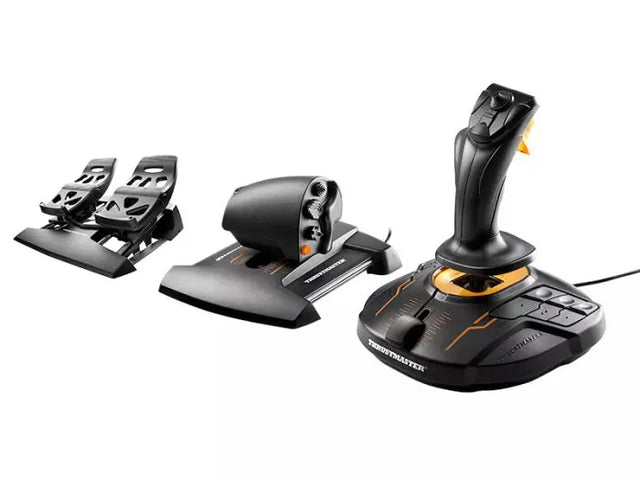
L’accessibilità nella simulazione ha fatto passi da gigante: ora i produttori propongono sistemi modulari in grado di soddisfare ogni livello e ogni esigenza fisica. Queste soluzioni adattive rendono il volo virtuale accessibile a tutti. Il T16000M FCS Flight Pack ne è la dimostrazione, grazie al design ergonomico e alla disposizione personalizzabile dei tasti, permettendo a ogni pilota di creare il proprio setup ideale.

Comandi per Flight Simulator su Xbox

La simulazione su console è cresciuta esponenzialmente, in particolare su piattaforma Xbox che ora offre soluzioni comando avanzate. Il Turtle Beach VelocityOne Flight System domina questo segmento, regalando agli utenti Xbox un sistema di controllo completo che non ha nulla da invidiare alle soluzioni PC tradizionali. Questi comandi specifici per console mantengono uno standard professionale e garantiscono compatibilità plug-and-play con Xbox.

Comandi per Simulatore di Volo su PC

Su PC hai l’offerta più ampia di comandi per simulatore di volo: dai joystick essenziali ai cockpit completi. I moderni comandi per PC utilizzano connessione USB e sensori ad alta risoluzione per un rilevamento sempre preciso. Questi sistemi offrono spesso software proprietari che consentono personalizzazione spinta di risposte e mappature dei tasti.

Comandi per Microsoft Flight Simulator

Microsoft Flight Simulator, nella sua ultima versione, ha trasformato il modo in cui i sistemi di controllo interagiscono con gli aeromobili virtuali. Il motore fisico avanzato richiede hardware altrettanto sofisticato per godere appieno della simulazione. I comandi moderni sono pensati appositamente per Microsoft Flight Simulator, con funzionalità plug-and-play e caratteristiche speciali che ne esaltano le potenzialità.

Tabella comparativa

Caratteristica TCA Captain Pack X Airbus T16000M FCS Flight Pack VelocityOne Flight System
Compatibilità piattaforma PC PC Xbox Series X|S, PC
Tipo di comando Sidestick + Quadrante acceleratore HOTAS + Pedali timone Yoke + Sistema throttle
Pulsanti/Comandi 21+ Programmabili 16 + HAT Switch 18 + Pannello status
Tecnologia dei sensori H.E.A.R.T effetto Hall Sensori effetto Hall Sensori effetto Hall
Hardware aggiuntivo Doppio leveraggio, flaps, SPD BRK Throttle, pedali timone Pannello display integrato
Funzionalità software Software T.A.R.G.E.T Software T.A.R.G.E.T App gestione custom
Materiale Plastica industriale Plastica rinforzata Plastica rinforzata
Funzioni speciali • Design Airbus autentico
• Sistema modulare
• Ambidestro
• Sistema HOTAS completo
• Controllo preciso timone
• Impugnatura stile militare
• Pannello display status
• Trim wheel inclusa
• Design modulare

Evoluzione hardware e integrazione

I flight simulator controls di ultima generazione integrano molteplici innovazioni tecnologiche:

Tecnologia dei sensori

  • Sensori magnetici effetto Hall
  • Rilevamento posizione senza contatto
  • Riconoscimento assi ad alta risoluzione

Qualità costruttiva

  • Materiali di grado industriale
  • Lavorazioni di precisione
  • Progettazione orientata alla durabilità

Integrazione software

  • Opzioni di programmazione custom
  • Sincronizzazione multisistema
  • Calibrazione input in tempo reale

Queste innovazioni garantiscono ai comandi moderni la precisione e l’affidabilità indispensabili sia per la simulazione ricreativa sia per l’addestramento. L’integrazione di materiali avanzati e sensori si traduce in sistemi di controllo capaci di resistere a migliaia di ore d’uso mantenendo accuratezza e feeling costante.

Acquista i tuoi Flight Simulator Controls su FlightSimZone

I flight simulator controls sono la base di ogni esperienza aeronautica virtuale autentica. La giusta combinazione di dispositivi di comando può trasformare una postazione essenziale in un cockpit domestico di alto livello, fornendo gli strumenti per divertirsi e migliorare le proprie competenze. Su FlightSimZone sappiamo quanto sia importante la qualità dei sistemi di controllo per un ecosistema simulativo davvero immersivo.

Acquista oggi i tuoi Flight Simulator Controls su FlightSimZone e vivi la perfetta fusione di realismo e funzionalità nel tuo cockpit virtuale.


Login

Hai dimenticato la password?

Non hai ancora un conto?
Creare un profilo


