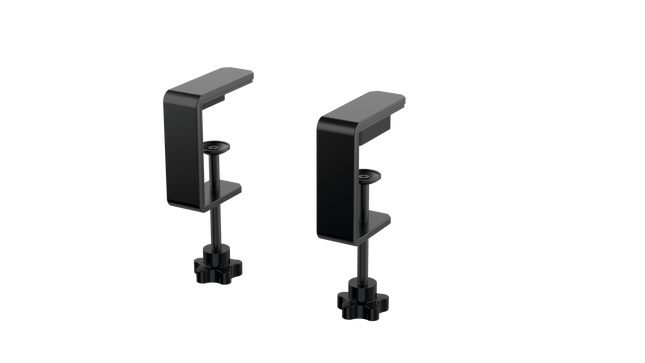
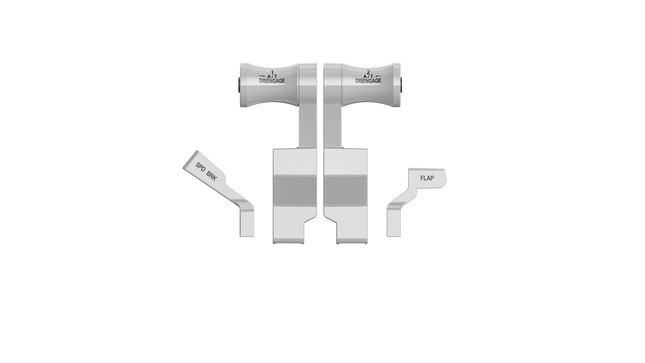
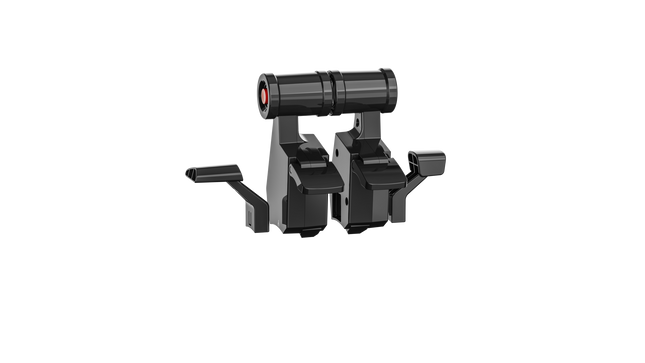
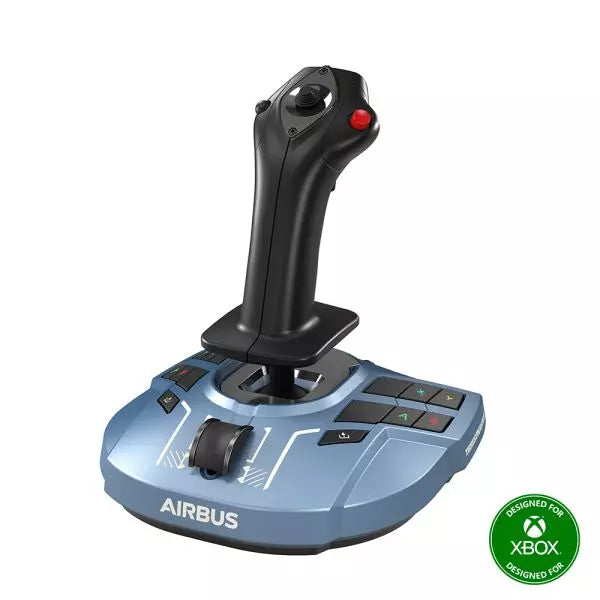
The RealSimGear - Dual Desktop Stand for RealSimGear GNS530 & GNS430 is built to provide a stable, elevated home for your avionics setup. Made from sturdy 3mm stainless steel, this stand boasts a durable, powder-coated matte black finish that resists wear and keeps things looking sharp. With rubber non-slip feet, your devices stay put during the most demanding flights. Its thoughtful design mimics real cockpit placements, ensuring your GNS530 and GNS430 are mounted at a comfortable and practical angle.
RealSimGear - Dual Desktop Stand for RealSimGear GNS530 & GNS430 apart?
Durable and Robust Construction Constructed from 3mm stainless steel, this stand is built to last. The powder-coated matte black finish not only adds a sleek appearance but also ensures the stand withstands long-term use without corrosion or wear. It's a dependable piece that can handle regular setup and breakdown without losing its shape or stability.
Thoughtful Mounting Compatibility The base comes with mounting holes that cater to various setups, including the Honeycomb Alpha yoke, Bravo throttle, and Saitek/Logitech yoke systems. This versatility makes it easy to integrate the stand into a broader flight sim configuration, avoiding compatibility headaches.
Realistic Placement Angle This stand provides an elevated mounting position similar to what you’d find in general aviation aircraft, giving your GNS530 and GNS430 a realistic layout. This attention to detail makes practice sessions more intuitive and comfortable, fostering a familiar feel when training or flying.
Solid Stability Features The rubber non-slip feet ensure that the stand stays firmly on your desk even during intense maneuvers. No sliding or shifting, so you can focus on piloting without constantly adjusting your setup. This small feature adds significant value by ensuring steady operation throughout flights.
Pros and Cons
Pros
Cons
Sturdy 3mm stainless steel construction with matte black finish.
Specifically designed for GNS530 & GNS430 only.
Rubber non-slip feet provide strong stability on any surface.
May occupy more space than single-unit stands.
Compatible with multiple yoke systems and mounting plates.
Specifications
Specification
Value
Material
3mm stainless steel
Finish
Powder-coated matte black
Foot Type
Rubber non-slip feet
Mounting Holes
Compatible with Honeycomb Alpha/Bravo, Saitek/Logitech yoke
RealSimGear - Dual Desktop Stand for RealSimGear GNS530 & GNS430 Compatibility
The RealSimGear - Dual Desktop Stand for RealSimGear GNS530 & GNS430 is engineered to perfectly fit both the GNS530 and GNS430 units, providing a cohesive mounting solution. It features pre-drilled holes that support a range of popular systems, including the Honeycomb Alpha yoke, Bravo throttle, and Saitek/Logitech yoke mounting plates. This ensures that it integrates seamlessly with a variety of cockpit configurations, making it an adaptable option for many sim pilots.
When it comes to gaming platforms, this stand is tailored for PC-based flight simulations, aligning well with simulators such as X-Plane and Microsoft Flight Simulator. It is not designed for console use, making it best suited for those running dedicated PC setups with realistic avionics add-ons.
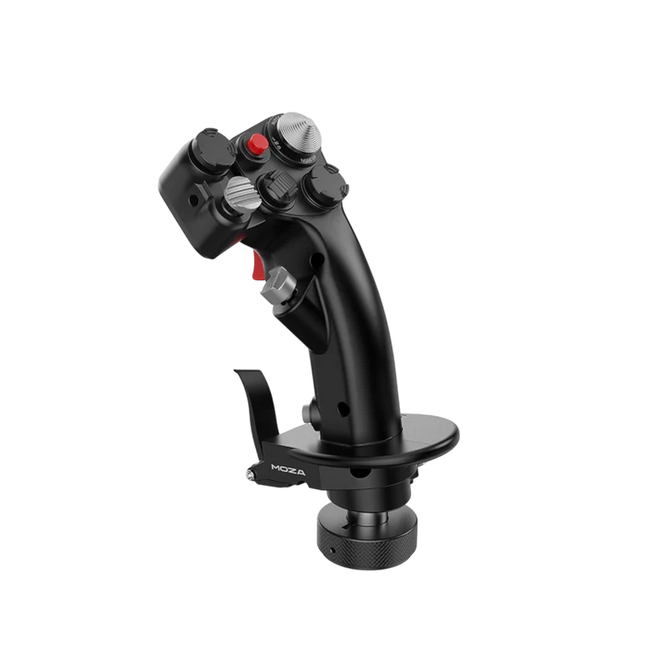
Moza MH16 Flightstick porta un approccio audace e senza compromessi alla simulazione di volo. Progettato con lega di alluminio di grado aerospaziale, questo flightstick non è solo estetico: è costruito per resistere a sessioni intense senza perdere colpi. Con 27 segnali di input e un joystick ALPS a 8 vie, ogni comando è a portata di mano, pronto per manovre precise. I componenti modulari removibili significano che puoi personalizzare il setup in base alle tue necessità, mentre la costruzione robusta garantisce stabilità anche nelle dogfight più impegnative. Che tu stia volando a bassa quota o entrando in una curva stretta, questo flightstick offre un livello di controllo che ti tiene completamente concentrato.
Cosa distingue il Moza MH16 Flightstick?
Costruito come un vero stick da jet da combattimento – Il design interamente in metallo non è solo per estetica: fornisce la sensazione e la solidità di un vero sistema di controllo di un aereo. Rispetto ai concorrenti in plastica, l'MH16 offre una presa più solida e robusta, riducendo la flessione e garantendo durabilità nel tempo.
Modulare e espandibile – A differenza di molti flightstick fissi, l'MH16 presenta moduli removibili con connessioni a pin pogo, che consentono una personalizzazione semplice. Questo significa che gli utenti possono sostituire o aggiornare i componenti senza dover rifare il cablaggio o smontare l'intera unità.
Personalizzazione estesa – Con 27 segnali di input e un joystick ALPS a 8 vie, i piloti possono mappare i comandi esattamente come vogliono. Questo livello di flessibilità nell'assegnazione dei pulsanti e delle funzioni lo rende una scelta ideale per chi desidera un controllo completo sulla propria esperienza di simulazione.
Compatibilità plug-and-play senza problemi – Nessuna configurazione complessa, nessun driver extra necessario: basta collegare e partire. Il connettore a 5 pin per aviazione garantisce una trasmissione sicura e stabile dell'input, rendendo il flightstick immediatamente operativo con la maggior parte delle basi di volo sul mercato.
Pro e Contro
Pro
Contro
Corpo in lega di alluminio di grado aerospaziale offre durabilità e presa solida.
Esaurito—la disponibilità potrebbe essere un problema.
I moduli removibili consentono una facile personalizzazione.
Non supporta ufficialmente MacOS.
27 input e joystick ALPS a 8 vie offrono un controllo ampio.
Plug-and-play con la maggior parte delle basi di volo.
Specifiche
Specifiche
Valore
Piattaforma
PC
Materiale principale
Lega di alluminio di grado aerospaziale
Voltaggio nominale
3.3V
Corrente nominale
5A
Connettore
Connettore per aviazione a 5 pin
Modulo asse Z
Opzionale
Dimensioni
99×213.5×132mm
Compatibilità del Moza MH16 Flightstick
Compatibile con
Non compatibile con
PC (sistemi basati su Windows)
MacOS
La maggior parte delle basi di volo con connettore per aviazione a 5 pin
Consolle (PlayStation, Xbox)
Software di controllo MOZA Cockpit
Interfacce USB non standard
Il Moza MH16 Flightstick si integra perfettamente con la maggior parte delle configurazioni di volo su PC, grazie al suo connettore per aviazione a 5 pin e alla funzionalità plug-and-play. Tuttavia, gli utenti Mac dovranno cercare altrove, poiché non esiste un supporto ufficiale per macOS. Gli utenti hanno segnalato una solida integrazione con una varietà di basi, rendendolo un'opzione flessibile per chi ama combinare e abbinare il proprio equipaggiamento.
Per quanto riguarda le piattaforme di gioco, l'MH16 è esclusivamente per utenti PC. Funziona senza problemi con simulatori di volo basati su Windows come DCS, MSFS2020 e X-Plane, ma i giocatori su console non sono fortunati: non c'è supporto nativo per PlayStation o Xbox. Tuttavia, se sei un appassionato di simulatori di volo, questo non è un problema, poiché il PC rimane la piattaforma di riferimento per i piloti seri.
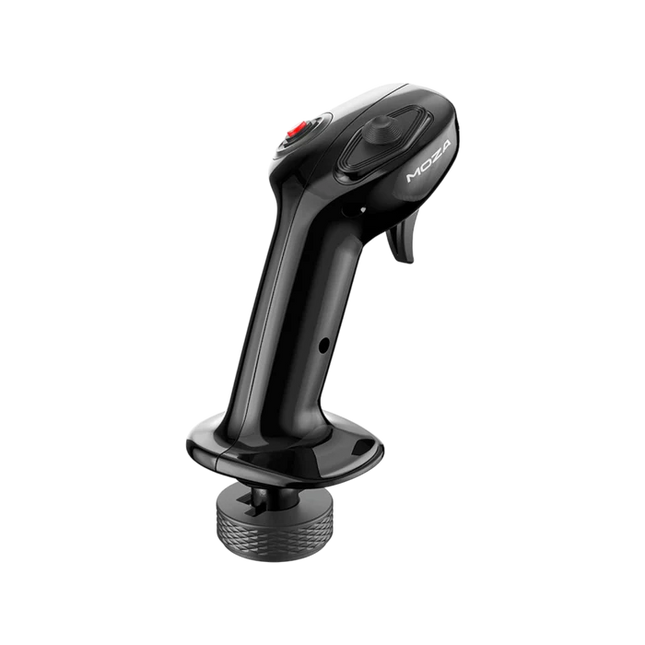
Moza MA3X Flightstick fonde il design ispirato agli aerei classici con l'ingegneria moderna per offrire un'esperienza coinvolgente nella simulazione di volo. Realizzato in materiale composito ultra resistente, rimane leggero ma abbastanza durevole da sopportare fino a 30 kg di forza. Gli interruttori ALPS garantiscono una lunga durata, con una valutazione di 100.000 cicli, offrendo ai piloti un controllo costante e affidabile. Un trattamento spray multistrato e il trattamento UV replicano la sensazione tattile dei materiali degli aerei reali, migliorando la sensazione complessiva. Con una disposizione dei pulsanti espansa e ampia compatibilità, il MA3X si adatta facilmente a qualsiasi configurazione, offrendo sia flessibilità che affidabilità.
Cosa distingue il Moza MA3X Flightstick?
Costruzione durevole e leggera – A differenza dei flightstick più ingombranti in metallo, il MA3X è costruito con materiale composito ultra resistente. Questo gli consente di rimanere leggero, con soli 220g, pur gestendo fino a 30 kg di forza senza compromettere l'integrità strutturale.
Disposizione dei pulsanti migliorata – Il MA3X è dotato di quattro pulsanti fisici, ma può essere espanso per supportare fino a 12 segnali di input. Questa maggiore flessibilità garantisce che gli utenti possano configurare i loro controlli esattamente come desiderano per vari scenari di simulazione.
Interruttori ALPS per una lunga durata – Molti flightstick soffrono di usura nel tempo, ma il MA3X è dotato di interruttori ALPS con una durata di 100.000 cicli. Questo significa che i piloti possono fare affidamento su un'operazione fluida e costante, anche dopo un uso prolungato.
Compatibilità ampia e configurazione plug-and-play – Progettato per funzionare con tutte le basi Moza e la maggior parte delle basi di terze parti, il MA3X non richiede driver aggiuntivi o configurazioni complesse. Il connettore per aviazione a 5 pin assicura una connessione stabile e sicura.
Pro e Contro
Pro
Contro
Materiale composito durevole che resiste all'uso intenso.
Non supporta ufficialmente MacOS.
Layout dei pulsanti espandibile fino a 12 segnali di input.
Funzionalità limitata in modalità standalone senza una base compatibile.
Interruttori ALPS con una durata di 100.000 cicli.
Funziona con Moza e la maggior parte delle basi di terze parti.
Specifiche
Specifiche
Valore
Materiale del corpo
Composito
Materiale degli interruttori
ABS
Peso
220g
Interruttore a 8 posizioni
1
Grilletto
1
Interruttore di cambio
1
Connettore
Connettore per aviazione a 5 pin
Compatibilità del Moza MA3X Flightstick
Compatibile con
Non compatibile con
PC (sistemi basati su Windows)
MacOS
Tutte le basi Moza
Consolle (PlayStation, Xbox)
La maggior parte delle basi di terze parti
Sistemi di input solo USB
Il Moza MA3X Flightstick si integra senza problemi con tutte le basi Moza e supporta la maggior parte delle basi di terze parti utilizzando il connettore per aviazione a 5 pin. A differenza di alcuni flightstick che vincolano gli utenti a specifici ecosistemi, il MA3X mantiene un design più flessibile, consentendo una compatibilità più ampia senza adattatori aggiuntivi.
Dal lato software, il MA3X è completamente compatibile con simulatori di volo basati su Windows, ma non supporta MacOS. Funziona bene con titoli principali come MSFS2020, X-Plane e DCS. Tuttavia, gli utenti di console dovrebbero cercare altrove, poiché il MA3X non supporta le piattaforme PlayStation o Xbox.
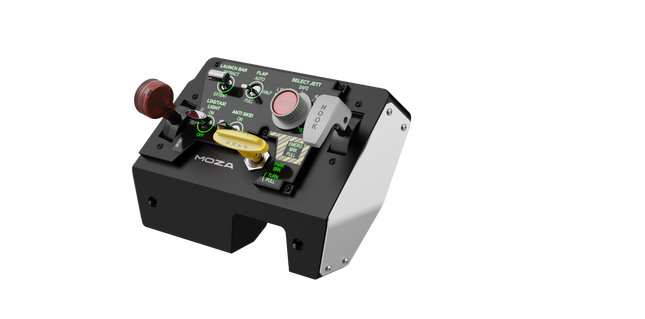
Moza MTLP Take-off Landing Panel porta l'essenza delle operazioni dei jet da combattimento nel cockpit domestico con un sistema di controllo robusto e tattile progettato per i piloti di simulazione seri. Progettato sulla base del pannello di atterraggio dell'F/A-18, offre una disposizione degli interruttori intuitiva che consente input rapidi e istintivi senza fare affidamento sulla conferma visiva. Il meccanismo autentico del freno di stazionamento fornisce un rimbalzo solido e meccanico che sembra provenire da un vero jet da combattimento. Con 25 segnali di interruttore programmabili e sensori ad effetto Hall per una maggiore precisione, questo pannello colma il divario tra interazione virtuale e pratica manuale nel cockpit.
Cosa distingue il Moza MTLP Take-off Landing Panel?
Progettato per il controllo tattile – Modellato sul pannello di atterraggio dell'F/A-18, questa configurazione prioritizza un'operazione istintiva. La disposizione degli interruttori consente ai piloti di gestire le funzioni critiche dell'aereo tramite il tatto, riducendo la necessità di distogliere lo sguardo dallo schermo. Questo tipo di rafforzamento tattile è essenziale per ambienti ad alta velocità come i voli da combattimento e gli atterraggi su portaerei.
Precisione del sensore Hall per le funzioni principali – A differenza degli interruttori meccanici standard, il MTLP integra sensori ad effetto Hall negli input principali come le leve del carrello di atterraggio e dell'arresto di coda. Questi sensori garantiscono affidabilità a lungo termine e precisione costante degli input, eliminando la deriva o il degrado legato all'usura nel tempo.
Costruito per resistere all'uso ripetuto – La costruzione in lega di alluminio utilizzata nella leva del freno, nella leva dell'arresto di coda e nel carrello di atterraggio assicura durabilità. Questi componenti possono sopportare ingaggi ripetuti e vigorosi, rendendo il pannello un investimento a lungo termine per gli appassionati di volo che richiedono robustezza meccanica.
Integrazione senza soluzione di continuità con l'ecosistema Moza – Il MTLP è progettato per funzionare senza problemi con il Moza MTP Throttle Panel, formando una configurazione di controllo del jet da combattimento coesa. Tramite il software Moza Cockpit, gli utenti possono sincronizzare gli effetti di illuminazione legati alla telemetria e personalizzare la configurazione dei pulsanti per adattarla al proprio stile di volo.
Pro e Contro
Pro
Contro
Modellato sul pannello di atterraggio dell'F/A-18
Clamp da scrivania venduto separatamente
Sensori ad effetto Hall per precisione e longevità
Compatibilità limitata con PC
25 segnali di interruttore programmabili per un controllo esteso
Compatibile con l'ecosistema Moza per una configurazione completa da combattimento
Specifiche
Specifiche
Valore
Dimensioni
196,5 × 134,7 × 149 mm
Materiale della struttura
Materiali compositi
Materiale della leva del freno
Leghe di alluminio
Peso
680g
Segnali di interruttore
25
Illuminazione telemetrica
Sì (nessun plugin aggiuntivo richiesto)
Piattaforma supportata
PC
Clamp da scrivania
Accessorio opzionale
Accessori inclusi
Cavo dati, manuale utente
Compatibilità del Moza MTLP Take-off Landing Panel
Compatibile con
Non compatibile con
Moza MTP Throttle Panel
Pannelli di acceleratore di terze parti
Software Moza Cockpit per la personalizzazione
Piattaforme per console
Simulazioni di volo su PC
MacOS
Progettato per simulatori basati su PC, il MTLP si integra perfettamente con il Moza MTP Throttle Panel per creare una suite di controllo in stile jet da combattimento. Il pannello è configurato tramite il software Moza Cockpit, che consente ampie personalizzazioni, inclusi gli effetti di illuminazione legati alla telemetria. Tuttavia, non supporta i pannelli di acceleratore di terze parti, il che significa che la piena funzionalità è meglio ottenuta all'interno dell'ecosistema Moza.
Compatibilità solo con PC garantisce supporto per i principali simulatori di volo, ma MacOS e le console non sono supportate. Gli appassionati di simulazione di volo che utilizzano Microsoft Flight Simulator 2020, Microsoft Flight Simulator 2024 e X-Plane 12 troveranno il pannello riconosciuto nativamente, offrendo funzionalità plug-and-play diretta tramite USB. Tuttavia, gli utenti alla ricerca del supporto per Xbox o PlayStation dovranno considerare hardware alternativo.
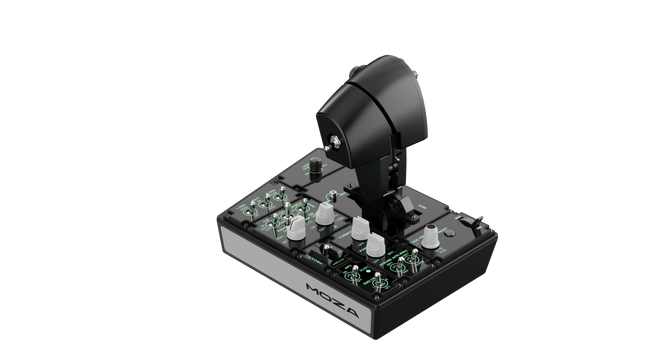
Moza MTP Throttle Panel offre un'esperienza di controllo del volo robusta ispirata agli aerei da caccia basati su portaerei. Il sistema di detent regolabile consente un controllo preciso, che si tratti di gestire i postbruciatori o di simulare i detent centrali nei simulatori spaziali. Il sistema di feedback vibratorio integrato migliora la consapevolezza situazionale, avvisando i piloti di cambiamenti aerodinamici, avvisi di sovravelocità e condizioni di combattimento. Con 27 interruttori programmabili, un joystick ad effetto Hall e impugnature in lega di alluminio, questo pannello dell'acceleratore è progettato per gli appassionati di simulazione di volo che cercano un controllo preciso in ambienti ad alta intensità.
Cosa distingue il Moza MTP Throttle Panel?
Sistema di detent personalizzabile per il massimo controllo Il MTP Throttle consente agli utenti di regolare le posizioni dei detent, rendendolo ideale per impostazioni di postbruciatore, spinta inversa o manovre precise nello spazio. Che si tratti di affinare le curve di potenza o di creare stadi distinti del motore, questa funzione offre una flessibilità non comune in altri sistemi di acceleratore.
Feedback vibratorio integrato per una consapevolezza migliorata A differenza degli acceleratori passivi, il MTP include motori di vibrazione che reagiscono ai dati di telemetria del simulatore. Questo sistema di feedback fornisce avvisi tattili per condizioni come la resistenza aerodinamica, gli avvisi di sovravelocità e i guasti di sistema, offrendo ai piloti un ulteriore livello di consapevolezza situazionale.
27 interruttori programmabili per operazioni di volo complesse La superficie di controllo è dotata di 27 interruttori, tutti configurabili per funzioni essenziali come l'apertura del carrello, l'accensione del motore o i sistemi di combattimento. Il layout ottimizzato garantisce che i comandi siano facilmente accessibili senza bisogno di distrazioni durante il volo.
Joystick ad effetto Hall per una maggiore flessibilità di input Integrato direttamente nell'acceleratore, questo joystick offre un input privo di deriva per regolazioni di controllo precise. Che sia assegnato al trim di beccheggio, agli input del timone o anche alla navigazione della telecamera, il sensore ad effetto Hall garantisce prestazioni costanti senza l'usura dei potenziometri tradizionali.
Pro e contro
Pro
Contro
Sistema di detent regolabile per postbruciatori e simulatori spaziali
Il supporto per il clamp da scrivania è venduto separatamente
Feedback vibratorio integrato che reagisce alle condizioni di volo
Supporto solo per PC, nessuna compatibilità con console
27 interruttori programmabili per una mappatura estesa dei comandi
Impugnatura in alluminio resistente con una sensazione tattile
Specifiche
Specifiche
Valore
Dimensioni
277 × 194 × 216 mm
Materiale della scocca
Materiale composito
Materiale dell'impugnatura dell'acceleratore
Leghe di alluminio
Peso
2,1 kg
Interruttori fisici
27
Telemetria vibrazione
Supportato (nessun plug-in richiesto)
Telemetria illuminazione
Supportato (nessun plug-in richiesto)
Piattaforma supportata
PC
Clamp da scrivania
Accessorio opzionale
Piastra di montaggio per scrivania
Accessorio opzionale
Accessori inclusi
Cavo dati, chiave, manuale utente
Compatibilità Moza MTP Throttle Panel
Compatibile con
Non compatibile con
Software MOZA Cockpit per personalizzazione
Piattaforme per console
Pannello MOZA MTLP per configurazione completa del jet da combattimento
Quadranti dell'acceleratore di terze parti
Simulatori di volo basati su PC
MacOS
Progettato per simulatori di volo basati su PC, il MTP Throttle si integra perfettamente con il software MOZA Cockpit, consentendo regolazioni precise per il feedback vibratorio, la mappatura degli interruttori e gli effetti di illuminazione basati sulla telemetria. Si abbina anche al pannello MOZA MTLP, creando un sistema di controllo modulare per jet da combattimento che migliora l'esperienza di decollo e atterraggio.
Compatibilità solo con PC garantisce funzionalità plug-and-play con Microsoft Flight Simulator 2020, Microsoft Flight Simulator 2024 e X-Plane 12. Tuttavia, questo sistema non supporta MacOS o console, quindi gli utenti Xbox e PlayStation dovranno cercare soluzioni di acceleratore compatibili altrove.
Esaurito,
Preordini disponibili. Spedizione prevista tra 2 e 2,5 settimane.
Honeycomb Sierra TPM Module porta il fascino tattile dell’aviazione generale classica direttamente sulla tua scrivania, con un throttle vernier in metallo bloccabile che offre una piacevole sensazione meccanica al tatto e una trim wheel integrata ad alta risoluzione che consente di regolare l’assetto con precisione usando la punta delle dita. Progettato pensando ad aeromobili monomotore a elica come il Cessna 172, combina una costruzione interamente in metallo, controlli integrati per flap e freno di stazionamento e indicatori LED del carrello di atterraggio in un modulo compatto che si integra perfettamente in un home cockpit di livello avanzato.
Cosa distingue l’Honeycomb Sierra TPM Module?
Autentica Sensazione Vernier da Aviazione Generale Il throttle vernier in metallo bloccabile con manopole di regolazione fine per elica e miscela non si limita ad avere l’aspetto corretto — offre quella sensazione di spingi-tira e ruota-per-regolare che i piloti associano ai cockpit GA classici. Molti utenti sottolineano come la regolazione incrementale consenta variazioni di potenza più fluide durante la salita e l’avvicinamento, soprattutto sugli aeromobili a pistoni, rispetto ai throttle a leva scorrevole che possono risultare troppo bruschi per una gestione delicata del motore.
Workflow di Cockpit Integrato Invece di distribuire i controlli su pannelli separati, il Sierra TPM riunisce trim, flap, freno di stazionamento e carrello in un layout coerente. La trim wheel a basso profilo e alta risoluzione è particolarmente apprezzata per la sua rotazione fluida e l’input preciso, rendendo naturali le regolazioni di beccheggio durante la crociera o l’avvicinamento finale. Riduce la dipendenza dalle scorciatoie da tastiera e mantiene le mani dove devono essere — su hardware dedicato.
Solida Costruzione Interamente in Metallo Realizzato con componenti di qualità Honeycomb e un robusto chassis interamente in metallo, questo modulo offre peso e rigidità percepibili. Gli appassionati menzionano spesso la sua stabilità sulla scrivania, con flessioni minime durante movimenti decisi del throttle. Rispetto alle alternative più leggere in plastica, il Sierra TPM mantiene la stabilità strutturale nel tempo, aspetto particolarmente apprezzato nelle configurazioni di cockpit permanenti o semi-permanenti.
Integrazione Perfetta con l’Ecosistema Honeycomb Progettato per abbinarsi perfettamente agli yoke e ai sistemi di montaggio Honeycomb, la dual mounting solution inclusa semplifica l’allineamento e il posizionamento. Gli utenti che utilizzano già unità Alpha o Bravo spesso evidenziano come il linguaggio di design e la spaziatura dei controlli risultino uniformi, creando un flight deck visivamente coerente ed ergonomicamente consistente senza moduli disomogenei.
Pro e Contro
Pro
Contro
Il throttle vernier in metallo offre un controllo incrementale preciso.
Progettato principalmente per aeromobili GA monomotore.
La trim wheel integrata garantisce regolazioni di beccheggio fluide.
Richiede spazio sulla scrivania per la mounting solution completa.
Lo chassis interamente in metallo è stabile e resistente.
Gli indicatori LED del carrello forniscono un chiaro feedback visivo.
Specifiche
Specifica
Valore
Product Name
Honeycomb Sierra TPM Module
EAN
4039621003998
Construction
Costruzione interamente in metallo con componenti di qualità Honeycomb
Throttle Type
Throttle vernier in metallo bloccabile con manopole per elica e miscela
Integrated Controls
Trim wheel, freno di stazionamento, leva flap, leva carrello con indicatori LED
Layout
Stile aviazione generale per aeroplani monomotore a elica
Mounting
Dual mounting solution inclusa
Connection
USB-C to USB-A cable
Compatibility
PC e Mac
Drivers
MSFS 2020 Driver, MSFS 2024 Driver
Included in the Box
Sierra TPM Module, Dual Mounting Solution, USB-C to USB-A Cable, Quick Start Guide (EFIGS)
Compatibilità Honeycomb Sierra TPM Module
Platform
Compatibility
Operating Systems
PC e Mac
Connection Type
USB-C to USB-A (connessione USB diretta)
Primary Ecosystem Pairing
Hardware Honeycomb Alpha e Bravo
Il Sierra TPM Module si collega tramite USB diretto, rendendo semplice l’integrazione nella maggior parte delle configurazioni di cockpit desktop. Si abbina particolarmente bene con Honeycomb Alpha yoke e Bravo throttle quadrants, condividendo la stessa filosofia di design e lo stesso ecosistema di montaggio. Grazie alla dual mounting solution, può essere montato sulla scrivania insieme ad altre unità Honeycomb per un layout uniforme. Non è destinato a configurazioni console e non si interfaccia direttamente con hardware standalone senza un PC o Mac compatibile.
Dal lato software, supporta Microsoft Flight Simulator 2020 e Microsoft Flight Simulator 2024 tramite driver dedicati, ed è compatibile anche con simulatori come X-Plane e Prepar3D su PC. Non è compatibile con console Xbox, poiché si basa su driver USB standard per PC/Mac anziché su firmware certificato per console. Per i sim pilot desktop focalizzati sull’aviazione generale, si integra perfettamente nelle moderne piattaforme di simulazione basate su PC.
Honeycomb Foxtrot Aviation Stick è progettato per i piloti che preferiscono un sidestick in mano e una scrivania libera davanti a sé. Fin dal primo movimento, il sistema di resistenza lineare fluida senza center detent offre una sensazione scorrevole e controllata, ideale per input in stile Airbus e manovre acrobatiche. All’interno, la risoluzione a 16-bit con tecnologia di sensori Hall Effect traduce anche i più sottili movimenti del polso in un controllo preciso a schermo. Aggiungi la tensione regolabile e un design completamente ambidestro, e ottieni uno stick che trasmette solidità e intenzionalità, non una sensazione da giocattolo.
Cosa distingue l’Honeycomb Foxtrot Aviation Stick?
Filosofia di Controllo Senza Center Detent Molti stick si affidano a un evidente scatto centrale, che può rendere le piccole correzioni troppo meccaniche. Il sistema di resistenza lineare del Foxtrot elimina questo punto centrale, creando una transizione fluida lungo l’intera escursione dell’asse. I piloti che volano su aeromobili Airbus apprezzano particolarmente questa soluzione, poiché rispecchia più fedelmente il comportamento del sidestick e consente correzioni dolci di beccheggio e rollio senza contrastare un “clic” a molla al centro.
Sinergia tra Sensori e Risoluzione Con una risoluzione a 16-bit abbinata a sensori Hall Effect, il Foxtrot garantisce un rilevamento dell’input pulito e senza contatto. Gli appassionati sottolineano spesso la costanza nel tempo — nessun picco, nessun degrado graduale tipico dei potenziometri meccanici. Le regolazioni fini del trim in avvicinamento o gli input di rollio controllati in acrobazia risultano stabili e prevedibili, soprattutto rispetto agli stick entry-level che possono mostrare jitter vicino al centro.
Resistenza e Ergonomia Configurabili La tensione regolabile consente di adattare lo stick alle preferenze personali, sia che si prediligano input leggeri con la punta delle dita sia una resistenza più marcata per movimenti controllati. In combinazione con il design ambidestro dell’impugnatura, il Foxtrot si adatta a configurazioni sia per mancini che per destrimani. Gli utenti con cockpit compatti evidenziano spesso quanto sia versatile in diverse posizioni di seduta, inclusi montaggi centrali o laterali.
Alta Densità di Switch Senza Confusione Tra i 5 switch a due vie, i 4 pulsanti azione programmabili, il POV hat, il grilletto, i rocker e il pannello rotativo multi-via, lo stick offre un’elevata flessibilità di input. Ciò che colpisce è la disposizione logica dei controlli; i sim pilot menzionano spesso come funzioni quali trim, modalità autopilota o controlli della telecamera possano essere assegnate senza sensazione di affollamento o ricerca alla cieca durante il volo.
Pro e Contro
Pro
Contro
Resistenza lineare senza center detent fluida e precisa.
Nessuna compatibilità nativa con console.
I sensori Hall Effect riducono l’usura nel lungo periodo.
Nessuna base di montaggio dedicata inclusa.
Tensione regolabile adatta a diversi stili di volo.
Ampie opzioni di configurazione per switch e pulsanti.
Specifiche
Specifica
Valore
Product Name
Honeycomb Foxtrot Aviation Stick
Control System
Sistema di resistenza lineare senza center detent
Sensor Technology
Sensori Hall Effect
Resolution
16-bit
Tension Adjustment
Resistenza dello stick regolabile
Switches
5 switch a due vie
Action Buttons
4 pulsanti programmabili
Rotary Panel
Controlli rotativi a 3, 4 e 5 vie
Grip Design
Ambidestro
Connection
USB-C to USB-A cable
System Compatibility
PC e Mac
Included in the Box
Foxtrot Aviation Stick, USB-C to USB-A Cable, Quick Start Guide (EFIGS)
Download Support
Profili Basic Bindings (XML) per MSFS 2024
Compatibilità Honeycomb Foxtrot Aviation Stick
Platform
Compatibility
Operating Systems
PC e Mac
Connection Type
USB-C to USB-A interfaccia USB diretta
Primary Sim Support
MSFS 2024 (XML bindings), MSFS, X-Plane, Prepar3D
Il Foxtrot Aviation Stick si collega tramite USB standard, consentendo un’integrazione semplice nella maggior parte delle configurazioni di cockpit desktop. Funziona perfettamente insieme a throttle quadrants, pedali del timone e pannelli radio di altri marchi importanti grazie alla sua architettura HID plug-and-play. Il suo design ambidestro lo rende adatto a configurazioni sia lato sinistro che destro, incluso il montaggio laterale in stile Airbus. Non è compatibile con console Xbox e non funziona come dispositivo standalone senza un PC o Mac collegato.
Dal punto di vista software, supporta Microsoft Flight Simulator 2024 con profili di binding XML dedicati e opera con simulatori PC popolari come Microsoft Flight Simulator (2020), X-Plane e Prepar3D tramite mappature manuali o della community. Non è progettato per piattaforme basate su console, poiché si affida al riconoscimento driver nativo PC/Mac piuttosto che a firmware certificato per console.
Esaurito,
Preordini disponibili. Spedizione prevista tra 2 e 2,5 settimane.
Honeycomb Bravo Throttle Quadrant Lite concentra l’esperienza essenziale del Bravo originale in un pacchetto più compatto e mirato. Le quattro leve intercambiabili con tensione regolabile scorrono con un rassicurante peso meccanico, mentre la trim wheel integrata a basso profilo e alta risoluzione consente di regolare finemente il beccheggio con precisione alla punta delle dita. Dal clic deciso della leva del carrello con indicazione LED alla soddisfacente trazione del freno di stazionamento, questa unità offre input affidabili per configurazioni GA e bimotore senza risultare eccessiva per chi sta costruendo il proprio cockpit per la prima volta.
Cosa distingue l’Honeycomb Bravo Throttle Quadrant Lite?
Semplificato Senza Essere Ridotto A differenza di molti throttle quadrant orientati all’ingresso che sacrificano flessibilità, il Bravo Lite mantiene vivo il DNA modulare. Gli utenti sottolineano spesso come conservi leve intercambiabili e personalizzazione dei flap detent, riducendo al contempo parte della complessità del Bravo completo. Il risultato è un’unità compatta che supporta comunque configurazioni monomotore e bimotore, rendendola interessante per i piloti che passano da throttle in plastica di base.
Tensione Regolabile con Feedback Meccanico La resistenza delle leve può essere regolata secondo le preferenze personali, facendo una differenza percepibile durante le variazioni di potenza in salita e le regolazioni in finale corta. Molti sim pilot evidenziano come il movimento risulti fluido e controllato, non morbido o elastico. Rispetto ai quadrant più leggeri, il Bravo Lite offre una sensazione più stabile nelle transizioni di throttle, soprattutto quando montato saldamente con la dual mounting solution inclusa.
Trim e Comandi a Terra Integrati La trim wheel integrata e il freno di stazionamento eliminano la necessità di periferiche separate. L’alta risoluzione della trim wheel è spesso lodata per aiutare a stabilizzare gli avvicinamenti senza continue micro-correzioni tramite tastiera o pulsanti dello yoke. Aggiungendo la leva del carrello con indicatore di stato LED, si ottiene una conferma visiva chiara durante i cicli del carrello — un piccolo dettaglio che aumenta notevolmente la sicurezza nei circuiti trafficati.
Ottimizzazione Mirata per MSFS Progettato pensando a Microsoft Flight Simulator, il Bravo Lite beneficia di supporto driver dedicato e profili scaricabili. Gli utenti apprezzano la rapidità con cui viene configurato in MSFS 2020 e 2024 rispetto ad alcuni quadrant USB generici. Allo stesso tempo, rimane compatibile con X-Plane e Prepar3D, offrendo una versatilità maggiore rispetto a molte unità throttle specifiche per singolo simulatore in questa fascia di prezzo.
Pro e Contro
Pro
Contro
Leve intercambiabili compatibili con diversi tipi di aeromobili.
Meno controlli rispetto alla versione completa Bravo.
Tensione regolabile che migliora la sensazione del throttle.
Solo PC e Mac, nessun supporto console.
Trim wheel integrata per un controllo preciso del beccheggio.
Indicatore LED del carrello per un chiaro feedback di stato.
Specifiche
Specifica
Valore
Product Name
Honeycomb Bravo Throttle Quadrant Lite
Dimensions (L x H x W)
40 x 13 x 27 cm (15.75 x 5.19 x 10.63 inches)
Throttle Levers
Quattro leve intercambiabili con tensione regolabile
Flap System
Inserti flap detent intercambiabili inclusi
Trim Control
Trim wheel integrata a basso profilo e alta risoluzione
Landing Gear Lever
Con indicatore di stato LED
Parking Brake
Leva integrata
Connectivity
USB-C to USB-A (cavo incluso)
System Compatibility
PC e Mac
Software Compatibility
Microsoft Flight Simulator 2020/2024, FSX, Prepar3D V3-V5, X-Plane 11/12
Included in the Box
Throttle Quadrant Lite, Flap detent inlays, Interchangeable levers (Commercial & GA), USB-C cable, Dual mounting solution, Quick Start Guide
Compatibilità Honeycomb Bravo Throttle Quadrant Lite
Category
Compatibility
Operating Systems
Microsoft Windows (64-bit), macOS
Connection
USB-C to USB-A (porta USB standard richiesta)
Supported Simulators
MSFS 2020/2024, FSX, Prepar3D V3–V5, X-Plane 11/12
Il Bravo Lite si collega tramite USB standard, rendendo semplice l’integrazione con yoke, stick e pedali del timone di vari marchi. Si abbina particolarmente bene con gli yoke Honeycomb Alpha e con altro hardware modulare grazie alla dual mounting solution. È progettato esclusivamente per sistemi PC e Mac e non funziona in modo indipendente senza un computer collegato.
Dal lato simulatore, è ottimizzato per Microsoft Flight Simulator 2020 e 2024, con driver LED dedicati e profili aeromobile scaricabili. Funziona anche con X-Plane 11 e 12, FSX e Prepar3D V3–V5 tramite riconoscimento USB HID standard. Non è compatibile con console Xbox, poiché si basa su driver e architettura USB per PC anziché su firmware certificato per console.
Esaurito,
Preordini disponibili. Spedizione prevista tra 2 e 2,5 settimane.
WINCTRL URSA MINOR Airline Joystick R brings airline-style control to the desktop with a clever mix of tactile feedback and thoughtful engineering. The standout feature is the flight-data-linked vibration engine, which adds subtle physical cues during events like flap deployment, airflow changes, and touchdown. Pair that with non-contact magnetic resistance sensors on the X and Y axes, and the stick delivers smooth, stable inputs without the wear issues common in cheaper mechanisms. The result is a joystick that feels lively in hand yet technically grounded under the hood.
What Sets the WINCTRL URSA MINOR Airline Joystick R apart?
Flight Data Driven Vibration Feedback The URSA MINOR stands out with a vibration motor tied directly to in-sim flight data. Instead of generic rumble, the stick reacts to events like landing contact, airflow changes, or flap movement. Pilots online often mention how this adds subtle physical cues during phases like flare or speed changes, providing a tactile reminder of what the aircraft is doing without constantly glancing at instruments.
Robust Gimbal With Magnetic Sensors At the core of the stick is a glass-fiber-reinforced nylon gimbal running on ball bearings, paired with non-contact magnetic sensors for the primary axes. This combination helps maintain smooth motion over time without the jitter common in potentiometer-based designs. Enthusiasts frequently note that the stick movement feels stable across the entire travel range, particularly during small pitch adjustments on final approach.
Airliner-Inspired Grip Layout The grip design borrows cues from airline sidestick ergonomics, offering a balanced control layout that includes a PTT trigger, autopilot disconnect switch, and a concealed five-way switch beneath a magnetic cover. Pilots often highlight how practical this arrangement is for everyday flying tasks—radio calls, autopilot overrides, and camera views can all be handled without reaching for the keyboard.
Flexible Mounting and Maintenance Design The base includes anti-slip pads for desktop use along with pre-drilled mounting holes for cockpit rigs. A quick-release base cover allows access to internal adjustments without dismantling the entire unit. This detail is frequently appreciated by sim cockpit builders who prefer gear that can be tuned or serviced easily rather than permanently sealed hardware.
Pros and Cons
Pros
Cons
Flight-data vibration feedback adds tactile flight cues.
Plastic construction compared to metal joystick designs.
Magnetic sensors reduce wear and input drift.
Limited axis travel compared to extended bases.
Good button layout for airliner-style flying tasks.
Desk or cockpit mounting options included.
Specifications
Specification
Value
Product Model
URSA MINOR-Airline-Joystick R
Material
Industrial ABS plastic (PC + ABS)
Controller
32-bit ARM controller
X/Y Axis Movement Angle
±15°
Z Axis Rotation Angle
±20°
X/Y Sensors
Non-contact magnetic resistance sensors
Gimbal Construction
Glass fiber reinforced nylon with ball bearings
Operating Force (X/Y)
Approximately 6N
Rotation Torque (Z)
~4 kgf·cm
Throttle Axis Type
Long-travel sliding potentiometer
Throttle Axis Travel
38 mm
Buttons
14 buttons (250gf press force, 0.25 mm travel)
Special Controls
Hidden 5-way switch, PTT trigger, autopilot disconnect
Vibration Feature
Adjustable amplitude levels from 0–255
Mounting Options
Anti-slip desktop pads and cockpit mounting holes
Item Weight
3 kg
Included in Box
J5-BASE-BLACK + JGRIP-C1-R, Data Cable, Toolkit, Accessories Pack
WINCTRL URSA MINOR Airline Joystick R Compatibility
Platform
Compatibility
Connection Type
USB plug-and-play connection
Software Configuration
WW SIMAPP Pro software for button mapping
Mounting
Desktop use or cockpit mounting
The URSA MINOR Airline Joystick R connects via standard USB, allowing it to integrate easily with throttle quadrants, rudder pedals, and other flight hardware from many manufacturers. The base supports both desktop placement with anti-slip pads and cockpit mounting using pre-drilled holes, which is useful for sim rigs or permanent setups. Configuration is handled through WW SIMAPP Pro software, enabling button assignments and vibration adjustments directly from a visual interface.
Within a flight setup, the joystick works well alongside external throttles, radio panels, or pedal systems because it behaves as a standard USB HID controller. It does not require proprietary ecosystems and can coexist with other brands in the same cockpit. However, it is intended for PC-based simulation environments and does not integrate directly with console platforms.
In terms of simulators, the stick supports Microsoft Flight Simulator 2020, X-Plane, Prepar3D, and also space or combat titles like Star Citizen, Elite Dangerous, and War Thunder. Its plug-and-play USB design allows quick recognition in most PC simulation platforms. It is not designed for Xbox or PlayStation consoles, as those systems typically require licensed hardware and different firmware structures.