Take your flight simulation to the next level with the TCA Yoke Boeing Edition. Designed with official Boeing licensing, this yoke is a 1:1 ergonomic replica of the 787 Dreamliner controls. Its suspended PENDUL_R mechanism delivers a smooth, pendular motion for authentic maneuvering, while the 100% metal frame ensures stability and long-lasting durability. Complete with adjustable springs and two additional axes, this yoke is perfect for takeoffs, landings, and everything in between. If you're serious about flight simulation, this is an experience that’s hard to ignore.
What sets the TCA Yoke Boeing Edition apart?
Licensed Boeing Replica Design The TCA Yoke Boeing Edition replicates the ergonomic design and controls of a Boeing 787 cockpit, offering enthusiasts the opportunity to feel like they’re gripping the real deal. This level of accuracy is rare in the sim market and appeals to those who demand authenticity in their setups.
Suspended PENDUL_R Mechanism Unlike conventional yoke systems, the suspended PENDUL_R mechanism simulates the pendular movement of a genuine airliner yoke, offering a fluid and realistic range of motion. This feature is especially appreciated for its natural feel during pitch and roll adjustments.
Customizable Spring Resistance The adjustable spring system allows you to fine-tune the tension to your preference, making it suitable for both novice and seasoned pilots. This flexibility ensures comfort and precision regardless of your flying style or aircraft type.
Versatile Control Options With 18 action buttons, 6 axes, and a built-in mini-stick, the yoke provides ample mapping possibilities for various aircraft types. Whether navigating a jumbo jet or a small propeller plane, you’ll have the tools to control it all.
Pros and Cons
Pros
Cons
Official Boeing-licensed design for an authentic feel.
Higher price point compared to other yokes.
Suspended PENDUL_R mechanism offers fluid movement.
Bulky design may be difficult to mount in tight spaces.
Adjustable springs for tailored resistance preferences.
18 action buttons and versatile mapping possibilities.
Specifications
Specification
Value
Dimensions (Yoke)
11.8" W x 15.4" D x 15.0" H
Weight (Yoke)
14.8 lb / 6,700 g
Additional Axes
2 built-in
Frame Material
100% Metal
Action Buttons
18
Box Contents
Yoke, USB Cable, Extra Spring, Tablet Stand
TCA Yoke Boeing Edition Compatibility
The TCA Yoke Boeing Edition is fully compatible with Xbox One, Xbox Series X|S, and PC. Its integration with Microsoft Flight Simulator ensures a seamless connection right out of the box. However, it may lack compatibility with older systems or non-Xbox consoles, making it essential to confirm your setup before purchase.
Its USB-C to USB-A connection broadens compatibility with modern PC hardware. Users appreciate the plug-and-play convenience for supported systems. While the yoke lacks native support for macOS or Linux platforms, its design is tailored for a rich experience on officially supported devices.
For gaming platforms, the TCA Yoke integrates naturally with Microsoft Flight Simulator, making it an ideal choice for sim enthusiasts. It’s also likely compatible with other simulation software, provided they support generic joystick input devices. However, it's worth noting that its advanced features may require dedicated profiles or configurations in less popular software.
Esaurito,
Preordini disponibili. Spedizione prevista tra 2 e 2,5 settimane.
Honeycomb Alpha Flight Controls XPC brings a refined yoke experience to sim pilots seeking robust control and ergonomic design. The 180° yoke rotation with upgraded Hall Effect sensors ensures smooth handling without a center detent, while the multi-function switch panel gives instant access to critical aircraft systems. The damped, self-centering mechanism allows for fluid maneuvering, and the illuminated base provides visibility for night flights. With full Xbox and PC compatibility, it integrates seamlessly with Microsoft Flight Simulator and other major titles.
What Sets the Honeycomb Alpha Flight Controls XPC Apart?
Smooth and Accurate Hall Effect Sensors – Unlike traditional potentiometers, Hall Effect sensors provide longevity and reliability by eliminating physical wear. The result is consistent control input over time, free from degradation or calibration drift.
Comprehensive Switch Panel for Realistic Workflow – The built-in switch panel eliminates the need for extra hardware, featuring controls for master, alternator, avionics, and lights, plus a five-position ignition switch for proper startup sequences.
Ergonomic and Fully-Equipped Handles – The left handle features an 8-way hat switch and two-way rocker switches, while the right includes additional toggles and buttons. This ensures easy camera control, trim adjustment, and in-flight commands without lifting a hand off the yoke.
True Multi-Platform Support – Many yokes are PC-exclusive, but this one works with Xbox Series X|S as well, making it a rare option for console sim enthusiasts. It’s automatically recognized in Microsoft Flight Simulator, reducing setup time.
Pros and Cons
Pros
Cons
Durable Hall Effect sensors reduce calibration drift
No force feedback or haptic resistance
Integrated switch panel for electrical controls
Not compatible with PlayStation
Xbox compatibility expands beyond PC users
Mounting requires additional space
Specifications
Specification
Value
Yoke Rotation
180°
Sensor Type
Hall Effect
Switch Panel
Master, alternator, avionics, light switches
Ignition
5-position rotary switch
Connectivity
USB-C to USB-A
Dimensions
40 x 13 x 27 cm / 15.75 x 5.19 x 10.63 in
Compatibility
PC (Windows), Xbox Series X|S, Xbox One
Warranty
2 years
Honeycomb Alpha Flight Controls XPC Compatibility
Software Compatibility
Details
Full Compatibility
Microsoft Flight Simulator, X-Plane 11 & 12, Prepar3D
Hardware Compatibility
Details
PC (Windows)
Works with all major flight sims via USB connection
Xbox Series X|S
Full plug-and-play functionality with Microsoft Flight Simulator
Seamlessly integrates with Microsoft Flight Simulator, automatically detecting the yoke and eliminating the need for extensive setup. It also works with X-Plane and Prepar3D, making it a versatile choice for flight sim enthusiasts across multiple platforms.
Designed for PC and Xbox Series X|S, this yoke does not support PlayStation or MacOS. The direct USB connection ensures low latency input, while the integrated switches add extra functionality without requiring additional peripherals.
Esaurito,
Preordini disponibili. Spedizione prevista tra 2 e 2,5 settimane.
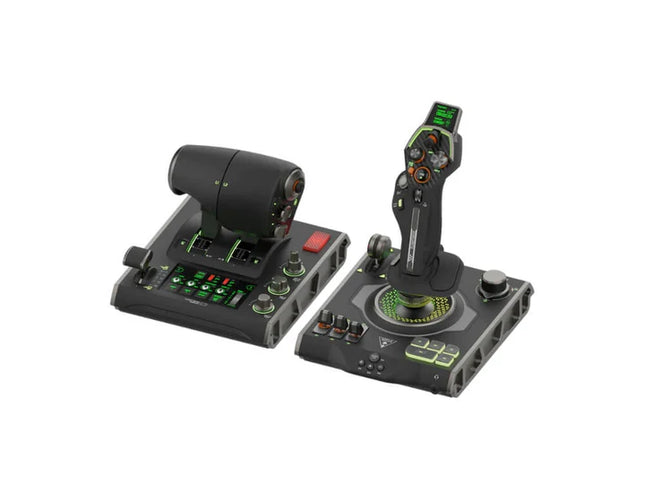
VelocityOne Flightdeck delivers an exceptional HOTAS experience, built for sim pilots who crave full control. The Flight Touch Display puts real-time status updates and extra input options at your fingertips, while the adjustable stick height ensures a comfortable grip for every hand size. Its Hall-effect sensors promise long-lasting accuracy, and the customizable OLED HUD offers on-the-fly tuning. Whether you're maneuvering through dogfights or exploring deep space, this setup provides a comprehensive set of controls designed for seamless integration with major flight sims.
What Sets the VelocityOne Flightdeck Apart?
Flight Touch Display Adds Layers of Control – Unlike traditional HOTAS setups, this system introduces a dedicated touchscreen for managing in-flight status and input commands. It effectively expands your cockpit controls, allowing you to assign up to 39 extra button functions for customized interactions.
Fully Adjustable Stick for Comfort and Ergonomics – Many setups lock users into a single grip position, but this one features an adjustable stick height. That means pilots with different hand sizes can fine-tune the control feel, ensuring maximum precision without hand fatigue.
Modular Design with Dual USB Connectivity – While some HOTAS systems cram everything into a single unit, this setup consists of two independently connected USB devices. This allows for greater flexibility in mounting options and ensures reliable input recognition without interference.
Deep Customization Through the Flight Hangar App – Unlike many competitors, this system comes with a dedicated configuration app that allows users to tweak lighting, input sensitivity, and firmware updates. The ability to save and load profiles for different aircraft ensures consistency across multiple simulations.
Pros and Cons
Pros
Cons
Touchscreen display provides extra controls and customization
Requires manual mapping for full function in some games
Modular design with independent throttle and stick
Button layout can feel overwhelming for beginners
Adjustable stick height for better ergonomics
Limited compatibility with certain space sims
Specifications
Specification
Value
Connection Type
USB-C to USB-A (Throttle and Stick)
Weight (Stick)
1.46kg / 3.22lbs
Weight (Throttle)
1.51kg / 3.33lbs
Dimensions (Stick)
177 x 215.8 x 234.3 mm / 6.97” x 8.50” x 9.22”
Dimensions (Throttle)
177.9 x 207.6 x 134.2 mm / 7.00” x 8.17” x 5.28”
Programmable Buttons
139
Throttle Type
Dual-engine with independent or linked control
Included Accessories
2x USB-C to USB-A cables, mounting screws
VelocityOne Flightdeck Compatibility
Software Compatibility
Details
Full Compatibility
Microsoft Flight Simulator 2020, X-Plane 11 & 12, DCS World, Prepar3D, Star Citizen, War Thunder
Limited Compatibility
Star Wars Squadrons, Elite: Dangerous (requires manual mapping)
Hardware Compatibility
Details
PC (Windows 10 & 11)
Requires USB connection; no support for Mac or consoles
Designed exclusively for Windows 10 & 11 PCs, this HOTAS system does not support MacOS or gaming consoles. The dual USB design allows separate recognition of the throttle and stick, reducing input lag and ensuring stable connection across all supported simulators.
Best suited for Microsoft Flight Simulator, X-Plane, and DCS World, the VelocityOne Flightdeck also supports Star Citizen and War Thunder with full button mapping. While it works with Elite: Dangerous and Star Wars Squadrons, manual configuration is required due to button limitations.
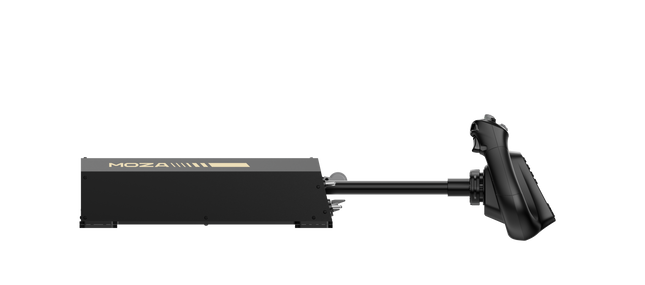
Moza AY210 Force Feedback Yoke Base porta un approccio audace alla simulazione di volo, combinando una costruzione robusta con una potente tecnologia di force feedback. Il momento torcenti di 9Nm e la forza di spinta di 210N offrono un livello di controllo intenso, facendo sembrare ogni beccheggio e rollio come se stessi comandando un vero aereo. La costruzione interamente in lega di alluminio gli conferisce un aspetto da grado industriale, mentre il sistema di rilascio rapido dello yoke permette cambi rapidi. Progettato con la versatilità in mente, supporta molteplici opzioni di montaggio e presenta un pannello di interruttori completamente personalizzabile. Per chi prende sul serio la simulazione di volo, questa base dello yoke è un cambiamento radicale.
Cosa distingue la Moza AY210 Force Feedback Yoke Base?
Force Feedback che fa la differenza Con un momento torcenti di rollio continuo di 9Nm e un'asse di beccheggio che fornisce fino a 210N di forza, questa base dello yoke offre un livello di feedback tattile che pochi altri possono eguagliare. Che tu stia uscendo da una salita ripida o sentendo la resistenza della turbolenza, il sistema di force feedback fornisce una connessione profonda tra pilota e aereo.
Meccanismo di rilascio rapido dello Yoke A differenza della maggior parte degli yoke che richiedono un assemblaggio tedioso per la personalizzazione, questo presenta un meccanismo di rilascio rapido in stile motorsport. Cambia facilmente lo yoke a seconda del tipo di aereo, riducendo il tempo di inattività tra i voli e permettendo una transizione senza interruzioni tra diverse configurazioni della cabina di pilotaggio.
Costruzione in alluminio ad alta resistenza Realizzata interamente in lega di alluminio, questa base dello yoke è progettata per affrontare manovre aggressive e voli a lungo raggio senza flessione o usura. La costruzione pesante fornisce stabilità, garantendo che rimanga ancorata anche sotto carichi elevati di feedback.
Personalizzazione software estesa Il software MOZA Cockpit consente regolazioni precise, dai profili di feedback delle forze alle configurazioni del pannello degli interruttori. Gli utenti possono modificare l'illuminazione, l'integrazione dei telemetri e persino i comandi dei pulsanti con pressione lunga per una funzionalità aggiuntiva.
Pro e Contro
Pro
Contro
Forza di feedback con momento torcenti di 9Nm e forza di spinta di 210N
Pesa 8kg, il che rende difficile la portabilità
Struttura completamente in alluminio per durabilità e stabilità
Richiede un adattatore di alimentazione esterno (incluso)
Design modulare con meccanismo di rilascio rapido dello yoke
Pannello degli interruttori completamente personalizzabile con il software MOZA Cockpit
Specifiche
Specifiche
Valore
Dimensioni
243 × 403 × 216 mm
Materiale della struttura
Lega di alluminio
Peso
8.0 kg
Motori
Motori servo duali
Forza massima di beccheggio
210N
Momento torcenti sostenuto
9Nm
Strabilimento di viaggio
150mm
Yoke compatibile
Serie MOZA Yoke
Alimentazione
216W
Voltaggio
110~220V AC → 36V DC
Precisione del chip
Encoder magnetico a 15 bit
Frequenza di aggiornamento USB
1000Hz
Opzioni di montaggio
Clamp da desktop (opzionale), montaggio sulla cabina di pilotaggio
Porte di connessione
Alimentazione, USB, acceleratore, pedali di direzione, pannello
Interruttore di arresto di emergenza
Opzionale
Feedback telemetrico delle forze
Supportato (nessun plug-in richiesto)
Supporto per piattaforme
PC
Compatibilità della base Moza AY210 Force Feedback Yoke
Compatibile con
Non compatibile con
Serie MOZA Yoke
Yoke di terze parti
Software MOZA Cockpit per personalizzazione
Piattaforme per console
Configurazioni di simulazione di volo per PC
MacOS
Compatibilità completa con PC garantisce un'integrazione senza interruzioni con i principali titoli di simulazione, tra cui Microsoft Flight Simulator 2020, Microsoft Flight Simulator 2024 e X-Plane 12. Il sistema integrato di feedback telemetrico delle forze significa che non sono richiesti plugin aggiuntivi, offrendo agli utenti feedback tattile diretto dal loro simulatore preferito. Tuttavia, non supporta MacOS o le console da gioco.
Pur essendo progettato esclusivamente per PC, questo sistema fornisce pieno supporto per simulatori di volo avanzati. Microsoft Flight Simulator e X-Plane 12 funzionano nativamente, con ampie opzioni di mappatura dei controlli. A differenza di alcuni prodotti concorrenti, questa base non offre funzionalità plug-and-play per gli utenti di Xbox o PlayStation, concentrandosi invece sulla personalizzazione avanzata del software e sul feedback telemetrico delle forze.
Il RealSimGear GFC700 Autopilot porta precisione e semplicità nel tuo setup di simulazione di volo. Modificato sulla base dell'unità GFC700 trovata negli aerei Cirrus SR20/SR22, presenta pulsanti in gomma funzionanti per tutte le modalità e una ruota regolabile per affinare la velocità dell'aria, la velocità verticale o l'altitudine. Con indicatori LED integrati e controlli di modalità dedicati, offre un'esperienza tattile e intuitiva. Si connette facilmente tramite USB ed è compatibile con MSFS 2020 e X-Plane 11/12, rendendo questa unità autopilota una versatilissima aggiunta per gli appassionati di simulazioni di aviazione generale.
Cosa distingue il RealSimGear GFC700 Autopilot?
Controlli di modalità autentici e feedback Il GFC700 include pulsanti in gomma funzionanti che imitano quelli trovati nei veri sistemi di autopilota. Ogni pulsante attiva modalità distinte, accompagnate da indicatori LED, fornendo agli utenti feedback operativo diretto e riducendo la dipendenza dai suggerimenti sullo schermo durante le regolazioni critiche.
Ruota regolabile per i parametri di volo La ruota integrata consente ai piloti di affinare con precisione la velocità dell'aria, la velocità verticale o l'altitudine. Questo controllo tattile fornisce un'esperienza coinvolgente e pratica che è sia funzionale che soddisfacente, ideale per chi apprezza regolazioni dettagliate.
Integrazione semplice tramite USB Il GFC700 si connette tramite un singolo cavo USB, semplificando la configurazione e riducendo il disordine. La sua compatibilità con il plugin RealSimGear garantisce un'ottima performance e una connessione senza interruzioni con simulatori popolari come MSFS 2020 e X-Plane 11/12.
Progettato per gli appassionati di aviazione generale Progettato per replicare l'autopilota presente sugli aerei Cirrus SR20/SR22, eccelle nell'offrire un'esperienza su misura per gli appassionati di aviazione generale, concentrandosi su funzionalità specifiche per allinearsi con questi modelli di aerei.
Pro e contro
Pro
Contro
Replica accuratamente le funzionalità dell'autopilota GFC700 negli aerei Cirrus.
Funzionalità limitata oltre le configurazioni di aviazione generale.
Include pulsanti in gomma tattili e completamente funzionanti.
Non compatibile con i sistemi Mac.
Integrazione perfetta con HotStart TBM900 in X-Plane.
Connessione USB per una configurazione facile e rapida.
Specifiche
Specifica
Valore
Tipo di unità
Replica dell'autopilota GFC700
Connettività
USB
Componenti inclusi
Unità autopilota GFC700, cavo USB
Indicatori LED
Display modalità attiva
Sistemi operativi
Windows 64-bit
Compatibilità con simulatori
X-Plane 11/12, MSFS 2020
Compatibilità del RealSimGear GFC700 Autopilot
Il RealSimGear GFC700 Autopilot è progettato con gli appassionati di aviazione generale in mente. È altamente compatibile con MSFS 2020 e X-Plane 11/12, garantendo un'ottima integrazione con questi simulatori. La sua connessione USB semplifica la configurazione, ma è importante notare che è progettato per aerei come i Cirrus SR20/SR22. Tuttavia, la sua funzionalità può essere limitata con altri tipi di aerei.
Per quanto riguarda i sistemi operativi, il GFC700 supporta Windows 64-bit, ma non funziona su piattaforme Mac. Questo dispositivo si concentra sull'ottimizzazione della simulazione dell'aviazione generale, piuttosto che adattarsi a applicazioni di simulatore più ampie, rendendolo uno strumento specializzato per un pubblico di nicchia.
RealSimGear GMA Audio Panel per G1000 eleva la tua cabina di pilotaggio virtuale fornendo un controllo intuitivo sulle fonti audio COM e NAV. Con i suoi pulsanti in gomma e indicatori LED, ti consente di gestire le comunicazioni radio senza interruzioni mentre voli. Il design tattile di questo pannello non è solo funzionale, ma migliora la tua connessione ai servizi ATC virtuali come PilotEdge. È il compagno perfetto per la suite G1000, portando più funzionalità e interazione nella tua esperienza di simulazione.
Cosa distingue il RealSimGear GMA Audio Panel per G1000?
Controllo audio integrato A differenza di altre soluzioni audio, questo pannello consente un controllo preciso delle fonti COM e NAV con pulsanti in gomma e indicatori LED. Puoi monitorare più radio e garantire comunicazioni chiare con facilità, rendendolo uno strumento essenziale per i piloti di simulazione seri.
Funzioni personalizzabili I pulsanti aggiuntivi e la manopola del volume possono essere mappati su altre funzioni quando non utilizzati per l'audio. Questa flessibilità aggiunge valore consentendo agli utenti di adattare il pannello alle proprie esigenze specifiche di simulazione.
Abbinamento perfetto con la suite G1000 Progettato esclusivamente per l'uso con i moduli PFD/MFD RealSimGear G1000, questo pannello si integra perfettamente per completare il tuo set-up della cabina di pilotaggio. Fornisce un'esperienza che rispecchia le configurazioni avioniche del mondo reale.
Progettato per i servizi ATC virtuali Questo pannello brilla quando abbinato a strumenti ATC virtuali come PilotEdge, dove gestire efficacemente le comunicazioni è fondamentale. I suoi controlli dedicati assicurano che il passaggio tra le radio sia fluido ed efficiente, mantenendo la tua attenzione sul volo.
Pro e Contro
Pro
Contro
Fornisce controlli audio dedicati per COM e NAV.
Compatibilità limitata con set-up non RealSimGear.
Pulsanti personalizzabili per funzionalità aggiuntive.
Non supporta i sistemi operativi Mac.
Gli indicatori LED forniscono feedback chiaro sullo stato.
Specifiche
Specifica
Valore
Compatibilità
Moduli PFD e MFD RealSimGear G1000
Componenti inclusi
Pannello audio GMA, staffe di montaggio, cavo USB
Sistemi operativi supportati
Microsoft Windows 64-bit
Simulatori supportati
Microsoft Flight Simulator (2020), X-Plane 11/12
Accessori opzionali
GMA staffe laterali e centrali
Compatibilità del RealSimGear GMA Audio Panel per G1000
Il RealSimGear GMA Audio Panel per G1000 è progettato per funzionare esclusivamente con i moduli PFD e MFD RealSimGear G1000, rendendolo un'aggiunta specializzata per completare la tua cabina di pilotaggio. Si collega direttamente al sistema G1000 utilizzando il cavo USB incluso, garantendo un'integrazione senza problemi. Il pannello non è autonomo e non è compatibile con altre marche di hardware o configurazioni, rafforzando il suo ruolo come estensione dedicata della suite G1000.
Questo pannello funziona con Microsoft Flight Simulator (2020) e X-Plane 11/12 su sistemi Windows 64-bit, offrendo una funzionalità affidabile su piattaforme popolari. Non è compatibile con i sistemi operativi Mac o con le console PlayStation o Xbox. I piloti di simulazione che utilizzano questi simulatori supportati troveranno questo pannello un'aggiunta altamente funzionale al loro set-up, particolarmente quando si impegnano in ambienti ATC virtuali.
RealSimGear GMA350 Audio Panel porta un nuovo livello di controllo nell'aviazione virtuale, consentendo una gestione senza interruzioni delle fonti radio COM e NAV. Con pulsanti in gomma e indicatori LED, questo pannello rende facile monitorare e cambiare i canali radio, migliorando la connessione ai servizi ATC virtuali come PilotEdge. I pulsanti aggiuntivi e la manopola del volume offrono personalizzazioni extra per altre funzioni, garantendo versatilità per diverse configurazioni di simulazione di volo. Compatto ma potente, è lo strumento perfetto per un'esperienza di cabina di pilotaggio più interattiva.
Cosa distingue il RealSimGear GMA350 Audio Panel?
Controllo dedicato COM e NAV A differenza dei pannelli audio generici, questa unità consente di monitorare e passare indipendentemente tra le fonti radio COM e NAV con indicatori LED chiari. È un'esperienza precisa e tattile che semplifica la comunicazione durante scenari di volo complessi.
Integrazione perfetta con i sistemi G1000 Costruito specificamente per integrare la suite RealSimGear G1000, funziona senza problemi con i loro moduli PFD e MFD, offrendo una sensazione di cabina unificata per configurazioni di simulazione avanzate.
Pulsanti personalizzabili per funzioni aggiuntive La manopola del volume e altri pulsanti possono essere mappati su comandi diversi, aggiungendo funzionalità extra per i piloti di simulazione che desiderano un maggiore controllo senza ingombrare la loro cabina di pilotaggio.
Design compatto e robusto Misurando solo 158 mm di larghezza, il pannello è abbastanza compatto per configurazioni ridotte, mantenendo una qualità costruttiva solida. La sua costruzione in alluminio garantisce che possa resistere a un uso intensivo senza usura.
Pro e Contro
Pro
Contro
Monitora e passa facilmente tra le fonti radio.
Funzionalità limitata al di fuori dei sistemi G1000.
Pulsanti personalizzabili che aggiungono opzioni versatili per la cabina di pilotaggio.
Non compatibile con i sistemi Mac.
Gli indicatori LED forniscono un chiaro feedback in tempo reale.
Richiede una porta HDMI libera per il collegamento.
Compatibile con piattaforme ATC virtuali popolari.
Specifiche
Specifica
Valore
Display
Schermo LCD da 3,5"
Pulsanti
Silicone tattile
Manopole
Completamente funzionali
Connessioni
USB e HDMI
Sistema Operativo
Microsoft Windows (64-bit)
Compatibilità
MSFS 2020, X-Plane 11/12 (solo PC)
Compatibilità RealSimGear GMA350 Audio Panel
Il RealSimGear GMA350 Audio Panel è progettato esclusivamente per l'uso con i moduli RealSimGear G1000 PFD e MFD. Si collega senza problemi tramite un'interfaccia USB, garantendo una configurazione rapida e un'integrazione impeccabile con la suite G1000. Il suo design specializzato lo rende uno strumento indispensabile per i piloti che utilizzano i sistemi modulari di cabina di pilotaggio RealSimGear, ma non è compatibile con configurazioni autonome o altre configurazioni di terze parti.
Questo pannello funziona con Microsoft Flight Simulator (2020) e X-Plane 11/12 su sistemi Windows 64-bit. Sfortunatamente, non è compatibile con i sistemi Mac, limitandone l'uso agli utenti Windows. Tuttavia, per le piattaforme supportate, è un'aggiunta indispensabile per coloro che cercano un controllo audio avanzato nei loro voli virtuali.
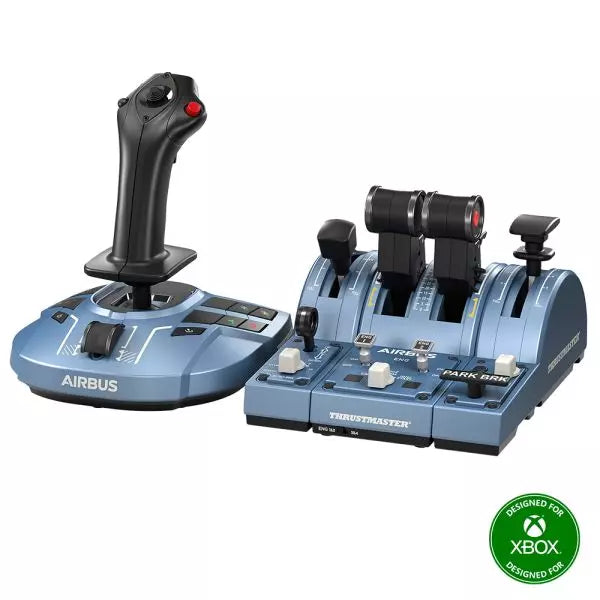
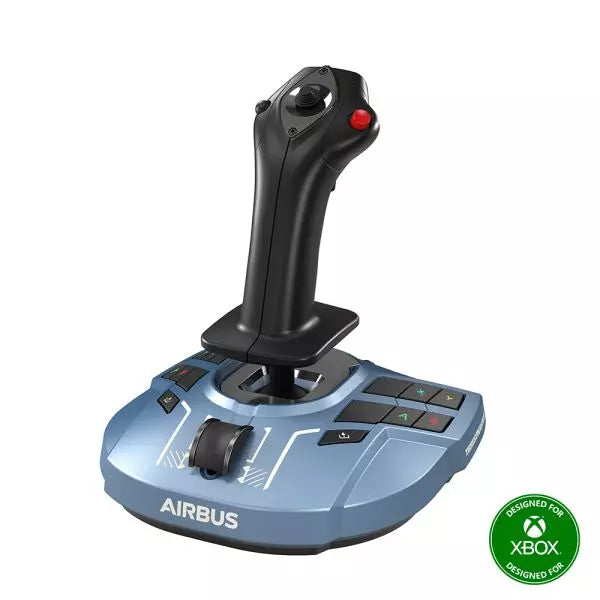
The TCA Captain Pack X Airbus Edition is an exciting leap for flight sim enthusiasts who dream of commanding the cockpit of an Airbus A320. Combining the ergonomic replicas of the Airbus sidestick and quadrant, it delivers a feature-rich experience inspired by authentic aviation controls. From the tactile feedback of its 31 action buttons to the satisfying resistance of the throttle’s detents, this setup immerses you in every aspect of flight. Whether you're handling precise approaches or testing the thrust reverser, this package elevates your sim flights to a whole new level.
What sets the TCA Captain Pack X Airbus Edition apart?
Airbus-Authentic Design The sidestick and quadrant are true 1:1 scale replicas, giving you the same control layout and feel as the real Airbus A320. With this attention to detail, everything from the landing gear lever to the speed brake mimics the actual aircraft, making your setup as close to a real cockpit as possible.
Thrust Reverser Mechanism A rare addition to home flight sim controllers, the built-in thrust reverser adds depth to your landing sequences. It’s a unique feature that brings added realism to your sessions, especially when combined with the quadrant's detailed throttle detents.
Integrated Ecosystem Hub Simplified connectivity is a game-changer with the new hub design. Connect all your Thrustmaster Airbus accessories—rudder pedals, add-ons, and more—using a single USB cable. This design minimizes clutter and enhances compatibility with Xbox Series X|S and PC platforms.
Versatility and Modularity The sidestick offers customizable button head modules and can adapt for left-handed, right-handed, or central cockpit positions. This makes the controller versatile for solo flights or co-pilot setups, catering to both casual simmers and serious enthusiasts.
Pros and Cons
Pros
Cons
Authentic Airbus-inspired layout enhances flight realism.
Limited compatibility with non-Airbus-style setups.
Thrust reverser adds depth to landing procedures.
No force feedback or vibration features included.
Integrated hub reduces cable clutter significantly.
Specifications
Specification
Value
Sidestick Dimensions
7.7” x 7.7” x 8.9” (195 mm x 195 mm x 225 mm)
Quadrant Dimensions
7.5” x 9.3” x 3.3” (190 mm x 235 mm x 85 mm)
Sidestick Weight
1.7 lb (787 g)
Quadrant Weight
2 x 1.2 lb (2 x 530 g)
Package Contents
Sidestick, Quadrant, Add-on Modules, USB Cable, Connectors
Connectivity
USB-C to USB-A, 2x SATA cables
TCA Captain Pack X Airbus Edition Compatibility
The TCA Captain Pack X Airbus Edition integrates seamlessly with the Thrustmaster T.Flight Rudder Pedals (TFRP) and the Thrustmaster Pendular Rudder (TPR) systems, as well as with other add-ons like the TM Flying Clamp. Its Ecosystem Hub makes it easier than ever to connect all components using a single USB cable, supporting both Xbox Series X|S and PC platforms. However, the quadrant’s Airbus-specific design may not suit enthusiasts looking for a Boeing-style setup or generic controls.
On the gaming front, it’s fully compatible with Microsoft Flight Simulator 2020 and integrates automatically on both PC and Xbox Series X|S. This pack also supports various other titles on Xbox and PC with customizable mappings, though it may not work with older consoles or unsupported games.
The Honeycomb Bravo Throttle Quadrant is a versatile all-in-one control system that lets you soar through the skies in virtual aviation with precision. Designed for both casual pilots and seasoned simmers, it adapts to your flying style, offering configurations for small aircraft and large airliners alike. Featuring a fully functional autopilot panel and customizable thrust levers, it puts essential controls at your fingertips. Whether you're managing thrust reversers or adjusting flaps, this sleek device is built to elevate your cockpit setup and make every flight unforgettable.
What sets the Bravo Throttle Quadrant apart?
Unmatched Versatility The Honeycomb Bravo Throttle Quadrant adapts to a variety of aircraft configurations, from single-engine planes to four-engine airliners. This flexibility means it can handle piston, jet, and turboprop controls seamlessly, catering to both general aviation enthusiasts and commercial flight sim fans.
Enhanced Physical Feedback With its sturdy levers, clickable buttons, and smooth trim wheel, the tactile experience feels as close as it gets to operating a real cockpit. The gear lever and annunciator panel add an extra layer of functionality, keeping your hands busy and your keyboard untouched.
Comprehensive Autopilot and Annunciator Features The included autopilot panel mimics the functionality of systems found in real aircraft, while the annunciator panel delivers vital status alerts. These features reduce reliance on on-screen controls and make managing complex systems much easier.
Expandable Design With integrated mounting points, the Bravo works seamlessly with other Honeycomb and Saitek products. This modularity allows users to grow their setup over time, creating a cohesive and customizable virtual cockpit.
Pros and Cons
Pros
Cons
Wide range of configuration options for all aircraft types.
Annunciator lights and some features don’t work on Xbox.
Durable design with a solid, professional feel.
Relatively large footprint, requires space for optimal use.
Comprehensive autopilot and annunciator panels included.
Requires external software for optimal customization.
Compatible with multiple simulators on PC and Mac.
No support for FSX on the latest version of the Config Tool.
Specifications
Specification
Value
Package Contents
Throttle quadrant, mounting points, brackets
Compatibility
Microsoft Flight Simulator, X-Plane 11, Prepar3D V3-V5
Operating Systems
Windows 10 (64-bit), macOS Catalina+
Warranty
2 years
Bravo Throttle Quadrant Compatibility
Simulator
Compatibility
Microsoft Flight Simulator
Fully supported with Config Tool
X-Plane 11
Fully supported, with Windows and Mac versions
Prepar3D
Supported for versions 3, 4, and 5
The Honeycomb Bravo Throttle Quadrant is engineered for compatibility with popular simulator platforms, including Microsoft Flight Simulator 2020, X-Plane 11, and Prepar3D. While PC users can enjoy full functionality, Xbox users must note that some features, such as the annunciator lights, won't work when connected via the XPC Hub. This makes it an excellent choice for PC-based setups but requires consideration for console users.
When it comes to hardware, the Bravo pairs seamlessly with other Honeycomb products, like the Alpha Flight Controls, and integrates with Saitek peripherals through its mounting points. These features ensure a cohesive and expandable setup. However, it’s not compatible with older FSX versions unless you're running the older Config Tool, so check your software version before diving in.
The Alpha Flight Controls by Honeycomb Aeronautical is a feature-rich, durable yoke designed to elevate your flight simulation experience. Built with aerospace-grade internal components, it offers a buttery-smooth 180° turn radius and 15 cm of travel along its steel shaft, delivering precision and fluidity in every maneuver. Its integrated switch panel with red LED backlighting replicates real-world avionics, while the ergonomic handle design packs an array of tactile buttons and switches for versatile control. This is a simulator tool for those who appreciate robust design and reliable performance.
What sets the Alpha Flight Controls apart?
Robust Construction Built with a steel shaft and aerospace-grade components, the yoke ensures durability for years of regular use. This sturdiness gives users the confidence to push boundaries without worrying about wear and tear, a significant advantage over its plastic-heavy competitors.
Comprehensive Switch Panel The integrated switch panel with master, alternator, avionics, and light switches is a standout feature. Coupled with an ignition switch, it allows users to simulate pre-flight checks and engine starts accurately, adding a layer of realism many products overlook.
Ergonomic Design and Customization Thoughtfully designed handles include multiple buttons, hat switches, and a push-to-talk button for intuitive control. The array of functions and customizable software profiles cater to both casual sim enthusiasts and aspiring pilots looking to fine-tune their experience.
Cross-Compatible and Future-Ready Mounting points and brackets allow seamless integration with other Honeycomb and Saitek products, making it ideal for those with an expanding home cockpit. Its compatibility with popular simulators ensures versatility for any flight sim setup.
Pros and Cons
Pros
Cons
Durable steel shaft with aerospace-grade components.
Not compatible with older operating systems like Windows 7.
Integrated switch panel with LED backlighting.
Software required for full functionality can be complex to set up.
Compatible with major flight simulators and accessories.
Limited adjustability for handle ergonomics.
Wide 180° turn radius for smooth control inputs.
No included mount for desk setups, requires separate purchase.
Specifications
Specification
Value
Dimensions (Sleeve)
44.8 x 31.4 x 23.7 cm
Dimensions (Carton)
46.2 x 32.7 x 25.5 cm
Travel Length
15 cm
Turn Radius
180°
Compatibility
Windows 10 (64-bit), macOS
Package Contents
Alpha Flight Controls unit, drivers
Alpha Flight Controls Compatibility
The Alpha Flight Controls is compatible with major flight simulators, including Microsoft Flight Simulator 2020, X-Plane 11, and Lockheed Martin Prepar3D (v3-v5). It supports both Windows 10 (64-bit) and macOS, although some features require the Honeycomb Config Tool for optimal use. Notably, older operating systems like Windows 7 and FSX are not supported, which may limit users with legacy setups.
For hardware compatibility, it includes mounting points and brackets designed to pair seamlessly with Honeycomb Bravo Throttle Quadrant and Saitek panels. The yoke integrates effortlessly into a range of cockpit builds, making it an excellent choice for expandable setups. However, note that desk clamps or mounts are sold separately.
In terms of gaming platforms, the Alpha Flight Controls is PC-centric, with no console support. It’s optimized for simulation platforms requiring USB connections and doesn’t cater to Xbox or PlayStation. Its compatibility with varied simulators ensures a flexible and robust option for PC-based flight enthusiasts.
Esaurito,
Preordini disponibili. Spedizione prevista tra 2 e 2,5 settimane.
The VelocityOne Rudder Pedals from Turtle Beach bring precision control and ergonomic design to your flight simulation setup. With a smooth rudder axis supported by non-contact hall-effect sensors, they offer durable, low-maintenance performance for the long haul. Adjustable pedal width and interchangeable springs let you tailor the feel for different aircraft, while the differential brakes add tight control on the ground. Whether you’re taxiing a heavy jet or maneuvering a fighter, these pedals offer an intuitive and customizable flying experience.
What sets the VelocityOne Rudder Pedals apart?
Non-Contact Hall Effect Sensors These sensors deliver exceptional durability by eliminating wear-prone parts like potentiometers. With consistent, fluid performance and no need for frequent recalibration, the pedals remain reliable even after countless flight hours.
Customizable Setup Options Featuring adjustable pedal width, swappable pedal styles, and interchangeable springs, the VelocityOne Rudder Pedals cater to a wide range of aircraft types. You can fine-tune the resistance and setup for optimal comfort and functionality, whether you're flying a small prop plane or a commercial airliner.
Differential Braking for Ground Control The integrated differential brakes allow for precise taxiing and smooth braking during landing. This feature enhances realism and control when navigating tight turns on taxiways or bringing your aircraft to a safe stop on the runway.
Stable, Versatile Mounting Options A non-slip base and multiple mounting solutions ensure these pedals stay firmly planted during use. Whether on carpet, hardwood, or a custom cockpit setup, they provide a secure and consistent foundation for immersive flight control.
Pros and Cons
Pros
Cons
Hall-effect sensors reduce maintenance and improve durability.
Requires the VelocityOne Flight system for Xbox use.
Swappable pedals and springs for customization.
No native support for PlayStation platforms.
Includes differential braking for enhanced ground control.
Limited compatibility with non-Turtle Beach ecosystems.
Specifications
Specification
Value
Pedal Axis Type
Hall-Effect Sensors
Adjustable Pedal Width
Yes
Swappable Pedals
2 styles (2 mounted, 2 extra included)
Swappable Springs
2 installed, 2 extra included
Cables
2m USB-A to USB-C, 2.5m USB-C to USB-C
Additional Accessories
M4 Screws (4), Grip Pads (8), Allen Key
Compatibility
PC (Windows 10/11), Xbox (Series X|S, One)*
VelocityOne Rudder Pedals Compatibility
The VelocityOne Rudder Pedals are designed for use with Windows 10 and 11 PCs and Xbox Series X|S and Xbox One consoles. Xbox compatibility requires the VelocityOne Flight Universal Control System or the VelocityOne Flightstick, making this an excellent addition for existing Turtle Beach ecosystem users. On PC, they integrate seamlessly via USB, making them versatile for most flight sim setups. However, they do not support PlayStation platforms or standalone Xbox use without the VelocityOne base system.
The pedals are compatible with popular flight simulators, including Microsoft Flight Simulator 2020 and X-Plane 11/12, delivering a smooth experience for both casual and hardcore sim pilots. The inclusion of USB-A and USB-C cables ensures easy connectivity with modern hardware, but compatibility with older systems or alternative control bases is not guaranteed. They work best in setups designed specifically around the VelocityOne ecosystem.
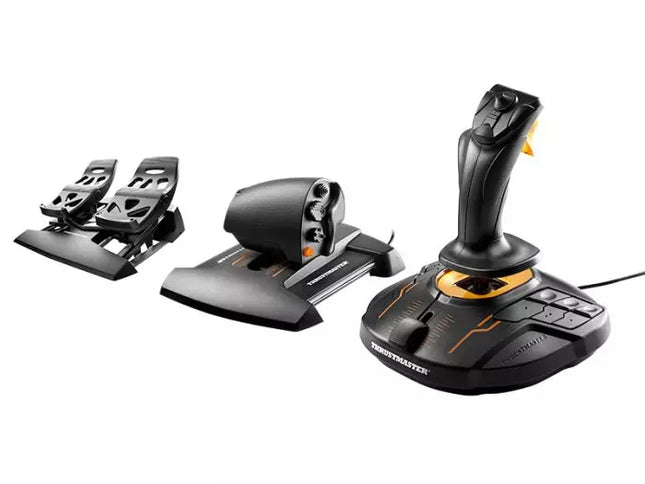
The T.16000M FCS Flight Pack is a standout choice for sim pilots who demand precise and versatile controls. This all-in-one pack features the T.16000M FCS joystick, TWCS throttle, and TFRP rudder pedals, delivering an intricate control setup ideal for aviation and space simulation. With its smooth sliding mechanisms, programmable software, and magnetic sensors for lasting accuracy, it’s a tactile and technical delight. From pitch-perfect inputs to ergonomic designs, this setup transforms your desk into a cockpit, putting you in command of every maneuver.
What sets the T.16000M FCS Flight Pack apart?
Unrivaled Longevity with Magnetic Sensors The H.E.A.R.T HallEffect technology relies on magnetic sensors for unmatched durability, ensuring the joystick’s accuracy remains unchanged over years of use. Unlike potentiometer-based systems, this design eliminates wear and tear, providing consistently smooth and precise inputs that hold steady even during intensive flight campaigns.
Comprehensive All-in-One Control System With a joystick, throttle, and rudder pedals included, the T.16000M FCS Flight Pack offers a complete setup for advanced simmers. This trio eliminates the need for additional peripherals, letting users seamlessly coordinate complex flight maneuvers while reducing clutter with integrated, ergonomic components.
Customizable for Every Pilot’s Needs The T.A.R.G.E.T programming software allows users to map buttons, axes, and macros to fit their unique playstyle. Whether flying civilian aircraft, jets, or navigating through space, this flexibility ensures optimal functionality tailored to specific games and scenarios, providing control tailored to your exact specifications.
Smooth and Comfortable Motion Both the TWCS throttle and TFRP rudder pedals utilize S.M.A.R.T technology for smooth sliding. These components provide intuitive resistance and glide, making every adjustment precise and comfortable. The ergonomic placement further enhances accessibility, even during extended play sessions.
Pros and Cons
Pros
Cons
Exceptional accuracy thanks to HallEffect magnetic sensors.
Not compatible with consoles like Xbox or PlayStation.
All-in-one system reduces need for additional peripherals.
Pedals may feel too small for larger feet.
Customizable controls via T.A.R.G.E.T software.
Throttle lacks a detent for afterburner or idle.
Smooth sliding motion enhances precision and comfort.
Specifications
Specification
Value
Components
Joystick, throttle, rudder pedals
Compatibility
Windows 10, 8, 7, Vista (32-bit & 64-bit)
Connection Type
USB
Joystick Axes
4 (including twist rudder)
Buttons
30 across all components
Rudder Technology
S.M.A.R.T sliding motion
Throttle Travel Range
3.2 inches (80 mm)
Color
Black with orange accents
T.16000M FCS Flight Pack Compatibility
The T.16000M FCS Flight Pack is fully compatible with PCs running Windows 10, 8, 7, and Vista (both 32-bit and 64-bit). Its USB connection ensures straightforward integration with most setups, while the T.A.R.G.E.T software enhances compatibility by allowing users to program the system to function as a single USB device. The pack seamlessly integrates with other Thrustmaster peripherals, such as the MFD panels, providing a cohesive ecosystem for ambitious flight sim setups.
While this system excels on PC, it is not compatible with consoles like Xbox or PlayStation, making it unsuitable for console-based simmers. The pack also works harmoniously with popular simulation titles like Microsoft Flight Simulator, X-Plane, and Elite Dangerous. However, its lack of native support for MacOS limits its use for Apple users, so check your platform’s compatibility before diving into your next flight adventure.




