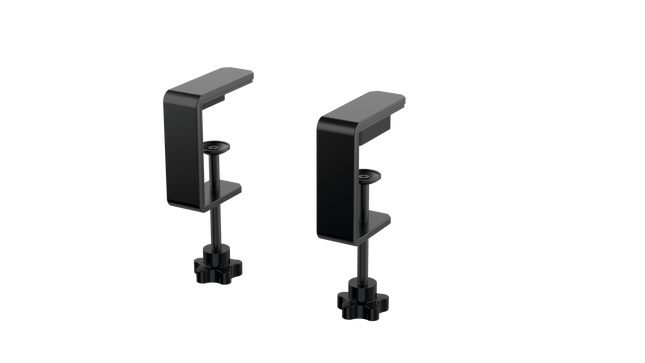
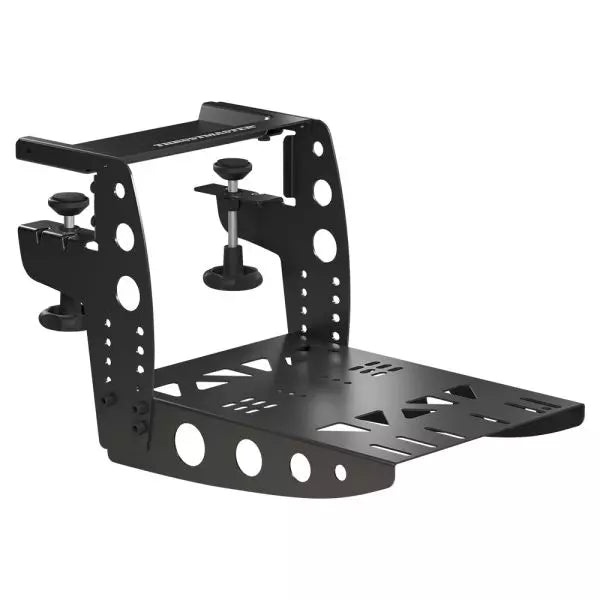
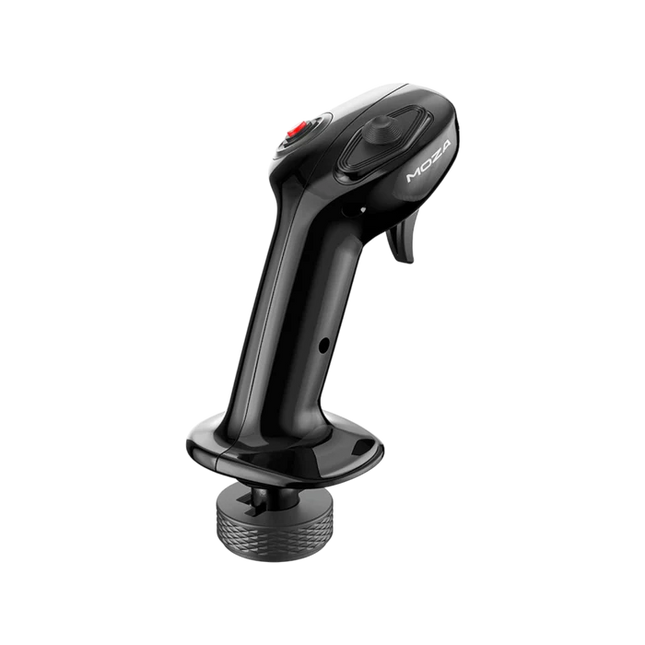
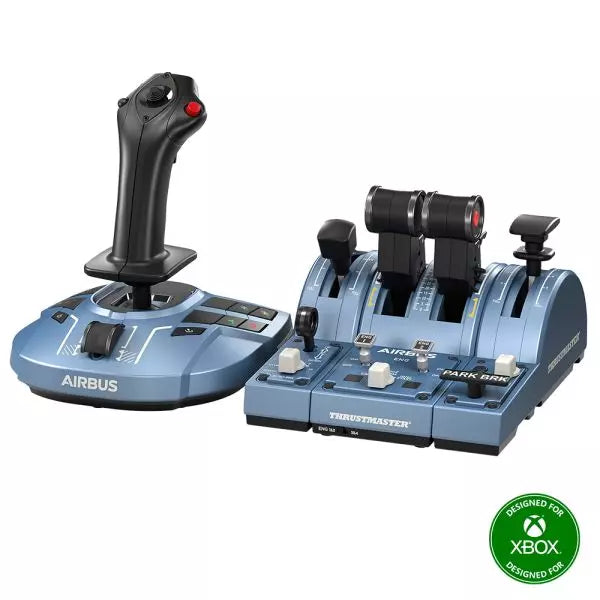
MOZA MA3F Flight Computer Display brings Airbus-style flight management into the home cockpit with a layout that rewards every button press and data entry. The 5.1-inch high-resolution IPS display keeps flight plans, procedures, and navigation pages crisp and easy to read, while the die-cast aluminum front panel gives every interaction a reassuring sense of solidity. Heavy-actuation keys, synchronized lighting, and thoughtful workflow tools make programming an arrival or revising a route feel satisfying from the first waypoint to the final approach.
What Sets the MOZA MA3F Flight Computer Display apart?
Keys That Feel Purpose-Built – Many flight management units focus almost entirely on appearance, but the MA3F pays equal attention to how every key behaves. The heavy-actuation dome switches and rigid silicone keycaps create a firm, deliberate press that users frequently appreciate during longer flights. The stable key action also helps reduce accidental inputs when quickly updating flight plans or changing performance data.
Practical Features Beyond Flight Planning – Built-in checklist pages and three integrated whiteboard pages make this more than a simple MCDU replica. Pilots can keep notes, approach briefings, frequencies, or clearance information directly on the unit instead of relying on paper or a second monitor. Many cockpit builders value these workflow additions because they reduce clutter while keeping important information close at hand.
Premium Construction Without Excessive Bulk – The die-cast aluminum front panel gives the MA3F a reassuringly solid feel while keeping overall weight manageable for desktop or cockpit installations. Combined with the sharp IPS display and clean surface finish, it stands out as a polished piece of hardware that integrates naturally into dedicated Airbus flight decks.
Broad Airbus Ecosystem Support – The MA3F supports numerous Airbus aircraft across Microsoft Flight Simulator and X-Plane, including respected third-party add-ons such as the Fenix A320, Toliss aircraft, and FlightFactor A320. Combined with customizable fonts and synchronized lighting, it adapts easily as simulator libraries continue to grow.
Pros and Cons
Pros
Cons
Excellent tactile keys with firm mechanical feel.
Limited to Airbus flight management systems.
Sharp IPS display with customizable fonts.
PC platform only.
Built-in checklist and whiteboard pages add utility.
Die-cast aluminum front panel feels exceptionally solid.
Specifications
Specification
Value
Product Type
Airbus-style Flight Computer Display (MCDU/FCD)
Display Size
5.1-inch IPS
Front Panel Material
Die-cast aluminum alloy
Body Material
ABS + PC
Connection
USB Type-C 2.0
Rated Voltage
5V
Rated Current
900mA
Supported Platform
PC
Mounting Options
Desktop stand, 75 × 75 mm VESA mount
Included Accessories
Data cable, desktop stand
MA3F Dimensions
277.9 × 145.5 × 29.6 mm
MA3F Weight
588 g
MB7F Dimensions
277.9 × 145.5 × 32 mm
MB7F Weight
646 g
MOZA MA3F Flight Computer Display Compatibility
Hardware
Compatibility
MOZA Cockpit Software
Supports telemetry synchronization and lighting control
Mounting
Desktop stand and 75 × 75 mm VESA mount
Connection
USB Type-C 2.0
Flight Simulator
Compatibility
Microsoft Flight Simulator
Supports Airbus A320/A330 family
X-Plane
Supports Airbus aircraft including Toliss models
Third-Party Aircraft
Compatible with Fenix A320, FlightFactor A320, and others
Built for PC flight simulation, the MA3F integrates with MOZA Cockpit software for synchronized lighting and configuration. A USB Type-C connection keeps installation straightforward, while the included desktop stand and 75 × 75 mm VESA compatibility make it equally suitable for desktop use or permanent cockpit installations.
The compact dimensions and lightweight construction make it easy to install alongside other Airbus controls without placing excessive strain on a cockpit frame. The display is intended to complement dedicated Airbus flight decks while remaining flexible enough for modular home cockpit projects.
Compatible with Microsoft Flight Simulator and X-Plane Airbus aircraft, the MA3F supports the A320 and A330 families along with respected third-party aircraft including Fenix A320, Toliss, and FlightFactor A320. The supported platform is PC; Mac systems and gaming consoles are not supported.
Udsolgt,
Forudbestillinger tilgængelige. Sendes om 2-2,5 uger fra nu.
Honeycomb Alpha Flyvekontrol XPC bringer en raffineret yoke-oplevelse til sim-piloter, der søger robust kontrol og ergonomisk design. Den 180° yoke-rotation med opgraderede Hall Effect sensorer sikrer en glidende håndtering uden centerdetent, mens multi-funktions switch-panelet giver øjeblikkelig adgang til vigtige flysystemer. Den dæmpede, selvcentrerende mekanisme muliggør flydende manøvrering, og den oplyste base giver synlighed under natflyvninger. Med fuld Xbox- og PC-kompatibilitet integreres den problemfrit med Microsoft Flight Simulator og andre store titler.
Hvad adskiller Honeycomb Alpha Flyvekontrol XPC fra andre?
Glidende og præcise Hall Effect sensorer – I modsætning til traditionelle potentiometre giver Hall Effect sensorer lang holdbarhed og pålidelighed ved at eliminere fysisk slid. Resultatet er konstant kontrolinput over tid, uden nedbrydning eller kalibreringsdrift.
Omfattende switch-panel for realistisk arbejdsflow – Det indbyggede switch-panel fjerner behovet for ekstra hardware og indeholder kontroller til master, alternator, avionics og lys, plus en fem-position tændingsknap til korrekt opstartssekvenser.
Ergonomisk og fuldt udstyret håndtag – Venstre håndtag har en 8-vejs hat-switch og to-vejs rocker switches, mens højre håndtag indeholder yderligere toggles og knapper. Dette sikrer nem kamerakontrol, trimjustering og kommandoer under flyvning uden at skulle løfte hånden fra yoken.
Ægte multi-platform understøttelse – Mange yokes er PC-eksklusive, men denne fungerer også med Xbox Series X|S, hvilket gør den til en sjælden mulighed for konsol-sim-entusiaster. Den bliver automatisk genkendt i Microsoft Flight Simulator, hvilket reducerer opsætningstiden.
Fordele og ulemper
Fordele
Ulemper
Holdbare Hall Effect sensorer reducerer kalibreringsdrift
Ingen force feedback eller haptisk modstand
Integreret switch-panel for elektriske kontroller
Ikke kompatibel med PlayStation
Xbox-kompatibilitet udvider funktionaliteten til PC-brugere
Montering kræver ekstra plads
Specifikationer
Specifikation
Værdi
Yoke Rotation
180°
Sensor Type
Hall Effect
Switch Panel
Master, alternator, avionics, lys switches
Tænding
5-position drejeknap
Forbindelse
USB-C til USB-A
Dimensioner
40 x 13 x 27 cm / 15.75 x 5.19 x 10.63 in
Kompatibilitet
PC (Windows), Xbox Series X|S, Xbox One
Garanti
2 år
Honeycomb Alpha Flyvekontrol XPC Kompatibilitet
Software Kompatibilitet
Detaljer
Fuldt kompatibel
Microsoft Flight Simulator, X-Plane 11 & 12, Prepar3D
Hardware Kompatibilitet
Detaljer
PC (Windows)
Fungerer med alle store flight sims via USB-forbindelse
Xbox Series X|S
Fuldt plug-and-play funktionalitet med Microsoft Flight Simulator
Integreres problemfrit med Microsoft Flight Simulator, automatisk detektering af yoken og eliminerer behovet for omfattende opsætning. Det fungerer også med X-Plane og Prepar3D, hvilket gør det til et alsidigt valg for flight sim-entusiaster på tværs af flere platforme.
Designet til PC og Xbox Series X|S, denne yoke understøtter ikke PlayStation eller MacOS. Den direkte USB-forbindelse sikrer lav latens input, mens de integrerede switches tilføjer ekstra funktionalitet uden at kræve yderligere periferiudstyr.
MOZA MA3F Electronic Flight Control Modules R capture the distinctive workflow of the Airbus A320 flight deck with hardware that feels satisfying every time you dial in a heading or adjust altitude. The dual-rail spring-loaded push/pull mechanism recreates the signature operation of Airbus autopilot controls, while custom segmented displays faithfully mirror Airbus-specific character formatting and spacing. Every knob, button, and illuminated indicator works together to make route management, climb planning, and approach setup feel remarkably natural throughout every stage of flight.
What Sets the MOZA MA3F Electronic Flight Control Modules R apart?
Airbus Push/Pull Controls Done Properly – One feature that consistently stands out is the custom dual-rail push/pull mechanism. Instead of using a basic spring-loaded encoder, the controls deliver distinct travel and resistance that closely match Airbus operating procedures. Many experienced Airbus sim pilots appreciate how this makes managed and selected mode changes feel much more deliberate while reducing accidental inputs during busy phases of flight.
Displays That Capture Airbus Character – The segmented displays have been carefully designed to reproduce the distinctive appearance of Airbus FCU readouts, including character spacing and formatting. Rather than looking like generic digital displays, they blend naturally into an Airbus cockpit. Enthusiasts often point to details like these as the difference between simply operating a simulator and enjoying a convincing airline cockpit environment.
Expandable to Match Your Cockpit – Whether you choose the FCU on its own, pair it with a single EFIS module, or install the complete Electronic Flight Control Module suite, the system grows alongside your cockpit. Builders appreciate this flexibility because it allows gradual upgrades while maintaining a consistent appearance and control layout throughout the simulator.
Purpose-Built for Dedicated Airbus Flying – Seamless integration with MOZA Cockpit software, synchronized lighting, and support for leading Airbus aircraft make the system especially attractive for airliner enthusiasts. Community feedback often highlights how easy it is to configure while still providing extensive customization for display lighting, controls, and cockpit organization.
Pros and Cons
Pros
Cons
Excellent Airbus-style push/pull autopilot controls.
Designed specifically for Airbus aircraft.
Displays accurately reproduce Airbus FCU formatting.
Requires a Windows PC.
Multiple configurations suit evolving cockpit builds.
Synchronized lighting enhances cockpit consistency.
Specifications
Specification
Value
Product Type
Airbus A320-style FCU and EFIS control system
Available Configurations
EFIS
Display Type
Custom Airbus-style segmented displays
Autopilot Control Mechanism
Dual-rail spring-loaded push/pull controls
Lighting
Independent display, character, and status illumination
Software Integration
MOZA Cockpit
Supported Platform
PC
Mounting Options
Included bracket, aluminum profile, 75 mm VESA mount
Extended Function
Optional EFIS extended-function control mode
MOZA MA3F Electronic Flight Control Modules R Compatibility
Hardware
Compatibility
Mounting Systems
Included bracket, aluminum-profile rigs, 75 × 75 mm VESA mounts
MOZA Cockpit Software
Supported for telemetry synchronization and configuration
Cockpit Layouts
FCU only, single EFIS, or complete EFCM suite
Flight Simulator
Compatibility
Microsoft Flight Simulator
Default Airbus A320/A330 and supported Airbus add-ons
X-Plane
Compatible with Airbus aircraft including ToLiss models
Third-Party Aircraft
Fenix A320, FlightFactor A320, ToLiss series, and other Airbus airliners
Built for PC flight simulation, the MA3F Electronic Flight Control Modules R work seamlessly with MOZA Cockpit software, providing synchronized lighting, telemetry integration, and straightforward configuration. Included bracket mounting, aluminum-profile compatibility, and 75 mm VESA support make installation simple whether you're assembling a desktop setup or a dedicated Airbus cockpit.
The modular design allows builders to begin with a single FCU or expand into a complete Electronic Flight Control Module suite over time. Independent adjustment of display brightness, character illumination, and status lighting helps maintain a consistent cockpit appearance during daytime departures and late-night arrivals.
Compatible with Microsoft Flight Simulator and X-Plane, the system supports default Airbus A320 and A330 aircraft together with leading third-party aircraft including Fenix A320, ToLiss, FlightFactor A320, and other popular Airbus airliners. The supported platform is PC; gaming consoles and macOS are not supported.
MOZA FMP18 Panelpakke forvandler et skrivebord til et cockpit i hangarskibsstil med gennemtænkte betjeningselementer, skarpe skærme og et layout inspireret af den legendariske F/A-18. De 7,1-tommer kvadratiske skærme i korrekt størrelse leverer skarpe billeder i en opløsning på 800 × 800, mens det magnetiske modulære hurtigskiftesystem gør det bemærkelsesværdigt nemt at ændre panelkonfigurationen. Hver knap, drejekontrol og kontakt giver en præcis mekanisk fornemmelse, som gør opstartsprocedurer, navigation og kampmissioner tilfredsstillende fra den første tjekliste til den sidste landing på hangarskibet.
Hvad adskiller MOZA FMP18 Panelpakke?
Kvadratiske skærme, der matcher flyets layout: Mange konkurrerende cockpitpaneler anvender traditionelle rektangulære skærme, som går på kompromis med proportionerne. FMP18 benytter i stedet dedikerede kvadratiske 7,1-tommer skærme, der giver en langt mere præcis gengivelse af flyets DDI- og AMPCD-layout. Flysimulationsentusiaster værdsætter især hardware, der undgår forvrænget grafik og leverer en mere autentisk præsentation gennem hele flyvningen.
Magnetisk modulær udvidelse: Det magnetiske hurtigskiftesystem med integrerede pogo-pin-forbindelser gør det enkelt at ændre panelopsætningen. I stedet for at ombygge hele cockpittet til forskellige fly kan brugeren hurtigt udskifte kompatible moduler og samtidig bevare en ryddelig installation. Denne fleksibilitet er blevet særligt populær blandt entusiaster, som regelmæssigt flyver forskellige fly uden at dedikere permanent plads til hver enkelt cockpitopsætning.
Betjeningselementer udviklet til sikker og præcis brug: Med 95 knapper, 16 drejekontroller og syv vippekontakter giver hver kommando en tydelig mekanisk feedback. Piloter sætter pris på hardware, der bekræfter hver handling gennem berøring alene, hvilket reducerer behovet for at kigge ned under krævende hangarskibslandinger eller kompleks våbenstyring. Resultatet er et cockpitworkflow, der føles både naturligt og yderst tilfredsstillende.
Nem integration i eksisterende cockpits: Standard VESA-kompatibilitet på 75 × 75 mm, en justerbar bordklemme og understøttelse af aluminiumsprofiler gør FMP18 let at integrere i mange forskellige simulatoropsætninger. MOZA Cockpit Software gør det desuden muligt at tildele skærme og tilpasse betjeningselementerne, hvilket gør panelpakken lige velegnet til dedikerede hangarskibscockpits som til udvidelse af en eksisterende simulator.
Fordele og ulemper
Fordele
Ulemper
Kvadratiske skærme matcher flyets proportioner meget præcist.
Kræver en del plads på skrivebordet eller i cockpittet.
Det magnetiske hurtigskiftesystem gør panelskift hurtigt og enkelt.
Kun kompatibel med PC.
Fremragende taktile knapper og drejekontroller.
Fleksibel VESA-montering passer til mange cockpitopsætninger.
Specifikationer
Specifikation
Værdi
Produkttype
Frontpanelpakke i hangarskibsstil
Mål
527 × 456 × 212 mm (inkl. klemme)
Vægt
4,15 kg
Kabinetmateriale
Kompositmaterialer
Skærme
Tre kvadratiske 7,1-tommer skærme
Skærmopløsning
800 × 800
Opdateringsfrekvens
60 Hz
Knapper
95
Drejekontroller
16
Vippekontakter
7
USB-pollingfrekvens
1000 Hz
Tilslutningsporte
USB 3.0 Type-A ×3, USB Type-C ×4
Monteringsmuligheder
Bordklemme, aluminiumsprofiler, standard VESA 75 × 75 mm
Understøttet platform
PC
Medfølgende tilbehør
USB 3.0 Type-A-kabler (3), USB Type-C-kabler (4)
Kompatibilitet for MOZA FMP18 Panelpakke
Hardware
Kompatibilitet
Monteringssystemer
Officiel bordklemme, simulatorrigs med aluminiumsprofiler, VESA-beslag 75 × 75 mm
MOZA Cockpit Software
Skærmtildeling og komplet konfiguration af betjeningselementer
Modulære paneler
Understøtter kompatible moduler med magnetisk hurtigskiftesystem
Platform
Kompatibilitet
PC
Understøttet
Udviklet til flysimulering på PC, integreres FMP18 problemfrit med MOZA Cockpit Software, hvor brugeren kan tildele skærme, konfigurere knapper og tilpasse drejekontroller. Det magnetiske hurtigskiftesystem gør det muligt hurtigt at udskifte kompatible moduler, mens standard VESA-montering og understøttelse af aluminiumsprofiler gør installationen enkel i mange forskellige cockpitopsætninger.
Den medfølgende vinkeljusterbare bordklemme understøtter både den komplette enhed og individuelle moduler, så placeringen nemt kan tilpasses uden at udskifte monteringsudstyret. Den lette kompositkonstruktion reducerer samtidig belastningen på simulatorrammen uden at gå på kompromis med stivheden.
PC er den understøttede platform, hvilket gør panelpakken ideel til de mest populære flysimulatorer med understøttelse af specialiseret cockpithardware. Spillekonsoller understøttes ikke, og systemet er udviklet til brugere, der bygger dedikerede flysimuleringsmiljøer på skrivebordet eller i et komplet cockpit.
Moza MTP Throttle Panel leverer en robust flyvekontroloplevelse inspireret af jagerfly baseret på hangarskibe. Det justerbare detentsystem muliggør præcis kontrol, hvad enten du styrer efterbrændere eller simulerer centerdetenter i rumsimulatorer. Den indbyggede vibrationsfeedback forbedrer situationsbevidstheden og advarer piloter om aerodynamiske skift, overspeed-advarsler og kampforhold. Med 27 programmerbare kontakter, en Hall-effekt joystick og aluminiumlegering-håndtag er dette throttle-panel bygget til flysimulatorentusiaster, der ønsker præcisionskontrol i højrisiko-miljøer.
Hvad adskiller Moza MTP Throttle Panel fra andre?
Justerbart detentsystem for maksimal kontrol MTP Throttle giver brugerne mulighed for at finjustere detentpositioner, hvilket gør det ideelt til efterbrænderindstillinger, omvendt thrust eller præcise rumflyvningsmanøvrer. Uanset om du finjusterer kraftkurver eller opretter distinkte motortrin, giver denne funktion fleksibilitet, der ikke ofte findes i andre throttle-opsætninger.
Indbygget vibrationsfeedback for øget opmærksomhed I modsætning til passive throttles inkluderer MTP vibrationsmotorer, der reagerer på telemetridata fra simulatoren. Dette feedbacksystem giver haptiske advarsler for forhold som aerodynamisk modstand, overspeed-advarsler og systemfejl, hvilket giver piloterne et ekstra lag af situationsbevidsthed.
27 programmerbare kontakter til komplekse flyveoperationer Kontrolfladen er udstyret med 27 kontakter, som alle kan konfigureres til essentielle funktioner såsom gearudrulning, motorstart eller kampstyringssystemer. Den optimerede layout sikrer, at kommandoer forbliver let tilgængelige uden at fumle midt i flyvningen.
Hall-effekt joystick for ekstra inputfleksibilitet Integreret direkte i throttle’en tilbyder denne joystick driftfri input til præcise kontroljusteringer. Uanset om den er tildelt pitch trim, roderindgange eller endda kamera-navigation, sikrer Hall-effekt sensoren konsekvent ydeevne uden slid fra traditionelle potentiometre.
Fordele og ulemper
Fordele
Ulemper
Stærk force feedback med 9Nm vridmoment og 210N trykstyrke
Kun PC-kompatibel, ingen konsolstøtte
34 konfigurerbare inputs og Hall-effekt joystick
Kræver Moza software for fuld tilpasning
Quick-release system for nemme yoke-bytnings
Magnetiske DIY-paneler til personlig mærkning
Specifikationer
Specifikation
Værdi
Dimensioner
277 × 194 × 216 mm
Husmateriale
Kompositmateriale
Throttle Grip Materiale
Aluminiumlegering
Vægt
2,1 kg
Fysiske kontakter
27
Vibrations Telemetri
Understøttes (ingen plugins krævet)
Belysnings Telemetri
Understøttes (ingen plugins krævet)
Understøttet platform
PC
Desktop Clamp
Valgfrit
Desktop Mounting Plate
Valgfrit
Inkluderede tilbehør
Datakabel, skiftenøgle, brugermanual
Moza MTP Throttle Panel Kompatibilitet
Kompatibel med
Ikke kompatibel med
MOZA Cockpit software til knapmapping og telemetri
Konsolplatforme
MOZA MTLP Panel for komplet jagerfly-opsætning
Tredjeparts throttle quadrant
PC-baserede flygsimulationsopsætninger
MacOS
Designet til PC-baserede simulatorer, integrerer MTP Throttle problemfrit med MOZA Cockpit software, hvilket muliggør fine justeringer af vibrationsfeedback, knapmapping og telemetri-baserede lysjusteringer. Det fungerer også sammen med MOZA MTLP Panel, hvilket skaber et modulært jagerflykontrolsystem, der forbedrer start- og landingsoplevelsen.
Kun PC-kompatibilitet sikrer plug-and-play funktionalitet med Microsoft Flight Simulator 2020, Microsoft Flight Simulator 2024, og X-Plane 12. Dette system understøtter dog ikke MacOS eller konsoller, så Xbox og PlayStation-brugere vil være nødt til at finde alternative throttle-løsninger.
Moza AY210 Force Feedback Yoke Base bringer en dristig tilgang til flysimulering, som kombinerer robust konstruktion med kraftig force feedback-teknologi. Den 9Nm moment og 210N trykforce i joystickbasen sikrer en intens kontrol, der får hver hældning og rullning til at føles som at styre et rigtigt fly. Den helt aluminiumslegerede konstruktion giver et industrielt præg, mens quick-release joysticksystemet gør det nemt at skifte opsætninger. Designet med alsidighed i tankerne understøtter det flere monteringsmuligheder og har et fuldt tilpasseligt switchpanel. For dem, der tager deres flysimulator seriøst, er denne joystickbase en game-changer.
Hvad adskiller Moza AY210 Force Feedback Yoke Base fra andre?
Force Feedback, der gør indtryk - Med et konstant rullmoment på 9Nm og en hældningsakse, der leverer op til 210N tryk- og trækstyrke, giver denne joystickbase en taktil feedback, som få andre kan matche. Uanset om du trækker ud af en stejl stigning eller mærker modstanden fra turbulens, giver force feedback-systemet en dyb forbindelse mellem pilot og fly.
Quick-release joystickmekanisme - I modsætning til de fleste joysticks, der kræver tidskrævende genopbygning for tilpasning, har denne en motorsportsinspireret quick-release mekanisme. Skift nemt mellem joysticks afhængigt af flytype og reducer nedetiden mellem flyvninger og giver en problemfri overgang mellem forskellige cockpitopsætninger.
Heavy-duty aluminiumkonstruktion - Bygget helt af aluminiumlegering er denne joystickbase designet til at kunne håndtere aggressive manøvrer og langdistansflyvninger uden at bøje eller slides. Den tunge konstruktion giver stabilitet og sikrer, at den forbliver plantet selv under høje force feedback-belastninger.
Omfattende softwaretilpasning - MOZA Cockpit software gør det muligt at justere alt fra force feedback-profiler til switchpanel-konfigurationer. Brugere kan tilpasse belysning, telemetriintegration og endda long-press knapkommandoer for ekstra funktionalitet.
Fordele og ulemper
Fordele
Ulemper
Kraftig force feedback med 9Nm moment og 210N trykforce
Vejer 8 kg, hvilket gør portabilitet en udfordring
Helt aluminiumkonstruktion for holdbarhed og stabilitet
Krav om ekstern strømadapter (inkluderet)
Modulært design med quick-release joystickmekanisme
Fuldt tilpasseligt switchpanel med MOZA Cockpit software
Specifikationer
Specifikation
Værdi
Dimensioner
243 × 403 × 216 mm
Husmateriale
Aluminiumlegering
Vægt
8,0 kg
Motorer
Dual servo-motorer
Max. hældningsstyrke
210N
Vedvarende rullmoment
9Nm
Bevægelsesafstand
150mm
Kompatible joysticks
MOZA Yoke Series
Strøm
216W
Spænding
110~220V AC → 36V DC
Chip-præcision
15-bit magnetisk encoder
USB opdateringshastighed
1000Hz
Monteringsmuligheder
Desktop klemme (valgfrit), cockpitmontering
Forbindelsesporte
Strøm, USB, throttle, rorpedaler, panel
Stopknap
Valgfrit
Telemetri force feedback
Understøttet (ingen plug-in nødvendig)
Platform support
PC
Moza AY210 Force Feedback Yoke Base Kompatibilitet
Kompatibel med
Ikke kompatibel med
MOZA Yoke Series
Tredjeparts joysticks
MOZA Cockpit software for tilpasning
Konsolplatforme
PC flyvesimulator setups
MacOS
Fuld PC-kompatibilitet sikrer problemfri integration med store simulator-titler, inklusive Microsoft Flight Simulator 2020, Microsoft Flight Simulator 2024 og X-Plane 12. Det indbyggede telemetri force feedback-system betyder, at der ikke kræves ekstra plugins, og brugerne får direkte haptisk feedback fra deres valgte sim. Det understøtter dog ikke MacOS eller gaming-konsoller.
Mens det er designet udelukkende til PC, understøtter dette system fuldt ud high-end flyvesimulatorer. Microsoft Flight Simulator og X-Plane 12 fungerer nativt med omfattende kontrolmapping muligheder. I modsætning til nogle konkurrentprodukter tilbyder denne base ikke plug-and-play funktionalitet for Xbox eller PlayStation-brugere, men fokuserer i stedet på at levere dyb softwaretilpasning og telemetri-drevet force feedback.
Moza MA3X Flightstick kombinerer klassisk fly-inspireret design med moderne ingeniørkunst for at levere en engagerende flysimuleringserfaring. Bygget af ultra-sterkt kompositmateriale, forbliver den let, men er stadig holdbar nok til at modstå op til 30 kg kraft. ALPS-bryderne sikrer lang levetid, vurderet til 100.000 cyklusser, hvilket giver piloterne konstant og pålidelig kontrol. En multi-lags spray og UV-behandling efterligner den taktile fornemmelse af rigtige flymaterialer, hvilket hæver den overordnede følelse. Med en udvidet knaplayout og bred kompatibilitet tilpasser MA3X sig problemfrit til enhver opsætning og tilbyder både fleksibilitet og pålidelighed.
Hvad adskiller Moza MA3X Flightstick fra andre?
Holdbar, men let konstruktion – I modsætning til tungere metal-baserede flightsticks er MA3X konstrueret af ultra-sterkt kompositmateriale. Dette gør den let på kun 220g, samtidig med at den kan håndtere op til 30 kg kraft uden at bøje sig, hvilket giver piloterne et solidt greb uden unødvendig bulk. I modsætning til tungere metaljoysticks tilbyder denne en langvarig modstandsdygtighed uden at belaste monteringssystemer.
Forbedret knaplayout – MA3X leveres med fire fysiske knapper, men kan udvides til at understøtte op til 12 inputsignaler. Denne ekstra fleksibilitet sikrer, at brugerne kan konfigurere deres kontrol præcis, som de behøver det, til forskellige simulationsscenarier.
ALPS-brydere for lang levetid – Mange flightsticks lider af slid over tid, men MA3X er udstyret med ALPS-brydere, der er vurderet til 100.000 cyklusser. Det betyder, at piloterne kan stole på en jævn og konsekvent drift, selv efter intensiv brug.
Bred kompatibilitet og plug-and-play opsætning – Designet til at fungere med alle Moza-baser og de fleste tredjepartsbaser, kræver MA3X ingen ekstra drivere eller komplicerede opsætninger. Den 5-pins luftfartsconnector sikrer en stabil og sikker forbindelse.
Fordele og ulemper
Fordele
Ulemper
Holdbart kompositmateriale, der tåler tungt brug
Ingen officiel support for MacOS
Udvideligt knaplayout med op til 12 inputsignaler
Begrænset funktionalitet som standalone uden en kompatibel base
ALPS-brydere vurderet til 100.000 cyklusser
Fungerer med Moza og de fleste tredjepartsbaser
Specifikationer
Specifikation
Værdi
Husmateriale
Komposit
Brydermateriale
ABS
Vægt
220g
8-vejs bryder
1
Trigger
1
Skift-over bryder
1
Connector
5-pins luftfartsconnector
Moza MA3X Flightstick Kompatibilitet
Kompatibel med
Ikke kompatibel med
PC (Windows-baserede systemer)
MacOS
Alle Moza-baser
Konsolplatforme (PlayStation, Xbox)
De fleste tredjepartsbaser
Kun USB-inputsystemer
Moza MA3X Flightstick integreres problemfrit med alle Moza-baser og understøtter de fleste tredjepartsbaser ved hjælp af dens 5-pins luftfartsconnector. I modsætning til nogle flightsticks, der låser brugerne ind i specifikke økosystemer, opretholder MA3X et mere fleksibelt design, der giver bredere kompatibilitet uden ekstra adaptere.
På softwaresiden er MA3X fuldt kompatibel med Windows-baserede flyvesimulatorer, men understøtter ikke MacOS. Den fungerer godt med de ledende titler som MSFS2020, X-Plane og DCS. Dog bør konsolbrugere kigge andre steder hen, da MA3X understøtter ikke PlayStation eller Xbox platforme.
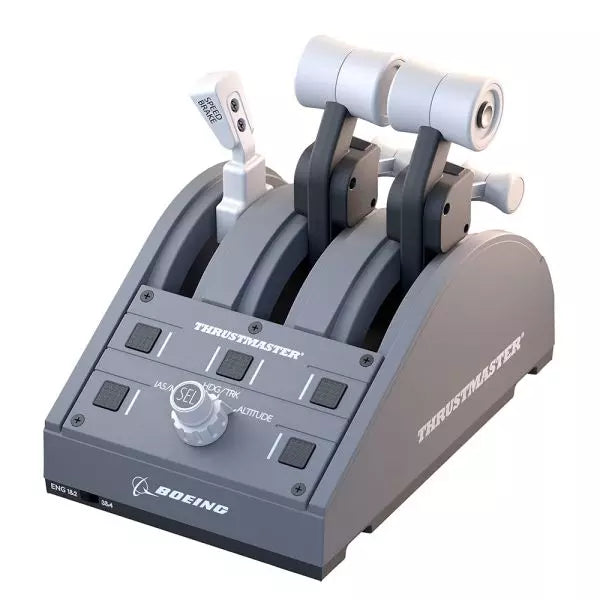
The TCA Quadrant Boeing Edition is a throttle quadrant that brings the iconic feel of Boeing airliners into your hands. With swappable levers for a customizable experience and magnetic technology ensuring smooth operation across all three axes, this device lets you experience the same tactile control as real Boeing pilots. Officially licensed by Boeing and Xbox, and compatible with PC, it’s a compact yet robust addition to any flight sim setup, designed to elevate your virtual cockpit.
What sets the TCA Quadrant Boeing Edition apart?
Swappable and Customizable Levers The TCA Quadrant Boeing Edition includes four interchangeable levers that can be arranged to suit your preference. Whether you need a speed brake, throttle, or flaps, the levers can adapt, making it ideal for left- or right-handed pilots seeking precise control over their setup.
Boeing-Inspired Linear Resistance The throttle levers are built to mimic the resistance you’d feel in the Dreamliner’s throttle quadrant. This subtle detail brings a sense of heft and deliberation to every adjustment, ensuring you feel each power setting in your fingertips.
Iconic Autopilot Controls The integrated autopilot rotary knob allows for intuitive adjustments to altitude, airspeed, and heading. This feature mirrors the functionality of real Boeing airliners, giving you an intuitive way to manage your flight path without additional peripherals.
Magnetic Technology for Smooth Operation Utilizing Thrustmaster’s H.E.A.R.T magnetic technology, this quadrant offers seamless movement with pinpoint accuracy. The lack of mechanical parts means no degradation over time, ensuring lasting performance in your flight simulator cockpit.
Pros and Cons
Pros
Cons
Swappable levers allow for a tailored setup.
Requires TCA Yoke Boeing Edition for Xbox use.
Boeing-inspired linear resistance adds tactile feedback.
Limited functionality without a matching yoke system.
Magnetic sensors ensure smooth, wear-free operation.
Autopilot control can be tricky to master initially.
Specifications
Specification
Value
Dimensions
130mm (W) x 195mm (D) x 150mm (H)
Weight
600 g / 1.3 lb
Included Components
Throttle quadrant, 4 levers, crossbar, attachment pieces
Connection Type
USB
Compatibility
Xbox (with TCA Yoke), PC
TCA Quadrant Boeing Edition Compatibility
The TCA Quadrant Boeing Edition is designed to work seamlessly with Thrustmaster’s TCA Yoke Boeing Edition, required for Xbox compatibility. When paired with the yoke, it connects directly to Xbox Series X|S or Xbox One. On PC, it integrates smoothly into flight simulators, making it an excellent choice for users of Microsoft Flight Simulator 2020. However, it’s not compatible with other yoke systems or standalone operation on Xbox platforms.
The quadrant is officially licensed by both Boeing and Xbox, ensuring a fully-supported experience across compatible systems. It supports Microsoft Windows PCs and works automatically with Microsoft Flight Simulator on Xbox Series X|S, delivering plug-and-play convenience. Unfortunately, it lacks Mac compatibility, so macOS users may need to explore alternative options for their flight sim needs.
TCA Captain Pack X Airbus Edition er et spændende skridt for flight sim entusiaster, der drømmer om at styre cockpittet på en Airbus A320. Kombinationen af de ergonomiske replikaer af Airbus sidestick og quadrant giver en funktionsrig oplevelse inspireret af autentiske luftfartsstyringssystemer. Fra den taktile feedback fra de 31 handlingsknapper til den tilfredsstillende modstand i throttle's detents, bringer dette setup dig tættere på hver flyvning. Uanset om du håndterer præcise indflyvninger eller tester thrust reverseren, løfter denne pakke dine sim-flyvninger til et helt nyt niveau.
Hvad adskiller TCA Captain Pack X Airbus Edition fra andre?
Airbus-authentisk Design Sidesticket og quadrant er præcise 1:1 scale replikaer, der giver dig den samme kontrolopsætning og fornemmelse som den virkelige Airbus A320. Med denne opmærksomhed på detaljer, efterligner alt fra landingshåndtaget til speed brake den faktiske flyvemaskine og gør dit setup så tæt på et rigtigt cockpit som muligt.
Thrust Reverser Mekanisme En sjælden tilføjelse til hjemlige flight sim controllere, den indbyggede thrust reverser tilføjer dybde til dine landingssekvenser. Det er en unik funktion, der bringer øget realisme til dine sessioner, især når det kombineres med quadrantens detaljerede throttle detents.
Integreret Økosystem Hub Forenklet tilslutning er en game-changer med det nye hub-design. Tilslut alle dine Thrustmaster Airbus-tilbehør—rudder pedaler, add-ons og mere—ved hjælp af et enkelt USB-kabel. Dette design minimerer rod og forbedrer kompatibiliteten med Xbox Series X|S og PC-platforme.
Alsidighed og Modularitet Sidesticket tilbyder tilpasselige knapmoduler og kan tilpasses til venstre-håndet, højre-håndet eller central cockpit-position. Dette gør controlleren alsidig til solo-flyvninger eller co-pilot setups og appellerer til både casual simmers og seriøse entusiaster.
Fordele og Ulemper
Fordele
Ulemper
Autentisk Airbus-inspireret layout øger flyverens realisme.
Begrænset kompatibilitet med ikke-Airbus-stil opsætninger.
Thrust reverser tilføjer dybde til landingsprocedurer.
Ingen force feedback eller vibrationsfunktioner inkluderet.
Integreret hub reducerer kablerod betydeligt.
Specifikationer
Specifikation
Værdi
Sidestick Dimensioner
7.7” x 7.7” x 8.9” (195 mm x 195 mm x 225 mm)
Quadrant Dimensioner
7.5” x 9.3” x 3.3” (190 mm x 235 mm x 85 mm)
Sidestick Vægt
1.7 lb (787 g)
Quadrant Vægt
2 x 1.2 lb (2 x 530 g)
Pakkeindhold
Sidestick, Quadrant, Add-on Moduler, USB Kabel, Connectors
Forbindelse
USB-C til USB-A, 2x SATA kabler
TCA Captain Pack X Airbus Edition Kompatibilitet
TCA Captain Pack X Airbus Edition integreres problemfrit med Thrustmaster T.Flight Rudder Pedals (TFRP) og Thrustmaster Pendular Rudder (TPR) systemer samt med andre add-ons som TM Flying Clamp. Dets Økosystem Hub gør det lettere end nogensinde at tilslutte alle komponenter ved hjælp af et enkelt USB-kabel, der understøtter både Xbox Series X|S og PC-platforme. Dog kan quadrantens Airbus-specifikke design ikke være ideelt for entusiaster, der søger en Boeing-stil opsætning eller generiske kontroller.
På spilsiden er det fuldt kompatibelt med Microsoft Flight Simulator 2020 og integreres automatisk på både PC og Xbox Series X|S. Denne pakke understøtter også forskellige andre titler på Xbox og PC med tilpasselige kortlægninger, men det fungerer måske ikke med ældre konsoller eller ikke-understøttede spil.
Please note! The item may take 7-10 business days to ship!
Wingflex DAP 500 puts dedicated general aviation autopilot controls right where your hand expects them, combining fully customizable controls with plug-and-play USB connectivity for a clean desktop setup. Instead of reaching for on-screen knobs every few minutes, you can adjust heading, altitude and navigation modes through tactile buttons and encoders that feel purposeful. The aluminum stand, automatic aircraft configuration and ambient-light-controlled backlighting make it equally comfortable during a sunny VFR hop or a late-night IFR approach.
What Sets the Wingflex DAP 500 apart?
Designed Specifically for General Aviation While many autopilot panels focus on airliners, the DAP 500 is built around the aircraft most GA pilots actually fly. Its control layout suits piston singles, turboprops and light business aircraft, making routine autopilot adjustments feel intuitive. Pilots who regularly fly aircraft like the C172, TBM, Vision Jet or King Air often appreciate hardware that reflects their everyday flying instead of borrowing layouts from transport-category aircraft.
Flexible Controls That Adapt to Your Flying Style With twelve programmable push buttons, two pushable rotary encoders and an additional scroll-wheel encoder, the panel can be tailored well beyond its default assignments. Community discussions around configurable hardware consistently highlight this flexibility as a major advantage because it allows pilots to create workflows that match their preferred aircraft rather than forcing identical controls across every simulator.
Automatic Aircraft Profiles Reduce Setup Time WingFlex Bridge software automatically configures supported aircraft, helping users spend more time flying and less time assigning controls. Reviewers generally regard automatic profile detection as one of the biggest quality-of-life improvements in modern simulator hardware, particularly for pilots who regularly switch between multiple aircraft during the same week instead of flying a single favourite.
Built to Grow With Future Cockpit Expansions The DAP 500 is designed as part of a broader modular ecosystem, with support planned for additional DAP-series expansion panels. Combined with firmware updates delivered through OTA software, it offers a platform that can continue evolving without replacing the core autopilot unit. That modular philosophy appeals to cockpit builders who prefer expanding their simulator gradually rather than purchasing an entire panel stack in one go.
Pros and Cons
Pros
Cons
Automatic aircraft profiles simplify supported aircraft setup.
Designed primarily for general aviation aircraft.
Extensive programmable controls suit different flying styles.
Requires WingFlex Bridge for automatic configuration features.
Ambient light sensor adjusts backlighting automatically.
Aluminum stand provides stable desktop positioning.
OTA firmware updates add future functionality.
Specifications
Specification
Value
Product
Wingflex DAP 500 Digital Autopilot Panel
Primary Use
General aviation flight simulation
Connection
USB plug-and-play
Push Buttons
12
Pushable Rotary Encoders
2
Scroll-Wheel Encoder
1
Key Assignment
Fully user customizable
Configuration
Automatic via WingFlex Bridge software
Backlighting
Adjustable with ambient light sensor
Firmware
OTA firmware upgrade support
Construction
Aluminum alloy stand
Expandability
Supports future DAP-series auxiliary panels
Wingflex DAP 500 Compatibility
Simulator
Compatible Aircraft
X-Plane
Baron 58, King Air C90B, Citation XLS, Skyhawk G1000, Cirrus SR22, Vision SF50, Lancair Evolution, RV10
Microsoft Flight Simulator 2020
NXCub, XCub, King Air 350, Bonanza G36, C208B Grand Caravan EX, CJ4, C172 G1000, DA40 NG, Pilatus PC-6, TBM 930
Microsoft Flight Simulator 2024
TBM 930, Bonanza G36, King Air 350, C172 G1000, C208B Grand Caravan EX, C400 Corvalis, CJ4, DA62, DA40 NG, Draco X, Vision SF50, Archer, ES30, NXCub, PC-12 NGX, XCub
The DAP 500 connects through USB and uses WingFlex Bridge software to automatically configure supported aircraft profiles. It is designed for general aviation cockpits and works especially well alongside hardware such as G1000 panels, radio stacks, throttle quadrants and yokes. The panel also supports future DAP-series expansion modules, allowing users to gradually build a more complete general aviation cockpit instead of replacing existing hardware.
Compatibility is focused on aircraft equipped with autopilot systems commonly found in general aviation rather than commercial airliners. It supports a broad collection of Asobo, Laminar Research and Microsoft aircraft, including the C172 G1000, King Air, TBM 930, Vision Jet, DA62 and PC-12 NGX. It is not intended for Boeing or Airbus airliner autopilot systems, which use different control layouts and operating logic.
The DAP 500 is compatible with Microsoft Flight Simulator 2020, Microsoft Flight Simulator 2024 and X-Plane on PC. It connects as a USB peripheral and relies on WingFlex Bridge software for supported aircraft integration. It is not compatible with Xbox or PlayStation consoles, as those platforms do not support dedicated desktop flight simulation control panels of this type.
MOZA MA3F Electronic Flight Control Modules L bring the unmistakable Airbus A320 flight deck to your simulator with controls that make every heading change, altitude adjustment, and approach setup feel deliberate. The dual-rail spring-loaded push/pull mechanism recreates the distinctive operation of Airbus autopilot controls, while custom segmented displays faithfully mirror Airbus-specific character formatting and spacing. From the satisfying click of each selector to the coordinated cockpit lighting, every interaction encourages proper Airbus procedures throughout the entire flight.
What Sets the MOZA MA3F Electronic Flight Control Modules L apart?
Faithful Airbus Push/Pull Operation – The dual-rail spring-loaded push/pull mechanism delivers a noticeably more convincing feel than conventional encoder-based controls. Airbus enthusiasts often point out that having distinct push and pull actions makes switching between managed and selected modes feel far more intuitive, helping reproduce familiar cockpit workflows without relying on keyboard shortcuts or mouse clicks.
Displays That Match Airbus Presentation – Rather than using generic digital readouts, the custom segmented displays reproduce Airbus-style character spacing, typography, and formatting. Builders frequently appreciate these visual details because the modules blend naturally with other Airbus cockpit hardware, creating a clean and cohesive flight deck instead of a collection of mismatched peripherals.
Flexible Expansion for Growing Cockpits – Available as an FCU only, FCU with a single EFIS, or a complete Electronic Flight Control Module suite, the system adapts to different cockpit sizes and budgets. The optional extended-function EFIS mode adds further flexibility, allowing additional controls to be accessed without filling the cockpit with extra hardware.
Straightforward Installation and Configuration – The included mounting bracket, aluminum-profile compatibility, and standard 75 mm VESA support make installation simple across desktop and full-frame cockpits. Users also appreciate MOZA Cockpit software for its synchronized lighting, streamlined configuration process, and flexible control customization without requiring complicated setup procedures.
Pros and Cons
Pros
Cons
Excellent Airbus-style push/pull control mechanism.
Designed specifically for Airbus aircraft.
Displays closely match Airbus FCU formatting.
Requires a Windows PC.
Modular configurations support gradual cockpit upgrades.
Synchronized lighting creates a cohesive cockpit appearance.
Specifications
Specification
Value
Product Type
Airbus A320-style FCU and EFIS control system
Available Configurations
FCU only, FCU + single EFIS, complete EFCM suite
Display Type
Custom Airbus-style segmented displays
Autopilot Control Mechanism
Dual-rail spring-loaded push/pull controls
Lighting
Independent display, character, and status illumination
Software Integration
MOZA Cockpit
Supported Platform
PC
Mounting Options
Included bracket, aluminum profile, 75 mm VESA mount
Extended Function
Optional EFIS extended-function control mode
MOZA MA3F Electronic Flight Control Modules L Compatibility
Hardware
Compatibility
Mounting Systems
Included bracket, aluminum-profile rigs, 75 × 75 mm VESA mounts
MOZA Cockpit Software
Telemetry synchronization and configuration supported
Cockpit Configurations
FCU only, single EFIS, or complete EFCM suite
Flight Simulator
Compatibility
Microsoft Flight Simulator
Default Airbus A320/A330 and supported Airbus add-ons
X-Plane
Compatible with Airbus aircraft including ToLiss series
Third-Party Aircraft
Fenix A320, FlightFactor A320, ToLiss series, and other popular Airbus airliners
Designed for PC flight simulation, the MA3F Electronic Flight Control Modules L integrate with MOZA Cockpit software for telemetry synchronization, synchronized lighting, and simple configuration. Included bracket mounting, aluminum-profile compatibility, and 75 mm VESA support allow the modules to fit comfortably into desktop cockpits or larger Airbus flight deck projects.
The modular design allows builders to begin with a single FCU or expand into a complete Electronic Flight Control Module suite as their simulator grows. Independent adjustment of display brightness, character illumination, and status lighting helps maintain a consistent cockpit appearance during daytime departures and night operations alike.
Compatible with Microsoft Flight Simulator and X-Plane, the system supports default Airbus A320 and A330 aircraft together with leading third-party aircraft including Fenix A320, ToLiss, FlightFactor A320, and other popular Airbus airliners. The supported platform is PC; gaming consoles and macOS are not supported.
Honeycomb Foxtrot Aviation Stick is built for pilots who prefer a sidestick in hand and a clean desk in front of them. From the first movement, the smooth linear resistance system with no center detent feels fluid and deliberate, ideal for Airbus-style inputs and aerobatic maneuvers. Under the hood, 16-bit resolution with Hall Effect sensor technology translates subtle wrist movements into accurate on-screen control. Add adjustable tension and a fully ambidextrous layout, and you’ve got a stick that feels purposeful rather than toy-like.
What Sets the Honeycomb Foxtrot Aviation Stick apart?
Center-Detent-Free Control Philosophy Many sticks rely on a noticeable center bump, which can make small corrections feel mechanical. The Foxtrot’s linear resistance system eliminates that notch, creating a smooth transition across the full axis range. Pilots flying Airbus aircraft in particular appreciate this design, as it mirrors sidestick behavior more closely and allows gentle pitch and roll corrections without fighting a spring-loaded “click” at center.
Sensor and Resolution Synergy With 16-bit resolution paired to Hall Effect sensors, the Foxtrot delivers clean, contactless input detection. Enthusiasts often point out the consistency over time—no spiking, no gradual degradation from physical potentiometers. Subtle trim adjustments during approach or careful roll inputs in aerobatics feel steady and predictable, especially when compared to entry-level sticks that can show jitter near center.
Configurable Resistance and Ergonomics Adjustable tension allows the stick to be tuned to personal preference, whether you prefer lighter fingertip inputs or firmer resistance for controlled movements. Combined with its ambidextrous grip design, the Foxtrot suits both left- and right-handed setups. Users with compact cockpit builds often highlight how adaptable it feels in different seating positions, including center-mounted or side-mounted configurations.
Switch Density Without Clutter Between the 5 two-way switches, 4 programmable action buttons, POV hat, trigger, rockers, and multi-way rotary panel, the stick offers serious input flexibility. What stands out is how logically the controls are spaced; sim pilots frequently mention that functions like trim, autopilot modes, or camera controls can be assigned without feeling cramped or hunting blindly mid-flight.
Pros and Cons
Pros
Cons
Linear resistance without center detent feels smooth.
No native console compatibility.
Hall Effect sensors reduce long-term wear.
No included dedicated mounting base.
Adjustable tension suits different flying styles.
Extensive switch and button configuration options.
Specifications
Specification
Value
Product Name
Honeycomb Foxtrot Aviation Stick
Control System
Linear resistance system with no center detent
Sensor Technology
Hall Effect sensors
Resolution
16-bit
Tension Adjustment
Adjustable stick resistance
Switches
5 two-way switches
Action Buttons
4 programmable buttons
Rotary Panel
3-, 4-, and 5-way rotary controls
Grip Design
Ambidextrous
Connection
USB-C to USB-A cable
System Compatibility
PC and Mac
Included in the Box
Foxtrot Aviation Stick, USB-C to USB-A Cable, Quick Start Guide (EFIGS)
Download Support
Basic Bindings Profiles (XML) for MSFS 2024
Honeycomb Foxtrot Aviation Stick Compatibility
Platform
Compatibility
Operating Systems
PC and Mac
Connection Type
USB-C to USB-A direct USB interface
Primary Sim Support
MSFS 2024 (XML bindings), MSFS, X-Plane, Prepar3D
The Foxtrot Aviation Stick connects via standard USB, allowing it to integrate easily into most desktop cockpit setups. It works seamlessly alongside throttle quadrants, rudder pedals, and radio panels from other major brands thanks to its plug-and-play HID architecture. Its ambidextrous design makes it suitable for left- or right-seat configurations, including Airbus-style side mounting. It is not compatible with Xbox consoles and does not function as a standalone device without a connected PC or Mac.
On the software side, it supports Microsoft Flight Simulator 2024 with dedicated XML binding profiles and operates with popular PC simulators such as Microsoft Flight Simulator (2020), X-Plane, and Prepar3D through manual or community mappings. It is not designed for console-based platforms, as it relies on native PC/Mac driver recognition rather than console-certified firmware.




