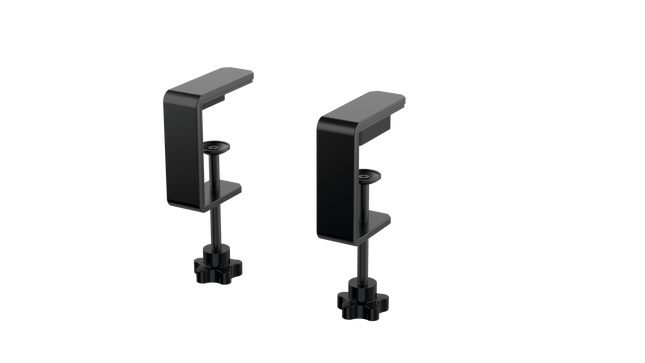
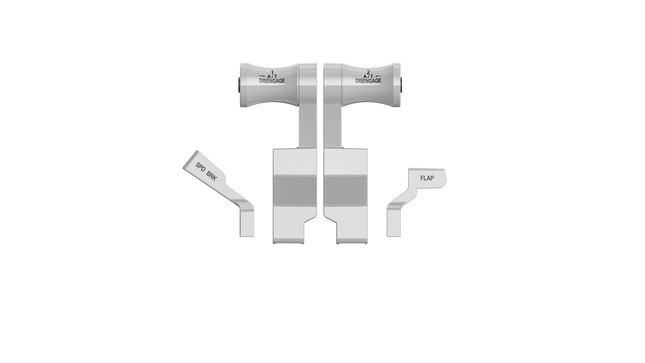
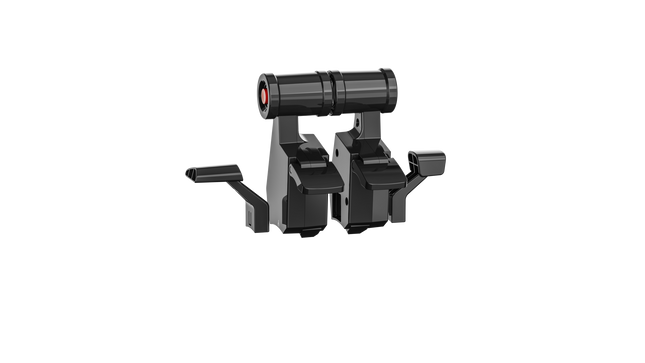
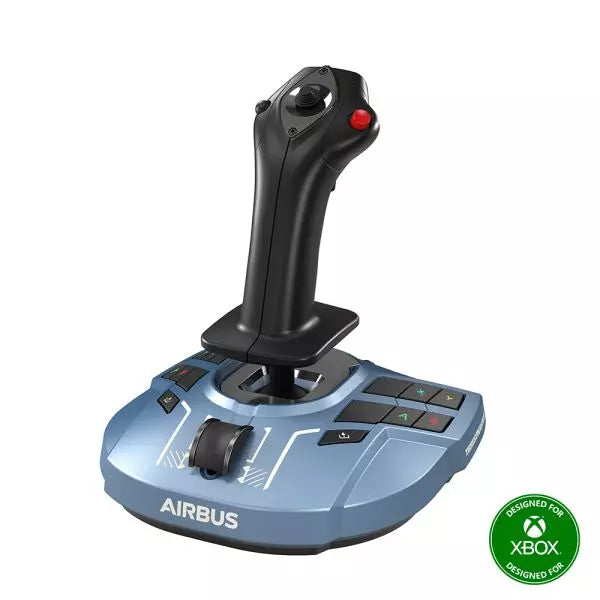
The RealSimGear - Dual Desktop Stand for RealSimGear GNS530 & GNS430 is built to provide a stable, elevated home for your avionics setup. Made from sturdy 3mm stainless steel, this stand boasts a durable, powder-coated matte black finish that resists wear and keeps things looking sharp. With rubber non-slip feet, your devices stay put during the most demanding flights. Its thoughtful design mimics real cockpit placements, ensuring your GNS530 and GNS430 are mounted at a comfortable and practical angle.
RealSimGear - Dual Desktop Stand for RealSimGear GNS530 & GNS430 apart?
Durable and Robust Construction Constructed from 3mm stainless steel, this stand is built to last. The powder-coated matte black finish not only adds a sleek appearance but also ensures the stand withstands long-term use without corrosion or wear. It's a dependable piece that can handle regular setup and breakdown without losing its shape or stability.
Thoughtful Mounting Compatibility The base comes with mounting holes that cater to various setups, including the Honeycomb Alpha yoke, Bravo throttle, and Saitek/Logitech yoke systems. This versatility makes it easy to integrate the stand into a broader flight sim configuration, avoiding compatibility headaches.
Realistic Placement Angle This stand provides an elevated mounting position similar to what you’d find in general aviation aircraft, giving your GNS530 and GNS430 a realistic layout. This attention to detail makes practice sessions more intuitive and comfortable, fostering a familiar feel when training or flying.
Solid Stability Features The rubber non-slip feet ensure that the stand stays firmly on your desk even during intense maneuvers. No sliding or shifting, so you can focus on piloting without constantly adjusting your setup. This small feature adds significant value by ensuring steady operation throughout flights.
Pros and Cons
Pros
Cons
Sturdy 3mm stainless steel construction with matte black finish.
Specifically designed for GNS530 & GNS430 only.
Rubber non-slip feet provide strong stability on any surface.
May occupy more space than single-unit stands.
Compatible with multiple yoke systems and mounting plates.
Specifications
Specification
Value
Material
3mm stainless steel
Finish
Powder-coated matte black
Foot Type
Rubber non-slip feet
Mounting Holes
Compatible with Honeycomb Alpha/Bravo, Saitek/Logitech yoke
RealSimGear - Dual Desktop Stand for RealSimGear GNS530 & GNS430 Compatibility
The RealSimGear - Dual Desktop Stand for RealSimGear GNS530 & GNS430 is engineered to perfectly fit both the GNS530 and GNS430 units, providing a cohesive mounting solution. It features pre-drilled holes that support a range of popular systems, including the Honeycomb Alpha yoke, Bravo throttle, and Saitek/Logitech yoke mounting plates. This ensures that it integrates seamlessly with a variety of cockpit configurations, making it an adaptable option for many sim pilots.
When it comes to gaming platforms, this stand is tailored for PC-based flight simulations, aligning well with simulators such as X-Plane and Microsoft Flight Simulator. It is not designed for console use, making it best suited for those running dedicated PC setups with realistic avionics add-ons.
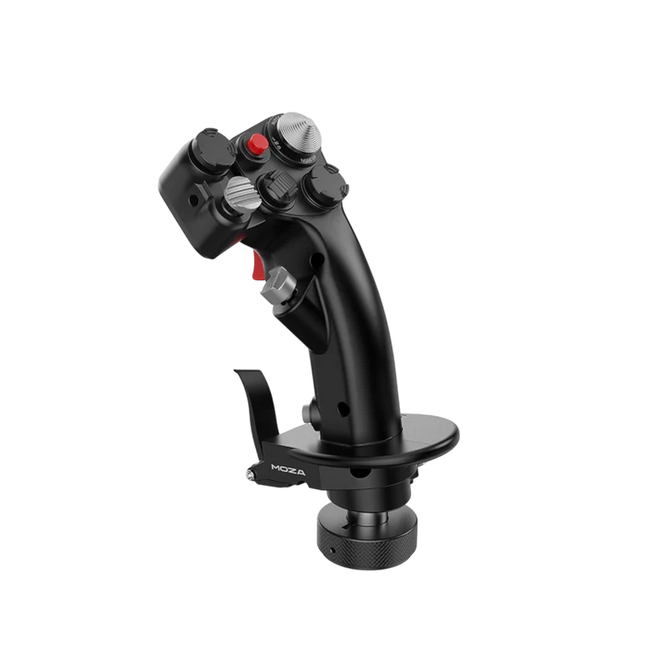
Moza MH16 Flightstick erbjuder ett djärvt, kompromisslöst tillvägagångssätt för flygsimulering. Designad med aerospace-grade aluminiumlegering, handlar inte denna flightstick bara om utseende – den är byggd för att klara intensiva sessioner utan att tappa hållfasthet. Med 27 inmatningssignaler och en 8-vägs ALPS tumspak är varje kommando vid dina fingertoppar, redo för precisa manövrar. Avtagbara modulära komponenter innebär att du kan anpassa uppsättningen efter dina behov, medan den robusta konstruktionen säkerställer stabilitet även i de mest krävande hundslagen. Oavsett om du flyger på hög höjd eller låser in dig i en tight sväng, erbjuder denna flightstick ett kontrollnivå som håller dig fullt engagerad.
Vad gör Moza MH16 Flightstick unik?
Byggd som en riktig stridsflygsticka – Den helmetalliga designen är inte bara estetisk – den ger den tyngd och känsla som ett riktigt flygplanskontrollsystem. Jämfört med plastbaserade konkurrenter ger MH16 ett mer substantiellt och robust grepp, vilket minskar flex och säkerställer långvarig hållbarhet.
Modulär och utbyggbar – Till skillnad från många fasta flightsticks, har MH16 avtagbara moduler med pogo pin-anslutningar, vilket möjliggör enkel anpassning. Detta innebär att användare kan byta ut eller uppgradera komponenter utan krångel med omkoppling eller demontering av hela enheten.
Omfattande anpassning – Med 27 inmatningssignaler och en 8-vägs ALPS tumspak kan piloter mappa kommandon exakt som de vill. Denna nivå av knapp- och funktionsanpassning gör det till ett utmärkt val för dem som kräver full kontroll över sin simuleringsupplevelse.
Problemfri plug-and-play-kompatibilitet – Ingen komplicerad installation, inga extra drivrutiner behövs – bara anslut och kör. Den 5-stiftade flygplansanslutningen säkerställer säker och stabil inmatningstransmission, vilket gör att den fungerar direkt med de flesta flygplansbaser på marknaden.
Fördelar och nackdelar
Fördelar
Nackdelar
Aluminiumkropp av flygplansklass ger hållbarhet och ett fast grepp.
Slutsåld – tillgång kan vara ett problem.
Avtagbara moduler möjliggör enkel anpassning.
Ingen officiell MacOS-kompatibilitet.
27 inmatningar och ALPS tumspak ger omfattande kontroll.
Plug-and-play med de flesta flygplansbaser.
Specifikationer
Specifikation
Värde
Plattform
PC
Huvudmaterial
Aerospace-grade aluminiumlegering
Angiven spänning
3.3V
Angiven strömstyrka
5A
Anslutning
5-stifts flygplansanslutning
Z-axelmodul
Valfri
Dimensioner
99×213.5×132mm
Moza MH16 Flightstick Kompatibilitet
Kompatibel med
Inte kompatibel med
PC (Windows-baserade system)
MacOS
De flesta flygplansbaser med 5-stifts flygplansanslutning
Konsoler (PlayStation, Xbox)
MOZA Cockpit Control Software
Icke-standard USB-gränssnitt
Moza MH16 Flightstick fungerar sömlöst med de flesta PC-baserade flygsimulatorer, tack vare sin 5-stifts flygplansanslutning och plug-and-play-funktionalitet. Mac-användare måste dock leta någon annanstans, eftersom ingen officiell MacOS-support finns. Användare har rapporterat solid integration med olika baser, vilket gör den till ett flexibelt alternativ för dem som gillar att blanda och matcha sin utrustning.
Vad gäller spelplattformar är MH16 enbart för PC-användare. Den fungerar smidigt på Windows-baserade flygsimulatorer som DCS, MSFS2020 och X-Plane, men konsolspelare får gå miste om det – det finns ingen inbyggd support för PlayStation eller Xbox. Om du är djupt engagerad i flygsimulatorer är detta dock inget problem, eftersom PC förblir den främsta plattformen för seriösa piloter.
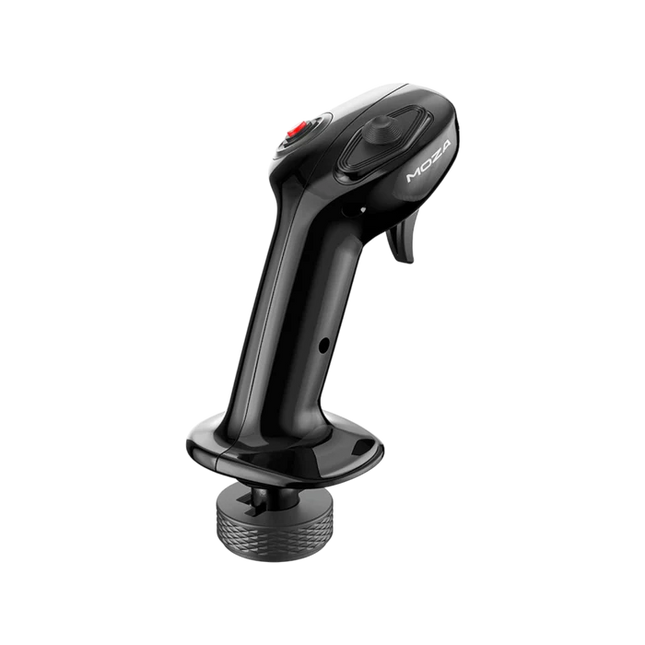
Moza MA3X Flightstick blandar klassisk flygplansinspirerad design med modern ingenjörskonst för att leverera en engagerande flygsimuleringsupplevelse. Byggd av ultra-starkt kompositmaterial förblir den lätt men tillräckligt hållbar för att klara upp till 30 kg kraft. ALPS-brytare säkerställer lång livslängd, med en betygsättning för 100 000 cykler, vilket ger piloter konsekvent och pålitlig kontroll. En flerlager-spray och UV-behandling efterliknar den taktila känslan av riktiga flygplansmaterial och höjer den övergripande känslan. Med ett utökat knappupplägg och bred kompatibilitet, anpassar sig MA3X enkelt till alla uppsättningar, vilket erbjuder både flexibilitet och pålitlighet.
Vad gör Moza MA3X Flightstick unik?
Hållbar men lätt konstruktion – Till skillnad från tyngre metalldesignade flightsticks är MA3X byggd av ultra-starkt kompositmaterial. Detta gör att den förblir lätt på bara 220 g samtidigt som den kan hantera upp till 30 kg kraft utan att förlora strukturell integritet.
Förbättrat knappupplägg – MA3X levereras med fyra fysiska knappar men kan utökas för att stödja upp till 12 inmatningssignaler. Denna extra flexibilitet säkerställer att användarna kan konfigurera sina kontroller exakt som de vill för olika simuleringsscenarier.
ALPS-brytare för lång livslängd – Många flightsticks lider av slitage över tid, men MA3X är utrustad med ALPS-brytare som är betygsatta för 100 000 cykler. Detta betyder att piloter kan förlita sig på en jämn och konsekvent funktion även efter lång användning.
Bred kompatibilitet och plug-and-play-installation – Designad för att fungera med alla Moza-baser och de flesta tredjepartsbaser kräver MA3X inga extra drivrutiner eller komplicerade installationer. Den 5-stiftade flygplansanslutningen säkerställer en stabil och säker anslutning.
Fördelar och nackdelar
Fördelar
Nackdelar
Hållbart kompositmaterial som tål tung användning.
Ej i lager – tillgång kan vara ett problem.
Avtagbara moduler möjliggör enkel anpassning.
Ingen officiell MacOS-support.
27 inmatningar och ALPS tumspak ger omfattande kontroll.
Plug-and-play med de flesta flygplansbaser.
Specifikationer
Specifikation
Värde
Plattform
PC
Huvudmaterial
Aerospace-grade aluminiumlegering
Angiven spänning
3.3V
Angiven strömstyrka
5A
Anslutning
5-stifts flygplansanslutning
Z-axelmodul
Valfri
Dimensioner
99×213.5×132mm
Moza MA3X Flightstick Kompatibilitet
Kompatibel med
Inte kompatibel med
PC (Windows-baserade system)
MacOS
De flesta flygplansbaser med 5-stifts flygplansanslutning
Konsoler (PlayStation, Xbox)
MOZA Cockpit Control Software
Icke-standard USB-gränssnitt
Moza MA3X Flightstick fungerar sömlöst med alla Moza-baser och stöder de flesta tredjepartsbaser med hjälp av sin 5-stifts flygplansanslutning. Till skillnad från vissa flightsticks som låser användare till specifika ekosystem, bibehåller MA3X en mer flexibel design, vilket gör att den fungerar bredare utan extra adaptrar.
På mjukvarusidan är MA3X helt kompatibel med Windows-baserade flygsimulatorer men stöder inte MacOS. Den fungerar bra med ledande titlar som MSFS2020, X-Plane och DCS. Däremot bör konsolanvändare leta någon annanstans, eftersom MA3X stöder inte PlayStation eller Xbox plattformar.
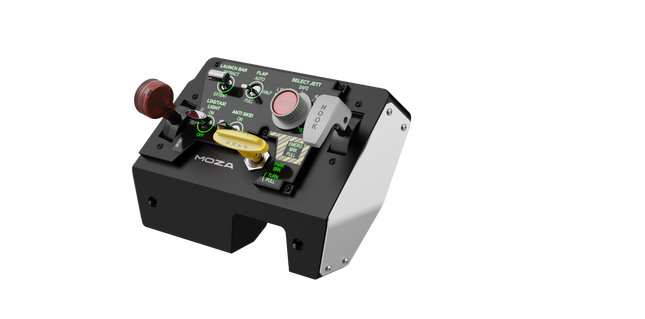
Moza MTLP Take-off Landing Panel ger essensen av stridsflygplansoperationer till hemmakopplingen med ett robust, taktilt kontrollsystem byggt för seriösa simpiloter. Designat efter F/A-18 landningspanelen, erbjuder det ett intuitivt switchlayout som möjliggör snabba, instinktiva inmatningar utan att förlita sig på visuell bekräftelse. Den autentiska parkeringsbroms-mekanismen ger ett fast, mekaniskt återkast som känns rakt ut från ett riktigt stridsflygplan. Med 25 programmerbara switchsignaler och Hall-effekt-sensorer för noggrannhet, överbryggar denna panel gapet mellan virtuell och praktisk cockpit-interaktion.
Vad skiljer Moza MTLP Take-off Landing Panel från andra?
Designad för Hands-On Control Modellerad efter F/A-18 landningspanelen, prioriterar denna uppsättning instinktiv användning. Switchlayouten gör det möjligt för piloter att hantera kritiska flygplansfunktioner genom känsla, vilket minskar behovet av att titta bort från skärmen. Denna typ av taktil förstärkning är avgörande för snabba miljöer som stridspiloter och landningar på hangarfartyg.
Hall Sensor Precision för Viktiga Funktioner Till skillnad från standard mekaniska switchar, integrerar MTLP Hall-effekt-sensorer i viktiga inmatningar som landningshjul och tailhook-spakar. Dessa sensorer ger långvarig tillförlitlighet och konsekvent inmatningsnoggrannhet, vilket eliminerar förslitningrelaterad driftslutning eller försämring över tid.
Byggd för Att Hantera Upprepad Användning Aluminiumlegeringskonstruktionen som används i broms-, tailhook- och landningshjulsspaken säkerställer hållbarhet. Dessa komponenter kan motstå upprepad, kraftig användning, vilket gör att panelen är en långsiktig investering för flygentusiaster som kräver mekanisk robusthet.
Sömlös Integration med Moza's Ekosystem MTLP är designad för att fungera enkelt med Moza MTP Throttle Panel, vilket skapar en sammanhängande kontrolluppsättning för stridsflygplan. Genom Moza Cockpit-programvaran kan användare synkronisera telemetri-styrda ljuseffekter och anpassa sina knappkonfigurationer för att matcha deras flygstil.
Fördelar och Nackdelar
Fördelar
Nackdelar
Modellerad efter F/A-18 landningspanelen
Desk clamp säljs separat
Hall-effekt sensorer för noggrannhet och lång livslängd
Begränsad till PC-kompatibilitet
25 programmerbara switchsignaler för omfattande kontroll
Kompatibel med Moza’s ekosystem för full stridsflygplansuppsättning
Specifikationer
Specifikation
Värde
Dimensioner
196.5 × 134.7 × 149 mm
Höljesmaterial
Kompositmaterial
Bromsspaks Material
Aluminiumlegering
Vikt
680g
Switchsignaler
25
Telemetriljus
Ja (inga extra plugins krävs)
Stödd Plattform
PC
Desk Clamp
Valfritt tillbehör
Inkluderade Tillbehör
Datakabel, användarmanual
Moza MTLP Take-off Landing Panel Kompatibilitet
Kompatibel med
Inte kompatibel med
Moza MTP Throttle Panel
Tredjeparts gasspakar
Moza Cockpit-programvara för anpassning
Spelplattformar
PC-baserade flygsimulatorer
MacOS
Designad för PC-baserade simulatorer, integreras MTLP sömlöst med Moza’s MTP Throttle Panel för att skapa en stridsflygplans-stil kontrolluppsättning. Panelen konfigureras via Moza Cockpit-programvara, vilket möjliggör omfattande anpassning, inklusive telemetri-länkade ljuseffekter. Den stöder dock inte tredjeparts gasspaks, vilket innebär att full funktionalitet bäst uppnås inom Moza ekosystemet.
PC-kompatibilitet säkerställer stöd för stora flygsimulatorer, men MacOS och spelkonsoler stöds inte. Flygsim-entusiaster som använder Microsoft Flight Simulator 2020, Microsoft Flight Simulator 2024 och X-Plane 12 kommer att hitta att panelen känns igen direkt, och erbjuder plug-and-play funktionalitet via USB. Dock, användare som söker stöd för Xbox eller PlayStation måste överväga alternativ hårdvara.
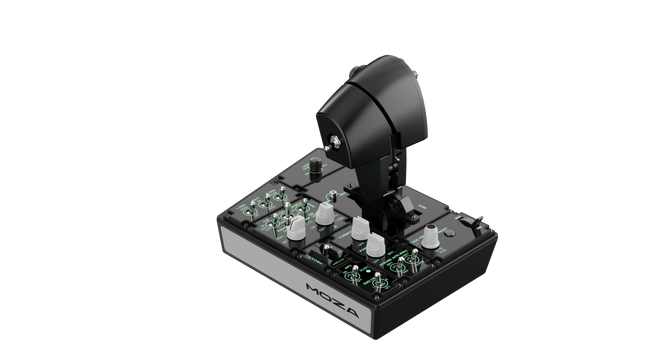
Moza MTP Throttle Panel levererar en robust flygkontrollupplevelse inspirerad av landningsoperationer på hangarfartyg. Det justerbara detent-systemet möjliggör finjusterad kontroll, oavsett om du hanterar efterbrännare eller simulerar centrala detentlägen i rymdsimulatorer. Den inbyggda vibrationsfeedbacken förbättrar situationsmedvetenheten genom att varna piloter för aerodynamiska förändringar, överhastighetsvarningar och stridsförhållanden. Med 27 programmerbara switchar, en Hall-effekt joystick och aluminiumlegeringshandtag, är detta throttlepanel byggd för flygsim-entusiaster som vill ha precisionskontroll i högintensiva miljöer.
Vad skiljer Moza MTP Throttle Panel från andra?
Anpassningsbart Detent-system för maximal kontroll MTP Throttle låter användare finjustera detent-positioner, vilket gör den idealisk för efterbrännartillstånd, reverserskjut eller precisa rymdflygmanövrar. Oavsett om du finjusterar kraftkurvor eller skapar distinkta motorsteg, ger denna funktion flexibilitet som inte ofta finns i andra throttle-inställningar.
Inbyggd vibrationsfeedback för förbättrad medvetenhet Till skillnad från passiva throttles, inkluderar MTP vibrationsmotorer som reagerar på telemetridata från simulatorn. Detta feedbacksystem ger haptiska varningar för förhållanden som aerodynamiskt motstånd, överhastighetsvarningar och systemfel, vilket ger piloter ett extra lager av situationsmedvetenhet.
27 programmerbara switchar för komplexa flygoperationer Kontrollytan är utrustad med 27 switchar som alla kan konfigureras för viktiga funktioner som landningsställ, motorstart eller stridssystem. Den optimerade layouten säkerställer att kommandon förblir lättillgängliga utan att fumla mitt under flygningen.
Hall-effekt joystick för ytterligare inmatningsflexibilitet Integrerad direkt i throttle, erbjuder denna joystick driftsfria justeringar för finjustering av kontroller. Oavsett om den är tilldelad till trim av stigning, rodering eller till och med kameranavigation, säkerställer Hall-effekt sensorn konsekvent prestanda utan slitage från traditionella potentiometrar.
Fördelar och Nackdelar
Fördelar
Nackdelar
Justertbart detent-system för efterbrännare och rymdsimulatorer
Desktop-klämma säljs separat
Inbyggd vibrationsfeedback reagerar på flygförhållanden
Endast PC-kompatibilitet, ingen konsolkompatibilitet
27 programmerbara switchar för omfattande kontrollkartläggning
Hållbart aluminiumhandtag med taktil känsla
Specifikationer
Specifikation
Värde
Dimensioner
277 × 194 × 216 mm
Höljesmaterial
Kompositmaterial
Throttle Handtag Material
Aluminiumlegering
Vikt
2,1 kg
Fysiska switchar
27
Vibrations Telemetri
Stöds (inga tilläggsprogram krävs)
Belysnings Telemetri
Stöds (inga tilläggsprogram krävs)
Stödd Plattform
PC
Desktop-klämma
Valfritt
Desktop-monteringsplatta
Valfritt
Inkluderade Tillbehör
Datakabel, skiftnyckel, användarmanual
Moza MTP Throttle Panel Kompatibilitet
Kompatibel Med
Inte Kompatibel Med
MOZA Cockpit programvara för anpassning
Konsolplattformar
MOZA MTLP Panel för full stridsflygsetup
Tredjeparts throttle kvadranter
PC-baserade flygsimulatorer
MacOS
Designad för PC-baserade simulatorer, integreras MTP Throttle sömlöst med MOZA Cockpit programvara, vilket möjliggör finjusterade justeringar för vibrationsfeedback, switchkartläggning och telemetri-baserade belysningseffekter. Den paras också med MOZA MTLP Panel, vilket skapar ett modulärt stridsflygkontrollsystem som förbättrar start- och landningserfarenheten.
Endast PC-kompatibilitet säkerställer plug-and-play-funktionalitet med Microsoft Flight Simulator 2020, Microsoft Flight Simulator 2024 och X-Plane 12. Detta system stöder dock inte MacOS eller konsoler, vilket innebär att Xbox- och PlayStation-användare måste leta efter alternativa throttle-lösningar.
Out of stock,
Förbeställningar tillgängliga. Levereras om 2–2,5 veckor.
Honeycomb Sierra TPM Module brings the tactile charm of classic general aviation straight to your desk, with a lockable metal throttle vernier that feels satisfyingly mechanical in hand and a high-resolution integrated trim wheel that lets you dial in attitude with fingertip finesse. Designed with single-prop aircraft like the Cessna 172 in mind, it combines all-metal construction, integrated flap and parking brake controls, and LED landing gear indicators into a compact module that slots neatly into a serious home cockpit.
What Sets the Honeycomb Sierra TPM Module apart?
True General Aviation Vernier Feel The lockable metal throttle vernier with fine-tune prop and mixture knobs doesn’t just look the part—it delivers that push-pull, twist-to-adjust sensation pilots associate with classic GA cockpits. Many users highlight how the incremental adjustment allows smoother power changes during climb and approach, especially in piston aircraft, compared to sliding lever-based throttles that can feel too abrupt for delicate engine management.
Integrated Cockpit Workflow Instead of scattering controls across separate panels, the Sierra TPM places trim, flaps, parking brake, and landing gear in one cohesive layout. The low-profile, high-resolution trim wheel earns particular praise for its smooth rotation and granular input, making pitch adjustments during cruise or final approach feel natural. It reduces reliance on keyboard shortcuts and keeps hands where they belong—on dedicated hardware.
Solid All-Metal Construction Built with Honeycomb-grade components and a durable all-metal chassis, this module has noticeable heft and rigidity. Enthusiasts frequently mention that it feels planted on the desk, with minimal flex during aggressive throttle movements. Compared to lighter plastic alternatives, the Sierra TPM maintains structural stability over time, which is especially appreciated in permanent or semi-permanent cockpit setups.
Seamless Integration with Honeycomb Ecosystem Designed to pair cleanly with Honeycomb yokes and mounting systems, the included dual mounting solution simplifies alignment and positioning. Users who already run Alpha or Bravo units often comment on how the design language and control spacing feel unified, creating a visually coherent and ergonomically consistent flight deck without mismatched modules.
Pros and Cons
Pros
Cons
Metal vernier throttle offers fine incremental control.
Designed primarily for single-engine GA aircraft.
Integrated trim wheel provides smooth pitch adjustments.
Requires desk space for full mounting solution.
All-metal chassis feels stable and durable.
LED gear indicators add clear visual feedback.
Specifications
Specification
Value
Product Name
Honeycomb Sierra TPM Module
EAN
4039621003998
Construction
All-metal construction with Honeycomb-grade components
Throttle Type
Lockable metal throttle vernier with prop and mixture knobs
Integrated Controls
Trim wheel, parking brake, flap lever, landing gear lever with LED indicators
Layout
General aviation style for single prop airplanes
Mounting
Dual mounting solution included
Connection
USB-C to USB-A cable
Compatibility
PC and Mac
Drivers
MSFS 2020 Driver, MSFS 2024 Driver
Included in the Box
Sierra TPM Module, Dual Mounting Solution, USB-C to USB-A Cable, Quick Start Guide (EFIGS)
Honeycomb Sierra TPM Module Compatibility
Platform
Compatibility
Operating Systems
PC and Mac
Connection Type
USB-C to USB-A (direct USB connection)
Primary Ecosystem Pairing
Honeycomb Alpha and Bravo hardware
The Sierra TPM Module connects via direct USB, making it straightforward to integrate into most desktop cockpit builds. It pairs especially well with Honeycomb Alpha yokes and Bravo throttle quadrants, sharing the same design philosophy and mounting ecosystem. Thanks to its dual mounting solution, it can be desk-mounted alongside other Honeycomb units for a unified layout. It is not intended for console setups and does not interface directly with standalone hardware without a compatible PC or Mac.
On the software side, it supports Microsoft Flight Simulator 2020 and Microsoft Flight Simulator 2024 through dedicated drivers, and it also works with simulators like X-Plane and Prepar3D on PC. It is not compatible with Xbox consoles, as it relies on standard USB PC/Mac drivers rather than console-certified firmware. For desktop sim pilots focused on general aviation, it slots cleanly into modern PC-based sim platforms.
Honeycomb Foxtrot Aviation Stick is built for pilots who prefer a sidestick in hand and a clean desk in front of them. From the first movement, the smooth linear resistance system with no center detent feels fluid and deliberate, ideal for Airbus-style inputs and aerobatic maneuvers. Under the hood, 16-bit resolution with Hall Effect sensor technology translates subtle wrist movements into accurate on-screen control. Add adjustable tension and a fully ambidextrous layout, and you’ve got a stick that feels purposeful rather than toy-like.
What Sets the Honeycomb Foxtrot Aviation Stick apart?
Center-Detent-Free Control Philosophy Many sticks rely on a noticeable center bump, which can make small corrections feel mechanical. The Foxtrot’s linear resistance system eliminates that notch, creating a smooth transition across the full axis range. Pilots flying Airbus aircraft in particular appreciate this design, as it mirrors sidestick behavior more closely and allows gentle pitch and roll corrections without fighting a spring-loaded “click” at center.
Sensor and Resolution Synergy With 16-bit resolution paired to Hall Effect sensors, the Foxtrot delivers clean, contactless input detection. Enthusiasts often point out the consistency over time—no spiking, no gradual degradation from physical potentiometers. Subtle trim adjustments during approach or careful roll inputs in aerobatics feel steady and predictable, especially when compared to entry-level sticks that can show jitter near center.
Configurable Resistance and Ergonomics Adjustable tension allows the stick to be tuned to personal preference, whether you prefer lighter fingertip inputs or firmer resistance for controlled movements. Combined with its ambidextrous grip design, the Foxtrot suits both left- and right-handed setups. Users with compact cockpit builds often highlight how adaptable it feels in different seating positions, including center-mounted or side-mounted configurations.
Switch Density Without Clutter Between the 5 two-way switches, 4 programmable action buttons, POV hat, trigger, rockers, and multi-way rotary panel, the stick offers serious input flexibility. What stands out is how logically the controls are spaced; sim pilots frequently mention that functions like trim, autopilot modes, or camera controls can be assigned without feeling cramped or hunting blindly mid-flight.
Pros and Cons
Pros
Cons
Linear resistance without center detent feels smooth.
No native console compatibility.
Hall Effect sensors reduce long-term wear.
No included dedicated mounting base.
Adjustable tension suits different flying styles.
Extensive switch and button configuration options.
Specifications
Specification
Value
Product Name
Honeycomb Foxtrot Aviation Stick
Control System
Linear resistance system with no center detent
Sensor Technology
Hall Effect sensors
Resolution
16-bit
Tension Adjustment
Adjustable stick resistance
Switches
5 two-way switches
Action Buttons
4 programmable buttons
Rotary Panel
3-, 4-, and 5-way rotary controls
Grip Design
Ambidextrous
Connection
USB-C to USB-A cable
System Compatibility
PC and Mac
Included in the Box
Foxtrot Aviation Stick, USB-C to USB-A Cable, Quick Start Guide (EFIGS)
Download Support
Basic Bindings Profiles (XML) for MSFS 2024
Honeycomb Foxtrot Aviation Stick Compatibility
Platform
Compatibility
Operating Systems
PC and Mac
Connection Type
USB-C to USB-A direct USB interface
Primary Sim Support
MSFS 2024 (XML bindings), MSFS, X-Plane, Prepar3D
The Foxtrot Aviation Stick connects via standard USB, allowing it to integrate easily into most desktop cockpit setups. It works seamlessly alongside throttle quadrants, rudder pedals, and radio panels from other major brands thanks to its plug-and-play HID architecture. Its ambidextrous design makes it suitable for left- or right-seat configurations, including Airbus-style side mounting. It is not compatible with Xbox consoles and does not function as a standalone device without a connected PC or Mac.
On the software side, it supports Microsoft Flight Simulator 2024 with dedicated XML binding profiles and operates with popular PC simulators such as Microsoft Flight Simulator (2020), X-Plane, and Prepar3D through manual or community mappings. It is not designed for console-based platforms, as it relies on native PC/Mac driver recognition rather than console-certified firmware.
Out of stock,
Förbeställningar tillgängliga. Levereras om 2–2,5 veckor.
Honeycomb Bravo Throttle Quadrant Lite distills the core experience of the original Bravo into a tighter, more focused package. The four interchangeable levers with adjustable tension glide with reassuring mechanical weight, while the integrated low-profile, high-resolution trim wheel lets you fine-tune pitch with fingertip control. From the firm click of the landing gear lever with LED indication to the satisfying pull of the parking brake, this unit delivers dependable input for GA and twin-engine setups without overwhelming newer cockpit builders.
What Sets the Honeycomb Bravo Throttle Quadrant Lite apart?
Streamlined Without Feeling Stripped Unlike many entry-focused throttle quadrants that sacrifice flexibility, the Bravo Lite keeps the modular DNA alive. Users often highlight how it maintains interchangeable levers and flap detent customization while shedding some of the complexity of the full Bravo. The result is a compact unit that still supports single-engine and twin-engine layouts, making it appealing for pilots upgrading from basic plastic throttles.
Adjustable Tension with Mechanical Feedback The lever resistance can be tuned to personal taste, which makes a noticeable difference during climb power changes and short final adjustments. Many sim pilots mention that the movement feels smooth and controlled rather than loose or springy. Compared to lighter quadrants, the Bravo Lite offers a more planted sensation during throttle transitions, especially when mounted securely with the included dual mounting solution.
Integrated Trim and Ground Controls The built-in trim wheel and parking brake eliminate the need for separate peripherals. The trim wheel’s fine resolution is frequently praised for helping stabilize approaches without constant micro-corrections via keyboard or yoke buttons. Add the landing gear lever with LED status indicator, and you get clear visual confirmation during gear cycles—small detail, big confidence boost during busy patterns.
Focused MSFS Optimization Designed with Microsoft Flight Simulator in mind, the Bravo Lite benefits from dedicated driver support and downloadable profiles. Users appreciate how quickly it maps in MSFS 2020 and 2024 compared to some generic USB quadrants. At the same time, it remains compatible with X-Plane and Prepar3D, giving it broader appeal than many simulator-specific throttle units in this price bracket.
Pros and Cons
Pros
Cons
Interchangeable levers support multiple aircraft types.
Fewer controls than full Bravo version.
Adjustable tension improves throttle feel.
PC and Mac only, no console support.
Integrated trim wheel adds fine pitch control.
LED gear indicator provides clear status feedback.
Specifications
Specification
Value
Product Name
Honeycomb Bravo Throttle Quadrant Lite
Dimensions (L x H x W)
40 x 13 x 27 cm (15.75 x 5.19 x 10.63 inches)
Throttle Levers
Four interchangeable levers with adjustable tension
Flap System
Swappable flap detent inlays included
Trim Control
Integrated low-profile, high-resolution trim wheel
Landing Gear Lever
With LED status indicator
Parking Brake
Integrated lever
Connectivity
USB-C to USB-A (cable included)
System Compatibility
PC and Mac
Software Compatibility
Microsoft Flight Simulator 2020/2024, FSX, Prepar3D V3-V5, X-Plane 11/12
Included in the Box
Throttle Quadrant Lite, Flap detent inlays, Interchangeable levers (Commercial & GA), USB-C cable, Dual mounting solution, Quick Start Guide
Honeycomb Bravo Throttle Quadrant Lite Compatibility
Category
Compatibility
Operating Systems
Microsoft Windows (64-bit), macOS
Connection
USB-C to USB-A (standard USB port required)
Supported Simulators
MSFS 2020/2024, FSX, Prepar3D V3–V5, X-Plane 11/12
The Bravo Lite connects through standard USB, making it easy to integrate with yokes, sticks, and rudder pedals from various brands. It pairs especially well with Honeycomb Alpha yokes and other modular cockpit hardware thanks to the dual mounting solution. It is designed strictly for PC and Mac systems and does not function independently without a connected computer.
On the simulator side, it is optimized for Microsoft Flight Simulator 2020 and 2024, with dedicated LED drivers and downloadable aircraft profiles. It also works with X-Plane 11 and 12, FSX, and Prepar3D V3–V5 through standard USB HID recognition. It is not compatible with Xbox consoles, as it relies on PC-based driver and USB architecture rather than console-certified firmware.
Out of stock,
Förbeställningar tillgängliga. Levereras om 2–2,5 veckor.
WINCTRL URSA MINOR Airline Joystick R brings airline-style control to the desktop with a clever mix of tactile feedback and thoughtful engineering. The standout feature is the flight-data-linked vibration engine, which adds subtle physical cues during events like flap deployment, airflow changes, and touchdown. Pair that with non-contact magnetic resistance sensors on the X and Y axes, and the stick delivers smooth, stable inputs without the wear issues common in cheaper mechanisms. The result is a joystick that feels lively in hand yet technically grounded under the hood.
What Sets the WINCTRL URSA MINOR Airline Joystick R apart?
Flight Data Driven Vibration Feedback The URSA MINOR stands out with a vibration motor tied directly to in-sim flight data. Instead of generic rumble, the stick reacts to events like landing contact, airflow changes, or flap movement. Pilots online often mention how this adds subtle physical cues during phases like flare or speed changes, providing a tactile reminder of what the aircraft is doing without constantly glancing at instruments.
Robust Gimbal With Magnetic Sensors At the core of the stick is a glass-fiber-reinforced nylon gimbal running on ball bearings, paired with non-contact magnetic sensors for the primary axes. This combination helps maintain smooth motion over time without the jitter common in potentiometer-based designs. Enthusiasts frequently note that the stick movement feels stable across the entire travel range, particularly during small pitch adjustments on final approach.
Airliner-Inspired Grip Layout The grip design borrows cues from airline sidestick ergonomics, offering a balanced control layout that includes a PTT trigger, autopilot disconnect switch, and a concealed five-way switch beneath a magnetic cover. Pilots often highlight how practical this arrangement is for everyday flying tasks—radio calls, autopilot overrides, and camera views can all be handled without reaching for the keyboard.
Flexible Mounting and Maintenance Design The base includes anti-slip pads for desktop use along with pre-drilled mounting holes for cockpit rigs. A quick-release base cover allows access to internal adjustments without dismantling the entire unit. This detail is frequently appreciated by sim cockpit builders who prefer gear that can be tuned or serviced easily rather than permanently sealed hardware.
Pros and Cons
Pros
Cons
Flight-data vibration feedback adds tactile flight cues.
Plastic construction compared to metal joystick designs.
Magnetic sensors reduce wear and input drift.
Limited axis travel compared to extended bases.
Good button layout for airliner-style flying tasks.
Desk or cockpit mounting options included.
Specifications
Specification
Value
Product Model
URSA MINOR-Airline-Joystick R
Material
Industrial ABS plastic (PC + ABS)
Controller
32-bit ARM controller
X/Y Axis Movement Angle
±15°
Z Axis Rotation Angle
±20°
X/Y Sensors
Non-contact magnetic resistance sensors
Gimbal Construction
Glass fiber reinforced nylon with ball bearings
Operating Force (X/Y)
Approximately 6N
Rotation Torque (Z)
~4 kgf·cm
Throttle Axis Type
Long-travel sliding potentiometer
Throttle Axis Travel
38 mm
Buttons
14 buttons (250gf press force, 0.25 mm travel)
Special Controls
Hidden 5-way switch, PTT trigger, autopilot disconnect
Vibration Feature
Adjustable amplitude levels from 0–255
Mounting Options
Anti-slip desktop pads and cockpit mounting holes
Item Weight
3 kg
Included in Box
J5-BASE-BLACK + JGRIP-C1-R, Data Cable, Toolkit, Accessories Pack
WINCTRL URSA MINOR Airline Joystick R Compatibility
Platform
Compatibility
Connection Type
USB plug-and-play connection
Software Configuration
WW SIMAPP Pro software for button mapping
Mounting
Desktop use or cockpit mounting
The URSA MINOR Airline Joystick R connects via standard USB, allowing it to integrate easily with throttle quadrants, rudder pedals, and other flight hardware from many manufacturers. The base supports both desktop placement with anti-slip pads and cockpit mounting using pre-drilled holes, which is useful for sim rigs or permanent setups. Configuration is handled through WW SIMAPP Pro software, enabling button assignments and vibration adjustments directly from a visual interface.
Within a flight setup, the joystick works well alongside external throttles, radio panels, or pedal systems because it behaves as a standard USB HID controller. It does not require proprietary ecosystems and can coexist with other brands in the same cockpit. However, it is intended for PC-based simulation environments and does not integrate directly with console platforms.
In terms of simulators, the stick supports Microsoft Flight Simulator 2020, X-Plane, Prepar3D, and also space or combat titles like Star Citizen, Elite Dangerous, and War Thunder. Its plug-and-play USB design allows quick recognition in most PC simulation platforms. It is not designed for Xbox or PlayStation consoles, as those systems typically require licensed hardware and different firmware structures.