Wszystkie produkty

83 products

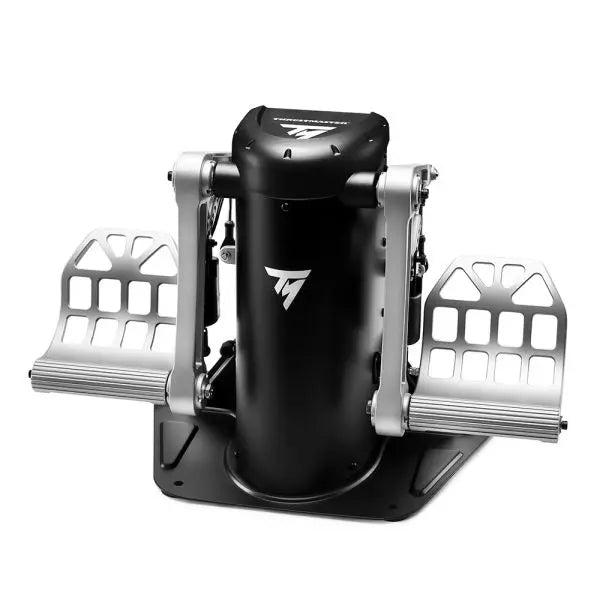
  • Last stock! TPR: Thrustmaster Pendular Rudder

    Thrustmaster TPR: Thrustmaster Pendular Rudder

    1 review

    3 w magazynie Shipped in 1-3 business days.

    The TPR: Thrustmaster Pendular Rudder brings a whole new dimension to flight simulation with its innovative design and uncompromising build quality. Featuring PENDUL_R technology, it delivers ultra-smooth and fluid motion for precise rudder control. Its 100% metal structure exudes durability, while adjustable pedals and customizable resistance make it adaptable to every pilot’s preference. Paired with H.E.A.R.T. HallEffect magnetic sensors, this rudder system ensures accuracy and longevity, creating an experience that feels as intuitive as it is powerful. What sets the TPR: Thrustmaster Pendular Rudder apart? Unique PENDUL_R Mechanism The suspended PENDUL_R technology sets this rudder apart, offering fluid, natural movement that closely mirrors real-world aircraft rudder dynamics. This mechanism creates a more tactile and intuitive experience, especially during small, delicate adjustments, making it stand out in the world of simulation hardware. Customizable to Your Preferences With adjustable pedal angles and resistance levels, the TPR caters to a variety of preferences and setups. Whether you prefer a light touch or firm resistance, the included springs and versatile configuration options ensure you can tailor it to your exact needs. Built for Stability and Longevity The TPR’s solid metal construction ensures it remains steadfast during even the most demanding sessions. Its weight and mounting holes keep it stable, while the H.E.A.R.T. sensors deliver frictionless performance that won’t degrade over time, offering incredible reliability. Comprehensive Ecosystem Integration Designed to work seamlessly with Thrustmaster’s T.A.R.G.E.T software, the TPR can be paired with other devices for unified profiles. This integration enhances its usability across a wide range of flight sim setups, from helicopters to fighter jets. Pros and Cons Pros Cons Durable 100% metal construction for long-term use. Expensive compared to other rudder systems. Fluid, realistic movement with PENDUL_R technology. Large footprint requires substantial space. Customizable resistance and pedal angles. Seamless integration with Thrustmaster T.A.R.G.E.T software. Specifications Specification Value Product Dimensions 20.9 x 14.2 x 14.2” / 53 x 36 x 36 cm Product Weight 15.4 lb / 7 kg Material 100% metal construction Adjustable Features Pedal angles (35° to 75°), resistance springs Package Contents TPR rudder, brake pedals, tools, manual TPR: Thrustmaster Pendular Rudder Compatibility The TPR: Thrustmaster Pendular Rudder is designed to work on PC with all major flight simulation software, including Microsoft Flight Simulator 2020, X-Plane 11/12, and DCS World. It is also compatible with Thrustmaster's T.A.R.G.E.T software, which allows you to integrate it with other Thrustmaster peripherals like the HOTAS Warthog. This creates a unified ecosystem, enabling seamless control across multiple devices. However, it is not compatible with consoles or non-PC platforms. When it comes to hardware integration, the TPR features standard USB connectivity and operates as a standalone device or part of a setup. Its sturdy metal base includes mounting holes for cockpit setups, ensuring compatibility with a wide range of custom and professional configurations. The adjustable pedals and resistance settings make it flexible for diverse setups, from compact spaces to larger rigs. For gaming platforms, the TPR connects directly to PC systems via USB, offering plug-and-play functionality. It is automatically recognized by supported software, allowing for quick and hassle-free setup. The lack of console support may be a drawback for some, but its PC-focused design ensures uncompromised performance for simulation enthusiasts.

    3 w magazynie Shipped in 1-3 business days.

    €549,00

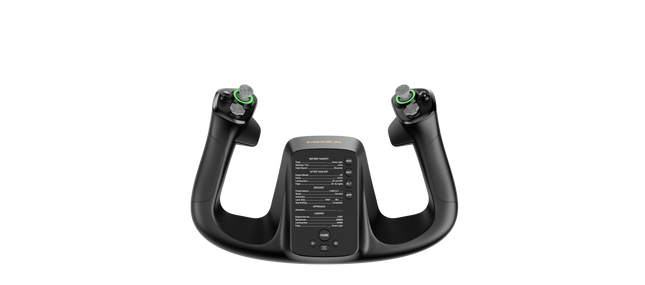
  • Last stock! Moza MFY Yoke kopen bij FlightSimZone

    Moza Jarzmo Moza MFY

    2 w magazynie Shipped in 1-3 business days.

    Jarzmo Moza MFY został zaprojektowany dla pilotów, którzy oczekują wszechstronności i kontroli w swoim doświadczeniu symulacji lotu. Dzięki konstrukcji z PA66 wzmocnionego włóknem szklanym wytrzymuje siłę do 30kg, zachowując integralność strukturalną. Mechanizm quick-release ze stopu aluminium umożliwia płynną zmianę konfiguracji, naśladując rozwiązania znane z motorsportu. Wyposażony w 34 konfigurowalne wejścia, joystick z czujnikiem Halla oraz konfigurowalne podświetlenie RGB, ten wolant oferuje interfejs klasy kokpitu, który dopasowuje się do szerokiego zakresu scenariuszy lotu — od lotnictwa cywilnego po manewry akrobacyjne. Co wyróżnia Jarzmo Moza MFY? Wytrzymała, a zarazem lekka konstrukcja Wykonany z PA66 wzmocnionego włóknem szklanym, ten wolant oferuje idealną równowagę między trwałością a wagą. Może wytrzymać do 30kg siły bez odkształceń, zapewniając pewny chwyt bez nadmiernej masy. W przeciwieństwie do cięższych metalowych wolantów, oferuje długotrwałą wytrzymałość bez obciążania systemów montażowych. System quick-release do szybkiej wymiany Inspirowany technologią samochodów wyścigowych, aluminiowy system quick-release umożliwia błyskawiczną zmianę wolantu. Niezależnie od przejścia z samolotu GA do konfiguracji myśliwca, mechanizm push-and-pull zapewnia minimalne przestoje między lotami. Joystick Hall Effect dla dodatkowej kontroli Zintegrowany bezpośrednio w wolancie joystick z czujnikiem Halla zapewnia dodatkowe osie sterowania bez dryfu i zużycia mechanicznego. Może działać zarówno jako oś, jak i sygnał przycisku, co czyni go idealnym do regulacji trymu, sterowania rudder pedals lub nawet ruchu kamery w kokpicie. Szerokie możliwości personalizacji Dzięki 34 konfigurowalnym wejściom, konfigurowalnemu podświetleniu RGB oraz magnetycznym panelom DIY, MFY Yoke dopasowuje się do indywidualnych preferencji pilota. Niezależnie od tego, czy chodzi o mapowanie przycisków, czy dostosowanie wyglądu kokpitu, system ten oferuje wyjątkowy poziom kontroli użytkownika. Zalety i wady Zalety Wady Lekka, a jednocześnie trwała konstrukcja z włókna szklanego Nie zawiera dedykowanego systemu montażu System quick-release do szybkiej wymiany wolantu Ograniczona kompatybilność z ekosystemami firm trzecich Joystick Hall Effect zapewnia dodatkowe wejścia sterujące 34 konfigurowalne wejścia dla szerokiej personalizacji Specyfikacja Specyfikacja Wartość Wymiary 142.5 × 202 × 313 mm Materiał obudowy Materiały kompozytowe Materiał quick-release Stop aluminium Materiał nakładek przycisków Tworzywo ABS Waga 1.3 kg Przełączniki 8-kierunkowe 2 Joysticki Hall Effect 2 Przyciski LB/RB 2 Spusty 2 Łączna liczba sygnałów Obsługuje do 34 Dołączone akcesoria Instrukcja użytkownika Kompatybilność Jarzmo Moza MFY Kompatybilne z Niekompatybilne z Oprogramowanie MOZA Cockpit Platformy konsolowe Ekosystem MOZA (bazy wolantów, throttles, pedały rudder pedals) Bazy wolantów firm trzecich Symulatory lotu na PC MacOS Zaprojektowany dla symulatorów lotu na PC, MFY Yoke w pełni integruje się z oprogramowaniem MOZA Cockpit, oferując szerokie możliwości personalizacji przypisań przycisków, konfiguracji spustów oraz efektów RGB. Został zaprojektowany do współpracy z bazami wolantów MOZA, throttles oraz pedałami rudder pedals, zapewniając płynne działanie w ramach ekosystemu marki. Nie obsługuje jednak baz wolantów firm trzecich ani systemu MacOS. Kompatybilność wyłącznie z PC zapewnia natywne wsparcie dla Microsoft Flight Simulator 2020, Microsoft Flight Simulator 2024 oraz X-Plane 12, gdzie wszystkie konfigurowalne wejścia są rozpoznawane. Użytkownicy konsol muszą jednak poszukać alternatyw, ponieważ ten wolant nie obsługuje systemów Xbox ani PlayStation.

    2 w magazynie Shipped in 1-3 business days.

    €159,00

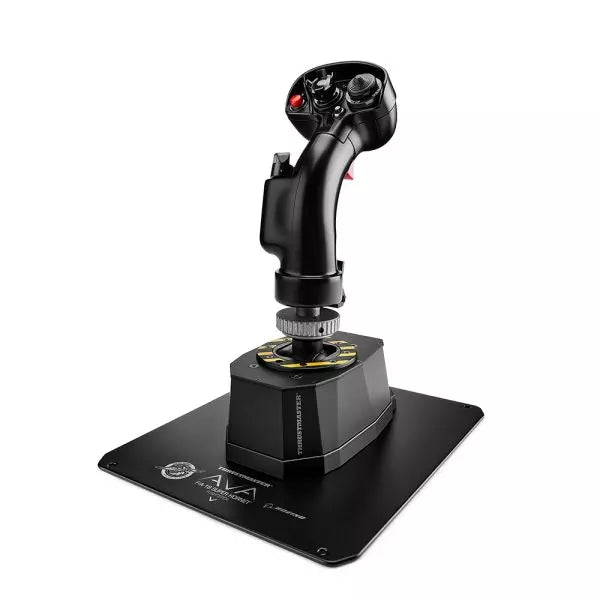
  • Last stock! Thrustmaster AVA F/A-18 Super Hornet Flightstick for sale on FlightSimZone

    Thrustmaster AVA F/A-18 Super Hornet Flightstick

    5 w magazynie Shipped in 1-3 business days.

    The AVA F/A-18 Super Hornet Flightstick is a meticulously crafted masterpiece designed for aviation enthusiasts seeking unmatched adaptability and authenticity. Featuring a 1:1 scale replica of the F/A-18C Hornet flight stick and the versatile AVA modular base, it offers unparalleled customization through adjustable axis curves, resistance, and damping. Whether navigating aerial dogfights or perfecting civilian landings, this flightstick provides tactile satisfaction with its all-metal construction and precise control mechanisms. It's not just equipment—it's your co-pilot in the cockpit, ready to handle any mission. What sets the AVA F/A-18 Super Hornet Flightstick apart? Unrivaled Customization The AVA base allows you to adjust axis curves, resistance, travel, and damping, letting you tailor every detail to your flying style. Swapping cams and springs is quick, enabling seamless adjustments mid-session without breaking your flow. Officially Licensed 1:1 Scale Replica The F/A-18C Hornet grip is a licensed Boeing replica, crafted with all-metal construction and an array of 19 action buttons. This ensures an authentic layout for military-grade simulations, elevating its appeal for fans of precise recreations. AXY Technology for Precision Control The dual AXY sensors let you fine-tune center-point tension and stick progressiveness, giving a level of control that stands out among competitors. It's perfect for achieving consistent, repeatable maneuvers in all types of aviation. Modular Ecosystem Designed for scalability, the AVA platform supports current and future add-ons like additional grips and dampers, making it a long-term investment for flight sim enthusiasts. This ecosystem approach ensures the setup evolves with your skills and needs. Pros and Cons Pros Cons Highly customizable for various aviation styles. Steep learning curve for initial setup. Durable all-metal construction ensures longevity. Premium price may not suit all budgets. Official F/A-18C Hornet replica with authentic layout. Specifications Specification Value Width 5.0” / 12.8 cm Depth 6.7” / 17.0 cm Height 13.4” / 34.1 cm (with grip and adapter) Weight 7.6 lb / 3.5 kg Package Contents AVA base, F/A-18C Hornet grip, offset adapter, base plate, cams, springs, masks, hex keys, USB-C cable Material All-metal construction AVA F/A-18 Super Hornet Flightstick Compatibility The AVA F/A-18 Super Hornet Flightstick is fully compatible with PC platforms running Windows 10/11, with plug-and-play functionality in leading flight simulators like DCS, X-Plane 11/12, and Microsoft Flight Simulator 2020. The official recognition by these games ensures seamless integration, letting you focus on flying rather than configuration. However, it is not compatible with consoles, limiting its versatility for multi-platform gamers. Its modular design supports compatibility with the expanding AVA ecosystem, allowing you to integrate additional grips, dampers, and other accessories for a tailored experience. The USB-C connection ensures reliable, fast data transfer, but it may require adapter solutions for older USB ports. For gaming, the stick works flawlessly with most PC-based simulators, particularly those that support HOTAS configurations. With an extensive array of buttons and excellent in-game recognition, the AVA F/A-18 Flightstick is a great choice for serious sim pilots who primarily fly on PC platforms.

    5 w magazynie Shipped in 1-3 business days.

    €499,00

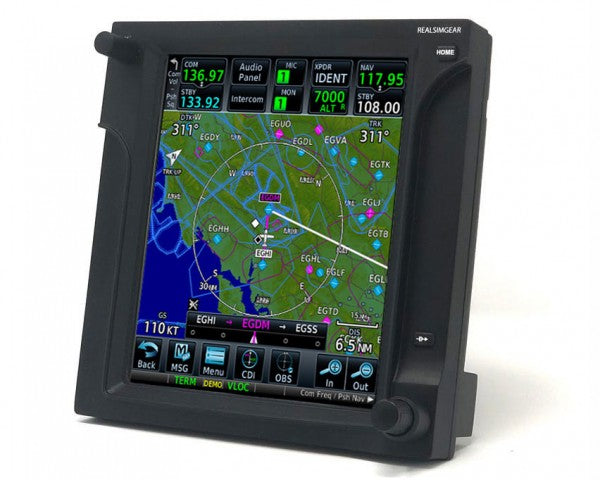
  • Last stock! RealSimGear GCU47X for sale on FlightSimZone

    RealSimGear RealSimGear GCU47X

    4 w magazynie Shipped in 1-3 business days.

    RealSimGear GCU47X brings a focused, tactile interface to your flight simulation experience, closely replicating the GCU from Cirrus SR20 and SR22 aircraft with the Perspective avionics package. Featuring compatibility with X-Plane 11/12 and partial functionality with MSFS 2020, this unit shines in specialized setups. Its dedicated alpha-numeric input and streamlined USB connectivity make it a precise tool for executing navigational tasks. Compact yet robust, it’s a strong addition to any sim cockpit, particularly for Cirrus and HotStart TBM900 pilots. What sets the RealSimGear GCU47X apart? Aircraft-Specific Replication Designed as a replica of the GCU in Cirrus SR20/SR22 aircraft, this unit excels at providing an interface tailored for pilots flying these models. Its layout and tactile controls mirror the real-world counterpart, allowing for more accurate and purposeful use in simulation training or practice. Compatibility with HotStart TBM900 The GCU47X stands out with its seamless integration with the HotStart TBM900 in X-Plane. This focused compatibility makes it highly appealing for enthusiasts and pilots who frequent this aircraft, ensuring it complements the avionics workflow effectively. Efficient Alpha-Numeric Input Unlike standard keyboards or other sim controls, the GCU47X’s alpha-numeric input is both ergonomic and direct. This feature allows for more deliberate input of navigational data, reducing reliance on virtual cockpit interfaces and improving cockpit workflow during demanding scenarios. Simple USB Connection With a straightforward USB interface, the GCU47X eliminates the need for complex setup. The unit is plug-and-play with compatible software, making it accessible for users who want to expand their sim setup without additional hassle or adapters. Pros and Cons Pros Cons Replicates GCU found in Cirrus aircraft accurately. Only partially functional with MSFS 2020. Dedicated alpha-numeric input for better data entry. Not compatible with Mac systems. Seamless integration with HotStart TBM900 in X-Plane. USB connection ensures easy and quick setup. Specifications Specification Value Unit Type GCU replica for Cirrus SR20/SR22 Connectivity USB Included Components GCU47X unit, USB cable Operating Systems Windows 64-bit Simulator Compatibility X-Plane 11/12, partial MSFS 2020 RealSimGear GCU47X Compatibility The RealSimGear GCU47X integrates seamlessly with Cirrus SR20 and SR22 aircraft running Perspective avionics in X-Plane 11/12. It also works efficiently with the HotStart TBM900, making it a focused tool for enthusiasts of these aircraft. However, it has only partial compatibility with MSFS 2020, especially in the alpha-numeric input functionality, which can limit its usefulness in this simulator. For gaming platforms, the GCU47X is optimized for Windows-based PCs. While its functionality with X-Plane 11/12 is excellent, its limitations in MSFS 2020 and complete incompatibility with Mac systems might exclude it for some users. Nevertheless, for those using X-Plane, it provides an interface tailored for precision and reliability with specific aircraft models.

    4 w magazynie Shipped in 1-3 business days.

    €455,00

  • RealSimGear GNS530 for sale on FlightSimZone

    RealSimGear RealSimGear GNS530

    2 reviews

    Brak w magazynie, Pre-Orders Available. Shipped in 2-2.5 weeks from now.

    RealSimGear GNS530 to niezastąpione narzędzie dla entuzjastów lotnictwa i studentów pilotów, którzy chcą podnieść swoje umiejętności. Wyposażony w w pełni funkcjonalne pokrętła i przyciski oraz 5-calowy zintegrowany ekran LCD, odwzorowuje interfejs Garmin 530 z wyjątkową szczegółowością. To urządzenie upraszcza zarządzanie planami lotu i częstotliwościami radiowymi, oferując praktyczne, wolne od rozproszeń doświadczenie treningowe. Niezależnie od tego, czy ćwiczysz podejścia, czy eksplorujesz złożone systemy menu, GNS530 wprowadza przejrzystość i wygodę do Twojego wirtualnego kokpitu. Co wyróżnia RealSimGear GNS530? Dedykowany ekran LCD Wbudowany 5-calowy ekran LCD pozwala na przeniesienie ekranu Garmin 530 na główny monitor. To rozwiązanie zapewnia czystszy i bardziej skoncentrowany układ w symulatorze, co znacznie ułatwia zarządzanie lotem bez kompromisów w zakresie głównej przestrzeni wizualnej. Odwzorowane pokrętła Garmin Tactile gumowe przyciski i w pełni funkcjonalne pokrętła ściśle odwzorowują kontrolki Garmin 530. Tego typu sprzężenie zwrotne jest idealne do budowania pamięci mięśniowej, umożliwiając rozwijanie umiejętności, które można przenieść na rzeczywiste loty, z pewnością i efektywnością. Prostota Plug-and-Play W przeciwieństwie do rozwiązań DIY, które wymagają drukowania 3D lub lutowania, GNS530 przychodzi w pełni zmontowany i gotowy do integracji. Kompatybilność z wirtualnymi platformami ATC, takimi jak PilotEdge i VatSIM, dodatkowo wzbogaca Twoje doświadczenie treningowe, bez konieczności dodatkowej konfiguracji. Elastyczne opcje montażu Niezależnie od tego, czy budujesz desktopowy symulator, czy pełnowymiarowy kokpit, GNS530 doskonale pasuje do różnych układów kokpitu. Oferuje zarówno montaż na biurku, jak i montaż na panelu, dostosowując się do różnych konfiguracji z łatwością. Plusy i minusy Plusy Minusy Wbudowany 5-calowy ekran LCD do wizualizacji nawigacyjnych. Niekompatybilny z systemami MacOS z powodu ograniczeń sterowników. Odwzorowuje kontrolki Garmin 530, co poprawia naukę. Konieczność osobnego zakupu kabla HDMI. Brak potrzeby montażu lub dodatkowej konfiguracji sprzętowej. Obsługuje tylko określone modele ogólnego lotnictwa. Współpracuje z wirtualnymi platformami ATC, takimi jak PilotEdge. Dość podstawowa funkcjonalność w szerszych zastosowaniach. Specyfikacja Specyfikacja Wartość Wyświetlacz 5-calowy ekran LCD Wymiary 158 mm x 160 mm x 22 mm Zawartość opakowania Jednostka GNS530, kabel USB, zasilacz 12V DC Montaż Na biurku lub montaż na panelu Kompatybilność Microsoft Windows (64-bit), X-Plane 11/12, MSFS 2020 Kompatybilność RealSimGear GNS530 RealSimGear GNS530 jest zaprojektowany specjalnie do systemów Microsoft Windows (64-bit), nie obsługując systemów MacOS z powodu ograniczeń sterowników. Bezproblemowo integruje się z X-Plane 11/12 oraz MSFS 2020, oferując usprawnione doświadczenie dla użytkowników skupionych na symulacjach lotu opartych na PC. Połączenia USB i HDMI zapewniają niezawodną wydajność, ale wymaga dedykowanego portu HDMI, co należy uwzględnić przy planowaniu ustawienia. Jeśli chodzi o platformy do gier, GNS530 obsługuje wyłącznie symulatory na PC, więc nie można go używać z konsolami, takimi jak Xbox czy PlayStation. Doskonale współpracuje z popularnymi pomocami szkoleniowymi, takimi jak PilotEdge i VatSIM, które wzbogacają doświadczenie nauki przez symulację rzeczywistych scenariuszy komunikacji z ruchem lotniczym. Dzięki temu jest idealnym rozwiązaniem dla zapalonych entuzjastów lotnictwa i studentów, którzy chcą doskonalić swoje umiejętności w zakresie lotów z instrumentami.

    Brak w magazynie, Pre-Orders Available. Shipped in 2-2.5 weeks from now.

    €485,00

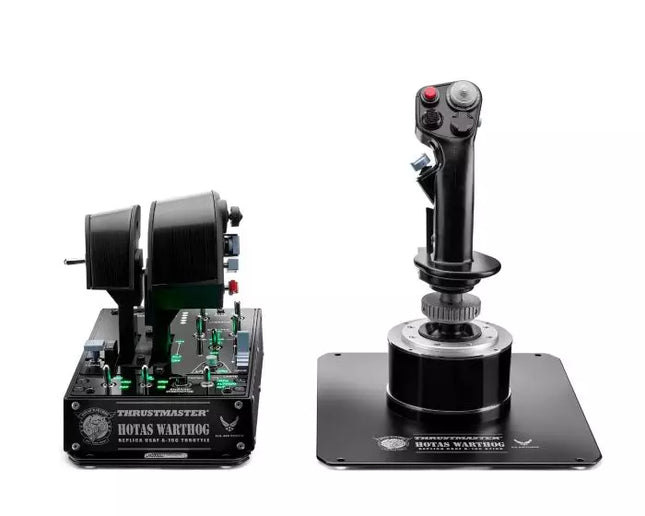
  • Last stock! HOTAS WARTHOG™ For Sale On FlightSimZone

    Thrustmaster HOTAS WARTHOG™

    4 w magazynie Shipped in 1-3 business days.

    HOTAS WARTHOG is a flight simulation enthusiast’s dream. Designed to replicate the U.S. Air Force A-10C joystick and throttle controls, this joystick brings realistic functionality and impressive precision to the virtual cockpit. With its fully metal construction, H.E.A.R.T Hall Effect AccuRate Technology sensors, and magnetic throttle sensors, the HOTAS WARTHOG delivers a solid, immersive feel that lasts for years. Whether you’re flying for hours or fine-tuning every input, this joystick setup offers a satisfying and durable experience that stands out in the world of flight sims. What sets the HOTAS WARTHOG apart? Authentic A-10C Aircraft Replica The HOTAS WARTHOG features an exact replica of the U.S. Air Force's A-10C joystick, dual throttles, and control panel. The attention to detail extends to the metal construction and accurate button placements, which create a more convincing and rewarding flying experience. This level of realism is rare in the world of flight sim peripherals and appeals to users who demand precision in both design and function. Durable All-Metal Construction Unlike many competitors, the HOTAS WARTHOG boasts a full metal frame across the joystick and throttle, making it a tank in terms of durability and feel. Users frequently note the substantial weight and the robust, industrial-quality switches and buttons. This sturdy design ensures the HOTAS WARTHOG will handle intensive use for years without showing signs of wear and tear, while also offering a premium tactile experience that’s hard to match. Advanced Sensor Technology The H.E.A.R.T (HallEffect AccuRate Technology) ensures that the joystick and throttles provide superior precision with 16-bit resolution. This results in inputs that remain accurate and smooth over time without degrading, even after extended use. The technology behind this setup guarantees that every movement you make is reflected instantly in the simulation, with no mechanical drift or wear as you continue flying. Customizable and Programmable Features With 55 fully programmable buttons, 2 four-way hats, and even 5 programmable LEDs, the HOTAS WARTHOG offers an extraordinary level of customization. Whether you need to tweak functions for different aircraft or streamline your setup for specific missions, the T.A.R.G.E.T software suite ensures that all these controls can be easily configured to match your preferences and provide seamless integration with flight simulators. Pros and Cons Pros Cons All-metal construction for durability and realism. Heavy design may not be suitable for all setups. Highly precise H.E.A.R.T sensor technology for accurate inputs. Large form factor may take up significant desk space. Extensive customization with 55 programmable buttons. Specifications Specification Value Joystick Construction Metal Throttle System Dual throttle, metal handles Total Buttons 55 programmable buttons Weight 14 lbs Control Panel 15 buttons, TRIM wheel, backlighting Hats and Switches 2 four-way hats, 1 POV hat, 1 mouse hat Sensor Technology H.E.A.R.T Hall Effect AccuRate Technology Detachable Components Joystick and throttle handles HOTAS WARTHOG Compatibility The HOTAS WARTHOG is primarily designed for use with PC and features comprehensive software support through the T.A.R.G.E.T programming suite, which allows for deep customization and integration across various flight simulators. While it does not support console gaming, it is compatible with many popular flight simulation games available on PC, including DCS World and Microsoft Flight Simulator. Additionally, the HOTAS WARTHOG works seamlessly with other Thrustmaster flight peripherals like rudder pedals and MFD cockpit panels, providing a cohesive simulation experience. As a USB-connected device, the HOTAS WARTHOG is plug-and-play with Windows PCs, and users can rely on the T.A.R.G.E.T software to further personalize their setup. Unfortunately, it is not compatible with consoles, including PlayStation and Xbox. However, for serious sim pilots who are dedicated to PC flight simulation, this is less of a limitation and more of a focus on fine-tuning the experience for desktop enthusiasts.

    4 w magazynie Shipped in 1-3 business days.

    €549,00

  • RealSimGear GNS430 for sale on FlightSimZone

    RealSimGear RealSimGear GNS430

    Brak w magazynie, Pre-Orders Available. Shipped in 2-2.5 weeks from now.

    RealSimGear GNS430 to wszechstronne narzędzie treningowe zaprojektowane zarówno dla entuzjastów symulacji lotniczych, jak i studentów pilotów. Wyposażony w w pełni funkcjonalne pokrętła i dotykowe przyciski silikonowe, odwzorowuje wrażenia z obsługi Garmin 430 z niezwykłą precyzją. Wbudowany 3,5-calowy ekran LCD zapewnia dedykowany wyświetlacz dla wysuwającego się ekranu Garmin w symulatorze, co zwiększa użyteczność. Eliminując interakcje sterowane myszką, to urządzenie pomaga w rozwoju pamięci mięśniowej i biegłości w nawigacji oraz komunikacji radiowej. To must-have dla tych, którzy poważnie podchodzą do nauki latania z przyrządami. Co wyróżnia RealSimGear GNS430? Realistyczne pokrętła Pokrętła i przyciski odwzorowują wrażenia dotykowe z Garmin 430, oferując praktyczny sposób nauki nawigacji i systemów menu. Niezależnie od tego, czy zmieniasz częstotliwości, czy wprowadzasz plan lotu, fizyczne sterowanie zapewnia doświadczenie, które ściśle odwzorowuje użytkowanie w rzeczywistości. Dedykowany ekran LCD Zintegrowany 3,5-calowy ekran LCD eliminuje potrzebę korzystania z głównego monitora do wizualizacji nawigacyjnych. Ta funkcja poprawia skupienie i pozwala przeznaczyć więcej miejsca na ekranie dla innych elementów symulatora. Poprawia biegłość pilota Zaprojektowane z myślą o treningu z przyrządami, to urządzenie wspomaga rozwój pamięci mięśniowej oraz zaznajomienie z obsługą. W połączeniu z wirtualnymi platformami ATC, takimi jak PilotEdge, zamienia czas w symulatorze w praktyczne doświadczenie nauki latania w rzeczywistości. Elastyczne opcje montażu Niezależnie od tego, czy budujesz pełny kokpit, czy po prostu dodajesz do swojego biurka, to urządzenie oferuje wszechstronność. Możliwość montażu na panelu lub stojaku zapewnia łatwą kompatybilność z różnymi konfiguracjami. Plusy i minusy Plusy Minusy Symuluje interfejs Garmin 430 dla precyzyjnego treningu. Niekompatybilny z systemami MacOS. Zawiera dedykowany ekran LCD do lepszego skupienia na nawigacji. Konieczność posiadania wolnego portu HDMI do prawidłowego działania. Poprawia pamięć mięśniową w rzeczywistych scenariuszach lotniczych. Kompatybilny z popularnymi platformami ATC wirtualnymi. Specyfikacja Specyfikacja Wartość Wyświetlacz 3,5-calowy ekran LCD Przyciski Dotykowe silikonowe Pokrętła W pełni funkcjonalne Połączenia USB i HDMI System operacyjny Microsoft Windows (64-bit) Kompatybilność MSFS 2020, X-Plane 11/12 (tylko PC) Kompatybilność RealSimGear GNS430 RealSimGear GNS430 jest kompatybilny z systemami Microsoft Windows (64-bit) i obsługuje X-Plane 11/12 oraz MSFS 2020, ale jest dostępny wyłącznie dla użytkowników PC z powodu ograniczeń sterowników i obsługi ekranu. Konieczność posiadania wolnego portu HDMI zapewnia, że urządzenie działa niezależnie od głównego wyświetlacza. Jednak brak kompatybilności z MacOS sprawia, że nie jest odpowiednie dla użytkowników macOS. Urządzenie najlepiej działa z systemami skonfigurowanymi do integracji z biurkiem lub kokpitem. Jeśli chodzi o platformy gamingowe, GNS430 działa płynnie z X-Plane 11/12 oraz MSFS 2020, co czyni go niezbędnym dla symulatorów lotu opartych na PC. Nie obsługuje konsol ani MacOS, co ogranicza jego użycie do komputerów z systemem Windows. Gracze, którzy chcą połączyć to z platformami ATC, będą doceniać bezpośrednią kompatybilność z PilotEdge i VatSIM, co umożliwia wzbogacenie sesji treningowych.

    Brak w magazynie, Pre-Orders Available. Shipped in 2-2.5 weeks from now.

    €465,00

  • Last stock! RealSimGear GFC500 Autopilot for sale on FlightSimZone

    RealSimGear RealSimGear GFC500 Autopilot

    1 w magazynie Shipped in 1-3 business days.

    RealSimGear GFC500 Autopilot to niezbędne uzupełnienie dla entuzjastów symulacji lotu, którzy szukają lepszej kontroli i precyzji. Urządzenie to odwzorowuje popularny autopilot GFC500 z ogólnej awiacji, wyposażony w funkcjonujące gumowe przyciski dla wszystkich trybów oraz wskaźniki LED, które zapewniają informację zwrotną o stanie operacyjnym. Dzięki zintegrowanemu pokrętłu do precyzyjnych ustawień oraz dedykowanym pokrętłom HDG i CRS, oferuje ono dotykową, bezpośrednią interakcję. Prosta łączność USB i kompatybilność z X-Plane 11/12 oraz MSFS 2020 zapewniają płynną integrację z kokpitem symulatora. Co wyróżnia RealSimGear GFC500 Autopilot? Realistyczna funkcjonalność przycisków i pokręteł – W przeciwieństwie do innych paneli autopilota, GFC500 posiada w pełni funkcjonalne gumowe przyciski oraz responsywne pokrętło do ustawień. Te elementy dotykowe pozwalają użytkownikom na łatwą regulację wysokości, prędkości lotu czy prędkości pionowej, oferując doświadczenie na wzór rzeczywistej obsługi. Zintegrowane wskaźniki LED trybu – GFC500 wyposażony jest w jasne wskaźniki LED, które wyświetlają aktywne tryby autopilota, co pozwala pilotom na szybkie potwierdzenie stanu operacyjnego na pierwszy rzut oka. Ta funkcja zmniejsza zależność od ekranu symulatora, utrzymując uwagę skoncentrowaną na zadaniu. Dedykowane pokrętła HDG i CRS – Dzięki osobnym pokrętłom do ustawiania kursu i nagłówka, urządzenie upraszcza nawigację. Dedykowane pokrętła poprawiają efektywność pracy, sprawiając, że poprawki w locie są bardziej intuicyjne, a obciążenie poznawcze podczas złożonych manewrów mniejsze. Prosta konfiguracja Plug-and-Play – Jedno połączenie USB zapewnia szybki i bezproblemowy proces konfiguracji. Unika się potrzeby dodatkowych kabli czy adapterów, co zapewnia prostą integrację z większością ustawień symulatora. Plusy i minusy Plusy Minusy Dokładne odwzorowanie funkcji autopilota GFC500. Ograniczona kompatybilność z systemami MacOS. Jasne diody LED do wyraźnego wskazania trybów. Obsługuje tylko konkretne modele z ogólnej awiacji. Dedykowane pokrętła poprawiają efektywność nawigacji. Stosunkowo podstawowa funkcjonalność dla szerszych zastosowań. Prosta konfiguracja USB umożliwia łatwą integrację. Może nie być atrakcyjny dla entuzjastów innych niż ogólna awiacja. Specyfikacja Specyfikacja Wartość Typ jednostki Replika autopilota GFC500 Łączność USB Zawartość opakowania Jednostka GFC500 Autopilot, kabel USB Wskaźniki LED Wyświetlanie aktywnego trybu System operacyjny Windows 64-bit Kompatybilność symulatorów X-Plane 11/12, MSFS 2020 Kompatybilność RealSimGear GFC500 Autopilot RealSimGear GFC500 Autopilot bezproblemowo integruje się z MSFS 2020 oraz X-Plane 11/12, dzięki czemu jest wszechstronny dla entuzjastów ogólnej awiacji. Jego pojedyncze połączenie USB upraszcza integrację z kompatybilnymi ustawieniami, jednak nie obsługuje systemów MacOS. Urządzenie zostało zaprojektowane do odwzorowania GFC500, co ogranicza jego zastosowanie głównie do modeli samolotów z ogólnej awiacji, takich jak te z autopilotem Garmin GFC500. Jeśli chodzi o platformy do gier, to urządzenie działa idealnie w środowiskach Windows, oferując niezawodną funkcjonalność przez połączenia USB i HDMI. Nie jest kompatybilne z wersją Xbox MSFS 2020, co może stanowić problem dla użytkowników konsol. Niemniej jednak, dla pilotów korzystających z PC, urządzenie to płynnie integruje się z najpopularniejszymi tytułami symulacyjnymi, zapewniając wzbogacone doświadczenie lotnicze.

    1 w magazynie Shipped in 1-3 business days.

    €405,00

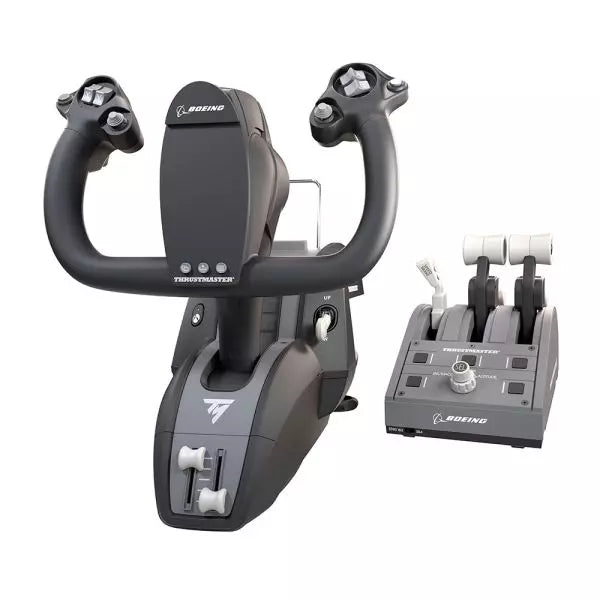
  • Last stock! TCA Yoke Boeing Edition for sale on FlightSimZone

    Thrustmaster TCA Yoke Boeing Edition

    5 w magazynie Shipped in 1-3 business days.

    Take your flight simulation to the next level with the TCA Yoke Boeing Edition. Designed with official Boeing licensing, this yoke is a 1:1 ergonomic replica of the 787 Dreamliner controls. Its suspended PENDUL_R mechanism delivers a smooth, pendular motion for authentic maneuvering, while the 100% metal frame ensures stability and long-lasting durability. Complete with adjustable springs and two additional axes, this yoke is perfect for takeoffs, landings, and everything in between. If you're serious about flight simulation, this is an experience that’s hard to ignore. What sets the TCA Yoke Boeing Edition apart? Licensed Boeing Replica Design The TCA Yoke Boeing Edition replicates the ergonomic design and controls of a Boeing 787 cockpit, offering enthusiasts the opportunity to feel like they’re gripping the real deal. This level of accuracy is rare in the sim market and appeals to those who demand authenticity in their setups. Suspended PENDUL_R Mechanism Unlike conventional yoke systems, the suspended PENDUL_R mechanism simulates the pendular movement of a genuine airliner yoke, offering a fluid and realistic range of motion. This feature is especially appreciated for its natural feel during pitch and roll adjustments. Customizable Spring Resistance The adjustable spring system allows you to fine-tune the tension to your preference, making it suitable for both novice and seasoned pilots. This flexibility ensures comfort and precision regardless of your flying style or aircraft type. Versatile Control Options With 18 action buttons, 6 axes, and a built-in mini-stick, the yoke provides ample mapping possibilities for various aircraft types. Whether navigating a jumbo jet or a small propeller plane, you’ll have the tools to control it all. Pros and Cons Pros Cons Official Boeing-licensed design for an authentic feel. Higher price point compared to other yokes. Suspended PENDUL_R mechanism offers fluid movement. Bulky design may be difficult to mount in tight spaces. Adjustable springs for tailored resistance preferences. 18 action buttons and versatile mapping possibilities. Specifications Specification Value Dimensions (Yoke) 11.8" W x 15.4" D x 15.0" H Weight (Yoke) 14.8 lb / 6,700 g Additional Axes 2 built-in Frame Material 100% Metal Action Buttons 18 Box Contents Yoke, USB Cable, Extra Spring, Tablet Stand TCA Yoke Boeing Edition Compatibility The TCA Yoke Boeing Edition is fully compatible with Xbox One, Xbox Series X|S, and PC. Its integration with Microsoft Flight Simulator ensures a seamless connection right out of the box. However, it may lack compatibility with older systems or non-Xbox consoles, making it essential to confirm your setup before purchase. Its USB-C to USB-A connection broadens compatibility with modern PC hardware. Users appreciate the plug-and-play convenience for supported systems. While the yoke lacks native support for macOS or Linux platforms, its design is tailored for a rich experience on officially supported devices. For gaming platforms, the TCA Yoke integrates naturally with Microsoft Flight Simulator, making it an ideal choice for sim enthusiasts. It’s also likely compatible with other simulation software, provided they support generic joystick input devices. However, it's worth noting that its advanced features may require dedicated profiles or configurations in less popular software.

    5 w magazynie Shipped in 1-3 business days.

    €399,00

  • Honeycomb Alpha Flight Controls XPC

    Fly Honeycomb Honeycomb Alpha Flight Controls XPC

    1 review

    Brak w magazynie, Pre-Orders Available. Shipped in 2-2.5 weeks from now.

    Honeycomb Alpha Flight Controls XPC brings a refined yoke experience to sim pilots seeking robust control and ergonomic design. The 180° yoke rotation with upgraded Hall Effect sensors ensures smooth handling without a center detent, while the multi-function switch panel gives instant access to critical aircraft systems. The damped, self-centering mechanism allows for fluid maneuvering, and the illuminated base provides visibility for night flights. With full Xbox and PC compatibility, it integrates seamlessly with Microsoft Flight Simulator and other major titles. What Sets the Honeycomb Alpha Flight Controls XPC Apart? Smooth and Accurate Hall Effect Sensors – Unlike traditional potentiometers, Hall Effect sensors provide longevity and reliability by eliminating physical wear. The result is consistent control input over time, free from degradation or calibration drift. Comprehensive Switch Panel for Realistic Workflow – The built-in switch panel eliminates the need for extra hardware, featuring controls for master, alternator, avionics, and lights, plus a five-position ignition switch for proper startup sequences. Ergonomic and Fully-Equipped Handles – The left handle features an 8-way hat switch and two-way rocker switches, while the right includes additional toggles and buttons. This ensures easy camera control, trim adjustment, and in-flight commands without lifting a hand off the yoke. True Multi-Platform Support – Many yokes are PC-exclusive, but this one works with Xbox Series X|S as well, making it a rare option for console sim enthusiasts. It’s automatically recognized in Microsoft Flight Simulator, reducing setup time. Pros and Cons Pros Cons Durable Hall Effect sensors reduce calibration drift No force feedback or haptic resistance Integrated switch panel for electrical controls Not compatible with PlayStation Xbox compatibility expands beyond PC users Mounting requires additional space Specifications Specification Value Yoke Rotation 180° Sensor Type Hall Effect Switch Panel Master, alternator, avionics, light switches Ignition 5-position rotary switch Connectivity USB-C to USB-A Dimensions 40 x 13 x 27 cm / 15.75 x 5.19 x 10.63 in Compatibility PC (Windows), Xbox Series X|S, Xbox One Warranty 2 years Honeycomb Alpha Flight Controls XPC Compatibility Software Compatibility Details Full Compatibility Microsoft Flight Simulator, X-Plane 11 & 12, Prepar3D Hardware Compatibility Details PC (Windows) Works with all major flight sims via USB connection Xbox Series X|S Full plug-and-play functionality with Microsoft Flight Simulator Seamlessly integrates with Microsoft Flight Simulator, automatically detecting the yoke and eliminating the need for extensive setup. It also works with X-Plane and Prepar3D, making it a versatile choice for flight sim enthusiasts across multiple platforms. Designed for PC and Xbox Series X|S, this yoke does not support PlayStation or MacOS. The direct USB connection ensures low latency input, while the integrated switches add extra functionality without requiring additional peripherals.

    Brak w magazynie, Pre-Orders Available. Shipped in 2-2.5 weeks from now.

    €399,00

  • VelocityOne Flightdeck

    Turtle Beach VelocityOne Flightdeck

    Brak w magazynie, Pre-Orders Available. Shipped in 2-2.5 weeks from now.

    VelocityOne Flightdeck delivers an exceptional HOTAS experience, built for sim pilots who crave full control. The Flight Touch Display puts real-time status updates and extra input options at your fingertips, while the adjustable stick height ensures a comfortable grip for every hand size. Its Hall-effect sensors promise long-lasting accuracy, and the customizable OLED HUD offers on-the-fly tuning. Whether you're maneuvering through dogfights or exploring deep space, this setup provides a comprehensive set of controls designed for seamless integration with major flight sims. What Sets the VelocityOne Flightdeck Apart? Flight Touch Display Adds Layers of Control – Unlike traditional HOTAS setups, this system introduces a dedicated touchscreen for managing in-flight status and input commands. It effectively expands your cockpit controls, allowing you to assign up to 39 extra button functions for customized interactions. Fully Adjustable Stick for Comfort and Ergonomics – Many setups lock users into a single grip position, but this one features an adjustable stick height. That means pilots with different hand sizes can fine-tune the control feel, ensuring maximum precision without hand fatigue. Modular Design with Dual USB Connectivity – While some HOTAS systems cram everything into a single unit, this setup consists of two independently connected USB devices. This allows for greater flexibility in mounting options and ensures reliable input recognition without interference. Deep Customization Through the Flight Hangar App – Unlike many competitors, this system comes with a dedicated configuration app that allows users to tweak lighting, input sensitivity, and firmware updates. The ability to save and load profiles for different aircraft ensures consistency across multiple simulations. Pros and Cons Pros Cons Touchscreen display provides extra controls and customization Requires manual mapping for full function in some games Modular design with independent throttle and stick Button layout can feel overwhelming for beginners Adjustable stick height for better ergonomics Limited compatibility with certain space sims Specifications Specification Value Connection Type USB-C to USB-A (Throttle and Stick) Weight (Stick) 1.46kg / 3.22lbs Weight (Throttle) 1.51kg / 3.33lbs Dimensions (Stick) 177 x 215.8 x 234.3 mm / 6.97” x 8.50” x 9.22” Dimensions (Throttle) 177.9 x 207.6 x 134.2 mm / 7.00” x 8.17” x 5.28” Programmable Buttons 139 Throttle Type Dual-engine with independent or linked control Included Accessories 2x USB-C to USB-A cables, mounting screws VelocityOne Flightdeck Compatibility Software Compatibility Details Full Compatibility Microsoft Flight Simulator 2020, X-Plane 11 & 12, DCS World, Prepar3D, Star Citizen, War Thunder Limited Compatibility Star Wars Squadrons, Elite: Dangerous (requires manual mapping) Hardware Compatibility Details PC (Windows 10 & 11) Requires USB connection; no support for Mac or consoles Designed exclusively for Windows 10 & 11 PCs, this HOTAS system does not support MacOS or gaming consoles. The dual USB design allows separate recognition of the throttle and stick, reducing input lag and ensuring stable connection across all supported simulators. Best suited for Microsoft Flight Simulator, X-Plane, and DCS World, the VelocityOne Flightdeck also supports Star Citizen and War Thunder with full button mapping. While it works with Elite: Dangerous and Star Wars Squadrons, manual configuration is required due to button limitations.

    Brak w magazynie, Pre-Orders Available. Shipped in 2-2.5 weeks from now.

    €419,00

  • Last stock! Moza AY210 for sale at FlightSimZone

    Moza Baza Jarzma Moza AY210 Force Feedback

    2 w magazynie Shipped in 1-3 business days.

    Baza Jarzma Moza AY210 Force Feedback wprowadza odważne podejście do symulacji lotu, łącząc solidną konstrukcję z zaawansowaną technologią force feedback. Moment obrotowy 9Nm oraz siła nacisku 210N zapewniają intensywny poziom kontroli, sprawiając, że każdy ruch w osi pitch i roll przypomina sterowanie prawdziwym samolotem. Konstrukcja w całości z aluminium nadaje jej przemysłowy charakter, a system szybkiego zwalniania wolantu umożliwia łatwą wymianę. Zaprojektowana z myślą o wszechstronności, obsługuje różne opcje montażu i oferuje w pełni konfigurowalny panel przełączników. Dla osób, które poważnie traktują symulację lotu, ta baza wolantu to prawdziwy przełom. Co wyróżnia Baza Jarzma Moza AY210 Force Feedback? Force feedback o ogromnej mocy Dzięki stałemu momentowi przechyłu 9Nm oraz sile do 210N na osi pitch, ta baza wolantu oferuje poziom sprzężenia zwrotnego, z którym niewiele innych produktów może się równać. Niezależnie od tego, czy wychodzisz ze stromego wznoszenia, czy odczuwasz turbulencje, system force feedback zapewnia głębokie połączenie między pilotem a samolotem. Mechanizm quick-release wolantu W przeciwieństwie do większości wolantów wymagających czasochłonnego demontażu przy personalizacji, ten model posiada mechanizm szybkiego zwalniania inspirowany motorsportem. Umożliwia to błyskawiczną wymianę wolantów w zależności od typu samolotu, skracając czas przygotowania i umożliwiając płynne przełączanie między konfiguracjami kokpitu. Wytrzymała konstrukcja z aluminium Wykonana w całości ze stopu aluminium, baza wolantu została zaprojektowana tak, aby wytrzymać intensywne manewry i długie sesje bez odkształceń czy zużycia. Jej duża masa zapewnia stabilność, utrzymując urządzenie na miejscu nawet przy wysokich obciążeniach force feedback. Rozbudowana personalizacja w oprogramowaniu Oprogramowanie MOZA Cockpit umożliwia precyzyjne dostosowanie ustawień, od profili force feedback po konfigurację panelu przełączników. Użytkownicy mogą regulować oświetlenie, integrację z telemetrią, a nawet funkcje przycisków przy długim naciśnięciu. Zalety i wady Zalety Wady Mocny force feedback z momentem 9Nm i siłą 210N Waga 8kg utrudnia przenoszenie Konstrukcja w całości z aluminium zapewnia trwałość i stabilność Wymaga zewnętrznego zasilacza (w zestawie) Modułowa konstrukcja z mechanizmem quick-release W pełni konfigurowalny panel przełączników z oprogramowaniem MOZA Cockpit Specyfikacja Specyfikacja Wartość Wymiary 243 × 403 × 216 mm Materiał obudowy Stop aluminium Waga 8.0 kg Silniki Podwójne silniki serwo Maksymalna siła pitch 210N Stały moment przechyłu 9Nm Zakres ruchu 150mm Kompatybilne wolanty MOZA Yoke Series Moc 216W Napięcie 110~220V AC → 36V DC Precyzja układu 15-bitowy enkoder magnetyczny Częstotliwość odświeżania USB 1000Hz Opcje montażu Uchwyt biurkowy (opcjonalny), montaż w kokpicie Porty połączeń Zasilanie, USB, throttle, rudder pedals, panel Wyłącznik awaryjny Opcjonalny Telemetryczny force feedback Obsługiwany (bez potrzeby wtyczek) Obsługiwane platformy PC Kompatybilność Baza Jarzma Moza AY210 Force Feedback Kompatybilne z Niekompatybilne z MOZA Yoke Series Wolanty firm trzecich Oprogramowanie MOZA Cockpit do personalizacji Platformy konsolowe Konfiguracje symulatorów lotu na PC MacOS Pełna kompatybilność z PC zapewnia bezproblemową integrację z głównymi symulatorami, w tym Microsoft Flight Simulator 2020, Microsoft Flight Simulator 2024 oraz X-Plane 12. Wbudowany system telemetrycznego force feedback oznacza brak konieczności instalowania dodatkowych wtyczek, zapewniając bezpośrednie sprzężenie zwrotne z wybranego symulatora. Jednak urządzenie nie obsługuje MacOS ani konsol. Choć zaprojektowany wyłącznie dla PC, system oferuje pełne wsparcie dla zaawansowanych symulatorów lotu. Microsoft Flight Simulator i X-Plane 12 działają natywnie, z szerokimi możliwościami mapowania sterowania. W przeciwieństwie do niektórych konkurencyjnych produktów, baza ta nie oferuje funkcji plug-and-play dla użytkowników Xbox lub PlayStation, koncentrując się zamiast tego na głębokiej personalizacji oprogramowania i telemetrycznym force feedback.

    2 w magazynie Shipped in 1-3 business days.

    €769,00

Flight Simuator Gear for sale at SimRacerZone

Login

Forgot your password?

Don't have an account yet?
Create account




