Oferty na Czarny Piątek w FlightSimZone już dostępne! Kup teraz!

Wszystkie produkty

75 products

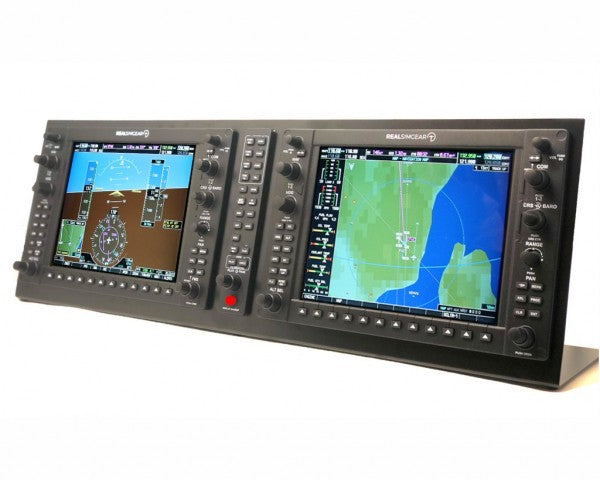
  • Sale -4%Last stock! RealSimGear G1000 Suite for sale on FlightSimZone

    RealSimGear RealSimGear G1000 Suite

    1 w magazynie Wysyłka w ciągu 1–3 dni roboczych.

    RealSimGear G1000 Suite to potężne narzędzie dla entuzjastów symulacji lotniczych, oferujące namacalną więź z wirtualnym niebem. Wyposażony w dedykowane 10,4-calowe wyświetlacze IPS HDMI o rozdzielczości 1024x768, zestaw obejmuje PFD, MFD oraz panel audio GMA. Podświetlane przyciski z silikonu i taktilne pokrętła sprawiają, że każde wprowadzenie danych staje się precyzyjne i zamierzone. Łatwy w konfiguracji dzięki połączeniom USB i HDMI, ten system został zaprojektowany, aby dostarczyć doświadczenie kokpitu bez zbędnych komplikacji. Co wyróżnia zestaw RealSimGear G1000? Dedykowane wyświetlacze IPS dla wyraźnych wizualizacji Każdy ekran to wyświetlacz IPS HDMI o wysokiej jasności 10,4 cala, oferujący wyraźne obrazy i szerokie kąty widzenia. Niezależnie od tego, czy nawigujesz w górzystym terenie, czy analizujesz szczegółową instrumentację, klarowność obrazu zapewnia, że nie umknie Ci żaden szczegół. Łatwość podłączania Plug-and-Play Dzięki preinstalowanym sterownikom oraz prostym połączeniom USB i HDMI, zestaw G1000 eliminuje potrzebę skomplikowanej konfiguracji. Wystarczy podłączyć kable, a system jest gotowy do użycia w symulatorze z minimalną konfiguracją. Podświetlane przyciski i taktilne pokrętła Podświetlane przyciski z silikonu i solidne pokrętła dodają intuicyjnej kontroli. Niezależnie od tego, czy latasz w nocy, czy koncentrujesz się na precyzyjnych regulacjach, taktilne sprzężenie zwrotne pozwala Ci w pełni angażować się w wirtualny kokpit. Wszechstronność montażu Niezależnie od tego, czy integrujesz go z niestandardowym kokpitem, czy używasz stoiska biurkowego, zestaw G1000 jest zaprojektowany tak, aby dostosować się do różnych ustawień. Ta elastyczność pozwala łatwo dopasować go do różnorodnych konfiguracji. Plusy i minusy Plusy Minusy Wysokiej jakości wyświetlacze IPS o ostrej rozdzielczości. Niekompatybilne z systemami Mac lub Xbox MSFS 2020. Prosta konfiguracja Plug-and-Play do łatwego użycia. Wymaga dwóch wolnych portów HDMI w komputerze. Podświetlane przyciski ułatwiają użytkowanie w słabym świetle. Kable HDMI nie są dołączone. Taktilne pokrętła zapewniają satysfakcjonującą reakcję na wejście. Specyfikacja Specyfikacja Wartość Wyświetlacze 2x 10,4" wyświetlacze IPS HDMI Rozdzielczość 1024x768 Przyciski Podświetlany silikon gumowy Pokrętła Taktilna kontrola Połączenia USB i 2x HDMI System operacyjny Microsoft Windows (64-bit) Kompatybilność X-Plane 11/12, MSFS 2020 (tylko PC) Kompatybilność RealSimGear G1000 Suite RealSimGear G1000 Suite jest w pełni kompatybilny z Microsoft Windows (64-bit), co sprawia, że jest doskonałym rozwiązaniem dla symulatorów na PC. Działa bezproblemowo zarówno z X-Plane 11/12, jak i Microsoft Flight Simulator 2020, chociaż nie obsługuje wersji Xbox MSFS 2020 ani systemów macOS. Aby zmaksymalizować jego możliwości, upewnij się, że twój komputer ma dwa dostępne porty HDMI lub użyj adapterów HDMI-USB, jeśli to konieczne. Jeśli chodzi o platformy gamingowe, ten zestaw sprawdza się najlepiej z X-Plane 11/12 i MSFS 2020, oferując natywną obsługę z łatwością Plug-and-Play. Jednak gracze korzystający z konsol lub macOS będą musieli poszukać alternatywnych rozwiązań. Zestaw ten bezproblemowo integruje się z niestandardowymi kokpitami lub samodzielnymi ustawieniami biurkowymi, dostosowując się do szerokiej gamy środowisk symulacyjnych.

    1 w magazynie Wysyłka w ciągu 1–3 dni roboczych.

    €2.449,00 €2.349,00

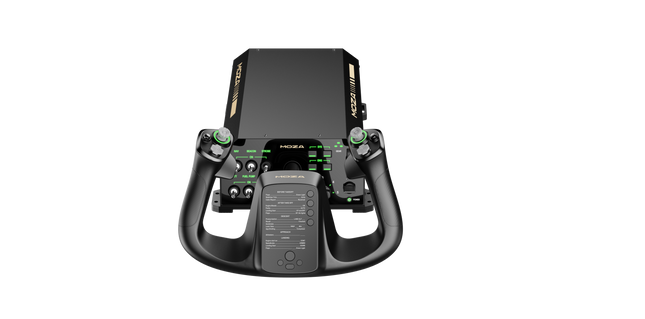
  • Sale -4%Last stock! Moza AY210 Bundle for sale at FlightSimZone

    Moza Moza Yoke Bundle

    4 w magazynie Wysyłka w ciągu 1–3 dni roboczych.

    Moza Yoke Bundle (MFY Yoke + AY210 Yoke Base) brings an impressive blend of engineering and control to flight simulation. The 9Nm torque and 210N push force in the yoke base ensure smooth and forceful feedback, translating every aerodynamic effect into tactile sensations. The fiberglass-reinforced PA66 yoke offers durability and a refined grip, while customizable triggers, an integrated Hall-effect joystick, and magnetic DIY panels add versatility. Paired with an aluminum alloy quick-release system and extensive software customization, this setup is built for those who demand precision and adaptability in every flight. What Sets the Moza Yoke Bundle (MFY Yoke + AY210 Yoke Base) apart? 9Nm Torque and 210N Push Force for Enhanced Control Unlike standard yokes, this system delivers powerful, forceful feedback with 9Nm of sustained roll torque and a 210N pitch axis push-pull force. This level of feedback translates everything from wind resistance to turbulence into a detailed tactile experience. Race Car-Inspired Quick Release for Fast Swaps The aluminum alloy quick-release system enables seamless transitions between different yokes. Whether switching aircraft types or adjusting for different flight tasks, the push-and-pull mechanism allows for quick reconfiguration. Extensive Input Customization Between the MFY Yoke’s 34 configurable inputs and the AY210 Base’s 13 programmable switches, this bundle provides a deep level of cockpit control. Moza’s software allows button remapping, long-press assignments, and telemetry-based lighting adjustments. Hall Effect Sensors and Magnetic DIY Panels The yoke includes dual Hall effect joysticks for precise input and a contactless design for longevity. Additionally, magnetic DIY panels on the front allow users to customize their cockpit interface with printed overlays, making controls easily identifiable. Pros and Cons Pros Cons Strong force feedback with 9Nm torque and 210N push force PC-only, no console support 34 configurable inputs and Hall effect joystick Requires Moza software for full customization Quick-release system for easy yoke swaps Magnetic DIY panels for personalized labeling Specifications Specification Value Yoke Material Fiberglass-reinforced PA66 Yoke Base Material Aluminum alloy Yoke Weight 1.3 kg Base Weight 8.0 kg Maximum Roll Torque 9Nm Maximum Pitch Force 210N Travel Distance 150mm USB Refresh Rate 1000Hz Button Inputs 34 configurable (yoke), 13 programmable (base) Connection Ports Power, USB, throttle, rudder pedals, panel Mounting Options Desktop clamp (optional), cockpit mounting Software Support Moza Cockpit software Platform Support PC Included Accessories Power adapter, power cable, data cable, screws, wrench, user manual Moza Yoke Bundle (MFY Yoke + AY210 Yoke Base) Compatibility Compatible With Not Compatible With Moza Cockpit software for button mapping and telemetry Console platforms Moza Yoke Series Third-party yoke bases Major flight simulators (MSFS, X-Plane 12) MacOS Designed for PC-based flight simulators, this bundle integrates fully with Moza Cockpit software, allowing extensive customization for force feedback, button assignments, and lighting effects. The MFY Yoke is fully compatible with the AY210 Yoke Base, ensuring a plug-and-play experience with Moza’s ecosystem. PC-only compatibility means full support for Microsoft Flight Simulator 2020, Microsoft Flight Simulator 2024, and X-Plane 12. However, console users will need to look for alternative hardware, as this setup does not support Xbox or PlayStation systems.

    4 w magazynie Wysyłka w ciągu 1–3 dni roboczych.

    €949,00 €909,00

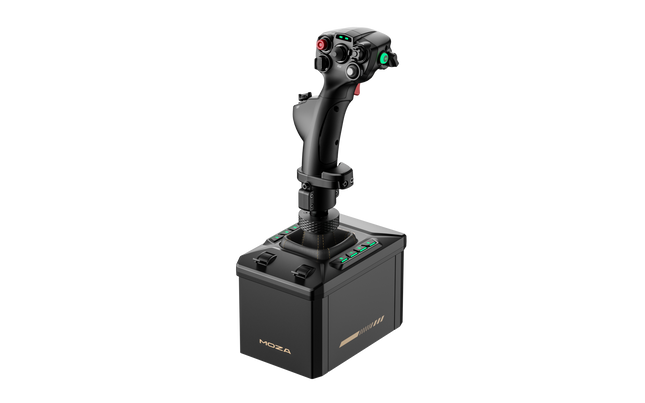
  • Sale -2%Last stock! MOZA AB6 Flight Simulator Bundle (Pre-Order! Shipping Starts Mid-December)

    Moza MOZA AB6 Flight Simulator Bundle (Pre-Order! Shipping Starts Mid-December)

    2 w magazynie Wysyłka w ciągu 1–3 dni roboczych.

    The MOZA AB6 Flight Simulator brings serious aviation enthusiasts closer to the sensation of real cockpit control. With its 6 Nm force feedback base and robust all-metal design, it translates flight dynamics into tactile precision that feels alive in your hands. The included Moza joystick makes up for a great flight immersion. The customizable RGB front panel glows like a command console at dusk, while dual throttle sliders provide smooth, coordinated inputs. Every detail—from its fine-tuned motor to the 15-bit magnetic encoder—makes the AB6 feel like an engineering instrument that just happens to fly. What Sets the MOZA AB6 Flight Simulator apart? Exceptional Force Feedback Consistency — Many users note the AB6’s steadiness under prolonged use. While others can fade or jitter under load, this unit maintains its 6 N·m torque output with impressive smoothness, letting pilots feel aerodynamic resistance through turns and dives. The tactile texture of feedback doesn’t fluctuate—it stays tight, confident, and reassuring throughout the session. Refined Build Quality and Materials — Unlike plastic-heavy bases in its class, the AB6’s aluminum and steel structure provides a reassuring weight and tactile finish. Users appreciate that it stays silent under stress and dissipates heat effectively. It’s not just solid; it feels engineered for endurance—built more like an aircraft component than a gaming peripheral. Versatile Mounting and Integration — The AB6’s compact form factor hides a mounting system that adapts to nearly any rig. Pilots with limited desk space praise how easily it fits on center-mounts or aluminum profiles. The universal connector means it welcomes multiple flightstick types, both MOZA and third-party, extending its lifespan across evolving setups. Software Depth Beyond Expectation — The MOZA Cockpit software offers granular tuning—users can adjust friction, damping, centering strength, and even LED telemetry logic. The real advantage lies in its ability to store and recall profiles for different aircraft, making transitions between fighter jets and passenger planes seamless and intuitive. Pros and Cons Pros Cons Durable full-metal construction enhances stability and longevity. Limited console compatibility; PC-focused system. 6 N·m torque provides consistent tactile flight feedback. Compact design limits internal cooling space. Customizable RGB buttons improve visibility and control mapping. Magnetic encoder ensures smooth, accurate input tracking. Specifications Specification Value Force Feedback Torque 6 N·m Motor Type Outrunner Motor Encoder 15-bit Magnetic Encoder Construction Material Aluminum Alloy and Steel Front Panel Buttons 8 Programmable with RGB Lighting Throttle Sliders Dual Analog Sliders Mounting Options Compatible with Flight Rigs and Aluminum Profiles Software MOZA Cockpit Connector Universal Flightstick Connector (MOZA and select third-party) MOZA AB6 Flight Simulator Compatibility Compatible Flightsticks Notes MOZA Flightsticks Full compatibility via universal connector Select Third-Party Flightsticks Supported with adapter or native connector fit The MOZA AB6 Flight Simulator works seamlessly with MOZA’s own flightsticks and supports several third-party models through its universal connector. Thanks to its mount-friendly form factor, it can be integrated into center-mounted, side-mounted, or overhead setups with minimal adjustment. The solid construction aligns perfectly with metal and profile cockpits, while its USB connectivity ensures reliable communication without proprietary lock-ins. However, it isn’t compatible with console systems such as Xbox or PlayStation, remaining a PC-focused device. When it comes to software compatibility, the AB6 integrates effortlessly with major flight simulators including Microsoft Flight Simulator 2020 and 2024, X-Plane 10/11/12, DCS World, and IL-2 Sturmovik. Users also report smooth function in War Thunder. It supports Windows operating systems and common USB drivers without additional middleware. While it doesn’t have native Mac or console support, its wide simulator integration ensures it remains at home in virtually any PC cockpit environment.

    2 w magazynie Wysyłka w ciągu 1–3 dni roboczych.

    €459,00 €449,00

  • Sale -4%Last stock! MOZA MTQ Throttle Panel (Pre-Order! Shipping Starts Mid-December)

    Moza MOZA MTQ Throttle Panel (Pre-Order! Shipping Starts Mid-December)

    1 w magazynie Wysyłka w ciągu 1–3 dni roboczych.

    The MOZA MTQ Throttle Panel is a modular flight control system built for pilots who crave tactile engagement and mechanical precision in every throttle movement. With its modular throttle lever system and versatile control layout, it transforms any flight sim setup into a cockpit-grade experience. The satisfying detents, metal construction, and customizable RGB lighting give each lever a purposeful feel—whether you’re spooling up engines in an Airbus or arming afterburners in a fighter jet. It’s mechanical satisfaction married with functional versatility. What Sets the MOZA MTQ Throttle Panel apart? Authentic Modular Lever Experience — Unlike fixed throttles, the MTQ allows pilots to swap between Airbus, Boeing, and fighter jet lever styles using a rail-based mounting system. Each lever delivers its own mechanical detents, letting users feel the transition points like reverse thrust engagement or afterburner locks. The tactile precision of these detents has been widely praised by sim pilots for bringing physical clarity to throttle control. Ergonomic Layout with Purposeful Design — The control surface features 10 buttons, 3 rotary knobs, and 3 toggle switches, all placed within natural hand zones. Enthusiasts appreciate how it avoids clutter, offering intuitive access to key flight functions without breaking focus. The addition of a dedicated landing gear lever adds realism and makes transitions between phases of flight smoother and more instinctive. Customizable RGB and Software Integration — The MOZA Cockpit software gives full control over RGB brightness, color logic, and telemetry-based lighting effects. Feedback suggests the lighting not only looks stunning in a dim cockpit but can be programmed to reflect flight states like gear position or throttle detent zones, turning illumination into functional feedback rather than mere decoration. Mechanical Feedback Across Multiple Axes — The MTQ features four axes, each offering unique tactile detents for functions like flaps and speedbrakes. The feel of each axis has been tuned for different resistance levels, and the virtual button detent on the speedbrake arm adds a satisfying click at deployment. Pilots find the consistency across axes makes this panel equally at home in commercial, military, and general aviation setups. Pros and Cons Pros Cons Swappable lever modules offer versatile flight configurations. No standalone USB connection; requires MOZA base link. Excellent tactile detents on throttle and flap axes. Limited third-party ecosystem support. Intuitive layout with RGB lighting customization. Durable mechanical design with smooth motion damping. Specifications Specification Value Lever System Modular Throttle Levers with Sliding Rail Mechanism Throttle Styles Included TQF (Fighter Jet), TQA (Airbus), TQB (Boeing) Axes Four Independent Axes with Detents Buttons and Controls 10 Buttons, 3 Rotary Knobs, 3 Toggle Switches, Landing Gear Lever RGB Lighting Six RGB Buttons, 16.7 Million Color Options Connectivity RJ11 Connection to MOZA Flight Bases Software MOZA Cockpit with Telemetry-Based Lighting Effects MOZA MTQ Throttle Panel Compatibility Compatible Hardware Details MOZA Flight Bases (e.g., AB6) Direct RJ11 connection for plug-and-play integration MOZA Ecosystem Components Seamless function through MOZA Cockpit software Third-Party Systems Limited support; may require adapters or software mapping The MOZA MTQ Throttle Panel connects directly to MOZA flight bases via RJ11, reducing cable clutter and ensuring low-latency communication. Its modular lever design makes it compatible with the TQF, TQA, and TQB throttle variants, each designed for specific aircraft styles. While primarily built for the MOZA ecosystem, users have noted limited compatibility with third-party systems—often requiring adapter solutions or custom mapping. The MTQ integrates seamlessly with aluminum cockpit frames and modular rigs thanks to its stable, mount-friendly base. On the software side, the MTQ works hand-in-hand with MOZA Cockpit software and integrates directly with popular flight simulation titles such as Microsoft Flight Simulator 2020/2024, X-Plane 11/12, and DCS World. It is fully compatible with Windows PCs, but not supported on console systems such as Xbox or PlayStation. With its modular approach and wide in-sim compatibility, the MTQ is built to suit any PC pilot who demands both flexibility and mechanical refinement.

    1 w magazynie Wysyłka w ciągu 1–3 dni roboczych.

    €239,00 €229,00

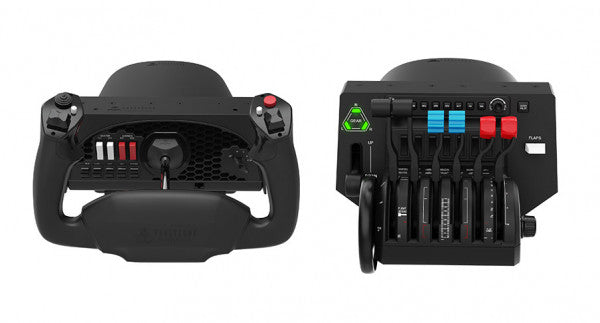
  • Honeycomb Bundle (Yoke & Throttle) For Sale On FlightSimZone

    Fly Honeycomb Honeycomb Bundle (Yoke & Throttle)

    Brak w magazynie, Zamówienia w przedsprzedaży dostępne. Wysyłka w ciągu 2-2,5 tygodnia.

    The Honeycomb Bundle (Yoke & Throttle) is a dream package for flight simulation enthusiasts, combining the acclaimed Alpha Flight Controls and Bravo Throttle Quadrant into a single, cost-saving package. Designed with input from professional pilots and aerospace engineers, it boasts a robust all-metal yoke mechanism and customizable throttle configurations. Whether you're fine-tuning a smooth landing or managing multi-engine systems, the bundle’s intuitive controls and comprehensive switch panels offer unparalleled control and versatility. This isn’t just gear; it’s your co-pilot for a truly elevated sim experience. What sets the Honeycomb Bundle (Yoke & Throttle) apart? Durable Build for Long-Term Use The bundle is built with aerospace-grade components and an all-metal yoke mechanism, ensuring it withstands hours of intensive use. This makes it a trusted companion for both aspiring pilots and seasoned sim enthusiasts seeking equipment that doesn’t flinch under pressure. Incredibly Versatile Throttle Configuration The Bravo Throttle Quadrant is a standout, accommodating single-engine to four-engine setups with ease. Its detailed customization options include thrust reversers, autopilot systems, and a trim wheel, offering flexibility across different aircraft types. Enhanced Switch and Control Panels The switch panel on the Alpha yoke and the annunciator panel on the Bravo throttle provide a plethora of controls, making external keyboard usage almost obsolete. The clear LED backlighting ensures visibility in any lighting conditions. Seamless Integration with Popular Simulators The bundle is compatible with all major flight simulators like Microsoft Flight Simulator and X-Plane 11, providing plug-and-play functionality with profiles designed to simplify setup and maximize control precision. Pros and Cons Pros Cons Exceptional durability with all-metal yoke mechanism. Throttle quadrant levers feel slightly stiff initially. Versatile throttle configurations for various aircraft types. LED backlighting is not adjustable in brightness. Comprehensive switch and annunciator panels reduce keyboard reliance. Compatible with multiple operating systems and platforms. Specifications Specification Value Yoke Turn Radius 180° Yoke Shaft Travel 15 cm Throttle Configurations Single to four-engine, piston or jet Mounting Compatibility Honeycomb and Saitek products Supported OS Windows 10 (64-bit), macOS, Linux Warranty 2 years Honeycomb Bundle (Yoke & Throttle) Compatibility The Honeycomb Bundle (Yoke & Throttle) offers seamless compatibility with major flight simulation software, including Microsoft Flight Simulator, X-Plane 11, and Prepar3D. While the Alpha yoke functions without additional software for X-Plane 11, the Bravo throttle requires the Honeycomb Config Tool for full functionality on Windows and macOS. It lacks support for older simulators like FSX/P3D v3, but profiles are available for more recent platforms, ensuring a hassle-free experience. In terms of hardware, the bundle integrates easily with Honeycomb and Saitek mounting systems, adding versatility to your cockpit setup. While it doesn’t support consoles, it connects effortlessly to PCs through USB and offers plug-and-play functionality for supported games. This makes it a solid choice for simmers who value flexibility in their cockpit configuration. For gaming platforms, the bundle is focused on PC-based simulators and is not compatible with consoles like Xbox or PlayStation. It shines when paired with games like Microsoft Flight Simulator, offering robust support for both general aviation and airliner setups, allowing simmers to explore skies with exceptional control.

    Brak w magazynie, Zamówienia w przedsprzedaży dostępne. Wysyłka w ciągu 2-2,5 tygodnia.

    €509,00

  • Last stock! Turtle Beach VelocityOne Flight System

    Turtle Beach Turtle Beach VelocityOne Flight System

    4 w magazynie Wysyłka w ciągu 1–3 dni roboczych.

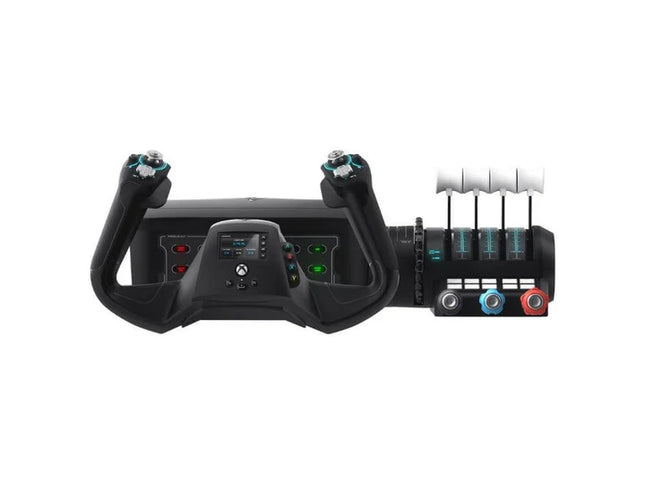
    The VelocityOne Flight System is a robust all-in-one solution for flight enthusiasts on PC and Xbox. With its dual throttle system and status indicator panel, it caters to pilots flying everything from Cessnas to jetliners. The smooth 180° rotating yoke with hall-effect sensors delivers a tactile, dependable feel, while the trim wheel and programmable buttons allow for customization that mirrors real-world operations. Whether you’re cruising through clouds or nailing precision landings, this system ensures you’re in full control. What sets the VelocityOne Flight System apart? Versatile Throttle System The VelocityOne Flight System features dual throttle options—four interchangeable levers for airliners and Vernier-style controls for smaller planes like the Cessna 172. This flexibility allows for accurate power management across different aircraft types, catering to both general aviation and commercial piloting styles. Integrated Annunciator Panel The included Status Indicator Panel adds a layer of realism with its ability to monitor critical systems. With interchangeable plates, it adapts to various aircraft, providing visual feedback on engine issues, warnings, or system states without requiring additional hardware. Rudder Control via Yoke Integrated rudder pedal control on the yoke lets you manage the tail rudder, nose wheel, and brakes with fingertip precision. While it doesn’t replace dedicated pedals, it’s a practical and effective solution for players seeking simplicity without sacrificing control. Flight Management Display The built-in screen serves as a Flight Management Display for Microsoft Flight Simulator, allowing seamless switching between profiles and providing essential data during flight. This feature minimizes reliance on external screens and keeps your focus on piloting. Pros and Cons Pros Cons Includes dual throttle options for diverse aircraft types. Rudder control on yoke lacks realism compared to pedals. Annunciator panel offers visual feedback on system status. Pricier than other entry-level flight controllers. Compatible with PC and Xbox Series X|S systems. Not compatible with PlayStation platforms. Specifications Specification Value Brand Turtle Beach Yoke Rotation 180° Throttle Type Dual (Airliner and Vernier-style) Platform Compatibility PC, Xbox Series X|S, Xbox One Sensor Type Hall-effect Programmable Buttons 10 Annunciator Panel Included with interchangeable plates VelocityOne Flight System Compatibility The VelocityOne Flight System is designed for PC and Xbox platforms, making it an excellent choice for both console and desktop users. It connects seamlessly to Microsoft Flight Simulator on Xbox Series X|S, and its hall-effect sensors ensure smooth, dependable input for precision maneuvers. While it provides button-based rudder control, users seeking a more immersive setup can pair it with dedicated rudder pedals, though this may require additional hardware. For gaming platforms, the VelocityOne is optimized for Xbox Series X|S and Xbox One, as well as Windows-based PCs running modern simulators. Unfortunately, it lacks compatibility with PlayStation consoles or Mac operating systems. While the Flight Management Display works particularly well with Microsoft Flight Simulator, it also integrates with other flight simulators, giving pilots an adaptable and feature-rich experience regardless of their preferred game.

    4 w magazynie Wysyłka w ciągu 1–3 dni roboczych.

    €379,00

  • Sale -6%Last stock! RealSimGear GTN650 for sale on FlightSimZone

    RealSimGear RealSimGear GTN650

    5 w magazynie Wysyłka w ciągu 1–3 dni roboczych.

    RealSimGear GTN650 to fantastyczny moduł NAV/COM z ekranem dotykowym, zaprojektowany z myślą o entuzjastach symulacji lotniczych i studentach pilotów. Dzięki wysokiej rozdzielczości 1920x1080 wbudowanemu ekranowi dotykowemu i dotykowym przyciskom, które odwzorowują prawdziwe urządzenie, to narzędzie ożywia Twoje sesje treningowe. GTN650 zapewnia interaktywne doświadczenie, pomagając opanować wszystko, od częstotliwości radiowych po zaawansowane procedury lotnicze. Niezależnie od tego, czy używasz go na biurku, czy zamontowanego na panelu, urządzenie bezproblemowo integruje się z Twoim zestawem, zapewniając naturalne i skuteczne środowisko nauki. Co wyróżnia RealSimGear GTN650? Wysoka rozdzielczość ekranu dotykowego Zintegrowany ekran dotykowy o rozdzielczości 1920x1080 ułatwia nawigację, zapewniając wyraźne wizualizacje i responsywny interfejs. Obsługuje wszystko, od planów lotów po komunikację, z precyzją, zapewniającą pełne skupienie na niebie. Bezproblemowa integracja z oprogramowaniem awioniki Urządzenie działa perfekcyjnie z Reality-XP GTN650 dla X-Plane lub TDS Simulations GTNXi dla MSFS. Zapewnia to dokładne i bogate doświadczenie symulacyjne, dostosowane do specyficznych funkcji tych wysoko ocenianych wtyczek awioniki. Łatwość konfiguracji typu Plug-and-Play W przeciwieństwie do niektórych rozwiązań sprzętowych, GTN650 nie wymaga montażu ani skomplikowanej konfiguracji. Wystarczy podłączyć przez USB i HDMI, załadować odpowiednie oprogramowanie i gotowe. Ta łatwość obsługi pozwala skupić się na treningu, a nie na konfiguracji. Kompaktowa konstrukcja z elastycznymi opcjami montażu Dzięki swoim kompaktowym wymiarom (158 mm x 68 mm x 22 mm) jest odpowiedni zarówno do zestawów biurkowych, jak i montowanych na panelach, umożliwiając dostosowanie do każdego symulatora. Czyszczenie konstrukcji pasuje do profesjonalnych i domowych kokpitów. Plusy i minusy Plusy Minusy Zawiera ekran dotykowy o wysokiej rozdzielczości 1920x1080. Wymaga dedykowanego portu HDMI do pracy. Bezproblemowa współpraca z popularnymi wtyczkami awioniki, takimi jak Reality-XP. Niekompatybilny z systemami MacOS. Kompaktowy i wszechstronny, nadaje się zarówno do montażu na biurku, jak i na panelu. Brak potrzeby montażu lub dodatkowej konfiguracji sprzętowej. Specyfikacja Specyfikacja Wartość Wyświetlacz 1920x1080 ekran dotykowy Wymiary 158 mm x 68 mm x 22 mm Zawartość opakowania Urządzenie GTN650, zasilacz 12V DC, kabel USB, adapter HDMI 90° Montaż Biurkowy lub montaż na panelu Kompatybilność Microsoft Windows (64-bit), X-Plane 11/12, MSFS 2020 Kompatybilność RealSimGear GTN650 RealSimGear GTN650 jest zaprojektowany do pracy z systemami Microsoft Windows (64-bit), wspiera X-Plane 11/12 oraz Microsoft Flight Simulator 2020. Działa bezproblemowo z Reality-XP GTN650 dla X-Plane oraz TDS Simulations GTNXi lub PMS50 GTN dla MSFS. Jednak nie jest kompatybilny z MacOS ani komputerami Apple z powodu ograniczeń sterowników. Kompaktowe wymiary i proste wymagania połączeniowe (USB i HDMI) zapewniają łatwą integrację zarówno w zestawach biurkowych, jak i zamontowanych na panelach. W przypadku platform gamingowych, GTN650 obsługuje wyłącznie symulatory na PC, co oznacza, że nie działa z konsolami Xbox czy PlayStation. Jego specyficzne zależności od wysokiej jakości wtyczek awioniki dla MSFS i X-Plane zapewniają, że doświadczenie symulacyjne jest dopasowane do entuzjastów szukających profesjonalnego narzędzia do treningu lotniczego. Pamiętaj, że kabel HDMI należy zakupić osobno, aby ukończyć konfigurację.

    5 w magazynie Wysyłka w ciągu 1–3 dni roboczych.

    €595,00 €560,00

  • RealSimGear GTN750 for sale on FlightSimZone

    RealSimGear RealSimGear GTN750

    Brak w magazynie, Zamówienia w przedsprzedaży dostępne. Wysyłka w ciągu 2-2,5 tygodnia.

    RealSimGear GTN750 to doskonały wybór dla entuzjastów symulacji lotu, którzy chcą opanować zaawansowane operacje NAV/COM. Jego zintegrowany ekran dotykowy oraz w pełni funkcjonalne pokrętła odwzorowują rzeczywiste doświadczenie, oferując intuicyjny sposób interakcji z bardziej złożonymi procedurami lotniczymi. Dzięki precyzyjnym wymiarom i wszechstronnym opcjom montażu, GTN750 idealnie pasuje do każdej konfiguracji kokpitu. To potężne narzędzie treningowe zarówno dla uczniów, jak i doświadczonych pilotów, którzy chcą szlifować swoje umiejętności bez polegania na myszy czy klawiaturze. Co wyróżnia RealSimGear GTN750? Duży, wysokiej rozdzielczości ekran dotykowy – Duży wyświetlacz GTN750 zapewnia wyraźny, szczegółowy widok danych lotniczych i map nawigacyjnych. Jego responsywny design zapewnia szybszą interakcję z planowaniem lotu, komunikacją oraz kontrolą systemów, umożliwiając płynne dostosowania w czasie rzeczywistym. Intuicyjne fizyczne pokrętła – Taktilne pokrętła i gumowe przyciski w pełni odwzorowują odczucia z urządzenia Garmin GTN750, pomagając w budowaniu pamięci mięśniowej i obsłudze urządzenia bez zastanawiania się. Ta fizyczna kontrola zwiększa efektywność i wzmacnia procedury podobne do tych w rzeczywistości. Prosty proces konfiguracji – GTN750 jest w pełni zmontowany i zamknięty, eliminując potrzebę drukowania 3D, lutowania czy innych prac DIY. Jego projekt typu plug-and-play upraszcza instalację, dzięki czemu jest dostępny zarówno dla nowicjuszy, jak i doświadczonych użytkowników. Wszechstronne opcje montażu – Zaprojektowany do montażu zarówno na biurku, jak i w panelu, GTN750 dostosowuje się do różnych układów kokpitu. Ta elastyczność sprawia, że jest to niezawodny wybór, niezależnie od tego, czy korzystasz z kompaktowej konfiguracji biurkowej, czy pełnoprawnego symulatora. Plusy i minusy Plusy Minusy Duży ekran dotykowy upraszcza zadania nawigacyjne i komunikacyjne. Niekompatybilny z systemami MacOS. W zestawie taktilne pokrętła i przyciski do praktyki w rzeczywistości. Wymaga oddzielnego zakupu kabla HDMI. Kompatybilny z popularnymi wtyczkami do X-Plane i MSFS. Wymaga dedykowanego portu HDMI do działania. W pełni zmontowany i gotowy do użycia od razu po wyjęciu z pudełka. Specyfikacja Specyfikacja Wartość Typ ekranu Ekran dotykowy, wysoka jasność Wymiary 158mm x 160mm x 22mm Zawartość opakowania Moduł GTN750, zasilacz 12V DC, kabel USB, adapter HDMI prosty Opcje montażu Montaż na biurku lub panelu Kompatybilność Microsoft Windows (64-bit), X-Plane 11/12, MSFS 2020 Kompatybilność RealSimGear GTN750 RealSimGear GTN750 jest kompatybilny z systemami opartymi na Windows i obsługuje X-Plane 11/12 oraz Microsoft Flight Simulator 2020. Łączy się bezproblemowo z wtyczkami, takimi jak Reality-XP GTN750 do X-Plane oraz TDS Simulations GTNXi lub PMS50 GTN do MSFS, oferując solidną integrację z popularnymi platformami symulacyjnymi. Jednak nie jest kompatybilny z systemami MacOS, co ogranicza jego użycie do konfiguracji Windows. Urządzenie łączy się przez USB i HDMI, zapewniając prosty i niezawodny interfejs sprzętowy. Jeśli chodzi o platformy do gier, GTN750 działa wyłącznie z komputerami PC i nie obsługuje konsol takich jak Xbox czy PlayStation. Doskonale sprawdza się, zapewniając skoncentrowane doświadczenie symulacyjne dla symulatorów opartych na Windows, co czyni go niezbędnym narzędziem do poważnego treningu lotniczego i realistycznych konfiguracji kokpitów. Upewnij się, że masz wolny port HDMI i odpowiednie oprogramowanie awioniczne, aby odblokować jego pełny potencjał.

    Brak w magazynie, Zamówienia w przedsprzedaży dostępne. Wysyłka w ciągu 2-2,5 tygodnia.

    €610,00

  • Last stock! TCA Yoke Boeing Edition Pack for sale at FlightSimZone

    Thrustmaster TCA Yoke Pack Boeing Edition

    5 w magazynie Wysyłka w ciągu 1–3 dni roboczych.

    Step into the captain’s seat with the TCA Yoke Pack Boeing Edition, a flight system designed to emulate the controls of a Boeing 787. With its suspended PENDUL_R mechanism providing fluid motion and a 100% metal internal structure, this yoke system offers durability and balance that will make you feel like you're piloting the real thing. Paired with a throttle quadrant featuring swappable levers and an iconic Boeing autopilot knob, it's an aviation enthusiast's dream grounded in technical brilliance. What sets the TCA Yoke Pack Boeing Edition apart? Boeing-Approved Design and Feel Designed with official Boeing licensing, the TCA Yoke Pack mirrors the ergonomic and operational feel of a 787 cockpit. The PENDUL_R mechanism mimics the genuine pendular motion of a Dreamliner’s yoke, offering an unmatched connection between pilot and machine. Adjustable Resistance for Tailored Control Its customizable spring system allows for precise resistance adjustments, catering to both beginner and experienced aviators. Whether you prefer a light touch or robust tension, the system adapts seamlessly to your needs. Durable All-Metal Construction With a 100% metal frame, this yoke delivers robustness and longevity. Users praise its sturdiness, ensuring it remains a reliable part of your setup for countless flight hours without losing its balanced feel. Swappable and Ambidextrous Throttle Quadrant The throttle levers can be swapped for speed brake and flaps levers, ensuring an ambidextrous setup. This flexibility is particularly lauded by users who need configurations suited to varied aircraft. Pros and Cons Pros Cons Robust metal construction ensures lasting durability. Expensive compared to many flight yoke systems. Suspended PENDUL_R mechanism provides smooth movement. Setup may be challenging for smaller spaces. Swappable levers offer exceptional customization options. Limited throttle quadrant size for complex setups. Compatible with both Xbox and PC for versatile use. Heavier weight makes portability difficult. Specifications Specification Value Yoke Dimensions 11.8" W x 15.4" D x 15.0" H Yoke Weight 14.8 lb / 6,700 g Quadrant Dimensions 5.1" W x 7.7" D x 5.9" H Quadrant Weight 1.3 lb / 600 g Box Contents Yoke, Quadrant, USB Cable, Mount, Levers, Flyers TCA Yoke Pack Boeing Edition Compatibility The TCA Yoke Pack Boeing Edition is officially licensed for use with Xbox One and Xbox Series X|S, making it an excellent choice for console-based aviators. Its PC compatibility adds flexibility, allowing for use with Microsoft Flight Simulator and other popular platforms. However, it may not be directly compatible with older Xbox models or PlayStation systems, so plan accordingly. The yoke and quadrant integrate automatically with Microsoft Flight Simulator, ensuring quick setup and recognition. It supports USB-C to USB-A connections, broadening its range of hardware compatibility. Be mindful of the need for supported software, as its advanced features require compatible simulation environments. With its seamless integration into modern gaming systems, the TCA Yoke Pack elevates the experience for casual flyers and hardcore enthusiasts alike. Whether flying on console or PC, it delivers the tools needed to take virtual aviation to new heights.

    5 w magazynie Wysyłka w ciągu 1–3 dni roboczych.

    €499,00

  • Last stock! RealSimGear G500 Avionics Panel for Sale On FlightSimZone

    RealSimGear RealSimGear G500 Panel Awioniki

    4 w magazynie Wysyłka w ciągu 1–3 dni roboczych.

    RealSimGear G500 Avionics Panel zapewnia wyraźne i responsywne doświadczenie kokpitu szklanym, które zmienia Twój symulator lotów. Wyświetlacz o wysokiej jasności zapewnia wyraźne obrazy, nawet w zmiennych warunkach oświetleniowych, podczas gdy podświetlane gumowe przyciski zapewniają taktilne i satysfakcjonujące uczucie. Szeroki wyświetlacz, w połączeniu z funkcjonalnością dotykową, umożliwia płynne interakcje z danymi awioniki. Niezależnie od tego, czy nawigujesz po szczegółowych mapach, dostosowujesz punkty nawigacyjne, czy konfigurujesz różne ustawienia samolotu, ten panel zapewnia interakcję, która sprawia, że zapominasz, iż jesteś przy biurku. Jego solidna integracja z X-Plane i Microsoft Flight Simulator sprawia, że jest to solidny wybór dla zapalonych entuzjastów symulatorów lotu. Co wyróżnia panel awioniki RealSimGear G500? Dotykowy ekran pojemnościowy dla wszechstronnej kontroli – W przeciwieństwie do wielu wyświetlaczy symulatorów lotów, które polegają wyłącznie na fizycznych przyciskach, ten panel wyposażony jest w wbudowany dotykowy ekran pojemnościowy. Umożliwia to intuicyjną kontrolę nad awioniką, ułatwiając dostosowanie ustawień w trakcie lotu, zwłaszcza podczas obsługi różnych typów samolotów. Optymalizacja dla X-Plane z prekonfigurowanymi samolotami – Podczas gdy niektóre panele awioniki wymagają rozbudowanej konfiguracji, G500 jest już zintegrowany z domyślnym Cessną 172 i TorqueSim BN-2B Islander, a także z rozwojem zgodności z kolejnymi samolotami. Oznacza to mniej czasu na dostosowywanie ustawień i więcej czasu na latanie. Szczegółowe widoki map z danymi z rzeczywistego świata – Wyświetlacz G500 to nie tylko podstawowa pomoc nawigacyjna; zapewnia bogate szczegóły, w tym teren, przestrzeń powietrzną, ruch lotniczy, a także drogi i miasta. Taki poziom klarowności zmienia zasady gry podczas planowania skomplikowanych tras. Integracja z RealityXP GTN i GNS – Dzięki obsłudze awioniki RealityXP, ten panel daje użytkownikom elastyczność rozszerzenia swojego zestawu symulacyjnego o jeszcze bardziej zaawansowane narzędzia nawigacyjne, łącząc symulację z rzeczywistym planowaniem lotu. Plusy i minusy Plusy Minusy Jasny wyświetlacz o szerokim kącie widzenia z wyraźną widocznością Wymaga zakupu dodatkowego oprogramowania do pełnej funkcjonalności Dotykowy ekran pojemnościowy dodaje interaktywną kontrolę Ograniczona natywna integracja z Microsoft Flight Simulator Prekonfigurowane ustawienia dla niektórych samolotów, co skraca czas konfiguracji Brak wsparcia dla systemów Mac Specyfikacja Specyfikacja Wartość Typ wyświetlacza Dotykowy ekran pojemnościowy, wysoka jasność Przyciski Podświetlane gumowe przyciski z taktilnym odczuciem Zasilanie 110-240V, 12V, 2A Kompatybilność Windows (X-Plane 11/12, ograniczone wsparcie MSFS) Dołączone akcesoria Kabel USB, zasilacz Kompatybilność panelu awioniki RealSimGear G500 Kompatybilność oprogramowania Szczegóły X-Plane 11 & 12 W pełni obsługiwane z dedykowaną integracją Microsoft Flight Simulator 2020 Funkcjonuje jako urządzenie dotykowe ogólnego przeznaczenia Kompatybilność sprzętu Szczegóły PC (tylko Windows) Brak wsparcia dla MacOS z powodu ograniczeń sterowników Najlepsze rezultaty uzyskasz z X-Plane 11 i 12, gdzie ma natywną integrację dla wybranych samolotów. Obsługuje również awionikę RealityXP GTN i GNS, oferując dodatkowe opcje konfiguracji. Użytkownicy Microsoft Flight Simulator 2020 mogą nadal korzystać z tego panelu, ale bez specyficznej funkcjonalności G500, zamiast tego działając jako kontroler dotykowy dla paneli G3X lub G3000. Kompatybilny wyłącznie z systemem Windows, panel ten nie działa z systemem MacOS z powodu problemów z obsługą sterowników i ekranów. Łączy się za pomocą USB i wymaga zakupu dodatkowego oprogramowania, aby odblokować pełną funkcjonalność awioniki G500 w X-Plane.

    4 w magazynie Wysyłka w ciągu 1–3 dni roboczych.

    €1.310,00

  • Last stock! RealSimGear G1000 PFD/MFD for sale on FlightSimZone

    RealSimGear G1000 PFD/MFD

    3 w magazynie Wysyłka w ciągu 1–3 dni roboczych.

    RealSimGear G1000 PFD/MFD oferuje poziom interakcji i funkcjonalności w symulacji lotu, który trudno przeoczyć. Wyposażony w dedykowany 10,4-calowy wyświetlacz HDMI, ten moduł integruje taktilne pokrętła i gumowe przyciski, zapewniając realistyczne odczucie. Niezależnie od tego, czy jest zamontowany na biurku, czy zainstalowany w panelu, G1000 zmienia sposób, w jaki trenujesz i nawigujesz. Prosta łączność USB i HDMI oznacza, że w mgnieniu oka możesz zanurzyć się w symulatorze G1000 w samolocie wyposażonym w ten system, w X-Plane 11/12 lub MSFS 2020. Co wyróżnia panel RealSimGear G1000 PFD/MFD? Dedykowany wyświetlacz HDMI – Wbudowany 10,4-calowy ekran IPS o rozdzielczości 1024x786 zapewnia wyraźne i czyste obrazy, które są łatwe do odczytania nawet podczas najbardziej skomplikowanych zadań nawigacyjnych. W przeciwieństwie do konfiguracji wymagających oddzielnych monitorów, ten zintegrowany wyświetlacz utrzymuje wszystko w kompaktowej formie i umożliwia bezpośredni dostęp. Wysokiej jakości konstrukcja i taktilne sprzężenie zwrotne – Gumowe przyciski i taktilne pokrętła zapewniają satysfakcjonujące fizyczne sprzężenie zwrotne, sprawiając, że wejścia nawigacyjne wydają się celowe i naturalne. To sprzęt stworzony dla tych, którzy cenią solidny, celowy interfejs, który naśladuje rzeczywisty odpowiednik. Bezproblemowa integracja – Kompatybilność z uchwytami Saitek/Logitech i Honeycomb zapewnia łatwą konfigurację w istniejącym systemie symulacyjnym. Ta elastyczność sprawia, że panel G1000 PFD/MFD jest wszechstronnym dodatkiem do wielu wstępnie skonfigurowanych kokpitów, zwiększając jego atrakcyjność dla szerokiego kręgu symulatorów lotu. Łatwa obsługa Plug-and-Play – Dzięki preinstalowanym sterownikom i braku konieczności dodatkowej konfiguracji, rozpoczęcie pracy jest łatwe. Połączenie USB zapewnia natychmiastową funkcjonalność, a opcje takie jak adaptery HDMI-USB pomagają użytkownikom z ograniczoną liczbą portów wideo, usuwając typowe trudności w konfiguracji. Plusy i minusy Plusy Minusy Zintegrowany wyświetlacz HDMI 10,4” zapewniający wyraźne obrazy. Wymaga zakupu oddzielnego kabla HDMI. Kompatybilny z uchwytami Saitek/Logitech i Honeycomb. Brak wsparcia dla systemów Mac. Preinstalowane sterowniki umożliwiające szybkie uruchomienie Plug-and-Play. Nieobsługiwane na wersji Xbox MSFS 2020. Taktilne pokrętła i przyciski oferują satysfakcjonujące sprzężenie zwrotne. Cena premium za zestaw funkcji. Specyfikacja Specyfikacja Wartość Wielkość ekranu 10,4” IPS Rozdzielczość 1024x786 Łączność USB i HDMI Włączone komponenty Moduł PFD, kabel USB, zasilacz 12V Kompatybilność z uchwytami Saitek/Logitech i Honeycomb System operacyjny Windows 64-bit Kompatybilność panelu RealSimGear G1000 PFD/MFD RealSimGear G1000 PFD/MFD bezproblemowo integruje się zarówno z X-Plane 11/12, jak i MSFS 2020, oferując doskonały interfejs do samolotów wyposażonych w G1000. Jego system montażu jest w pełni kompatybilny z uchwytami Saitek/Logitech i Honeycomb, co czyni go elastycznym dodatkiem do istniejących konfiguracji kokpitów. Jednak nie obsługuje systemów operacyjnych Mac, co ogranicza jego użycie na urządzeniach Apple. Jeśli chodzi o kompatybilność z platformami do gier, G1000 działa doskonale z komputerami PC opartymi na systemie Windows, oferując niezawodną funkcjonalność przez połączenia USB i HDMI. Nie jest kompatybilny z wersją Xbox MSFS 2020, co może stanowić problem dla użytkowników konsol. Jednak dla pilotów PC ten moduł działa bezproblemowo z najpopularniejszymi tytułami symulacyjnymi, zapewniając wzbogacone doświadczenie latania.

    3 w magazynie Wysyłka w ciągu 1–3 dni roboczych.

    €1.110,00

  • Last stock! TPR: Thrustmaster Pendular Rudder

    Thrustmaster TPR: Thrustmaster Pendular Rudder

    4 w magazynie Wysyłka w ciągu 1–3 dni roboczych.

    The TPR: Thrustmaster Pendular Rudder brings a whole new dimension to flight simulation with its innovative design and uncompromising build quality. Featuring PENDUL_R technology, it delivers ultra-smooth and fluid motion for precise rudder control. Its 100% metal structure exudes durability, while adjustable pedals and customizable resistance make it adaptable to every pilot’s preference. Paired with H.E.A.R.T. HallEffect magnetic sensors, this rudder system ensures accuracy and longevity, creating an experience that feels as intuitive as it is powerful. What sets the TPR: Thrustmaster Pendular Rudder apart? Unique PENDUL_R Mechanism The suspended PENDUL_R technology sets this rudder apart, offering fluid, natural movement that closely mirrors real-world aircraft rudder dynamics. This mechanism creates a more tactile and intuitive experience, especially during small, delicate adjustments, making it stand out in the world of simulation hardware. Customizable to Your Preferences With adjustable pedal angles and resistance levels, the TPR caters to a variety of preferences and setups. Whether you prefer a light touch or firm resistance, the included springs and versatile configuration options ensure you can tailor it to your exact needs. Built for Stability and Longevity The TPR’s solid metal construction ensures it remains steadfast during even the most demanding sessions. Its weight and mounting holes keep it stable, while the H.E.A.R.T. sensors deliver frictionless performance that won’t degrade over time, offering incredible reliability. Comprehensive Ecosystem Integration Designed to work seamlessly with Thrustmaster’s T.A.R.G.E.T software, the TPR can be paired with other devices for unified profiles. This integration enhances its usability across a wide range of flight sim setups, from helicopters to fighter jets. Pros and Cons Pros Cons Durable 100% metal construction for long-term use. Expensive compared to other rudder systems. Fluid, realistic movement with PENDUL_R technology. Large footprint requires substantial space. Customizable resistance and pedal angles. Seamless integration with Thrustmaster T.A.R.G.E.T software. Specifications Specification Value Product Dimensions 20.9 x 14.2 x 14.2” / 53 x 36 x 36 cm Product Weight 15.4 lb / 7 kg Material 100% metal construction Adjustable Features Pedal angles (35° to 75°), resistance springs Package Contents TPR rudder, brake pedals, tools, manual TPR: Thrustmaster Pendular Rudder Compatibility The TPR: Thrustmaster Pendular Rudder is designed to work on PC with all major flight simulation software, including Microsoft Flight Simulator 2020, X-Plane 11/12, and DCS World. It is also compatible with Thrustmaster's T.A.R.G.E.T software, which allows you to integrate it with other Thrustmaster peripherals like the HOTAS Warthog. This creates a unified ecosystem, enabling seamless control across multiple devices. However, it is not compatible with consoles or non-PC platforms. When it comes to hardware integration, the TPR features standard USB connectivity and operates as a standalone device or part of a setup. Its sturdy metal base includes mounting holes for cockpit setups, ensuring compatibility with a wide range of custom and professional configurations. The adjustable pedals and resistance settings make it flexible for diverse setups, from compact spaces to larger rigs. For gaming platforms, the TPR connects directly to PC systems via USB, offering plug-and-play functionality. It is automatically recognized by supported software, allowing for quick and hassle-free setup. The lack of console support may be a drawback for some, but its PC-focused design ensures uncompromised performance for simulation enthusiasts.

    4 w magazynie Wysyłka w ciągu 1–3 dni roboczych.

    €549,00

Flight Simuator Gear for sale at SimRacerZone

Login

Forgot your password?

Don't have an account yet?
Create account




