Instrument Panels

27 products

  • Siste lager! RealSimGear GMA350 Audio Panel for sale on FlightSimZone

    RealSimGear RealSimGear GMA350 lydpanel

    3 på lager Sendes innen 1–3 virkedager.

    RealSimGear GMA350 Audio Panel gir et nytt nivå av kontroll til virtuell luftfart, og muliggjør sømløs håndtering av COM- og NAV-radio kilder. Med gummiknapper og LED-indikatorer gjør dette panelet det enkelt å overvåke og bytte mellom radiokanaler, og forbedrer tilkoblingen din til virtuelle ATC-tjenester som PilotEdge. De ekstra knappene og volumknappen tilbyr ekstra tilpasning for andre funksjoner, og sikrer allsidighet for ulike flysim-oppsett. Kompakt, men kraftfull, er dette det perfekte verktøyet for en mer interaktiv cockpitopplevelse. Hva skiller RealSimGear GMA350 Audio Panel fra andre? Dedikert COM og NAV-kontroll I motsetning til generiske lydpaneler, lar denne enheten deg uavhengig overvåke og bytte mellom COM og NAV-radio kilder med klare LED-indikatorer. Det er en presis, taktil opplevelse som forenkler kommunikasjonen under komplekse flyscenarier. Sømløs integrasjon med G1000-systemer Bygget spesielt for å komplementere RealSimGear G1000-pakken, fungerer det uten problemer med deres PFD- og MFD-moduler, og gir en enhetlig cockpitfølelse for avanserte simuleringsoppsett. Tilpassbare knapper for ekstra funksjoner Volumknappen og andre knapper kan tilordnes ulike kommandoer, og gir ekstra funksjonalitet for sim-piloter som ønsker mer kontroll uten å rotete til cockpiten. Kompakt og robust design Med en bredde på kun 158 mm, er panelet kompakt nok for trange oppsett samtidig som det opprettholder solid byggekvalitet. Dens aluminiums konstruksjon sikrer at den kan tåle omfattende bruk uten slitasje. Fordeler og ulemper Fordeler Ulemper Overvåker og bytter enkelt mellom radio kilder. Begrenset funksjonalitet utenfor G1000-systemer. Tilpassbare knapper gir allsidige cockpit-alternativer. Ikke kompatibel med Mac-operativsystemer. LED-indikatorer gir klare tilbakemeldinger i sanntid. Krever ekstra monteringsutstyr for noen oppsett. Spesifikasjoner Spesifikasjon Verdi Dimensjoner 158mm (B) x 32mm (H) x 84mm (D) Inkluderte komponenter GMA350 Audio Panel, USB-kabel Kompatibilitet RealSimGear G1000 PFD- og MFD-moduler Støttede operativsystemer Microsoft Windows 64-bit Støttede simulatorer Microsoft Flight Simulator (2020), X-Plane 11/12 RealSimGear GMA350 Audio Panel Kompatibilitet RealSimGear GMA350 Audio Panel er designet eksklusivt for bruk med RealSimGear G1000 PFD- og MFD-moduler. Den kobles sømløst via en USB-grensesnitt, og sikrer raskt oppsett og feilfri integrasjon med G1000-pakken. Den spesialiserte designen gjør det til et uunnværlig verktøy for piloter som bruker RealSimGears modulære cockpit-systemer, men den er ikke kompatibel med frittstående konfigurasjoner eller andre tredjepartsoppsett. Dette panelet fungerer med Microsoft Flight Simulator (2020) og X-Plane 11/12 på Windows 64-bit systemer. Dessverre mangler det støtte for Mac-operativsystemer, noe som gjør det mindre allsidig for ikke-Windows-brukere. For støttede plattformer er det imidlertid et uvurderlig tillegg for de som ønsker bedre lydkontroll i sine virtuelle flyvninger.

    3 på lager Sendes innen 1–3 virkedager.

    €345,00

  • Siste lager! RealSimGear GFC700 Autopilot for sale on FlightSimZone

    RealSimGear RealSimGear GFC700 Autopilot

    3 på lager Sendes innen 1–3 virkedager.

    RealSimGear GFC700 Autopilot gir presisjon og enkelhet til ditt flysimulatoroppsett. Modellert etter GFC700-enheten som finnes i Cirrus SR20/SR22-fly, har den funksjonelle gummiknapper for alle moduser og et justerbart hjul for finjustering av luftfartshastighet, vertikal hastighet eller høyde. Med integrerte LED-indikatorer og dedikerte moduskontroller sikrer det en intuitiv, taktil opplevelse. Enheten kobles enkelt via USB og er kompatibel med både MSFS 2020 og X-Plane 11/12, noe som gjør denne autopiloten til et allsidig tillegg for entusiaster av generell luftfart. Hva skiller RealSimGear GFC700 Autopilot fra andre? Autentiske moduskontroller og tilbakemelding GFC700 inkluderer funksjonelle gummiknapper som etterligner de som finnes på ekte autopilotsystemer. Hver knapp aktiverer spesifikke moduser, komplementert med LED-indikatorer, som gir brukerne direkte operasjonell tilbakemelding og reduserer avhengigheten av skjermbaserte ledetekster under kritiske justeringer. Justerbart hjul for flyparametere Det integrerte hjulet lar piloter finjustere luftfartshastighet, vertikal hastighet eller høyde med presisjon. Denne taktile kontrollen gir en engasjerende, håndgripelig opplevelse som både er funksjonell og tilfredsstillende, ideell for de som verdsetter detaljerte inndatajusteringer. Effortless USB-integrasjon GFC700 kobles til via en enkelt USB-kabel, noe som strømlinjer oppsettet og eliminerer rot. Dens kompatibilitet med RealSimGear-plugin sikrer jevn ytelse og en sømløs tilkobling til populære simulatorer som MSFS 2020 og X-Plane 11/12. Bygget for entusiaster av generell luftfart Designet for å replisere autopiloten som finnes i Cirrus SR20/SR22-fly, utmerker den seg ved å tilby en skreddersydd opplevelse for fans av generell luftfart, og fokuserer på spesifikke funksjoner som samsvarer med disse flymodellene. Fordeler og ulemper Fordeler Ulemper Replikerer GFC700 som finnes i ekte Cirrus-fly. Begrenset funksjonalitet utenfor generelle luftfartsoppsett. Inkluderer taktile, fullt funksjonelle gummiknapper. Støtter ikke Mac-operativsystemer. Enkelt å integrere med USB og plugin-støtte. LED-indikatorer gir klar tilbakemelding om moduser. Spesifikasjoner Spesifikasjon Verdi Enhetstype GFC700 Autopilot Replika Tilkobling USB Inkluderte komponenter GFC700 Autopilot-enhet, USB-kabel LED-indikatorer Aktiv modusvisning Operativsystemer Windows 64-bit Simulator-kompatibilitet X-Plane 11/12, MSFS 2020 RealSimGear GFC700 Autopilot Kompatibilitet RealSimGear GFC700 Autopilot er designet med entusiaster av generell luftfart i tankene. Den er svært kompatibel med MSFS 2020 og X-Plane 11/12, og sikrer utmerket integrasjon med disse simulatorene. Den ene USB-tilkoblingen forenkler oppsettet, men det er viktig å merke seg at den er skreddersydd for fly som Cirrus SR20/SR22. Imidlertid kan funksjonaliteten være begrenset med andre flytyper. Når det gjelder operativsystemer, støtter GFC700 Windows 64-bit, men den fungerer ikke på Mac-plattformer. Denne enheten fokuserer på å forbedre generell luftfartssimulering i stedet for å tilpasse seg bredere simulatorapplikasjoner, og gjør det til et spesialisert verktøy for en nisjegruppe.

    3 på lager Sendes innen 1–3 virkedager.

    €345,00

  • RealSimGear GFC500 Autopilot for sale on FlightSimZone

    RealSimGear RealSimGear GFC500 Autopilot

    Ikke på lager, Forhåndsbestillinger tilgjengelig. Sendes om 2–2,5 uker.

    RealSimGear GFC500 Autopilot er et viktig tillegg for flysimulatorentusiaster som ønsker bedre kontroll og presisjon. Denne enheten replikerer den populære generelle luftfarts GFC500, komplett med funksjonelle gummiknapper for alle moduser og LED-indikatorer for operasjonell tilbakemelding. Med sitt integrerte hjul for fine justeringer og dedikerte HDG- og CRS-knotter, tilbyr den et taktilt, håndgripelig grensesnitt. Enkel USB-tilkobling og kompatibilitet med X-Plane 11/12 og MSFS 2020 sikrer sømløs integrasjon i ditt sim-cockpit. Hva skiller RealSimGear GFC500 Autopilot fra andre? Realistisk knapp- og hjulfunktionalitet I motsetning til andre autopilotpaneler har GFC500 fullt funksjonelle gummiknapper og et responsivt justeringshjul. Disse taktile elementene lar brukerne enkelt justere høyde, luftfartshastighet eller vertikal hastighet, og gir en håndgripelig opplevelse som speiler den virkelige driften. Integrerte LED-modusindikatorer GFC500 har lyse LED-indikatorer som viser aktive autopilotmoduser, og sikrer at piloter raskt kan bekrefte operasjonell status med et blikk. Denne funksjonen reduserer avhengigheten av simulator-skjermen, og holder oppmerksomheten fokusert på oppgaven. Dedikerte HDG- og CRS-knapper Med separate knotter for heading og kursvalg, forenkler denne enheten navigasjonsjusteringer. De dedikerte kontrollene forbedrer arbeidsflyteffektiviteten, og gjør korrigeringer midt i flyvningen mer intuitive, samtidig som de reduserer den kognitive belastningen under komplekse manøvrer. Plug-and-play USB-design Den ene USB-tilkoblingen sørger for at oppsettet er raskt og problemfritt. Den unngår behovet for ekstra kabler eller adaptere, og gir en enkel løsning som sømløst integreres i de fleste simulatoroppsett. Fordeler og ulemper Fordeler Ulemper Presis replika av GFC500 autopilotfunksjoner. Begrenset kompatibilitet med Mac-operativsystemer. Lyse LED-lys for klar modusindikasjon. Støtter kun spesifikke generelle luftfartsmodeller. Dedikerte knotter forbedrer navigasjonseffektivitet. Relativt enkel funksjonalitet for bredere applikasjoner. Enkel USB-oppsett for lett integrasjon. Kanskje ikke tiltrekkende for ikke-generelle luftfartsentusiaster. Spesifikasjoner Spesifikasjon Verdi Enhetstype GFC500 Autopilot Replika Tilkobling USB Inkluderte komponenter GFC500 Autopilot-enhet, USB-kabel LED-indikatorer Aktiv modusvisning Operativsystemer Windows 64-bit Simulator-kompatibilitet X-Plane 11/12, MSFS 2020 RealSimGear GFC500 Autopilot Kompatibilitet RealSimGear GFC500 Autopilot integreres sømløst med både MSFS 2020 og X-Plane 11/12, og gjør det allsidig for entusiaster av generell luftfart. Den ene USB-tilkoblingen forenkler integrasjonen med kompatible oppsett, men støtter ikke Mac-operativsystemer. Enheten er designet for å replikere GFC500, noe som begrenser bruken primært til generelle luftfartsmodeller, som de med Garmin GFC500 autopiloter. For spillplattformer skinner denne enheten i Windows-miljøer, og tilbyr omfattende kompatibilitet med populære simulatorer som X-Plane 11/12 og MSFS 2020. Imidlertid gjør mangel på Mac-støtte og begrenset anvendelighet for ikke-generelle luftfartsfly at den er mindre egnet for bredere sim-cockpit-oppsett. Den strømlinjeformede funksjonaliteten fokuserer på å levere en luftfarts-spesifikk opplevelse.

    Ikke på lager, Forhåndsbestillinger tilgjengelig. Sendes om 2–2,5 uker.

    €405,00

  • Siste lager! RealSimGear GCU47X for sale on FlightSimZone

    RealSimGear RealSimGear GCU47X

    4 på lager Sendes innen 1–3 virkedager.

    RealSimGear GCU47X gir et fokusert, taktilt grensesnitt til din flysimulatoropplevelse, og replikerer GCU-en fra Cirrus SR20 og SR22 fly med Perspective avionikkpakke. Med kompatibilitet med X-Plane 11/12 og delvis funksjonalitet med MSFS 2020, skinner denne enheten i spesialiserte oppsett. Dens dedikerte alfanumeriske inndata og strømlinjeformede USB-tilkobling gjør det til et presist verktøy for å utføre navigasjonsoppgaver. Kompakt, men robust, er det et sterkt tillegg til enhver sim-cockpit, spesielt for Cirrus og HotStart TBM900-piloter. Hva skiller RealSimGear GCU47X fra andre? Flyspesifikk replika Designet som en replika av GCU-en i Cirrus SR20/SR22 fly, utmerker denne enheten seg ved å tilby et grensesnitt skreddersydd for piloter som flyr disse modellene. Layouten og de taktile kontrollene speiler den virkelige motparten, og gir en mer nøyaktig og målrettet bruk i simuleringsopplæring eller øving. Kompatibilitet med HotStart TBM900 GCU47X utmerker seg med sømløs integrasjon med HotStart TBM900 i X-Plane. Denne fokuserte kompatibiliteten gjør det svært attraktivt for entusiaster og piloter som ofte flyr dette flyet, og sikrer at det komplementerer avionikkarbeidsflyten effektivt. Effektiv alfanumerisk inndata I motsetning til standardtastaturer eller andre simkontroller, er GCU47X sin alfanumeriske inndata både ergonomisk og direkte. Denne funksjonen lar deg skrive inn navigasjonsdata mer bevisst, redusere avhengigheten av virtuelle cockpit-grensesnitt og forbedre arbeidsflyten i cockpiten under krevende scenarier. Enkel USB-tilkobling Med et enkelt USB-grensesnitt eliminerer GCU47X behovet for kompliserte oppsett. Enheten er plug-and-play med kompatibel programvare, noe som gjør den tilgjengelig for brukere som ønsker å utvide sim-oppsettet uten ekstra bry eller adaptere. Fordeler og ulemper Fordeler Ulemper Replikerer GCU funnet i Cirrus-fly nøyaktig. Kun delvis funksjonal med MSFS 2020. Dedikert alfanumerisk inndata for bedre datainntasting. Støtter ikke Mac-systemer. Sømløs integrasjon med HotStart TBM900 i X-Plane. USB-tilkobling sikrer rask og enkel oppsett. Spesifikasjoner Spesifikasjon Verdi Enhetstype GCU-replika for Cirrus SR20/SR22 Tilkobling USB Inkluderte komponenter GCU47X-enhet, USB-kabel Operativsystemer Windows 64-bit Simulator-kompatibilitet X-Plane 11/12, delvis MSFS 2020 RealSimGear GCU47X Kompatibilitet RealSimGear GCU47X integreres sømløst med Cirrus SR20 og SR22 fly som kjører Perspective avionikk i X-Plane 11/12. Den fungerer også effektivt med HotStart TBM900, og gjør det til et spesialisert verktøy for entusiaster av disse flyene. Den har imidlertid kun delvis kompatibilitet med MSFS 2020, spesielt i den alfanumeriske inndatafunksjonaliteten, noe som kan begrense dens nytte i denne simulatoren. For spillplattformer er GCU47X optimalisert for Windows-baserte PC-er. Mens funksjonaliteten med X-Plane 11/12 er utmerket, kan dens begrensninger i MSFS 2020 og fullstendig inkompatibilitet med Mac-systemer utelukke den for noen brukere. Likevel, for de som bruker X-Plane, gir det et grensesnitt skreddersydd for presisjon og pålitelighet med spesifikke flymodeller.

    4 på lager Sendes innen 1–3 virkedager.

    €455,00

  • Siste lager! RealSimGear G500 Avionics Panel for Sale On FlightSimZone

    RealSimGear RealSimGear G500 Avionikkpanel

    3 på lager Sendes innen 1–3 virkedager.

    RealSimGear G500 Avionikkpanel gir en skarp og responsiv glasscockpit-opplevelse som forvandler flysimulatoren din. Den høyt lysstyrkeskjermen sørger for klare bilder selv under varierende lysforhold, mens de bakgrunnsbelyste gummiknappene gir en taktil og tilfredsstillende følelse. Den brede skjermen, sammen med kapasitiv berøringsfunksjonalitet, gjør det mulig å samhandle sømløst med avionikkdata. Enten du navigerer detaljerte kart, justerer waypoints eller konfigurerer ulike flyoppsett, gir denne enheten et nivå av interaksjon som får deg til å glemme at du sitter ved et skrivebord. Den robuste integrasjonen med X-Plane og Microsoft Flight Simulator gjør den til et solid valg for dedikerte flysimulatorentusiaster. Hva skiller RealSimGear G500 Avionikkpanel fra andre? Kapasitiv berøringsskjerm for allsidig kontroll – I motsetning til mange flysimulator-skjermer som kun er avhengige av fysiske knapper, har dette panelet en innebygd kapasitiv berøringsskjerm. Dette gir intuitiv kontroll over avionikk, og gjør det lettere å justere innstillinger midt i flyvningen, spesielt når du opererer med ulike flytyper. Optimalisert for X-Plane med forhåndskonfigurerte fly – Mens noen avionikkpaneler krever omfattende oppsett, er G500 allerede integrert med standard Cessna 172 og TorqueSim’s BN-2B Islander, med mer flykompatibilitet under utvikling. Det betyr mindre tid på justering og mer tid til å fly. Detaljerte kartvisninger med sanntidsdata – G500-skjermen er ikke bare et grunnleggende navigasjonsverktøy; den gir rike detaljer, inkludert terreng, luftrom, trafikk, og til og med motorveier og byer. Dette nivået av klarhet er en spillforandrer når du planlegger komplekse ruter. RealityXP GTN og GNS-integrasjon – Ved å støtte RealityXP-avionikk gir denne enheten brukerne fleksibilitet til å utvide sim-oppsettet med enda mer detaljerte navigasjonsverktøy, og bygger bro mellom simulering og ekte flyplanlegging. Fordeler og ulemper Fordeler Ulemper Lyse, vidvinkelskjerm med klar synlighet Krever ekstra programvarekjøp for full funksjonalitet Kapasitiv berøringsskjerm gir interaktiv kontroll Begrenset native integrasjon med Microsoft Flight Simulator Forhåndskonfigurert for noen fly, reduserer oppsettstid Ingen støtte for Mac-systemer Spesifikasjoner Spesifikasjon Verdi Skjermtype Kapasitiv berøringsskjerm, høy lysstyrke Knapper Bakgrunnsbelyste gummiknapper med taktil følelse Strømforsyning 110-240V, 12V, 2A Kompatibilitet Windows (X-Plane 11/12, Begrenset MSFS-støtte) Inkluderte tilbehør USB-kabel, strømforsyning RealSimGear G500 Avionikkpanel Kompatibilitet Programvarekompatibilitet Detaljer X-Plane 11 & 12 Fullt støttet med dedikert integrasjon Microsoft Flight Simulator 2020 Fungerer som en generisk berøringsskjermenhet Maskinvarekompatibilitet Detaljer PC (kun Windows) Ingen støtte for MacOS på grunn av driverbegrensninger Fungerer best med X-Plane 11 og 12, hvor det har native integrasjon for utvalgte fly. Det støtter også RealityXP GTN og GNS avionikk, og gir flere konfigurasjonsmuligheter. Brukere av Microsoft Flight Simulator 2020 kan fortsatt bruke det, men uten spesifikk G500-avionikkfunksjonalitet, og det fungerer i stedet som en berøringsskjermkontroller for G3X- eller G3000-panelene. Strengt Windows-kompatibelt, fungerer denne enheten ikke med MacOS på grunn av driver- og skjermhåndteringsproblemer. Den kobles til via USB og krever et ekstra programvarekjøp for å låse opp full G500-avionikkfunksjonalitet i X-Plane.

    3 på lager Sendes innen 1–3 virkedager.

    €1.310,00

  • Honeycomb Sierra TPM Module

    Fly Honeycomb Honeycomb Sierra TPM Module

    Ikke på lager, Forhåndsbestillinger tilgjengelig. Sendes om 2–2,5 uker.

    Honeycomb Sierra TPM Module brings the tactile charm of classic general aviation straight to your desk, with a lockable metal throttle vernier that feels satisfyingly mechanical in hand and a high-resolution integrated trim wheel that lets you dial in attitude with fingertip finesse. Designed with single-prop aircraft like the Cessna 172 in mind, it combines all-metal construction, integrated flap and parking brake controls, and LED landing gear indicators into a compact module that slots neatly into a serious home cockpit. What Sets the Honeycomb Sierra TPM Module apart? True General Aviation Vernier Feel The lockable metal throttle vernier with fine-tune prop and mixture knobs doesn’t just look the part—it delivers that push-pull, twist-to-adjust sensation pilots associate with classic GA cockpits. Many users highlight how the incremental adjustment allows smoother power changes during climb and approach, especially in piston aircraft, compared to sliding lever-based throttles that can feel too abrupt for delicate engine management. Integrated Cockpit Workflow Instead of scattering controls across separate panels, the Sierra TPM places trim, flaps, parking brake, and landing gear in one cohesive layout. The low-profile, high-resolution trim wheel earns particular praise for its smooth rotation and granular input, making pitch adjustments during cruise or final approach feel natural. It reduces reliance on keyboard shortcuts and keeps hands where they belong—on dedicated hardware. Solid All-Metal Construction Built with Honeycomb-grade components and a durable all-metal chassis, this module has noticeable heft and rigidity. Enthusiasts frequently mention that it feels planted on the desk, with minimal flex during aggressive throttle movements. Compared to lighter plastic alternatives, the Sierra TPM maintains structural stability over time, which is especially appreciated in permanent or semi-permanent cockpit setups. Seamless Integration with Honeycomb Ecosystem Designed to pair cleanly with Honeycomb yokes and mounting systems, the included dual mounting solution simplifies alignment and positioning. Users who already run Alpha or Bravo units often comment on how the design language and control spacing feel unified, creating a visually coherent and ergonomically consistent flight deck without mismatched modules. Pros and Cons Pros Cons Metal vernier throttle offers fine incremental control. Designed primarily for single-engine GA aircraft. Integrated trim wheel provides smooth pitch adjustments. Requires desk space for full mounting solution. All-metal chassis feels stable and durable. LED gear indicators add clear visual feedback. Specifications Specification Value Product Name Honeycomb Sierra TPM Module EAN 4039621003998 Construction All-metal construction with Honeycomb-grade components Throttle Type Lockable metal throttle vernier with prop and mixture knobs Integrated Controls Trim wheel, parking brake, flap lever, landing gear lever with LED indicators Layout General aviation style for single prop airplanes Mounting Dual mounting solution included Connection USB-C to USB-A cable Compatibility PC and Mac Drivers MSFS 2020 Driver, MSFS 2024 Driver Included in the Box Sierra TPM Module, Dual Mounting Solution, USB-C to USB-A Cable, Quick Start Guide (EFIGS) Honeycomb Sierra TPM Module Compatibility Platform Compatibility Operating Systems PC and Mac Connection Type USB-C to USB-A (direct USB connection) Primary Ecosystem Pairing Honeycomb Alpha and Bravo hardware The Sierra TPM Module connects via direct USB, making it straightforward to integrate into most desktop cockpit builds. It pairs especially well with Honeycomb Alpha yokes and Bravo throttle quadrants, sharing the same design philosophy and mounting ecosystem. Thanks to its dual mounting solution, it can be desk-mounted alongside other Honeycomb units for a unified layout. It is not intended for console setups and does not interface directly with standalone hardware without a compatible PC or Mac. On the software side, it supports Microsoft Flight Simulator 2020 and Microsoft Flight Simulator 2024 through dedicated drivers, and it also works with simulators like X-Plane and Prepar3D on PC. It is not compatible with Xbox consoles, as it relies on standard USB PC/Mac drivers rather than console-certified firmware. For desktop sim pilots focused on general aviation, it slots cleanly into modern PC-based sim platforms.

    Ikke på lager, Forhåndsbestillinger tilgjengelig. Sendes om 2–2,5 uker.

    €269,00

  • Siste lager! Moza MGX1000 Instrument Panel for sale on FlightSimZone

    Moza Moza MGX1000 Instrument Panel (Pre-Order! Shipping Starts mid-to-late August)

    2 på lager Sendes innen 1–3 virkedager.

    Moza MGX1000 Instrument Panel puts a full-featured glass cockpit within easy reach, bringing crisp visuals and tactile controls together in one streamlined unit. The true-to-size 10.4-inch IPS display delivers sharp instrument presentation with up to 500 nits of brightness, while DisplayLink connectivity removes the need for an HDMI connection, making multi-screen cockpit builds far easier to manage. Every rotary encoder, button, and joystick switch feels deliberate, giving each flight a satisfying, hands-on rhythm from engine start through shutdown. What Sets the Moza MGX1000 Instrument Panel apart? DisplayLink Makes Multi-Screen Setups Much Simpler – One of the biggest advantages over many competing avionics panels is the use of DisplayLink instead of HDMI. Builders with several cockpit displays can free up valuable graphics card outputs while reducing cable clutter. Enthusiasts who run complex home cockpits often highlight how much easier it becomes to expand a panel layout without constantly juggling GPU ports or display adapters. Controls That Reward Every Input – The rotary knobs have crisp detents, the buttons provide a satisfying mechanical click, and the integrated 7-way ALPS joystick feels deliberate when navigating menus or maps. Pilots regularly appreciate hardware that communicates each action through touch alone, reducing the need to glance away from the virtual windshield during busy approaches or navigation changes. Built for Standalone or Full Cockpit Expansion – Whether mounted on the included desktop stand or installed into a dedicated simulator frame, the MGX1000 adapts easily to different cockpit layouts. Standard VESA compatibility, bottom mounting points, and lightweight construction simplify installation, while the ability to assign each unit as either a PFD or MFD makes dual-screen configurations especially appealing. Broad G1000 Aircraft Support – Rather than limiting users to a small selection of aircraft, the panel supports native G1000 aircraft across Microsoft Flight Simulator and X-Plane, along with several popular third-party add-ons. Builders also appreciate the customizable button mapping and flexible display assignment, allowing the hardware to adapt as new aircraft join their virtual hangar. Pros and Cons Pros Cons DisplayLink reduces HDMI and GPU port requirements. Limited to PC platforms. Excellent tactile controls with crisp rotary detents. 1024 × 768 resolution feels modest today. Supports dual PFD and MFD configurations. Multiple mounting options suit varied cockpit layouts. Specifications Specification Value Product Type G1000-style avionics instrument panel Dimensions 304 × 201 × 66.8 mm Weight 1.17 kg Housing Material ABS + PC Display Size 10.4-inch IPS Display Resolution 1024 × 768 Brightness Up to 500 nits Video Connection DisplayLink (USB) Connection Ports USB-A, DC 5V Rated Voltage 5V USB / 5V DC Rated Current 900mA (USB), 2A (DC) Mounting Options Desktop stand, 75 × 75 mm VESA, bottom mount Supported Platform PC Included Accessories Data cable, desktop stand, power adapter Moza MGX1000 Instrument Panel Compatibility Hardware Compatibility MOZA Cockpit Software Fully supported for configuration and telemetry synchronization Mounting Systems Desktop stand, 75 × 75 mm VESA, bottom mounting points Multi-Panel Setups Supports independent PFD or MFD assignment Flight Simulator Support Microsoft Flight Simulator 2020 Native G1000 aircraft supported Microsoft Flight Simulator 2024 Native G1000 aircraft supported X-Plane 11 Supported X-Plane 12 Supported Selected Third-Party Aircraft COWS DA40, Kodiak 100, and other compatible G1000 aircraft Designed for PC flight simulation, the MGX1000 integrates smoothly with MOZA Cockpit software, allowing telemetry-based lighting synchronization, configurable button mapping, and independent PFD or MFD assignment. Thanks to DisplayLink connectivity, multiple displays can be added without consuming HDMI outputs, making complex cockpit builds considerably easier to manage. The panel is equally comfortable sitting on the included desktop stand or mounted permanently using 75 × 75 mm VESA mounting or the integrated bottom mounting points. Its lightweight construction also places less strain on simulator frames than heavier avionics units, making installation straightforward across a wide range of cockpit designs. Compatible with Microsoft Flight Simulator 2020, Microsoft Flight Simulator 2024, X-Plane 11, and X-Plane 12, the MGX1000 supports native G1000 aircraft along with several popular third-party add-ons. PC is the supported platform; Mac systems and gaming consoles are not supported for this instrument panel.

    2 på lager Sendes innen 1–3 virkedager.

    €469,00

  • Siste lager! MOZA MA3F Flight Computer Display for sale on FlightSimZone

    Moza MOZA MA3F Flight Computer Display (Pre-Order! Shipping Starts mid-to-late August)

    4 på lager Sendes innen 1–3 virkedager.

    MOZA MA3F Flight Computer Display brings Airbus-style flight management into the home cockpit with a layout that rewards every button press and data entry. The 5.1-inch high-resolution IPS display keeps flight plans, procedures, and navigation pages crisp and easy to read, while the die-cast aluminum front panel gives every interaction a reassuring sense of solidity. Heavy-actuation keys, synchronized lighting, and thoughtful workflow tools make programming an arrival or revising a route feel satisfying from the first waypoint to the final approach. What Sets the MOZA MA3F Flight Computer Display apart? Keys That Feel Purpose-Built – Many flight management units focus almost entirely on appearance, but the MA3F pays equal attention to how every key behaves. The heavy-actuation dome switches and rigid silicone keycaps create a firm, deliberate press that users frequently appreciate during longer flights. The stable key action also helps reduce accidental inputs when quickly updating flight plans or changing performance data. Practical Features Beyond Flight Planning – Built-in checklist pages and three integrated whiteboard pages make this more than a simple MCDU replica. Pilots can keep notes, approach briefings, frequencies, or clearance information directly on the unit instead of relying on paper or a second monitor. Many cockpit builders value these workflow additions because they reduce clutter while keeping important information close at hand. Premium Construction Without Excessive Bulk – The die-cast aluminum front panel gives the MA3F a reassuringly solid feel while keeping overall weight manageable for desktop or cockpit installations. Combined with the sharp IPS display and clean surface finish, it stands out as a polished piece of hardware that integrates naturally into dedicated Airbus flight decks. Broad Airbus Ecosystem Support – The MA3F supports numerous Airbus aircraft across Microsoft Flight Simulator and X-Plane, including respected third-party add-ons such as the Fenix A320, Toliss aircraft, and FlightFactor A320. Combined with customizable fonts and synchronized lighting, it adapts easily as simulator libraries continue to grow. Pros and Cons Pros Cons Excellent tactile keys with firm mechanical feel. Limited to Airbus flight management systems. Sharp IPS display with customizable fonts. PC platform only. Built-in checklist and whiteboard pages add utility. Die-cast aluminum front panel feels exceptionally solid. Specifications Specification Value Product Type Airbus-style Flight Computer Display (MCDU/FCD) Display Size 5.1-inch IPS Front Panel Material Die-cast aluminum alloy Body Material ABS + PC Connection USB Type-C 2.0 Rated Voltage 5V Rated Current 900mA Supported Platform PC Mounting Options Desktop stand, 75 × 75 mm VESA mount Included Accessories Data cable, desktop stand MA3F Dimensions 277.9 × 145.5 × 29.6 mm MA3F Weight 588 g MB7F Dimensions 277.9 × 145.5 × 32 mm MB7F Weight 646 g MOZA MA3F Flight Computer Display Compatibility Hardware Compatibility MOZA Cockpit Software Supports telemetry synchronization and lighting control Mounting Desktop stand and 75 × 75 mm VESA mount Connection USB Type-C 2.0 Flight Simulator Compatibility Microsoft Flight Simulator Supports Airbus A320/A330 family X-Plane Supports Airbus aircraft including Toliss models Third-Party Aircraft Compatible with Fenix A320, FlightFactor A320, and others Built for PC flight simulation, the MA3F integrates with MOZA Cockpit software for synchronized lighting and configuration. A USB Type-C connection keeps installation straightforward, while the included desktop stand and 75 × 75 mm VESA compatibility make it equally suitable for desktop use or permanent cockpit installations. The compact dimensions and lightweight construction make it easy to install alongside other Airbus controls without placing excessive strain on a cockpit frame. The display is intended to complement dedicated Airbus flight decks while remaining flexible enough for modular home cockpit projects. Compatible with Microsoft Flight Simulator and X-Plane Airbus aircraft, the MA3F supports the A320 and A330 families along with respected third-party aircraft including Fenix A320, Toliss, and FlightFactor A320. The supported platform is PC; Mac systems and gaming consoles are not supported.

    4 på lager Sendes innen 1–3 virkedager.

    €209,00

  • Siste lager! MOZA MB7F Flight Computer Display for sale on FlightSimZone

    Moza MOZA MB7F Flight Computer Display (Pre-Order! Shipping Starts mid-to-late August)

    5 på lager Sendes innen 1–3 virkedager.

    MOZA MB7F Flight Computer Display captures the look and workflow of the Boeing 737 CDU, giving home cockpit builders a satisfying way to manage routes, arrivals, and aircraft performance. The 5.1-inch high-resolution IPS display presents crisp text that remains easy to read during every phase of flight, while the die-cast aluminum front panel provides a solid feel every time you press a key. From pre-flight programming to descent planning, each button press and display update adds confidence to the experience without needing to reach for a mouse. What Sets the MOZA MB7F Flight Computer Display apart? Built Around Boeing 737 Workflows – Rather than serving as a generic keypad, the MB7F is designed around the layout and operating flow of the Boeing 737 CDU. Pilots who regularly fly PMDG and similar aircraft appreciate having dedicated hardware that keeps route programming, performance entries, and FMC changes within easy reach instead of relying on on-screen pop-up windows. Excellent Mechanical Feel – The combination of heavy-actuation dome switches and rigid silicone keycaps gives every press a confident, positive response. Many cockpit builders value hardware that communicates each input through touch alone, making it easier to work through lengthy flight plans and data entries while keeping attention focused on the flight deck. Useful Beyond Flight Planning – The integrated checklist pages and three built-in whiteboard pages transform the MB7F into more than a CDU replica. Frequencies, clearance notes, approach briefings, and operating reminders can all be stored directly on the unit, reducing the need for paper notes or additional displays during longer flights. Designed to Grow With Your Cockpit – The included desktop stand offers an easy starting point, while standard 75 × 75 mm VESA compatibility makes permanent installation equally straightforward. Combined with synchronized lighting through MOZA Cockpit software, the display fits naturally into compact desktop setups and full Boeing-style cockpit builds alike. Pros and Cons Pros Cons Excellent tactile keys with minimal wobble. Designed primarily for Boeing 737 aircraft. Sharp IPS display keeps text easy to read. PC platform only. Integrated checklist and whiteboard functions. Solid die-cast aluminum front panel. Specifications Specification Value Product Type Boeing 737 Flight Computer Display (CDU) Dimensions 277.9 × 145.5 × 32 mm Weight 646 g Display Size 5.1-inch IPS Housing Material Die-cast aluminum alloy, ABS, PC Connection USB Type-C 2.0 Rated Voltage 5 V Rated Current 900 mA Supported Platform PC Mounting Options Desktop stand, 75 × 75 mm VESA mount Included Accessories Data cable, desktop stand MOZA MB7F Flight Computer Display Compatibility Hardware Compatibility MOZA Cockpit Software Supports synchronized lighting and configuration Mounting Systems Desktop stand and 75 × 75 mm VESA mount Connection USB Type-C 2.0 Flight Simulator Compatibility Microsoft Flight Simulator Supports PMDG and other Boeing 737 add-ons X-Plane Compatible with supported Boeing 737 add-ons Designed for PC flight simulation, the MB7F integrates with MOZA Cockpit software for synchronized lighting and configuration. A USB Type-C connection keeps installation straightforward, while the included desktop stand and 75 × 75 mm VESA compatibility make it easy to move between a desktop setup and a dedicated cockpit. The compact footprint and sturdy metal front panel make the MB7F well suited to multi-panel installations without placing excessive load on mounting frames. It works comfortably alongside yokes, throttles, radio panels, and other cockpit hardware, whether installed on a desk or an aluminum-profile simulator frame. Compatible with Microsoft Flight Simulator and X-Plane, the MB7F is designed for PMDG and other leading Boeing 737 add-ons. PC is the supported platform; Mac systems and gaming consoles are not supported.

    5 på lager Sendes innen 1–3 virkedager.

    €209,00

  • Siste lager! MOZA FMP18 Panel Bundle for sale on FlightSimZone

    Moza MOZA FMP18 Panel Bundle (Pre-Order! Shipping Starts mid-to-late August)

    1 på lager Sendes innen 1–3 virkedager.

    MOZA FMP18 Panel Bundle transforms a desktop into a carrier-style cockpit with thoughtfully engineered controls, sharp displays, and a layout inspired by the legendary F/A-18. The true-to-life 7.1-inch square displays deliver crisp 800 × 800 visuals, while the magnetic modular quick-swap system makes changing panel configurations remarkably simple. Every button, rotary control, and switch provides a confident mechanical feel, making startup procedures, navigation, and combat tasks satisfying from the first checklist through the final trap aboard the carrier. What Sets the MOZA FMP18 Panel Bundle apart? Square Displays That Match the Aircraft Layout – Many competing cockpit panels rely on conventional rectangular screens that compromise proportions. The FMP18 instead uses dedicated 7.1-inch square displays, creating a much closer visual match to the aircraft's DDI and AMPCD layout. Builders across the community frequently appreciate hardware that avoids stretched graphics and provides a cleaner presentation throughout every stage of flight. Magnetic Modular Expansion – The magnetic quick-swap system with integrated pogo-pin connections makes changing layouts refreshingly straightforward. Rather than rebuilding an entire cockpit for different aircraft, users can swap compatible panels quickly while maintaining a tidy installation. This flexibility has become increasingly popular among enthusiasts who regularly fly multiple aircraft without dedicating permanent space to each one. Controls Designed for Confident Operation – With 95 buttons, 16 rotary controls, and seven toggle switches, every command has a distinct mechanical feel. Pilots often praise hardware that communicates each input through touch, reducing the need to look down during busy carrier approaches or complex weapon management. The result is a cockpit workflow that feels deliberate and highly satisfying. Easy Integration Into Existing Cockpits – Standard 75 × 75 mm VESA compatibility, an adjustable desk clamp, and aluminum-profile support allow the FMP18 to fit naturally into a wide variety of simulator rigs. MOZA Cockpit software also lets users assign displays and customize controls, making the bundle equally appealing for dedicated carrier cockpits or expanding an existing simulator. Pros and Cons Pros Cons Square displays closely match aircraft proportions. Requires significant desk or cockpit space. Magnetic quick-swap system simplifies panel changes. PC platform only. Excellent tactile buttons and rotary controls. Flexible VESA mounting suits many cockpit builds. Specifications Specification Value Product Type Carrier-style front cockpit panel bundle Dimensions 527 × 456 × 212 mm (including clamp) Weight 4.15 kg Housing Material Composite materials Displays Three 7.1-inch square displays Display Resolution 800 × 800 Refresh Rate 60 Hz Buttons 95 Rotary Controls 16 Toggle Switches 7 USB Polling Rate 1000 Hz Connection Ports USB 3.0 Type-A ×3, USB Type-C ×4 Mounting Options Desk clamp, aluminum profile, standard 75 × 75 mm VESA Supported Platform PC Included Accessories USB 3.0 Type-A cables (3), USB Type-C cables (4) MOZA FMP18 Panel Bundle Compatibility Hardware Compatibility Mounting Systems Official desk clamp, aluminum-profile rigs, 75 × 75 mm VESA mounts MOZA Cockpit Software Display assignment and complete control mapping Modular Panels Supports magnetic quick-swap compatible modules Platform Compatibility PC Supported Designed for PC-based flight simulation, the FMP18 integrates with MOZA Cockpit software for display assignment, button mapping, and rotary control customization. The magnetic quick-swap system allows compatible modules to be exchanged rapidly, while standard VESA mounting and aluminum-profile compatibility make installation straightforward across many cockpit designs. The included angle-adjustable clamp supports both the complete assembly and individual modules, allowing builders to tailor positioning without replacing mounting hardware. The lightweight composite construction also reduces the load placed on simulator frames while maintaining excellent rigidity. PC is the supported platform, making the bundle suitable for major flight simulators that support custom cockpit hardware. Gaming consoles are not supported, and the system is intended for users building dedicated desktop or cockpit-based flight simulation environments.

    1 på lager Sendes innen 1–3 virkedager.

    €889,00

  • Siste lager! Moza AMPCD Display Panel for sale on FlightSimZone

    5 på lager Sendes innen 1–3 virkedager.

    €209,00

  • Siste lager! MOZA MA3F Electronic Flight Control Modules for sale on FlightSimZone

    Moza MOZA MA3F Electronic Flight Control Modules (Pre-Order! Shipping Starts mid-to-late August)

    3 på lager Sendes innen 1–3 virkedager.

    MOZA MA3F Electronic Flight Control Modules bring the Airbus A320 flight deck to your simulator with controls that feel satisfying from the first heading change to the final approach. The dual-rail spring-loaded push/pull mechanism recreates the distinct operation of Airbus autopilot controls, while custom segmented displays faithfully reproduce the unique FCU character layout and formatting. Every knob rotation, button press, and display update feels purposeful, making long IFR flights far more engaging than relying on virtual cockpit controls alone. What Sets the MOZA MA3F Electronic Flight Control Modules apart? Autopilot Controls That Feel Convincing – One feature frequently praised by experienced Airbus sim pilots is the dual-rail spring-loaded push/pull mechanism. Rather than relying on a basic push button behind a rotary encoder, the controls provide distinct travel and resistance that better reflect Airbus workflow. During climbs, descents, and approach changes, every input feels deliberate and encourages proper cockpit procedures. Displays Designed Around Airbus Styling – The segmented displays do more than simply show numbers. Character spacing, formatting, and typography closely mirror Airbus FCU presentation, creating a cockpit appearance that immediately feels familiar to Airbus enthusiasts. Builders often appreciate this level of visual detail because it helps the hardware blend naturally with other cockpit panels instead of standing out as a generic controller. Flexible Configurations for Every Cockpit – The system is available as an FCU alone, an FCU paired with a single EFIS, or as a complete EFCM suite. This flexibility allows builders to expand gradually instead of purchasing everything at once. The optional extended-function capability also gives one EFIS module additional duties, reducing unnecessary mouse interaction during busy phases of flight. Designed to Fit Existing Flight Decks – Standard 75 mm VESA compatibility, the included mounting bracket, and aluminum-profile support make installation straightforward across a wide variety of simulator frames. Users also appreciate the seamless integration with MOZA Cockpit software, where synchronized lighting and control configuration can be managed without lengthy setup procedures. Pros and Cons Pros Cons Excellent Airbus-style push/pull control mechanism. Focused exclusively on Airbus aircraft. Segmented displays closely match Airbus formatting. PC platform only. Multiple configurations suit different cockpit budgets. Integrated lighting synchronization enhances cockpit consistency. Specifications Specification Value Product Type Airbus A320-style FCU and EFIS control system Configuration FCU only Display Type Custom segmented Airbus-style displays Autopilot Controls Dual-rail spring-loaded push/pull mechanism Lighting Independent screen, character, and status illumination Software MOZA Cockpit integration Supported Platform PC Mounting Options Included bracket, aluminum profile, 75 mm VESA mount Extended Functions Optional EFIS extended-function control mode MOZA MA3F Electronic Flight Control Modules Compatibility Hardware Compatibility Mounting Systems Included bracket, aluminum-profile rigs, 75 mm VESA mounts MOZA Cockpit Software Telemetry synchronization and configuration supported Cockpit Configurations FCU only, single EFIS, or complete EFCM suite Flight Simulator Compatibility Microsoft Flight Simulator Default A320/A330 aircraft and compatible Airbus add-ons X-Plane Compatible Airbus aircraft including ToLiss series Third-Party Aircraft Fenix A320, FlightFactor A320, and other popular Airbus airliners Designed for PC flight simulation, the MA3F Electronic Flight Control Modules integrate with MOZA Cockpit software for telemetry synchronization, lighting control, and straightforward configuration. 75 mm VESA compatibility, aluminum-profile support, and the included mounting bracket allow the modules to fit easily into desktop cockpits or larger simulator frames. The modular design allows builders to start with a single FCU or expand to a complete EFCM suite as their cockpit grows. Independent lighting adjustment for displays, characters, and status indicators helps the modules blend naturally with surrounding instruments during both daytime and night operations. Compatible with Microsoft Flight Simulator and X-Plane, the system supports default Airbus A320 and A330 aircraft alongside leading third-party add-ons including Fenix A320, ToLiss, and FlightFactor A320. The modules are intended for PC use and are not compatible with gaming consoles.

    3 på lager Sendes innen 1–3 virkedager.

    €159,00

Flight Simulator Instrument Panels for Sale at FlightSimZone

Transform your flight simulation experience with our comprehensive selection of professional-grade flight simulator instrument panels. Whether you're a seasoned virtual pilot or just beginning your journey into flight simulation, our collection offers the perfect balance of realism and functionality.

Comparison table

Product Type Display Compatibility Key Features
GFC700 Autopilot Digital MSFS, X-Plane, P3D Advanced autopilot system, Altitude preselect, Vertical speed control
GCU47X Control Unit LCD MSFS, X-Plane Digital display, Integrated controls, Mode selection
GTN650 Navigation Touchscreen MSFS, X-Plane, P3D GPS/NAV/COM, Touch interface, Weather display
GNS430 Navigation LCD All major sims GPS/NAV/COM, Integrated navigator, Flight planning
GNS530 Navigation LCD All major sims Enhanced GPS/NAV/COM, Larger display, Advanced navigation
GFC500 Autopilot Digital MSFS, X-Plane Digital autopilot, ESP, Flight director
GTN750 Navigation Touchscreen MSFS, X-Plane, P3D Premium GPS/NAV/COM, Large touch display, Charts
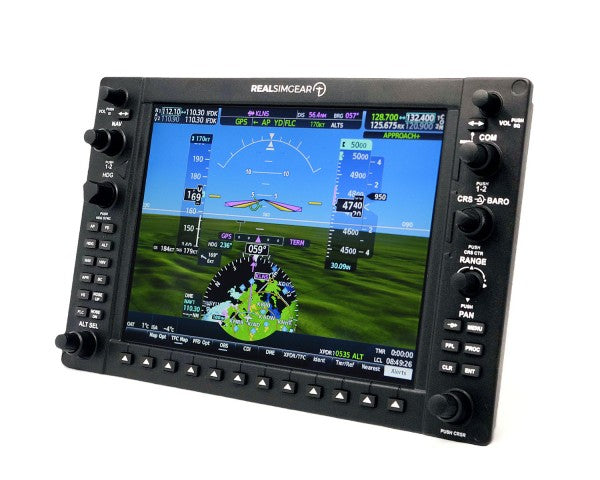
G1000 PFD/MFD Glass Cockpit LCD All major sims Primary/Multi-function displays, Synthetic vision, Engine monitoring
G500 Glass Cockpit LCD MSFS, X-Plane Dual display system, Weather overlay, Terrain mapping
G1000 Suite Integrated System LCD All major sims Complete glass cockpit solution, Full integration, Advanced autopilot

Microsoft Flight Simulator Instrument Panels

Step into the next generation of virtual aviation with instrument panels specifically designed for Microsoft Flight Simulator. Our selection seamlessly integrates with MSFS 2024, providing unprecedented levels of immersion and control. Experience the satisfaction of manipulating physical knobs and buttons that perfectly mirror their virtual counterparts, including the sophisticated G1000 system and intuitive GTN750 interface.

RealSimGear Instrument Panels

RealSimGear stands at the forefront of flight simulation hardware, delivering professional-grade solutions that bridge the gap between virtual and real aviation. Their commitment to quality is evident in every product, from the precise calibration of the GTN750 to the authentic feel of the G1000 suite. The GFC500 autopilot system rounds out their impressive lineup, offering realistic flight control and advanced navigation capabilities.

Flight Instrument Panels

  • Hardware integration: Our instrument panels feature plug-and-play USB connectivity, ensuring straightforward installation and immediate compatibility with popular flight simulation platforms. Each panel undergoes rigorous testing to guarantee reliable performance during extended flight sessions.
  • Build quality and materials: Premium-grade materials and robust construction ensure these panels withstand countless hours of use. Backlit displays provide excellent visibility in various lighting conditions, while high-quality switches and encoders deliver tactile feedback that matches real aircraft components.
  • Software compatibility: Beyond basic compatibility, these panels offer deep integration with multiple flight simulation platforms. Advanced features include automatic panel detection, customizable button mapping, and real-time system updates.
  • Training value: Whether you're maintaining proficiency or working toward your pilot's license, these instrument panels provide valuable training benefits. Practice procedures and build muscle memory in a risk-free environment that closely mirrors actual aircraft instrumentation.

Expert Recommendations

For the ultimate general aviation setup, we recommend combining the G1000 suite with the GFC500 autopilot system. This configuration provides comprehensive flight instrumentation and automated flight control capabilities. The GTN750 serves as an excellent supplementary navigation system, offering advanced features like detailed mapping and weather information.

Installation and Support

Every instrument panel comes with detailed installation instructions and access to our technical support team. We provide regular firmware updates to ensure optimal performance and compatibility with the latest simulation software versions.

Complete your flight simulator

Your flight simulator isn't ready with just an instrument panel. Take a look at our yokes, throttles, and rudder pedals to get your plane off the ground! Want to have the ultimate flight simulator experience? A flight simulator cockpit does wonders for immersion.


Login

Forgot your password?

Don't have an account yet?
Create account


