De Dual Desktop Stand voor RealSimGear GNS530 & GNS430 is ontworpen om een stabiele en verhoogde basis te bieden voor je avionica-opstelling. Gemaakt van stevig 3 mm roestvrij staal en afgewerkt met een duurzame, poedergecoate matzwarte afwerking, biedt deze standaard zowel duurzaamheid als een strakke uitstraling. Met rubberen anti-slipvoetjes blijven je apparaten stevig op hun plaats, zelfs tijdens de meest intensieve vluchten. Het doordachte ontwerp bootst de plaatsing in een echte cockpit na, zodat je GNS530 en GNS430 op een comfortabele en praktische hoek zijn gemonteerd.
Wat maakt de Dual Desktop Stand voor RealSimGear GNS530 & GNS430 bijzonder?
Duurzame en robuuste constructie Gemaakt van 3 mm roestvrij staal, is deze standaard gebouwd om lang mee te gaan. De poedergecoate matzwarte afwerking zorgt niet alleen voor een strakke uitstraling, maar beschermt de standaard ook tegen corrosie en slijtage. Een betrouwbare keuze die bestand is tegen regelmatig opzetten en afbreken zonder vorm- of stabiliteitsverlies.
Doordachte montagecompatibiliteit De basis is voorzien van montagegaten die geschikt zijn voor verschillende opstellingen, waaronder de Honeycomb Alpha yoke, Bravo throttle en Saitek/Logitech yoke-systemen. Dankzij deze veelzijdigheid is de standaard eenvoudig te integreren in een bredere vluchtsimulatieconfiguratie zonder compatibiliteitsproblemen.
Realistische plaatsingshoek Deze standaard biedt een verhoogde montagepositie die vergelijkbaar is met de lay-out in algemene luchtvaarttoestellen. Dit zorgt voor een intuïtieve en comfortabele trainingservaring, waardoor je vertrouwd raakt met de juiste positionering tijdens simulatie- en trainingssessies.
Solide stabiliteitsfuncties De rubberen anti-slipvoetjes zorgen ervoor dat de standaard stevig op je bureau blijft staan, zelfs bij intensieve manoeuvres. Geen verschuiving of glijden, zodat je je volledig kunt richten op het vliegen zonder constant je opstelling te hoeven aanpassen. Dit kleine detail maakt een groot verschil in een stabiele simervaring.
Voor- en nadelen
Voordelen
Nadelen
Stevige 3 mm roestvrijstalen constructie met matzwarte afwerking.
Specifiek ontworpen voor GNS530 & GNS430.
Rubberen anti-slipvoetjes bieden uitstekende stabiliteit op elk oppervlak.
Kan meer ruimte innemen dan standaarden voor één unit.
Compatibel met meerdere yoke-systemen en montageplaten.
Specificaties
Specificatie
Waarde
Materiaal
3 mm roestvrij staal
Afwerking
Poedergecoate matzwarte afwerking
Type voet
Rubberen anti-slipvoetjes
Montagegaten
Compatibel met Honeycomb Alpha/Bravo, Saitek/Logitech yoke
Dual Desktop Stand voor RealSimGear GNS530 & GNS430 compatibiliteit
De Dual Desktop Stand voor RealSimGear GNS530 & GNS430 is ontworpen om perfect te passen bij zowel de GNS530 als de GNS430, waardoor een samenhangende montageoplossing ontstaat. Hij beschikt over voorgeboorde gaten die compatibel zijn met een reeks populaire systemen, waaronder de Honeycomb Alpha yoke, Bravo throttle en Saitek/Logitech yoke-montageplaten. Dit zorgt ervoor dat hij naadloos kan worden geïntegreerd in diverse cockpitconfiguraties, waardoor het een veelzijdige optie is voor veel simpiloten.
Deze standaard is geoptimaliseerd voor PC-gebaseerde vluchtsimulaties en werkt uitstekend samen met simulatoren zoals X-Plane en Microsoft Flight Simulator. Hij is niet ontworpen voor gebruik met consoles, waardoor hij het meest geschikt is voor gebruikers met een toegewijde PC-opstelling en realistische avionica-add-ons.
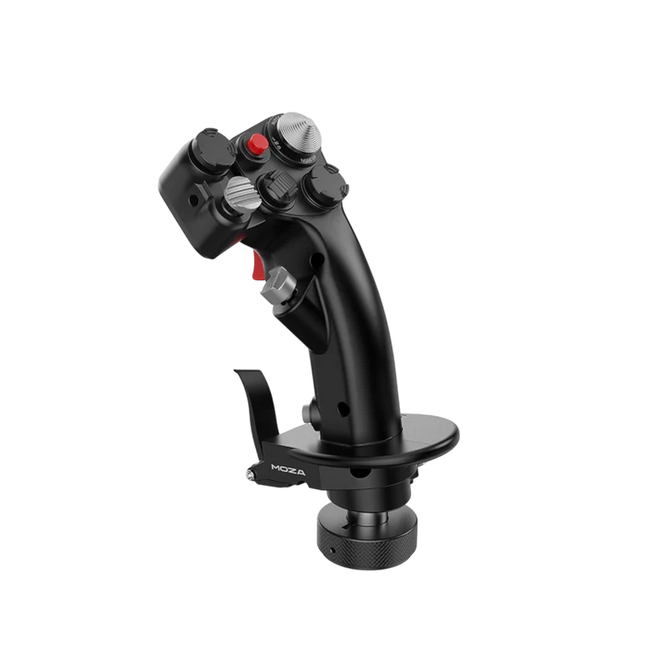
De Moza MH16 Flightstick brengt een gedurfde, compromisloze benadering van vluchtsimulatie. Ontworpen met luchtvaartkwaliteit aluminiumlegering, is deze flightstick niet alleen stijlvol, maar ook gebouwd om intense sessies moeiteloos te doorstaan. Met 27 invoersignalen en een 8-weg ALPS duimstick heb je elke opdracht binnen handbereik voor precieze manoeuvres. De afneembare modulaire componenten stellen je in staat om de setup naar wens aan te passen, terwijl de robuuste constructie stabiliteit garandeert, zelfs in de meest veeleisende luchtgevechten. Of je nu op kruishoogte vliegt of een scherpe bocht inzet, deze flightstick biedt een mate van controle die je volledig in het spel houdt.
Wat maakt de Moza MH16 Flightstick bijzonder?
Gebouwd als een echte gevechtsstick – Het volledig metalen ontwerp is niet alleen voor de uitstraling, maar biedt ook het gewicht en gevoel van een echt vliegtuigbesturingssysteem. In vergelijking met plastic alternatieven biedt de MH16 een stevigere grip, vermindert het buigen en garandeert het een lange levensduur.
Modulair en uitbreidbaar – In tegenstelling tot veel vaste flightsticks beschikt de MH16 over afneembare modules met pogo-pin verbindingen, waardoor eenvoudige aanpassingen mogelijk zijn. Dit betekent dat gebruikers componenten kunnen vervangen of upgraden zonder gedoe met bedrading of demontage van de hele unit.
Uitgebreide aanpassingsmogelijkheden – Met 27 invoersignalen en een 8-weg ALPS duimstick kunnen piloten commando’s precies naar wens toewijzen. Dit niveau van flexibiliteit maakt het een uitstekende keuze voor gebruikers die maximale controle over hun simulatie-ervaring willen.
Naadloze plug-and-play compatibiliteit – Geen ingewikkelde installatie of extra stuurprogramma’s nodig – gewoon aansluiten en starten. De 5-pins luchtvaartconnector zorgt voor een veilige en stabiele signaaloverdracht, waardoor de stick direct compatibel is met de meeste flightbases op de markt.
Voor- en nadelen
Voordelen
Nadelen
Luchtvaartkwaliteit aluminium behuizing biedt duurzaamheid en een solide grip.
Niet op voorraad – beschikbaarheid kan een probleem zijn.
Afneembare modules maken eenvoudige aanpassing mogelijk.
Geen officiële MacOS-ondersteuning.
27 invoersignalen en ALPS duimstick bieden uitgebreide controle.
Plug-and-play compatibel met de meeste flightbases.
Specificaties
Specificatie
Waarde
Platform
PC
Hoofdmateriaal
Luchtvaartkwaliteit aluminiumlegering
Nominale spanning
3.3V
Nominale stroomsterkte
5A
Connector
5-pins luchtvaartconnector
Z-as module
Optioneel
Afmetingen
99×213.5×132mm
Moza MH16 Flightstick compatibiliteit
Compatibel met
Niet compatibel met
PC (Windows-gebaseerde systemen)
MacOS
De meeste flightbases met een 5-pins luchtvaartconnector
Consoles (PlayStation, Xbox)
MOZA Cockpit Control Software
Niet-standaard USB-interfaces
De Moza MH16 Flightstick werkt naadloos met de meeste PC-gebaseerde vluchtsimulaties dankzij de 5-pins luchtvaartconnector en plug-and-play functionaliteit. Mac-gebruikers zullen echter een alternatief moeten zoeken, aangezien er geen officiële ondersteuning is voor macOS. Gebruikers hebben solide integratie gerapporteerd met diverse flightbases, waardoor het een flexibele optie is voor simpiloten die hun setup willen aanpassen.
Wat gamingplatforms betreft, is de MH16 uitsluitend voor PC-gebruikers. De flightstick draait soepel op Windows-gebaseerde vluchtsimulatoren zoals DCS, MSFS2020 en X-Plane, maar consolegebruikers komen niet in aanmerking – er is geen native ondersteuning voor PlayStation of Xbox. Voor serieuze simpiloten is dit echter geen belemmering, aangezien de PC nog steeds het voorkeursplatform is voor realistische vluchtsimulaties.
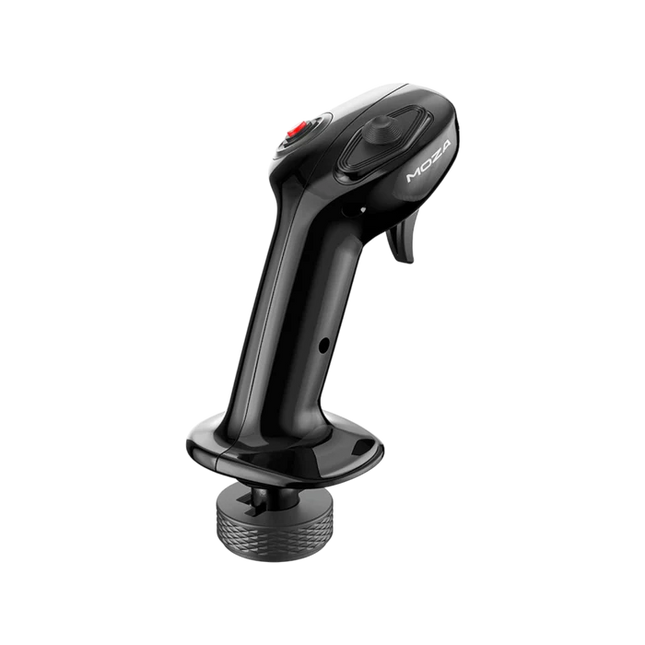
Moza MA3X Flightstick combineert een klassiek, door vliegtuigen geïnspireerd ontwerp met moderne techniek voor een meeslepende vluchtsimulatie-ervaring. Gemaakt van ultra-sterk composietmateriaal, blijft het lichtgewicht maar toch duurzaam genoeg om tot 30 kg kracht te weerstaan. De ALPS-schakelaars zorgen voor een lange levensduur en zijn beoordeeld op 100.000 cycli, waardoor piloten consistente en betrouwbare controle krijgen. Een meerlaagse spray- en UV-behandeling bootst de tastbare sensatie van echte vliegtuigmaterialen na, waardoor de algehele ervaring wordt verbeterd. Met een uitgebreid knoppenlayout en brede compatibiliteit past de MA3X zich naadloos aan elke setup aan en biedt zowel flexibiliteit als betrouwbaarheid.
Wat Maakt de Moza MA3X Flightstick Uniek?
Duurzaam maar Lichtgewicht Ontwerp – In tegenstelling tot zwaardere flightsticks op basis van metaal, is de MA3X vervaardigd uit ultra-sterk composietmateriaal. Hierdoor blijft hij licht met slechts 220g, terwijl hij tot 30 kg kracht aankan zonder structurele integriteit te verliezen.
Uitgebreide Knoppenindeling – De MA3X beschikt over vier fysieke knoppen maar kan worden uitgebreid tot maximaal 12 invoersignalen. Deze extra flexibiliteit zorgt ervoor dat gebruikers hun bediening precies kunnen configureren voor verschillende simulatiescenario's.
ALPS-schakelaars voor een Lange Levensduur – Veel flightsticks slijten na verloop van tijd, maar de MA3X is uitgerust met ALPS-schakelaars die beoordeeld zijn op 100.000 cycli. Dit betekent dat piloten kunnen rekenen op soepele en consistente werking, zelfs na langdurig gebruik.
Brede Compatibiliteit en Plug-and-Play Installatie – Ontworpen om te werken met alle Moza-bases en de meeste third-party bases, vereist de MA3X geen extra stuurprogramma's of complexe installatie. De 5-pins luchtvaartconnector zorgt voor een stabiele en veilige verbinding.
Voordelen en Nadelen
Voordelen
Nadelen
Duurzaam composietmateriaal dat intensief gebruik weerstaat.
Geen officiële ondersteuning voor MacOS.
Uitbreidbare knoppenindeling met tot 12 invoersignalen.
Beperkte standalone functionaliteit zonder compatibele basis.
ALPS-schakelaars beoordeeld op 100.000 cycli.
Werkt met Moza en de meeste third-party bases.
Specificaties
Specificatie
Waarde
Behuizingsmateriaal
Composiet
Schakelmateriaal
ABS
Gewicht
220g
8-Positie Schakelaar
1
Trigger
1
Omkeerschakelaar
1
Connector
5-pins luchtvaartconnector
Moza MA3X Flightstick Compatibiliteit
Compatibel Met
Niet Compatibel Met
PC (Windows-gebaseerde systemen)
MacOS
Alle Moza-bases
Consoles (PlayStation, Xbox)
De meeste third-party bases
USB-only invoersystemen
De Moza MA3X Flightstick integreert moeiteloos met alle Moza-bases en ondersteunt de meeste third-party bases via de 5-pins luchtvaartconnector. In tegenstelling tot sommige flightsticks die gebruikers beperken tot specifieke ecosystemen, behoudt de MA3X een flexibeler ontwerp, waardoor bredere compatibiliteit mogelijk is zonder extra adapters.
Op softwaregebied is de MA3X volledig compatibel met Windows-gebaseerde vluchtsimulators, maar ondersteunt hij geen MacOS. Hij werkt goed met toonaangevende titels zoals MSFS2020, X-Plane en DCS. Consolegebruikers moeten echter een alternatief zoeken, aangezien de MA3X geen ondersteuning biedt voor PlayStation- of Xbox-platformen.
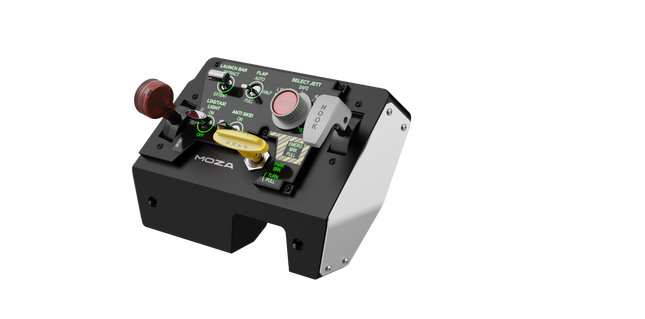
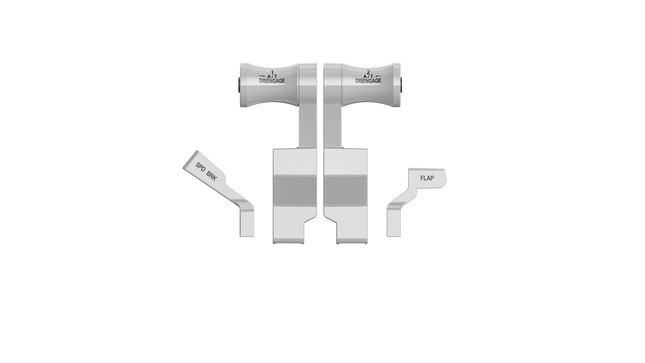
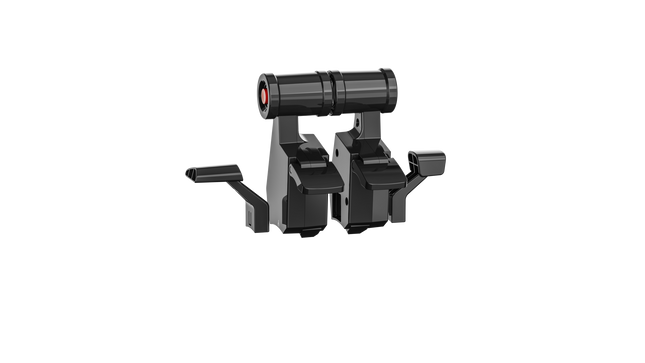
Moza MTLP Take-off Landing Panel brengt de essentie van gevechtsvliegtuigoperaties naar de thuiscockpit met een robuust, tactiel controlesysteem voor serieuze simpiloten. Geïnspireerd door het landingspaneel van de F/A-18, biedt het een intuïtieve schakelindeling waarmee snelle, instinctieve invoer mogelijk is zonder visuele bevestiging. Het authentieke parkeerremmechanisme levert een stevige, mechanische terugslag die direct uit een echt gevechtsvliegtuig lijkt te komen. Met 25 programmeerbare schakelsignalen en Hall-effect sensoren voor nauwkeurigheid, overbrugt dit paneel de kloof tussen virtuele en hands-on cockpitinteractie.
Wat Maakt de Moza MTLP Take-off Landing Panel Uniek?
Ontworpen voor Hands-on Controle Gemodelleerd naar het F/A-18 landingspaneel, is deze setup geoptimaliseerd voor instinctieve bediening. De schakelindeling stelt piloten in staat om essentiële vliegtuigfuncties op gevoel te beheren, waardoor ze minder vaak van het scherm hoeven weg te kijken. Dit soort tactiele ondersteuning is cruciaal voor snelle omgevingen zoals gevechtsvluchten en carrierlandingen.
Hall Sensor Precisie voor Belangrijke Functies In tegenstelling tot standaard mechanische schakelaars, integreert de MTLP Hall-effect sensoren in kritieke invoeren zoals het landingsgestel en de tailhook-hendels. Deze sensoren bieden langdurige betrouwbaarheid en consistente invoernauwkeurigheid, zonder de slijtage of drift van conventionele mechanische schakelaars.
Gebouwd voor Intensief Gebruik De aluminiumlegering die wordt gebruikt voor de remhendel, tailhook-hendel en het landingsgestel zorgt voor duurzaamheid. Deze componenten zijn ontworpen om herhaaldelijk, krachtig gebruik te weerstaan, waardoor het paneel een langdurige investering is voor vluchtsimliefhebbers die mechanische robuustheid eisen.
Naadloze Integratie met het Moza-ecosysteem De MTLP is ontworpen om moeiteloos samen te werken met het Moza MTP Throttle Panel, waardoor een samenhangende gevechtsvliegtuigbesturing ontstaat. Via Moza Cockpit-software kunnen gebruikers telemetriegestuurde lichteffecten synchroniseren en hun knopconfiguraties aanpassen aan hun vliegstijl.
Voordelen en Nadelen
Voordelen
Nadelen
Gebaseerd op het F/A-18 landingspaneel
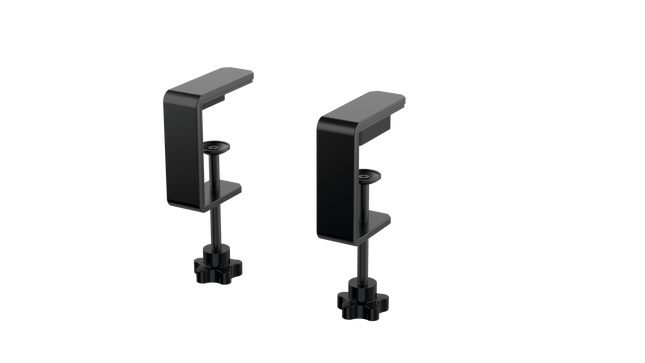
Bureauklem wordt apart verkocht
Hall-effect sensoren voor nauwkeurigheid en lange levensduur
Alleen compatibel met PC
25 programmeerbare schakelsignalen voor uitgebreide controle
Compatibel met het Moza-ecosysteem voor een complete gevechtsconfiguratie
Specificaties
Specificatie
Waarde
Afmetingen
196.5 × 134.7 × 149 mm
Behuizingsmateriaal
Composietmaterialen
Remhendelmateriaal
Aluminiumlegering
Gewicht
680g
Schakelsignalen
25
Telemetrie Verlichting
Ja (geen extra plug-ins vereist)
Ondersteund Platform
PC
Bureauklem
Optioneel accessoire
Inbegrepen Accessoires
Datakabel, gebruikershandleiding
Moza MTLP Take-off Landing Panel Compatibiliteit
Compatibel Met
Niet Compatibel Met
Moza MTP Throttle Panel
Third-party throttle panels
Moza Cockpit-software voor aanpassingen
Consoleplatforms
PC-gebaseerde vluchtsimulatoren
MacOS
Ontworpen voor PC-gebaseerde simulatoren, integreert de MTLP naadloos met Moza's MTP Throttle Panel om een gevechtsvliegtuig-stijl besturingssysteem te creëren. Het paneel wordt geconfigureerd via Moza Cockpit-software, waarmee uitgebreide aanpassingen mogelijk zijn, waaronder telemetriegestuurde lichteffecten. Het ondersteunt echter geen third-party throttle panels, waardoor de volledige functionaliteit het best wordt benut binnen het Moza-ecosysteem.
Exclusieve PC-compatibiliteit zorgt voor ondersteuning van grote vluchtsimulators, maar MacOS en consoles worden niet ondersteund. Vluchtsimliefhebbers die Microsoft Flight Simulator 2020, Microsoft Flight Simulator 2024 en X-Plane 12 gebruiken, zullen merken dat het paneel direct wordt herkend en plug-and-play functionaliteit biedt via USB. Gebruikers die compatibiliteit zoeken met Xbox of PlayStation zullen echter alternatieve hardware moeten overwegen.
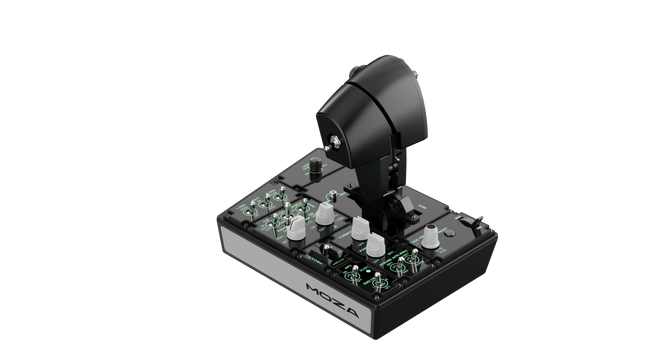
Moza MTP Throttle Panel biedt een robuuste vluchtcontrole-ervaring, geïnspireerd door carrier-based gevechtsvliegtuigen. Het aanpasbare detentsysteem maakt nauwkeurige controle mogelijk, of je nu afterburners beheert of center detents simuleert in ruimtesimulaties. De ingebouwde vibratie-feedback verbetert het situationeel bewustzijn door piloten te waarschuwen voor aerodynamische veranderingen, oversnelheidswaarschuwingen en gevechtsomstandigheden. Met 27 programmeerbare schakelaars, een Hall-effect joystick en aluminiumlegering handgrepen is dit throttle panel ontworpen voor vluchtsimliefhebbers die precisiecontrole zoeken in uitdagende omgevingen.
Wat Maakt de Moza MTP Throttle Panel Uniek?
Aanpasbaar Detentsysteem voor Maximale Controle De MTP Throttle stelt gebruikers in staat om de detentposities fijn af te stemmen, ideaal voor afterburner-instellingen, reverse thrust of precieze manoeuvres in de ruimtevaart. Of je nu vermogen curven aanpast of verschillende motorniveaus instelt, deze functie biedt flexibiliteit die zelden te vinden is in andere throttlesystemen.
Ingebouwde Vibratie-feedback voor Verbeterd Bewustzijn In tegenstelling tot passieve throttles, bevat de MTP vibratiemotoren die reageren op telemetriegegevens uit de simulator. Dit feedbacksysteem biedt haptische waarschuwingen voor condities zoals aerodynamische weerstand, oversnelheidswaarschuwingen en systeemstoringen, waardoor piloten een extra laag situationeel bewustzijn krijgen.
27 Programmeerbare Schakelaars voor Complexe Vluchtoperaties Het controleoppervlak bevat 27 schakelaars, allemaal configureerbaar voor essentiële functies zoals landingsgestel, motorontsteking of gevechtssystemen. De geoptimaliseerde lay-out zorgt ervoor dat commando's eenvoudig toegankelijk blijven zonder gedoe tijdens de vlucht.
Hall Effect Joystick voor Extra Besturingsflexibiliteit Geïntegreerd direct in de throttle, biedt deze joystick driftvrije invoer voor nauwkeurige aanpassingen. Of je deze nu toewijst aan pitch trim, roerinvoer of camerabediening, de Hall-effect sensor garandeert consistente prestaties zonder de slijtage van traditionele potentiometers.
Voordelen en Nadelen
Voordelen
Nadelen
Aanpasbaar detentsysteem voor afterburners en ruimtesimulaties
Bureauklem wordt apart verkocht
Ingebouwde vibratie-feedback reageert op vliegcondities
Alleen compatibel met PC, geen ondersteuning voor consoles
27 programmeerbare schakelaars voor uitgebreide besturingsopties
Duurzame aluminium handgrepen met tactiele grip
Specificaties
Specificatie
Waarde
Afmetingen
277 × 194 × 216 mm
Behuizingsmateriaal
Composietmateriaal
Throttle Handgreep Materiaal
Aluminiumlegering
Gewicht
2,1 kg
Fysieke schakelaars
27
Vibratie Telemetrie
Ondersteund (geen plug-ins vereist)
Verlichting Telemetrie
Ondersteund (geen plug-ins vereist)
Ondersteund Platform
PC
Bureauklem
Optioneel
Bureaumontageplaat
Optioneel
Inbegrepen Accessoires
Datakabel, sleutel, gebruikershandleiding
Moza MTP Throttle Panel Compatibiliteit
Compatibel Met
Niet Compatibel Met
MOZA Cockpit-software voor aanpassingen
Consoleplatforms
MOZA MTLP Panel voor een volledige gevechtsvliegtuig setup
Third-party throttle quadrants
PC-gebaseerde vluchtsimulatiesystemen
MacOS
Ontworpen voor PC-gebaseerde simulators, integreert de MTP Throttle naadloos met MOZA Cockpit-software, waarmee fijnmazige aanpassingen mogelijk zijn voor vibratie-feedback, schakelaarconfiguratie en telemetrie-gebaseerde verlichtingseffecten. Het werkt ook samen met het MOZA MTLP Panel, waardoor een modulaire gevechtsvliegtuigbesturing ontstaat die het opstijg- en landingsproces verbetert.
Exclusieve PC-compatibiliteit zorgt voor plug-and-play functionaliteit met Microsoft Flight Simulator 2020, Microsoft Flight Simulator 2024 en X-Plane 12. Dit systeem ondersteunt echter geen MacOS of consoles, wat betekent dat Xbox- en PlayStation-gebruikers elders moeten zoeken naar compatibele throttle-oplossingen.
Niet op voorraad,
Pre-orders beschikbaar. Verzending binnen 2-2,5 weken.
Honeycomb Sierra TPM Module brengt de tastbare charme van klassieke general aviation rechtstreeks naar je bureau, met een vergrendelbare metalen throttle vernier die heerlijk mechanisch aanvoelt in de hand en een geïntegreerd trimwiel met hoge resolutie waarmee je de stand nauwkeurig met vingertoppen kunt instellen. Ontworpen met single-prop vliegtuigen zoals de Cessna 172 in gedachten, combineert het een volledig metalen constructie, geïntegreerde flap- en parkeerrembediening en LED-landingsgestelindicatoren in een compacte module die naadloos in een serieuze home cockpit past.
Wat onderscheidt de Honeycomb Sierra TPM Module?
Echte General Aviation Vernier-ervaring De vergrendelbare metalen throttle vernier met fijn instelbare prop- en mixtureknoppen ziet er niet alleen authentiek uit — hij levert ook dat duw-trek- en draai-voor-fijnafstelling-gevoel dat piloten associëren met klassieke GA-cockpits. Veel gebruikers benadrukken hoe de incrementele afstelling soepelere vermogensveranderingen mogelijk maakt tijdens klim en nadering, vooral bij zuigermotorvliegtuigen, vergeleken met schuifhendel-throttles die te abrupt kunnen aanvoelen voor verfijnd motorbeheer.
Geïntegreerde cockpitworkflow In plaats van bedieningselementen over afzonderlijke panelen te verspreiden, plaatst de Sierra TPM trim, flaps, parkeerrem en landingsgestel in één samenhangende lay-out. Het slanke trimwiel met hoge resolutie krijgt bijzondere waardering voor zijn soepele rotatie en nauwkeurige input, waardoor pitch-aanpassingen tijdens cruise of finale natuurlijk aanvoelen. Het vermindert de afhankelijkheid van sneltoetsen en houdt je handen waar ze horen — op dedicated hardware.
Solide volledig metalen constructie Gebouwd met Honeycomb-kwaliteit componenten en een duurzaam volledig metalen chassis, heeft deze module een merkbaar gewicht en hoge stijfheid. Enthousiastelingen vermelden vaak dat hij stevig op het bureau staat, met minimale flex bij krachtige throttle-bewegingen. Vergeleken met lichtere kunststof alternatieven behoudt de Sierra TPM langdurige structurele stabiliteit, wat vooral wordt gewaardeerd in permanente of semi-permanente cockpitopstellingen.
Naadloze integratie met het Honeycomb-ecosysteem Ontworpen om perfect te combineren met Honeycomb yokes en montagesystemen, vereenvoudigt de meegeleverde dual mounting solution de uitlijning en positionering. Gebruikers die al Alpha- of Bravo-units gebruiken, merken vaak op hoe de designtaal en afstand tussen de bedieningselementen als één geheel aanvoelen, wat zorgt voor een visueel samenhangend en ergonomisch consistent flight deck zonder mismatched modules.
Voor- en Nadelen
Voordelen
Nadelen
Metalen vernier-throttle biedt fijne incrementele controle.
Primair ontworpen voor single-engine GA-vliegtuigen.
Geïntegreerd trimwiel zorgt voor soepele pitch-aanpassingen.
Vereist bureauruimte voor de volledige mounting solution.
Volledig metalen chassis voelt stabiel en duurzaam aan.
LED-gearindicatoren bieden duidelijke visuele feedback.
Specificaties
Specificatie
Waarde
Product Name
Honeycomb Sierra TPM Module
EAN
4039621003998
Construction
Volledig metalen constructie met Honeycomb-kwaliteit componenten
Throttle Type
Vergrendelbare metalen throttle vernier met prop- en mixtureknoppen
Integrated Controls
Trimwiel, parkeerrem, flaphendel, landingsgestelhendel met LED-indicatoren
Layout
General aviation-stijl voor single prop vliegtuigen
Mounting
Dual mounting solution inbegrepen
Connection
USB-C to USB-A cable
Compatibility
PC en Mac
Drivers
MSFS 2020 Driver, MSFS 2024 Driver
Included in the Box
Sierra TPM Module, Dual Mounting Solution, USB-C to USB-A Cable, Quick Start Guide (EFIGS)
Honeycomb Sierra TPM Module Compatibiliteit
Platform
Compatibiliteit
Operating Systems
PC en Mac
Connection Type
USB-C to USB-A (directe USB-verbinding)
Primary Ecosystem Pairing
Honeycomb Alpha en Bravo hardware
De Sierra TPM Module wordt aangesloten via directe USB, waardoor hij eenvoudig te integreren is in de meeste desktop cockpit builds. Hij combineert bijzonder goed met Honeycomb Alpha yokes en Bravo throttle quadrants en deelt dezelfde ontwerpfilosofie en mounting ecosystem. Dankzij de dual mounting solution kan hij samen met andere Honeycomb-units op het bureau worden gemonteerd voor een uniforme lay-out. Hij is niet bedoeld voor console-opstellingen en werkt niet rechtstreeks met standalone hardware zonder een compatibele PC of Mac.
Op softwaregebied ondersteunt hij Microsoft Flight Simulator 2020 en Microsoft Flight Simulator 2024 via dedicated drivers, en werkt hij ook met simulators zoals X-Plane en Prepar3D op PC. Hij is niet compatibel met Xbox-consoles, omdat hij afhankelijk is van standaard USB PC/Mac-drivers in plaats van console-gecertificeerde firmware. Voor desktop sim-piloten die zich richten op general aviation, past hij perfect binnen moderne PC-gebaseerde simplatforms.
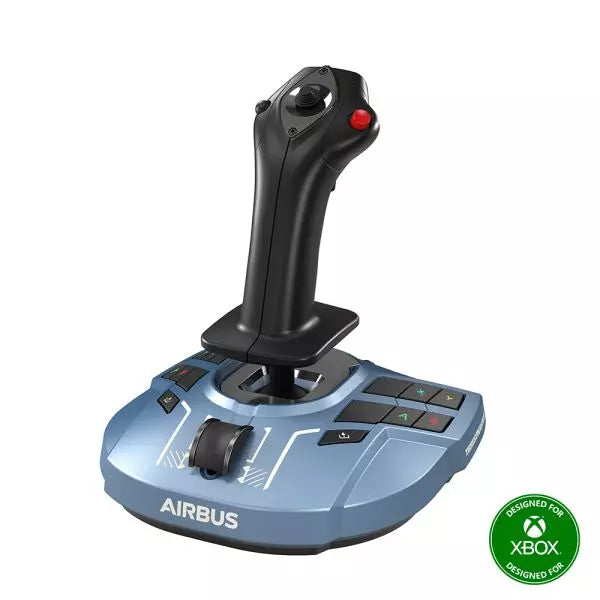
Honeycomb Foxtrot Aviation Stick is gebouwd voor piloten die een sidestick in de hand verkiezen en een opgeruimd bureau voor zich willen. Vanaf de eerste beweging voelt het soepele lineaire weerstandssysteem zonder center detent vloeiend en gecontroleerd aan, ideaal voor Airbus-achtige inputs en aerobatische manoeuvres. Onder de motorkap vertaalt de 16-bit resolutie met Hall Effect sensortechnologie subtiele polsbewegingen naar nauwkeurige besturing op het scherm. Voeg daar instelbare spanning en een volledig ambidextere lay-out aan toe, en je krijgt een stick die doelgericht en professioneel aanvoelt in plaats van speelgoedachtig.
Wat onderscheidt de Honeycomb Foxtrot Aviation Stick?
Besturingsfilosofie Zonder Center Detent Veel sticks vertrouwen op een voelbare middenklik, wat kleine correcties mechanisch kan laten aanvoelen. Het lineaire weerstandssysteem van de Foxtrot elimineert die inkeping en zorgt voor een soepele overgang over het volledige asbereik. Vooral piloten die Airbus-toestellen vliegen waarderen dit ontwerp, omdat het het gedrag van een sidestick nauwkeuriger benadert en zachte pitch- en rolcorrecties mogelijk maakt zonder tegen een veerbelaste “klik” in het midden te werken.
Synergie Tussen Sensoren en Resolutie Met 16-bit resolutie in combinatie met Hall Effect sensoren levert de Foxtrot een schone, contactloze inputdetectie. Enthousiastelingen wijzen vaak op de consistentie op lange termijn — geen spiking, geen geleidelijke slijtage zoals bij fysieke potentiometers. Subtiele trimaanpassingen tijdens de nadering of zorgvuldige rolinvoer bij aerobatics voelen stabiel en voorspelbaar aan, vooral vergeleken met instapsticks die rond het midden jitter kunnen vertonen.
Instelbare Weerstand en Ergonomie Dankzij de instelbare spanning kan de stick worden afgestemd op persoonlijke voorkeur, of je nu lichte vingertopinputs verkiest of een stevigere weerstand voor gecontroleerde bewegingen. In combinatie met het ambidextere gripontwerp is de Foxtrot geschikt voor zowel links- als rechtshandige configuraties. Gebruikers met compacte cockpitopstellingen benadrukken vaak hoe aanpasbaar hij aanvoelt in verschillende zitposities, inclusief centrale of zijdelingse montage.
Veel Schakelaars Zonder Overbelasting Met 5 tweerichtingsschakelaars, 4 programmeerbare actieknoppen, een POV hat, trigger, rockers en een meerweg roterend paneel biedt de stick uitgebreide inputflexibiliteit. Wat opvalt is de logische plaatsing van de bedieningselementen; sim pilots vermelden vaak dat functies zoals trim, autopilot-modi of camerabediening kunnen worden toegewezen zonder dat het krap aanvoelt of dat je tijdens de vlucht blind moet zoeken.
Voor- en Nadelen
Voordelen
Nadelen
Lineaire weerstand zonder center detent voelt soepel aan.
Geen native consolecompatibiliteit.
Hall Effect sensoren verminderen slijtage op lange termijn.
Geen speciale montagebasis inbegrepen.
Instelbare spanning geschikt voor verschillende vliegstylen.
Uitgebreide configuratiemogelijkheden voor schakelaars en knoppen.
Specificaties
Specificatie
Waarde
Product Name
Honeycomb Foxtrot Aviation Stick
Control System
Lineair weerstandssysteem zonder center detent
Sensor Technology
Hall Effect sensoren
Resolution
16-bit
Tension Adjustment
Instelbare stickweerstand
Switches
5 tweerichtingsschakelaars
Action Buttons
4 programmeerbare knoppen
Rotary Panel
3-, 4- en 5-weg roterende bedieningselementen
Grip Design
Ambidexter
Connection
USB-C to USB-A cable
System Compatibility
PC en Mac
Included in the Box
Foxtrot Aviation Stick, USB-C to USB-A Cable, Quick Start Guide (EFIGS)
Download Support
Basic Bindings Profiles (XML) voor MSFS 2024
Honeycomb Foxtrot Aviation Stick Compatibiliteit
Platform
Compatibiliteit
Operating Systems
PC en Mac
Connection Type
USB-C to USB-A directe USB-interface
Primary Sim Support
MSFS 2024 (XML bindings), MSFS, X-Plane, Prepar3D
De Foxtrot Aviation Stick wordt aangesloten via standaard USB, waardoor hij eenvoudig kan worden geïntegreerd in de meeste desktop cockpitopstellingen. Hij werkt naadloos samen met throttle quadrants, rudderpedalen en radiopanelen van andere grote merken dankzij zijn plug-and-play HID-architectuur. Het ambidextere ontwerp maakt hem geschikt voor configuraties aan de linker- of rechterzijde, inclusief zijdelingse montage in Airbus-stijl. Hij is niet compatibel met Xbox-consoles en functioneert niet als zelfstandig apparaat zonder een aangesloten PC of Mac.
Op softwaregebied ondersteunt hij Microsoft Flight Simulator 2024 met speciale XML-bindingsprofielen en werkt hij met populaire PC-simulators zoals Microsoft Flight Simulator (2020), X-Plane en Prepar3D via handmatige of community-mappings. Hij is niet ontworpen voor consoleplatforms, omdat hij afhankelijk is van native PC/Mac driverherkenning in plaats van console-gecertificeerde firmware.
Niet op voorraad,
Pre-orders beschikbaar. Verzending binnen 2-2,5 weken.
Honeycomb Bravo Throttle Quadrant Lite destilleert de kernervaring van de originele Bravo in een compacter en gerichter pakket. De vier verwisselbare hendels met instelbare weerstand bewegen met een geruststellend mechanisch gewicht, terwijl het geïntegreerde low-profile trimwiel met hoge resolutie je in staat stelt de pitch nauwkeurig met vingertoppen te verfijnen. Van de stevige klik van de landingsgestelhendel met LED-indicatie tot het bevredigende trekken aan de parkeerrem, deze unit levert betrouwbare input voor GA- en tweemotorige configuraties zonder nieuwe cockpitbouwers te overweldigen.
Wat onderscheidt de Honeycomb Bravo Throttle Quadrant Lite?
Gestroomlijnd Zonder Uitgekleed te Voelen In tegenstelling tot veel instapgerichte throttle quadrants die flexibiliteit opofferen, behoudt de Bravo Lite zijn modulaire DNA. Gebruikers benadrukken vaak dat hij verwisselbare hendels en aanpasbare flap-detents behoudt, terwijl een deel van de complexiteit van de volledige Bravo wordt verminderd. Het resultaat is een compacte unit die nog steeds single-engine en twin-engine lay-outs ondersteunt, wat hem aantrekkelijk maakt voor piloten die upgraden van eenvoudige plastic throttles.
Instelbare Weerstand met Mechanische Feedback De weerstand van de hendels kan naar persoonlijke voorkeur worden ingesteld, wat een merkbaar verschil maakt tijdens vermogensaanpassingen in de klim en correcties op korte final. Veel sim pilots geven aan dat de beweging soepel en gecontroleerd aanvoelt in plaats van los of veerachtig. Vergeleken met lichtere quadrants biedt de Bravo Lite een stabieler gevoel tijdens throttle-overgangen, vooral wanneer hij stevig is gemonteerd met de meegeleverde dual mounting solution.
Geïntegreerde Trim- en Grondbediening Het ingebouwde trimwiel en de parkeerrem maken aparte randapparatuur overbodig. De fijne resolutie van het trimwiel wordt vaak geprezen omdat het helpt naderingen te stabiliseren zonder constante microcorrecties via toetsenbord of yoke-knoppen. Voeg daar de landingsgestelhendel met LED-statusindicator aan toe, en je krijgt duidelijke visuele bevestiging tijdens gear-cycli — een klein detail met een groot vertrouwen tijdens drukke circuitpatronen.
Gerichte MSFS-Optimalisatie Ontworpen met Microsoft Flight Simulator in gedachten, profiteert de Bravo Lite van speciale driverondersteuning en downloadbare profielen. Gebruikers waarderen hoe snel hij in MSFS 2020 en 2024 kan worden toegewezen in vergelijking met sommige generieke USB-quadrants. Tegelijkertijd blijft hij compatibel met X-Plane en Prepar3D, wat hem breder inzetbaar maakt dan veel simulator-specifieke throttle-units in deze prijsklasse.
Voor- en Nadelen
Voordelen
Nadelen
Verwisselbare hendels ondersteunen meerdere vliegtuigtypes.
Minder bedieningselementen dan de volledige Bravo-versie.
Instelbare weerstand verbetert het throttle-gevoel.
Alleen voor PC en Mac, geen console-ondersteuning.
Geïntegreerd trimwiel biedt nauwkeurige pitchcontrole.
LED-gearindicator geeft duidelijke statusfeedback.
Specificaties
Specificatie
Waarde
Product Name
Honeycomb Bravo Throttle Quadrant Lite
Dimensions (L x H x W)
40 x 13 x 27 cm (15.75 x 5.19 x 10.63 inches)
Throttle Levers
Vier verwisselbare hendels met instelbare weerstand
Flap System
Verwisselbare flap-detent inlays inbegrepen
Trim Control
Geïntegreerd low-profile trimwiel met hoge resolutie
Landing Gear Lever
Met LED-statusindicator
Parking Brake
Geïntegreerde hendel
Connectivity
USB-C to USB-A (kabel inbegrepen)
System Compatibility
PC en Mac
Software Compatibility
Microsoft Flight Simulator 2020/2024, FSX, Prepar3D V3-V5, X-Plane 11/12
Included in the Box
Throttle Quadrant Lite, Flap detent inlays, Interchangeable levers (Commercial & GA), USB-C cable, Dual mounting solution, Quick Start Guide
Honeycomb Bravo Throttle Quadrant Lite Compatibiliteit
Categorie
Compatibiliteit
Operating Systems
Microsoft Windows (64-bit), macOS
Connection
USB-C to USB-A (standaard USB-poort vereist)
Supported Simulators
MSFS 2020/2024, FSX, Prepar3D V3–V5, X-Plane 11/12
De Bravo Lite wordt aangesloten via standaard USB, waardoor hij eenvoudig kan worden geïntegreerd met yokes, sticks en rudderpedalen van verschillende merken. Hij combineert bijzonder goed met Honeycomb Alpha yokes en andere modulaire cockpit-hardware dankzij de dual mounting solution. Hij is uitsluitend ontworpen voor PC- en Mac-systemen en functioneert niet zelfstandig zonder een aangesloten computer.
Aan de simulatorzijde is hij geoptimaliseerd voor Microsoft Flight Simulator 2020 en 2024, met speciale LED-drivers en downloadbare vliegtuigprofielen. Hij werkt ook met X-Plane 11 en 12, FSX en Prepar3D V3–V5 via standaard USB HID-herkenning. Hij is niet compatibel met Xbox-consoles, omdat hij afhankelijk is van een PC-gebaseerde driver- en USB-architectuur in plaats van console-gecertificeerde firmware.
Niet op voorraad,
Pre-orders beschikbaar. Verzending binnen 2-2,5 weken.
WINCTRL URSA MINOR Airline Joystick R brings airline-style control to the desktop with a clever mix of tactile feedback and thoughtful engineering. The standout feature is the flight-data-linked vibration engine, which adds subtle physical cues during events like flap deployment, airflow changes, and touchdown. Pair that with non-contact magnetic resistance sensors on the X and Y axes, and the stick delivers smooth, stable inputs without the wear issues common in cheaper mechanisms. The result is a joystick that feels lively in hand yet technically grounded under the hood.
What Sets the WINCTRL URSA MINOR Airline Joystick R apart?
Flight Data Driven Vibration Feedback The URSA MINOR stands out with a vibration motor tied directly to in-sim flight data. Instead of generic rumble, the stick reacts to events like landing contact, airflow changes, or flap movement. Pilots online often mention how this adds subtle physical cues during phases like flare or speed changes, providing a tactile reminder of what the aircraft is doing without constantly glancing at instruments.
Robust Gimbal With Magnetic Sensors At the core of the stick is a glass-fiber-reinforced nylon gimbal running on ball bearings, paired with non-contact magnetic sensors for the primary axes. This combination helps maintain smooth motion over time without the jitter common in potentiometer-based designs. Enthusiasts frequently note that the stick movement feels stable across the entire travel range, particularly during small pitch adjustments on final approach.
Airliner-Inspired Grip Layout The grip design borrows cues from airline sidestick ergonomics, offering a balanced control layout that includes a PTT trigger, autopilot disconnect switch, and a concealed five-way switch beneath a magnetic cover. Pilots often highlight how practical this arrangement is for everyday flying tasks—radio calls, autopilot overrides, and camera views can all be handled without reaching for the keyboard.
Flexible Mounting and Maintenance Design The base includes anti-slip pads for desktop use along with pre-drilled mounting holes for cockpit rigs. A quick-release base cover allows access to internal adjustments without dismantling the entire unit. This detail is frequently appreciated by sim cockpit builders who prefer gear that can be tuned or serviced easily rather than permanently sealed hardware.
Pros and Cons
Pros
Cons
Flight-data vibration feedback adds tactile flight cues.
Plastic construction compared to metal joystick designs.
Magnetic sensors reduce wear and input drift.
Limited axis travel compared to extended bases.
Good button layout for airliner-style flying tasks.
Desk or cockpit mounting options included.
Specifications
Specification
Value
Product Model
URSA MINOR-Airline-Joystick R
Material
Industrial ABS plastic (PC + ABS)
Controller
32-bit ARM controller
X/Y Axis Movement Angle
±15°
Z Axis Rotation Angle
±20°
X/Y Sensors
Non-contact magnetic resistance sensors
Gimbal Construction
Glass fiber reinforced nylon with ball bearings
Operating Force (X/Y)
Approximately 6N
Rotation Torque (Z)
~4 kgf·cm
Throttle Axis Type
Long-travel sliding potentiometer
Throttle Axis Travel
38 mm
Buttons
14 buttons (250gf press force, 0.25 mm travel)
Special Controls
Hidden 5-way switch, PTT trigger, autopilot disconnect
Vibration Feature
Adjustable amplitude levels from 0–255
Mounting Options
Anti-slip desktop pads and cockpit mounting holes
Item Weight
3 kg
Included in Box
J5-BASE-BLACK + JGRIP-C1-R, Data Cable, Toolkit, Accessories Pack
WINCTRL URSA MINOR Airline Joystick R Compatibility
Platform
Compatibility
Connection Type
USB plug-and-play connection
Software Configuration
WW SIMAPP Pro software for button mapping
Mounting
Desktop use or cockpit mounting
The URSA MINOR Airline Joystick R connects via standard USB, allowing it to integrate easily with throttle quadrants, rudder pedals, and other flight hardware from many manufacturers. The base supports both desktop placement with anti-slip pads and cockpit mounting using pre-drilled holes, which is useful for sim rigs or permanent setups. Configuration is handled through WW SIMAPP Pro software, enabling button assignments and vibration adjustments directly from a visual interface.
Within a flight setup, the joystick works well alongside external throttles, radio panels, or pedal systems because it behaves as a standard USB HID controller. It does not require proprietary ecosystems and can coexist with other brands in the same cockpit. However, it is intended for PC-based simulation environments and does not integrate directly with console platforms.
In terms of simulators, the stick supports Microsoft Flight Simulator 2020, X-Plane, Prepar3D, and also space or combat titles like Star Citizen, Elite Dangerous, and War Thunder. Its plug-and-play USB design allows quick recognition in most PC simulation platforms. It is not designed for Xbox or PlayStation consoles, as those systems typically require licensed hardware and different firmware structures.