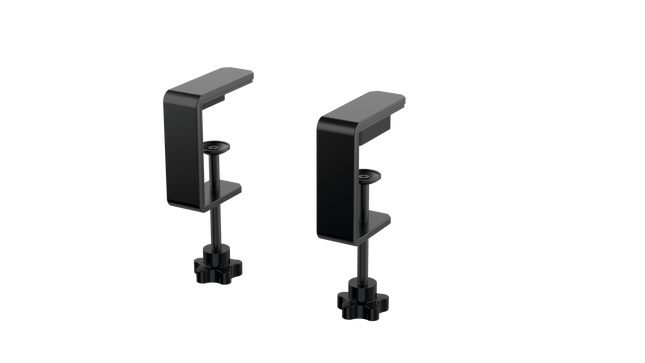
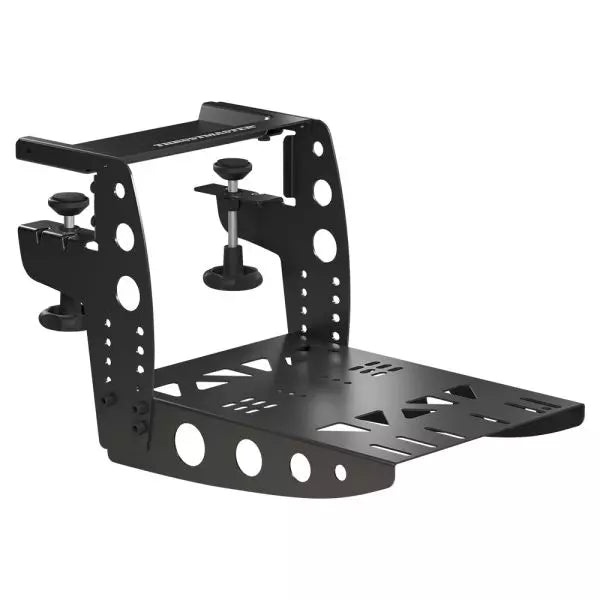
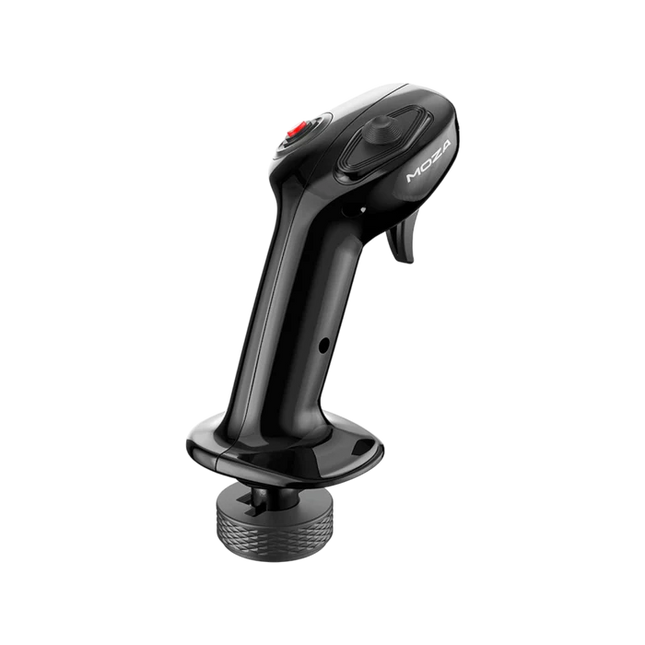
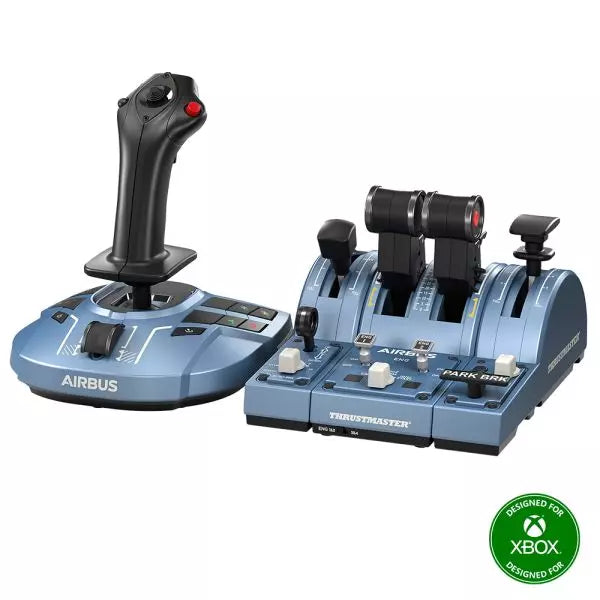
MOZA MA3F Flight Computer Display brings Airbus-style flight management into the home cockpit with a layout that rewards every button press and data entry. The 5.1-inch high-resolution IPS display keeps flight plans, procedures, and navigation pages crisp and easy to read, while the die-cast aluminum front panel gives every interaction a reassuring sense of solidity. Heavy-actuation keys, synchronized lighting, and thoughtful workflow tools make programming an arrival or revising a route feel satisfying from the first waypoint to the final approach.
What Sets the MOZA MA3F Flight Computer Display apart?
Keys That Feel Purpose-Built – Many flight management units focus almost entirely on appearance, but the MA3F pays equal attention to how every key behaves. The heavy-actuation dome switches and rigid silicone keycaps create a firm, deliberate press that users frequently appreciate during longer flights. The stable key action also helps reduce accidental inputs when quickly updating flight plans or changing performance data.
Practical Features Beyond Flight Planning – Built-in checklist pages and three integrated whiteboard pages make this more than a simple MCDU replica. Pilots can keep notes, approach briefings, frequencies, or clearance information directly on the unit instead of relying on paper or a second monitor. Many cockpit builders value these workflow additions because they reduce clutter while keeping important information close at hand.
Premium Construction Without Excessive Bulk – The die-cast aluminum front panel gives the MA3F a reassuringly solid feel while keeping overall weight manageable for desktop or cockpit installations. Combined with the sharp IPS display and clean surface finish, it stands out as a polished piece of hardware that integrates naturally into dedicated Airbus flight decks.
Broad Airbus Ecosystem Support – The MA3F supports numerous Airbus aircraft across Microsoft Flight Simulator and X-Plane, including respected third-party add-ons such as the Fenix A320, Toliss aircraft, and FlightFactor A320. Combined with customizable fonts and synchronized lighting, it adapts easily as simulator libraries continue to grow.
Pros and Cons
Pros
Cons
Excellent tactile keys with firm mechanical feel.
Limited to Airbus flight management systems.
Sharp IPS display with customizable fonts.
PC platform only.
Built-in checklist and whiteboard pages add utility.
Die-cast aluminum front panel feels exceptionally solid.
Specifications
Specification
Value
Product Type
Airbus-style Flight Computer Display (MCDU/FCD)
Display Size
5.1-inch IPS
Front Panel Material
Die-cast aluminum alloy
Body Material
ABS + PC
Connection
USB Type-C 2.0
Rated Voltage
5V
Rated Current
900mA
Supported Platform
PC
Mounting Options
Desktop stand, 75 × 75 mm VESA mount
Included Accessories
Data cable, desktop stand
MA3F Dimensions
277.9 × 145.5 × 29.6 mm
MA3F Weight
588 g
MB7F Dimensions
277.9 × 145.5 × 32 mm
MB7F Weight
646 g
MOZA MA3F Flight Computer Display Compatibility
Hardware
Compatibility
MOZA Cockpit Software
Supports telemetry synchronization and lighting control
Mounting
Desktop stand and 75 × 75 mm VESA mount
Connection
USB Type-C 2.0
Flight Simulator
Compatibility
Microsoft Flight Simulator
Supports Airbus A320/A330 family
X-Plane
Supports Airbus aircraft including Toliss models
Third-Party Aircraft
Compatible with Fenix A320, FlightFactor A320, and others
Built for PC flight simulation, the MA3F integrates with MOZA Cockpit software for synchronized lighting and configuration. A USB Type-C connection keeps installation straightforward, while the included desktop stand and 75 × 75 mm VESA compatibility make it equally suitable for desktop use or permanent cockpit installations.
The compact dimensions and lightweight construction make it easy to install alongside other Airbus controls without placing excessive strain on a cockpit frame. The display is intended to complement dedicated Airbus flight decks while remaining flexible enough for modular home cockpit projects.
Compatible with Microsoft Flight Simulator and X-Plane Airbus aircraft, the MA3F supports the A320 and A330 families along with respected third-party aircraft including Fenix A320, Toliss, and FlightFactor A320. The supported platform is PC; Mac systems and gaming consoles are not supported.
Ikke på lager,
Forhåndsbestillinger tilgjengelig. Sendes om 2–2,5 uker.
Honeycomb Alpha Flykontroller XPC gir en raffinert yoke-opplevelse til sim-piloter som søker robust kontroll og ergonomisk design. Den 180° yoke-rotasjonen med oppgraderte Hall Effect-sensorer sikrer jevn håndtering uten sentreringsdetent, mens den multifunksjonelle bryterpanelet gir umiddelbar tilgang til kritiske flysystemer. Den dempede, selv-sentrerende mekanismen tillater flytende manøvrering, og den opplyste basen gir synlighet for nattflyvninger. Med full Xbox- og PC-kompatibilitet, integreres den sømløst med Microsoft Flight Simulator og andre store titler.
Hva skiller Honeycomb Alpha Flykontroller XPC fra andre?
Jevne og nøyaktige Hall Effect-sensorer – I motsetning til tradisjonelle potensiometre gir Hall Effect-sensorer lang levetid og pålitelighet ved å eliminere fysisk slitasje. Resultatet er konsekvent kontrollinput over tid, uten nedbrytning eller kalibreringsdrift.
Omfattende bryterpanel for realistisk arbeidsflyt – Det innebygde bryterpanelet eliminerer behovet for ekstra maskinvare, med kontroller for master, alternator, avionikk og lys, samt en fem-posisjons tennbryter for riktig oppstartssekvense.
Ergonomisk og fullt utstyrt håndtak – Det venstre håndtaket har en 8-veiers hat-bryter og toveiskontrollbrytere, mens det høyre håndtaket inkluderer ekstra vippebrytere og knapper. Dette sikrer enkel kamerakontroll, trimjustering og kommandoer under flyging uten å løfte hånden fra yoken.
Ekte multi-plattformstøtte – Mange yoker er kun for PC, men denne fungerer også med Xbox Series X|S, noe som gjør den til et sjeldent alternativ for konsoll-sim-entusiaster. Den blir automatisk gjenkjent i Microsoft Flight Simulator, noe som reduserer oppsettiden.
Fordeler og ulemper
Fordeler
Ulemper
Holdbare Hall Effect-sensorer reduserer kalibreringsdrift.
Ingen force feedback eller haptisk motstand.
Integrert bryterpanel for elektriske kontroller.
Ikke kompatibel med PlayStation.
Xbox-kompatibilitet går utover PC-brukere.
Montering krever ekstra plass.
Spesifikasjoner
Spesifikasjon
Verdi
Yoke-rotasjon
180°
Sensor-type
Hall Effect
Bryterpanel
Master, alternator, avionikk, lysbrytere
Tennbryter
5-posisjons rotasjonsbryter
Kompatibilitet
USB-C til USB-A
Dimensjoner
40 x 13 x 27 cm / 15.75 x 5.19 x 10.63 in
Kompatibilitet
PC (Windows), Xbox Series X|S, Xbox One
Garanti
2 år
Honeycomb Alpha Flykontroller XPC Kompatibilitet
Programvarekompatibilitet
Detaljer
Full kompatibilitet
Microsoft Flight Simulator, X-Plane 11 & 12, Prepar3D
Maskinvarekompatibilitet
Detaljer
PC (Windows)
Fungerer med alle større flysimulatorer via USB-tilkobling
Xbox Series X|S
Full plug-and-play funksjonalitet med Microsoft Flight Simulator
Integreres sømløst med Microsoft Flight Simulator, og gjenkjenner automatisk yoken og eliminerer behovet for omfattende oppsett. Den fungerer også med X-Plane og Prepar3D, noe som gjør det til et allsidig valg for flysim-entusiaster på flere plattformer.
Designet for PC og Xbox Series X|S, støtter ikke denne yoken PlayStation eller MacOS. Den direkte USB-tilkoblingen sikrer lav latens for innganger, mens de integrerte bryterne legger til ekstra funksjonalitet uten å kreve ekstra maskinvare.
MOZA MA3F Electronic Flight Control Modules R capture the distinctive workflow of the Airbus A320 flight deck with hardware that feels satisfying every time you dial in a heading or adjust altitude. The dual-rail spring-loaded push/pull mechanism recreates the signature operation of Airbus autopilot controls, while custom segmented displays faithfully mirror Airbus-specific character formatting and spacing. Every knob, button, and illuminated indicator works together to make route management, climb planning, and approach setup feel remarkably natural throughout every stage of flight.
What Sets the MOZA MA3F Electronic Flight Control Modules R apart?
Airbus Push/Pull Controls Done Properly – One feature that consistently stands out is the custom dual-rail push/pull mechanism. Instead of using a basic spring-loaded encoder, the controls deliver distinct travel and resistance that closely match Airbus operating procedures. Many experienced Airbus sim pilots appreciate how this makes managed and selected mode changes feel much more deliberate while reducing accidental inputs during busy phases of flight.
Displays That Capture Airbus Character – The segmented displays have been carefully designed to reproduce the distinctive appearance of Airbus FCU readouts, including character spacing and formatting. Rather than looking like generic digital displays, they blend naturally into an Airbus cockpit. Enthusiasts often point to details like these as the difference between simply operating a simulator and enjoying a convincing airline cockpit environment.
Expandable to Match Your Cockpit – Whether you choose the FCU on its own, pair it with a single EFIS module, or install the complete Electronic Flight Control Module suite, the system grows alongside your cockpit. Builders appreciate this flexibility because it allows gradual upgrades while maintaining a consistent appearance and control layout throughout the simulator.
Purpose-Built for Dedicated Airbus Flying – Seamless integration with MOZA Cockpit software, synchronized lighting, and support for leading Airbus aircraft make the system especially attractive for airliner enthusiasts. Community feedback often highlights how easy it is to configure while still providing extensive customization for display lighting, controls, and cockpit organization.
Pros and Cons
Pros
Cons
Excellent Airbus-style push/pull autopilot controls.
Designed specifically for Airbus aircraft.
Displays accurately reproduce Airbus FCU formatting.
Requires a Windows PC.
Multiple configurations suit evolving cockpit builds.
Synchronized lighting enhances cockpit consistency.
Specifications
Specification
Value
Product Type
Airbus A320-style FCU and EFIS control system
Available Configurations
EFIS
Display Type
Custom Airbus-style segmented displays
Autopilot Control Mechanism
Dual-rail spring-loaded push/pull controls
Lighting
Independent display, character, and status illumination
Software Integration
MOZA Cockpit
Supported Platform
PC
Mounting Options
Included bracket, aluminum profile, 75 mm VESA mount
Extended Function
Optional EFIS extended-function control mode
MOZA MA3F Electronic Flight Control Modules R Compatibility
Hardware
Compatibility
Mounting Systems
Included bracket, aluminum-profile rigs, 75 × 75 mm VESA mounts
MOZA Cockpit Software
Supported for telemetry synchronization and configuration
Cockpit Layouts
FCU only, single EFIS, or complete EFCM suite
Flight Simulator
Compatibility
Microsoft Flight Simulator
Default Airbus A320/A330 and supported Airbus add-ons
X-Plane
Compatible with Airbus aircraft including ToLiss models
Third-Party Aircraft
Fenix A320, FlightFactor A320, ToLiss series, and other Airbus airliners
Built for PC flight simulation, the MA3F Electronic Flight Control Modules R work seamlessly with MOZA Cockpit software, providing synchronized lighting, telemetry integration, and straightforward configuration. Included bracket mounting, aluminum-profile compatibility, and 75 mm VESA support make installation simple whether you're assembling a desktop setup or a dedicated Airbus cockpit.
The modular design allows builders to begin with a single FCU or expand into a complete Electronic Flight Control Module suite over time. Independent adjustment of display brightness, character illumination, and status lighting helps maintain a consistent cockpit appearance during daytime departures and late-night arrivals.
Compatible with Microsoft Flight Simulator and X-Plane, the system supports default Airbus A320 and A330 aircraft together with leading third-party aircraft including Fenix A320, ToLiss, FlightFactor A320, and other popular Airbus airliners. The supported platform is PC; gaming consoles and macOS are not supported.
MOZA FMP18 Panel Bundle transforms a desktop into a carrier-style cockpit with thoughtfully engineered controls, sharp displays, and a layout inspired by the legendary F/A-18. The true-to-life 7.1-inch square displays deliver crisp 800 × 800 visuals, while the magnetic modular quick-swap system makes changing panel configurations remarkably simple. Every button, rotary control, and switch provides a confident mechanical feel, making startup procedures, navigation, and combat tasks satisfying from the first checklist through the final trap aboard the carrier.
What Sets the MOZA FMP18 Panel Bundle apart?
Square Displays That Match the Aircraft Layout – Many competing cockpit panels rely on conventional rectangular screens that compromise proportions. The FMP18 instead uses dedicated 7.1-inch square displays, creating a much closer visual match to the aircraft's DDI and AMPCD layout. Builders across the community frequently appreciate hardware that avoids stretched graphics and provides a cleaner presentation throughout every stage of flight.
Magnetic Modular Expansion – The magnetic quick-swap system with integrated pogo-pin connections makes changing layouts refreshingly straightforward. Rather than rebuilding an entire cockpit for different aircraft, users can swap compatible panels quickly while maintaining a tidy installation. This flexibility has become increasingly popular among enthusiasts who regularly fly multiple aircraft without dedicating permanent space to each one.
Controls Designed for Confident Operation – With 95 buttons, 16 rotary controls, and seven toggle switches, every command has a distinct mechanical feel. Pilots often praise hardware that communicates each input through touch, reducing the need to look down during busy carrier approaches or complex weapon management. The result is a cockpit workflow that feels deliberate and highly satisfying.
Easy Integration Into Existing Cockpits – Standard 75 × 75 mm VESA compatibility, an adjustable desk clamp, and aluminum-profile support allow the FMP18 to fit naturally into a wide variety of simulator rigs. MOZA Cockpit software also lets users assign displays and customize controls, making the bundle equally appealing for dedicated carrier cockpits or expanding an existing simulator.
Pros and Cons
Pros
Cons
Square displays closely match aircraft proportions.
Requires significant desk or cockpit space.
Magnetic quick-swap system simplifies panel changes.
PC platform only.
Excellent tactile buttons and rotary controls.
Flexible VESA mounting suits many cockpit builds.
Specifications
Specification
Value
Product Type
Carrier-style front cockpit panel bundle
Dimensions
527 × 456 × 212 mm (including clamp)
Weight
4.15 kg
Housing Material
Composite materials
Displays
Three 7.1-inch square displays
Display Resolution
800 × 800
Refresh Rate
60 Hz
Buttons
95
Rotary Controls
16
Toggle Switches
7
USB Polling Rate
1000 Hz
Connection Ports
USB 3.0 Type-A ×3, USB Type-C ×4
Mounting Options
Desk clamp, aluminum profile, standard 75 × 75 mm VESA
Supported Platform
PC
Included Accessories
USB 3.0 Type-A cables (3), USB Type-C cables (4)
MOZA FMP18 Panel Bundle Compatibility
Hardware
Compatibility
Mounting Systems
Official desk clamp, aluminum-profile rigs, 75 × 75 mm VESA mounts
MOZA Cockpit Software
Display assignment and complete control mapping
Modular Panels
Supports magnetic quick-swap compatible modules
Platform
Compatibility
PC
Supported
Designed for PC-based flight simulation, the FMP18 integrates with MOZA Cockpit software for display assignment, button mapping, and rotary control customization. The magnetic quick-swap system allows compatible modules to be exchanged rapidly, while standard VESA mounting and aluminum-profile compatibility make installation straightforward across many cockpit designs.
The included angle-adjustable clamp supports both the complete assembly and individual modules, allowing builders to tailor positioning without replacing mounting hardware. The lightweight composite construction also reduces the load placed on simulator frames while maintaining excellent rigidity.
PC is the supported platform, making the bundle suitable for major flight simulators that support custom cockpit hardware. Gaming consoles are not supported, and the system is intended for users building dedicated desktop or cockpit-based flight simulation environments.
Moza MTP Throttle Panel gir en robust flykontrollopplevelse inspirert av jagerfly på hangarskip. Det justerbare detent-systemet muliggjør presis kontroll, enten du styrer etterbrennere eller simulerer sentrerte detenter i romsimulatorer. Den innebygde vibrasjonsfeedbacken forbedrer situasjonsbevisstheten, og varsler piloter om aerodynamiske skift, overspeed-varsler og kampforhold. Med 27 programmerbare brytere, en Hall-effekt joystick og aluminiumlegerte håndtak, er dette gasspanelet laget for flysim-entusiaster som ønsker presisjonskontroll i høyrisikosituasjoner.
Hva skiller Moza MTP Throttle Panel fra andre?
Tilpassbart detent-system for maksimal kontroll – MTP Throttle lar brukere finjustere detent-posisjoner, noe som gjør det ideelt for etterbrennerinnstillinger, reversgass eller presise romfartsmanøvrer. Enten du finjusterer kraftkurver eller lager distinkte motorstadier, gir denne funksjonen fleksibilitet som ikke finnes i andre gassystemer.
Innebygd vibrasjonsfeedback for økt bevissthet – I motsetning til passive gassystemer, inkluderer MTP vibrasjonsmotorer som reagerer på telemetridata fra simulatoren. Dette feedbacksystemet gir haptiske varsler for forhold som aerodynamisk motstand, overspeed-varsler og systemfeil, og gir piloter et ekstra lag av situasjonsbevissthet.
27 programmerbare brytere for komplekse flyoperasjoner – Kontrollflaten er utstyrt med 27 brytere, som alle kan konfigureres for essensielle funksjoner som utplassering av hjul, motorstart eller kampsystemer. Den optimale layouten sikrer at kommandoer forblir lett tilgjengelige uten å fumle midt i flyvningen.
Hall-effekt joystick for ekstra inngangsfleksibilitet – Integrert direkte i gassen, gir denne joysticken driftfri input for presise kontrolljusteringer. Enten den er tildelt trimjustering, rorinput eller til og med kameranavigasjon, sikrer Hall-effekt sensoren konsekvent ytelse uten slitasje som tradisjonelle potensiometre.
Fordeler og ulemper
Fordeler
Ulemper
Justerbart detent-system for etterbrennere og romsimulatorer
Desktop clamp selges separat
Innebygd vibrasjonsfeedback reagerer på flyforhold
Kun PC-støtte, ingen konsollkompatibilitet
27 programmerbare brytere for omfattende kontrollkartlegging
Slitesterk aluminiumhåndtak med taktil følelse
Spesifikasjoner
Spesifikasjon
Verdi
Dimensjoner
277 × 194 × 216 mm
Husmateriale
Komposittmateriale
Hurtigutløsningsmateriale
Aluminiumlegering
Knapphetens materiale
ABS plast
Vekt
2,1 kg
8-veis brytere
2
Hall-effekt joysticks
2
LB/RB-knapper
2
Utløsere
2
Totalt signalutganger
Støtter opptil 34
Inkluderte tilbehør
Datakabel, skiftenøkkel, brukerhåndbok
Moza MTP Throttle Panel Kompatibilitet
Kompatibel med
Ikke kompatibel med
MOZA Cockpit programvare for tilpasning
Konsollplattformer
MOZA MTLP Panel for komplett jagerfly-oppsett
Tredjeparts gasspaneler
PC-baserte flysimulatorer
MacOS
Designet for PC-baserte simulatorer, integreres MTP Throttle sømløst med MOZA Cockpit programvare, og gir omfattende tilpasningsmuligheter for vibrasjonsfeedback, brytterkonfigurasjoner og telemetri-basert belysningseffekter. Den kan også kobles til MOZA MTLP Panel, og skaper et modulært jagerfly-kontrollsystem som forbedrer takeoff- og landing-opplevelsen.
Kun PC-kompatibilitet sikrer plug-and-play-funksjonalitet med Microsoft Flight Simulator 2020, Microsoft Flight Simulator 2024 og X-Plane 12. Dette systemet støtter imidlertid ikke MacOS eller konsoller, noe som betyr at Xbox- og PlayStation-brukere må se etter alternative gassløsninger.
Moza AY210 Force Feedback Yoke Base bringer en dristig tilnærming til flysimulering, og kombinerer robust konstruksjon med kraftig force feedback-teknologi. Det 9Nm dreiemomentet og 210N skyvekraften gir et intensivt kontrollnivå, og får hver pitch og roll til å føles som å kommandere et ekte fly. Den helaluminiumslegerte konstruksjonen gir den en industriell følelse, mens det raske frigjøringssystemet for spaken gjør det enkelt å bytte. Designet med allsidighet i tankene, støtter det flere monteringsalternativer og har et fullt tilpassbart bryterpanel. For de som tar flysimulering på alvor, er denne spaken en revolusjonerende opplevelse.
Hva skiller Moza AY210 Force Feedback Yoke Base fra andre?
Force Feedback som gir skikkelig tilbakemelding – Med et kontinuerlig roll-dreiemoment på 9Nm og en pitch-akse som gir opptil 210N kraft, leverer denne basen et nivå av taktil tilbakemelding som få andre kan matche. Enten du trekker ut av en bratt stigning eller føler motstanden av turbulens, gir force feedback-systemet en dyp forbindelse mellom pilot og fly.
Raskt frigjøringssystem for spaken – I motsetning til de fleste spakene som krever tidkrevende ommontering for tilpasning, har denne et motorsportinspirert raskt frigjøringssystem. Bytt spaker enkelt avhengig av flytype, reduser nedetid mellom flyvningene og gjør overgangen mellom ulike cockpitoppsett sømløs.
Robust aluminiumsbygning – Bygget helt av aluminiumslegering, er denne spaken laget for å tåle aggressive manøvrer og lange flyvninger uten å bøye seg eller slites. Den tunge konstruksjonen gir stabilitet og sørger for at den forblir stødig selv under høye force feedback-belastninger.
Omfattende programvaretilpasning – MOZA Cockpit-programvaren gir mulighet for presise justeringer, fra force feedback-profiler til bryterpanelkonfigurasjoner. Brukere kan justere belysning, telemetri-integrasjon og til og med langtrykksknappekommandoer for ekstra funksjonalitet.
Fordeler og ulemper
Fordeler
Ulemper
Sterk force feedback med 9Nm dreiemoment og 210N skyvekraft
Veier 8 kg, noe som gjør portabilitet utfordrende
Full aluminiumsbygning for holdbarhet og stabilitet
Krever ekstern strømadapter (inkludert)
Modulært design med raskt frigjøringssystem for spaken
Fullt tilpassbart bryterpanel med MOZA Cockpit-programvare
Spesifikasjoner
Spesifikasjon
Verdi
Dimensjoner
243 × 403 × 216 mm
Husmateriale
Aluminiumslegering
Vekt
8,0 kg
Motorer
Doble servomotorer
Maks pitch-kraft
210N
Vedvarende roll-dreiemoment
9Nm
Bevegelseslengde
150mm
Kompatible spaker
MOZA Yoke Series
Strøm
216W
Spenning
110~220V AC → 36V DC
Chip-presisjon
15-bit magnetisk encoder
USB-oppdateringsfrekvens
1000Hz
Monteringsalternativer
Skrivebordsfeste (valgfritt), cockpitmontering
Tilkoblingsporter
Strøm, USB, gass, rattpedaler, panel
Stoppbryter
Valgfri
Telemetri Force Feedback
Støttes (ingen plugin nødvendig)
Plattformstøtte
PC
Moza AY210 Force Feedback Yoke Base Kompatibilitet
Kompatibel med
Ikke kompatibel med
MOZA Yoke Series
Tredjeparts spaker
MOZA Cockpit-programvare for tilpasning
Konsollplattformer
PC flysimulatoroppsett
MacOS
Full PC-kompatibilitet sikrer sømløs integrasjon med store simuleringstitler, inkludert Microsoft Flight Simulator 2020, Microsoft Flight Simulator 2024 og X-Plane 12. Det innebygde telemetri-force feedback-systemet betyr at ingen ekstra plugins kreves, og gir brukerne direkte haptisk tilbakemelding fra deres valgte simulator. Det støtter imidlertid ikke MacOS eller spillkonsoller.
Mens det er designet utelukkende for PC, gir dette systemet full støtte for high-end flysimulatorer. Microsoft Flight Simulator og X-Plane 12 fungerer direkte, med omfattende kontrollkartleggingsmuligheter. I motsetning til noen konkurrerende produkter tilbyr denne basen ikke plug-and-play funksjonalitet for Xbox eller PlayStation-brukere, men fokuserer i stedet på å levere dyp programvaretilpasning og telemetri-basert force feedback.
Moza MA3X Flightstick kombinerer klassisk flyinspirert design med moderne ingeniørkunst for å levere en engasjerende flysimuleringserfaring. Bygget av ultra-sterkt kompositmateriale, forblir den lett, men er holdbar nok til å tåle opptil 30 kg kraft. ALPS-bryterne sikrer lang levetid, vurdert til 100 000 sykluser, og gir pilotene konsekvent og pålitelig kontroll. Et flerlagsspray og UV-behandling replikerer den taktile følelsen av ekte flymaterialer, og hever den generelle følelsen. Med et utvidet knappoppsett og bred kompatibilitet tilpasser MA3X seg sømløst til alle oppsett og tilbyr både fleksibilitet og pålitelighet.
Hva skiller Moza MA3X Flightstick fra andre?
Bygget som en ekte jagerflyspak – Den hele metallkonstruksjonen er ikke bare for estetikk – den gir den tyngden og følelsen av et ekte flykontrollsystem. Sammenlignet med plastbaserte konkurrenter gir MA3X et mer solid og robust grep, som reduserer fleksibilitet og sikrer langvarig holdbarhet.
Modulær og utvidbar – I motsetning til mange faste flyspaker, har MA3X avtakbare moduler med pogo pin-tilkoblinger, som gjør det enkelt å tilpasse. Dette betyr at brukere kan bytte ut eller oppgradere komponenter uten å måtte koble om eller demontere hele enheten.
Omfattende tilpasning – Med 27 inngangssignaler og en 8-veis ALPS tommelspak, kan piloter tilpasse kommandoene akkurat slik de vil. Dette nivået av knapp- og funksjonskartlegging gjør det til et fremragende valg for de som krever full kontroll over simuleringsopplevelsen sin.
Sømløs plug-and-play kompatibilitet – Ingen kompliserte oppsett, ingen ekstra drivere nødvendig – bare koble til og gå. 5-pins flytilkoblingen sikrer sikker og stabil inngangsoverføring, og gjør det umiddelbart operasjonelt med de fleste flybaser på markedet.
Fordeler og ulemper
Fordeler
Ulemper
Flykvalitets kompositmateriale gir holdbarhet og solid grep.
Utsolgt – tilgjengelighet kan være et problem.
Utvidbart knappoppsett med opptil 12 inngangssignaler.
Ingen offisiell MacOS-støtte.
ALPS-brytere vurdert til 100 000 sykluser.
Fungerer med Moza og de fleste tredjepartsbaser.
Spesifikasjoner
Spesifikasjon
Verdi
Husmateriale
Kompositt
Brytermateriale
ABS
Vekt
220g
8-posisjon bryter
1
Trigger
1
Byttebryter
1
Tilkobling
5-pins flytilkobling
Moza MA3X Flightstick Kompatibilitet
Kompatibel med
Ikke kompatibel med
PC (Windows-baserte systemer)
MacOS
Alle Moza-baser
Konsoller (PlayStation, Xbox)
De fleste tredjepartsbaser
USB-tilkoblede systemer
Moza MA3X Flightstick integreres sømløst med alle Moza-baser og støtter de fleste tredjepartsbaser med sin 5-pins flytilkobling. I motsetning til noen flyspaker som låser brukerne til spesifikke økosystemer, opprettholder MA3X et mer fleksibelt design som gir bredere kompatibilitet uten ekstra adaptere.
Når det gjelder programvare, er MA3X fullt kompatibel med Windows-baserte flysimulatorer, men støtter ikke MacOS. Den fungerer bra med ledende titler som MSFS2020, X-Plane og DCS. Konsollbrukere bør derimot se andre steder, da MA3X støtter ikke PlayStation eller Xbox-plattformer.
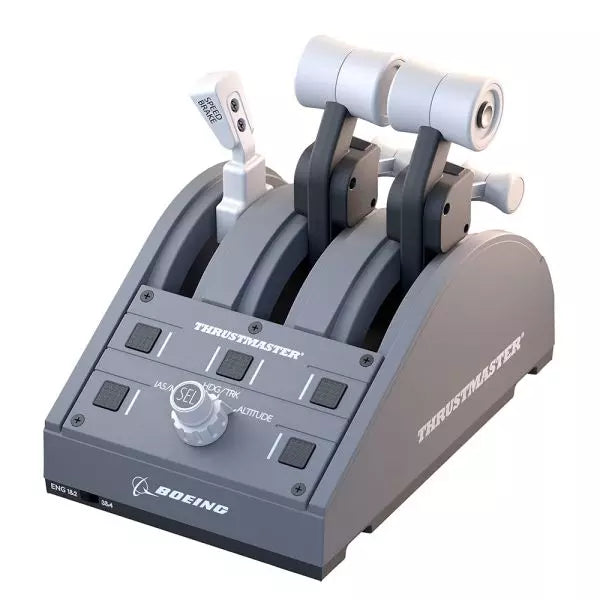
TCA Quadrant Boeing Edition er en throttle quadrant som gir den ikoniske følelsen av Boeing-fly til dine hender. Med utbytbare spaker for en tilpassbar opplevelse og magnetisk teknologi som sikrer jevn drift over alle tre aksene, lar denne enheten deg oppleve samme taktile kontroll som ekte Boeing-piloter. Offisielt lisensiert av Boeing og Xbox, og kompatibel med PC, er dette et kompakt, men robust tillegg til enhver flight sim-setup, designet for å heve din virtuelle cockpit.
Hva skiller TCA Quadrant Boeing Edition fra andre?
Utbytbare og tilpassbare spaker TCA Quadrant Boeing Edition inkluderer fire utbytbare spaker som kan ordnes for å passe din preferanse. Enten du trenger en hastighetsbrems, throttle eller flaps, kan spakene tilpasses, noe som gjør det ideelt for venstre- eller høyrehendte piloter som søker presis kontroll over sin setup.
Boeing-inspirert lineært motstand Throttle-spakene er bygget for å etterligne motstanden du vil føle i Dreamliner-throttlequadranten. Denne subtile detaljen gir en følelse av vekt og ettertanke i hver justering, og sørger for at du føler hver kraftinnstilling i fingertuppene.
Ikoniske autopilotkontroller Den integrerte autopilotrotaryknappen gjør det mulig med intuitive justeringer av høyde, luftfart og kurs. Denne funksjonen speiler funksjonaliteten til ekte Boeing-fly, og gir deg en intuitiv måte å styre flyveien uten ekstra tilbehør.
Magnetisk teknologi for jevn drift Ved å bruke Thrustmasters H.E.A.R.T magnetteknologi, tilbyr denne quadranten sømløs bevegelse med presis nøyaktighet. Fraværet av mekaniske deler betyr ingen nedbrytning over tid, og sikrer varig ytelse i din flight sim-cockpit.
Fordeler og ulemper
Fordeler
Ulemper
Utbytbare spaker gir en tilpasset setup.
Krever TCA Yoke Boeing Edition for Xbox-bruk.
Boeing-inspirert lineært motstand gir taktil tilbakemelding.
Begrenset funksjonalitet uten et matchende yoke-system.
Magnetiske sensorer sikrer jevn, slitasjefri drift.
Autopilotkontroll kan være vanskelig å mestre i starten.
Spesifikasjoner
Spesifikasjon
Verdi
Mål
130mm (B) x 195mm (D) x 150mm (H)
Vekt
600 g / 1.3 lb
Inkluderte komponenter
Throttle quadrant, 4 spaker, tverrstang, festedeler
Anslutningstype
USB
Kompatibilitet
Xbox (med TCA Yoke), PC
TCA Quadrant Boeing Edition Kompatibilitet
TCA Quadrant Boeing Edition er designet for å fungere sømløst med Thrustmasters TCA Yoke Boeing Edition, som kreves for Xbox-kompatibilitet. Når den kobles sammen med yoken, kobles den direkte til Xbox Series X|S eller Xbox One. På PC integreres den smidig i flight simulators og gjør den til et utmerket valg for brukere av Microsoft Flight Simulator 2020. Den er imidlertid ikke kompatibel med andre yoke-systemer eller fristående drift på Xbox-plattformer.
Quadranten er offisielt lisensiert av både Boeing og Xbox, og sikrer en fullt støttet opplevelse på kompatible systemer. Den støtter Microsoft Windows PC-er og fungerer automatisk med Microsoft Flight Simulator på Xbox Series X|S, og gir plug-and-play-komfort. Dessverre mangler den Mac-kompatibilitet, så macOS-brukere må kanskje utforske alternative alternativer for sine flight sim-behov.
TCA Captain Pack X Airbus Edition er et spennende sprang for flight sim-entusiaster som drømmer om å kommandere cockpitten til en Airbus A320. Denne pakken kombinerer de ergonomiske replikaene av Airbus sidestick og kvartanten, og leverer en funksjonsrik opplevelse inspirert av autentiske flykontroller. Fra den taktile tilbakemeldingen fra de 31 handlingsknappene til den tilfredsstillende motstanden i gasskontrollens stoppunkt, gir dette oppsettet deg full kontroll over hver del av flyvingen. Enten du håndterer presise innflyvninger eller tester thrust reverseren, hever denne pakken dine sim-flyvninger til et helt nytt nivå.
Hva skiller TCA Captain Pack X Airbus Edition fra andre?
Autentisk Airbus-design Sidestick og kvartanten er ekte 1:1 skala replikaer, som gir deg den samme kontrolloppsettet og følelsen som den ekte Airbus A320. Med denne oppmerksomheten på detaljer, etterligner alt fra landingshåndtaket til bremseflappen den faktiske flymaskinen, og gjør oppsettet ditt så nært en ekte cockpit som mulig.
Thrust Reverser Mekanisme En sjelden tillegg til hjemmeflysimulatorkontroller, gir den innebygde thrust reverseren dybde til dine landingssekvenser. Det er en unik funksjon som tilfører ekstra realisme til øktene dine, spesielt når den kombineres med kvartantens detaljerte gasskontroll.
Integrert Økosystemhub Den forenklede tilkoblingen er en spillveksler med det nye hub-designet. Koble alle Thrustmaster Airbus-tilbehør—roderpedaler, tillegg og mer—ved hjelp av et enkelt USB-kabel. Dette designet minimerer rot og forbedrer kompatibiliteten med Xbox Series X|S og PC-plattformer.
Allsidighet og Modulær Design Sidesticken tilbyr tilpassbare knappemoduler og kan tilpasses for venstrehendte, høyrehendte eller sentrale cockpitposisjoner. Dette gjør kontrolleren allsidig for soloflyging eller medpilotoppsett, og passer både tilcasual simmere og seriøse entusiaster.
Fordeler og Ulemper
Fordeler
Ulemper
Autentisk Airbus-inspirert oppsett forbedrer realistisk flyvning.
Begrenset kompatibilitet med ikke-Airbus-stil oppsett.
Thrust reverseren tilfører dybde til landingsprosedyrene.
Ingen krafttilbakemelding eller vibrasjonsfunksjoner inkludert.
Integrert hub reduserer kabelrot betydelig.
Spesifikasjoner
Spesifikasjon
Verdi
Sidestick Dimensjoner
7,7” x 7,7” x 8,9” (195 mm x 195 mm x 225 mm)
Kvartant Dimensjoner
7,5” x 9,3” x 3,3” (190 mm x 235 mm x 85 mm)
Sidestick Vekt
1,7 lb (787 g)
Kvartant Vekt
2 x 1,2 lb (2 x 530 g)
Pakkens Innhold
Sidestick, Kvartant, Tilleggsmodule, USB-kabel, Kobledelementer
Tilkoblingstype
USB-C til USB-A, 2x SATA-kabler
TCA Captain Pack X Airbus Edition Kompatibilitet
TCA Captain Pack X Airbus Edition integreres sømløst med Thrustmaster T.Flight Rudder Pedals (TFRP) og Thrustmaster Pendular Rudder (TPR) systemene, samt med andre tillegg som TM Flying Clamp. Økosystemhuben gjør det enklere enn noensinne å koble alle komponentene ved hjelp av et enkelt USB-kabel, og støtter både Xbox Series X|S og PC-plattformer. Imidlertid kan kvartantens Airbus-spesifikke design ikke passe for entusiaster som ønsker et Boeing-stil oppsett eller generiske kontroller.
På spillfronten er den fullt kompatibel med Microsoft Flight Simulator 2020 og integreres automatisk både på PC og Xbox Series X|S. Denne pakken støtter også ulike andre titler på Xbox og PC med tilpassbare kartlegginger, selv om den kanskje ikke fungerer med eldre konsoller eller spill som ikke støttes.
Please note! The item may take 7-10 business days to ship!
Wingflex DAP 500 puts dedicated general aviation autopilot controls right where your hand expects them, combining fully customizable controls with plug-and-play USB connectivity for a clean desktop setup. Instead of reaching for on-screen knobs every few minutes, you can adjust heading, altitude and navigation modes through tactile buttons and encoders that feel purposeful. The aluminum stand, automatic aircraft configuration and ambient-light-controlled backlighting make it equally comfortable during a sunny VFR hop or a late-night IFR approach.
What Sets the Wingflex DAP 500 apart?
Designed Specifically for General Aviation While many autopilot panels focus on airliners, the DAP 500 is built around the aircraft most GA pilots actually fly. Its control layout suits piston singles, turboprops and light business aircraft, making routine autopilot adjustments feel intuitive. Pilots who regularly fly aircraft like the C172, TBM, Vision Jet or King Air often appreciate hardware that reflects their everyday flying instead of borrowing layouts from transport-category aircraft.
Flexible Controls That Adapt to Your Flying Style With twelve programmable push buttons, two pushable rotary encoders and an additional scroll-wheel encoder, the panel can be tailored well beyond its default assignments. Community discussions around configurable hardware consistently highlight this flexibility as a major advantage because it allows pilots to create workflows that match their preferred aircraft rather than forcing identical controls across every simulator.
Automatic Aircraft Profiles Reduce Setup Time WingFlex Bridge software automatically configures supported aircraft, helping users spend more time flying and less time assigning controls. Reviewers generally regard automatic profile detection as one of the biggest quality-of-life improvements in modern simulator hardware, particularly for pilots who regularly switch between multiple aircraft during the same week instead of flying a single favourite.
Built to Grow With Future Cockpit Expansions The DAP 500 is designed as part of a broader modular ecosystem, with support planned for additional DAP-series expansion panels. Combined with firmware updates delivered through OTA software, it offers a platform that can continue evolving without replacing the core autopilot unit. That modular philosophy appeals to cockpit builders who prefer expanding their simulator gradually rather than purchasing an entire panel stack in one go.
Pros and Cons
Pros
Cons
Automatic aircraft profiles simplify supported aircraft setup.
Designed primarily for general aviation aircraft.
Extensive programmable controls suit different flying styles.
Requires WingFlex Bridge for automatic configuration features.
Ambient light sensor adjusts backlighting automatically.
Aluminum stand provides stable desktop positioning.
OTA firmware updates add future functionality.
Specifications
Specification
Value
Product
Wingflex DAP 500 Digital Autopilot Panel
Primary Use
General aviation flight simulation
Connection
USB plug-and-play
Push Buttons
12
Pushable Rotary Encoders
2
Scroll-Wheel Encoder
1
Key Assignment
Fully user customizable
Configuration
Automatic via WingFlex Bridge software
Backlighting
Adjustable with ambient light sensor
Firmware
OTA firmware upgrade support
Construction
Aluminum alloy stand
Expandability
Supports future DAP-series auxiliary panels
Wingflex DAP 500 Compatibility
Simulator
Compatible Aircraft
X-Plane
Baron 58, King Air C90B, Citation XLS, Skyhawk G1000, Cirrus SR22, Vision SF50, Lancair Evolution, RV10
Microsoft Flight Simulator 2020
NXCub, XCub, King Air 350, Bonanza G36, C208B Grand Caravan EX, CJ4, C172 G1000, DA40 NG, Pilatus PC-6, TBM 930
Microsoft Flight Simulator 2024
TBM 930, Bonanza G36, King Air 350, C172 G1000, C208B Grand Caravan EX, C400 Corvalis, CJ4, DA62, DA40 NG, Draco X, Vision SF50, Archer, ES30, NXCub, PC-12 NGX, XCub
The DAP 500 connects through USB and uses WingFlex Bridge software to automatically configure supported aircraft profiles. It is designed for general aviation cockpits and works especially well alongside hardware such as G1000 panels, radio stacks, throttle quadrants and yokes. The panel also supports future DAP-series expansion modules, allowing users to gradually build a more complete general aviation cockpit instead of replacing existing hardware.
Compatibility is focused on aircraft equipped with autopilot systems commonly found in general aviation rather than commercial airliners. It supports a broad collection of Asobo, Laminar Research and Microsoft aircraft, including the C172 G1000, King Air, TBM 930, Vision Jet, DA62 and PC-12 NGX. It is not intended for Boeing or Airbus airliner autopilot systems, which use different control layouts and operating logic.
The DAP 500 is compatible with Microsoft Flight Simulator 2020, Microsoft Flight Simulator 2024 and X-Plane on PC. It connects as a USB peripheral and relies on WingFlex Bridge software for supported aircraft integration. It is not compatible with Xbox or PlayStation consoles, as those platforms do not support dedicated desktop flight simulation control panels of this type.
MOZA MA3F Electronic Flight Control Modules L bring the unmistakable Airbus A320 flight deck to your simulator with controls that make every heading change, altitude adjustment, and approach setup feel deliberate. The dual-rail spring-loaded push/pull mechanism recreates the distinctive operation of Airbus autopilot controls, while custom segmented displays faithfully mirror Airbus-specific character formatting and spacing. From the satisfying click of each selector to the coordinated cockpit lighting, every interaction encourages proper Airbus procedures throughout the entire flight.
What Sets the MOZA MA3F Electronic Flight Control Modules L apart?
Faithful Airbus Push/Pull Operation – The dual-rail spring-loaded push/pull mechanism delivers a noticeably more convincing feel than conventional encoder-based controls. Airbus enthusiasts often point out that having distinct push and pull actions makes switching between managed and selected modes feel far more intuitive, helping reproduce familiar cockpit workflows without relying on keyboard shortcuts or mouse clicks.
Displays That Match Airbus Presentation – Rather than using generic digital readouts, the custom segmented displays reproduce Airbus-style character spacing, typography, and formatting. Builders frequently appreciate these visual details because the modules blend naturally with other Airbus cockpit hardware, creating a clean and cohesive flight deck instead of a collection of mismatched peripherals.
Flexible Expansion for Growing Cockpits – Available as an FCU only, FCU with a single EFIS, or a complete Electronic Flight Control Module suite, the system adapts to different cockpit sizes and budgets. The optional extended-function EFIS mode adds further flexibility, allowing additional controls to be accessed without filling the cockpit with extra hardware.
Straightforward Installation and Configuration – The included mounting bracket, aluminum-profile compatibility, and standard 75 mm VESA support make installation simple across desktop and full-frame cockpits. Users also appreciate MOZA Cockpit software for its synchronized lighting, streamlined configuration process, and flexible control customization without requiring complicated setup procedures.
Pros and Cons
Pros
Cons
Excellent Airbus-style push/pull control mechanism.
Designed specifically for Airbus aircraft.
Displays closely match Airbus FCU formatting.
Requires a Windows PC.
Modular configurations support gradual cockpit upgrades.
Synchronized lighting creates a cohesive cockpit appearance.
Specifications
Specification
Value
Product Type
Airbus A320-style FCU and EFIS control system
Available Configurations
FCU only, FCU + single EFIS, complete EFCM suite
Display Type
Custom Airbus-style segmented displays
Autopilot Control Mechanism
Dual-rail spring-loaded push/pull controls
Lighting
Independent display, character, and status illumination
Software Integration
MOZA Cockpit
Supported Platform
PC
Mounting Options
Included bracket, aluminum profile, 75 mm VESA mount
Extended Function
Optional EFIS extended-function control mode
MOZA MA3F Electronic Flight Control Modules L Compatibility
Hardware
Compatibility
Mounting Systems
Included bracket, aluminum-profile rigs, 75 × 75 mm VESA mounts
MOZA Cockpit Software
Telemetry synchronization and configuration supported
Cockpit Configurations
FCU only, single EFIS, or complete EFCM suite
Flight Simulator
Compatibility
Microsoft Flight Simulator
Default Airbus A320/A330 and supported Airbus add-ons
X-Plane
Compatible with Airbus aircraft including ToLiss series
Third-Party Aircraft
Fenix A320, FlightFactor A320, ToLiss series, and other popular Airbus airliners
Designed for PC flight simulation, the MA3F Electronic Flight Control Modules L integrate with MOZA Cockpit software for telemetry synchronization, synchronized lighting, and simple configuration. Included bracket mounting, aluminum-profile compatibility, and 75 mm VESA support allow the modules to fit comfortably into desktop cockpits or larger Airbus flight deck projects.
The modular design allows builders to begin with a single FCU or expand into a complete Electronic Flight Control Module suite as their simulator grows. Independent adjustment of display brightness, character illumination, and status lighting helps maintain a consistent cockpit appearance during daytime departures and night operations alike.
Compatible with Microsoft Flight Simulator and X-Plane, the system supports default Airbus A320 and A330 aircraft together with leading third-party aircraft including Fenix A320, ToLiss, FlightFactor A320, and other popular Airbus airliners. The supported platform is PC; gaming consoles and macOS are not supported.
Honeycomb Foxtrot Aviation Stick is built for pilots who prefer a sidestick in hand and a clean desk in front of them. From the first movement, the smooth linear resistance system with no center detent feels fluid and deliberate, ideal for Airbus-style inputs and aerobatic maneuvers. Under the hood, 16-bit resolution with Hall Effect sensor technology translates subtle wrist movements into accurate on-screen control. Add adjustable tension and a fully ambidextrous layout, and you’ve got a stick that feels purposeful rather than toy-like.
What Sets the Honeycomb Foxtrot Aviation Stick apart?
Center-Detent-Free Control Philosophy Many sticks rely on a noticeable center bump, which can make small corrections feel mechanical. The Foxtrot’s linear resistance system eliminates that notch, creating a smooth transition across the full axis range. Pilots flying Airbus aircraft in particular appreciate this design, as it mirrors sidestick behavior more closely and allows gentle pitch and roll corrections without fighting a spring-loaded “click” at center.
Sensor and Resolution Synergy With 16-bit resolution paired to Hall Effect sensors, the Foxtrot delivers clean, contactless input detection. Enthusiasts often point out the consistency over time—no spiking, no gradual degradation from physical potentiometers. Subtle trim adjustments during approach or careful roll inputs in aerobatics feel steady and predictable, especially when compared to entry-level sticks that can show jitter near center.
Configurable Resistance and Ergonomics Adjustable tension allows the stick to be tuned to personal preference, whether you prefer lighter fingertip inputs or firmer resistance for controlled movements. Combined with its ambidextrous grip design, the Foxtrot suits both left- and right-handed setups. Users with compact cockpit builds often highlight how adaptable it feels in different seating positions, including center-mounted or side-mounted configurations.
Switch Density Without Clutter Between the 5 two-way switches, 4 programmable action buttons, POV hat, trigger, rockers, and multi-way rotary panel, the stick offers serious input flexibility. What stands out is how logically the controls are spaced; sim pilots frequently mention that functions like trim, autopilot modes, or camera controls can be assigned without feeling cramped or hunting blindly mid-flight.
Pros and Cons
Pros
Cons
Linear resistance without center detent feels smooth.
No native console compatibility.
Hall Effect sensors reduce long-term wear.
No included dedicated mounting base.
Adjustable tension suits different flying styles.
Extensive switch and button configuration options.
Specifications
Specification
Value
Product Name
Honeycomb Foxtrot Aviation Stick
Control System
Linear resistance system with no center detent
Sensor Technology
Hall Effect sensors
Resolution
16-bit
Tension Adjustment
Adjustable stick resistance
Switches
5 two-way switches
Action Buttons
4 programmable buttons
Rotary Panel
3-, 4-, and 5-way rotary controls
Grip Design
Ambidextrous
Connection
USB-C to USB-A cable
System Compatibility
PC and Mac
Included in the Box
Foxtrot Aviation Stick, USB-C to USB-A Cable, Quick Start Guide (EFIGS)
Download Support
Basic Bindings Profiles (XML) for MSFS 2024
Honeycomb Foxtrot Aviation Stick Compatibility
Platform
Compatibility
Operating Systems
PC and Mac
Connection Type
USB-C to USB-A direct USB interface
Primary Sim Support
MSFS 2024 (XML bindings), MSFS, X-Plane, Prepar3D
The Foxtrot Aviation Stick connects via standard USB, allowing it to integrate easily into most desktop cockpit setups. It works seamlessly alongside throttle quadrants, rudder pedals, and radio panels from other major brands thanks to its plug-and-play HID architecture. Its ambidextrous design makes it suitable for left- or right-seat configurations, including Airbus-style side mounting. It is not compatible with Xbox consoles and does not function as a standalone device without a connected PC or Mac.
On the software side, it supports Microsoft Flight Simulator 2024 with dedicated XML binding profiles and operates with popular PC simulators such as Microsoft Flight Simulator (2020), X-Plane, and Prepar3D through manual or community mappings. It is not designed for console-based platforms, as it relies on native PC/Mac driver recognition rather than console-certified firmware.




