MOZA MA3F Electronic Flight Control Modules R capture the distinctive workflow of the Airbus A320 flight deck with hardware that feels satisfying every time you dial in a heading or adjust altitude. The dual-rail spring-loaded push/pull mechanism recreates the signature operation of Airbus autopilot controls, while custom segmented displays faithfully mirror Airbus-specific character formatting and spacing. Every knob, button, and illuminated indicator works together to make route management, climb planning, and approach setup feel remarkably natural throughout every stage of flight.
What Sets the MOZA MA3F Electronic Flight Control Modules R apart?
Airbus Push/Pull Controls Done Properly – One feature that consistently stands out is the custom dual-rail push/pull mechanism. Instead of using a basic spring-loaded encoder, the controls deliver distinct travel and resistance that closely match Airbus operating procedures. Many experienced Airbus sim pilots appreciate how this makes managed and selected mode changes feel much more deliberate while reducing accidental inputs during busy phases of flight.
Displays That Capture Airbus Character – The segmented displays have been carefully designed to reproduce the distinctive appearance of Airbus FCU readouts, including character spacing and formatting. Rather than looking like generic digital displays, they blend naturally into an Airbus cockpit. Enthusiasts often point to details like these as the difference between simply operating a simulator and enjoying a convincing airline cockpit environment.
Expandable to Match Your Cockpit – Whether you choose the FCU on its own, pair it with a single EFIS module, or install the complete Electronic Flight Control Module suite, the system grows alongside your cockpit. Builders appreciate this flexibility because it allows gradual upgrades while maintaining a consistent appearance and control layout throughout the simulator.
Purpose-Built for Dedicated Airbus Flying – Seamless integration with MOZA Cockpit software, synchronized lighting, and support for leading Airbus aircraft make the system especially attractive for airliner enthusiasts. Community feedback often highlights how easy it is to configure while still providing extensive customization for display lighting, controls, and cockpit organization.
Pros and Cons
Pros
Cons
Excellent Airbus-style push/pull autopilot controls.
Designed specifically for Airbus aircraft.
Displays accurately reproduce Airbus FCU formatting.
Requires a Windows PC.
Multiple configurations suit evolving cockpit builds.
Synchronized lighting enhances cockpit consistency.
Specifications
Specification
Value
Product Type
Airbus A320-style FCU and EFIS control system
Available Configurations
EFIS
Display Type
Custom Airbus-style segmented displays
Autopilot Control Mechanism
Dual-rail spring-loaded push/pull controls
Lighting
Independent display, character, and status illumination
Software Integration
MOZA Cockpit
Supported Platform
PC
Mounting Options
Included bracket, aluminum profile, 75 mm VESA mount
Extended Function
Optional EFIS extended-function control mode
MOZA MA3F Electronic Flight Control Modules R Compatibility
Hardware
Compatibility
Mounting Systems
Included bracket, aluminum-profile rigs, 75 × 75 mm VESA mounts
MOZA Cockpit Software
Supported for telemetry synchronization and configuration
Cockpit Layouts
FCU only, single EFIS, or complete EFCM suite
Flight Simulator
Compatibility
Microsoft Flight Simulator
Default Airbus A320/A330 and supported Airbus add-ons
X-Plane
Compatible with Airbus aircraft including ToLiss models
Third-Party Aircraft
Fenix A320, FlightFactor A320, ToLiss series, and other Airbus airliners
Built for PC flight simulation, the MA3F Electronic Flight Control Modules R work seamlessly with MOZA Cockpit software, providing synchronized lighting, telemetry integration, and straightforward configuration. Included bracket mounting, aluminum-profile compatibility, and 75 mm VESA support make installation simple whether you're assembling a desktop setup or a dedicated Airbus cockpit.
The modular design allows builders to begin with a single FCU or expand into a complete Electronic Flight Control Module suite over time. Independent adjustment of display brightness, character illumination, and status lighting helps maintain a consistent cockpit appearance during daytime departures and late-night arrivals.
Compatible with Microsoft Flight Simulator and X-Plane, the system supports default Airbus A320 and A330 aircraft together with leading third-party aircraft including Fenix A320, ToLiss, FlightFactor A320, and other popular Airbus airliners. The supported platform is PC; gaming consoles and macOS are not supported.
MOZA MA3F Electronic Flight Control Modules bring the Airbus A320 flight deck to your simulator with controls that feel satisfying from the first heading change to the final approach. The dual-rail spring-loaded push/pull mechanism recreates the distinct operation of Airbus autopilot controls, while custom segmented displays faithfully reproduce the unique FCU character layout and formatting. Every knob rotation, button press, and display update feels purposeful, making long IFR flights far more engaging than relying on virtual cockpit controls alone.
What Sets the MOZA MA3F Electronic Flight Control Modules apart?
Autopilot Controls That Feel Convincing – One feature frequently praised by experienced Airbus sim pilots is the dual-rail spring-loaded push/pull mechanism. Rather than relying on a basic push button behind a rotary encoder, the controls provide distinct travel and resistance that better reflect Airbus workflow. During climbs, descents, and approach changes, every input feels deliberate and encourages proper cockpit procedures.
Displays Designed Around Airbus Styling – The segmented displays do more than simply show numbers. Character spacing, formatting, and typography closely mirror Airbus FCU presentation, creating a cockpit appearance that immediately feels familiar to Airbus enthusiasts. Builders often appreciate this level of visual detail because it helps the hardware blend naturally with other cockpit panels instead of standing out as a generic controller.
Flexible Configurations for Every Cockpit – The system is available as an FCU alone, an FCU paired with a single EFIS, or as a complete EFCM suite. This flexibility allows builders to expand gradually instead of purchasing everything at once. The optional extended-function capability also gives one EFIS module additional duties, reducing unnecessary mouse interaction during busy phases of flight.
Designed to Fit Existing Flight Decks – Standard 75 mm VESA compatibility, the included mounting bracket, and aluminum-profile support make installation straightforward across a wide variety of simulator frames. Users also appreciate the seamless integration with MOZA Cockpit software, where synchronized lighting and control configuration can be managed without lengthy setup procedures.
Pros and Cons
Pros
Cons
Excellent Airbus-style push/pull control mechanism.
Focused exclusively on Airbus aircraft.
Segmented displays closely match Airbus formatting.
PC platform only.
Multiple configurations suit different cockpit budgets.
Integrated lighting synchronization enhances cockpit consistency.
Specifications
Specification
Value
Product Type
Airbus A320-style FCU and EFIS control system
Configuration
FCU only
Display Type
Custom segmented Airbus-style displays
Autopilot Controls
Dual-rail spring-loaded push/pull mechanism
Lighting
Independent screen, character, and status illumination
Software
MOZA Cockpit integration
Supported Platform
PC
Mounting Options
Included bracket, aluminum profile, 75 mm VESA mount
Extended Functions
Optional EFIS extended-function control mode
MOZA MA3F Electronic Flight Control Modules Compatibility
Hardware
Compatibility
Mounting Systems
Included bracket, aluminum-profile rigs, 75 mm VESA mounts
MOZA Cockpit Software
Telemetry synchronization and configuration supported
Cockpit Configurations
FCU only, single EFIS, or complete EFCM suite
Flight Simulator
Compatibility
Microsoft Flight Simulator
Default A320/A330 aircraft and compatible Airbus add-ons
X-Plane
Compatible Airbus aircraft including ToLiss series
Third-Party Aircraft
Fenix A320, FlightFactor A320, and other popular Airbus airliners
Designed for PC flight simulation, the MA3F Electronic Flight Control Modules integrate with MOZA Cockpit software for telemetry synchronization, lighting control, and straightforward configuration. 75 mm VESA compatibility, aluminum-profile support, and the included mounting bracket allow the modules to fit easily into desktop cockpits or larger simulator frames.
The modular design allows builders to start with a single FCU or expand to a complete EFCM suite as their cockpit grows. Independent lighting adjustment for displays, characters, and status indicators helps the modules blend naturally with surrounding instruments during both daytime and night operations.
Compatible with Microsoft Flight Simulator and X-Plane, the system supports default Airbus A320 and A330 aircraft alongside leading third-party add-ons including Fenix A320, ToLiss, and FlightFactor A320. The modules are intended for PC use and are not compatible with gaming consoles.
MOZA FMP18 Panel Bundle transforms a desktop into a carrier-style cockpit with thoughtfully engineered controls, sharp displays, and a layout inspired by the legendary F/A-18. The true-to-life 7.1-inch square displays deliver crisp 800 × 800 visuals, while the magnetic modular quick-swap system makes changing panel configurations remarkably simple. Every button, rotary control, and switch provides a confident mechanical feel, making startup procedures, navigation, and combat tasks satisfying from the first checklist through the final trap aboard the carrier.
What Sets the MOZA FMP18 Panel Bundle apart?
Square Displays That Match the Aircraft Layout – Many competing cockpit panels rely on conventional rectangular screens that compromise proportions. The FMP18 instead uses dedicated 7.1-inch square displays, creating a much closer visual match to the aircraft's DDI and AMPCD layout. Builders across the community frequently appreciate hardware that avoids stretched graphics and provides a cleaner presentation throughout every stage of flight.
Magnetic Modular Expansion – The magnetic quick-swap system with integrated pogo-pin connections makes changing layouts refreshingly straightforward. Rather than rebuilding an entire cockpit for different aircraft, users can swap compatible panels quickly while maintaining a tidy installation. This flexibility has become increasingly popular among enthusiasts who regularly fly multiple aircraft without dedicating permanent space to each one.
Controls Designed for Confident Operation – With 95 buttons, 16 rotary controls, and seven toggle switches, every command has a distinct mechanical feel. Pilots often praise hardware that communicates each input through touch, reducing the need to look down during busy carrier approaches or complex weapon management. The result is a cockpit workflow that feels deliberate and highly satisfying.
Easy Integration Into Existing Cockpits – Standard 75 × 75 mm VESA compatibility, an adjustable desk clamp, and aluminum-profile support allow the FMP18 to fit naturally into a wide variety of simulator rigs. MOZA Cockpit software also lets users assign displays and customize controls, making the bundle equally appealing for dedicated carrier cockpits or expanding an existing simulator.
Pros and Cons
Pros
Cons
Square displays closely match aircraft proportions.
Requires significant desk or cockpit space.
Magnetic quick-swap system simplifies panel changes.
PC platform only.
Excellent tactile buttons and rotary controls.
Flexible VESA mounting suits many cockpit builds.
Specifications
Specification
Value
Product Type
Carrier-style front cockpit panel bundle
Dimensions
527 × 456 × 212 mm (including clamp)
Weight
4.15 kg
Housing Material
Composite materials
Displays
Three 7.1-inch square displays
Display Resolution
800 × 800
Refresh Rate
60 Hz
Buttons
95
Rotary Controls
16
Toggle Switches
7
USB Polling Rate
1000 Hz
Connection Ports
USB 3.0 Type-A ×3, USB Type-C ×4
Mounting Options
Desk clamp, aluminum profile, standard 75 × 75 mm VESA
Supported Platform
PC
Included Accessories
USB 3.0 Type-A cables (3), USB Type-C cables (4)
MOZA FMP18 Panel Bundle Compatibility
Hardware
Compatibility
Mounting Systems
Official desk clamp, aluminum-profile rigs, 75 × 75 mm VESA mounts
MOZA Cockpit Software
Display assignment and complete control mapping
Modular Panels
Supports magnetic quick-swap compatible modules
Platform
Compatibility
PC
Supported
Designed for PC-based flight simulation, the FMP18 integrates with MOZA Cockpit software for display assignment, button mapping, and rotary control customization. The magnetic quick-swap system allows compatible modules to be exchanged rapidly, while standard VESA mounting and aluminum-profile compatibility make installation straightforward across many cockpit designs.
The included angle-adjustable clamp supports both the complete assembly and individual modules, allowing builders to tailor positioning without replacing mounting hardware. The lightweight composite construction also reduces the load placed on simulator frames while maintaining excellent rigidity.
PC is the supported platform, making the bundle suitable for major flight simulators that support custom cockpit hardware. Gaming consoles are not supported, and the system is intended for users building dedicated desktop or cockpit-based flight simulation environments.
MOZA MB7F Flight Computer Display captures the look and workflow of the Boeing 737 CDU, giving home cockpit builders a satisfying way to manage routes, arrivals, and aircraft performance. The 5.1-inch high-resolution IPS display presents crisp text that remains easy to read during every phase of flight, while the die-cast aluminum front panel provides a solid feel every time you press a key. From pre-flight programming to descent planning, each button press and display update adds confidence to the experience without needing to reach for a mouse.
What Sets the MOZA MB7F Flight Computer Display apart?
Built Around Boeing 737 Workflows – Rather than serving as a generic keypad, the MB7F is designed around the layout and operating flow of the Boeing 737 CDU. Pilots who regularly fly PMDG and similar aircraft appreciate having dedicated hardware that keeps route programming, performance entries, and FMC changes within easy reach instead of relying on on-screen pop-up windows.
Excellent Mechanical Feel – The combination of heavy-actuation dome switches and rigid silicone keycaps gives every press a confident, positive response. Many cockpit builders value hardware that communicates each input through touch alone, making it easier to work through lengthy flight plans and data entries while keeping attention focused on the flight deck.
Useful Beyond Flight Planning – The integrated checklist pages and three built-in whiteboard pages transform the MB7F into more than a CDU replica. Frequencies, clearance notes, approach briefings, and operating reminders can all be stored directly on the unit, reducing the need for paper notes or additional displays during longer flights.
Designed to Grow With Your Cockpit – The included desktop stand offers an easy starting point, while standard 75 × 75 mm VESA compatibility makes permanent installation equally straightforward. Combined with synchronized lighting through MOZA Cockpit software, the display fits naturally into compact desktop setups and full Boeing-style cockpit builds alike.
Pros and Cons
Pros
Cons
Excellent tactile keys with minimal wobble.
Designed primarily for Boeing 737 aircraft.
Sharp IPS display keeps text easy to read.
PC platform only.
Integrated checklist and whiteboard functions.
Solid die-cast aluminum front panel.
Specifications
Specification
Value
Product Type
Boeing 737 Flight Computer Display (CDU)
Dimensions
277.9 × 145.5 × 32 mm
Weight
646 g
Display Size
5.1-inch IPS
Housing Material
Die-cast aluminum alloy, ABS, PC
Connection
USB Type-C 2.0
Rated Voltage
5 V
Rated Current
900 mA
Supported Platform
PC
Mounting Options
Desktop stand, 75 × 75 mm VESA mount
Included Accessories
Data cable, desktop stand
MOZA MB7F Flight Computer Display Compatibility
Hardware
Compatibility
MOZA Cockpit Software
Supports synchronized lighting and configuration
Mounting Systems
Desktop stand and 75 × 75 mm VESA mount
Connection
USB Type-C 2.0
Flight Simulator
Compatibility
Microsoft Flight Simulator
Supports PMDG and other Boeing 737 add-ons
X-Plane
Compatible with supported Boeing 737 add-ons
Designed for PC flight simulation, the MB7F integrates with MOZA Cockpit software for synchronized lighting and configuration. A USB Type-C connection keeps installation straightforward, while the included desktop stand and 75 × 75 mm VESA compatibility make it easy to move between a desktop setup and a dedicated cockpit.
The compact footprint and sturdy metal front panel make the MB7F well suited to multi-panel installations without placing excessive load on mounting frames. It works comfortably alongside yokes, throttles, radio panels, and other cockpit hardware, whether installed on a desk or an aluminum-profile simulator frame.
Compatible with Microsoft Flight Simulator and X-Plane, the MB7F is designed for PMDG and other leading Boeing 737 add-ons. PC is the supported platform; Mac systems and gaming consoles are not supported.
MOZA MA3F Flight Computer Display brings Airbus-style flight management into the home cockpit with a layout that rewards every button press and data entry. The 5.1-inch high-resolution IPS display keeps flight plans, procedures, and navigation pages crisp and easy to read, while the die-cast aluminum front panel gives every interaction a reassuring sense of solidity. Heavy-actuation keys, synchronized lighting, and thoughtful workflow tools make programming an arrival or revising a route feel satisfying from the first waypoint to the final approach.
What Sets the MOZA MA3F Flight Computer Display apart?
Keys That Feel Purpose-Built – Many flight management units focus almost entirely on appearance, but the MA3F pays equal attention to how every key behaves. The heavy-actuation dome switches and rigid silicone keycaps create a firm, deliberate press that users frequently appreciate during longer flights. The stable key action also helps reduce accidental inputs when quickly updating flight plans or changing performance data.
Practical Features Beyond Flight Planning – Built-in checklist pages and three integrated whiteboard pages make this more than a simple MCDU replica. Pilots can keep notes, approach briefings, frequencies, or clearance information directly on the unit instead of relying on paper or a second monitor. Many cockpit builders value these workflow additions because they reduce clutter while keeping important information close at hand.
Premium Construction Without Excessive Bulk – The die-cast aluminum front panel gives the MA3F a reassuringly solid feel while keeping overall weight manageable for desktop or cockpit installations. Combined with the sharp IPS display and clean surface finish, it stands out as a polished piece of hardware that integrates naturally into dedicated Airbus flight decks.
Broad Airbus Ecosystem Support – The MA3F supports numerous Airbus aircraft across Microsoft Flight Simulator and X-Plane, including respected third-party add-ons such as the Fenix A320, Toliss aircraft, and FlightFactor A320. Combined with customizable fonts and synchronized lighting, it adapts easily as simulator libraries continue to grow.
Pros and Cons
Pros
Cons
Excellent tactile keys with firm mechanical feel.
Limited to Airbus flight management systems.
Sharp IPS display with customizable fonts.
PC platform only.
Built-in checklist and whiteboard pages add utility.
Die-cast aluminum front panel feels exceptionally solid.
Specifications
Specification
Value
Product Type
Airbus-style Flight Computer Display (MCDU/FCD)
Display Size
5.1-inch IPS
Front Panel Material
Die-cast aluminum alloy
Body Material
ABS + PC
Connection
USB Type-C 2.0
Rated Voltage
5V
Rated Current
900mA
Supported Platform
PC
Mounting Options
Desktop stand, 75 × 75 mm VESA mount
Included Accessories
Data cable, desktop stand
MA3F Dimensions
277.9 × 145.5 × 29.6 mm
MA3F Weight
588 g
MB7F Dimensions
277.9 × 145.5 × 32 mm
MB7F Weight
646 g
MOZA MA3F Flight Computer Display Compatibility
Hardware
Compatibility
MOZA Cockpit Software
Supports telemetry synchronization and lighting control
Mounting
Desktop stand and 75 × 75 mm VESA mount
Connection
USB Type-C 2.0
Flight Simulator
Compatibility
Microsoft Flight Simulator
Supports Airbus A320/A330 family
X-Plane
Supports Airbus aircraft including Toliss models
Third-Party Aircraft
Compatible with Fenix A320, FlightFactor A320, and others
Built for PC flight simulation, the MA3F integrates with MOZA Cockpit software for synchronized lighting and configuration. A USB Type-C connection keeps installation straightforward, while the included desktop stand and 75 × 75 mm VESA compatibility make it equally suitable for desktop use or permanent cockpit installations.
The compact dimensions and lightweight construction make it easy to install alongside other Airbus controls without placing excessive strain on a cockpit frame. The display is intended to complement dedicated Airbus flight decks while remaining flexible enough for modular home cockpit projects.
Compatible with Microsoft Flight Simulator and X-Plane Airbus aircraft, the MA3F supports the A320 and A330 families along with respected third-party aircraft including Fenix A320, Toliss, and FlightFactor A320. The supported platform is PC; Mac systems and gaming consoles are not supported.
The Virtual Fly Yoko+ is a meticulously crafted flight yoke designed for pilots who demand superior control and durability. Featuring magnetic Hall sensors for wear-free accuracy and a robust 90% metal construction, this yoke excels in precision and longevity. With a 14.4 cm pitch travel and 180° range of motion, it provides an expansive, fluid control experience. The addition of a POV hat switch ensures seamless camera management, making it a standout choice for serious sim pilots.
What sets the Virtual Fly Yoko+ apart?
Exceptional Build Quality The Yoko+ is constructed with 90% metal, giving it a rugged yet refined build that stands up to years of intense use. Its weight and solid design provide a dependable, substantial feel, elevating it beyond other yokes that rely heavily on plastic components.
Magnetic Hall Sensors Unlike potentiometers found in some yokes, the Yoko+ employs magnetic sensors, offering wear-free operation and consistent input accuracy. These sensors ensure long-lasting performance, making it a reliable choice for extended simulation sessions.
Wide Range of Motion With 14.4 cm of pitch travel and a 180° rotational range, the Yoko+ provides nuanced control for even the most demanding flight maneuvers. This extensive movement range mimics real-world yoke behavior, giving pilots an authentic experience.
POV Hat Switch The addition of a hat switch enables precise camera control, a feature absent in its predecessor. This improvement streamlines cockpit navigation, ensuring you maintain focus on critical flight controls without interruption.
Pros and Cons
Pros
Cons
Solid metal construction ensures durability and stability.
Does not include throttle control functionality.
Magnetic sensors provide accurate and wear-free operation.
Higher price point compared to other yokes.
Wide pitch and roll range for realistic input control.
POV hat switch simplifies cockpit camera management.
Specifications
Specification
Value
Material
90% metal construction
Pitch Travel
14.4 cm
Roll Range
180°
Sensors
Magnetic Hall sensors
Connectivity
USB
Virtual Fly Yoko+ Compatibility
The Virtual Fly Yoko+ is compatible with a wide range of flight simulators, including Microsoft Flight Simulator (FSX and MSFS), Prepar3D, and X-Plane. Its plug-and-play USB connection ensures easy integration, while tools like FSUIPC allow for advanced customization. However, it is not compatible with console platforms, focusing exclusively on PC setups.
In terms of hardware, the Yoko+ connects seamlessly to standard flight sim rigs and complements other Virtual Fly products. The metal build and smooth movement make it suitable for use with professional and enthusiast-grade setups. It is best paired with other high-quality peripherals for a cohesive experience.
On the platform side, the Yoko+ excels on PC, working perfectly with major simulation software. However, its USB-only connection means it cannot natively support gaming consoles. For PC users, this yoke delivers an exceptional flying experience across supported titles.
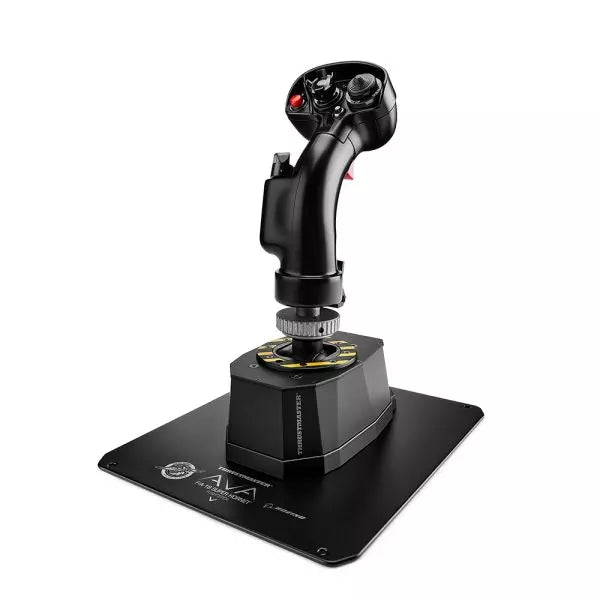
AVA F/A-18 Super Hornet Flightstick er et omhyggelig laget mesterverk designet for luftfartsentusiaster som søker enestående tilpasningsevne og autentisitet. Med en 1:1 skala replika av F/A-18C Hornet flykontrollen og den allsidige AVA modulære basen, tilbyr den uovertruffen tilpasning gjennom justerbare aksekurver, motstand og demping. Enten du navigerer i luftkamper eller perfeksjonerer sivile landinger, gir denne flightstick en taktil tilfredsstillelse med sin hel-metall konstruksjon og presise kontrollmekanismer. Det er ikke bare utstyr—det er din medpilot i cockpiten, klar til å håndtere alle oppdrag.
Hva skiller AVA F/A-18 Super Hornet Flightstick fra andre?
Uslåelig Tilpasning AVA-basen lar deg justere aksekurver, motstand, bevegelse og demping, slik at du kan tilpasse hver detalj til din flystil. Bytte av kammer og fjærer er raskt, og gjør justeringer under sesjonen uten å bryte flyten din.
Offisiell 1:1 Skala Replika F/A-18C Hornet-håndtaket er en lisensiert Boeing-replika, laget med hel-metallkonstruksjon og et sett med 19 handlingsknapper. Dette sikrer et autentisk oppsett for militærklassifiserte simuleringer, og hever tiltrekningen for fans av presise rekreasjoner.
AXY Teknologi for Presisjonskontroll De doble AXY-sensorene lar deg finjustere senterpunktspenning og stikkprogresjon, og gir et kontrollnivå som skiller seg ut blant konkurrentene. Det er perfekt for å oppnå konsistente, repeterbare manøvrer i alle typer luftfart.
Modulært Økosystem Designet for skalerbarhet, støtter AVA-plattformen nåværende og fremtidige tillegg som ekstra håndtak og dempere, og gjør det til en langsiktig investering for flysim-entusiaster. Denne økosystemtilnærmingen sikrer at oppsettet utvikler seg med ferdighetene og behovene dine.
Fordeler og Ulemper
Fordeler
Ulemper
Meget tilpassbar for ulike flystiler.
Bratt læringskurve for initialt oppsett.
Holdbar hel-metall konstruksjon sikrer lang levetid.
Premium-pris kan være for dyr for noen.
Offisiell F/A-18C Hornet replika med autentisk oppsett.
Spesifikasjoner
Spesifikasjon
Verdi
Bredde
5,0” / 12,8 cm
Dybde
6,7” / 17,0 cm
Høyde
13,4” / 34,1 cm (med håndtak og adapter)
Vekt
7,6 lb / 3,5 kg
Innhold i pakken
AVA base, F/A-18C Hornet håndtak, offset adapter, baseplate, kammer, fjærer, masker, unbrakonøkler, USB-C kabel
Materiale
Hel-metall konstruksjon
AVA F/A-18 Super Hornet Flightstick Kompatibilitet
AVA F/A-18 Super Hornet Flightstick er fullt kompatibel med PC-plattformer som kjører Windows 10/11, med plug-and-play-funksjonalitet i ledende flysimulatorer som DCS, X-Plane 11/12, og Microsoft Flight Simulator 2020. Den offisielle gjenkjennelsen av disse spillene sikrer sømløs integrasjon, og lar deg fokusere på flygingen i stedet for konfigureringen. Den er imidlertid ikke kompatibel med konsoller, noe som begrenser dens allsidighet for spillere på flere plattformer.
Dens modulære design støtter kompatibilitet med det voksende AVA-økosystemet, slik at du kan integrere ekstra håndtak, dempere og andre tilbehør for en skreddersydd opplevelse. USB-C-tilkoblingen sikrer pålitelig og rask dataoverføring, men kan kreve adapterløsninger for eldre USB-porter.
For spill fungerer stangen feilfritt med de fleste PC-baserte simulatorer, spesielt de som støtter HOTAS-konfigurasjoner. Med et omfattende utvalg knapper og utmerket gjenkjenning i spillet, er AVA F/A-18 Flightstick et flott valg for seriøse sim-piloter som primært flyr på PC-plattformer.
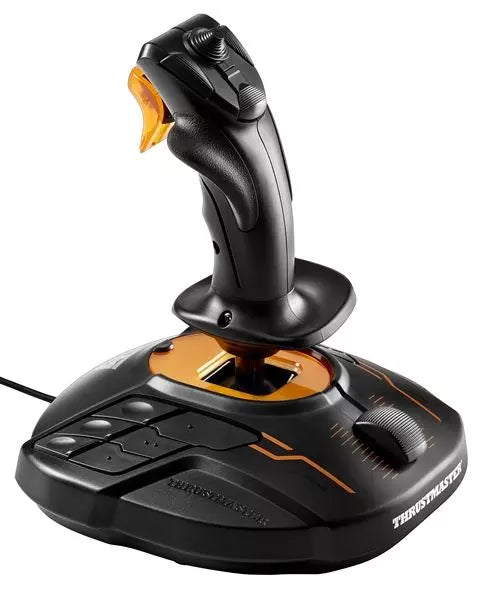
T16000M FCS er en allsidig flystick designet for piloter som krever større kontroll og fleksibilitet. Med den innovative H.E.A.R.T HallEffect AccuRate Technology™, leverer den en oppløsning på 16 000 x 16 000 verdier for presis nøyaktighet. Den ambidekstrale designen passer både venstre- og høyrehendte brukere, med avtakbare komponenter for tilpasning. Med 16 handlingsknapper, en 8-veis hat-bryter og vridbart ror, er T16000M FCS et ergonomisk underverk som sørger for at hver input føles målrettet og kontrollert.
Hva skiller T16000M FCS fra andre?
Ambidekstral design T16000M FCS tilbyr ekte allsidighet med en fullt ambidekstral design som kan tilpasses både for venstre- eller høyrehendte brukere. Dette gjør den til en av de få joystickene som fungerer sømløst for dual-stick oppsett, og gir deg fleksibilitet for både tradisjonell flysimulator og komplekse romsimulator-konfigurasjoner.
H.E.A.R.T. Teknologi HallEffect-sensorene sikrer langvarig nøyaktighet, fri for slitasjeproblemer som ofte plager potensiometer-baserte systemer. Med 16-biters oppløsning gir den utrolig presis kontroll over pitch, roll og yaw, noe som skiller den fra mange av konkurrentene i midtkategori joysticks.
Omfattende knappoppsett Med 16 knapper utstyrt med taktile "braille"-stil identifikatorer, en 8-veis PoV hat-bryter og flere akser, gir T16000M FCS en cockpit-lignende opplevelse. Dette rike input-mappet gjør det ideelt for komplekse kontrollordninger, som de som finnes i kamp- eller romutforskningssimulatorer.
T.A.R.G.E.T. programvareintegrasjon Ved å kombinere med Thrustmasters T.A.R.G.E.T. programvare, kan brukerne lage tilpassede profiler og integrere joystick med andre Thrustmaster-periferiutstyr. Denne funksjonen gir enestående fleksibilitet for finjustering av maskinvareoppsettet for å møte kravene til spesifikke spill.
Fordeler og ulemper
Fordeler
Ulemper
Ambidekstral design som passer både venstre- og høyrehendte brukere.
Begrenset kompatibilitet med konsoller; kun PC-bruk.
HallEffect-sensorer sikrer holdbar og nøyaktig ytelse.
Plastkonstruksjon føles mindre robust sammenlignet med dyrere modeller.
Rimelig pris for det utvalget av funksjoner som tilbys.
Spesifikasjoner
Spesifikasjon
Verdi
Teknologi
H.E.A.R.T. HallEffect AccuRate Technology™
Akser
4 uavhengige akser, inkludert vridbart ror
Knappene
16 handlingsknapper + 8-veis hat-bryter
Kompatibilitet
PC via USB, Windows 7/8/10
Tilpassbar design
Ambidekstral med 3 avtakbare komponenter
T16000M FCS Kompatibilitet
T16000M FCS er designet for PC-bruk og støtter USB-tilkobling på Windows 7, 8 og 10. Den fungerer sømløst med Thrustmasters T.A.R.G.E.T. programvare, som lar deg integrere den med annet Thrustmaster-periferiutstyr, som TWCS gassregulator eller TFRP rorepedaler, for en enhetlig kontrollopplevelse. Selv om joysticken ikke er kompatibel med konsoller som Xbox eller PlayStation, gjør dens fleksibilitet med PC-baserte spill den til et populært valg for dedikerte sim-piloter.
For spillplattformer utmerker T16000M FCS seg i fly- og romsimulatorer, med full kompatibilitet i titler som Microsoft Flight Simulator, Elite Dangerous* og Star Citizen. Den mangler offisiell støtte for konsoller eller mobile enheter, men dens integrering med PC-spill forbedres av dens høye tilpasningsmuligheter og programmerbare input-profiler, noe som gjør det til et foretrukket valg for komplekse simuleringer.
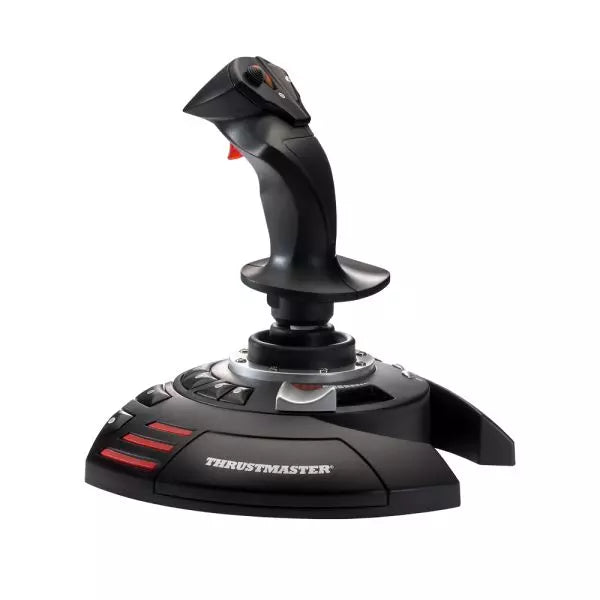
T.Flight Stick X er en allsidig og rimelig joystick designet for PC-flysimulatorentusiaster. Med 12 programmerbare handlingsknapper og en vridbar rorfunksjon, tilpasser denne joysticken seg sømløst til alle flyscenarier – fra hundekamper til kommersiell luftfart. Den ergonomiske designen sikrer komfort under lange økter, mens den integrerte gassregulatoren og det låsbare vridbare roret gir presis kontroll. Enten du navigerer på sivile himmelstrøk eller deltar i romkamper, gir T.Flight Stick X en intuitiv opplevelse som holder deg fullt engasjert i oppdraget ditt.
Hva skiller T.Flight Stick X fra andre?
Programmerbare kontroller for full tilpasning T.Flight Stick X har 12 programmerbare knapper og 4 akser, slik at brukere kan konfigurere joysticken etter egne preferanser. Dette kontrollnivået sikrer kompatibilitet med ulike flysimulatorspill og muliggjør raske justeringer under spillingen, noe som gjør det egnet for både nybegynnere og erfarne piloter.
Vridbart ror med låsemekanisme Den vridbare rorfunksjonen gir et ekstra lag med kontroll, spesielt i stramme manøvrer. For de som foretrekker tradisjonelle rorepedaler eller en mer stabil opplevelse, gjør den låsbare håndtaket det mulig med enkel, fast akse kontroll, og gir allsidighet for ulike spillestiler.
Ergonomisk design for komfortabel bruk Den ergonomiske konstruksjonen tilpasser seg lange spilløkter ved å redusere håndtretthet. Den nøye formede håndtaksformen og intuitiv knappplassering sikrer at alle viktige kontroller er lett tilgjengelige, noe som forbedrer både komfort og funksjonalitet.
Plug-and-Play enkelhet Designet for enkel oppsett, er T.Flight Stick X fullt Plug-and-Play kompatibel med PC, og eliminerer behovet for kompliserte installasjoner. Den fungerer rett ut av boksen med de fleste populære flysimulatorspill, og er et utmerket valg for nybegynnere i sjangeren.
Fordeler og ulemper
Fordeler
Ulemper
Programmerbare knapper gir omfattende tilpasning for spillingen.
Byggematerialene føles mindre premium enn konkurrentene.
Låsbare vridbare roret gir allsidige håndteringsalternativer.
Ingen separat gassregulator inkludert.
Plug-and-Play sikrer enkel oppsett for PC-brukere.
Spesifikasjoner
Spesifikasjon
Verdi
Handlingsknapper
12 programmerbare
Akser
4
Gassregulator
Integrert
Ror
Vridbart med låsemekanisme
Kompatibilitet
PC (Plug-and-Play)
T.Flight Stick X Kompatibilitet
Kompatibilitet
Detaljer
Plattformer
PC (Plug-and-Play)
Spill
Kompatibel med de fleste PC flysimulatorer
T.Flight Stick X er designet for PC og fungerer sømløst med et bredt utvalg av flysimulatorspill, inkludert populære titler som Microsoft Flight Simulator og X-Plane. Den har Plug-and-Play-funksjonalitet, noe som betyr at det ikke er nødvendig med drivere eller spesialprogramvare – bare koble til og spill. Selv om den mangler konsollstøtte, skiller den seg ut ved å tilby enkel kompatibilitet for PC-spill.
Med sin integrerte gassregulator og programmerbare knapper tilpasser T.Flight Stick X seg godt til både moderne og klassiske flysimulatorer. Selv om den ikke inkluderer ekstra maskinvare som rorepedaler, sikrer det innebygde vridbare roret og låsemekanismen allsidige kontrollalternativer, noe som gjør det til et utmerket inngangspunkt for kommende flysim-piloter.
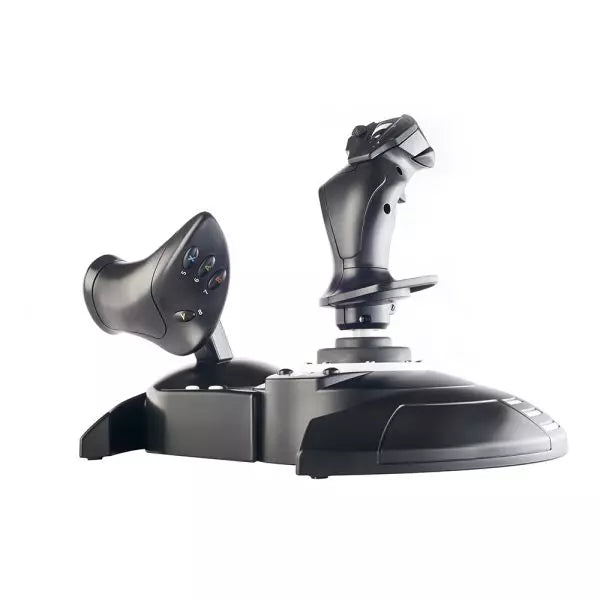
T.Flight Hotas One er en allsidig joystick- og gassregulator-kombinasjon, offisielt lisensiert for Xbox og Windows, som gir en jevn og engasjerende pilotopplevelse. Med en avtakbar, full-størrelse gassregulator for presis kontroll og et dobbelt roresystem som føles naturlig i hånden, tilpasser dette oppsettet seg alt fra sivil luftfart til romutforskning. Den ergonomiske designen, den vektede basen og justerbar håndtakmotstand gjør lange økter komfortable og stabile, mens intuitive kontroller sørger for at hver handling er lett tilgjengelig.
Hva skiller T.Flight Hotas One fra andre?
Avtakbar gassregulator for fleksibelt oppsett Den full-størrelse gassregulatoren kan brukes separat fra joysticken eller festes sammen for å spare plass. Denne fleksibiliteten lar deg gjenskape autentiske cockpitforhold eller strømlinjeforme skrivebordoppsettet, og gir allsidighet for alle spillmiljøer.
Intuitivt dobbelt roresystem Roresystemet tilbyr to inndatametoder: et roterende håndtak for tradisjonell bruk eller et progressivt vippehåndtak for økt presisjon. Denne dualiteten gjør det til et ideelt valg for både erfarne piloter og nybegynnere som ønsker fin kontroll uten å måtte bruke ekstra pedaler.
Integrasjon med Xbox og Windows Designet med offisielle Xbox-knapper, gir det sømløs integrasjon med Xbox-konsoller, inkludert Series X|S, og PC. Spillere kan enkelt navigere i menyer, justere innstillinger eller bytte mellom spill og system med et oppsett som føles som en forlengelse av selve konsollen.
Ergonomi tilpasset flyging Et bredt håndstøtte, vektet base og justerbar håndtakmotstand sikrer komfort og stabilitet under langvarig bruk. Disse funksjonene reduserer tretthet og holder bevegelsene flytende, ideelt for komplekse flyoppdrag eller lange utforskningsøkter.
Fordeler og ulemper
Fordeler
Ulemper
Avtakbar gassregulator gir fleksible konfigurasjonsmuligheter.
Plastbyggingen kan føles mindre premium sammenlignet med konkurrenter.
Kompatibel med både Xbox-konsoller og PC.
Begrenset tilpassing av knapper i enkelte spill.
Vektet base gir bedre stabilitet under intense økter.
Spesifikasjoner
Spesifikasjon
Verdi
Akser
5
Knapper
14 handlingsknapper + 1 rapid-fire trigger
Hat Switch
Multidireksjonell (navigering/panoramautsikt)
Gassregulator
Avtakbar, full størrelse
Roresystem
Dobbelt (roterende håndtak eller vippehåndtak)
Konsollknapper
Guide, View, Menu
Plattformkompatibilitet
Xbox One, Xbox Series X|S, Windows
T.Flight Hotas One Kompatibilitet
Kompatibilitet
Detaljer
Maskinvare
Støtter T.Flight Rudder Pedals med S.M.A.R.T. rails.
Plattformer
Xbox One, Xbox Series X|S, Windows PC.
T.Flight Hotas One integreres sømløst med Xbox-konsoller, inkludert Xbox One og Xbox Series X|S, ved å bruke de offisielle knappene for enkel navigering og systemkontroller. Kompatibiliteten med Windows PC gir ekstra fleksibilitet, og tilbyr spillere en enkel joystick-løsning på både konsoll- og PC-plattformer. For flyentusiaster som ønsker et utvidbart oppsett, støtter det T.Flight Rudder Pedals, som gir jevnere svinger og avanserte kontrollalternativer.
Når det gjelder spillplattformer, fungerer T.Flight Hotas One feilfritt med populære simulatorspill som Microsoft Flight Simulator på Xbox og PC. Den har imidlertid ikke offisiell støtte for PlayStation-konsoller. Dens tilpassbare oppsett og brede spillkompatibilitet gjør den til et sterkt valg for enhver flysimulatorfan som ønsker å heve sin cockpitopplevelse.
TWCS Throttle gir finesse og kontroll til venstre hånd, og gjør hver flytur til en øvelse i presisjon. Med det patenterte S.M.A.R.T. (Sliding Motion Advanced Rail Tracks) glideskinne-systemet, tilbyr disse pedalene bemerkelsesverdig jevn bevegelse som føles naturlig og tilfredsstillende under langvarig bruk. Med 5+3 akser, 14 knapper og en mini-stick, gir gassregulatoren omfattende funksjonalitet for komplekse flyoperasjoner. Enten du er i hundekamp i rommet eller kommanderer en luftkamp, kombinerer denne gassregulatoren allsidighet og ergonomi for å holde deg solid i kontrollen.
Hva skiller TWCS Throttle fra andre?
Jevn og justerbar glidende bevegelse S.M.A.R.T. railsystemet sikrer jevn og friksjonsfri bevegelse, og eliminerer den ujevne motstanden som finnes i mange konkurrerende produkter. Den justerbare spenningsskruen lar deg finjustere følelsen av gassregulatoren etter dine preferanser, og gir både jevnhet og stabilitet for presise manøvrer.
Omfattende kontrollalternativer Med 5 hovedakser og tre ekstra akser, imøtekommer TWCS Throttle komplekse flyscenarier. Mini-sticken for høyde og staving og den roterende bryteren for antennekontroll legger ekstra lag med allsidighet, perfekt for detaljert cockpit-håndtering eller romsimulatorspill.
Modulær kompatibilitet TWCS Throttle integreres sømløst i Thrustmaster-økosystemet, med en tilkobling for eksterne TFRP rorepedaler og full støtte for andre periferiutstyr. Denne modulære tilnærmingen sikrer et utvidbart oppsett for piloter som ønsker å forbedre kontrollene ytterligere.
Klar for montering i cockpit Med to M6 gjengede skruehull og fire gummiputer er gassregulatoren like hjemme montert i en cockpit som plassert på et skrivebord. Denne tilpasningsevnen gir piloter friheten til å designe oppsettet sitt slik de ønsker, og sikrer komfort og stabilitet i alle miljøer.
Fordeler og ulemper
Fordeler
Ulemper
Jevn glidende bevegelse med justerbar spenning.
Plastkonstruksjonen kan føles mindre holdbar ved tung bruk.
14 knapper og 8-veis PoV-hatt gir allsidighet.
Ingen dedikert PlayStation-støtte utenfor Thrustmaster-økosystemet.
Kompakt design gjør det enkelt å integrere i oppsett.
Spesifikasjoner
Spesifikasjon
Verdi
Slide Rail System
S.M.A.R.T. (Sliding Motion Advanced Rail Tracks)
Akser
5 (+3 valgfrie)
Knapper
14 handlingsknapper + 8-veis PoV-hatt
Mini-Stick
Høyde, staving og menykontroll
Monteringsalternativer
2 M6 gjengede skruehull + 4 gummiputer
Motstandsjustering
Spenningsskruen på gassregulatorens base
TWCS Throttle Kompatibilitet
Kompatibilitet
Detaljer
Thrustmaster-økosystemet
Fungerer med FCS flystick, TFRP rorepedaler og mer.
Eksterne rorepedaler
Støtter TFRP rorepedaler via tilkoblingsport.
Plattform
Designet for PC-bruk.
TWCS Throttle er en PC-fokusert enhet som integreres sømløst i Thrustmaster-økosystemet. Den kobles direkte til TFRP rorepedaler og annet Thrustmaster-periferiutstyr, og gir et fullt synkronisert kontrolloppsett. Selv om den primært er designet for PC-brukere, gir tilkoblingsporten fleksibilitet for piloter som ønsker å utvide konfigurasjonene sine. Den støtter ikke PlayStation-plattformer utenfor spesifikke Thrustmaster-enheter.
Når det gjelder spillplattformer, utmerker TWCS Throttle seg på PC og fungerer feilfritt med spill som gjenkjenner gass- og aksesinnganger. Den støtter T.A.R.G.E.T-programvaren for avansert programmering, og gir brukerne muligheten til å lage tilpassede profiler for sine favorittspill. Selv om konsollkompatibiliteten er begrenset, vil PC-brukere sette pris på allsidigheten og utvidbarheten den tilbyr for fly- og romsimulatorer.
VelocityOne Flightstick er en allsidig og funksjonsrik joystick designet for å løfte dine flysimulatoropplevelser. Med et dedikert gasshendelsessystem og tilpassbare knapper, gir det detaljert kontroll for både nybegynnere og erfarne piloter. Den ergonomiske designen sikrer komfort under maratonøkter, mens den integrerte OLED-skjermen holder kritisk informasjon lett tilgjengelig. Enten du navigerer på PC eller Xbox, kombinerer denne Flightstick funksjonalitet og stil, og leverer en taktil opplevelse som holder deg engasjert fra takeoff til landing.
Hva skiller VelocityOne Flightstick fra andre?
Integrert OLED-skjerm Den innebygde OLED-skjermen gir essensiell flyinformasjon i sanntid, og strømlinjeformer tilgangen til kritiske innstillinger uten å distrahere fra handlingen. Denne funksjonen er spesielt nyttig for å justere konfigurasjoner midt i flyvningen, noe som forbedrer kontrollflyten.
Omfattende Tilpasning Med flere programmerbare knapper og profiler tilpasser VelocityOne Flightstick seg forskjellige flystiler og fly. Dens dedikerte trimhjul og doble hatbrytere gir mulighet for presise kontrolljusteringer, og passer både for nybegynnere og erfarne sim-piloter.
Dual-Platform Kompatibilitet Sømløst kompatibel med både PC og Xbox-plattformer, integreres denne joysticken lett med populære simulatorer. Den USB-C-tilkoblingen sikrer lav latens og moderne tilkoblingsstandarder for enkel bruk.
Ergonomisk Design og Bygg Bygget med holdbarhet og komfort i tankene, gjør Flightstickens intuitive layout og robuste konstruksjon den til en pålitelig følgesvenn for lange flyøkter. Den lette designen gir bærbarhet uten å ofre stabilitet under intensiv bruk.
Fordeler og Ulemper
Fordeler
Ulemper
OLED-skjerm gir rask tilgang til viktig informasjon.
Initial oppsett kan være utfordrende for nybegynnere.
Programmerbare knapper gir omfattende tilpasning.
Ikke kompatibel med PlayStation-konsoller.
Fungerer sømløst med PC og Xbox-plattformer.
Spesifikasjoner
Spesifikasjon
Verdi
Produkt Type
Joystick
Rorpedalkontroll
Ja
Magnetiske sensorer
Ja
RGB-belysning
Ja
Farge
Svart
Vekt
0.8 kg
Plattform
PC, Xbox One, Xbox Series X|S
Operativsystem
Windows 10 eller høyere
Tilkobling
USB-C til USB-A
Garanti
2 år (Carry-in)
VelocityOne Flightstick Kompatibilitet
VelocityOne Flightstick har kompatibilitet med både PC og Xbox-plattformer, og gjør det til et utmerket valg for flysim-entusiaster. Designet for Windows 10 eller høyere, kobles det sømløst til via USB-C, og sikrer rask og pålitelig datatransmisjon. Det er imidlertid ikke kompatibelt med PlayStation-systemer, noe som begrenser kryssplattform-bruken for noen brukere. Flightstick integreres lett med store flysimulatorer som Microsoft Flight Simulator 2020, og utnytter sine presisjonskontroller for å gi en eksepsjonell opplevelse.
Joysticken med sine programmerbare knapper og trimhjul gjør det til et utmerket valg for forskjellige fly og spillestiler. Den er kompatibel med både Xbox Series X|S og Xbox One, og sikrer at konsollspillere kan nyte et robust og oppslukende flysimulatorsystem. Den krever imidlertid en Windows-PC eller Xbox, da Linux- eller macOS-kompatibilitet ikke støttes, og dens funksjoner er optimalisert for de listede systemene.