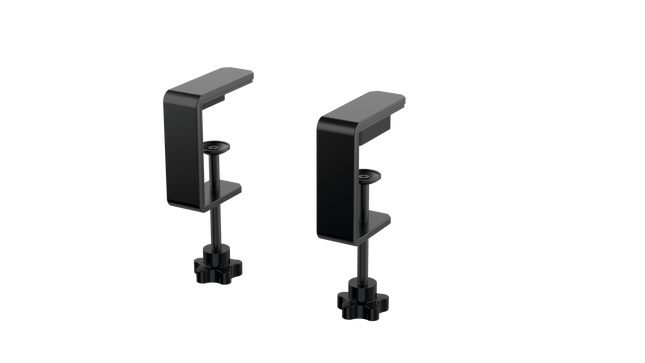
The RealSimGear - Dual Desktop Stand for RealSimGear GNS530 & GNS430 is built to provide a stable, elevated home for your avionics setup. Made from sturdy 3mm stainless steel, this stand boasts a durable, powder-coated matte black finish that resists wear and keeps things looking sharp. With rubber non-slip feet, your devices stay put during the most demanding flights. Its thoughtful design mimics real cockpit placements, ensuring your GNS530 and GNS430 are mounted at a comfortable and practical angle.
RealSimGear - Dual Desktop Stand for RealSimGear GNS530 & GNS430 apart?
Durable and Robust Construction Constructed from 3mm stainless steel, this stand is built to last. The powder-coated matte black finish not only adds a sleek appearance but also ensures the stand withstands long-term use without corrosion or wear. It's a dependable piece that can handle regular setup and breakdown without losing its shape or stability.
Thoughtful Mounting Compatibility The base comes with mounting holes that cater to various setups, including the Honeycomb Alpha yoke, Bravo throttle, and Saitek/Logitech yoke systems. This versatility makes it easy to integrate the stand into a broader flight sim configuration, avoiding compatibility headaches.
Realistic Placement Angle This stand provides an elevated mounting position similar to what you’d find in general aviation aircraft, giving your GNS530 and GNS430 a realistic layout. This attention to detail makes practice sessions more intuitive and comfortable, fostering a familiar feel when training or flying.
Solid Stability Features The rubber non-slip feet ensure that the stand stays firmly on your desk even during intense maneuvers. No sliding or shifting, so you can focus on piloting without constantly adjusting your setup. This small feature adds significant value by ensuring steady operation throughout flights.
Pros and Cons
Pros
Cons
Sturdy 3mm stainless steel construction with matte black finish.
Specifically designed for GNS530 & GNS430 only.
Rubber non-slip feet provide strong stability on any surface.
May occupy more space than single-unit stands.
Compatible with multiple yoke systems and mounting plates.
Specifications
Specification
Value
Material
3mm stainless steel
Finish
Powder-coated matte black
Foot Type
Rubber non-slip feet
Mounting Holes
Compatible with Honeycomb Alpha/Bravo, Saitek/Logitech yoke
RealSimGear - Dual Desktop Stand for RealSimGear GNS530 & GNS430 Compatibility
The RealSimGear - Dual Desktop Stand for RealSimGear GNS530 & GNS430 is engineered to perfectly fit both the GNS530 and GNS430 units, providing a cohesive mounting solution. It features pre-drilled holes that support a range of popular systems, including the Honeycomb Alpha yoke, Bravo throttle, and Saitek/Logitech yoke mounting plates. This ensures that it integrates seamlessly with a variety of cockpit configurations, making it an adaptable option for many sim pilots.
When it comes to gaming platforms, this stand is tailored for PC-based flight simulations, aligning well with simulators such as X-Plane and Microsoft Flight Simulator. It is not designed for console use, making it best suited for those running dedicated PC setups with realistic avionics add-ons.
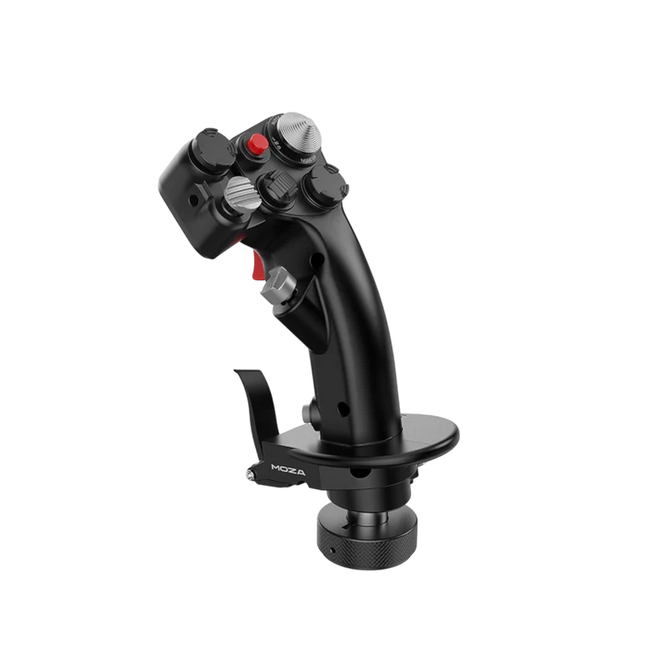
Moza MH16 Flightstick gir en dristig, kompromissløs tilnærming til flysimulering. Designet med flykvalitets aluminiumlegering, er denne flyspaken ikke bare for utseendets skyld – den er laget for å tåle intense økter uten å svette. Med 27 inngangssignaler og en 8-veis ALPS tommelspak, er hver kommando lett tilgjengelig for presise manøvrer. Avtakbare modulære komponenter betyr at du kan skreddersy oppsettet etter dine behov, mens den robuste konstruksjonen sikrer stabilitet selv i de mest krevende dogfighterne. Enten du cruiser i høyden eller låser deg inn i en skarp sving, tilbyr denne flyspaken et kontrollnivå som holder deg fullt engasjert.
Hva skiller Moza MH16 Flightstick fra andre?
Bygget som en ekte jagerflyspak – Den hele metallkonstruksjonen er ikke bare for estetikk – den gir den tyngden og følelsen av et ekte flykontrollsystem. Sammenlignet med plastbaserte konkurrenter gir MH16 et mer solid og robust grep, som reduserer fleksibilitet og sikrer langvarig holdbarhet.
Modulær og utvidbar – I motsetning til mange faste flyspaker, har MH16 avtakbare moduler med pogo pin-tilkoblinger, som gjør det enkelt å tilpasse. Dette betyr at brukere kan bytte ut eller oppgradere komponenter uten å måtte koble om eller demontere hele enheten.
Omfattende tilpasning – Med 27 inngangssignaler og en 8-veis ALPS tommelspak, kan piloter tilpasse kommandoene akkurat slik de vil. Dette nivået av knapp- og funksjonskartlegging gjør det til et fremragende valg for de som krever full kontroll over simuleringsopplevelsen sin.
Sømløs plug-and-play kompatibilitet – Ingen kompliserte oppsett, ingen ekstra drivere nødvendig – bare koble til og gå. 5-pins flytilkoblingen sikrer sikker og stabil inngangsoverføring, og gjør det umiddelbart operasjonelt med de fleste flybaser på markedet.
Fordeler og ulemper
Fordeler
Ulemper
Flykvalitets aluminiumkropp gir holdbarhet og solid grep.
Utsolgt – tilgjengelighet kan være et problem.
Avtakbare moduler gir enkel tilpasning.
Ingen offisiell MacOS-støtte.
27 innganger og ALPS tommelspak gir omfattende kontroll.
Plug-and-play med de fleste flybaser.
Spesifikasjoner
Spesifikasjon
Verdi
Plattform
PC
Hovedmateriale
Flykvalitets aluminiumlegering
Vurdert spenning
3.3V
Vurdert strøm
5A
Tilkobling
5-pins flytilkobling
Z-akse Modul
Valgfritt
Dimensjoner
99×213.5×132mm
Moza MH16 Flightstick Kompatibilitet
Kompatibel med
Ikke kompatibel med
PC (Windows-baserte systemer)
MacOS
De fleste flybaser med 5-pins flytilkobling
Konsoller (PlayStation, Xbox)
MOZA Cockpit Control Software
Ikke-standard USB-grensesnitt
Moza MH16 Flightstick fungerer sømløst med de fleste PC-baserte flyoppsett, takket være dens 5-pins flytilkobling og plug-and-play funksjonalitet. Mac-brukere må derimot se andre steder, da det ikke finnes offisiell støtte for macOS. Brukere har rapportert god integrasjon med en rekke baser, noe som gjør den til et fleksibelt alternativ for de som liker å mikse og matche utstyret sitt.
Når det gjelder spillplattformer, er MH16 strikt for PC-brukere. Den fungerer utmerket på Windows-baserte flysimulatorer som DCS, MSFS2020 og X-Plane, men konsollspillere er ute av lykken – det er ingen støtte for PlayStation eller Xbox. Hvis du er dypt inne i flysimulatorer, er dette imidlertid ikke et problem, da PC fortsatt er den beste plattformen for seriøse piloter.
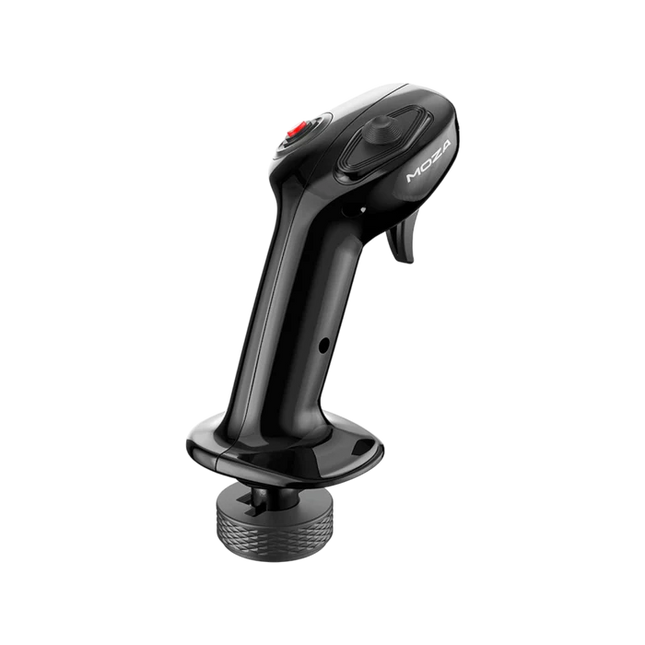
Moza MA3X Flightstick kombinerer klassisk flyinspirert design med moderne ingeniørkunst for å levere en engasjerende flysimuleringserfaring. Bygget av ultra-sterkt kompositmateriale, forblir den lett, men er holdbar nok til å tåle opptil 30 kg kraft. ALPS-bryterne sikrer lang levetid, vurdert til 100 000 sykluser, og gir pilotene konsekvent og pålitelig kontroll. Et flerlagsspray og UV-behandling replikerer den taktile følelsen av ekte flymaterialer, og hever den generelle følelsen. Med et utvidet knappoppsett og bred kompatibilitet tilpasser MA3X seg sømløst til alle oppsett og tilbyr både fleksibilitet og pålitelighet.
Hva skiller Moza MA3X Flightstick fra andre?
Bygget som en ekte jagerflyspak – Den hele metallkonstruksjonen er ikke bare for estetikk – den gir den tyngden og følelsen av et ekte flykontrollsystem. Sammenlignet med plastbaserte konkurrenter gir MA3X et mer solid og robust grep, som reduserer fleksibilitet og sikrer langvarig holdbarhet.
Modulær og utvidbar – I motsetning til mange faste flyspaker, har MA3X avtakbare moduler med pogo pin-tilkoblinger, som gjør det enkelt å tilpasse. Dette betyr at brukere kan bytte ut eller oppgradere komponenter uten å måtte koble om eller demontere hele enheten.
Omfattende tilpasning – Med 27 inngangssignaler og en 8-veis ALPS tommelspak, kan piloter tilpasse kommandoene akkurat slik de vil. Dette nivået av knapp- og funksjonskartlegging gjør det til et fremragende valg for de som krever full kontroll over simuleringsopplevelsen sin.
Sømløs plug-and-play kompatibilitet – Ingen kompliserte oppsett, ingen ekstra drivere nødvendig – bare koble til og gå. 5-pins flytilkoblingen sikrer sikker og stabil inngangsoverføring, og gjør det umiddelbart operasjonelt med de fleste flybaser på markedet.
Fordeler og ulemper
Fordeler
Ulemper
Flykvalitets kompositmateriale gir holdbarhet og solid grep.
Utsolgt – tilgjengelighet kan være et problem.
Utvidbart knappoppsett med opptil 12 inngangssignaler.
Ingen offisiell MacOS-støtte.
ALPS-brytere vurdert til 100 000 sykluser.
Fungerer med Moza og de fleste tredjepartsbaser.
Spesifikasjoner
Spesifikasjon
Verdi
Husmateriale
Kompositt
Brytermateriale
ABS
Vekt
220g
8-posisjon bryter
1
Trigger
1
Byttebryter
1
Tilkobling
5-pins flytilkobling
Moza MA3X Flightstick Kompatibilitet
Kompatibel med
Ikke kompatibel med
PC (Windows-baserte systemer)
MacOS
Alle Moza-baser
Konsoller (PlayStation, Xbox)
De fleste tredjepartsbaser
USB-tilkoblede systemer
Moza MA3X Flightstick integreres sømløst med alle Moza-baser og støtter de fleste tredjepartsbaser med sin 5-pins flytilkobling. I motsetning til noen flyspaker som låser brukerne til spesifikke økosystemer, opprettholder MA3X et mer fleksibelt design som gir bredere kompatibilitet uten ekstra adaptere.
Når det gjelder programvare, er MA3X fullt kompatibel med Windows-baserte flysimulatorer, men støtter ikke MacOS. Den fungerer bra med ledende titler som MSFS2020, X-Plane og DCS. Konsollbrukere bør derimot se andre steder, da MA3X støtter ikke PlayStation eller Xbox-plattformer.
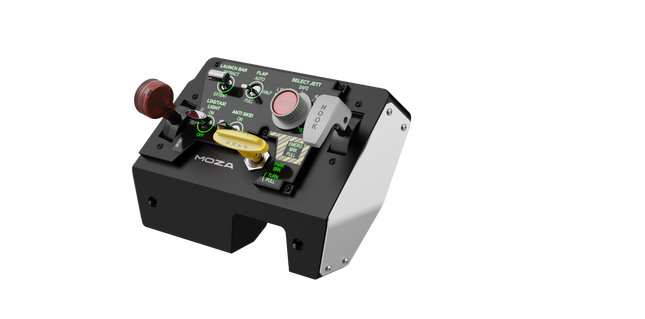
Moza MTLP Take-off Landing Panel bringer essensen av jagerflyoperasjoner til hjemme-cockpiten med et robust, taktilt kontrollsystem bygget for seriøse sim-piloter. Designet etter F/A-18 landingspanelet, tilbyr det et intuitivt bryteroppsett som gjør det mulig med raske, instinktive innganger uten å stole på visuell bekreftelse. Den autentiske parkeringsbremsmekanismen gir en solid, mekanisk tilbakeslag som føles rett ut av et ekte jagerfly. Med 25 programmerbare brytersignaler og Hall-effekt sensorer for nøyaktighet, brolegger dette panelet gapet mellom virtuell og praktisk cockpit-interaksjon.
Hva skiller Moza MTLP Take-off Landing Panel fra andre?
Designet for praktisk kontroll – Modellert etter F/A-18 landingspanelet, prioriterer dette oppsettet instinktiv betjening. Bryteroppsettet lar piloter håndtere viktige flyfunksjoner etter følelse, og reduserer behovet for å kaste et blikk bort fra skjermen. Denne typen taktil forsterkning er avgjørende i raske miljøer som kampflyvninger og hangarskip-landinger.
Hall sensorpresisjon for nøkkelfunksjoner – I motsetning til standard mekaniske brytere, integrerer MTLP Hall-effekt sensorer i viktige innganger som landingshjul og haleheis-spaker. Disse sensorene gir langvarig pålitelighet og konsekvent nøyaktighet i inngangen, og eliminerer slitasje-relatert drift eller nedbrytning over tid.
Bygget for å håndtere gjentatt bruk – Aluminiumlegeringen brukt i bremsespaken, haleheissspaken og landingshjulene sikrer holdbarhet. Disse komponentene kan tåle gjentatte, kraftige engasjementer, noe som gjør panelet til en langsiktig investering for flyentusiaster som krever mekanisk robusthet.
Sømløs integrasjon med Mozas økosystem – MTLP er designet for å fungere enkelt med Moza MTP Throttle Panel, og skaper et sammenhengende jagerflykontrolloppsett. Gjennom Moza Cockpit-programvaren kan brukerne synkronisere telemetri-drevne lys-effekter og tilpasse bryterkonfigurasjonene sine til å matche flystilen deres.
Fordeler og ulemper
Fordeler
Ulemper
Modellert etter F/A-18 landingspanelet
Desk clamp selges separat
Hall-effekt sensorer for nøyaktighet og lang levetid
Begrenset til PC-kompatibilitet
25 programmerbare brytersignaler for omfattende kontroll
Kompatibel med Mozas økosystem for fullt jagerflyoppsett
Spesifikasjoner
Spesifikasjon
Verdi
Dimensjoner
196,5 × 134,7 × 149 mm
Husmateriale
Komposittmaterialer
Bremsespakens materiale
Aluminiumlegering
Vekt
680g
Brytersignaler
25
Telemetri-belysning
Ja (ingen ekstra plugins kreves)
Støttet plattform
PC
Desk Clamp
Valgfritt tilbehør
Inkluderte tilbehør
Datakabel, brukerhåndbok
Moza MTLP Take-off Landing Panel Kompatibilitet
Kompatibel med
Ikke kompatibel med
Moza MTP Throttle Panel
Tredjeparts gasspaneler
Moza Cockpit-programvare for tilpasning
Konsollplattformer
PC-baserte flysimulatorer
MacOS
Designet for PC-baserte simulatormiljøer, integreres MTLP sømløst med Moza MTP Throttle Panel for å skape et jagerfly-inspirert kontrolloppsett. Panelet er konfigurert gjennom Moza Cockpit-programvare, som gjør det mulig med omfattende tilpasning, inkludert telemetri-drevne lys-effekter. Det støtter imidlertid ikke tredjeparts gasspaneler, så full funksjonalitet oppnås best innenfor Moza-økosystemet.
PC-kompatibilitet sikrer støtte for de store flysimulatorene, men MacOS og konsoller støttes ikke. Flysim-entusiaster som bruker Microsoft Flight Simulator 2020, Microsoft Flight Simulator 2024 og X-Plane 12 vil finne panelet gjenkjent, og gir direkte plug-and-play-funksjonalitet via USB. Imidlertid vil brukere som ønsker Xbox- eller PlayStation-støtte måtte vurdere alternativt maskinvare.
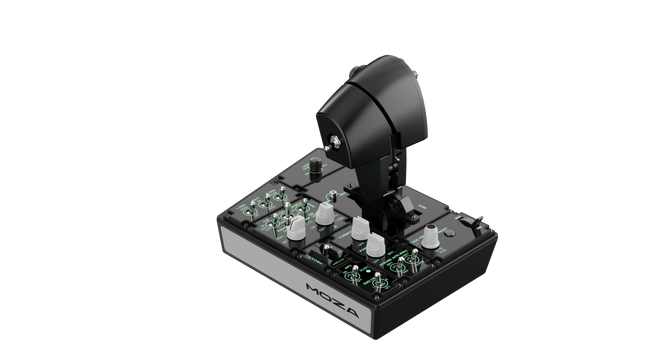
Moza MTP Throttle Panel gir en robust flykontrollopplevelse inspirert av jagerfly på hangarskip. Det justerbare detent-systemet muliggjør presis kontroll, enten du styrer etterbrennere eller simulerer sentrerte detenter i romsimulatorer. Den innebygde vibrasjonsfeedbacken forbedrer situasjonsbevisstheten, og varsler piloter om aerodynamiske skift, overspeed-varsler og kampforhold. Med 27 programmerbare brytere, en Hall-effekt joystick og aluminiumlegerte håndtak, er dette gasspanelet laget for flysim-entusiaster som ønsker presisjonskontroll i høyrisikosituasjoner.
Hva skiller Moza MTP Throttle Panel fra andre?
Tilpassbart detent-system for maksimal kontroll – MTP Throttle lar brukere finjustere detent-posisjoner, noe som gjør det ideelt for etterbrennerinnstillinger, reversgass eller presise romfartsmanøvrer. Enten du finjusterer kraftkurver eller lager distinkte motorstadier, gir denne funksjonen fleksibilitet som ikke finnes i andre gassystemer.
Innebygd vibrasjonsfeedback for økt bevissthet – I motsetning til passive gassystemer, inkluderer MTP vibrasjonsmotorer som reagerer på telemetridata fra simulatoren. Dette feedbacksystemet gir haptiske varsler for forhold som aerodynamisk motstand, overspeed-varsler og systemfeil, og gir piloter et ekstra lag av situasjonsbevissthet.
27 programmerbare brytere for komplekse flyoperasjoner – Kontrollflaten er utstyrt med 27 brytere, som alle kan konfigureres for essensielle funksjoner som utplassering av hjul, motorstart eller kampsystemer. Den optimale layouten sikrer at kommandoer forblir lett tilgjengelige uten å fumle midt i flyvningen.
Hall-effekt joystick for ekstra inngangsfleksibilitet – Integrert direkte i gassen, gir denne joysticken driftfri input for presise kontrolljusteringer. Enten den er tildelt trimjustering, rorinput eller til og med kameranavigasjon, sikrer Hall-effekt sensoren konsekvent ytelse uten slitasje som tradisjonelle potensiometre.
Fordeler og ulemper
Fordeler
Ulemper
Justerbart detent-system for etterbrennere og romsimulatorer
Desktop clamp selges separat
Innebygd vibrasjonsfeedback reagerer på flyforhold
Kun PC-støtte, ingen konsollkompatibilitet
27 programmerbare brytere for omfattende kontrollkartlegging
Slitesterk aluminiumhåndtak med taktil følelse
Spesifikasjoner
Spesifikasjon
Verdi
Dimensjoner
277 × 194 × 216 mm
Husmateriale
Komposittmateriale
Hurtigutløsningsmateriale
Aluminiumlegering
Knapphetens materiale
ABS plast
Vekt
2,1 kg
8-veis brytere
2
Hall-effekt joysticks
2
LB/RB-knapper
2
Utløsere
2
Totalt signalutganger
Støtter opptil 34
Inkluderte tilbehør
Datakabel, skiftenøkkel, brukerhåndbok
Moza MTP Throttle Panel Kompatibilitet
Kompatibel med
Ikke kompatibel med
MOZA Cockpit programvare for tilpasning
Konsollplattformer
MOZA MTLP Panel for komplett jagerfly-oppsett
Tredjeparts gasspaneler
PC-baserte flysimulatorer
MacOS
Designet for PC-baserte simulatorer, integreres MTP Throttle sømløst med MOZA Cockpit programvare, og gir omfattende tilpasningsmuligheter for vibrasjonsfeedback, brytterkonfigurasjoner og telemetri-basert belysningseffekter. Den kan også kobles til MOZA MTLP Panel, og skaper et modulært jagerfly-kontrollsystem som forbedrer takeoff- og landing-opplevelsen.
Kun PC-kompatibilitet sikrer plug-and-play-funksjonalitet med Microsoft Flight Simulator 2020, Microsoft Flight Simulator 2024 og X-Plane 12. Dette systemet støtter imidlertid ikke MacOS eller konsoller, noe som betyr at Xbox- og PlayStation-brukere må se etter alternative gassløsninger.
Ikke på lager,
Forhåndsbestillinger tilgjengelig. Sendes om 2–2,5 uker.
Honeycomb Sierra TPM Module brings the tactile charm of classic general aviation straight to your desk, with a lockable metal throttle vernier that feels satisfyingly mechanical in hand and a high-resolution integrated trim wheel that lets you dial in attitude with fingertip finesse. Designed with single-prop aircraft like the Cessna 172 in mind, it combines all-metal construction, integrated flap and parking brake controls, and LED landing gear indicators into a compact module that slots neatly into a serious home cockpit.
What Sets the Honeycomb Sierra TPM Module apart?
True General Aviation Vernier Feel The lockable metal throttle vernier with fine-tune prop and mixture knobs doesn’t just look the part—it delivers that push-pull, twist-to-adjust sensation pilots associate with classic GA cockpits. Many users highlight how the incremental adjustment allows smoother power changes during climb and approach, especially in piston aircraft, compared to sliding lever-based throttles that can feel too abrupt for delicate engine management.
Integrated Cockpit Workflow Instead of scattering controls across separate panels, the Sierra TPM places trim, flaps, parking brake, and landing gear in one cohesive layout. The low-profile, high-resolution trim wheel earns particular praise for its smooth rotation and granular input, making pitch adjustments during cruise or final approach feel natural. It reduces reliance on keyboard shortcuts and keeps hands where they belong—on dedicated hardware.
Solid All-Metal Construction Built with Honeycomb-grade components and a durable all-metal chassis, this module has noticeable heft and rigidity. Enthusiasts frequently mention that it feels planted on the desk, with minimal flex during aggressive throttle movements. Compared to lighter plastic alternatives, the Sierra TPM maintains structural stability over time, which is especially appreciated in permanent or semi-permanent cockpit setups.
Seamless Integration with Honeycomb Ecosystem Designed to pair cleanly with Honeycomb yokes and mounting systems, the included dual mounting solution simplifies alignment and positioning. Users who already run Alpha or Bravo units often comment on how the design language and control spacing feel unified, creating a visually coherent and ergonomically consistent flight deck without mismatched modules.
Pros and Cons
Pros
Cons
Metal vernier throttle offers fine incremental control.
Designed primarily for single-engine GA aircraft.
Integrated trim wheel provides smooth pitch adjustments.
Requires desk space for full mounting solution.
All-metal chassis feels stable and durable.
LED gear indicators add clear visual feedback.
Specifications
Specification
Value
Product Name
Honeycomb Sierra TPM Module
EAN
4039621003998
Construction
All-metal construction with Honeycomb-grade components
Throttle Type
Lockable metal throttle vernier with prop and mixture knobs
Integrated Controls
Trim wheel, parking brake, flap lever, landing gear lever with LED indicators
Layout
General aviation style for single prop airplanes
Mounting
Dual mounting solution included
Connection
USB-C to USB-A cable
Compatibility
PC and Mac
Drivers
MSFS 2020 Driver, MSFS 2024 Driver
Included in the Box
Sierra TPM Module, Dual Mounting Solution, USB-C to USB-A Cable, Quick Start Guide (EFIGS)
Honeycomb Sierra TPM Module Compatibility
Platform
Compatibility
Operating Systems
PC and Mac
Connection Type
USB-C to USB-A (direct USB connection)
Primary Ecosystem Pairing
Honeycomb Alpha and Bravo hardware
The Sierra TPM Module connects via direct USB, making it straightforward to integrate into most desktop cockpit builds. It pairs especially well with Honeycomb Alpha yokes and Bravo throttle quadrants, sharing the same design philosophy and mounting ecosystem. Thanks to its dual mounting solution, it can be desk-mounted alongside other Honeycomb units for a unified layout. It is not intended for console setups and does not interface directly with standalone hardware without a compatible PC or Mac.
On the software side, it supports Microsoft Flight Simulator 2020 and Microsoft Flight Simulator 2024 through dedicated drivers, and it also works with simulators like X-Plane and Prepar3D on PC. It is not compatible with Xbox consoles, as it relies on standard USB PC/Mac drivers rather than console-certified firmware. For desktop sim pilots focused on general aviation, it slots cleanly into modern PC-based sim platforms.
Honeycomb Foxtrot Aviation Stick is built for pilots who prefer a sidestick in hand and a clean desk in front of them. From the first movement, the smooth linear resistance system with no center detent feels fluid and deliberate, ideal for Airbus-style inputs and aerobatic maneuvers. Under the hood, 16-bit resolution with Hall Effect sensor technology translates subtle wrist movements into accurate on-screen control. Add adjustable tension and a fully ambidextrous layout, and you’ve got a stick that feels purposeful rather than toy-like.
What Sets the Honeycomb Foxtrot Aviation Stick apart?
Center-Detent-Free Control Philosophy Many sticks rely on a noticeable center bump, which can make small corrections feel mechanical. The Foxtrot’s linear resistance system eliminates that notch, creating a smooth transition across the full axis range. Pilots flying Airbus aircraft in particular appreciate this design, as it mirrors sidestick behavior more closely and allows gentle pitch and roll corrections without fighting a spring-loaded “click” at center.
Sensor and Resolution Synergy With 16-bit resolution paired to Hall Effect sensors, the Foxtrot delivers clean, contactless input detection. Enthusiasts often point out the consistency over time—no spiking, no gradual degradation from physical potentiometers. Subtle trim adjustments during approach or careful roll inputs in aerobatics feel steady and predictable, especially when compared to entry-level sticks that can show jitter near center.
Configurable Resistance and Ergonomics Adjustable tension allows the stick to be tuned to personal preference, whether you prefer lighter fingertip inputs or firmer resistance for controlled movements. Combined with its ambidextrous grip design, the Foxtrot suits both left- and right-handed setups. Users with compact cockpit builds often highlight how adaptable it feels in different seating positions, including center-mounted or side-mounted configurations.
Switch Density Without Clutter Between the 5 two-way switches, 4 programmable action buttons, POV hat, trigger, rockers, and multi-way rotary panel, the stick offers serious input flexibility. What stands out is how logically the controls are spaced; sim pilots frequently mention that functions like trim, autopilot modes, or camera controls can be assigned without feeling cramped or hunting blindly mid-flight.
Pros and Cons
Pros
Cons
Linear resistance without center detent feels smooth.
No native console compatibility.
Hall Effect sensors reduce long-term wear.
No included dedicated mounting base.
Adjustable tension suits different flying styles.
Extensive switch and button configuration options.
Specifications
Specification
Value
Product Name
Honeycomb Foxtrot Aviation Stick
Control System
Linear resistance system with no center detent
Sensor Technology
Hall Effect sensors
Resolution
16-bit
Tension Adjustment
Adjustable stick resistance
Switches
5 two-way switches
Action Buttons
4 programmable buttons
Rotary Panel
3-, 4-, and 5-way rotary controls
Grip Design
Ambidextrous
Connection
USB-C to USB-A cable
System Compatibility
PC and Mac
Included in the Box
Foxtrot Aviation Stick, USB-C to USB-A Cable, Quick Start Guide (EFIGS)
Download Support
Basic Bindings Profiles (XML) for MSFS 2024
Honeycomb Foxtrot Aviation Stick Compatibility
Platform
Compatibility
Operating Systems
PC and Mac
Connection Type
USB-C to USB-A direct USB interface
Primary Sim Support
MSFS 2024 (XML bindings), MSFS, X-Plane, Prepar3D
The Foxtrot Aviation Stick connects via standard USB, allowing it to integrate easily into most desktop cockpit setups. It works seamlessly alongside throttle quadrants, rudder pedals, and radio panels from other major brands thanks to its plug-and-play HID architecture. Its ambidextrous design makes it suitable for left- or right-seat configurations, including Airbus-style side mounting. It is not compatible with Xbox consoles and does not function as a standalone device without a connected PC or Mac.
On the software side, it supports Microsoft Flight Simulator 2024 with dedicated XML binding profiles and operates with popular PC simulators such as Microsoft Flight Simulator (2020), X-Plane, and Prepar3D through manual or community mappings. It is not designed for console-based platforms, as it relies on native PC/Mac driver recognition rather than console-certified firmware.
Ikke på lager,
Forhåndsbestillinger tilgjengelig. Sendes om 2–2,5 uker.
Honeycomb Bravo Throttle Quadrant Lite distills the core experience of the original Bravo into a tighter, more focused package. The four interchangeable levers with adjustable tension glide with reassuring mechanical weight, while the integrated low-profile, high-resolution trim wheel lets you fine-tune pitch with fingertip control. From the firm click of the landing gear lever with LED indication to the satisfying pull of the parking brake, this unit delivers dependable input for GA and twin-engine setups without overwhelming newer cockpit builders.
What Sets the Honeycomb Bravo Throttle Quadrant Lite apart?
Streamlined Without Feeling Stripped Unlike many entry-focused throttle quadrants that sacrifice flexibility, the Bravo Lite keeps the modular DNA alive. Users often highlight how it maintains interchangeable levers and flap detent customization while shedding some of the complexity of the full Bravo. The result is a compact unit that still supports single-engine and twin-engine layouts, making it appealing for pilots upgrading from basic plastic throttles.
Adjustable Tension with Mechanical Feedback The lever resistance can be tuned to personal taste, which makes a noticeable difference during climb power changes and short final adjustments. Many sim pilots mention that the movement feels smooth and controlled rather than loose or springy. Compared to lighter quadrants, the Bravo Lite offers a more planted sensation during throttle transitions, especially when mounted securely with the included dual mounting solution.
Integrated Trim and Ground Controls The built-in trim wheel and parking brake eliminate the need for separate peripherals. The trim wheel’s fine resolution is frequently praised for helping stabilize approaches without constant micro-corrections via keyboard or yoke buttons. Add the landing gear lever with LED status indicator, and you get clear visual confirmation during gear cycles—small detail, big confidence boost during busy patterns.
Focused MSFS Optimization Designed with Microsoft Flight Simulator in mind, the Bravo Lite benefits from dedicated driver support and downloadable profiles. Users appreciate how quickly it maps in MSFS 2020 and 2024 compared to some generic USB quadrants. At the same time, it remains compatible with X-Plane and Prepar3D, giving it broader appeal than many simulator-specific throttle units in this price bracket.
Pros and Cons
Pros
Cons
Interchangeable levers support multiple aircraft types.
Fewer controls than full Bravo version.
Adjustable tension improves throttle feel.
PC and Mac only, no console support.
Integrated trim wheel adds fine pitch control.
LED gear indicator provides clear status feedback.
Specifications
Specification
Value
Product Name
Honeycomb Bravo Throttle Quadrant Lite
Dimensions (L x H x W)
40 x 13 x 27 cm (15.75 x 5.19 x 10.63 inches)
Throttle Levers
Four interchangeable levers with adjustable tension
Flap System
Swappable flap detent inlays included
Trim Control
Integrated low-profile, high-resolution trim wheel
Landing Gear Lever
With LED status indicator
Parking Brake
Integrated lever
Connectivity
USB-C to USB-A (cable included)
System Compatibility
PC and Mac
Software Compatibility
Microsoft Flight Simulator 2020/2024, FSX, Prepar3D V3-V5, X-Plane 11/12
Included in the Box
Throttle Quadrant Lite, Flap detent inlays, Interchangeable levers (Commercial & GA), USB-C cable, Dual mounting solution, Quick Start Guide
Honeycomb Bravo Throttle Quadrant Lite Compatibility
Category
Compatibility
Operating Systems
Microsoft Windows (64-bit), macOS
Connection
USB-C to USB-A (standard USB port required)
Supported Simulators
MSFS 2020/2024, FSX, Prepar3D V3–V5, X-Plane 11/12
The Bravo Lite connects through standard USB, making it easy to integrate with yokes, sticks, and rudder pedals from various brands. It pairs especially well with Honeycomb Alpha yokes and other modular cockpit hardware thanks to the dual mounting solution. It is designed strictly for PC and Mac systems and does not function independently without a connected computer.
On the simulator side, it is optimized for Microsoft Flight Simulator 2020 and 2024, with dedicated LED drivers and downloadable aircraft profiles. It also works with X-Plane 11 and 12, FSX, and Prepar3D V3–V5 through standard USB HID recognition. It is not compatible with Xbox consoles, as it relies on PC-based driver and USB architecture rather than console-certified firmware.
Ikke på lager,
Forhåndsbestillinger tilgjengelig. Sendes om 2–2,5 uker.
WINCTRL URSA MINOR Airline Joystick R brings airline-style control to the desktop with a clever mix of tactile feedback and thoughtful engineering. The standout feature is the flight-data-linked vibration engine, which adds subtle physical cues during events like flap deployment, airflow changes, and touchdown. Pair that with non-contact magnetic resistance sensors on the X and Y axes, and the stick delivers smooth, stable inputs without the wear issues common in cheaper mechanisms. The result is a joystick that feels lively in hand yet technically grounded under the hood.
What Sets the WINCTRL URSA MINOR Airline Joystick R apart?
Flight Data Driven Vibration Feedback The URSA MINOR stands out with a vibration motor tied directly to in-sim flight data. Instead of generic rumble, the stick reacts to events like landing contact, airflow changes, or flap movement. Pilots online often mention how this adds subtle physical cues during phases like flare or speed changes, providing a tactile reminder of what the aircraft is doing without constantly glancing at instruments.
Robust Gimbal With Magnetic Sensors At the core of the stick is a glass-fiber-reinforced nylon gimbal running on ball bearings, paired with non-contact magnetic sensors for the primary axes. This combination helps maintain smooth motion over time without the jitter common in potentiometer-based designs. Enthusiasts frequently note that the stick movement feels stable across the entire travel range, particularly during small pitch adjustments on final approach.
Airliner-Inspired Grip Layout The grip design borrows cues from airline sidestick ergonomics, offering a balanced control layout that includes a PTT trigger, autopilot disconnect switch, and a concealed five-way switch beneath a magnetic cover. Pilots often highlight how practical this arrangement is for everyday flying tasks—radio calls, autopilot overrides, and camera views can all be handled without reaching for the keyboard.
Flexible Mounting and Maintenance Design The base includes anti-slip pads for desktop use along with pre-drilled mounting holes for cockpit rigs. A quick-release base cover allows access to internal adjustments without dismantling the entire unit. This detail is frequently appreciated by sim cockpit builders who prefer gear that can be tuned or serviced easily rather than permanently sealed hardware.
Pros and Cons
Pros
Cons
Flight-data vibration feedback adds tactile flight cues.
Plastic construction compared to metal joystick designs.
Magnetic sensors reduce wear and input drift.
Limited axis travel compared to extended bases.
Good button layout for airliner-style flying tasks.
Desk or cockpit mounting options included.
Specifications
Specification
Value
Product Model
URSA MINOR-Airline-Joystick R
Material
Industrial ABS plastic (PC + ABS)
Controller
32-bit ARM controller
X/Y Axis Movement Angle
±15°
Z Axis Rotation Angle
±20°
X/Y Sensors
Non-contact magnetic resistance sensors
Gimbal Construction
Glass fiber reinforced nylon with ball bearings
Operating Force (X/Y)
Approximately 6N
Rotation Torque (Z)
~4 kgf·cm
Throttle Axis Type
Long-travel sliding potentiometer
Throttle Axis Travel
38 mm
Buttons
14 buttons (250gf press force, 0.25 mm travel)
Special Controls
Hidden 5-way switch, PTT trigger, autopilot disconnect
Vibration Feature
Adjustable amplitude levels from 0–255
Mounting Options
Anti-slip desktop pads and cockpit mounting holes
Item Weight
3 kg
Included in Box
J5-BASE-BLACK + JGRIP-C1-R, Data Cable, Toolkit, Accessories Pack
WINCTRL URSA MINOR Airline Joystick R Compatibility
Platform
Compatibility
Connection Type
USB plug-and-play connection
Software Configuration
WW SIMAPP Pro software for button mapping
Mounting
Desktop use or cockpit mounting
The URSA MINOR Airline Joystick R connects via standard USB, allowing it to integrate easily with throttle quadrants, rudder pedals, and other flight hardware from many manufacturers. The base supports both desktop placement with anti-slip pads and cockpit mounting using pre-drilled holes, which is useful for sim rigs or permanent setups. Configuration is handled through WW SIMAPP Pro software, enabling button assignments and vibration adjustments directly from a visual interface.
Within a flight setup, the joystick works well alongside external throttles, radio panels, or pedal systems because it behaves as a standard USB HID controller. It does not require proprietary ecosystems and can coexist with other brands in the same cockpit. However, it is intended for PC-based simulation environments and does not integrate directly with console platforms.
In terms of simulators, the stick supports Microsoft Flight Simulator 2020, X-Plane, Prepar3D, and also space or combat titles like Star Citizen, Elite Dangerous, and War Thunder. Its plug-and-play USB design allows quick recognition in most PC simulation platforms. It is not designed for Xbox or PlayStation consoles, as those systems typically require licensed hardware and different firmware structures.