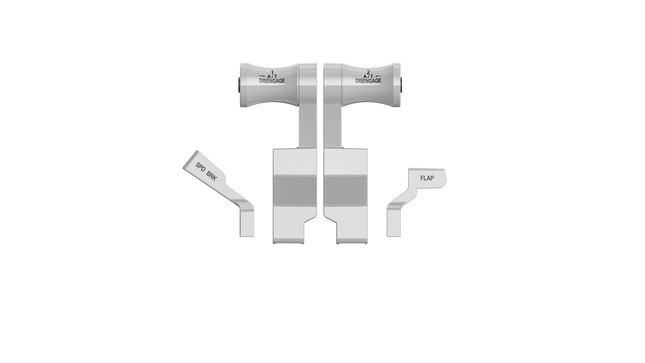
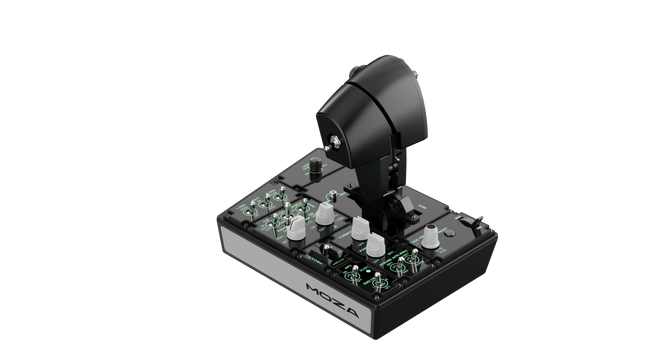
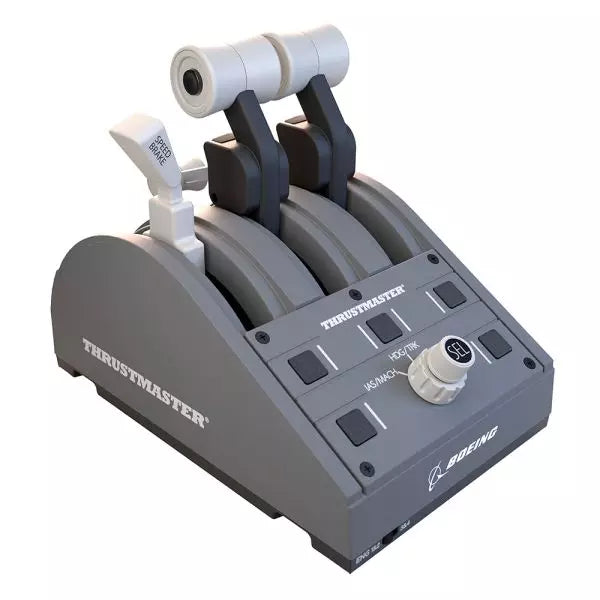
Moza MTP Throttle Panel ofrece una experiencia de control de vuelo robusta inspirada en los jets de combate basados en portaaviones. El sistema de detención ajustable permite un control preciso, ya sea gestionando postquemadores o simulando detenciones centrales en simuladores espaciales. El sistema de retroalimentación por vibración incorporado mejora la conciencia situacional, alertando a los pilotos sobre cambios aerodinámicos, advertencias de velocidad excesiva y condiciones de combate. Con 27 interruptores programables, un joystick con efecto Hall y empuñaduras de aleación de aluminio, este panel de acelerador está diseñado para entusiastas de los simuladores de vuelo que buscan control preciso en entornos de alto riesgo.
¿Qué distingue al Moza MTP Throttle Panel?
Sistema de detención personalizable para máximo control – El Moza MTP Throttle permite a los usuarios ajustar las posiciones de detención, lo que lo hace ideal para configuraciones de postquemadores, empuje inverso o maniobras de vuelo espacial precisas. Ya sea ajustando curvas de potencia o creando etapas de motor distintas, esta característica ofrece flexibilidad que no se encuentra comúnmente en otros configuraciones de aceleradores.
Retroalimentación por vibración incorporada para mayor conciencia – A diferencia de los aceleradores pasivos, el MTP incluye motores de vibración que reaccionan a los datos de telemetría del simulador. Este sistema de retroalimentación ofrece alertas hápticas para condiciones como resistencia aerodinámica, advertencias de velocidad excesiva y fallas del sistema, proporcionando a los pilotos una capa adicional de conciencia situacional.
27 interruptores programables para operaciones de vuelo complejas – La superficie de control está cargada con 27 interruptores, todos los cuales pueden ser configurados para funciones esenciales como el despliegue del tren de aterrizaje, el encendido de motores o los sistemas de combate. El diseño optimizado asegura que los comandos sigan siendo fácilmente accesibles sin tener que buscar mientras se vuela.
Joystick con efecto Hall para mayor flexibilidad de entrada – Integrado directamente en el acelerador, este joystick ofrece entradas sin deriva para ajustes finos del control. Ya sea asignado a ajustes de inclinación, entradas de timón o incluso navegación de la cámara, el sensor de efecto Hall asegura un rendimiento consistente sin el desgaste de los potenciómetros tradicionales.
Pros y Contras
Pros
Contras
Sistema de detención ajustable para postquemadores y simuladores espaciales
El soporte de escritorio se vende por separado
Retroalimentación por vibración incorporada reacciona a las condiciones de vuelo
Soporte solo para PC, no es compatible con consolas
27 interruptores programables para mapeo de control extenso
Empuñadura de aluminio duradera con sensación táctil
Especificaciones
Especificación
Valor
Dimensiones
277 × 194 × 216 mm
Material de la carcasa
Material compuesto
Material de la empuñadura del acelerador
Aleación de aluminio
Peso
2.1 kg
Interruptores físicos
27
Telemetría de vibración
Soportado (no requiere complementos)
Telemetría de iluminación
Soportado (no requiere complementos)
Plataforma compatible
PC
Soporte de escritorio
Accesorio opcional
Placa de montaje de escritorio
Accesorio opcional
Accesorios incluidos
Cable de datos, llave, manual de usuario
Compatibilidad del Moza MTP Throttle Panel
Compatible con
No compatible con
Software MOZA Cockpit para personalización
Plataformas de consola
MOZA MTLP Panel para configuración completa de avión de combate
Bases de acelerador de terceros
Simuladores de vuelo en PC
MacOS
Diseñado para simuladores de vuelo en PC, el Moza MTP Throttle se integra perfectamente con el software MOZA Cockpit, permitiendo ajustes finos para retroalimentación por vibración, mapeo de interruptores y efectos de iluminación basados en telemetría. También se empareja con el MOZA MTLP Panel, creando un sistema modular de control de avión de combate que mejora la experiencia de despegue y aterrizaje.
Compatibilidad solo con PC asegura funcionalidad plug-and-play con Microsoft Flight Simulator 2020, Microsoft Flight Simulator 2024 y X-Plane 12. Sin embargo, este sistema no es compatible con MacOS ni con consolas, lo que significa que los usuarios de Xbox y PlayStation deberán buscar otras soluciones de acelerador compatibles.
No disponible en stock,
Reservas disponibles. Envío en 2-2,5 semanas.
Honeycomb Bravo Throttle Quadrant Lite concentra la experiencia esencial del Bravo original en un paquete más compacto y enfocado. Las cuatro palancas intercambiables con tensión ajustable se deslizan con un peso mecánico tranquilizador, mientras que la rueda de trim integrada de perfil bajo y alta resolución permite ajustar el cabeceo con precisión con la punta de los dedos. Desde el clic firme de la palanca del tren de aterrizaje con indicación LED hasta la satisfactoria tracción del freno de estacionamiento, esta unidad ofrece una entrada fiable para configuraciones GA y bimotor sin abrumar a quienes están construyendo su cockpit por primera vez.
¿Qué distingue al Honeycomb Bravo Throttle Quadrant Lite?
Simplificado Sin Sentirse Limitado A diferencia de muchos throttle quadrants orientados a la gama de entrada que sacrifican flexibilidad, el Bravo Lite mantiene vivo su ADN modular. Los usuarios suelen destacar que conserva las palancas intercambiables y la personalización de los detents de flaps, reduciendo al mismo tiempo parte de la complejidad del Bravo completo. El resultado es una unidad compacta que sigue siendo compatible con configuraciones monomotor y bimotor, lo que la hace atractiva para pilotos que actualizan desde throttles básicos de plástico.
Tensión Ajustable con Sensación Mecánica La resistencia de las palancas puede ajustarse según las preferencias personales, lo que marca una diferencia notable durante los cambios de potencia en ascenso y los ajustes en final corta. Muchos sim pilots mencionan que el movimiento se siente suave y controlado en lugar de suelto o elástico. En comparación con quadrants más ligeros, el Bravo Lite ofrece una sensación más estable durante las transiciones de potencia, especialmente cuando está montado de forma segura con la dual mounting solution incluida.
Trim y Controles en Tierra Integrados La rueda de trim y el freno de estacionamiento integrados eliminan la necesidad de periféricos adicionales. La alta resolución de la rueda de trim es frecuentemente elogiada por ayudar a estabilizar aproximaciones sin microcorrecciones constantes mediante teclado o botones del yoke. Añade la palanca del tren de aterrizaje con indicador LED de estado, y obtendrás confirmación visual clara durante los ciclos del tren — un pequeño detalle que aporta gran confianza en circuitos con mucho tráfico.
Optimización Enfocada en MSFS Diseñado pensando en Microsoft Flight Simulator, el Bravo Lite cuenta con soporte de drivers dedicados y perfiles descargables. Los usuarios valoran la rapidez con la que se configura en MSFS 2020 y 2024 en comparación con algunos quadrants USB genéricos. Al mismo tiempo, sigue siendo compatible con X-Plane y Prepar3D, lo que le otorga un atractivo más amplio que muchas unidades throttle específicas de un solo simulador en este rango de precio.
Pros y Contras
Pros
Contras
Palancas intercambiables compatibles con múltiples tipos de aeronaves.
Menos controles que la versión completa Bravo.
La tensión ajustable mejora la sensación del throttle.
Solo PC y Mac, sin soporte para consolas.
La rueda de trim integrada añade control fino de cabeceo.
El indicador LED del tren proporciona un claro feedback de estado.
Especificaciones
Especificación
Valor
Product Name
Honeycomb Bravo Throttle Quadrant Lite
Dimensions (L x H x W)
40 x 13 x 27 cm (15.75 x 5.19 x 10.63 inches)
Throttle Levers
Cuatro palancas intercambiables con tensión ajustable
Flap System
Insertos de detent de flaps intercambiables incluidos
Trim Control
Rueda de trim integrada de perfil bajo y alta resolución
Landing Gear Lever
Con indicador LED de estado
Parking Brake
Palanca integrada
Connectivity
USB-C to USB-A (cable incluido)
System Compatibility
PC y Mac
Software Compatibility
Microsoft Flight Simulator 2020/2024, FSX, Prepar3D V3-V5, X-Plane 11/12
Included in the Box
Throttle Quadrant Lite, Flap detent inlays, Interchangeable levers (Commercial & GA), USB-C cable, Dual mounting solution, Quick Start Guide
Compatibilidad del Honeycomb Bravo Throttle Quadrant Lite
Categoría
Compatibilidad
Operating Systems
Microsoft Windows (64-bit), macOS
Connection
USB-C to USB-A (puerto USB estándar requerido)
Supported Simulators
MSFS 2020/2024, FSX, Prepar3D V3–V5, X-Plane 11/12
El Bravo Lite se conecta mediante USB estándar, lo que facilita su integración con yokes, sticks y pedales de timón de distintas marcas. Combina especialmente bien con los yokes Honeycomb Alpha y otros componentes modulares de cockpit gracias a la dual mounting solution. Está diseñado exclusivamente para sistemas PC y Mac y no funciona de forma independiente sin un ordenador conectado.
En el apartado de simulación, está optimizado para Microsoft Flight Simulator 2020 y 2024, con drivers LED dedicados y perfiles de aeronaves descargables. También funciona con X-Plane 11 y 12, FSX y Prepar3D V3–V5 mediante reconocimiento USB HID estándar. No es compatible con consolas Xbox, ya que depende de una arquitectura USB y drivers basados en PC en lugar de firmware certificado para consola.
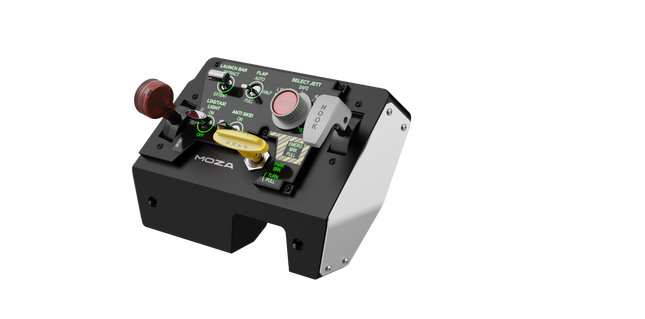
Moza MTLP Take-off Landing Panel lleva la esencia de las operaciones de aviones de combate a la cabina de simulación en casa con un sistema de control robusto y táctil diseñado para pilotos serios de simuladores. Modelado a partir del panel de aterrizaje del F/A-18, ofrece una disposición de interruptores intuitiva que permite entradas rápidas e instintivas sin depender de confirmaciones visuales. El mecanismo auténtico de freno de estacionamiento proporciona un rebote mecánico sólido que parece salido de un avión de combate real. Con 25 señales de interruptores programables y sensores de efecto Hall para precisión, este panel cierra la brecha entre la interacción virtual y la real en la cabina.
¿Qué distingue al Moza MTLP Take-off Landing Panel?
Diseñado para control táctil – Modelado a partir del panel de aterrizaje del F/A-18, esta configuración prioriza la operación instintiva. La disposición de los interruptores permite a los pilotos gestionar funciones críticas de la aeronave por sensación, reduciendo la necesidad de apartar la vista de la pantalla. Este tipo de refuerzo táctil es esencial para entornos de ritmo rápido, como vuelos de combate y aterrizajes en portaaviones.
Precisión del sensor Hall para funciones clave – A diferencia de los interruptores mecánicos estándar, el MTLP integra sensores de efecto Hall en entradas clave como las palancas del tren de aterrizaje y el gancho de cola. Estos sensores proporcionan fiabilidad a largo plazo y precisión consistente en las entradas, eliminando el deslizamiento o la degradación relacionados con el desgaste con el tiempo.
Construido para soportar un uso repetido – La construcción de aleación de aluminio utilizada en la palanca de freno, la palanca del gancho de cola y el tren de aterrizaje garantiza durabilidad. Estos componentes pueden soportar un uso repetido y forzoso, lo que hace que el panel sea una inversión a largo plazo para los entusiastas de los vuelos que exigen robustez mecánica.
Integración sin problemas con el ecosistema de Moza – El MTLP está diseñado para funcionar sin esfuerzo con el panel de acelerador Moza MTP, formando un conjunto cohesivo de control de avión de combate. A través del software Moza Cockpit, los usuarios pueden sincronizar los efectos de iluminación impulsados por telemetría y personalizar sus configuraciones de botones para adaptarse a su estilo de vuelo.
Pros y Contras
Pros
Contras
Modelado a partir del panel de aterrizaje del F/A-18
El soporte de escritorio se vende por separado
Sensores de efecto Hall para precisión y longevidad
Compatibilidad limitada solo para PC
25 señales de interruptores programables para un control extenso
Compatible con el ecosistema de Moza para un conjunto completo de control de avión de combate
Especificaciones
Especificación
Valor
Dimensiones
196.5 × 134.7 × 149 mm
Material de la carcasa
Materiales compuestos
Material de la palanca de freno
Aleación de aluminio
Peso
680g
Señales de interruptores
25
Iluminación por telemetría
Sí (no se requieren complementos adicionales)
Plataforma soportada
PC
Abrazadera de escritorio
Accesorio opcional
Accesorios incluidos
Cable de datos, manual de usuario
Compatibilidad del Moza MTLP Take-off Landing Panel
Compatible con
No compatible con
Panel Moza MTP Throttle
Paneles de acelerador de terceros
Software Moza Cockpit para personalización
Plataformas de consola
Simuladores de vuelo en PC
MacOS
Diseñado para simuladores en PC, el MTLP se integra perfectamente con el Panel Moza MTP Throttle para crear un conjunto de control estilo avión de combate. El panel se configura a través del software Moza Cockpit, lo que permite una amplia personalización, incluidos los efectos de iluminación vinculados a la telemetría. Sin embargo, no es compatible con paneles de acelerador de terceros, lo que significa que la funcionalidad completa se logra mejor dentro del ecosistema de Moza.
La compatibilidad solo con PC asegura soporte para los principales simuladores de vuelo, pero MacOS y las consolas no son compatibles. Los entusiastas de los simuladores de vuelo que utilicen Microsoft Flight Simulator 2020, Microsoft Flight Simulator 2024 y X-Plane 12 encontrarán que el panel es reconocido de forma nativa, ofreciendo funcionalidad plug-and-play directa a través de USB. Sin embargo, los usuarios que busquen soporte para Xbox o PlayStation deberán considerar otro hardware.
No disponible en stock,
Reservas disponibles. Envío en 2-2,5 semanas.
WINCTRL URSA MINOR 32 Throttle Metal / 32 PAC Metal brings airline-style control to the desktop with satisfying mechanical feedback and thoughtful cockpit cues. The standout element is the metal core throttle structure with contactless Hall sensors, giving the levers a firm, confident movement that feels deliberate rather than flimsy. Add to that the flaps and speed brake levers with authentic position limiters, and each action—from extending flaps to deploying spoilers—has a distinct mechanical rhythm that keeps your hands engaged throughout the flight.
What Sets the WINCTRL URSA MINOR 32 Throttle Metal / 32 PAC Metal apart?
Airliner-Style Lever Mechanics The throttle pack focuses heavily on airline-style interaction. The flap lever includes five defined positions with a pull mechanism and mechanical stops, while the speed brake lever features multiple limiter stages including a locked half position. Pilots often point out how these physical cues make routine procedures—like configuring flaps on approach—feel more deliberate compared to smooth, unrestricted levers found on generic throttle quadrants.
Metal-Core Construction With Hall Sensors The internal structure of the flap and speed brake assemblies uses metal components rather than lightweight plastic linkages. Combined with high-resolution Hall sensors, the result is smooth lever tracking without contact wear. Users commonly note that the levers maintain consistent movement over time, especially during frequent adjustments such as spoiler deployment or flap retraction in busy traffic patterns.
Detailed Cockpit Interaction Features Small details elevate the experience, including the long-travel RESET push button and the parking brake lever using a pull-and-turn mechanism. These little touches may seem minor on paper, but they change how the controls feel in practice. Sim pilots often appreciate these mechanical distinctions because they create clear feedback for each function rather than relying on generic toggle switches.
Synchronized Backlighting With Sim Data The throttle system includes lighting that synchronizes with the simulator in real time, reflecting aircraft states directly on the hardware. Community feedback frequently highlights how this makes night flights easier to manage, as illuminated controls help locate switches quickly without relying on screen overlays or keyboard shortcuts.
Pros and Cons
Pros
Cons
Metal lever cores provide sturdy mechanical movement.
Designed primarily for airliner-style flight operations.
Hall sensors reduce wear and signal drift.
Requires desk space or cockpit mounting.
Flap and spoiler detents improve control awareness.
Synchronized lighting helps during night operations.
Specifications
Specification
Value
Product Name
WINCTRL URSA MINOR 32 Throttle Metal / 32 PAC Metal
Construction
Metal core structure for flap and speed brake levers
Sensors
Contactless Hall effect sensors
Flap Lever Positions
5 positions with pull mechanism and position stops
Speed Brake Lever
Multiple limiters including half-position lock
Parking Brake
Pull-and-turn lever mechanism
RESET Button
Long-travel push button with bottom activation
Backlighting
Simulator-synchronized lighting
Rudder Trim
Integrated RUD TRIM rotary switch with position display
Software
WW SIMAPP Pro configuration software
Material
Metal core with structural frame
WINCTRL URSA MINOR 32 Throttle Metal / 32 PAC Metal Compatibility
Platform
Compatibility
Connection Type
USB plug-and-play interface
Configuration Software
WW SIMAPP Pro
Mounting Options
Desktop placement or cockpit mounting
The throttle system connects through standard USB, allowing it to operate alongside other flight hardware such as yokes, sticks, rudder pedals, and radio panels from different manufacturers. The design integrates particularly well with other Winwing cockpit components, including compatible rudder pedal systems where the RUD TRIM rotary switch can interact with Cyber Taurus pedal hardware. It functions as a typical USB HID device, meaning it can coexist with mixed-brand cockpit setups without proprietary hardware requirements.
The throttle pack is designed primarily for PC-based flight simulation systems and integrates with simulator data through configuration software. It does not rely on a closed ecosystem and can be used with various cockpit rigs or desk-mounted setups. Console compatibility is not supported, as the device depends on PC drivers and simulator integration software.
In terms of simulator support, the hardware works with Microsoft Flight Simulator, X-Plane, and Prepar3D, where lighting synchronization and input mapping can be configured through WW SIMAPP Pro. It is intended for PC flight simulation platforms and is not designed for Xbox or PlayStation consoles, which typically require certified peripherals.
The Virtual Fly V3RNIO TPM brings classic throttle control to your flight simulation setup with incredible accuracy and tactile charm. This Vernier-style throttle quadrant is perfect for single-engine piston aircraft, offering levers that replicate the feel and functionality of real aircraft controls. Made from durable metal and equipped with Hall effect sensors, it combines longevity with precision. With adjustable resistance and fine-tuning dials, every movement feels deliberate, making it a remarkable addition to any sim enthusiast's setup.
What sets the Virtual Fly V3RNIO TPM apart?
Authentic Vernier Design The Vernier-style control system replicates the distinct push-pull and rotary adjustments found in real single-engine aircraft. This design makes it uniquely suitable for fine-tuning throttle, propeller, and mixture settings with unmatched accuracy.
Hall Effect Sensors Unlike conventional potentiometers, the magnetic Hall sensors used in the V3RNIO TPM are wear-free and provide incredibly precise inputs. This ensures consistent performance, even after extensive use, making it a dependable choice for long-term sim enthusiasts.
Durable Metal Construction Built entirely from metal, the V3RNIO TPM is rugged and built to last. Its weight and solidity not only make it durable but also contribute to a grounded, realistic feel during use.
Adjustable Resistance The throttle lever features adjustable resistance, allowing users to customize the feel to their preference. Whether you prefer a light touch or a firmer grip, this feature lets you fine-tune the control experience to match your style.
Pros and Cons
Pros
Cons
Durable metal build ensures long-term reliability.
Limited to single-engine piston aircraft setups.
Hall sensors provide wear-free and accurate operation.
Higher price point compared to simpler alternatives.
Authentic Vernier-style controls for precise adjustments.
Adjustable resistance allows for personalized control feel.
Specifications
Specification
Value
Material
Durable metal construction
Sensors
Magnetic Hall effect sensors
Control Type
Throttle, Propeller, Mixture (Vernier-style)
Adjustable Resistance
Yes
Engine Compatibility
Single-engine piston aircraft
Connectivity
USB
Virtual Fly V3RNIO TPM Compatibility
The Virtual Fly V3RNIO TPM is compatible with major flight simulation platforms, including Microsoft Flight Simulator (FSX and MSFS2020), Prepar3D, and X-Plane. With USB connectivity, it is easy to integrate into most PC-based simulation systems. The drivers ensure plug-and-play functionality, while tools like FSUIPC allow for additional customization to suit your preferences. This unit is tailored specifically for single-engine piston aircraft, making it less versatile for other types of setups.
This throttle quadrant is optimized for PC-based simulation, ensuring excellent compatibility with a wide range of hardware. It does not support console platforms, emphasizing its focus on delivering precise control for dedicated flight simulation environments. Users seeking a unit for casual or multi-platform gaming should consider alternatives better suited to those needs.
The Virtual Fly TQ3+ throttle quadrant is an expertly engineered piece of equipment designed to elevate your simulation experience. Featuring adjustable resistance and advanced Hall sensors, this unit offers an unparalleled tactile feel and remarkable accuracy. Its all-metal construction not only ensures durability but also delivers a robust and satisfying weight under your hand. This throttle quadrant is tailored for single-engine aircraft, offering dedicated levers for throttle, propeller, and mixture control, making it an essential tool for serious flight sim enthusiasts.
What sets the Virtual Fly TQ3+ apart?
Durable Metal Construction The TQ3+ is crafted from sustainable metal, ensuring it remains sturdy and dependable over years of use. Its solid build distinguishes it from competitors that often rely on lightweight plastic, giving it a reassuring heft that enhances the overall simulation experience.
Adjustable Resistance The throttle levers allow for fine-tuning resistance, letting users tailor the feel to their exact preferences. This customization feature ensures that every movement feels natural and intentional, especially useful for prolonged flight sessions.
Advanced Hall Sensors Equipped with magnetic Hall sensors, the TQ3+ delivers smooth and wear-free performance. These sensors are more accurate and durable than traditional potentiometers, ensuring consistent input detection even after extended use.
Dedicated Reverse and Feather Positions The throttle levers include physical detents for reverse, feather, and idle cutoff, adding a tactile element that simulates real-world aviation controls. This attention to detail enhances the operational fidelity of single-engine aircraft simulations.
Pros and Cons
Pros
Cons
Durable metal build ensures longevity and stability.
Only supports single-engine aircraft setups.
Adjustable resistance provides personalized control feel.
Higher cost compared to entry-level throttle quadrants.
Hall sensors offer wear-free and precise operation.
Detents for reverse and feather add tactile accuracy.
Specifications
Specification
Value
Material
Sustainable metal construction
Sensors
Magnetic Hall sensors
Adjustable Resistance
Yes
Throttle Configuration
Throttle, Propeller, Mixture
Engine Compatibility
Single-engine only
Connectivity
USB
Virtual Fly TQ3+ Compatibility
The Virtual Fly TQ3+ is compatible with popular flight simulation software, including Microsoft Flight Simulator (FSX and MSFS), Prepar3D, and X-Plane. The throttle is recognized natively by most simulators, allowing for seamless integration. Users can further customize settings using tools like FSUIPC for additional control over the input configuration. However, it is designed for single-engine setups, limiting its scope for multi-engine aircraft enthusiasts.
This throttle quadrant connects via USB, making it compatible with a wide range of PC-based simulation systems. It works excellently as part of a complete flight rig, particularly when paired with other Virtual Fly components. Console compatibility is not supported, as the TQ3+ is focused on delivering exceptional functionality for PC users and simulators.
On the platform side, the TQ3+ excels on PC, where it integrates flawlessly with simulation software. It is not compatible with gaming consoles or casual flight games, ensuring its appeal remains focused on dedicated flight simulation enthusiasts.
The Virtual Fly TQ6+ is a robust throttle quadrant designed for sim pilots who value smooth control and precise inputs. With its magnetic hall effect sensors ensuring accurate, frictionless operation and adjustable lever resistance, this all-metal unit delivers a tactile experience like no other. Weighing in at 3 kilos, it feels substantial and reliable in your setup. Whether you're fine-tuning power or cutting engines, the TQ6+ offers nuanced control for multi-engine prop aircraft enthusiasts.
What sets the Virtual Fly TQ6+ apart?
Robust All-Metal Construction Unlike many plastic competitors, the TQ6+ is built entirely from metal, offering durability and a weighty, premium feel. This makes it not only reliable for long-term use but also gives it a steady presence on your desk or rig, even during intense sessions.
Magnetic Hall Effect Sensors The use of hall effect sensors ensures frictionless and wear-free operation, providing consistent accuracy over time. These sensors are praised by users for their reliability and ability to maintain smooth operation without degradation.
Adjustable Lever Resistance Customizing the resistance of each throttle lever lets you match the controls to your flying preferences. Whether you prefer a light touch or a firm resistance, this feature allows for a tailored experience.
Plug-and-Play Convenience Compatible with major simulators like MSFS, X-Plane, and P3D, the TQ6+ is easy to set up. Recognized automatically by most software, it saves time while still offering advanced customization options for those who want more control.
Pros and Cons
Pros
Cons
Durable all-metal construction ensures long-term reliability.
Colored lever buttons are not interchangeable.
Magnetic sensors provide smooth and accurate operation.
Higher price point than some competitors.
Adjustable lever resistance allows for personalized control feel.
Specifications
Specification
Value
Material
All-metal construction
Weight
3 kg
Sensors
Magnetic hall effect sensors
Adjustable Resistance
Yes
Compatibility
MSFS, X-Plane, P3D
Virtual Fly TQ6+ Compatibility
The Virtual Fly TQ6+ is designed to integrate seamlessly with major flight simulators. It works perfectly with Microsoft Flight Simulator (FSX and MSFS), X-Plane, and Prepar3D, ensuring broad compatibility for sim enthusiasts. Its plug-and-play nature means it is recognized automatically by most simulators, while also supporting advanced customization through tools like FSUIPC.
In terms of hardware, the TQ6+ supports various flight setups, thanks to its solid build and standard USB connection. However, it’s primarily geared for PC use and does not offer native console compatibility. PC pilots will appreciate its straightforward connection and the ability to configure settings to their exact preferences within their simulator's controls menu.