Accesorios de cabina

17 productos

  • ¡Últimas existencias! MOZA MTQ Throttle Panel for sale on FlightSimZone

    Moza MOZA MTQ Throttle Panel

    2 reseñas

    4 en stock Envío en 1-3 días hábiles.

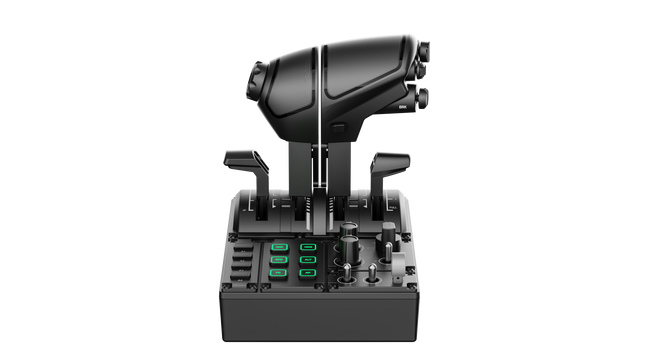
    El MOZA MTQ Throttle Panel es un sistema de control de vuelo modular diseñado para pilotos que buscan una experiencia táctil y una precisión mecánica en cada movimiento del acelerador. Con su sistema modular de palancas de aceleración y su disposición versátil de controles, transforma cualquier configuración de simulación de vuelo en una experiencia de calidad de cabina real. Los marcados mecánicos precisos, la construcción metálica y la iluminación RGB personalizable otorgan a cada palanca una sensación intencionada, ya sea al encender motores en un Airbus o al activar los postquemadores en un caza. Es la combinación perfecta entre satisfacción mecánica y versatilidad funcional. ¿Qué distingue al MOZA MTQ Throttle Panel? Experiencia auténtica con palancas modulares — A diferencia de los aceleradores fijos, el MTQ permite a los pilotos intercambiar entre estilos de palancas tipo Airbus, Boeing y cazas mediante un sistema de montaje basado en rieles. Cada palanca ofrece sus propios marcados mecánicos, permitiendo sentir los puntos de transición como la activación de la reversa o el bloqueo del postquemador. La precisión táctil de estos marcados ha sido ampliamente elogiada por los pilotos virtuales por aportar claridad física al control del acelerador. Diseño ergonómico con distribución funcional — La superficie de control incluye 10 botones, 3 mandos rotatorios y 3 interruptores, todos ubicados en zonas naturales de alcance manual. Los entusiastas valoran cómo evita el desorden, ofreciendo acceso intuitivo a las funciones clave del vuelo sin perder la concentración. Además, la inclusión de una palanca dedicada al tren de aterrizaje añade realismo y hace que las transiciones entre fases de vuelo sean más fluidas e instintivas. RGB personalizable e integración con software — El software MOZA Cockpit ofrece control total sobre el brillo RGB, la lógica de color y los efectos de iluminación basados en telemetría. Los comentarios de los usuarios destacan que la iluminación no solo se ve espectacular en una cabina tenue, sino que también puede programarse para reflejar estados de vuelo como la posición del tren o las zonas de los marcados del acelerador, convirtiendo la iluminación en retroalimentación funcional en lugar de mera decoración. Retroalimentación mecánica en múltiples ejes — El MTQ cuenta con cuatro ejes, cada uno con marcados táctiles únicos para funciones como flaps y aerofrenos. La sensación de cada eje ha sido calibrada con diferentes niveles de resistencia, y el marcado virtual en la palanca de aerofreno añade un clic satisfactorio al desplegarlo. Los pilotos destacan que la consistencia entre ejes hace que este panel se adapte perfectamente tanto a configuraciones comerciales como militares y de aviación general. Ventajas y Desventajas Ventajas Desventajas Los módulos de palanca intercambiables ofrecen configuraciones de vuelo versátiles. No dispone de conexión USB independiente; requiere conexión a la base MOZA. Excelente respuesta táctil en los ejes de acelerador y flaps. Compatibilidad limitada con ecosistemas de terceros. Diseño intuitivo con personalización de iluminación RGB. Diseño mecánico duradero con movimiento fluido y amortiguado. Especificaciones Especificación Valor Sistema de palancas Palancas de acelerador modulares con mecanismo de riel deslizante Estilos de acelerador incluidos TQF (Caza), TQA (Airbus), TQB (Boeing) Ejes Cuatro ejes independientes con marcados Botones y controles 10 botones, 3 mandos rotatorios, 3 interruptores, palanca de tren de aterrizaje Iluminación RGB Seis botones RGB, 16,7 millones de opciones de color Conectividad Conexión RJ11 a bases de vuelo MOZA Software MOZA Cockpit con efectos de iluminación basados en telemetría Compatibilidad del MOZA MTQ Throttle Panel Hardware compatible Detalles Bases de vuelo MOZA (por ejemplo, AB6) Conexión directa RJ11 para integración plug-and-play Componentes del ecosistema MOZA Funcionamiento fluido a través del software MOZA Cockpit Sistemas de terceros Compatibilidad limitada; puede requerir adaptadores o asignaciones de software El MOZA MTQ Throttle Panel se conecta directamente a las bases de vuelo MOZA mediante RJ11, reduciendo el desorden de cables y garantizando una comunicación de baja latencia. Su diseño modular de palancas lo hace compatible con las variantes de acelerador TQF, TQA y TQB, cada una diseñada para diferentes estilos de aeronaves. Aunque está diseñado principalmente para el ecosistema MOZA, los usuarios han reportado compatibilidad limitada con sistemas de terceros, a menudo requiriendo adaptadores o configuraciones personalizadas. El MTQ se integra perfectamente con estructuras de cabina de aluminio y configuraciones modulares gracias a su base estable y de fácil montaje. En el lado del software, el MTQ trabaja en perfecta sincronía con el software MOZA Cockpit e integra directamente con los simuladores de vuelo más populares, como Microsoft Flight Simulator 2020/2024, X-Plane 11/12 y DCS World. Es totalmente compatible con PC con Windows, aunque no es compatible con consolas como Xbox o PlayStation. Con su enfoque modular y su amplia compatibilidad en simulación, el MTQ está diseñado para satisfacer a cualquier piloto de PC que busque flexibilidad y precisión mecánica.

    4 en stock Envío en 1-3 días hábiles.

    €239,00

  • ¡Últimas existencias! MOZA TQA Throttle Module

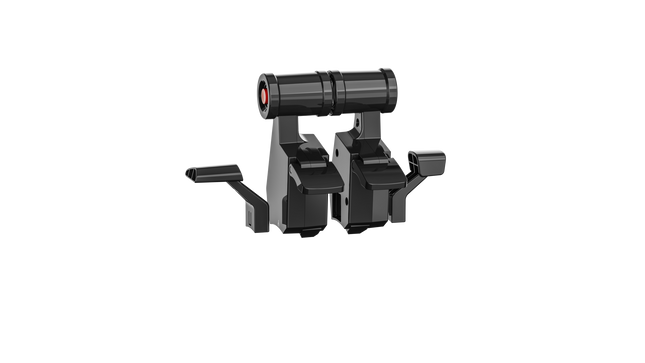
    MOZA TQA Throttle Module

    3 en stock Envío en 1-3 días hábiles.

    3 en stock Envío en 1-3 días hábiles.

    €45,00

  • Honeycomb Sierra TPM Module

    Fly Honeycomb Honeycomb Sierra TPM Module

    No disponible en stock, Reservas disponibles. Envío en 2-2,5 semanas.

    Honeycomb Sierra TPM Module lleva el encanto táctil de la aviación general clásica directamente a tu escritorio, con un acelerador vernier metálico con bloqueo que se siente satisfactoriamente mecánico en la mano y una rueda de trim integrada de alta resolución que te permite ajustar la actitud con precisión con la yema de los dedos. Diseñado pensando en aeronaves monomotor de hélice como la Cessna 172, combina una construcción totalmente metálica, controles integrados de flaps y freno de estacionamiento, e indicadores LED del tren de aterrizaje en un módulo compacto que encaja perfectamente en un home cockpit serio. ¿Qué distingue al Honeycomb Sierra TPM Module? Auténtica sensación Vernier de aviación general El acelerador vernier metálico con bloqueo con mandos de ajuste fino de hélice y mezcla no solo tiene la apariencia adecuada, sino que ofrece esa sensación de empujar-tirar y girar-para-ajustar que los pilotos asocian con los cockpits clásicos de GA. Muchos usuarios destacan cómo el ajuste incremental permite cambios de potencia más suaves durante el ascenso y la aproximación, especialmente en aeronaves de pistón, en comparación con los aceleradores de palanca deslizante que pueden resultar demasiado bruscos para una gestión delicada del motor. Flujo de trabajo de cabina integrado En lugar de dispersar los controles en paneles separados, el Sierra TPM sitúa trim, flaps, freno de estacionamiento y tren de aterrizaje en un diseño cohesivo. La rueda de trim de perfil bajo y alta resolución recibe elogios especiales por su rotación suave y entrada precisa, haciendo que los ajustes de cabeceo en crucero o en aproximación final se sientan naturales. Reduce la dependencia de atajos de teclado y mantiene las manos donde deben estar: en hardware dedicado. Construcción sólida totalmente metálica Fabricado con componentes de calidad Honeycomb y un chasis duradero completamente metálico, este módulo ofrece un peso y una rigidez notables. Los entusiastas mencionan con frecuencia que se siente firme sobre el escritorio, con una flexión mínima durante movimientos agresivos del acelerador. En comparación con alternativas de plástico más ligeras, el Sierra TPM mantiene la estabilidad estructural con el tiempo, algo especialmente valorado en configuraciones de cabina permanentes o semipermanentes. Integración perfecta con el ecosistema Honeycomb Diseñado para combinarse perfectamente con los yokes y sistemas de montaje de Honeycomb, la solución de montaje dual incluida simplifica la alineación y el posicionamiento. Los usuarios que ya utilizan unidades Alpha o Bravo suelen comentar cómo el lenguaje de diseño y el espaciado de los controles se sienten unificados, creando una cabina visualmente coherente y ergonómicamente consistente sin módulos desiguales. Pros y Contras Pros Contras El acelerador vernier metálico ofrece un control incremental preciso. Diseñado principalmente para aeronaves GA monomotor. La rueda de trim integrada proporciona ajustes de cabeceo suaves. Requiere espacio en el escritorio para la solución de montaje completa. El chasis totalmente metálico se siente estable y duradero. Los indicadores LED del tren añaden una retroalimentación visual clara. Especificaciones Especificación Valor Product Name Honeycomb Sierra TPM Module EAN 4039621003998 Construction Construcción totalmente metálica con componentes de calidad Honeycomb Throttle Type Acelerador vernier metálico con bloqueo con mandos de hélice y mezcla Integrated Controls Rueda de trim, freno de estacionamiento, palanca de flaps, palanca del tren de aterrizaje con indicadores LED Layout Estilo de aviación general para aviones monomotor de hélice Mounting Solución de montaje dual incluida Connection USB-C to USB-A cable Compatibility PC y Mac Drivers MSFS 2020 Driver, MSFS 2024 Driver Included in the Box Sierra TPM Module, Dual Mounting Solution, USB-C to USB-A Cable, Quick Start Guide (EFIGS) Compatibilidad del Honeycomb Sierra TPM Module Platform Compatibility Operating Systems PC y Mac Connection Type USB-C to USB-A (conexión USB directa) Primary Ecosystem Pairing Hardware Honeycomb Alpha y Bravo El Sierra TPM Module se conecta mediante USB directo, lo que facilita su integración en la mayoría de configuraciones de cabina de escritorio. Combina especialmente bien con Honeycomb Alpha yokes y Bravo throttle quadrants, compartiendo la misma filosofía de diseño y ecosistema de montaje. Gracias a su dual mounting solution, puede montarse en el escritorio junto a otras unidades Honeycomb para lograr un diseño unificado. No está destinado a configuraciones de consola y no se conecta directamente a hardware independiente sin un PC o Mac compatible. En el apartado de software, es compatible con Microsoft Flight Simulator 2020 y Microsoft Flight Simulator 2024 mediante drivers dedicados, y también funciona con simuladores como X-Plane y Prepar3D en PC. No es compatible con consolas Xbox, ya que depende de drivers USB estándar para PC/Mac en lugar de firmware certificado para consola. Para pilotos de simulación en escritorio centrados en la aviación general, encaja perfectamente en plataformas de simulación modernas basadas en PC.

    No disponible en stock, Reservas disponibles. Envío en 2-2,5 semanas.

    €269,00

  • ¡Últimas existencias! RealSimGear - Desktop Stand for G1000 Suite for sale on FlightSimZone

    RealSimGear RealSimGear - Desktop Stand for G1000 Suite

    4 en stock Envío en 1-3 días hábiles.

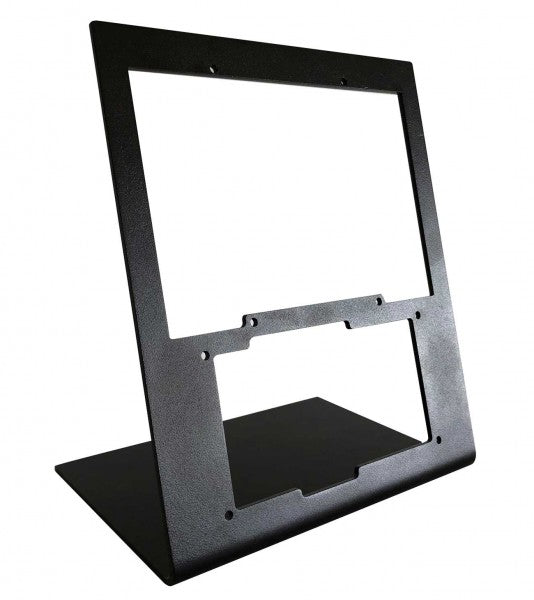
    The RealSimGear - Desktop Stand for G1000 Suite offers an exceptional solution for flight simulation enthusiasts who demand stability and organization in their setup. Constructed from durable 3mm painted steel, this stand provides a stable, elevated position for the G1000 Suite's PFD, MFD, and audio panel. Its matte black finish complements any setup, while rubber non-slip feet and precise mounting compatibility ensure effortless integration. This stand is a must-have for those seeking a structured and ergonomic flight sim experience. What sets the RealSimGear - Desktop Stand for G1000 Suite apart? Purpose-Built for G1000 Suite This stand is specifically engineered to accommodate the G1000 PFD, MFD, and audio panel. Its tailored dimensions and secure mounting options make it a seamless addition to any flight sim rig, ensuring all three components are perfectly aligned for practical use. Robust and Durable Construction Crafted from 3mm painted steel, the stand is built to withstand the demands of extended simulation sessions. Its sturdy design minimizes vibration and enhances the overall durability of your setup, providing peace of mind during intense flying scenarios. Extensive Mounting Compatibility Featuring mounting holes compatible with Saitek/Logitech yokes, Honeycomb Alpha, and Bravo controls, this stand is designed to integrate effortlessly with popular hardware. Whether you're a seasoned pilot or a newcomer, the flexible compatibility simplifies hardware configuration. Ergonomic Setup Support By elevating the G1000 Suite to an ideal height, this stand minimizes strain and enhances usability. It mirrors cockpit layouts found in actual aircraft, providing an organized and functional configuration for extended flight training or recreational use. Pros and Cons Pros Cons Perfectly accommodates PFD, MFD, and audio panel. Higher cost compared to simpler stands. Durable 3mm painted steel construction resists wear. Designed exclusively for the G1000 Suite. Compatible with Saitek/Logitech and Honeycomb systems. Specifications Specification Value Material 3mm painted steel Finish Matte black Features Non-slip rubber feet, mounting screws Capacity Holds G1000 PFD, MFD, and audio panel Mounting Compatibility Saitek/Logitech yokes, Honeycomb Alpha/Bravo RealSimGear - Desktop Stand for G1000 Suite Compatibility The RealSimGear - Desktop Stand for G1000 Suite is designed to perfectly accommodate the G1000 Suite's PFD, MFD, and audio panel. It features mounting holes that align with the Saitek/Logitech yoke mounting systems, as well as Honeycomb Alpha and Bravo throttle controls. This compatibility ensures seamless integration into existing setups, minimizing the need for additional hardware or customization. However, it is specifically tailored for the G1000 Suite, which limits its versatility for other configurations. Designed for PC-based simulation setups, this stand works beautifully with platforms like X-Plane and Microsoft Flight Simulator. It does not directly support console gaming platforms, aligning with its primary focus on professional and enthusiast-grade PC configurations. This ensures an optimal experience when paired with popular flight simulation software.

    4 en stock Envío en 1-3 días hábiles.

    €259,00

  • Moza AY210 Table Clamp

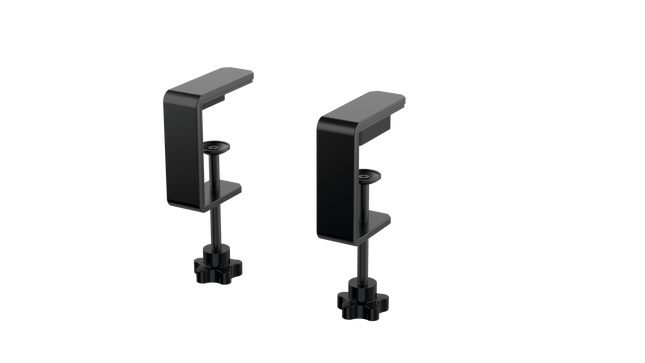
    Moza AY210 Table Clamp

    No disponible en stock, Reservas disponibles. Envío en 2-2,5 semanas.

    No disponible en stock, Reservas disponibles. Envío en 2-2,5 semanas.

    €29,00

  • ¡Últimas existencias! Moza MLTP landing panel for sale at FlightSimZone

    Moza Moza MTLP Take-off Landing Panel

    2 en stock Envío en 1-3 días hábiles.

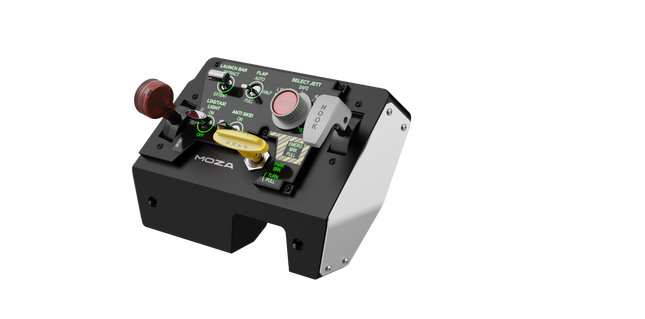
    Moza MTLP Take-off Landing Panel lleva la esencia de las operaciones de aviones de combate a la cabina de simulación en casa con un sistema de control robusto y táctil diseñado para pilotos serios de simuladores. Modelado a partir del panel de aterrizaje del F/A-18, ofrece una disposición de interruptores intuitiva que permite entradas rápidas e instintivas sin depender de confirmaciones visuales. El mecanismo auténtico de freno de estacionamiento proporciona un rebote mecánico sólido que parece salido de un avión de combate real. Con 25 señales de interruptores programables y sensores de efecto Hall para precisión, este panel cierra la brecha entre la interacción virtual y la real en la cabina. ¿Qué distingue al Moza MTLP Take-off Landing Panel? Diseñado para control táctil – Modelado a partir del panel de aterrizaje del F/A-18, esta configuración prioriza la operación instintiva. La disposición de los interruptores permite a los pilotos gestionar funciones críticas de la aeronave por sensación, reduciendo la necesidad de apartar la vista de la pantalla. Este tipo de refuerzo táctil es esencial para entornos de ritmo rápido, como vuelos de combate y aterrizajes en portaaviones. Precisión del sensor Hall para funciones clave – A diferencia de los interruptores mecánicos estándar, el MTLP integra sensores de efecto Hall en entradas clave como las palancas del tren de aterrizaje y el gancho de cola. Estos sensores proporcionan fiabilidad a largo plazo y precisión consistente en las entradas, eliminando el deslizamiento o la degradación relacionados con el desgaste con el tiempo. Construido para soportar un uso repetido – La construcción de aleación de aluminio utilizada en la palanca de freno, la palanca del gancho de cola y el tren de aterrizaje garantiza durabilidad. Estos componentes pueden soportar un uso repetido y forzoso, lo que hace que el panel sea una inversión a largo plazo para los entusiastas de los vuelos que exigen robustez mecánica. Integración sin problemas con el ecosistema de Moza – El MTLP está diseñado para funcionar sin esfuerzo con el panel de acelerador Moza MTP, formando un conjunto cohesivo de control de avión de combate. A través del software Moza Cockpit, los usuarios pueden sincronizar los efectos de iluminación impulsados por telemetría y personalizar sus configuraciones de botones para adaptarse a su estilo de vuelo. Pros y Contras Pros Contras Modelado a partir del panel de aterrizaje del F/A-18 El soporte de escritorio se vende por separado Sensores de efecto Hall para precisión y longevidad Compatibilidad limitada solo para PC 25 señales de interruptores programables para un control extenso Compatible con el ecosistema de Moza para un conjunto completo de control de avión de combate Especificaciones Especificación Valor Dimensiones 196.5 × 134.7 × 149 mm Material de la carcasa Materiales compuestos Material de la palanca de freno Aleación de aluminio Peso 680g Señales de interruptores 25 Iluminación por telemetría Sí (no se requieren complementos adicionales) Plataforma soportada PC Abrazadera de escritorio Accesorio opcional Accesorios incluidos Cable de datos, manual de usuario Compatibilidad del Moza MTLP Take-off Landing Panel Compatible con No compatible con Panel Moza MTP Throttle Paneles de acelerador de terceros Software Moza Cockpit para personalización Plataformas de consola Simuladores de vuelo en PC MacOS Diseñado para simuladores en PC, el MTLP se integra perfectamente con el Panel Moza MTP Throttle para crear un conjunto de control estilo avión de combate. El panel se configura a través del software Moza Cockpit, lo que permite una amplia personalización, incluidos los efectos de iluminación vinculados a la telemetría. Sin embargo, no es compatible con paneles de acelerador de terceros, lo que significa que la funcionalidad completa se logra mejor dentro del ecosistema de Moza. La compatibilidad solo con PC asegura soporte para los principales simuladores de vuelo, pero MacOS y las consolas no son compatibles. Los entusiastas de los simuladores de vuelo que utilicen Microsoft Flight Simulator 2020, Microsoft Flight Simulator 2024 y X-Plane 12 encontrarán que el panel es reconocido de forma nativa, ofreciendo funcionalidad plug-and-play directa a través de USB. Sin embargo, los usuarios que busquen soporte para Xbox o PlayStation deberán considerar otro hardware.

    2 en stock Envío en 1-3 días hábiles.

    €159,00

  • ¡Últimas existencias! Wingflex Vertical Stand (for A320 Overhead Panel)

    WingFlex Wingflex Vertical Stand (for A320 Overhead Panel)

    3 en stock Envío en 1-3 días hábiles.

    3 en stock Envío en 1-3 días hábiles.

    €159,00

  • ¡Últimas existencias! Wingflex Cube Stand (For A320 Combo Cube)

    WingFlex Wingflex Cube Stand (For A320 Combo Cube)

    3 en stock Envío en 1-3 días hábiles.

    3 en stock Envío en 1-3 días hábiles.

    €189,00

  • ¡Últimas existencias! Wingflex A320 EFIS Cube

    WingFlex Wingflex A320 EFIS Cube

    3 en stock Envío en 1-3 días hábiles.

    Wingflex A320 EFIS Cube puts Airbus navigation and display management exactly where your hand expects it, combining full-function EFIS and glareshield controls with high-contrast dual-colour displays in a compact 80% scale design. From adjusting barometric pressure to selecting navigation modes, every rotary movement and button press feels deliberate and satisfying. The synchronized backlighting, integrated stand and simple USB connectivity make it an excellent addition to a desktop Airbus cockpit without demanding the space of a full-size flight deck. What Sets the Wingflex A320 EFIS Cube apart? More Than Just an EFIS Panel Unlike many desktop EFIS units that focus solely on navigation display controls, the EFIS Cube also integrates important glareshield functions such as Master Warning, Master Caution and CHRONO controls. Having these frequently used functions within easy reach creates a cleaner cockpit workflow and reduces the need to return to the virtual cockpit during busy phases of flight. Compact Size Without Sacrificing Functionality The 80% scale design makes the panel much easier to accommodate on a typical desktop while preserving the familiar Airbus control layout. Buttons, rotary selectors and push-pull controls remain comfortably spaced, allowing quick adjustments without making the panel feel cramped. It strikes an effective balance between space efficiency and comfortable day-to-day operation. Consistent Lighting Across Your Cockpit The synchronized brightness system keeps the displays and backlighting aligned with supported simulator lighting, creating a cohesive appearance throughout the cockpit. Combined with Airbus-style fonts and dual-colour displays, important flight information remains crisp and easy to read whether flying during bright daylight or on a dark nighttime arrival. Built for Modular Cockpit Expansion The EFIS Cube performs perfectly as a standalone controller but is equally suited to growing cockpit projects. It integrates neatly alongside the Wingflex FCU Cube and RMP Combo Cube, allowing sim pilots to expand their Airbus setup gradually while maintaining a consistent appearance, matching lighting and a tidy desktop footprint. Pros and Cons Pros Cons Integrated glareshield controls reduce additional hardware. Reduced scale differs from full-size Airbus dimensions. Dual-colour displays remain easy to read. Designed specifically for Airbus aircraft. Synchronized lighting creates consistent cockpit appearance. Plug-and-play USB connection simplifies installation. Compact footprint fits comfortably beneath most monitors. Specifications Specification Value Product Wingflex A320 EFIS Cube Scale 80% scale Primary Function Airbus Electronic Flight Instrument System control panel Integrated Functions EFIS controls and glareshield controls Display Type High-contrast dual-colour LCD displays Display Fonts Airbus-style fonts Controls Buttons, rotary knobs and switches Lighting Fully synchronized adjustable backlighting Connection USB Installation Plug-and-play Stand Integrated low-profile desktop stand Primary Use Airbus flight simulation Wingflex A320 EFIS Cube Compatibility Simulator Compatible Aircraft X-Plane ToLiss A319, A320, A330, A340; Laminar A330 Microsoft Flight Simulator Fenix A3xx, FlyByWire A320 & A380, iniBuilds A320, A321, A330, A340, A350, Aerosoft A340, Headwind A330 Prepar3D FSLabs A32x The Wingflex A320 EFIS Cube connects through USB and can be used either as a standalone Airbus EFIS controller or alongside the Wingflex FCU Cube and Wingflex RMP Combo Cube. Its synchronized brightness allows all compatible Cube modules to maintain a consistent appearance, while the integrated stand provides a comfortable operating angle for desktop cockpits. The published compatibility list covers a wide selection of Airbus aircraft across the major PC flight simulators. It supports Fenix A3xx, ToLiss Airbus aircraft, FlyByWire A320 and A380, multiple iniBuilds Airbus models, Laminar A330, Aerosoft A340, Headwind A330 and FSLabs A32x. The panel is designed specifically for Airbus aircraft and is not intended for Boeing flight decks or other aircraft with different EFIS layouts. The EFIS Cube is compatible with Microsoft Flight Simulator 2020 and 2024, X-Plane 11 and 12 and Prepar3D on Windows PCs. It uses a USB connection with plug-and-play operation and is not compatible with Xbox or PlayStation consoles, as dedicated cockpit hardware requires PC-based simulator support.

    3 en stock Envío en 1-3 días hábiles.

    €199,00

  • ¡Últimas existencias! Wingflex A320 FCU Cube

    WingFlex Wingflex A320 FCU Cube

    3 en stock Envío en 1-3 días hábiles.

    Wingflex A320 FCU Cube brings Airbus autopilot management into a compact desktop format with full autopilot control functionality and a durable all-aluminum construction. Every heading adjustment, altitude selection and autopilot engagement is handled through tactile knobs and switches that encourage proper cockpit workflows instead of constant mouse clicks. The synchronized dimmer, adjustable backlighting and plug-and-play USB connection make it equally suited to quick evening flights or long IFR sessions, all without demanding the space of a full-size glareshield. What Sets the Wingflex A320 FCU Cube apart? Compact Airbus Autopilot Without Sacrificing Core Controls At 80% scale, the FCU Cube preserves the control layout Airbus pilots expect while significantly reducing the space required on a desktop. Independent reviews consistently note that this balance makes it much easier to fit beneath standard monitors than full-size panels, yet the spacing remains comfortable enough for deliberate heading, speed and altitude adjustments during demanding approaches. Switches That Reward Every Input The AP1, AP2 and A/THR buttons use dedicated axial switches with a 2.5 mm travel, while the remaining controls employ Alps switches with a 2.0 mm stroke. Pilots frequently comment that well-designed tactile controls encourage proper use of the autopilot throughout a flight instead of relying on keyboard shortcuts once the novelty wears off. Solid Metal Construction Built for Frequent Flying The aluminum housing and matching aluminum control knobs give the FCU Cube a reassuring weight that keeps it planted during repeated adjustments. Reviewers often highlight the rigid construction because it avoids the flex sometimes found in lighter desktop panels, making heading changes and rotary inputs feel consistent throughout longer flying sessions. Designed to Grow Into a Complete Airbus Cockpit The FCU Cube works well as a standalone autopilot controller, but it is equally at home alongside the Wingflex EFIS Cube and RMP Combo Cube. Shared brightness synchronization creates a unified appearance across the glareshield, allowing cockpit builders to expand their setup gradually instead of replacing hardware every time a new module is added. Pros and Cons Pros Cons Aluminum housing provides excellent structural rigidity. Reduced scale differs from full-size Airbus dimensions. Autopilot switches deliver satisfying tactile feedback. Designed specifically for Airbus aircraft families. Plug-and-play USB installation minimizes setup time. Synchronized lighting complements other Cube modules. Broad Airbus simulator compatibility across major platforms. Specifications Specification Value Product Wingflex A320 FCU Cube Scale 80% scale Primary Function Airbus Flight Control Unit (FCU) Construction Aviation-grade aluminum body and knobs Connection USB Installation Plug-and-play Autopilot Switches AP1, AP2 and A/THR axial switches Autopilot Switch Travel 2.5 mm Other Button Switches Japan Alps switches with 2.0 mm travel Lighting Adjustable backlighting with synchronized dimmer knob Primary Use Airbus flight simulation autopilot control Wingflex A320 FCU Cube Compatibility Simulator Compatible Aircraft X-Plane ToLiss A319, A320, A330, A340; Laminar A330 Microsoft Flight Simulator Fenix A3xx, FlyByWire A320 & A380, iniBuilds A320, A321, A330, A340, A350, Aerosoft A340, Headwind A330 Prepar3D FSLabs A32x The FCU Cube connects through USB and operates as either a standalone Airbus autopilot controller or as part of the broader Wingflex Cube ecosystem. It supports brightness synchronization with the Wingflex EFIS Cube and RMP Combo Cube, creating a consistent glareshield appearance. Its compact dimensions also make it easy to integrate into desktop cockpits or modular simulator builds without requiring a full-width Airbus panel. The published compatibility list covers a broad range of Airbus simulations across the leading platforms. It supports Fenix A3xx, ToLiss Airbus aircraft, FlyByWire A320 and A380, multiple iniBuilds Airbus models, Laminar A330, Aerosoft A340, Headwind A330 and FSLabs A32x. Unlike the RMP Combo Cube, the FCU Cube also supports the FlyByWire A380 and iniBuilds A350, making it one of the most widely compatible Airbus autopilot panels in the Wingflex lineup. The FCU Cube is designed for Microsoft Flight Simulator, X-Plane and Prepar3D on Windows PCs. It communicates through USB and works with supported Airbus aircraft using Wingflex software integration. It is not compatible with Xbox or PlayStation consoles, as dedicated USB cockpit peripherals of this type require PC-based simulator support.

    3 en stock Envío en 1-3 días hábiles.

    €199,00

  • ¡Últimas existencias! Wingflex A320 RMP Combo Cube

    WingFlex Wingflex A320 RMP Combo Cube

    3 en stock Envío en 1-3 días hábiles.

    Wingflex A320 RMP Combo Cube squeezes four useful Airbus control sections into one compact unit, combining RMP, ATC, TCAS and warning-panel functions with high-contrast dual-colour LCD screens. Its physical knobs and illuminated controls give frequency changes and transponder entries a satisfying mechanical rhythm, without consuming the entire desk. The 80% scale and 13-degree tilt keep everything comfortably visible, while USB connectivity makes installation refreshingly direct. Apparently, proper radio management does not require a full cockpit shell and several kilometres of wiring. What Sets the Wingflex A320 RMP Combo Cube apart? Four Control Sections Earn Their Desk Space Rather than reproducing only the radio management panel, the unit combines RMP, ATC, TCAS and glareshield warning functions behind one compact face. This gives solo pilots considerably more usable control than a single-purpose radio panel. Hands-on coverage particularly values the integrated radio section because it places communication and surveillance controls beside the Airbus autopilot hardware, where they can be reached without returning to the virtual cockpit. Compact Dimensions Without Tiny Controls The 80% scale reduces the panel’s footprint while retaining physical rotary controls and readable displays. Review coverage of the complete Cube system found the format notably easier to position beneath a conventional monitor than full-width Airbus hardware. The compromise is sensible for desktop pilots: it saves space without shrinking everything into fiddly miniature controls that require the fingertips of a concert pianist and the patience of an air-traffic controller. Lighting That Behaves as One Cockpit System The RMP Combo Cube can synchronize its brightness with the Wingflex FCU Cube and EFIS Cube, producing consistent illumination across the complete glareshield arrangement. Independent reporting also notes that each module can still operate separately, so the RMP does not require the complete Cube set. That flexibility is useful for gradual cockpit builds, while synchronized backlighting prevents one panel glowing like a supermarket sign beside two carefully dimmed instruments. Straightforward Setup, With Aircraft-Specific Boundaries User feedback describes the initial setup as notably simple, and the panel operates through a direct USB connection with Wingflex integration software. However, reports also show that behaviour may vary between aircraft and simulator versions, particularly when a specific function has not yet been implemented. It is therefore far less troublesome than custom wiring, but compatibility should still be checked by aircraft rather than assumed from the presence of an Airbus badge. Pros and Cons Pros Cons Four integrated sections reduce separate hardware requirements. Reduced scale differs from full-size cockpit dimensions. Dual-colour displays provide clear frequency information. Aircraft support varies between simulator platforms. Synchronized lighting complements other Wingflex Cube modules. USB connection keeps desktop installation straightforward. Angled enclosure improves visibility from seated positions. Specifications Specification Value Product Wingflex A320 RMP Combo Cube Scale 80% scale Integrated Functions RMP, ATC, TCAS and glareshield warning panel Display Type Dual-colour LCD screens Display Background Black Viewing Angle 13 degrees Connection USB Installation Plug-and-play Lighting Synchronized brightness adjustment Compatible Lighting Modules Wingflex A320 FCU Cube and A320 EFIS Cube Primary Use Airbus flight simulation cockpit control Wingflex A320 RMP Combo Cube Compatibility Simulator Compatible Aircraft Status X-Plane ToLiss A319, A320, A330 and A340; Laminar A330 Supported Microsoft Flight Simulator Fenix A3xx; FlyByWire A320; iniBuilds A320, A321, A330 and A340; Aerosoft A340; Headwind A330 Supported Prepar3D FSLabs A32x Supported Microsoft Flight Simulator FlyByWire A380 Not supported Microsoft Flight Simulator iniBuilds A350 Not supported The panel connects through a single USB connection and can be used independently as a desktop controller. It also integrates with the Wingflex A320 FCU Cube and Wingflex A320 EFIS Cube, including synchronized brightness across the modules. Within the optional Cube console, the panels can share an internal USB hub and run to the computer through one external cable. No universal mounting compatibility with third-party cockpit frames is specified. Aircraft support is integration-specific rather than universal. The panel supports ToLiss, Fenix, FSLabs, FlyByWire A320 and several iniBuilds aircraft, alongside the listed Laminar, Aerosoft and Headwind models. The FlyByWire A380 is not supported, and the iniBuilds A350 is not supported. Reports of differing behaviour between Microsoft Flight Simulator and X-Plane also show why pilots should use the published aircraft list instead of assuming every Airbus add-on will communicate correctly. For gaming platforms, the RMP Combo Cube is intended for Windows PC flight simulation and works with supported aircraft in Microsoft Flight Simulator, X-Plane and Prepar3D. It relies on PC-side USB communication and Wingflex software for integration and firmware management. It is not listed as compatible with Xbox or PlayStation, so console editions of Microsoft Flight Simulator should not be treated as supported platforms.

    3 en stock Envío en 1-3 días hábiles.

    €199,00

  • Wingflex A320 Combo Cube

    WingFlex Wingflex A320 Combo Cube

    6 en stock Envío en 1-3 días hábiles.

    Wingflex A320 Combo Cube places the Airbus glareshield essentials into one tidy desktop system, combining EFIS, FCU and multifunction RMP controls with high-contrast dual-colour displays. The knobs click and turn with enough purpose to make heading changes, radio tuning and barometric adjustments feel far better than poking at a virtual cockpit. USB connectivity keeps installation straightforward, while the 13-degree viewing angle brings the panels naturally into sight. It is compact Airbus hardware for pilots whose desks already resemble a mildly concerned electronics workshop. What Sets the Wingflex A320 Combo Cube apart? Three Core Panels Without a Full-Size Glareshield The bundle combines an EFIS, FCU and RMP-based multifunction panel in an 80% scale layout, saving roughly eleven centimetres compared with a full-size arrangement. Reviewers have praised that reduction because it preserves practical control spacing while fitting more comfortably beneath ordinary monitors. The result feels substantial enough for deliberate operation without demanding the sort of desk usually reserved for air-traffic control or an exceptionally ambitious accountant. A Smarter Use of the Right-Hand Position Instead of supplying a second EFIS that a solo pilot may rarely touch, Wingflex fills the right side with a four-in-one panel covering radio management, transponder, TCAS and warning functions. Review feedback identifies this as one of the bundle’s most practical decisions, since it places genuinely useful controls within reach. It sacrifices strict two-seat symmetry, but gains considerably more day-to-day function for single-pilot desktop flying. Clear Displays and Cohesive Night Lighting Dual-colour screens provide sharp contrast against their dark backgrounds, while synchronized brightness allows the EFIS, FCU and RMP sections to behave like one connected panel. Independent testing found the displays notably crisp and the backlighting pleasant in darker rooms. That matters during evening approaches, when deciphering fuzzy digits is an unnecessary challenge and the weather already has enough creative ways to ruin a carefully prepared arrival. Simple Assembly With a Stable Optional Console When paired with the Cube Stand, the three modules connect through internal USB-C cables and a built-in hub, leaving a single cable running to the PC. Reviewers found assembly straightforward and noted that the broad base remained firmly planted while pressing buttons and turning encoders. The stand also gives the separate modules a cleaner, unified appearance, although it is an optional bundle choice rather than standard equipment with every configuration. Pros and Cons Pros Cons Compact layout preserves valuable desktop space. Reduced scale differs from full-size cockpit dimensions. Three modules cover major glareshield functions. Optional console increases the complete setup footprint. Dual-colour displays remain clear in low light. RMP module combines four useful control sections. USB installation requires minimal external interface hardware. Specifications Specification Value Product Wingflex A320 Combo Cube Included Modules A320 EFIS Cube, A320 FCU Cube and A320 RMP Combo Cube Scale 80% scale Interface USB Installation Plug-and-play Display Type Dual-colour LCD screens Viewing Angle 13 degrees FCU Construction Aluminium body and knobs RMP Functions RMP, ATC, TCAS and side-panel controls Lighting Synchronized brightness across compatible Cube modules Product Dimensions 52.0 × 18.5 × 16.5 cm Package Dimensions 64.0 × 24.0 × 20.5 cm Bundle Options Three-module bundle, or bundle with Cube Stand Glareshield Housing Not included with the standard three-module bundle Wingflex A320 Combo Cube Compatibility Simulator Aircraft With Full Bundle Support Microsoft Flight Simulator Fenix A3xx, FSLabs A32x, FlyByWire A320, iniBuilds A320, A321, A330 and A340, Aerosoft A340, Headwind A330 X-Plane ToLiss A319, A320, A330 and A340; Laminar A330 Prepar3D FSLabs A32x and other listed aircraft where supported through Wingflex Bridge Aircraft Compatibility Limitation FlyByWire A380 EFIS and FCU supported; RMP Combo Cube not supported iniBuilds A350 EFIS and FCU supported; RMP Combo Cube not supported The three modules connect through USB and can operate as separate desktop units or within the optional Cube Stand. That stand contains an internal USB hub, allowing its three module connections to exit through one PC cable. The bundle pairs naturally with Airbus throttles, sidesticks, MCDUs and overhead panels, but it does not include a full glareshield enclosure and no standard mounting compatibility with third-party cockpit shells is specified. Full compatibility depends on all three modules supporting the selected aircraft, because the EFIS and FCU lists are slightly broader than the RMP list. The complete bundle supports Fenix, ToLiss, FlyByWire A320, FSLabs, several iniBuilds aircraft, Aerosoft A340 and Headwind A330. The FlyByWire A380 and iniBuilds A350 are not fully supported because their RMP integration is currently excluded, even though the EFIS and FCU modules list them individually. For software platforms, the Combo Cube is built for Microsoft Flight Simulator 2020 and 2024, X-Plane 11 and 12 and Prepar3D on Windows PC. It uses Wingflex Bridge for aircraft communication and firmware management. It is not listed as compatible with Xbox or PlayStation, because the required PC-side integration software and dedicated USB panel support are not available on those console platforms.

    6 en stock Envío en 1-3 días hábiles.

    €550,00 - €740,00

Flight cockpit accessories for sale at FlightSimZone

Explora los favoritos de nuestros clientes

Ingresa en

¿Ha olvidado su contraseña?

¿Aún no tienes una cuenta?
Crear una cuenta




