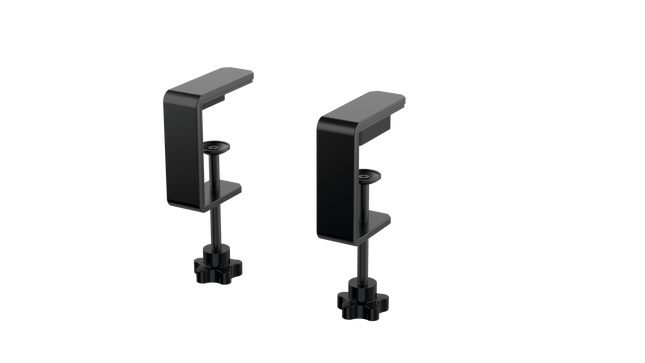
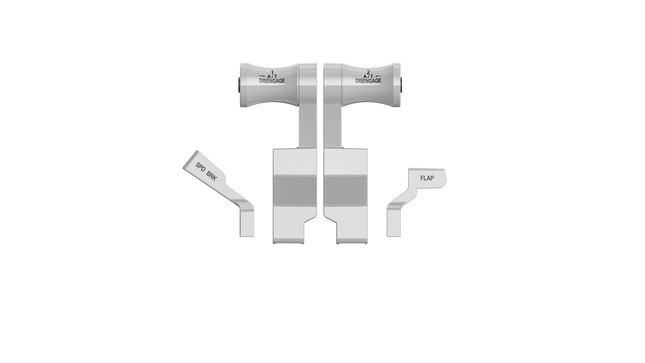
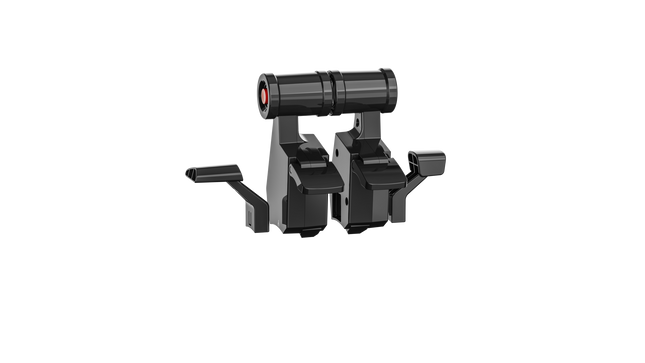
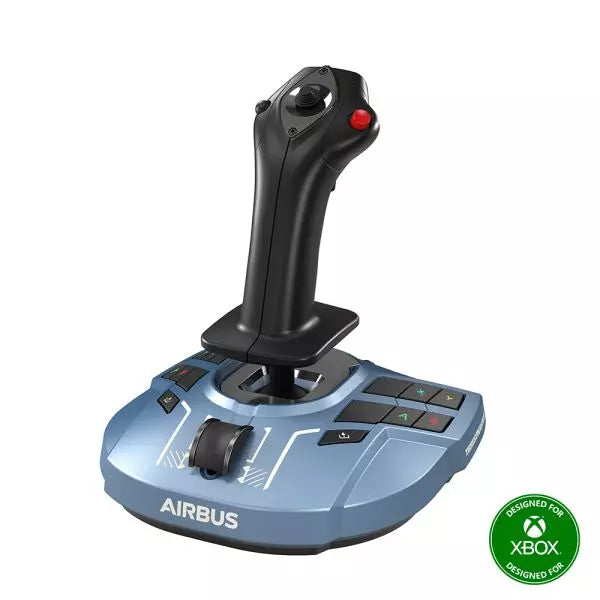
The RealSimGear - Dual Desktop Stand for RealSimGear GNS530 & GNS430 is built to provide a stable, elevated home for your avionics setup. Made from sturdy 3mm stainless steel, this stand boasts a durable, powder-coated matte black finish that resists wear and keeps things looking sharp. With rubber non-slip feet, your devices stay put during the most demanding flights. Its thoughtful design mimics real cockpit placements, ensuring your GNS530 and GNS430 are mounted at a comfortable and practical angle.
RealSimGear - Dual Desktop Stand for RealSimGear GNS530 & GNS430 apart?
Durable and Robust Construction Constructed from 3mm stainless steel, this stand is built to last. The powder-coated matte black finish not only adds a sleek appearance but also ensures the stand withstands long-term use without corrosion or wear. It's a dependable piece that can handle regular setup and breakdown without losing its shape or stability.
Thoughtful Mounting Compatibility The base comes with mounting holes that cater to various setups, including the Honeycomb Alpha yoke, Bravo throttle, and Saitek/Logitech yoke systems. This versatility makes it easy to integrate the stand into a broader flight sim configuration, avoiding compatibility headaches.
Realistic Placement Angle This stand provides an elevated mounting position similar to what you’d find in general aviation aircraft, giving your GNS530 and GNS430 a realistic layout. This attention to detail makes practice sessions more intuitive and comfortable, fostering a familiar feel when training or flying.
Solid Stability Features The rubber non-slip feet ensure that the stand stays firmly on your desk even during intense maneuvers. No sliding or shifting, so you can focus on piloting without constantly adjusting your setup. This small feature adds significant value by ensuring steady operation throughout flights.
Pros and Cons
Pros
Cons
Sturdy 3mm stainless steel construction with matte black finish.
Specifically designed for GNS530 & GNS430 only.
Rubber non-slip feet provide strong stability on any surface.
May occupy more space than single-unit stands.
Compatible with multiple yoke systems and mounting plates.
Specifications
Specification
Value
Material
3mm stainless steel
Finish
Powder-coated matte black
Foot Type
Rubber non-slip feet
Mounting Holes
Compatible with Honeycomb Alpha/Bravo, Saitek/Logitech yoke
RealSimGear - Dual Desktop Stand for RealSimGear GNS530 & GNS430 Compatibility
The RealSimGear - Dual Desktop Stand for RealSimGear GNS530 & GNS430 is engineered to perfectly fit both the GNS530 and GNS430 units, providing a cohesive mounting solution. It features pre-drilled holes that support a range of popular systems, including the Honeycomb Alpha yoke, Bravo throttle, and Saitek/Logitech yoke mounting plates. This ensures that it integrates seamlessly with a variety of cockpit configurations, making it an adaptable option for many sim pilots.
When it comes to gaming platforms, this stand is tailored for PC-based flight simulations, aligning well with simulators such as X-Plane and Microsoft Flight Simulator. It is not designed for console use, making it best suited for those running dedicated PC setups with realistic avionics add-ons.
El Moza MH16 Flightstick aporta un enfoque audaz y sin concesiones a la simulación de vuelo. Diseñado con aleación de aluminio de grado aeroespacial, este flightstick no solo es estéticamente atractivo, sino que está construido para resistir sesiones intensas sin sudar. Con 27 señales de entrada y un joystick ALPS de 8 direcciones, cada comando está al alcance de tu mano, listo para maniobras precisas. Los componentes modulares desmontables permiten adaptar la configuración a tus necesidades, mientras que la construcción robusta garantiza estabilidad incluso en los combates más exigentes. Ya sea que estés volando a gran altitud o haciendo un giro cerrado, este flightstick ofrece un nivel de control que te mantiene completamente involucrado.
¿Qué distingue al Moza MH16 Flightstick?
Construido como el stick de un avión de combate real – El diseño completamente metálico no es solo para la estética; proporciona el peso y la sensación de un sistema de control de aeronave real. En comparación con los competidores de plástico, el MH16 ofrece un agarre más sustancial y robusto, reduciendo la flexión y garantizando durabilidad a largo plazo.
Modular y expansible – A diferencia de muchos flightsticks fijos, el MH16 cuenta con módulos desmontables con conexiones de pines pogo, lo que permite una fácil personalización. Esto significa que los usuarios pueden cambiar o actualizar los componentes sin la molestia de volver a cablear o desarmar toda la unidad.
Extensa personalización – Con 27 señales de entrada y un joystick ALPS de 8 direcciones, los pilotos pueden asignar los comandos exactamente como deseen. Este nivel de flexibilidad en la asignación de botones y funciones lo convierte en una opción destacada para quienes exigen control total sobre su experiencia de simulación.
Compatibilidad sin problemas y plug-and-play – No hay configuraciones complicadas, ni drivers adicionales necesarios: simplemente conecta y listo. El conector de aviación de 5 pines asegura una transmisión de entrada segura y estable, lo que lo hace operativo al instante con la mayoría de las bases de vuelo disponibles en el mercado.
Pros y Contras
Pros
Contras
El cuerpo de aluminio de grado aeroespacial ofrece durabilidad y un agarre sólido.
Fuera de stock; la disponibilidad puede ser un problema.
Los módulos desmontables permiten una fácil personalización.
No hay soporte oficial para MacOS.
27 entradas y joystick ALPS proporcionan control extenso.
Plug-and-play con la mayoría de las bases de vuelo.
Especificaciones
Especificación
Valor
Plataforma
PC
Material principal
Aleación de aluminio de grado aeroespacial
Voltaje nominal
3.3V
Corriente nominal
5A
Conector
Conector de aviación de 5 pines
Módulo Z-axis
Opcional
Dimensiones
99×213.5×132mm
Compatibilidad del Moza MH16 Flightstick
Compatible con
No compatible con
PC (sistemas basados en Windows)
MacOS
La mayoría de las bases de vuelo con conector de aviación de 5 pines
Consolas (PlayStation, Xbox)
Software de control de cockpit MOZA
Interfaces USB no estándar
El Moza MH16 Flightstick funciona perfectamente con la mayoría de las configuraciones de vuelo basadas en PC, gracias a su conector de aviación de 5 pines y a su capacidad plug-and-play. Sin embargo, los usuarios de Mac deberán buscar otras opciones, ya que no existe soporte oficial para macOS. Los usuarios han informado de una integración sólida con una variedad de bases, lo que lo convierte en una opción flexible para aquellos que desean combinar su equipo.
En cuanto a plataformas de juegos, el MH16 es estrictamente para usuarios de PC. Funciona sin problemas en simuladores de vuelo basados en Windows como DCS, MSFS2020 y X-Plane, pero los jugadores de consola no tienen suerte: no hay soporte nativo para PlayStation o Xbox. Sin embargo, si eres un apasionado de los simuladores de vuelo, esto no es un problema, ya que PC sigue siendo la plataforma preferida para pilotos serios.
El Moza MA3X Flightstick combina un diseño clásico inspirado en aeronaves con ingeniería moderna para ofrecer una experiencia de simulación de vuelo envolvente. Fabricado con material compuesto de ultra alta resistencia, mantiene un peso ligero pero es lo suficientemente duradero para soportar hasta 30 kg de fuerza. Los interruptores ALPS garantizan longevidad, con una calificación de 100,000 ciclos, brindando a los pilotos un control constante y confiable. Un tratamiento de spray multicapas y un tratamiento UV replican la sensación táctil de los materiales reales de las aeronaves, elevando la sensación general. Con una disposición de botones ampliada y una amplia compatibilidad, el MA3X se adapta perfectamente a cualquier configuración, ofreciendo tanto flexibilidad como fiabilidad.
¿Qué distingue al Moza MA3X Flightstick?
Construcción duradera pero ligera – A diferencia de los flightsticks más pesados basados en metal, el MA3X está fabricado con material compuesto de ultra alta resistencia. Esto le permite mantener un peso ligero de solo 220 g mientras soporta hasta 30 kg de fuerza sin comprometer la integridad estructural.
Disposición de botones mejorada – El MA3X viene con cuatro botones físicos pero puede expandirse para soportar hasta 12 señales de entrada. Esta flexibilidad adicional garantiza que los usuarios puedan configurar sus controles exactamente como los necesiten para diversos escenarios de simulación.
Interruptores ALPS para mayor longevidad – Muchos flightsticks sufren desgaste con el tiempo, pero el MA3X está equipado con interruptores ALPS con una calificación de 100,000 ciclos. Esto significa que los pilotos pueden contar con un funcionamiento suave y constante, incluso después de un uso extenso.
Amplia compatibilidad y configuración plug-and-play – Diseñado para funcionar con todas las bases Moza y la mayoría de las bases de terceros, el MA3X no requiere drivers adicionales ni configuraciones complejas. El conector de aviación de 5 pines asegura una conexión estable y segura.
Pros y Contras
Pros
Contras
El material compuesto duradero soporta un uso intensivo.
No hay soporte oficial para MacOS.
La disposición de botones es ampliable hasta 12 señales de entrada.
Funcionalidad limitada como unidad independiente sin una base compatible.
Los interruptores ALPS tienen una calificación de 100,000 ciclos.
Funciona con las bases Moza y la mayoría de las bases de terceros.
Especificaciones
Especificación
Valor
Material de la carcasa
Compuesto
Material de los interruptores
ABS
Peso
220 g
Interruptor de 8 posiciones
1
Disparador
1
Interruptor de cambio
1
Conector
Conector de aviación de 5 pines
Compatibilidad del Moza MA3X Flightstick
Compatible con
No compatible con
PC (sistemas basados en Windows)
MacOS
Todas las bases Moza
Consolas (PlayStation, Xbox)
La mayoría de las bases de terceros
Sistemas de entrada solo USB
El Moza MA3X Flightstick se integra sin esfuerzo con todas las bases Moza y es compatible con la mayoría de las bases de terceros utilizando su conector de aviación de 5 pines. A diferencia de otros flightsticks que restringen a los usuarios a ecosistemas específicos, el MA3X mantiene un diseño más flexible, permitiendo una mayor compatibilidad sin necesidad de adaptadores adicionales.
En cuanto al software, el MA3X es totalmente compatible con simuladores de vuelo basados en Windows, pero no es compatible con MacOS. Funciona bien con títulos líderes como MSFS2020, X-Plane y DCS. Sin embargo, los usuarios de consolas deberían buscar otras opciones, ya que el MA3X no es compatible con PlayStation o Xbox.
Moza MTLP Take-off Landing Panel lleva la esencia de las operaciones de aviones de combate a la cabina de simulación en casa con un sistema de control robusto y táctil diseñado para pilotos serios de simuladores. Modelado a partir del panel de aterrizaje del F/A-18, ofrece una disposición de interruptores intuitiva que permite entradas rápidas e instintivas sin depender de confirmaciones visuales. El mecanismo auténtico de freno de estacionamiento proporciona un rebote mecánico sólido que parece salido de un avión de combate real. Con 25 señales de interruptores programables y sensores de efecto Hall para precisión, este panel cierra la brecha entre la interacción virtual y la real en la cabina.
¿Qué distingue al Moza MTLP Take-off Landing Panel?
Diseñado para control táctil – Modelado a partir del panel de aterrizaje del F/A-18, esta configuración prioriza la operación instintiva. La disposición de los interruptores permite a los pilotos gestionar funciones críticas de la aeronave por sensación, reduciendo la necesidad de apartar la vista de la pantalla. Este tipo de refuerzo táctil es esencial para entornos de ritmo rápido, como vuelos de combate y aterrizajes en portaaviones.
Precisión del sensor Hall para funciones clave – A diferencia de los interruptores mecánicos estándar, el MTLP integra sensores de efecto Hall en entradas clave como las palancas del tren de aterrizaje y el gancho de cola. Estos sensores proporcionan fiabilidad a largo plazo y precisión consistente en las entradas, eliminando el deslizamiento o la degradación relacionados con el desgaste con el tiempo.
Construido para soportar un uso repetido – La construcción de aleación de aluminio utilizada en la palanca de freno, la palanca del gancho de cola y el tren de aterrizaje garantiza durabilidad. Estos componentes pueden soportar un uso repetido y forzoso, lo que hace que el panel sea una inversión a largo plazo para los entusiastas de los vuelos que exigen robustez mecánica.
Integración sin problemas con el ecosistema de Moza – El MTLP está diseñado para funcionar sin esfuerzo con el panel de acelerador Moza MTP, formando un conjunto cohesivo de control de avión de combate. A través del software Moza Cockpit, los usuarios pueden sincronizar los efectos de iluminación impulsados por telemetría y personalizar sus configuraciones de botones para adaptarse a su estilo de vuelo.
Pros y Contras
Pros
Contras
Modelado a partir del panel de aterrizaje del F/A-18
El soporte de escritorio se vende por separado
Sensores de efecto Hall para precisión y longevidad
Compatibilidad limitada solo para PC
25 señales de interruptores programables para un control extenso
Compatible con el ecosistema de Moza para un conjunto completo de control de avión de combate
Especificaciones
Especificación
Valor
Dimensiones
196.5 × 134.7 × 149 mm
Material de la carcasa
Materiales compuestos
Material de la palanca de freno
Aleación de aluminio
Peso
680g
Señales de interruptores
25
Iluminación por telemetría
Sí (no se requieren complementos adicionales)
Plataforma soportada
PC
Abrazadera de escritorio
Accesorio opcional
Accesorios incluidos
Cable de datos, manual de usuario
Compatibilidad del Moza MTLP Take-off Landing Panel
Compatible con
No compatible con
Panel Moza MTP Throttle
Paneles de acelerador de terceros
Software Moza Cockpit para personalización
Plataformas de consola
Simuladores de vuelo en PC
MacOS
Diseñado para simuladores en PC, el MTLP se integra perfectamente con el Panel Moza MTP Throttle para crear un conjunto de control estilo avión de combate. El panel se configura a través del software Moza Cockpit, lo que permite una amplia personalización, incluidos los efectos de iluminación vinculados a la telemetría. Sin embargo, no es compatible con paneles de acelerador de terceros, lo que significa que la funcionalidad completa se logra mejor dentro del ecosistema de Moza.
La compatibilidad solo con PC asegura soporte para los principales simuladores de vuelo, pero MacOS y las consolas no son compatibles. Los entusiastas de los simuladores de vuelo que utilicen Microsoft Flight Simulator 2020, Microsoft Flight Simulator 2024 y X-Plane 12 encontrarán que el panel es reconocido de forma nativa, ofreciendo funcionalidad plug-and-play directa a través de USB. Sin embargo, los usuarios que busquen soporte para Xbox o PlayStation deberán considerar otro hardware.
Moza MTP Throttle Panel ofrece una experiencia de control de vuelo robusta inspirada en los jets de combate basados en portaaviones. El sistema de detención ajustable permite un control preciso, ya sea gestionando postquemadores o simulando detenciones centrales en simuladores espaciales. El sistema de retroalimentación por vibración incorporado mejora la conciencia situacional, alertando a los pilotos sobre cambios aerodinámicos, advertencias de velocidad excesiva y condiciones de combate. Con 27 interruptores programables, un joystick con efecto Hall y empuñaduras de aleación de aluminio, este panel de acelerador está diseñado para entusiastas de los simuladores de vuelo que buscan control preciso en entornos de alto riesgo.
¿Qué distingue al Moza MTP Throttle Panel?
Sistema de detención personalizable para máximo control – El Moza MTP Throttle permite a los usuarios ajustar las posiciones de detención, lo que lo hace ideal para configuraciones de postquemadores, empuje inverso o maniobras de vuelo espacial precisas. Ya sea ajustando curvas de potencia o creando etapas de motor distintas, esta característica ofrece flexibilidad que no se encuentra comúnmente en otros configuraciones de aceleradores.
Retroalimentación por vibración incorporada para mayor conciencia – A diferencia de los aceleradores pasivos, el MTP incluye motores de vibración que reaccionan a los datos de telemetría del simulador. Este sistema de retroalimentación ofrece alertas hápticas para condiciones como resistencia aerodinámica, advertencias de velocidad excesiva y fallas del sistema, proporcionando a los pilotos una capa adicional de conciencia situacional.
27 interruptores programables para operaciones de vuelo complejas – La superficie de control está cargada con 27 interruptores, todos los cuales pueden ser configurados para funciones esenciales como el despliegue del tren de aterrizaje, el encendido de motores o los sistemas de combate. El diseño optimizado asegura que los comandos sigan siendo fácilmente accesibles sin tener que buscar mientras se vuela.
Joystick con efecto Hall para mayor flexibilidad de entrada – Integrado directamente en el acelerador, este joystick ofrece entradas sin deriva para ajustes finos del control. Ya sea asignado a ajustes de inclinación, entradas de timón o incluso navegación de la cámara, el sensor de efecto Hall asegura un rendimiento consistente sin el desgaste de los potenciómetros tradicionales.
Pros y Contras
Pros
Contras
Sistema de detención ajustable para postquemadores y simuladores espaciales
El soporte de escritorio se vende por separado
Retroalimentación por vibración incorporada reacciona a las condiciones de vuelo
Soporte solo para PC, no es compatible con consolas
27 interruptores programables para mapeo de control extenso
Empuñadura de aluminio duradera con sensación táctil
Especificaciones
Especificación
Valor
Dimensiones
277 × 194 × 216 mm
Material de la carcasa
Material compuesto
Material de la empuñadura del acelerador
Aleación de aluminio
Peso
2.1 kg
Interruptores físicos
27
Telemetría de vibración
Soportado (no requiere complementos)
Telemetría de iluminación
Soportado (no requiere complementos)
Plataforma compatible
PC
Soporte de escritorio
Accesorio opcional
Placa de montaje de escritorio
Accesorio opcional
Accesorios incluidos
Cable de datos, llave, manual de usuario
Compatibilidad del Moza MTP Throttle Panel
Compatible con
No compatible con
Software MOZA Cockpit para personalización
Plataformas de consola
MOZA MTLP Panel para configuración completa de avión de combate
Bases de acelerador de terceros
Simuladores de vuelo en PC
MacOS
Diseñado para simuladores de vuelo en PC, el Moza MTP Throttle se integra perfectamente con el software MOZA Cockpit, permitiendo ajustes finos para retroalimentación por vibración, mapeo de interruptores y efectos de iluminación basados en telemetría. También se empareja con el MOZA MTLP Panel, creando un sistema modular de control de avión de combate que mejora la experiencia de despegue y aterrizaje.
Compatibilidad solo con PC asegura funcionalidad plug-and-play con Microsoft Flight Simulator 2020, Microsoft Flight Simulator 2024 y X-Plane 12. Sin embargo, este sistema no es compatible con MacOS ni con consolas, lo que significa que los usuarios de Xbox y PlayStation deberán buscar otras soluciones de acelerador compatibles.
No disponible en stock,
Reservas disponibles. Envío en 2-2,5 semanas.
Honeycomb Sierra TPM Module lleva el encanto táctil de la aviación general clásica directamente a tu escritorio, con un acelerador vernier metálico con bloqueo que se siente satisfactoriamente mecánico en la mano y una rueda de trim integrada de alta resolución que te permite ajustar la actitud con precisión con la yema de los dedos. Diseñado pensando en aeronaves monomotor de hélice como la Cessna 172, combina una construcción totalmente metálica, controles integrados de flaps y freno de estacionamiento, e indicadores LED del tren de aterrizaje en un módulo compacto que encaja perfectamente en un home cockpit serio.
¿Qué distingue al Honeycomb Sierra TPM Module?
Auténtica sensación Vernier de aviación general El acelerador vernier metálico con bloqueo con mandos de ajuste fino de hélice y mezcla no solo tiene la apariencia adecuada, sino que ofrece esa sensación de empujar-tirar y girar-para-ajustar que los pilotos asocian con los cockpits clásicos de GA. Muchos usuarios destacan cómo el ajuste incremental permite cambios de potencia más suaves durante el ascenso y la aproximación, especialmente en aeronaves de pistón, en comparación con los aceleradores de palanca deslizante que pueden resultar demasiado bruscos para una gestión delicada del motor.
Flujo de trabajo de cabina integrado En lugar de dispersar los controles en paneles separados, el Sierra TPM sitúa trim, flaps, freno de estacionamiento y tren de aterrizaje en un diseño cohesivo. La rueda de trim de perfil bajo y alta resolución recibe elogios especiales por su rotación suave y entrada precisa, haciendo que los ajustes de cabeceo en crucero o en aproximación final se sientan naturales. Reduce la dependencia de atajos de teclado y mantiene las manos donde deben estar: en hardware dedicado.
Construcción sólida totalmente metálica Fabricado con componentes de calidad Honeycomb y un chasis duradero completamente metálico, este módulo ofrece un peso y una rigidez notables. Los entusiastas mencionan con frecuencia que se siente firme sobre el escritorio, con una flexión mínima durante movimientos agresivos del acelerador. En comparación con alternativas de plástico más ligeras, el Sierra TPM mantiene la estabilidad estructural con el tiempo, algo especialmente valorado en configuraciones de cabina permanentes o semipermanentes.
Integración perfecta con el ecosistema Honeycomb Diseñado para combinarse perfectamente con los yokes y sistemas de montaje de Honeycomb, la solución de montaje dual incluida simplifica la alineación y el posicionamiento. Los usuarios que ya utilizan unidades Alpha o Bravo suelen comentar cómo el lenguaje de diseño y el espaciado de los controles se sienten unificados, creando una cabina visualmente coherente y ergonómicamente consistente sin módulos desiguales.
Pros y Contras
Pros
Contras
El acelerador vernier metálico ofrece un control incremental preciso.
Diseñado principalmente para aeronaves GA monomotor.
La rueda de trim integrada proporciona ajustes de cabeceo suaves.
Requiere espacio en el escritorio para la solución de montaje completa.
El chasis totalmente metálico se siente estable y duradero.
Los indicadores LED del tren añaden una retroalimentación visual clara.
Especificaciones
Especificación
Valor
Product Name
Honeycomb Sierra TPM Module
EAN
4039621003998
Construction
Construcción totalmente metálica con componentes de calidad Honeycomb
Throttle Type
Acelerador vernier metálico con bloqueo con mandos de hélice y mezcla
Integrated Controls
Rueda de trim, freno de estacionamiento, palanca de flaps, palanca del tren de aterrizaje con indicadores LED
Layout
Estilo de aviación general para aviones monomotor de hélice
Mounting
Solución de montaje dual incluida
Connection
USB-C to USB-A cable
Compatibility
PC y Mac
Drivers
MSFS 2020 Driver, MSFS 2024 Driver
Included in the Box
Sierra TPM Module, Dual Mounting Solution, USB-C to USB-A Cable, Quick Start Guide (EFIGS)
Compatibilidad del Honeycomb Sierra TPM Module
Platform
Compatibility
Operating Systems
PC y Mac
Connection Type
USB-C to USB-A (conexión USB directa)
Primary Ecosystem Pairing
Hardware Honeycomb Alpha y Bravo
El Sierra TPM Module se conecta mediante USB directo, lo que facilita su integración en la mayoría de configuraciones de cabina de escritorio. Combina especialmente bien con Honeycomb Alpha yokes y Bravo throttle quadrants, compartiendo la misma filosofía de diseño y ecosistema de montaje. Gracias a su dual mounting solution, puede montarse en el escritorio junto a otras unidades Honeycomb para lograr un diseño unificado. No está destinado a configuraciones de consola y no se conecta directamente a hardware independiente sin un PC o Mac compatible.
En el apartado de software, es compatible con Microsoft Flight Simulator 2020 y Microsoft Flight Simulator 2024 mediante drivers dedicados, y también funciona con simuladores como X-Plane y Prepar3D en PC. No es compatible con consolas Xbox, ya que depende de drivers USB estándar para PC/Mac en lugar de firmware certificado para consola. Para pilotos de simulación en escritorio centrados en la aviación general, encaja perfectamente en plataformas de simulación modernas basadas en PC.
Honeycomb Foxtrot Aviation Stick está diseñado para pilotos que prefieren un sidestick en la mano y un escritorio despejado frente a ellos. Desde el primer movimiento, el sistema de resistencia lineal suave sin center detent se siente fluido y preciso, ideal para entradas al estilo Airbus y maniobras acrobáticas. En su interior, la resolución de 16-bit con tecnología de sensores Hall Effect traduce sutiles movimientos de muñeca en un control preciso en pantalla. Añade tensión ajustable y un diseño completamente ambidiestro, y obtendrás un stick con una sensación profesional y bien definida, no como un juguete.
¿Qué distingue al Honeycomb Foxtrot Aviation Stick?
Filosofía de Control Sin Center Detent Muchos sticks dependen de un punto central perceptible, lo que puede hacer que las pequeñas correcciones se sientan mecánicas. El sistema de resistencia lineal del Foxtrot elimina ese punto, creando una transición suave en todo el recorrido del eje. Los pilotos que vuelan aeronaves Airbus valoran especialmente este diseño, ya que reproduce con mayor fidelidad el comportamiento de un sidestick y permite correcciones suaves de cabeceo y alabeo sin luchar contra un “clic” con resorte en el centro.
Sinergia entre Sensores y Resolución Con una resolución de 16-bit combinada con sensores Hall Effect, el Foxtrot ofrece una detección de entrada limpia y sin contacto. Los entusiastas destacan a menudo su consistencia a lo largo del tiempo: sin picos, sin degradación progresiva típica de los potenciómetros físicos. Los ajustes sutiles de trim en aproximación o las entradas de alabeo cuidadosas en acrobacia se sienten estables y predecibles, especialmente en comparación con sticks de nivel básico que pueden mostrar vibraciones cerca del centro.
Resistencia y Ergonomía Configurables La tensión ajustable permite adaptar el stick a las preferencias personales, ya sea que prefieras entradas ligeras con la punta de los dedos o una resistencia más firme para movimientos controlados. Combinado con su diseño de empuñadura ambidiestro, el Foxtrot es adecuado tanto para configuraciones para zurdos como para diestros. Los usuarios con cockpits compactos suelen destacar lo adaptable que resulta en distintas posiciones de asiento, incluyendo montajes centrales o laterales.
Alta Densidad de Switches Sin Saturación Entre los 5 switches de dos vías, 4 botones de acción programables, POV hat, gatillo, rockers y panel rotativo multidireccional, el stick ofrece una gran flexibilidad de entradas. Lo que destaca es la distribución lógica de los controles; los sim pilots mencionan con frecuencia que funciones como trim, modos de piloto automático o controles de cámara pueden asignarse sin sensación de saturación ni necesidad de buscar botones a ciegas en pleno vuelo.
Pros y Contras
Pros
Contras
Resistencia lineal sin center detent con sensación suave.
Sin compatibilidad nativa con consolas.
Los sensores Hall Effect reducen el desgaste a largo plazo.
No incluye base de montaje dedicada.
Tensión ajustable para distintos estilos de vuelo.
Amplias opciones de configuración de switches y botones.
Especificaciones
Especificación
Valor
Product Name
Honeycomb Foxtrot Aviation Stick
Control System
Sistema de resistencia lineal sin center detent
Sensor Technology
Sensores Hall Effect
Resolution
16-bit
Tension Adjustment
Resistencia del stick ajustable
Switches
5 switches de dos vías
Action Buttons
4 botones programables
Rotary Panel
Controles rotativos de 3, 4 y 5 vías
Grip Design
Ambidiestro
Connection
USB-C to USB-A cable
System Compatibility
PC y Mac
Included in the Box
Foxtrot Aviation Stick, USB-C to USB-A Cable, Quick Start Guide (EFIGS)
Download Support
Perfiles Basic Bindings (XML) para MSFS 2024
Compatibilidad del Honeycomb Foxtrot Aviation Stick
Platform
Compatibility
Operating Systems
PC y Mac
Connection Type
USB-C to USB-A interfaz USB directa
Primary Sim Support
MSFS 2024 (XML bindings), MSFS, X-Plane, Prepar3D
El Foxtrot Aviation Stick se conecta mediante USB estándar, lo que permite integrarlo fácilmente en la mayoría de configuraciones de cockpit de escritorio. Funciona sin problemas junto a throttle quadrants, pedales de timón y paneles de radio de otras marcas importantes gracias a su arquitectura HID plug-and-play. Su diseño ambidiestro lo hace adecuado tanto para configuraciones de asiento izquierdo como derecho, incluido el montaje lateral al estilo Airbus. No es compatible con consolas Xbox y no funciona como dispositivo independiente sin un PC o Mac conectado.
En el apartado de software, es compatible con Microsoft Flight Simulator 2024 mediante perfiles XML dedicados y funciona con simuladores populares de PC como Microsoft Flight Simulator (2020), X-Plane y Prepar3D a través de configuraciones manuales o mapeos de la comunidad. No está diseñado para plataformas basadas en consola, ya que depende del reconocimiento de drivers nativos de PC/Mac en lugar de firmware certificado para consola.
No disponible en stock,
Reservas disponibles. Envío en 2-2,5 semanas.
Honeycomb Bravo Throttle Quadrant Lite concentra la experiencia esencial del Bravo original en un paquete más compacto y enfocado. Las cuatro palancas intercambiables con tensión ajustable se deslizan con un peso mecánico tranquilizador, mientras que la rueda de trim integrada de perfil bajo y alta resolución permite ajustar el cabeceo con precisión con la punta de los dedos. Desde el clic firme de la palanca del tren de aterrizaje con indicación LED hasta la satisfactoria tracción del freno de estacionamiento, esta unidad ofrece una entrada fiable para configuraciones GA y bimotor sin abrumar a quienes están construyendo su cockpit por primera vez.
¿Qué distingue al Honeycomb Bravo Throttle Quadrant Lite?
Simplificado Sin Sentirse Limitado A diferencia de muchos throttle quadrants orientados a la gama de entrada que sacrifican flexibilidad, el Bravo Lite mantiene vivo su ADN modular. Los usuarios suelen destacar que conserva las palancas intercambiables y la personalización de los detents de flaps, reduciendo al mismo tiempo parte de la complejidad del Bravo completo. El resultado es una unidad compacta que sigue siendo compatible con configuraciones monomotor y bimotor, lo que la hace atractiva para pilotos que actualizan desde throttles básicos de plástico.
Tensión Ajustable con Sensación Mecánica La resistencia de las palancas puede ajustarse según las preferencias personales, lo que marca una diferencia notable durante los cambios de potencia en ascenso y los ajustes en final corta. Muchos sim pilots mencionan que el movimiento se siente suave y controlado en lugar de suelto o elástico. En comparación con quadrants más ligeros, el Bravo Lite ofrece una sensación más estable durante las transiciones de potencia, especialmente cuando está montado de forma segura con la dual mounting solution incluida.
Trim y Controles en Tierra Integrados La rueda de trim y el freno de estacionamiento integrados eliminan la necesidad de periféricos adicionales. La alta resolución de la rueda de trim es frecuentemente elogiada por ayudar a estabilizar aproximaciones sin microcorrecciones constantes mediante teclado o botones del yoke. Añade la palanca del tren de aterrizaje con indicador LED de estado, y obtendrás confirmación visual clara durante los ciclos del tren — un pequeño detalle que aporta gran confianza en circuitos con mucho tráfico.
Optimización Enfocada en MSFS Diseñado pensando en Microsoft Flight Simulator, el Bravo Lite cuenta con soporte de drivers dedicados y perfiles descargables. Los usuarios valoran la rapidez con la que se configura en MSFS 2020 y 2024 en comparación con algunos quadrants USB genéricos. Al mismo tiempo, sigue siendo compatible con X-Plane y Prepar3D, lo que le otorga un atractivo más amplio que muchas unidades throttle específicas de un solo simulador en este rango de precio.
Pros y Contras
Pros
Contras
Palancas intercambiables compatibles con múltiples tipos de aeronaves.
Menos controles que la versión completa Bravo.
La tensión ajustable mejora la sensación del throttle.
Solo PC y Mac, sin soporte para consolas.
La rueda de trim integrada añade control fino de cabeceo.
El indicador LED del tren proporciona un claro feedback de estado.
Especificaciones
Especificación
Valor
Product Name
Honeycomb Bravo Throttle Quadrant Lite
Dimensions (L x H x W)
40 x 13 x 27 cm (15.75 x 5.19 x 10.63 inches)
Throttle Levers
Cuatro palancas intercambiables con tensión ajustable
Flap System
Insertos de detent de flaps intercambiables incluidos
Trim Control
Rueda de trim integrada de perfil bajo y alta resolución
Landing Gear Lever
Con indicador LED de estado
Parking Brake
Palanca integrada
Connectivity
USB-C to USB-A (cable incluido)
System Compatibility
PC y Mac
Software Compatibility
Microsoft Flight Simulator 2020/2024, FSX, Prepar3D V3-V5, X-Plane 11/12
Included in the Box
Throttle Quadrant Lite, Flap detent inlays, Interchangeable levers (Commercial & GA), USB-C cable, Dual mounting solution, Quick Start Guide
Compatibilidad del Honeycomb Bravo Throttle Quadrant Lite
Categoría
Compatibilidad
Operating Systems
Microsoft Windows (64-bit), macOS
Connection
USB-C to USB-A (puerto USB estándar requerido)
Supported Simulators
MSFS 2020/2024, FSX, Prepar3D V3–V5, X-Plane 11/12
El Bravo Lite se conecta mediante USB estándar, lo que facilita su integración con yokes, sticks y pedales de timón de distintas marcas. Combina especialmente bien con los yokes Honeycomb Alpha y otros componentes modulares de cockpit gracias a la dual mounting solution. Está diseñado exclusivamente para sistemas PC y Mac y no funciona de forma independiente sin un ordenador conectado.
En el apartado de simulación, está optimizado para Microsoft Flight Simulator 2020 y 2024, con drivers LED dedicados y perfiles de aeronaves descargables. También funciona con X-Plane 11 y 12, FSX y Prepar3D V3–V5 mediante reconocimiento USB HID estándar. No es compatible con consolas Xbox, ya que depende de una arquitectura USB y drivers basados en PC en lugar de firmware certificado para consola.
No disponible en stock,
Reservas disponibles. Envío en 2-2,5 semanas.
WINCTRL URSA MINOR Airline Joystick R brings airline-style control to the desktop with a clever mix of tactile feedback and thoughtful engineering. The standout feature is the flight-data-linked vibration engine, which adds subtle physical cues during events like flap deployment, airflow changes, and touchdown. Pair that with non-contact magnetic resistance sensors on the X and Y axes, and the stick delivers smooth, stable inputs without the wear issues common in cheaper mechanisms. The result is a joystick that feels lively in hand yet technically grounded under the hood.
What Sets the WINCTRL URSA MINOR Airline Joystick R apart?
Flight Data Driven Vibration Feedback The URSA MINOR stands out with a vibration motor tied directly to in-sim flight data. Instead of generic rumble, the stick reacts to events like landing contact, airflow changes, or flap movement. Pilots online often mention how this adds subtle physical cues during phases like flare or speed changes, providing a tactile reminder of what the aircraft is doing without constantly glancing at instruments.
Robust Gimbal With Magnetic Sensors At the core of the stick is a glass-fiber-reinforced nylon gimbal running on ball bearings, paired with non-contact magnetic sensors for the primary axes. This combination helps maintain smooth motion over time without the jitter common in potentiometer-based designs. Enthusiasts frequently note that the stick movement feels stable across the entire travel range, particularly during small pitch adjustments on final approach.
Airliner-Inspired Grip Layout The grip design borrows cues from airline sidestick ergonomics, offering a balanced control layout that includes a PTT trigger, autopilot disconnect switch, and a concealed five-way switch beneath a magnetic cover. Pilots often highlight how practical this arrangement is for everyday flying tasks—radio calls, autopilot overrides, and camera views can all be handled without reaching for the keyboard.
Flexible Mounting and Maintenance Design The base includes anti-slip pads for desktop use along with pre-drilled mounting holes for cockpit rigs. A quick-release base cover allows access to internal adjustments without dismantling the entire unit. This detail is frequently appreciated by sim cockpit builders who prefer gear that can be tuned or serviced easily rather than permanently sealed hardware.
Pros and Cons
Pros
Cons
Flight-data vibration feedback adds tactile flight cues.
Plastic construction compared to metal joystick designs.
Magnetic sensors reduce wear and input drift.
Limited axis travel compared to extended bases.
Good button layout for airliner-style flying tasks.
Desk or cockpit mounting options included.
Specifications
Specification
Value
Product Model
URSA MINOR-Airline-Joystick R
Material
Industrial ABS plastic (PC + ABS)
Controller
32-bit ARM controller
X/Y Axis Movement Angle
±15°
Z Axis Rotation Angle
±20°
X/Y Sensors
Non-contact magnetic resistance sensors
Gimbal Construction
Glass fiber reinforced nylon with ball bearings
Operating Force (X/Y)
Approximately 6N
Rotation Torque (Z)
~4 kgf·cm
Throttle Axis Type
Long-travel sliding potentiometer
Throttle Axis Travel
38 mm
Buttons
14 buttons (250gf press force, 0.25 mm travel)
Special Controls
Hidden 5-way switch, PTT trigger, autopilot disconnect
Vibration Feature
Adjustable amplitude levels from 0–255
Mounting Options
Anti-slip desktop pads and cockpit mounting holes
Item Weight
3 kg
Included in Box
J5-BASE-BLACK + JGRIP-C1-R, Data Cable, Toolkit, Accessories Pack
WINCTRL URSA MINOR Airline Joystick R Compatibility
Platform
Compatibility
Connection Type
USB plug-and-play connection
Software Configuration
WW SIMAPP Pro software for button mapping
Mounting
Desktop use or cockpit mounting
The URSA MINOR Airline Joystick R connects via standard USB, allowing it to integrate easily with throttle quadrants, rudder pedals, and other flight hardware from many manufacturers. The base supports both desktop placement with anti-slip pads and cockpit mounting using pre-drilled holes, which is useful for sim rigs or permanent setups. Configuration is handled through WW SIMAPP Pro software, enabling button assignments and vibration adjustments directly from a visual interface.
Within a flight setup, the joystick works well alongside external throttles, radio panels, or pedal systems because it behaves as a standard USB HID controller. It does not require proprietary ecosystems and can coexist with other brands in the same cockpit. However, it is intended for PC-based simulation environments and does not integrate directly with console platforms.
In terms of simulators, the stick supports Microsoft Flight Simulator 2020, X-Plane, Prepar3D, and also space or combat titles like Star Citizen, Elite Dangerous, and War Thunder. Its plug-and-play USB design allows quick recognition in most PC simulation platforms. It is not designed for Xbox or PlayStation consoles, as those systems typically require licensed hardware and different firmware structures.