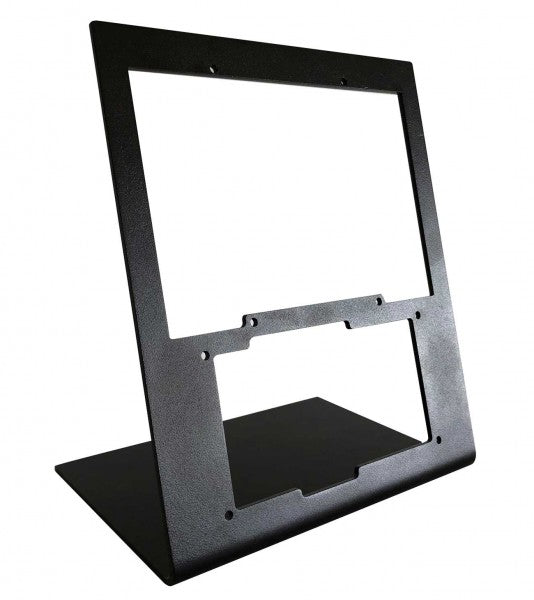
Wingflex A320 FCU Cube brings Airbus autopilot management into a compact desktop format with full autopilot control functionality and a durable all-aluminum construction. Every heading adjustment, altitude selection and autopilot engagement is handled through tactile knobs and switches that encourage proper cockpit workflows instead of constant mouse clicks. The synchronized dimmer, adjustable backlighting and plug-and-play USB connection make it equally suited to quick evening flights or long IFR sessions, all without demanding the space of a full-size glareshield.
What Sets the Wingflex A320 FCU Cube apart?
Compact Airbus Autopilot Without Sacrificing Core Controls At 80% scale, the FCU Cube preserves the control layout Airbus pilots expect while significantly reducing the space required on a desktop. Independent reviews consistently note that this balance makes it much easier to fit beneath standard monitors than full-size panels, yet the spacing remains comfortable enough for deliberate heading, speed and altitude adjustments during demanding approaches.
Switches That Reward Every Input The AP1, AP2 and A/THR buttons use dedicated axial switches with a 2.5 mm travel, while the remaining controls employ Alps switches with a 2.0 mm stroke. Pilots frequently comment that well-designed tactile controls encourage proper use of the autopilot throughout a flight instead of relying on keyboard shortcuts once the novelty wears off.
Solid Metal Construction Built for Frequent Flying The aluminum housing and matching aluminum control knobs give the FCU Cube a reassuring weight that keeps it planted during repeated adjustments. Reviewers often highlight the rigid construction because it avoids the flex sometimes found in lighter desktop panels, making heading changes and rotary inputs feel consistent throughout longer flying sessions.
Designed to Grow Into a Complete Airbus Cockpit The FCU Cube works well as a standalone autopilot controller, but it is equally at home alongside the Wingflex EFIS Cube and RMP Combo Cube. Shared brightness synchronization creates a unified appearance across the glareshield, allowing cockpit builders to expand their setup gradually instead of replacing hardware every time a new module is added.
Pros and Cons
Pros
Cons
Aluminum housing provides excellent structural rigidity.
Reduced scale differs from full-size Airbus dimensions.
Autopilot switches deliver satisfying tactile feedback.
Designed specifically for Airbus aircraft families.
Plug-and-play USB installation minimizes setup time.
Synchronized lighting complements other Cube modules.
Broad Airbus simulator compatibility across major platforms.
Specifications
Specification
Value
Product
Wingflex A320 FCU Cube
Scale
80% scale
Primary Function
Airbus Flight Control Unit (FCU)
Construction
Aviation-grade aluminum body and knobs
Connection
USB
Installation
Plug-and-play
Autopilot Switches
AP1, AP2 and A/THR axial switches
Autopilot Switch Travel
2.5 mm
Other Button Switches
Japan Alps switches with 2.0 mm travel
Lighting
Adjustable backlighting with synchronized dimmer knob
Primary Use
Airbus flight simulation autopilot control
Wingflex A320 FCU Cube Compatibility
Simulator
Compatible Aircraft
X-Plane
ToLiss A319, A320, A330, A340; Laminar A330
Microsoft Flight Simulator
Fenix A3xx, FlyByWire A320 & A380, iniBuilds A320, A321, A330, A340, A350, Aerosoft A340, Headwind A330
Prepar3D
FSLabs A32x
The FCU Cube connects through USB and operates as either a standalone Airbus autopilot controller or as part of the broader Wingflex Cube ecosystem. It supports brightness synchronization with the Wingflex EFIS Cube and RMP Combo Cube, creating a consistent glareshield appearance. Its compact dimensions also make it easy to integrate into desktop cockpits or modular simulator builds without requiring a full-width Airbus panel.
The published compatibility list covers a broad range of Airbus simulations across the leading platforms. It supports Fenix A3xx, ToLiss Airbus aircraft, FlyByWire A320 and A380, multiple iniBuilds Airbus models, Laminar A330, Aerosoft A340, Headwind A330 and FSLabs A32x. Unlike the RMP Combo Cube, the FCU Cube also supports the FlyByWire A380 and iniBuilds A350, making it one of the most widely compatible Airbus autopilot panels in the Wingflex lineup.
The FCU Cube is designed for Microsoft Flight Simulator, X-Plane and Prepar3D on Windows PCs. It communicates through USB and works with supported Airbus aircraft using Wingflex software integration. It is not compatible with Xbox or PlayStation consoles, as dedicated USB cockpit peripherals of this type require PC-based simulator support.
Wingflex A320 RMP Combo Cube squeezes four useful Airbus control sections into one compact unit, combining RMP, ATC, TCAS and warning-panel functions with high-contrast dual-colour LCD screens. Its physical knobs and illuminated controls give frequency changes and transponder entries a satisfying mechanical rhythm, without consuming the entire desk. The 80% scale and 13-degree tilt keep everything comfortably visible, while USB connectivity makes installation refreshingly direct. Apparently, proper radio management does not require a full cockpit shell and several kilometres of wiring.
What Sets the Wingflex A320 RMP Combo Cube apart?
Four Control Sections Earn Their Desk Space Rather than reproducing only the radio management panel, the unit combines RMP, ATC, TCAS and glareshield warning functions behind one compact face. This gives solo pilots considerably more usable control than a single-purpose radio panel. Hands-on coverage particularly values the integrated radio section because it places communication and surveillance controls beside the Airbus autopilot hardware, where they can be reached without returning to the virtual cockpit.
Compact Dimensions Without Tiny Controls The 80% scale reduces the panel’s footprint while retaining physical rotary controls and readable displays. Review coverage of the complete Cube system found the format notably easier to position beneath a conventional monitor than full-width Airbus hardware. The compromise is sensible for desktop pilots: it saves space without shrinking everything into fiddly miniature controls that require the fingertips of a concert pianist and the patience of an air-traffic controller.
Lighting That Behaves as One Cockpit System The RMP Combo Cube can synchronize its brightness with the Wingflex FCU Cube and EFIS Cube, producing consistent illumination across the complete glareshield arrangement. Independent reporting also notes that each module can still operate separately, so the RMP does not require the complete Cube set. That flexibility is useful for gradual cockpit builds, while synchronized backlighting prevents one panel glowing like a supermarket sign beside two carefully dimmed instruments.
Straightforward Setup, With Aircraft-Specific Boundaries User feedback describes the initial setup as notably simple, and the panel operates through a direct USB connection with Wingflex integration software. However, reports also show that behaviour may vary between aircraft and simulator versions, particularly when a specific function has not yet been implemented. It is therefore far less troublesome than custom wiring, but compatibility should still be checked by aircraft rather than assumed from the presence of an Airbus badge.
Pros and Cons
Pros
Cons
Four integrated sections reduce separate hardware requirements.
Reduced scale differs from full-size cockpit dimensions.
Dual-colour displays provide clear frequency information.
Aircraft support varies between simulator platforms.
Synchronized lighting complements other Wingflex Cube modules.
USB connection keeps desktop installation straightforward.
Angled enclosure improves visibility from seated positions.
Specifications
Specification
Value
Product
Wingflex A320 RMP Combo Cube
Scale
80% scale
Integrated Functions
RMP, ATC, TCAS and glareshield warning panel
Display Type
Dual-colour LCD screens
Display Background
Black
Viewing Angle
13 degrees
Connection
USB
Installation
Plug-and-play
Lighting
Synchronized brightness adjustment
Compatible Lighting Modules
Wingflex A320 FCU Cube and A320 EFIS Cube
Primary Use
Airbus flight simulation cockpit control
Wingflex A320 RMP Combo Cube Compatibility
Simulator
Compatible Aircraft
Status
X-Plane
ToLiss A319, A320, A330 and A340; Laminar A330
Supported
Microsoft Flight Simulator
Fenix A3xx; FlyByWire A320; iniBuilds A320, A321, A330 and A340; Aerosoft A340; Headwind A330
Supported
Prepar3D
FSLabs A32x
Supported
Microsoft Flight Simulator
FlyByWire A380
Not supported
Microsoft Flight Simulator
iniBuilds A350
Not supported
The panel connects through a single USB connection and can be used independently as a desktop controller. It also integrates with the Wingflex A320 FCU Cube and Wingflex A320 EFIS Cube, including synchronized brightness across the modules. Within the optional Cube console, the panels can share an internal USB hub and run to the computer through one external cable. No universal mounting compatibility with third-party cockpit frames is specified.
Aircraft support is integration-specific rather than universal. The panel supports ToLiss, Fenix, FSLabs, FlyByWire A320 and several iniBuilds aircraft, alongside the listed Laminar, Aerosoft and Headwind models. The FlyByWire A380 is not supported, and the iniBuilds A350 is not supported. Reports of differing behaviour between Microsoft Flight Simulator and X-Plane also show why pilots should use the published aircraft list instead of assuming every Airbus add-on will communicate correctly.
For gaming platforms, the RMP Combo Cube is intended for Windows PC flight simulation and works with supported aircraft in Microsoft Flight Simulator, X-Plane and Prepar3D. It relies on PC-side USB communication and Wingflex software for integration and firmware management. It is not listed as compatible with Xbox or PlayStation, so console editions of Microsoft Flight Simulator should not be treated as supported platforms.
Wingflex A320 Combo Cube places the Airbus glareshield essentials into one tidy desktop system, combining EFIS, FCU and multifunction RMP controls with high-contrast dual-colour displays. The knobs click and turn with enough purpose to make heading changes, radio tuning and barometric adjustments feel far better than poking at a virtual cockpit. USB connectivity keeps installation straightforward, while the 13-degree viewing angle brings the panels naturally into sight. It is compact Airbus hardware for pilots whose desks already resemble a mildly concerned electronics workshop.
What Sets the Wingflex A320 Combo Cube apart?
Three Core Panels Without a Full-Size Glareshield The bundle combines an EFIS, FCU and RMP-based multifunction panel in an 80% scale layout, saving roughly eleven centimetres compared with a full-size arrangement. Reviewers have praised that reduction because it preserves practical control spacing while fitting more comfortably beneath ordinary monitors. The result feels substantial enough for deliberate operation without demanding the sort of desk usually reserved for air-traffic control or an exceptionally ambitious accountant.
A Smarter Use of the Right-Hand Position Instead of supplying a second EFIS that a solo pilot may rarely touch, Wingflex fills the right side with a four-in-one panel covering radio management, transponder, TCAS and warning functions. Review feedback identifies this as one of the bundle’s most practical decisions, since it places genuinely useful controls within reach. It sacrifices strict two-seat symmetry, but gains considerably more day-to-day function for single-pilot desktop flying.
Clear Displays and Cohesive Night Lighting Dual-colour screens provide sharp contrast against their dark backgrounds, while synchronized brightness allows the EFIS, FCU and RMP sections to behave like one connected panel. Independent testing found the displays notably crisp and the backlighting pleasant in darker rooms. That matters during evening approaches, when deciphering fuzzy digits is an unnecessary challenge and the weather already has enough creative ways to ruin a carefully prepared arrival.
Simple Assembly With a Stable Optional Console When paired with the Cube Stand, the three modules connect through internal USB-C cables and a built-in hub, leaving a single cable running to the PC. Reviewers found assembly straightforward and noted that the broad base remained firmly planted while pressing buttons and turning encoders. The stand also gives the separate modules a cleaner, unified appearance, although it is an optional bundle choice rather than standard equipment with every configuration.
Pros and Cons
Pros
Cons
Compact layout preserves valuable desktop space.
Reduced scale differs from full-size cockpit dimensions.
Three modules cover major glareshield functions.
Optional console increases the complete setup footprint.
Dual-colour displays remain clear in low light.
RMP module combines four useful control sections.
USB installation requires minimal external interface hardware.
Specifications
Specification
Value
Product
Wingflex A320 Combo Cube
Included Modules
A320 EFIS Cube, A320 FCU Cube and A320 RMP Combo Cube
Scale
80% scale
Interface
USB
Installation
Plug-and-play
Display Type
Dual-colour LCD screens
Viewing Angle
13 degrees
FCU Construction
Aluminium body and knobs
RMP Functions
RMP, ATC, TCAS and side-panel controls
Lighting
Synchronized brightness across compatible Cube modules
Product Dimensions
52.0 × 18.5 × 16.5 cm
Package Dimensions
64.0 × 24.0 × 20.5 cm
Bundle Options
Three-module bundle, or bundle with Cube Stand
Glareshield Housing
Not included with the standard three-module bundle
Wingflex A320 Combo Cube Compatibility
Simulator
Aircraft With Full Bundle Support
Microsoft Flight Simulator
Fenix A3xx, FSLabs A32x, FlyByWire A320, iniBuilds A320, A321, A330 and A340, Aerosoft A340, Headwind A330
X-Plane
ToLiss A319, A320, A330 and A340; Laminar A330
Prepar3D
FSLabs A32x and other listed aircraft where supported through Wingflex Bridge
Aircraft
Compatibility Limitation
FlyByWire A380
EFIS and FCU supported; RMP Combo Cube not supported
iniBuilds A350
EFIS and FCU supported; RMP Combo Cube not supported
The three modules connect through USB and can operate as separate desktop units or within the optional Cube Stand. That stand contains an internal USB hub, allowing its three module connections to exit through one PC cable. The bundle pairs naturally with Airbus throttles, sidesticks, MCDUs and overhead panels, but it does not include a full glareshield enclosure and no standard mounting compatibility with third-party cockpit shells is specified.
Full compatibility depends on all three modules supporting the selected aircraft, because the EFIS and FCU lists are slightly broader than the RMP list. The complete bundle supports Fenix, ToLiss, FlyByWire A320, FSLabs, several iniBuilds aircraft, Aerosoft A340 and Headwind A330. The FlyByWire A380 and iniBuilds A350 are not fully supported because their RMP integration is currently excluded, even though the EFIS and FCU modules list them individually.
For software platforms, the Combo Cube is built for Microsoft Flight Simulator 2020 and 2024, X-Plane 11 and 12 and Prepar3D on Windows PC. It uses Wingflex Bridge for aircraft communication and firmware management. It is not listed as compatible with Xbox or PlayStation, because the required PC-side integration software and dedicated USB panel support are not available on those console platforms.
Bemærk! Forsendelse af denne vare kan tage 7-10 arbejdsdage!
Wingflex B737NG CDU giver Boeing-cockpitprocedurer et dedikeret fysisk kontrolpanel ved at kombinere 1:1-konstruktion i fuld skala med plug-and-play USB-tilslutning. Det baggrundsbelyste tastatur, den skarpe skærm og tastelayoutet i flystil gør ruteændringer og indtastning af performance-data langt mere tilfredsstillende end endnu en omgang med musen. Venstre og højre CDU-position kan vælges via fysiske kontroller, mens det slanke kabinet og det justerbare stativ gør enheden praktisk til brug på skrivebordet. Det er seriøs cockpithardware, men heldigvis uden at du behøver bygge hele dit flight deck om.
Hvad gør Wingflex B737NG CDU særlig?
En grænseflade i fuld skala, der opbygger nyttig muskelhukommelse 1:1-layoutet bevarer den afstand og placering af tasterne, som forventes på en Boeing CDU, hvilket gør gentagne FMC-procedurer lettere at udføre uden konstant at skulle kigge på hændernes placering. Anmeldelser fremhæver især formatet i fuld størrelse, fordi det føles som ægte cockpitudstyr frem for et reduceret skrivebordstastatur. Det er særligt værdifuldt under forberedelser før afgang, hvor indtastning af ruten, kontrol af performancesider og rettelse af den uundgåelige route discontinuity allerede giver rigeligt at holde styr på.
Bred understøttelse ud over én enkelt Boeing-tilføjelse Mange dedikerede CDU'er er tæt knyttet til én bestemt flypakke, men denne enhed understøtter PMDG-, iFly-, Zibo-, LevelUp- og IXEG-fly på tværs af tre simulatorfamilier. Den understøtter endda udvalgte PMDG 747- og 777-modeller. Denne brede kompatibilitet giver Boeing-entusiaster frihed til at skifte mellem fly uden at lade en dyr skærm og et tastatur samle støv på skrivebordet som en meget specialiseret papirvægt.
Fysisk skift mellem sædepositioner giver fleksible cockpitopsætninger Dedikerede kontroller gør det muligt at skifte mellem kaptajnens og styrmandens CDU-position uden at ændre installationen eller navigere gennem softwaremenuer. Det er særligt nyttigt i hjemmecockpits med én enkelt CDU, fælles træningsstationer og skrivebordsopsætninger, hvor to separate enheder ville være vanskelige at retfærdiggøre. Det justerbare stativ med flere vinkler gør det desuden nemt at placere skærmen optimalt – både under en monitor og ved siden af et throttle quadrant.
Praktisk USB-drift med én indledende softwareopsætning CDU'en anvender en USB-forbindelse og producentens bridge-software i stedet for separate skærm-, controller- og interfacekort. Producentens dokumentation bemærker, at PMDG-brugere muligvis skal gennemføre én komplet simulatorsession med simulator, fly og bridge-software kørende, før de nødvendige parametre bliver tilgængelige. Efter denne første opsætning er systemet designet til daglig brug uden at skulle konfigurere mapping på ny før hver flyvning.
Fordele og ulemper
Fordele
Ulemper
Tastatur i fuld skala understøtter velkendte Boeing FMC-procedurer.
Understøttede fly kræver integration med dedikeret bridge-software.
Baggrundsbelyste taster er lette at aflæse i mørke cockpits.
Den første PMDG-konfiguration kræver en komplet simulatorsession.
Fysiske kontroller skifter mellem venstre og højre sæde.
Justerbart stativ passer til forskellige visningsvinkler på skrivebordet.
Firmwareopdateringer sikrer løbende forbedringer af kompatibiliteten.
Specifikationer
Specifikation
Værdi
Produkt
Wingflex B737NG CDU
Skala
1:1 i fuld skala
Flytype
Boeing 737NG Control Display Unit
Konstruktion
Materialer i luftfartskvalitet
Interface
USB
Installation
Plug-and-play
Tastatur
Baggrundsbelyst tastatur i flystil
Indtastningseffekt
Brugerdefinerbar tilfældig inputforsinkelse
Valg af cockpitposition
Fysisk skift mellem venstre og højre sæde
Firmware
Understøtter online firmwareopdateringer
Stativ
Justerbart stativ med flere vinkler
Formfaktor
Slankt, ultratyndt design
Understøttede simulatorfamilier
Microsoft Flight Simulator, X-Plane 11/12 og Prepar3D
Wingflex B737NG CDU Kompatibilitet
Platform
Kompatible fly
Microsoft Flight Simulator
PMDG 737NG 600, 700, 800 og 900; PMDG 777-300ER, 777-200ER og 777-200F; iFly 737 MAX
X-Plane 11/12
Zibo 737NG, LevelUp 737NG og IXEG 737-300 Classic
Prepar3D
PMDG 737NGXu, PMDG 747 V2, PMDG 777, iFly 737NG og iFly 737 MAX
CDU'en forbindes via USB og er udviklet til at fungere sammen med producentens bridge-software, så der ikke kræves separate skærm- eller controllerkort. Den fysiske funktion til valg af cockpitposition understøtter både kaptajnens og styrmandens side, hvilket gør én enkelt enhed praktisk i et kompakt cockpit. Den kan placeres på det medfølgende justerbare skrivebordsstativ med flere vinkler, men der er ingen angivet kompatibilitet med tredjeparts cockpitrammer eller standardiserede monteringssystemer.
Flyintegration er begrænset til de specifikt understøttede add-ons og omfatter ikke alle Boeing-fly eller generiske FMC-simuleringer. Den fungerer med de ovenfor nævnte PMDG-, iFly-, Zibo-, LevelUp- og IXEG-fly, mens andre Boeing-produkter, standardfly og ikke-understøttede avionikpakker ikke bør betragtes som kompatible. PMDG-installationer kan kræve en indledende komplet simulatorsession med både fly og bridge-software kørende, før normal kommunikation etableres.
Hvad angår softwareplatforme, understøtter CDU'en Microsoft Flight Simulator på PC, X-Plane 11 og 12 samt Prepar3D, når den anvendes sammen med et understøttet flymodul. Den er et USB-tilbehør til PC og er ikke kompatibel med Xbox eller PlayStation. Konsolversionerne af Microsoft Flight Simulator falder derfor uden for den officielle understøttelse, selv hvis den tilsvarende flytype findes på platformen.
Bemærk! Forsendelse af denne vare kan tage 7-10 arbejdsdage!
Wingflex A320 MCDU forvandler en af de vigtigste cockpitgrænseflader til dedikeret hardware med et Full HD-glasskærm og 1:1 Airbus-dimensioner i fuld skala. Fra indtastning af flyveplaner til styring af performance-data føles hvert tastetryk præcist og tilfredsstillende, mens det lette plug-and-play-design gør enheden lige velegnet til både permanente cockpitopsætninger og transportable træningsmiljøer. Den synkroniserede baggrundsbelysning og den nøje gengivne betjeningslogik gør lange IFR-flyvninger langt mere engagerende end udelukkende at benytte en virtuel CDU.
Hvad gør Wingflex A320 MCDU særlig?
Udviklet med fuldskala Airbus-betjening i fokus I stedet for blot at ligne en Airbus MCDU følger denne enhed den betjeningslogik og det layout, som piloter forventer fra det virkelige fly. 1:1-dimensionerne gør procedurer, knapplaceringer og muskelhukommelse naturlige, især under længere IFR-flyvninger. Flysimulatorfællesskabet fremhæver ofte, at dedikeret hardware til FMS-programmering reducerer behovet for musen betydeligt og giver et mere flydende cockpitworkflow.
Fremragende skærmsynlighed dag og nat Full HD-skærmen leverer knivskarpe visninger af flyveplaner, performanceberegninger og systeminformation, som er lette at aflæse fra normale siddepositioner. Sammen med den simulerede glaspanel-overflade og de synkroniserede lysstyrkekontroller sikres fremragende synlighed under skiftende lysforhold i cockpittet. Piloter roser ofte hardware med lyse og skarpe skærme, da de reducerer belastningen af øjnene under lange flyvninger og gør dataindtastning mere komfortabel.
Baggrundsbelyste Line Select Keys forbedrer arbejdsgangen En af de mest markante funktioner er de oplyste Line Select Keys, som gør natflyvning og cockpitmiljøer med dæmpet belysning betydeligt lettere at håndtere. I stedet for at lede efter de enkelte knapper er hver valgmulighed tydeligt oplyst, samtidig med at det karakteristiske Airbus-design bevares. Brugere, der ofte flyver efter mørkets frembrud, betragter de oplyste kontroller som en af de små detaljer, der markant forbedrer den daglige brugeroplevelse.
Transportabel, men klar til dedikerede cockpits Den lette plug-and-play-konstruktion gør MCDU'en lige velegnet til desktop-flyvning og større cockpitprojekter. Mange cockpitbyggere sætter pris på hardware, der fungerer med det samme uden kompliceret installation, men som samtidig passer perfekt ind i større Airbus-paneler senere hen. Diskussioner i fællesskabet fremhæver ofte denne balance mellem mobilitet og langsigtet cockpitintegration som en vigtig fordel for piloter, der gradvist udbygger deres simulator.
Fordele og ulemper
Fordele
Ulemper
Airbus-layout i fuld skala giver større fortrolighed med procedurer.
Udviklet primært til Airbus-flyfamilien.
Full HD-skærm leverer skarpe sider til Flight Management System.
Kræver kompatible flysimulatorer til PC.
Baggrundsbelyste Line Select Keys gør betjening i svagt lys lettere.
Plug-and-play-installation gør opsætning på skrivebordet enkel.
Specifikationer
Specifikation
Værdi
Produkt
Wingflex A320 MCDU
Skala
1:1 Airbus A320-dimensioner i fuld skala
Skærm
Full HD-skærm med simuleret glaspanel
Tilslutning
Plug-and-play
Konstruktion
Materialer i luftfartskvalitet
Tastbelysning
Baggrundsbelyste Line Select Keys (LSK)
Lysstyrkekontrol
Justerbar lysstyrke på skærm og tastatur med synkronisering i simulatoren
Betjeningslogik
Gengiver betjeningen af Airbus A320 MCDU
Primær anvendelse
Flysimulering og træning af pilotprocedurer
Formfaktor
Ultraslankt, let og transportabelt design
Wingflex A320 MCDU Kompatibilitet
Simulator
Understøttede fly
X-Plane
ToLiss A319, A320, A330, A340; Laminar A330
Microsoft Flight Simulator
Fenix A3xx, FlyByWire A320, iniBuilds A340, Headwind A330
Prepar3D
FSLabs A32x
Wingflex A320 MCDU er udviklet specifikt til Airbus-simulering og understøtter et omfattende udvalg af populære flytilføjelser. Den er kompatibel med Fenix A3xx, FlyByWire A320, ToLiss Airbus-fly, FSLabs, Headwind A330 samt flere modeller fra iniBuilds. Det standardiserede plug-and-play-design gør den nem at integrere i desktop-simulatorer, samtidig med at den passer naturligt ind i større hjemmecockpitprojekter med dedikeret Airbus-hardware.
Kompatibiliteten er fokuseret på Airbus-fly frem for universelle Flight Management Systems. Selvom den fungerer på flere simulatorplatforme, er den ikke beregnet til Boeing FMC-hardware eller fly med helt andre flight management-grænseflader. Cockpitbyggere, der kombinerer den med Airbus-gashåndtag, FCU'er og overhead-paneler, opnår det mest sammenhængende cockpitworkflow, da hardwaren følger Airbus' betjeningsfilosofi hele vejen igennem.
MCDU'en er beregnet til PC-baseret flysimulering og understøtter Microsoft Flight Simulator, X-Plane og Prepar3D med kompatible Airbus-fly. Den er ikke kompatibel med Xbox- eller PlayStation-konsoller, da disse platforme ikke understøtter dedikerede USB-cockpitenheder af denne type. For Airbus-entusiaster på PC integreres den naturligt i både kompakte desktopopsætninger og komplette flight deck-byggerier.
Bemærk! Forsendelse af denne vare kan tage 7-10 arbejdsdage.
WINGFLEX A320 OVERHEAD PANEL bringer et af de mest benyttede områder i et Airbus-cockpit direkte til dit skrivebord med komplet dækning af overhead-systemerne og indbygget USB-HID-kompatibilitet til populære flysimulatorer som MSFS, X-Plane og P3D. Hver beskyttet kontakt, drejeknap og trykknap inviterer dig til at udføre cockpitprocedurer fysisk i stedet for at klikke rundt i et virtuelt cockpit, mens den integrerede domebelysning, det justerbare stativ og den tilfredsstillende kontaktfølelse gør hver cold-and-dark-opstart mere engagerende uden at forvandle dit skrivebord til et omfattende cockpitprojekt.
Hvad gør Wingflex A320 Overhead Panel særligt?
Alle vigtige overhead-systemer lige ved hånden Panelet gengiver stort set alle funktionelle sektioner af A320-overheaden i stedet for kun at fokusere på de mest anvendte kontakter. Det betyder, at styringen af elsystemer, hydraulik, brændstof, aircondition, anti-ice og belysning alle er fysisk tilgængelige, så cockpitprocedurer bliver en del af muskelhukommelsen i stedet for en søgen gennem skærmmenuer. Denne omfattende systemdækning fremhæves ofte af erfarne Airbus-simpiloter som en stor fordel i forhold til mere forenklede overhead-paneler.
Bred flykompatibilitet uden ekstra hardware Takket være USB-HID-designet og den dedikerede software understøtter panelet et imponerende udvalg af Airbus-fly til MSFS, X-Plane og P3D. Brugere fremhæver ofte, at opsætningen med understøttede fly er overraskende enkel, især med populære add-ons som Fenix og FlyByWire, så du kan bruge mere tid på at flyve og mindre tid på at konfigurere kontroller.
Gennemtænkte cockpitfunktioner til skrivebordsopsætninger Detaljer som integreret domebelysning, diskrete markeringer, et justerbart skrivebordsstativ og understøttelse af VESA-montering gør panelet bemærkelsesværdigt fleksibelt. Uanset om det står på skrivebordet eller indgår i et dedikeret cockpit, føles det som et gennemtænkt produkt frem for en improviseret løsning. Piloter, der bygger kompakte Airbus-cockpits, fremhæver jævnligt denne kombination af fleksibilitet og funktionalitet som en af panelets største styrker.
Kontaktfølelse, der opfordrer til korrekte procedurer Selvlåsende og selvnulstillende kontroller giver checklister et tilfredsstillende arbejdsflow, som en almindelig mus ganske enkelt ikke kan matche. Anmeldelser roser konsekvent den taktile betjening og den solide byggekvalitet og bemærker, at panelet opfordrer til at gennemføre komplette opstarts-, nedluknings- og nødprocedurer frem for at springe overhead-opgaver over. En tilbagevendende bemærkning er dog, at softwarefleksibiliteten stadig udvikles og i øjeblikket fungerer bedst med officielt understøttede fly.
Fordele og ulemper
Fordele
Ulemper
Omfattende overhead-kontroller reducerer behovet for at bruge det virtuelle cockpit.
Primært udviklet til Airbus-flysimuleringer.
USB-HID-interface understøtter flere af de største flysimulatorer.
Begrænsede muligheder for ekstern remapping sammenlignet med visse konkurrenter.
Integreret stativ tilbyder fem justerbare betragtningsvinkler.
Domebelysningen forbedrer synligheden under natflyvninger.
Specifikationer
Specifikation
Værdi
Produkt
Wingflex A320 Overhead Panel
Tilslutning
USB-HID
Understøttede simulatorer
MSFS, X-Plane, Prepar3D (P3D)
Funktionsdækning
Elsystemer, brændstof, hydraulik, aircondition, anti-ice, udvendig belysning
Flylogik
Understøtter NORMAL LAW-logik
Knapper
Selvlåsende og selvnulstillende
Belysning
Integreret domebelysning
Skrivebordsstativ
Indbygget, fem justerbare vinkler
Montering
VESA-kompatibel
Pakkemål
45.1 × 39 × 10.5 cm
Strømforsyning
12V DC, op til 3A (maks. 36W), center-positivt DC-stik
Indgang til strømadapter
100–240V AC, 50/60Hz
Garanti
1 år
Wingflex A320 Overhead Panel Kompatibilitet
Simulator
Understøttede fly
X-Plane
ToLiss A319, A320, A330, A340; Laminar A330
MSFS
Fenix A3xx; FlyByWire A320 & A380; iniBuilds A320, A321, A330, A340, A350; Aerosoft A340; Headwind A330
P3D
FSLabs A32x
Panelet er baseret på USB-HID-standardprotokollen, hvilket gør det nemt at tilslutte til Windows-baserede flysimulator-PC'er uden behov for specialiseret interfacehardware. Det er kompatibelt med et bredt udvalg af Airbus-fly fra flere forskellige udviklere, hvilket gør det ideelt til simpiloter, der regelmæssigt skifter mellem Fenix-, FlyByWire-, ToLiss- og iniBuilds-fly. Den integrerede VESA-monteringsunderstøttelse gør det desuden let at integrere panelet i permanente cockpitrammer eller skrivebordsopsætninger.
Kompatibiliteten er bevidst fokuseret på Airbus-fly. Selvom understøttelsen løbende udvides, er panelet ikke udviklet som et universelt programmerbart overhead-panel til Boeing-fly eller generiske simulatorpaneler. Diskussioner i fællesskabet nævner også, at omfattende tredjeparts-remapping via værktøjer som Mobiflight eller SPAD i øjeblikket er mere begrænset end på visse konkurrerende produkter. Panelet leverer derfor den bedste oplevelse sammen med officielt understøttede fly.
Til gamingplatforme er panelet kompatibelt med Microsoft Flight Simulator, X-Plane og Prepar3D via en USB-HID-forbindelse til en PC. Det er udviklet til desktop-flysimulering og er ikke kompatibelt med Xbox- eller PlayStation-konsoller, da disse platforme ikke understøtter denne type dedikeret cockpit-hardware.
MOZA MB7F Flight Computer Display captures the look and workflow of the Boeing 737 CDU, giving home cockpit builders a satisfying way to manage routes, arrivals, and aircraft performance. The 5.1-inch high-resolution IPS display presents crisp text that remains easy to read during every phase of flight, while the die-cast aluminum front panel provides a solid feel every time you press a key. From pre-flight programming to descent planning, each button press and display update adds confidence to the experience without needing to reach for a mouse.
What Sets the MOZA MB7F Flight Computer Display apart?
Built Around Boeing 737 Workflows – Rather than serving as a generic keypad, the MB7F is designed around the layout and operating flow of the Boeing 737 CDU. Pilots who regularly fly PMDG and similar aircraft appreciate having dedicated hardware that keeps route programming, performance entries, and FMC changes within easy reach instead of relying on on-screen pop-up windows.
Excellent Mechanical Feel – The combination of heavy-actuation dome switches and rigid silicone keycaps gives every press a confident, positive response. Many cockpit builders value hardware that communicates each input through touch alone, making it easier to work through lengthy flight plans and data entries while keeping attention focused on the flight deck.
Useful Beyond Flight Planning – The integrated checklist pages and three built-in whiteboard pages transform the MB7F into more than a CDU replica. Frequencies, clearance notes, approach briefings, and operating reminders can all be stored directly on the unit, reducing the need for paper notes or additional displays during longer flights.
Designed to Grow With Your Cockpit – The included desktop stand offers an easy starting point, while standard 75 × 75 mm VESA compatibility makes permanent installation equally straightforward. Combined with synchronized lighting through MOZA Cockpit software, the display fits naturally into compact desktop setups and full Boeing-style cockpit builds alike.
Pros and Cons
Pros
Cons
Excellent tactile keys with minimal wobble.
Designed primarily for Boeing 737 aircraft.
Sharp IPS display keeps text easy to read.
PC platform only.
Integrated checklist and whiteboard functions.
Solid die-cast aluminum front panel.
Specifications
Specification
Value
Product Type
Boeing 737 Flight Computer Display (CDU)
Dimensions
277.9 × 145.5 × 32 mm
Weight
646 g
Display Size
5.1-inch IPS
Housing Material
Die-cast aluminum alloy, ABS, PC
Connection
USB Type-C 2.0
Rated Voltage
5 V
Rated Current
900 mA
Supported Platform
PC
Mounting Options
Desktop stand, 75 × 75 mm VESA mount
Included Accessories
Data cable, desktop stand
MOZA MB7F Flight Computer Display Compatibility
Hardware
Compatibility
MOZA Cockpit Software
Supports synchronized lighting and configuration
Mounting Systems
Desktop stand and 75 × 75 mm VESA mount
Connection
USB Type-C 2.0
Flight Simulator
Compatibility
Microsoft Flight Simulator
Supports PMDG and other Boeing 737 add-ons
X-Plane
Compatible with supported Boeing 737 add-ons
Designed for PC flight simulation, the MB7F integrates with MOZA Cockpit software for synchronized lighting and configuration. A USB Type-C connection keeps installation straightforward, while the included desktop stand and 75 × 75 mm VESA compatibility make it easy to move between a desktop setup and a dedicated cockpit.
The compact footprint and sturdy metal front panel make the MB7F well suited to multi-panel installations without placing excessive load on mounting frames. It works comfortably alongside yokes, throttles, radio panels, and other cockpit hardware, whether installed on a desk or an aluminum-profile simulator frame.
Compatible with Microsoft Flight Simulator and X-Plane, the MB7F is designed for PMDG and other leading Boeing 737 add-ons. PC is the supported platform; Mac systems and gaming consoles are not supported.




