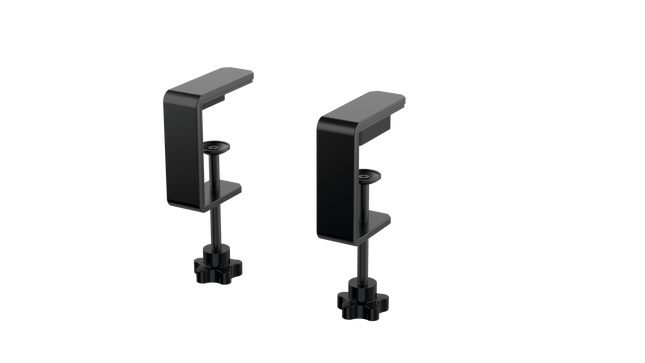
The RealSimGear - Dual Desktop Stand for RealSimGear GNS530 & GNS430 is built to provide a stable, elevated home for your avionics setup. Made from sturdy 3mm stainless steel, this stand boasts a durable, powder-coated matte black finish that resists wear and keeps things looking sharp. With rubber non-slip feet, your devices stay put during the most demanding flights. Its thoughtful design mimics real cockpit placements, ensuring your GNS530 and GNS430 are mounted at a comfortable and practical angle.
RealSimGear - Dual Desktop Stand for RealSimGear GNS530 & GNS430 apart?
Durable and Robust Construction Constructed from 3mm stainless steel, this stand is built to last. The powder-coated matte black finish not only adds a sleek appearance but also ensures the stand withstands long-term use without corrosion or wear. It's a dependable piece that can handle regular setup and breakdown without losing its shape or stability.
Thoughtful Mounting Compatibility The base comes with mounting holes that cater to various setups, including the Honeycomb Alpha yoke, Bravo throttle, and Saitek/Logitech yoke systems. This versatility makes it easy to integrate the stand into a broader flight sim configuration, avoiding compatibility headaches.
Realistic Placement Angle This stand provides an elevated mounting position similar to what you’d find in general aviation aircraft, giving your GNS530 and GNS430 a realistic layout. This attention to detail makes practice sessions more intuitive and comfortable, fostering a familiar feel when training or flying.
Solid Stability Features The rubber non-slip feet ensure that the stand stays firmly on your desk even during intense maneuvers. No sliding or shifting, so you can focus on piloting without constantly adjusting your setup. This small feature adds significant value by ensuring steady operation throughout flights.
Pros and Cons
Pros
Cons
Sturdy 3mm stainless steel construction with matte black finish.
Specifically designed for GNS530 & GNS430 only.
Rubber non-slip feet provide strong stability on any surface.
May occupy more space than single-unit stands.
Compatible with multiple yoke systems and mounting plates.
Specifications
Specification
Value
Material
3mm stainless steel
Finish
Powder-coated matte black
Foot Type
Rubber non-slip feet
Mounting Holes
Compatible with Honeycomb Alpha/Bravo, Saitek/Logitech yoke
RealSimGear - Dual Desktop Stand for RealSimGear GNS530 & GNS430 Compatibility
The RealSimGear - Dual Desktop Stand for RealSimGear GNS530 & GNS430 is engineered to perfectly fit both the GNS530 and GNS430 units, providing a cohesive mounting solution. It features pre-drilled holes that support a range of popular systems, including the Honeycomb Alpha yoke, Bravo throttle, and Saitek/Logitech yoke mounting plates. This ensures that it integrates seamlessly with a variety of cockpit configurations, making it an adaptable option for many sim pilots.
When it comes to gaming platforms, this stand is tailored for PC-based flight simulations, aligning well with simulators such as X-Plane and Microsoft Flight Simulator. It is not designed for console use, making it best suited for those running dedicated PC setups with realistic avionics add-ons.
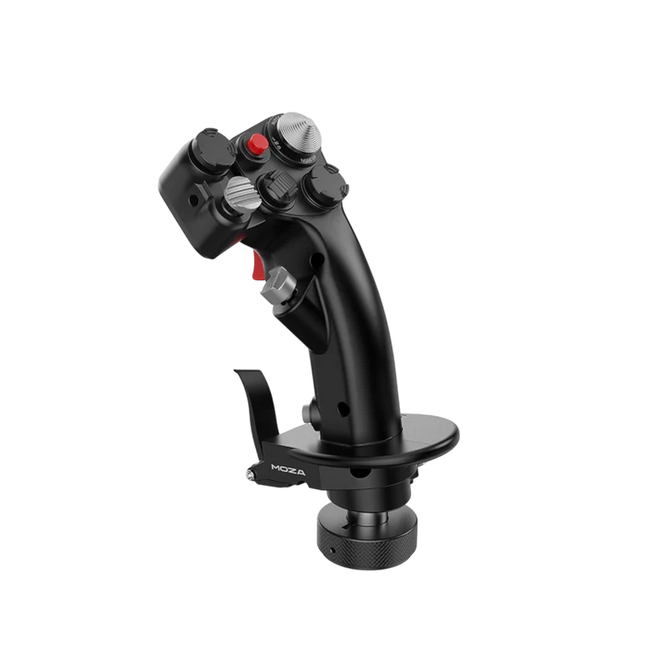
Moza MH16 Flightstick kombinerer et klassisk flyinspireret design med moderne ingeniørkunst for at levere en engagerende flysimuleringserfaring. Bygget af aerospace-grade aluminiumlegering, er denne flightstick ikke kun lavet for udseendets skyld – den er designet til at modstå intense sessions uden problemer. Med 27 inputsignaler og en 8-vejs ALPS thumbstick er hver kommando ved dine fingerspidser, klar til præcise manøvrer. Aftagelige modulære komponenter betyder, at du kan tilpasse opsætningen efter dine behov, mens den robuste konstruktion sikrer stabilitet selv i de mest krævende dogfights. Uanset om du cruiser i højden eller låser dig fast i en skarp sving, tilbyder denne flightstick et kontrolniveau, der holder dig fuldt engageret.
Hvad adskiller Moza MH16 Flightstick fra andre?
Bygget som en ægte jagerflystick – Det fuldmetal design er ikke kun for æstetik – det giver vægten og følelsen af et rigtig flykontrolsystem. I forhold til plastikbaserede konkurrenter giver MH16 et mere substansfuldt og robust greb, hvilket reducerer fleks og sikrer langvarig holdbarhed.
Modulær og udvidelig – I modsætning til mange faste flightsticks har MH16 aftagelige moduler med pogo-pin forbindelser, hvilket muliggør nem tilpasning. Det betyder, at brugerne kan bytte eller opgradere komponenter uden at skulle bekymre sig om at omlægge ledninger eller skille enheden ad.
Omfattende tilpasning – Med 27 inputsignaler og en 8-vejs ALPS thumbstick kan piloterne kortlægge kommandoer præcis, som de ønsker. Dette niveau af fleksibilitet i knap- og funktionszuering gør den til et fremragende valg for dem, der kræver fuld kontrol over deres simuleringsoplevelse.
Problemløs plug-and-play kompatibilitet – Ingen kompliceret opsætning, ingen ekstra drivere nødvendige – tilslut og kør. Den 5-pins luftfartsconnector sikrer en sikker og stabil inputtransmission, hvilket gør det øjeblikkeligt operationelt med de fleste flight baser på markedet.
Fordele og Ulemper
Fordele
Ulemper
Stærk force feedback med 9Nm moment og 210N push kraft
Udsolgt – tilgængelighed kan være et problem
Fuld aluminiumkonstruktion for holdbarhed og stabilitet
Ingen officiel MacOS-support
Modulær design med quick-release system for lette skift af sticks
27 programmerbare input og ALPS thumbstick for omfattende kontrol
Specifikationer
Specifikation
Værdi
Platform
PC
Hovedmateriale
Aerospace-grade aluminiumlegering
Rated Voltage
3.3V
Rated Current
5A
Connector
5-pin luftfartsconnector
Z-akse modul
Valgfri
Dimensioner
99×213.5×132mm
Moza MH16 Flightstick Kompatibilitet
Kompatibel med
Ikke kompatibel med
PC (Windows-baserede systemer)
MacOS
De fleste flight baser med en 5-pin luftfartsconnector
Konsole (PlayStation, Xbox)
MOZA Cockpit Control Software
Ikke-standard USB interfaces
Moza MH16 Flightstick fungerer problemfrit med de fleste PC-baserede flight opsætninger takket være dens 5-pin luftfartsconnector og plug-and-play funktionalitet. Dog skal Mac-brugere kigge andre steder hen, da der ikke er officiel support for MacOS. Brugere har rapporteret om solid integration med en række baser, hvilket gør den til en fleksibel mulighed for dem, der kan lide at kombinere og matche deres udstyr.
Med hensyn til gamingplatforme er MH16 strengt for PC-brugere. Den kører problemfrit på Windows-baserede flight simulators som DCS, MSFS2020 og X-Plane, men konsolspillere vil være ude af held – der er ingen officiel PlayStation eller Xbox support. Hvis du er dybt engageret i flight sims, er dette dog ikke et problem, da PC stadig er den foretrukne platform for seriøse piloter.
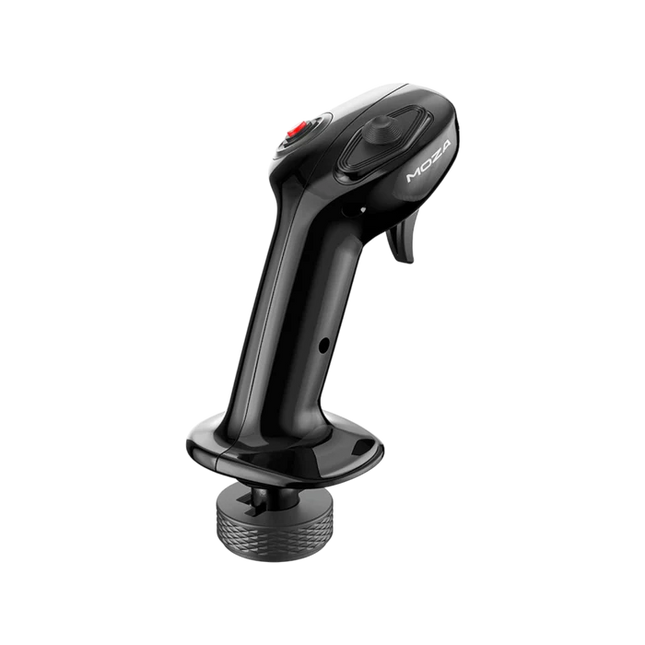
Moza MA3X Flightstick kombinerer klassisk fly-inspireret design med moderne ingeniørkunst for at levere en engagerende flysimuleringserfaring. Bygget af ultra-sterkt kompositmateriale, forbliver den let, men er stadig holdbar nok til at modstå op til 30 kg kraft. ALPS-bryderne sikrer lang levetid, vurderet til 100.000 cyklusser, hvilket giver piloterne konstant og pålidelig kontrol. En multi-lags spray og UV-behandling efterligner den taktile fornemmelse af rigtige flymaterialer, hvilket hæver den overordnede følelse. Med en udvidet knaplayout og bred kompatibilitet tilpasser MA3X sig problemfrit til enhver opsætning og tilbyder både fleksibilitet og pålidelighed.
Hvad adskiller Moza MA3X Flightstick fra andre?
Holdbar, men let konstruktion – I modsætning til tungere metal-baserede flightsticks er MA3X konstrueret af ultra-sterkt kompositmateriale. Dette gør den let på kun 220g, samtidig med at den kan håndtere op til 30 kg kraft uden at bøje sig, hvilket giver piloterne et solidt greb uden unødvendig bulk. I modsætning til tungere metaljoysticks tilbyder denne en langvarig modstandsdygtighed uden at belaste monteringssystemer.
Forbedret knaplayout – MA3X leveres med fire fysiske knapper, men kan udvides til at understøtte op til 12 inputsignaler. Denne ekstra fleksibilitet sikrer, at brugerne kan konfigurere deres kontrol præcis, som de behøver det, til forskellige simulationsscenarier.
ALPS-brydere for lang levetid – Mange flightsticks lider af slid over tid, men MA3X er udstyret med ALPS-brydere, der er vurderet til 100.000 cyklusser. Det betyder, at piloterne kan stole på en jævn og konsekvent drift, selv efter intensiv brug.
Bred kompatibilitet og plug-and-play opsætning – Designet til at fungere med alle Moza-baser og de fleste tredjepartsbaser, kræver MA3X ingen ekstra drivere eller komplicerede opsætninger. Den 5-pins luftfartsconnector sikrer en stabil og sikker forbindelse.
Fordele og ulemper
Fordele
Ulemper
Holdbart kompositmateriale, der tåler tungt brug
Ingen officiel support for MacOS
Udvideligt knaplayout med op til 12 inputsignaler
Begrænset funktionalitet som standalone uden en kompatibel base
ALPS-brydere vurderet til 100.000 cyklusser
Fungerer med Moza og de fleste tredjepartsbaser
Specifikationer
Specifikation
Værdi
Husmateriale
Komposit
Brydermateriale
ABS
Vægt
220g
8-vejs bryder
1
Trigger
1
Skift-over bryder
1
Connector
5-pins luftfartsconnector
Moza MA3X Flightstick Kompatibilitet
Kompatibel med
Ikke kompatibel med
PC (Windows-baserede systemer)
MacOS
Alle Moza-baser
Konsolplatforme (PlayStation, Xbox)
De fleste tredjepartsbaser
Kun USB-inputsystemer
Moza MA3X Flightstick integreres problemfrit med alle Moza-baser og understøtter de fleste tredjepartsbaser ved hjælp af dens 5-pins luftfartsconnector. I modsætning til nogle flightsticks, der låser brugerne ind i specifikke økosystemer, opretholder MA3X et mere fleksibelt design, der giver bredere kompatibilitet uden ekstra adaptere.
På softwaresiden er MA3X fuldt kompatibel med Windows-baserede flyvesimulatorer, men understøtter ikke MacOS. Den fungerer godt med de ledende titler som MSFS2020, X-Plane og DCS. Dog bør konsolbrugere kigge andre steder hen, da MA3X understøtter ikke PlayStation eller Xbox platforme.
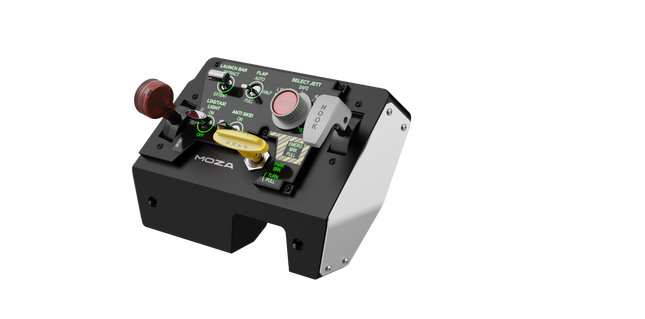
Moza MTLP Take-off Landing Panel bringer essensen af kampflyoperationer til hjemmecockpittet med et robust, taktilt kontrolsystem bygget til seriøse sim-piloter. Designet efter F/A-18 landingspanelet tilbyder det et intuitivt switch-layout, der giver mulighed for hurtige, instinktive input uden at stole på visuel bekræftelse. Den authentiske parkeringsbremse mekanisme giver et solidt, mekanisk rebound, der føles som om det er taget direkte fra et rigtigt kampfly. Med 25 programmerbare switch-signaler og Hall-effekt sensorer for præcision, bygger dette panel broen mellem virtuel og håndgribelig cockpit-interaktion.
Hvad adskiller Moza MTLP Take-off Landing Panel fra andre?
Designet til håndgribelig kontrol - Modelleret efter F/A-18 landingspanelet prioriterer dette setup instinktiv betjening. Switch-layoutet gør det muligt for piloter at styre kritiske flyfunktioner med følelse, hvilket reducerer behovet for at kigge væk fra skærmen. Denne type taktil forstærkning er essentiel for hurtige miljøer som kampflyvninger og landinger på hangarskibe.
Hall sensor præcision for nøglefunktioner - I modsætning til standard mekaniske switches integrerer MTLP Hall-effekt sensorer i nøgleinputs som landingsgear og tailhook-håndtag. Disse sensorer giver langvarig pålidelighed og konsistent input-præcision, hvilket eliminerer slidrelateret drift eller forringelse over tid.
Bygget til at modstå gentagen brug - Aluminiumlegeringen, der bruges i bremse-håndtaget, tailhook-håndtaget og landingsgear, sikrer holdbarhed. Disse komponenter kan modstå gentagen, kraftfuld aktivering, hvilket gør panelet til en langsigtet investering for flyentusiaster, der kræver mekanisk robusthed.
Problemfri integration med Moza’s økosystem - MTLP er designet til at arbejde problemfrit sammen med Moza MTP Throttle Panel, og danner et sammenhængende kampfly-kontrolsetup. Gennem Moza Cockpit-software kan brugerne synkronisere telemetri-drevne belysnings-effekter og tilpasse deres knapkonfigurationer, så de passer til deres flyvestil.
Fordele og ulemper
Fordele
Ulemper
Modelleret efter F/A-18 landingspanelet
Desktop-klemme sælges separat
Hall-effekt sensorer for præcision og lang levetid
Begrænset til PC-kompatibilitet
25 programmerbare switch-signaler for omfattende kontrol
Kompatibel med Moza’s økosystem for fuldt kampfly-setup
Specifikationer
Specifikation
Værdi
Dimensioner
196,5 × 134,7 × 149 mm
Husmateriale
Kompositmaterialer
Bremse-håndtagsmateriale
Aluminiumlegering
Vægt
680g
Switch-signaler
25
Telemetri-belysning
Ja (ingen ekstra plugins kræves)
Støttet platform
PC
Desktop-klemme
Valgfrit tilbehør
Inkluderede tilbehør
Datakabel, brugermanual
Moza MTLP Take-off Landing Panel Kompatibilitet
Kompatibel med
Ikke kompatibel med
Moza MTP Throttle Panel
Tredjeparts throttle panels
Moza Cockpit software for tilpasning
Konsolplatforme
PC-baserede flyvesimulatorer
MacOS
Designet til PC-baserede simulatorer, integrerer MTLP problemfrit med Moza’s MTP Throttle Panel for at skabe et kampfly-inspireret kontrolsystem. Panelet konfigureres gennem Moza Cockpit software, der giver omfattende tilpasning, herunder telemetri-drevne belysnings-effekter. Dog understøtter det ikke tredjeparts throttle panels, hvilket betyder, at fuld funktionalitet bedst opnås indenfor Moza-økosystemet.
Kun PC-kompatibilitet sikrer plug-and-play funktionalitet med Microsoft Flight Simulator 2020, Microsoft Flight Simulator 2024 og X-Plane 12. Dog understøttes MacOS og konsoller ikke, hvilket betyder, at Xbox og PlayStation-brugere skal kigge efter alternative hardwareløsninger.
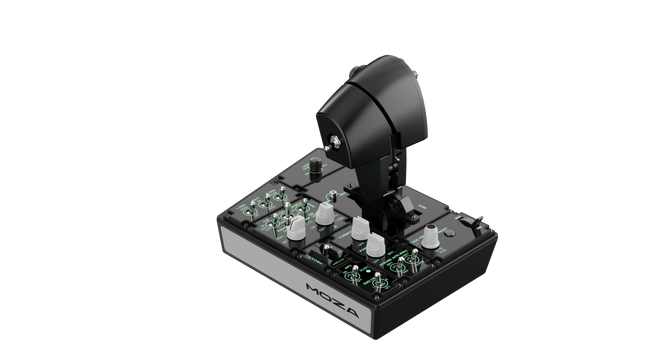
Moza MTP Throttle Panel leverer en robust flyvekontroloplevelse inspireret af jagerfly baseret på hangarskibe. Det justerbare detentsystem muliggør præcis kontrol, hvad enten du styrer efterbrændere eller simulerer centerdetenter i rumsimulatorer. Den indbyggede vibrationsfeedback forbedrer situationsbevidstheden og advarer piloter om aerodynamiske skift, overspeed-advarsler og kampforhold. Med 27 programmerbare kontakter, en Hall-effekt joystick og aluminiumlegering-håndtag er dette throttle-panel bygget til flysimulatorentusiaster, der ønsker præcisionskontrol i højrisiko-miljøer.
Hvad adskiller Moza MTP Throttle Panel fra andre?
Justerbart detentsystem for maksimal kontrol MTP Throttle giver brugerne mulighed for at finjustere detentpositioner, hvilket gør det ideelt til efterbrænderindstillinger, omvendt thrust eller præcise rumflyvningsmanøvrer. Uanset om du finjusterer kraftkurver eller opretter distinkte motortrin, giver denne funktion fleksibilitet, der ikke ofte findes i andre throttle-opsætninger.
Indbygget vibrationsfeedback for øget opmærksomhed I modsætning til passive throttles inkluderer MTP vibrationsmotorer, der reagerer på telemetridata fra simulatoren. Dette feedbacksystem giver haptiske advarsler for forhold som aerodynamisk modstand, overspeed-advarsler og systemfejl, hvilket giver piloterne et ekstra lag af situationsbevidsthed.
27 programmerbare kontakter til komplekse flyveoperationer Kontrolfladen er udstyret med 27 kontakter, som alle kan konfigureres til essentielle funktioner såsom gearudrulning, motorstart eller kampstyringssystemer. Den optimerede layout sikrer, at kommandoer forbliver let tilgængelige uden at fumle midt i flyvningen.
Hall-effekt joystick for ekstra inputfleksibilitet Integreret direkte i throttle’en tilbyder denne joystick driftfri input til præcise kontroljusteringer. Uanset om den er tildelt pitch trim, roderindgange eller endda kamera-navigation, sikrer Hall-effekt sensoren konsekvent ydeevne uden slid fra traditionelle potentiometre.
Fordele og ulemper
Fordele
Ulemper
Stærk force feedback med 9Nm vridmoment og 210N trykstyrke
Kun PC-kompatibel, ingen konsolstøtte
34 konfigurerbare inputs og Hall-effekt joystick
Kræver Moza software for fuld tilpasning
Quick-release system for nemme yoke-bytnings
Magnetiske DIY-paneler til personlig mærkning
Specifikationer
Specifikation
Værdi
Dimensioner
277 × 194 × 216 mm
Husmateriale
Kompositmateriale
Throttle Grip Materiale
Aluminiumlegering
Vægt
2,1 kg
Fysiske kontakter
27
Vibrations Telemetri
Understøttes (ingen plugins krævet)
Belysnings Telemetri
Understøttes (ingen plugins krævet)
Understøttet platform
PC
Desktop Clamp
Valgfrit
Desktop Mounting Plate
Valgfrit
Inkluderede tilbehør
Datakabel, skiftenøgle, brugermanual
Moza MTP Throttle Panel Kompatibilitet
Kompatibel med
Ikke kompatibel med
MOZA Cockpit software til knapmapping og telemetri
Konsolplatforme
MOZA MTLP Panel for komplet jagerfly-opsætning
Tredjeparts throttle quadrant
PC-baserede flygsimulationsopsætninger
MacOS
Designet til PC-baserede simulatorer, integrerer MTP Throttle problemfrit med MOZA Cockpit software, hvilket muliggør fine justeringer af vibrationsfeedback, knapmapping og telemetri-baserede lysjusteringer. Det fungerer også sammen med MOZA MTLP Panel, hvilket skaber et modulært jagerflykontrolsystem, der forbedrer start- og landingsoplevelsen.
Kun PC-kompatibilitet sikrer plug-and-play funktionalitet med Microsoft Flight Simulator 2020, Microsoft Flight Simulator 2024, og X-Plane 12. Dette system understøtter dog ikke MacOS eller konsoller, så Xbox og PlayStation-brugere vil være nødt til at finde alternative throttle-løsninger.
Udsolgt,
Forudbestillinger tilgængelige. Sendes om 2-2,5 uger fra nu.
Honeycomb Sierra TPM Module brings the tactile charm of classic general aviation straight to your desk, with a lockable metal throttle vernier that feels satisfyingly mechanical in hand and a high-resolution integrated trim wheel that lets you dial in attitude with fingertip finesse. Designed with single-prop aircraft like the Cessna 172 in mind, it combines all-metal construction, integrated flap and parking brake controls, and LED landing gear indicators into a compact module that slots neatly into a serious home cockpit.
What Sets the Honeycomb Sierra TPM Module apart?
True General Aviation Vernier Feel The lockable metal throttle vernier with fine-tune prop and mixture knobs doesn’t just look the part—it delivers that push-pull, twist-to-adjust sensation pilots associate with classic GA cockpits. Many users highlight how the incremental adjustment allows smoother power changes during climb and approach, especially in piston aircraft, compared to sliding lever-based throttles that can feel too abrupt for delicate engine management.
Integrated Cockpit Workflow Instead of scattering controls across separate panels, the Sierra TPM places trim, flaps, parking brake, and landing gear in one cohesive layout. The low-profile, high-resolution trim wheel earns particular praise for its smooth rotation and granular input, making pitch adjustments during cruise or final approach feel natural. It reduces reliance on keyboard shortcuts and keeps hands where they belong—on dedicated hardware.
Solid All-Metal Construction Built with Honeycomb-grade components and a durable all-metal chassis, this module has noticeable heft and rigidity. Enthusiasts frequently mention that it feels planted on the desk, with minimal flex during aggressive throttle movements. Compared to lighter plastic alternatives, the Sierra TPM maintains structural stability over time, which is especially appreciated in permanent or semi-permanent cockpit setups.
Seamless Integration with Honeycomb Ecosystem Designed to pair cleanly with Honeycomb yokes and mounting systems, the included dual mounting solution simplifies alignment and positioning. Users who already run Alpha or Bravo units often comment on how the design language and control spacing feel unified, creating a visually coherent and ergonomically consistent flight deck without mismatched modules.
Pros and Cons
Pros
Cons
Metal vernier throttle offers fine incremental control.
Designed primarily for single-engine GA aircraft.
Integrated trim wheel provides smooth pitch adjustments.
Requires desk space for full mounting solution.
All-metal chassis feels stable and durable.
LED gear indicators add clear visual feedback.
Specifications
Specification
Value
Product Name
Honeycomb Sierra TPM Module
EAN
4039621003998
Construction
All-metal construction with Honeycomb-grade components
Throttle Type
Lockable metal throttle vernier with prop and mixture knobs
Integrated Controls
Trim wheel, parking brake, flap lever, landing gear lever with LED indicators
Layout
General aviation style for single prop airplanes
Mounting
Dual mounting solution included
Connection
USB-C to USB-A cable
Compatibility
PC and Mac
Drivers
MSFS 2020 Driver, MSFS 2024 Driver
Included in the Box
Sierra TPM Module, Dual Mounting Solution, USB-C to USB-A Cable, Quick Start Guide (EFIGS)
Honeycomb Sierra TPM Module Compatibility
Platform
Compatibility
Operating Systems
PC and Mac
Connection Type
USB-C to USB-A (direct USB connection)
Primary Ecosystem Pairing
Honeycomb Alpha and Bravo hardware
The Sierra TPM Module connects via direct USB, making it straightforward to integrate into most desktop cockpit builds. It pairs especially well with Honeycomb Alpha yokes and Bravo throttle quadrants, sharing the same design philosophy and mounting ecosystem. Thanks to its dual mounting solution, it can be desk-mounted alongside other Honeycomb units for a unified layout. It is not intended for console setups and does not interface directly with standalone hardware without a compatible PC or Mac.
On the software side, it supports Microsoft Flight Simulator 2020 and Microsoft Flight Simulator 2024 through dedicated drivers, and it also works with simulators like X-Plane and Prepar3D on PC. It is not compatible with Xbox consoles, as it relies on standard USB PC/Mac drivers rather than console-certified firmware. For desktop sim pilots focused on general aviation, it slots cleanly into modern PC-based sim platforms.
Honeycomb Foxtrot Aviation Stick is built for pilots who prefer a sidestick in hand and a clean desk in front of them. From the first movement, the smooth linear resistance system with no center detent feels fluid and deliberate, ideal for Airbus-style inputs and aerobatic maneuvers. Under the hood, 16-bit resolution with Hall Effect sensor technology translates subtle wrist movements into accurate on-screen control. Add adjustable tension and a fully ambidextrous layout, and you’ve got a stick that feels purposeful rather than toy-like.
What Sets the Honeycomb Foxtrot Aviation Stick apart?
Center-Detent-Free Control Philosophy Many sticks rely on a noticeable center bump, which can make small corrections feel mechanical. The Foxtrot’s linear resistance system eliminates that notch, creating a smooth transition across the full axis range. Pilots flying Airbus aircraft in particular appreciate this design, as it mirrors sidestick behavior more closely and allows gentle pitch and roll corrections without fighting a spring-loaded “click” at center.
Sensor and Resolution Synergy With 16-bit resolution paired to Hall Effect sensors, the Foxtrot delivers clean, contactless input detection. Enthusiasts often point out the consistency over time—no spiking, no gradual degradation from physical potentiometers. Subtle trim adjustments during approach or careful roll inputs in aerobatics feel steady and predictable, especially when compared to entry-level sticks that can show jitter near center.
Configurable Resistance and Ergonomics Adjustable tension allows the stick to be tuned to personal preference, whether you prefer lighter fingertip inputs or firmer resistance for controlled movements. Combined with its ambidextrous grip design, the Foxtrot suits both left- and right-handed setups. Users with compact cockpit builds often highlight how adaptable it feels in different seating positions, including center-mounted or side-mounted configurations.
Switch Density Without Clutter Between the 5 two-way switches, 4 programmable action buttons, POV hat, trigger, rockers, and multi-way rotary panel, the stick offers serious input flexibility. What stands out is how logically the controls are spaced; sim pilots frequently mention that functions like trim, autopilot modes, or camera controls can be assigned without feeling cramped or hunting blindly mid-flight.
Pros and Cons
Pros
Cons
Linear resistance without center detent feels smooth.
No native console compatibility.
Hall Effect sensors reduce long-term wear.
No included dedicated mounting base.
Adjustable tension suits different flying styles.
Extensive switch and button configuration options.
Specifications
Specification
Value
Product Name
Honeycomb Foxtrot Aviation Stick
Control System
Linear resistance system with no center detent
Sensor Technology
Hall Effect sensors
Resolution
16-bit
Tension Adjustment
Adjustable stick resistance
Switches
5 two-way switches
Action Buttons
4 programmable buttons
Rotary Panel
3-, 4-, and 5-way rotary controls
Grip Design
Ambidextrous
Connection
USB-C to USB-A cable
System Compatibility
PC and Mac
Included in the Box
Foxtrot Aviation Stick, USB-C to USB-A Cable, Quick Start Guide (EFIGS)
Download Support
Basic Bindings Profiles (XML) for MSFS 2024
Honeycomb Foxtrot Aviation Stick Compatibility
Platform
Compatibility
Operating Systems
PC and Mac
Connection Type
USB-C to USB-A direct USB interface
Primary Sim Support
MSFS 2024 (XML bindings), MSFS, X-Plane, Prepar3D
The Foxtrot Aviation Stick connects via standard USB, allowing it to integrate easily into most desktop cockpit setups. It works seamlessly alongside throttle quadrants, rudder pedals, and radio panels from other major brands thanks to its plug-and-play HID architecture. Its ambidextrous design makes it suitable for left- or right-seat configurations, including Airbus-style side mounting. It is not compatible with Xbox consoles and does not function as a standalone device without a connected PC or Mac.
On the software side, it supports Microsoft Flight Simulator 2024 with dedicated XML binding profiles and operates with popular PC simulators such as Microsoft Flight Simulator (2020), X-Plane, and Prepar3D through manual or community mappings. It is not designed for console-based platforms, as it relies on native PC/Mac driver recognition rather than console-certified firmware.
Udsolgt,
Forudbestillinger tilgængelige. Sendes om 2-2,5 uger fra nu.
Honeycomb Bravo Throttle Quadrant Lite distills the core experience of the original Bravo into a tighter, more focused package. The four interchangeable levers with adjustable tension glide with reassuring mechanical weight, while the integrated low-profile, high-resolution trim wheel lets you fine-tune pitch with fingertip control. From the firm click of the landing gear lever with LED indication to the satisfying pull of the parking brake, this unit delivers dependable input for GA and twin-engine setups without overwhelming newer cockpit builders.
What Sets the Honeycomb Bravo Throttle Quadrant Lite apart?
Streamlined Without Feeling Stripped Unlike many entry-focused throttle quadrants that sacrifice flexibility, the Bravo Lite keeps the modular DNA alive. Users often highlight how it maintains interchangeable levers and flap detent customization while shedding some of the complexity of the full Bravo. The result is a compact unit that still supports single-engine and twin-engine layouts, making it appealing for pilots upgrading from basic plastic throttles.
Adjustable Tension with Mechanical Feedback The lever resistance can be tuned to personal taste, which makes a noticeable difference during climb power changes and short final adjustments. Many sim pilots mention that the movement feels smooth and controlled rather than loose or springy. Compared to lighter quadrants, the Bravo Lite offers a more planted sensation during throttle transitions, especially when mounted securely with the included dual mounting solution.
Integrated Trim and Ground Controls The built-in trim wheel and parking brake eliminate the need for separate peripherals. The trim wheel’s fine resolution is frequently praised for helping stabilize approaches without constant micro-corrections via keyboard or yoke buttons. Add the landing gear lever with LED status indicator, and you get clear visual confirmation during gear cycles—small detail, big confidence boost during busy patterns.
Focused MSFS Optimization Designed with Microsoft Flight Simulator in mind, the Bravo Lite benefits from dedicated driver support and downloadable profiles. Users appreciate how quickly it maps in MSFS 2020 and 2024 compared to some generic USB quadrants. At the same time, it remains compatible with X-Plane and Prepar3D, giving it broader appeal than many simulator-specific throttle units in this price bracket.
Pros and Cons
Pros
Cons
Interchangeable levers support multiple aircraft types.
Fewer controls than full Bravo version.
Adjustable tension improves throttle feel.
PC and Mac only, no console support.
Integrated trim wheel adds fine pitch control.
LED gear indicator provides clear status feedback.
Specifications
Specification
Value
Product Name
Honeycomb Bravo Throttle Quadrant Lite
Dimensions (L x H x W)
40 x 13 x 27 cm (15.75 x 5.19 x 10.63 inches)
Throttle Levers
Four interchangeable levers with adjustable tension
Flap System
Swappable flap detent inlays included
Trim Control
Integrated low-profile, high-resolution trim wheel
Landing Gear Lever
With LED status indicator
Parking Brake
Integrated lever
Connectivity
USB-C to USB-A (cable included)
System Compatibility
PC and Mac
Software Compatibility
Microsoft Flight Simulator 2020/2024, FSX, Prepar3D V3-V5, X-Plane 11/12
Included in the Box
Throttle Quadrant Lite, Flap detent inlays, Interchangeable levers (Commercial & GA), USB-C cable, Dual mounting solution, Quick Start Guide
Honeycomb Bravo Throttle Quadrant Lite Compatibility
Category
Compatibility
Operating Systems
Microsoft Windows (64-bit), macOS
Connection
USB-C to USB-A (standard USB port required)
Supported Simulators
MSFS 2020/2024, FSX, Prepar3D V3–V5, X-Plane 11/12
The Bravo Lite connects through standard USB, making it easy to integrate with yokes, sticks, and rudder pedals from various brands. It pairs especially well with Honeycomb Alpha yokes and other modular cockpit hardware thanks to the dual mounting solution. It is designed strictly for PC and Mac systems and does not function independently without a connected computer.
On the simulator side, it is optimized for Microsoft Flight Simulator 2020 and 2024, with dedicated LED drivers and downloadable aircraft profiles. It also works with X-Plane 11 and 12, FSX, and Prepar3D V3–V5 through standard USB HID recognition. It is not compatible with Xbox consoles, as it relies on PC-based driver and USB architecture rather than console-certified firmware.
Udsolgt,
Forudbestillinger tilgængelige. Sendes om 2-2,5 uger fra nu.
WINCTRL URSA MINOR Airline Joystick R brings airline-style control to the desktop with a clever mix of tactile feedback and thoughtful engineering. The standout feature is the flight-data-linked vibration engine, which adds subtle physical cues during events like flap deployment, airflow changes, and touchdown. Pair that with non-contact magnetic resistance sensors on the X and Y axes, and the stick delivers smooth, stable inputs without the wear issues common in cheaper mechanisms. The result is a joystick that feels lively in hand yet technically grounded under the hood.
What Sets the WINCTRL URSA MINOR Airline Joystick R apart?
Flight Data Driven Vibration Feedback The URSA MINOR stands out with a vibration motor tied directly to in-sim flight data. Instead of generic rumble, the stick reacts to events like landing contact, airflow changes, or flap movement. Pilots online often mention how this adds subtle physical cues during phases like flare or speed changes, providing a tactile reminder of what the aircraft is doing without constantly glancing at instruments.
Robust Gimbal With Magnetic Sensors At the core of the stick is a glass-fiber-reinforced nylon gimbal running on ball bearings, paired with non-contact magnetic sensors for the primary axes. This combination helps maintain smooth motion over time without the jitter common in potentiometer-based designs. Enthusiasts frequently note that the stick movement feels stable across the entire travel range, particularly during small pitch adjustments on final approach.
Airliner-Inspired Grip Layout The grip design borrows cues from airline sidestick ergonomics, offering a balanced control layout that includes a PTT trigger, autopilot disconnect switch, and a concealed five-way switch beneath a magnetic cover. Pilots often highlight how practical this arrangement is for everyday flying tasks—radio calls, autopilot overrides, and camera views can all be handled without reaching for the keyboard.
Flexible Mounting and Maintenance Design The base includes anti-slip pads for desktop use along with pre-drilled mounting holes for cockpit rigs. A quick-release base cover allows access to internal adjustments without dismantling the entire unit. This detail is frequently appreciated by sim cockpit builders who prefer gear that can be tuned or serviced easily rather than permanently sealed hardware.
Pros and Cons
Pros
Cons
Flight-data vibration feedback adds tactile flight cues.
Plastic construction compared to metal joystick designs.
Magnetic sensors reduce wear and input drift.
Limited axis travel compared to extended bases.
Good button layout for airliner-style flying tasks.
Desk or cockpit mounting options included.
Specifications
Specification
Value
Product Model
URSA MINOR-Airline-Joystick R
Material
Industrial ABS plastic (PC + ABS)
Controller
32-bit ARM controller
X/Y Axis Movement Angle
±15°
Z Axis Rotation Angle
±20°
X/Y Sensors
Non-contact magnetic resistance sensors
Gimbal Construction
Glass fiber reinforced nylon with ball bearings
Operating Force (X/Y)
Approximately 6N
Rotation Torque (Z)
~4 kgf·cm
Throttle Axis Type
Long-travel sliding potentiometer
Throttle Axis Travel
38 mm
Buttons
14 buttons (250gf press force, 0.25 mm travel)
Special Controls
Hidden 5-way switch, PTT trigger, autopilot disconnect
Vibration Feature
Adjustable amplitude levels from 0–255
Mounting Options
Anti-slip desktop pads and cockpit mounting holes
Item Weight
3 kg
Included in Box
J5-BASE-BLACK + JGRIP-C1-R, Data Cable, Toolkit, Accessories Pack
WINCTRL URSA MINOR Airline Joystick R Compatibility
Platform
Compatibility
Connection Type
USB plug-and-play connection
Software Configuration
WW SIMAPP Pro software for button mapping
Mounting
Desktop use or cockpit mounting
The URSA MINOR Airline Joystick R connects via standard USB, allowing it to integrate easily with throttle quadrants, rudder pedals, and other flight hardware from many manufacturers. The base supports both desktop placement with anti-slip pads and cockpit mounting using pre-drilled holes, which is useful for sim rigs or permanent setups. Configuration is handled through WW SIMAPP Pro software, enabling button assignments and vibration adjustments directly from a visual interface.
Within a flight setup, the joystick works well alongside external throttles, radio panels, or pedal systems because it behaves as a standard USB HID controller. It does not require proprietary ecosystems and can coexist with other brands in the same cockpit. However, it is intended for PC-based simulation environments and does not integrate directly with console platforms.
In terms of simulators, the stick supports Microsoft Flight Simulator 2020, X-Plane, Prepar3D, and also space or combat titles like Star Citizen, Elite Dangerous, and War Thunder. Its plug-and-play USB design allows quick recognition in most PC simulation platforms. It is not designed for Xbox or PlayStation consoles, as those systems typically require licensed hardware and different firmware structures.