All Products

111 products

  • Last stock! Moza Farming Control System (Pre-Order! Shipping Starts mid-to-late August)

    Moza Moza Farming Control System (Pre-Order! Shipping Starts mid-to-late August)

    1 in stock Shipped in 1-3 business days.

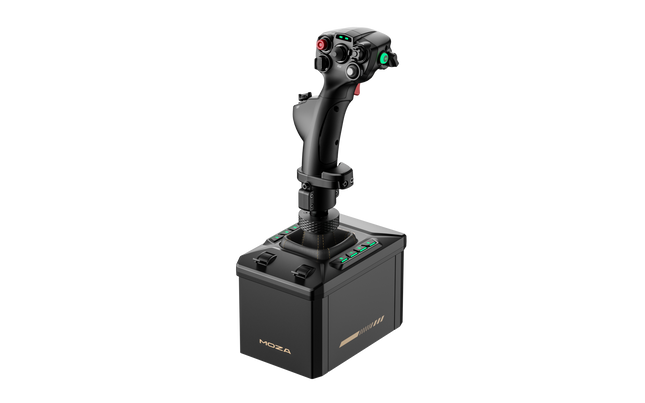
    MOZA Farming Control System brings the satisfying clunk of switches, the silky sweep of a Hall-effect joystick, and a cockpit packed with purpose straight to your farming or construction setup. Instead of juggling multiple peripherals, this compact unit combines a joystick, throttle, and control panel into one streamlined package. With 46 programmable inputs and a 3-axis Hall-effect joystick, every loader lift, hydraulic adjustment, and implement swap feels deliberate, while the thoughtfully arranged controls keep your hands exactly where they need to be during long sessions. What Sets the Moza Farming Control System apart? An Input Layout That Rarely Leaves You Hunting for Keys Community feedback consistently highlights just how much keyboard dependence disappears once everything is mapped. With 46 programmable inputs spread across buttons, switches, rotary knobs, thumb controls, and axes, nearly every common farming or construction task stays within fingertip reach. The numbered controls also make remembering custom bindings surprisingly painless after only a few sessions. One Compact Unit Instead of a Desk Full of Controllers Rather than combining a separate joystick, throttle quadrant, and button box, this design gathers everything into one footprint without feeling cramped. Sliding the throttle forward, flicking metal-style toggle switches, and nudging the Hall-effect joystick creates a satisfyingly mechanical rhythm that suits tractors, harvesters, loaders, cranes, and excavators alike while keeping valuable desk space available for a steering wheel. Built Around the Wider MOZA Ecosystem The universal connector system opens the door to interchangeable grips including the MA3X, MHG, and MH16, allowing the controller to move comfortably between farming, construction, and flight-focused setups. Enthusiasts frequently praise this flexibility because it avoids buying entirely separate control hardware when expanding into different simulator genres. Simple Setup That Encourages Playing Instead of Troubleshooting Official presets for Farming Simulator 22 and 25 mean most owners spend more time driving than configuring. Web discussions regularly mention straightforward setup as one of the biggest strengths, especially when paired with MOZA Pit House for lighting customization and control adjustments. It still supports extensive remapping for players who enjoy tailoring every switch to their preferred workflow. Pros and Cons Pros Cons Forty-six programmable inputs reduce keyboard reliance dramatically. Official presets mainly target Farming Simulator 22 and 25. Compact all-in-one layout saves valuable desk space. PC-only USB connectivity excludes console-only players. Hall-effect sensors provide smooth, drift-free axis control. Interchangeable grips expand usefulness across multiple simulators. Specifications Specification Value Product MOZA Farming Control System (FCS) Dimensions 205 × 201 × 266 mm Weight 1,268 g Connection USB Platform PC Material Plastic Total Programmable Inputs 46 Joystick 3-axis Hall-effect joystick (XYZ), 6 buttons, Hall-effect thumb joystick Throttle Throttle/brake axis, 6 buttons, thumb scroll wheel Panel Controls 10 buttons, 3 rotary knobs, 3 toggle switches, rocker switch RGB Lighting 6 customizable buttons with 16.7-million-color RGB Sensors Contactless Hall-effect sensors Grip Compatibility MOZA MA3X, MHG, MH16 interchangeable grips Software MOZA Pit House Moza Farming Control System Compatibility Hardware Compatibility MOZA MA3X Grip Compatible MOZA MHG Grip Compatible MOZA MH16 Grip Compatible MOZA R3 / R5 Wheel Bases Compatible alongside the controller MOZA Trucking Bundle Compatible alongside the controller USB PC Supported Platform / Game Compatibility Windows PC Supported Farming Simulator 22 Official preset mapping Farming Simulator 25 Official preset mapping Construction Simulator Supported through programmable controls Heavy machinery simulators Supported through custom mapping PlayStation / Xbox Not officially supported as a standalone USB controller The controller slots neatly into the wider MOZA ecosystem. It is fully compatible with interchangeable MA3X, MHG, and MH16 grips, while also working alongside MOZA R3, R5, and the Trucking Bundle to build a more complete farming or construction cockpit. Configuration and lighting customization are handled through MOZA Pit House, making it easy to tailor controls for different machines. Outside the MOZA ecosystem, the USB connection allows it to work as a programmable controller on PC with many simulators that support multiple input devices. It is not intended as a standalone controller for PlayStation or Xbox, and console compatibility should not be expected. Community discussions also praise how well it complements existing steering wheels and pedal sets instead of replacing them. For gaming platforms, the controller is designed for Windows PCs and offers official preset mappings for Farming Simulator 22 and Farming Simulator 25, delivering quick setup with minimal manual configuration. Beyond those titles, Construction Simulator and many heavy-equipment simulators can take advantage of its programmable inputs through custom bindings, while console-only games remain outside its intended use.

    1 in stock Shipped in 1-3 business days.

    €209,00

  • Last stock! Moza MGX1000 Instrument Panel for sale on FlightSimZone

    Moza Moza MGX1000 Instrument Panel (Pre-Order! Shipping Starts mid-to-late August)

    3 in stock Shipped in 1-3 business days.

    Moza MGX1000 Instrument Panel puts a full-featured glass cockpit within easy reach, bringing crisp visuals and tactile controls together in one streamlined unit. The true-to-size 10.4-inch IPS display delivers sharp instrument presentation with up to 500 nits of brightness, while DisplayLink connectivity removes the need for an HDMI connection, making multi-screen cockpit builds far easier to manage. Every rotary encoder, button, and joystick switch feels deliberate, giving each flight a satisfying, hands-on rhythm from engine start through shutdown. What Sets the Moza MGX1000 Instrument Panel apart? DisplayLink Makes Multi-Screen Setups Much Simpler – One of the biggest advantages over many competing avionics panels is the use of DisplayLink instead of HDMI. Builders with several cockpit displays can free up valuable graphics card outputs while reducing cable clutter. Enthusiasts who run complex home cockpits often highlight how much easier it becomes to expand a panel layout without constantly juggling GPU ports or display adapters. Controls That Reward Every Input – The rotary knobs have crisp detents, the buttons provide a satisfying mechanical click, and the integrated 7-way ALPS joystick feels deliberate when navigating menus or maps. Pilots regularly appreciate hardware that communicates each action through touch alone, reducing the need to glance away from the virtual windshield during busy approaches or navigation changes. Built for Standalone or Full Cockpit Expansion – Whether mounted on the included desktop stand or installed into a dedicated simulator frame, the MGX1000 adapts easily to different cockpit layouts. Standard VESA compatibility, bottom mounting points, and lightweight construction simplify installation, while the ability to assign each unit as either a PFD or MFD makes dual-screen configurations especially appealing. Broad G1000 Aircraft Support – Rather than limiting users to a small selection of aircraft, the panel supports native G1000 aircraft across Microsoft Flight Simulator and X-Plane, along with several popular third-party add-ons. Builders also appreciate the customizable button mapping and flexible display assignment, allowing the hardware to adapt as new aircraft join their virtual hangar. Pros and Cons Pros Cons DisplayLink reduces HDMI and GPU port requirements. Limited to PC platforms. Excellent tactile controls with crisp rotary detents. 1024 × 768 resolution feels modest today. Supports dual PFD and MFD configurations. Multiple mounting options suit varied cockpit layouts. Specifications Specification Value Product Type G1000-style avionics instrument panel Dimensions 304 × 201 × 66.8 mm Weight 1.17 kg Housing Material ABS + PC Display Size 10.4-inch IPS Display Resolution 1024 × 768 Brightness Up to 500 nits Video Connection DisplayLink (USB) Connection Ports USB-A, DC 5V Rated Voltage 5V USB / 5V DC Rated Current 900mA (USB), 2A (DC) Mounting Options Desktop stand, 75 × 75 mm VESA, bottom mount Supported Platform PC Included Accessories Data cable, desktop stand, power adapter Moza MGX1000 Instrument Panel Compatibility Hardware Compatibility MOZA Cockpit Software Fully supported for configuration and telemetry synchronization Mounting Systems Desktop stand, 75 × 75 mm VESA, bottom mounting points Multi-Panel Setups Supports independent PFD or MFD assignment Flight Simulator Support Microsoft Flight Simulator 2020 Native G1000 aircraft supported Microsoft Flight Simulator 2024 Native G1000 aircraft supported X-Plane 11 Supported X-Plane 12 Supported Selected Third-Party Aircraft COWS DA40, Kodiak 100, and other compatible G1000 aircraft Designed for PC flight simulation, the MGX1000 integrates smoothly with MOZA Cockpit software, allowing telemetry-based lighting synchronization, configurable button mapping, and independent PFD or MFD assignment. Thanks to DisplayLink connectivity, multiple displays can be added without consuming HDMI outputs, making complex cockpit builds considerably easier to manage. The panel is equally comfortable sitting on the included desktop stand or mounted permanently using 75 × 75 mm VESA mounting or the integrated bottom mounting points. Its lightweight construction also places less strain on simulator frames than heavier avionics units, making installation straightforward across a wide range of cockpit designs. Compatible with Microsoft Flight Simulator 2020, Microsoft Flight Simulator 2024, X-Plane 11, and X-Plane 12, the MGX1000 supports native G1000 aircraft along with several popular third-party add-ons. PC is the supported platform; Mac systems and gaming consoles are not supported for this instrument panel.

    3 in stock Shipped in 1-3 business days.

    €469,00

  • Last stock! Moza AB6 Bundle for sale on FlightSimZone

    Moza MOZA AB6 Flight Simulator Bundle

    6 reviews

    1 in stock Shipped in 1-3 business days.

    The MOZA AB6 Flight Simulator brings serious aviation enthusiasts closer to the sensation of real cockpit control. With its 6 Nm force feedback base and robust all-metal design, it translates flight dynamics into tactile precision that feels alive in your hands. The included Moza joystick makes up for a great flight immersion. The customizable RGB front panel glows like a command console at dusk, while dual throttle sliders provide smooth, coordinated inputs. Every detail—from its fine-tuned motor to the 15-bit magnetic encoder—makes the AB6 feel like an engineering instrument that just happens to fly. What Sets the MOZA AB6 Flight Simulator apart? Exceptional Force Feedback Consistency — Many users note the AB6’s steadiness under prolonged use. While others can fade or jitter under load, this unit maintains its 6 N·m torque output with impressive smoothness, letting pilots feel aerodynamic resistance through turns and dives. The tactile texture of feedback doesn’t fluctuate—it stays tight, confident, and reassuring throughout the session. Refined Build Quality and Materials — Unlike plastic-heavy bases in its class, the AB6’s aluminum and steel structure provides a reassuring weight and tactile finish. Users appreciate that it stays silent under stress and dissipates heat effectively. It’s not just solid; it feels engineered for endurance—built more like an aircraft component than a gaming peripheral. Versatile Mounting and Integration — The AB6’s compact form factor hides a mounting system that adapts to nearly any rig. Pilots with limited desk space praise how easily it fits on center-mounts or aluminum profiles. The universal connector means it welcomes multiple flightstick types, both MOZA and third-party, extending its lifespan across evolving setups. Software Depth Beyond Expectation — The MOZA Cockpit software offers granular tuning—users can adjust friction, damping, centering strength, and even LED telemetry logic. The real advantage lies in its ability to store and recall profiles for different aircraft, making transitions between fighter jets and passenger planes seamless and intuitive. Pros and Cons Pros Cons Durable full-metal construction enhances stability and longevity. Limited console compatibility; PC-focused system. 6 N·m torque provides consistent tactile flight feedback. Compact design limits internal cooling space. Customizable RGB buttons improve visibility and control mapping. Magnetic encoder ensures smooth, accurate input tracking. Specifications Specification Value Force Feedback Torque 6 N·m Motor Type Outrunner Motor Encoder 15-bit Magnetic Encoder Construction Material Aluminum Alloy and Steel Front Panel Buttons 8 Programmable with RGB Lighting Throttle Sliders Dual Analog Sliders Mounting Options Compatible with Flight Rigs and Aluminum Profiles Software MOZA Cockpit Connector Universal Flightstick Connector (MOZA and select third-party) MOZA AB6 Flight Simulator Compatibility Compatible Flightsticks Notes MOZA Flightsticks Full compatibility via universal connector Select Third-Party Flightsticks Supported with adapter or native connector fit The MOZA AB6 Flight Simulator works seamlessly with MOZA’s own flightsticks and supports several third-party models through its universal connector. Thanks to its mount-friendly form factor, it can be integrated into center-mounted, side-mounted, or overhead setups with minimal adjustment. The solid construction aligns perfectly with metal and profile cockpits, while its USB connectivity ensures reliable communication without proprietary lock-ins. However, it isn’t compatible with console systems such as Xbox or PlayStation, remaining a PC-focused device. When it comes to software compatibility, the AB6 integrates effortlessly with major flight simulators including Microsoft Flight Simulator 2020 and 2024, X-Plane 10/11/12, DCS World, and IL-2 Sturmovik. Users also report smooth function in War Thunder. It supports Windows operating systems and common USB drivers without additional middleware. While it doesn’t have native Mac or console support, its wide simulator integration ensures it remains at home in virtually any PC cockpit environment.

    1 in stock Shipped in 1-3 business days.

    €459,00

  • Last stock! MOZA FMP18 Panel Bundle for sale on FlightSimZone

    Moza MOZA FMP18 Panel Bundle (Pre-Order! Shipping Starts mid-to-late August)

    2 in stock Shipped in 1-3 business days.

    MOZA FMP18 Panel Bundle transforms a desktop into a carrier-style cockpit with thoughtfully engineered controls, sharp displays, and a layout inspired by the legendary F/A-18. The true-to-life 7.1-inch square displays deliver crisp 800 × 800 visuals, while the magnetic modular quick-swap system makes changing panel configurations remarkably simple. Every button, rotary control, and switch provides a confident mechanical feel, making startup procedures, navigation, and combat tasks satisfying from the first checklist through the final trap aboard the carrier. What Sets the MOZA FMP18 Panel Bundle apart? Square Displays That Match the Aircraft Layout – Many competing cockpit panels rely on conventional rectangular screens that compromise proportions. The FMP18 instead uses dedicated 7.1-inch square displays, creating a much closer visual match to the aircraft's DDI and AMPCD layout. Builders across the community frequently appreciate hardware that avoids stretched graphics and provides a cleaner presentation throughout every stage of flight. Magnetic Modular Expansion – The magnetic quick-swap system with integrated pogo-pin connections makes changing layouts refreshingly straightforward. Rather than rebuilding an entire cockpit for different aircraft, users can swap compatible panels quickly while maintaining a tidy installation. This flexibility has become increasingly popular among enthusiasts who regularly fly multiple aircraft without dedicating permanent space to each one. Controls Designed for Confident Operation – With 95 buttons, 16 rotary controls, and seven toggle switches, every command has a distinct mechanical feel. Pilots often praise hardware that communicates each input through touch, reducing the need to look down during busy carrier approaches or complex weapon management. The result is a cockpit workflow that feels deliberate and highly satisfying. Easy Integration Into Existing Cockpits – Standard 75 × 75 mm VESA compatibility, an adjustable desk clamp, and aluminum-profile support allow the FMP18 to fit naturally into a wide variety of simulator rigs. MOZA Cockpit software also lets users assign displays and customize controls, making the bundle equally appealing for dedicated carrier cockpits or expanding an existing simulator. Pros and Cons Pros Cons Square displays closely match aircraft proportions. Requires significant desk or cockpit space. Magnetic quick-swap system simplifies panel changes. PC platform only. Excellent tactile buttons and rotary controls. Flexible VESA mounting suits many cockpit builds. Specifications Specification Value Product Type Carrier-style front cockpit panel bundle Dimensions 527 × 456 × 212 mm (including clamp) Weight 4.15 kg Housing Material Composite materials Displays Three 7.1-inch square displays Display Resolution 800 × 800 Refresh Rate 60 Hz Buttons 95 Rotary Controls 16 Toggle Switches 7 USB Polling Rate 1000 Hz Connection Ports USB 3.0 Type-A ×3, USB Type-C ×4 Mounting Options Desk clamp, aluminum profile, standard 75 × 75 mm VESA Supported Platform PC Included Accessories USB 3.0 Type-A cables (3), USB Type-C cables (4) MOZA FMP18 Panel Bundle Compatibility Hardware Compatibility Mounting Systems Official desk clamp, aluminum-profile rigs, 75 × 75 mm VESA mounts MOZA Cockpit Software Display assignment and complete control mapping Modular Panels Supports magnetic quick-swap compatible modules Platform Compatibility PC Supported Designed for PC-based flight simulation, the FMP18 integrates with MOZA Cockpit software for display assignment, button mapping, and rotary control customization. The magnetic quick-swap system allows compatible modules to be exchanged rapidly, while standard VESA mounting and aluminum-profile compatibility make installation straightforward across many cockpit designs. The included angle-adjustable clamp supports both the complete assembly and individual modules, allowing builders to tailor positioning without replacing mounting hardware. The lightweight composite construction also reduces the load placed on simulator frames while maintaining excellent rigidity. PC is the supported platform, making the bundle suitable for major flight simulators that support custom cockpit hardware. Gaming consoles are not supported, and the system is intended for users building dedicated desktop or cockpit-based flight simulation environments.

    2 in stock Shipped in 1-3 business days.

    €889,00

  • Moza AY90 Yoke Bundle (Pre-Order! Shipping Starts Late August)

    Moza Moza AY90 Yoke Bundle (Pre-Order! Shipping Starts Late August)

    6 in stock Shipped in 1-3 business days.

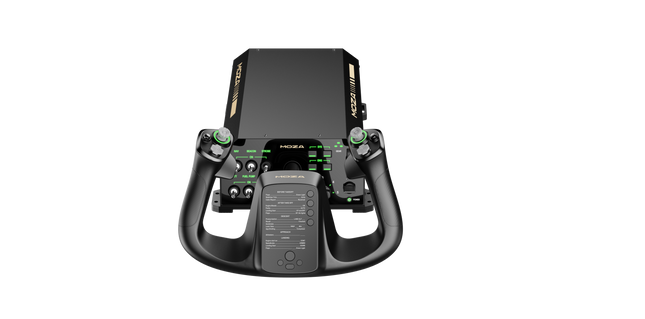
    MOZA AY90 Yoke Bundle replaces vague spring tension with control forces that actually tell your hands what the aircraft is doing. The base delivers 4.2 Nm of roll torque and 90 N of push-pull force, while either the MFY or MFY Pro Yoke Handle completes the package with airliner-inspired ergonomics and programmable controls. Ground roll produces a convincing tremor, trim changes alter the resistance, and stall buffet becomes rather difficult to ignore. Despite all that machinery, the compact composite housing remains manageable on a desk or aluminium-profile cockpit. What Sets the Moza AY90 Yoke Bundle apart? Force Feedback Instead of Decorative Resistance Spring-loaded yokes tend to pull toward the centre with little regard for airspeed, trim, or aircraft condition. The AY90 uses 4.2 Nm of roll torque and 90 N of pitch force to communicate ground vibration, aerodynamic loading, autopilot movement, trim resistance, and stall buffet. This gives the pilot useful physical information throughout the flight rather than the same elastic tug from taxiway to final approach. Two Yoke Options for Different Cockpit Priorities The bundle can be configured with either the MFY Yoke Handle or the more extensively equipped MFY Pro Yoke Handle. This allows pilots to choose between a straightforward control interface and a more feature-rich airliner-style option without changing the base. The aluminium-alloy quick-release also makes handle swaps tool-free, secure, and refreshingly free from the sort of mechanical wobble that turns a firm landing into unintended percussion. Compact Construction with Full Control Travel Force-feedback hardware often claims a significant portion of the desk before the aircraft has even loaded. The AY90 keeps its footprint to 325 × 252 mm while still providing ±90° roll movement and 95 mm of pitch travel. Its carbon-fibre-reinforced composite housing weighs 4.5 kg, making it substantial enough to remain controlled under load without becoming an unreasonable burden for desktop clamps or profile mounting. Useful Controls Beyond the Yoke Handle Rocker switches, sliders, rotary inputs, and a five-way hat switch are built into the base, reducing the number of routine functions left to the keyboard. Every input can be remapped through MOZA Cockpit, while the RGB strip can represent engine speed, throttle position, or other telemetry. Dedicated upper mounting points also provide space for gauges, displays, and custom accessories as the cockpit gradually consumes the room around it. Pros and Cons Pros Cons Motor-driven forces communicate trim and aerodynamic loading. Requires mains power alongside the USB connection. Two handle choices suit different cockpit configurations. Supported exclusively on PC flight simulators. Compact housing supports desktop and profile mounting. Tool-free quick-release simplifies yoke handle changes. Specifications Specification Value Product Name MOZA AY90 Yoke Bundle Included Yoke Handle Options MOZA MFY Yoke Handle or MOZA MFY Pro Yoke Handle Base Dimensions 325 × 252 × 111 mm Base Weight 4.5 kg Housing Material Carbon Fiber Reinforced Composite Quick-Release Material Aluminum Alloy Button Cap Material ABS Roll Axis Travel ±90° Total Roll Rotation 180° Pitch Travel 95 mm Roll Torque 4.2 Nm Pitch Push-Pull Force 90 N Motor Encoder 15-bit magnetic encoder 5-Way Hat Switch 1 Rocker Switches 4 Slider Switches 2 RGB Lighting 16.7-million-colour telemetry-capable lighting strip Power Input 12 V, 6 A Configuration Software MOZA Cockpit Mounting Options Desk clamps, profile rails, 80/20-style aluminium extrusion Supported Platform PC Included Accessories Power adapter, USB cable, user manual, sticker, two desk clamps Moza AY90 Yoke Bundle Compatibility Category Compatibility Yoke Handle Options MOZA MFY Yoke Handle or MOZA MFY Pro Yoke Handle Handle Connection MOZA aluminium-alloy quick-release system Desktop Installation Two included desk clamps Cockpit Installation Profile rails and 80/20-style aluminium extrusion Accessory Expansion Top mounting points for gauges, screens, and custom peripherals Configuration Software MOZA Cockpit Simulator or Platform Compatibility Microsoft Flight Simulator Compatible X-Plane Compatible DCS World Compatible War Thunder Compatible Windows PC Supported platform Xbox Not supported PlayStation Not supported The bundle combines the AY90 base with either the MOZA MFY Yoke Handle or the MOZA MFY Pro Yoke Handle. Both attach through the aluminium-alloy quick-release, allowing secure, tool-free changes without replacing the complete control system. The connection is designed specifically around compatible MOZA yoke handles rather than universal third-party yokes, so unrelated handles cannot be fitted directly without a suitable adapter. Installation options include the two supplied desk clamps, profile-rail mounting, and standard holes for 80/20-style aluminium extrusion. The base can sit alongside separate throttles, rudder pedals, instrument panels, and other USB flight controls because these devices are normally recognised independently by the simulator. Upper mounting points also accept custom gauges and displays, although third-party accessories may require separately produced or 3D-printed mounting adapters. The AY90 Yoke Bundle is a PC-only flight control system compatible with Microsoft Flight Simulator, X-Plane, DCS World, and War Thunder. MOZA Cockpit handles force-feedback configuration, button mapping, input adjustment, and telemetry lighting. It is not compatible with Xbox or PlayStation consoles, and force-feedback behaviour can vary between simulator titles, aircraft modules, and the effects supported by each software integration.

    6 in stock Shipped in 1-3 business days.

    €579,00 - €729,00

  • Last stock! Honeycomb Bundle (Yoke & Throttle) For Sale On FlightSimZone

    Fly Honeycomb Honeycomb Bundle (Yoke & Throttle)

    14 reviews

    2 in stock Shipped in 1-3 business days.

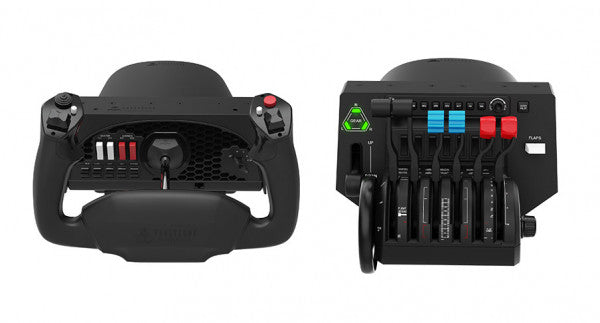
    The Honeycomb Bundle (Yoke & Throttle) is a dream package for flight simulation enthusiasts, combining the acclaimed Alpha Flight Controls and Bravo Throttle Quadrant into a single, cost-saving package. Designed with input from professional pilots and aerospace engineers, it boasts a robust all-metal yoke mechanism and customizable throttle configurations. Whether you're fine-tuning a smooth landing or managing multi-engine systems, the bundle’s intuitive controls and comprehensive switch panels offer unparalleled control and versatility. This isn’t just gear; it’s your co-pilot for a truly elevated sim experience. What sets the Honeycomb Bundle (Yoke & Throttle) apart? Durable Build for Long-Term Use The bundle is built with aerospace-grade components and an all-metal yoke mechanism, ensuring it withstands hours of intensive use. This makes it a trusted companion for both aspiring pilots and seasoned sim enthusiasts seeking equipment that doesn’t flinch under pressure. Incredibly Versatile Throttle Configuration The Bravo Throttle Quadrant is a standout, accommodating single-engine to four-engine setups with ease. Its detailed customization options include thrust reversers, autopilot systems, and a trim wheel, offering flexibility across different aircraft types. Enhanced Switch and Control Panels The switch panel on the Alpha yoke and the annunciator panel on the Bravo throttle provide a plethora of controls, making external keyboard usage almost obsolete. The clear LED backlighting ensures visibility in any lighting conditions. Seamless Integration with Popular Simulators The bundle is compatible with all major flight simulators like Microsoft Flight Simulator and X-Plane 11, providing plug-and-play functionality with profiles designed to simplify setup and maximize control precision. Pros and Cons Pros Cons Exceptional durability with all-metal yoke mechanism. Throttle quadrant levers feel slightly stiff initially. Versatile throttle configurations for various aircraft types. LED backlighting is not adjustable in brightness. Comprehensive switch and annunciator panels reduce keyboard reliance. Compatible with multiple operating systems and platforms. Specifications Specification Value Yoke Turn Radius 180° Yoke Shaft Travel 15 cm Throttle Configurations Single to four-engine, piston or jet Mounting Compatibility Honeycomb and Saitek products Supported OS Windows 10 (64-bit), macOS, Linux Warranty 2 years Honeycomb Bundle (Yoke & Throttle) Compatibility The Honeycomb Bundle (Yoke & Throttle) offers seamless compatibility with major flight simulation software, including Microsoft Flight Simulator, X-Plane 11, and Prepar3D. While the Alpha yoke functions without additional software for X-Plane 11, the Bravo throttle requires the Honeycomb Config Tool for full functionality on Windows and macOS. It lacks support for older simulators like FSX/P3D v3, but profiles are available for more recent platforms, ensuring a hassle-free experience. In terms of hardware, the bundle integrates easily with Honeycomb and Saitek mounting systems, adding versatility to your cockpit setup. While it doesn’t support consoles, it connects effortlessly to PCs through USB and offers plug-and-play functionality for supported games. This makes it a solid choice for simmers who value flexibility in their cockpit configuration. For gaming platforms, the bundle is focused on PC-based simulators and is not compatible with consoles like Xbox or PlayStation. It shines when paired with games like Microsoft Flight Simulator, offering robust support for both general aviation and airliner setups, allowing simmers to explore skies with exceptional control.

    2 in stock Shipped in 1-3 business days.

    €509,00

  • Sale -3% Moza MRP Rudder Pedals for sale on FlightSimZone

    Moza Moza MRP Rudder Pedals

    1 review

    Out of stock, Pre-Orders Available. Shipped in 2-2.5 weeks from now.

    Moza MRP Rudder Pedals bring a reassuring sense of solidity the moment your feet settle in. The cool touch of full metal construction and the deliberate sweep of the swing-arm immediately signal serious intent. With generous pedal travel and finely adjustable angles, each input feels deliberate and controlled, whether easing through a crosswind landing or nudging a helicopter in a hover. The wide-ranging adjustability makes it easy to tailor stance, resistance, and motion, turning long sessions into something focused, comfortable, and deeply satisfying for dedicated flight sim pilots. What Sets the Moza MRP Rudder Pedals apart? Built Like Cockpit Hardware, Not Desk Gear – Across forums and long-term user discussions, one recurring theme stands out: these pedals feel closer to fixed-base cockpit hardware than typical consumer peripherals. The extensive metal structure keeps flex at bay even under heavy braking, while the linkage system maintains consistent movement over time. Users often note that this solidity translates into confidence during demanding phases of flight, where lighter pedal sets can feel vague or unsettled. Adjustability That Actually Gets Used – Many pilots praise how often they end up tweaking these pedals, not because something feels wrong, but because the options invite fine-tuning. Stepless pedal tilt, adjustable end stops, spring swaps, and optional damping let pilots dial in behavior for anything from twitchy helicopters to lumbering airliners. Feedback suggests this flexibility encourages experimentation rather than locking users into a single “good enough” setup. Controlled Motion With Purposeful Weight – Community impressions frequently mention the character of the movement itself. The long swing-arm travel and brake range give inputs a measured, progressive feel, avoiding the abrupt on/off sensation common in shorter-throw designs. Combined with adjustable resistance, the pedals convey a sense of mass and inertia that many pilots associate with better directional control during taxi, takeoff roll, and rollout. Distinct Design That Grows on You – While the angular, stealth-inspired look can be polarizing at first glance, many users report that it quickly becomes a visual highlight of their cockpit. The design doesn’t just aim to look aggressive; it visually reinforces the mechanical nature of the unit. Over time, pilots often appreciate how the form mirrors the function, especially when paired with other metal flight hardware. Pros and Cons Pros Cons All-metal structure resists flex under heavy braking. Large footprint may challenge smaller cockpit spaces. Wide adjustment range suits many seating positions. Optional damper adds extra cost for tuning. Long pedal travel supports smooth directional control. Dual connection options simplify system integration. Specifications Specification Value Construction Full metal body and linkage system Pedal Tilt Adjustment Stepless, ±25° per pedal Swing-Arm Rotation ±30° Rudder Travel 15 cm total travel Brake Pedal Travel 25° Sensors High-resolution sensors for rudder and brakes Centering Force Interchangeable springs Damping Optional adjustable damper Connectivity RJ11 (MOZA flight bases), USB (PC) Base Grip Four rubber anti-slip pads Moza MRP Rudder Pedals Compatibility The pedals integrate cleanly into many flight setups thanks to flexible connections. Direct RJ11 linking allows seamless pairing with MOZA flight bases, while the standard USB connection enables standalone PC use without additional adapters. They are commonly paired with yokes and joysticks from other major PC-focused flight hardware brands. However, they are not designed for direct console connection and do not interface natively with non-PC ecosystems. Within a PC-based simulator environment, compatibility is broad and straightforward. Using USB, the pedals work with Windows-based PCs and are supported by popular flight simulators that accept standard HID rudder inputs, including civilian and combat-focused titles. They are not compatible with PlayStation or Xbox consoles, even when using some third-party adapters, as console flight titles generally lack native support for USB rudder peripherals.

    Out of stock, Pre-Orders Available. Shipped in 2-2.5 weeks from now.

    €369,00 €359,00

  • Sale -4%Last stock! Moza yoke Bundle for sale at FlightSimZone

    Moza Moza AY210 Yoke Bundle

    3 reviews

    2 in stock Shipped in 1-3 business days.

    Moza Yoke Bundle (MFY Yoke + AY210 Yoke Base) brings an impressive blend of engineering and control to flight simulation. The 9Nm torque and 210N push force in the yoke base ensure smooth and forceful feedback, translating every aerodynamic effect into tactile sensations. The fiberglass-reinforced PA66 yoke offers durability and a refined grip, while customizable triggers, an integrated Hall-effect joystick, and magnetic DIY panels add versatility. Paired with an aluminum alloy quick-release system and extensive software customization, this setup is built for those who demand precision and adaptability in every flight. What Sets the Moza Yoke Bundle (MFY Yoke + AY210 Yoke Base) apart? 9Nm Torque and 210N Push Force for Enhanced Control Unlike standard yokes, this system delivers powerful, forceful feedback with 9Nm of sustained roll torque and a 210N pitch axis push-pull force. This level of feedback translates everything from wind resistance to turbulence into a detailed tactile experience. Race Car-Inspired Quick Release for Fast Swaps The aluminum alloy quick-release system enables seamless transitions between different yokes. Whether switching aircraft types or adjusting for different flight tasks, the push-and-pull mechanism allows for quick reconfiguration. Extensive Input Customization Between the MFY Yoke’s 34 configurable inputs and the AY210 Base’s 13 programmable switches, this bundle provides a deep level of cockpit control. Moza’s software allows button remapping, long-press assignments, and telemetry-based lighting adjustments. Hall Effect Sensors and Magnetic DIY Panels The yoke includes dual Hall effect joysticks for precise input and a contactless design for longevity. Additionally, magnetic DIY panels on the front allow users to customize their cockpit interface with printed overlays, making controls easily identifiable. Pros and Cons Pros Cons Strong force feedback with 9Nm torque and 210N push force PC-only, no console support 34 configurable inputs and Hall effect joystick Requires Moza software for full customization Quick-release system for easy yoke swaps Magnetic DIY panels for personalized labeling Specifications Specification Value Yoke Material Fiberglass-reinforced PA66 Yoke Base Material Aluminum alloy Yoke Weight 1.3 kg Base Weight 8.0 kg Maximum Roll Torque 9Nm Maximum Pitch Force 210N Travel Distance 150mm USB Refresh Rate 1000Hz Button Inputs 34 configurable (yoke), 13 programmable (base) Connection Ports Power, USB, throttle, rudder pedals, panel Mounting Options Desktop clamp (optional), cockpit mounting Software Support Moza Cockpit software Platform Support PC Included Accessories Power adapter, power cable, data cable, screws, wrench, user manual Moza Yoke Bundle (MFY Yoke + AY210 Yoke Base) Compatibility Compatible With Not Compatible With Moza Cockpit software for button mapping and telemetry Console platforms Moza Yoke Series Third-party yoke bases Major flight simulators (MSFS, X-Plane 12) MacOS Designed for PC-based flight simulators, this bundle integrates fully with Moza Cockpit software, allowing extensive customization for force feedback, button assignments, and lighting effects. The MFY Yoke is fully compatible with the AY210 Yoke Base, ensuring a plug-and-play experience with Moza’s ecosystem. PC-only compatibility means full support for Microsoft Flight Simulator 2020, Microsoft Flight Simulator 2024, and X-Plane 12. However, console users will need to look for alternative hardware, as this setup does not support Xbox or PlayStation systems.

    2 in stock Shipped in 1-3 business days.

    €949,00 €909,00

  • Sale -2% RealSimGear G1000 Suite for sale on FlightSimZone

    RealSimGear RealSimGear G1000 Suite

    6 reviews

    Out of stock, Pre-Orders Available. Shipped in 2-2.5 weeks from now.

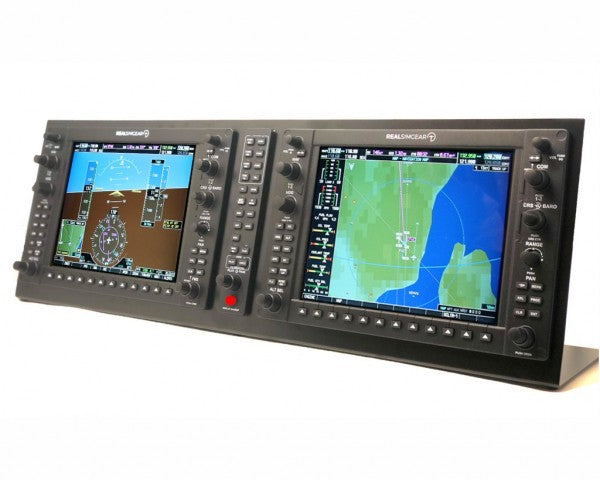
    The RealSimGear G1000 Suite is a powerhouse for flight simulation enthusiasts, delivering a tangible connection to virtual skies. Featuring dedicated 10.4" IPS HDMI displays with 1024x768 resolution, the suite includes a PFD, MFD, and GMA audio panel. Its backlit silicone rubber buttons and tactile knobs make every input feel precise and deliberate. Easy to set up with USB and HDMI connections, this system is designed to bring the cockpit experience right to your desktop without unnecessary fuss. What sets the RealSimGear G1000 Suite apart? Dedicated IPS Displays for Clear Visuals Each screen is a high-brightness 10.4" IPS HDMI display, delivering crisp visuals and wide viewing angles. Whether you're navigating mountainous terrain or analyzing detailed instrumentation, the clarity ensures you won’t miss a single detail. Plug-and-Play Simplicity With preloaded drivers and simple USB and HDMI connections, the G1000 Suite eliminates the need for complex setups. Just connect your cables, and you’re ready to dive into your simulator with minimal configuration. Backlit Buttons and Tactile Knobs The backlit silicone buttons and solid-feeling knobs add a layer of intuitive control. Whether flying at night or focusing on precision adjustments, the tactile feedback keeps you fully engaged in your virtual cockpit. Mounting Versatility Whether you're integrating it into a custom-built cockpit or using a desktop stand, the G1000 Suite is designed to adapt. This flexibility allows it to fit into diverse setups with ease. Pros and Cons Pros Cons High-quality IPS displays with sharp resolution. Not compatible with Mac systems or Xbox MSFS 2020. Simple plug-and-play setup for easy use. Requires two free HDMI ports on your PC. Backlit buttons enhance usability in low light. HDMI cables are not included. Tactile knobs provide satisfying input feedback. Specifications Specification Value Displays 2x 10.4" IPS HDMI displays Resolution 1024x768 Buttons Backlit silicone rubber Knobs Tactile control Connections USB and 2x HDMI Operating System Microsoft Windows (64-bit) Compatibility X-Plane 11/12, MSFS 2020 (PC only) RealSimGear G1000 Suite Compatibility The RealSimGear G1000 Suite is fully compatible with Microsoft Windows (64-bit), making it an excellent fit for PC-based simulators. It works seamlessly with both X-Plane 11/12 and Microsoft Flight Simulator 2020, though it does not support the Xbox version of MSFS 2020 or macOS systems. To maximize its capabilities, ensure your PC has two available HDMI ports or use HDMI-to-USB adapters if needed. For gaming platforms, this suite shines with X-Plane 11/12 and MSFS 2020, offering native support with plug-and-play ease. However, gamers using consoles or macOS will need to explore alternative solutions. This suite integrates smoothly into custom cockpits or standalone desktop setups, catering to a wide range of simulation environments.

    Out of stock, Pre-Orders Available. Shipped in 2-2.5 weeks from now.

    €2.449,00 €2.399,00

  • Last stock! MOZA MTQ Throttle Panel for sale on FlightSimZone

    Moza MOZA MTQ Throttle Panel

    2 reviews

    4 in stock Shipped in 1-3 business days.

    The MOZA MTQ Throttle Panel is a modular flight control system built for pilots who crave tactile engagement and mechanical precision in every throttle movement. With its modular throttle lever system and versatile control layout, it transforms any flight sim setup into a cockpit-grade experience. The satisfying detents, metal construction, and customizable RGB lighting give each lever a purposeful feel—whether you’re spooling up engines in an Airbus or arming afterburners in a fighter jet. It’s mechanical satisfaction married with functional versatility. What Sets the MOZA MTQ Throttle Panel apart? Authentic Modular Lever Experience — Unlike fixed throttles, the MTQ allows pilots to swap between Airbus, Boeing, and fighter jet lever styles using a rail-based mounting system. Each lever delivers its own mechanical detents, letting users feel the transition points like reverse thrust engagement or afterburner locks. The tactile precision of these detents has been widely praised by sim pilots for bringing physical clarity to throttle control. Ergonomic Layout with Purposeful Design — The control surface features 10 buttons, 3 rotary knobs, and 3 toggle switches, all placed within natural hand zones. Enthusiasts appreciate how it avoids clutter, offering intuitive access to key flight functions without breaking focus. The addition of a dedicated landing gear lever adds realism and makes transitions between phases of flight smoother and more instinctive. Customizable RGB and Software Integration — The MOZA Cockpit software gives full control over RGB brightness, color logic, and telemetry-based lighting effects. Feedback suggests the lighting not only looks stunning in a dim cockpit but can be programmed to reflect flight states like gear position or throttle detent zones, turning illumination into functional feedback rather than mere decoration. Mechanical Feedback Across Multiple Axes — The MTQ features four axes, each offering unique tactile detents for functions like flaps and speedbrakes. The feel of each axis has been tuned for different resistance levels, and the virtual button detent on the speedbrake arm adds a satisfying click at deployment. Pilots find the consistency across axes makes this panel equally at home in commercial, military, and general aviation setups. Pros and Cons Pros Cons Swappable lever modules offer versatile flight configurations. No standalone USB connection; requires MOZA base link. Excellent tactile detents on throttle and flap axes. Limited third-party ecosystem support. Intuitive layout with RGB lighting customization. Durable mechanical design with smooth motion damping. Specifications Specification Value Lever System Modular Throttle Levers with Sliding Rail Mechanism Throttle Styles Included TQF (Fighter Jet), TQA (Airbus), TQB (Boeing) Axes Four Independent Axes with Detents Buttons and Controls 10 Buttons, 3 Rotary Knobs, 3 Toggle Switches, Landing Gear Lever RGB Lighting Six RGB Buttons, 16.7 Million Color Options Connectivity RJ11 Connection to MOZA Flight Bases Software MOZA Cockpit with Telemetry-Based Lighting Effects MOZA MTQ Throttle Panel Compatibility Compatible Hardware Details MOZA Flight Bases (e.g., AB6) Direct RJ11 connection for plug-and-play integration MOZA Ecosystem Components Seamless function through MOZA Cockpit software Third-Party Systems Limited support; may require adapters or software mapping The MOZA MTQ Throttle Panel connects directly to MOZA flight bases via RJ11, reducing cable clutter and ensuring low-latency communication. Its modular lever design makes it compatible with the TQF, TQA, and TQB throttle variants, each designed for specific aircraft styles. While primarily built for the MOZA ecosystem, users have noted limited compatibility with third-party systems—often requiring adapter solutions or custom mapping. The MTQ integrates seamlessly with aluminum cockpit frames and modular rigs thanks to its stable, mount-friendly base. On the software side, the MTQ works hand-in-hand with MOZA Cockpit software and integrates directly with popular flight simulation titles such as Microsoft Flight Simulator 2020/2024, X-Plane 11/12, and DCS World. It is fully compatible with Windows PCs, but not supported on console systems such as Xbox or PlayStation. With its modular approach and wide in-sim compatibility, the MTQ is built to suit any PC pilot who demands both flexibility and mechanical refinement.

    4 in stock Shipped in 1-3 business days.

    €239,00

  • Turtle Beach VelocityOne Flight System

    Turtle Beach Turtle Beach VelocityOne Flight System

    Out of stock, Pre-Orders Available. Shipped in 2-2.5 weeks from now.

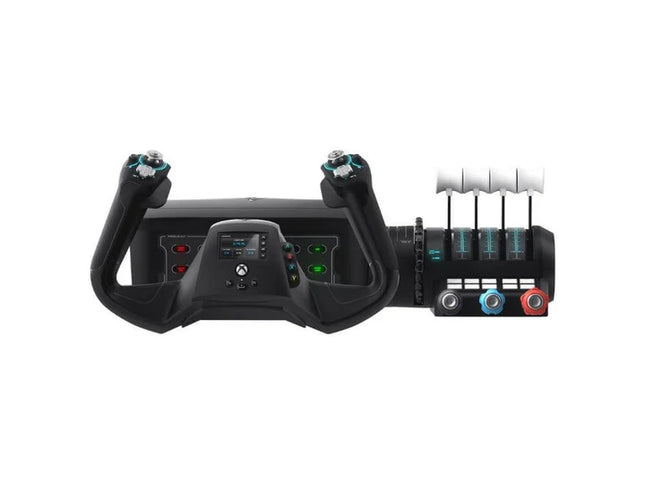
    The VelocityOne Flight System is a robust all-in-one solution for flight enthusiasts on PC and Xbox. With its dual throttle system and status indicator panel, it caters to pilots flying everything from Cessnas to jetliners. The smooth 180° rotating yoke with hall-effect sensors delivers a tactile, dependable feel, while the trim wheel and programmable buttons allow for customization that mirrors real-world operations. Whether you’re cruising through clouds or nailing precision landings, this system ensures you’re in full control. What sets the VelocityOne Flight System apart? Versatile Throttle System The VelocityOne Flight System features dual throttle options—four interchangeable levers for airliners and Vernier-style controls for smaller planes like the Cessna 172. This flexibility allows for accurate power management across different aircraft types, catering to both general aviation and commercial piloting styles. Integrated Annunciator Panel The included Status Indicator Panel adds a layer of realism with its ability to monitor critical systems. With interchangeable plates, it adapts to various aircraft, providing visual feedback on engine issues, warnings, or system states without requiring additional hardware. Rudder Control via Yoke Integrated rudder pedal control on the yoke lets you manage the tail rudder, nose wheel, and brakes with fingertip precision. While it doesn’t replace dedicated pedals, it’s a practical and effective solution for players seeking simplicity without sacrificing control. Flight Management Display The built-in screen serves as a Flight Management Display for Microsoft Flight Simulator, allowing seamless switching between profiles and providing essential data during flight. This feature minimizes reliance on external screens and keeps your focus on piloting. Pros and Cons Pros Cons Includes dual throttle options for diverse aircraft types. Rudder control on yoke lacks realism compared to pedals. Annunciator panel offers visual feedback on system status. Pricier than other entry-level flight controllers. Compatible with PC and Xbox Series X|S systems. Not compatible with PlayStation platforms. Specifications Specification Value Brand Turtle Beach Yoke Rotation 180° Throttle Type Dual (Airliner and Vernier-style) Platform Compatibility PC, Xbox Series X|S, Xbox One Sensor Type Hall-effect Programmable Buttons 10 Annunciator Panel Included with interchangeable plates VelocityOne Flight System Compatibility The VelocityOne Flight System is designed for PC and Xbox platforms, making it an excellent choice for both console and desktop users. It connects seamlessly to Microsoft Flight Simulator on Xbox Series X|S, and its hall-effect sensors ensure smooth, dependable input for precision maneuvers. While it provides button-based rudder control, users seeking a more immersive setup can pair it with dedicated rudder pedals, though this may require additional hardware. For gaming platforms, the VelocityOne is optimized for Xbox Series X|S and Xbox One, as well as Windows-based PCs running modern simulators. Unfortunately, it lacks compatibility with PlayStation consoles or Mac operating systems. While the Flight Management Display works particularly well with Microsoft Flight Simulator, it also integrates with other flight simulators, giving pilots an adaptable and feature-rich experience regardless of their preferred game.

    Out of stock, Pre-Orders Available. Shipped in 2-2.5 weeks from now.

    €379,00

  • Last stock! RealSimGear GTN650 for sale on FlightSimZone

    RealSimGear RealSimGear GTN650

    2 reviews

    3 in stock Shipped in 1-3 business days.

    The RealSimGear GTN650 is a fantastic NAV/COM touchscreen module designed for flight simulation enthusiasts and student pilots. With its high-resolution 1920x1080 integrated touchscreen and tactile buttons that replicate the real device, this tool brings your training sessions to life. The GTN650 provides a hands-on experience, helping you master everything from comm radio frequencies to advanced flight procedures. Whether on your desktop or panel-mounted, this device seamlessly integrates into your setup, ensuring a natural and effective learning environment. What sets the RealSimGear GTN650 apart? High-Resolution Touchscreen The integrated 1920x1080 touchscreen makes navigation a breeze, providing crystal-clear visuals and a responsive interface. It handles everything from flight plans to communications with precision, ensuring your focus stays where it belongs—on the sky. Seamless Integration with Avionics Software It works perfectly with Reality-XP GTN650 for X-Plane or TDS Simulations GTNXi for MSFS. This ensures an accurate and rich simulation experience tailored to the specific features of these highly-regarded avionics plugins. Plug-and-Play Simplicity Unlike some hardware options, the GTN650 requires no assembly or tricky configurations. Simply connect via USB and HDMI, load the appropriate software, and you're ready to go. This ease of use lets you focus on training, not setup. Compact Design with Flexible Mounting Its compact dimensions (158mm x 68mm x 22mm) make it suitable for both desktop and panel-mounted setups, allowing for a tailored fit in any simulator. The clean design complements professional and home cockpits alike. Pros and Cons Pros Cons Includes a high-resolution 1920x1080 integrated touchscreen. Requires a dedicated HDMI port for operation. Works seamlessly with popular avionics plugins like Reality-XP. Not compatible with MacOS systems. Compact and versatile for both desktop and panel mounting. No assembly or additional hardware setup required. Specifications Specification Value Display 1920x1080 touchscreen Dimensions 158mm x 68mm x 22mm Package Contents GTN650 unit, 12V DC power pack, USB cable, 90° HDMI adaptor Mounting Desktop or panel mount Compatibility Microsoft Windows (64-bit), X-Plane 11/12, MSFS 2020 RealSimGear GTN650 Compatibility The RealSimGear GTN650 is designed for Microsoft Windows (64-bit), supporting X-Plane 11/12 and Microsoft Flight Simulator 2020. It integrates seamlessly with Reality-XP GTN650 for X-Plane and TDS Simulations GTNXi or PMS50 GTN for MSFS. However, it is not compatible with MacOS or Apple computers due to driver limitations. Its compact dimensions and simple connection requirements (USB and HDMI) ensure it fits effortlessly into both desktop and panel-mounted setups. For gaming platforms, the GTN650 exclusively supports PC-based simulators, meaning it won’t work with consoles like Xbox or PlayStation. Its specific reliance on high-quality avionics plugins for MSFS and X-Plane ensures that the simulation experience is tailored to enthusiasts looking for a professional-grade tool for flight training. Remember, an HDMI cable must be purchased separately to complete the setup.

    3 in stock Shipped in 1-3 business days.

    €595,00

Flight Simuator Gear for sale at SimRacerZone

Login

Forgot your password?

Don't have an account yet?
Create account




