
Moza

24 products

  • Last stock! Moza AB6 Bundle for sale on FlightSimZone

    Moza MOZA AB6 Flight Simulator Bundle

    6 reviews

    2 in stock Shipped in 1-3 business days.

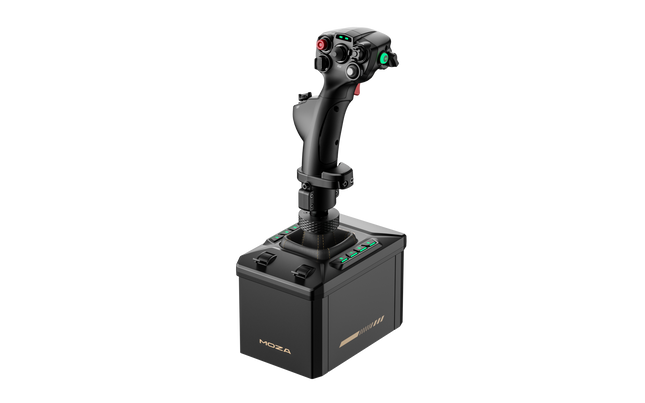
    The MOZA AB6 Flight Simulator brings serious aviation enthusiasts closer to the sensation of real cockpit control. With its 6 Nm force feedback base and robust all-metal design, it translates flight dynamics into tactile precision that feels alive in your hands. The included Moza joystick makes up for a great flight immersion. The customizable RGB front panel glows like a command console at dusk, while dual throttle sliders provide smooth, coordinated inputs. Every detail—from its fine-tuned motor to the 15-bit magnetic encoder—makes the AB6 feel like an engineering instrument that just happens to fly. What Sets the MOZA AB6 Flight Simulator apart? Exceptional Force Feedback Consistency — Many users note the AB6’s steadiness under prolonged use. While others can fade or jitter under load, this unit maintains its 6 N·m torque output with impressive smoothness, letting pilots feel aerodynamic resistance through turns and dives. The tactile texture of feedback doesn’t fluctuate—it stays tight, confident, and reassuring throughout the session. Refined Build Quality and Materials — Unlike plastic-heavy bases in its class, the AB6’s aluminum and steel structure provides a reassuring weight and tactile finish. Users appreciate that it stays silent under stress and dissipates heat effectively. It’s not just solid; it feels engineered for endurance—built more like an aircraft component than a gaming peripheral. Versatile Mounting and Integration — The AB6’s compact form factor hides a mounting system that adapts to nearly any rig. Pilots with limited desk space praise how easily it fits on center-mounts or aluminum profiles. The universal connector means it welcomes multiple flightstick types, both MOZA and third-party, extending its lifespan across evolving setups. Software Depth Beyond Expectation — The MOZA Cockpit software offers granular tuning—users can adjust friction, damping, centering strength, and even LED telemetry logic. The real advantage lies in its ability to store and recall profiles for different aircraft, making transitions between fighter jets and passenger planes seamless and intuitive. Pros and Cons Pros Cons Durable full-metal construction enhances stability and longevity. Limited console compatibility; PC-focused system. 6 N·m torque provides consistent tactile flight feedback. Compact design limits internal cooling space. Customizable RGB buttons improve visibility and control mapping. Magnetic encoder ensures smooth, accurate input tracking. Specifications Specification Value Force Feedback Torque 6 N·m Motor Type Outrunner Motor Encoder 15-bit Magnetic Encoder Construction Material Aluminum Alloy and Steel Front Panel Buttons 8 Programmable with RGB Lighting Throttle Sliders Dual Analog Sliders Mounting Options Compatible with Flight Rigs and Aluminum Profiles Software MOZA Cockpit Connector Universal Flightstick Connector (MOZA and select third-party) MOZA AB6 Flight Simulator Compatibility Compatible Flightsticks Notes MOZA Flightsticks Full compatibility via universal connector Select Third-Party Flightsticks Supported with adapter or native connector fit The MOZA AB6 Flight Simulator works seamlessly with MOZA’s own flightsticks and supports several third-party models through its universal connector. Thanks to its mount-friendly form factor, it can be integrated into center-mounted, side-mounted, or overhead setups with minimal adjustment. The solid construction aligns perfectly with metal and profile cockpits, while its USB connectivity ensures reliable communication without proprietary lock-ins. However, it isn’t compatible with console systems such as Xbox or PlayStation, remaining a PC-focused device. When it comes to software compatibility, the AB6 integrates effortlessly with major flight simulators including Microsoft Flight Simulator 2020 and 2024, X-Plane 10/11/12, DCS World, and IL-2 Sturmovik. Users also report smooth function in War Thunder. It supports Windows operating systems and common USB drivers without additional middleware. While it doesn’t have native Mac or console support, its wide simulator integration ensures it remains at home in virtually any PC cockpit environment.

    2 in stock Shipped in 1-3 business days.

    €459,00

  • Last stock! Moza Farming Control System (Pre-Order! Shipping Starts mid-to-late August)

    Moza Moza Farming Control System (Pre-Order! Shipping Starts mid-to-late August)

    1 in stock Shipped in 1-3 business days.

    MOZA Farming Control System brings the satisfying clunk of switches, the silky sweep of a Hall-effect joystick, and a cockpit packed with purpose straight to your farming or construction setup. Instead of juggling multiple peripherals, this compact unit combines a joystick, throttle, and control panel into one streamlined package. With 46 programmable inputs and a 3-axis Hall-effect joystick, every loader lift, hydraulic adjustment, and implement swap feels deliberate, while the thoughtfully arranged controls keep your hands exactly where they need to be during long sessions. What Sets the Moza Farming Control System apart? An Input Layout That Rarely Leaves You Hunting for Keys Community feedback consistently highlights just how much keyboard dependence disappears once everything is mapped. With 46 programmable inputs spread across buttons, switches, rotary knobs, thumb controls, and axes, nearly every common farming or construction task stays within fingertip reach. The numbered controls also make remembering custom bindings surprisingly painless after only a few sessions. One Compact Unit Instead of a Desk Full of Controllers Rather than combining a separate joystick, throttle quadrant, and button box, this design gathers everything into one footprint without feeling cramped. Sliding the throttle forward, flicking metal-style toggle switches, and nudging the Hall-effect joystick creates a satisfyingly mechanical rhythm that suits tractors, harvesters, loaders, cranes, and excavators alike while keeping valuable desk space available for a steering wheel. Built Around the Wider MOZA Ecosystem The universal connector system opens the door to interchangeable grips including the MA3X, MHG, and MH16, allowing the controller to move comfortably between farming, construction, and flight-focused setups. Enthusiasts frequently praise this flexibility because it avoids buying entirely separate control hardware when expanding into different simulator genres. Simple Setup That Encourages Playing Instead of Troubleshooting Official presets for Farming Simulator 22 and 25 mean most owners spend more time driving than configuring. Web discussions regularly mention straightforward setup as one of the biggest strengths, especially when paired with MOZA Pit House for lighting customization and control adjustments. It still supports extensive remapping for players who enjoy tailoring every switch to their preferred workflow. Pros and Cons Pros Cons Forty-six programmable inputs reduce keyboard reliance dramatically. Official presets mainly target Farming Simulator 22 and 25. Compact all-in-one layout saves valuable desk space. PC-only USB connectivity excludes console-only players. Hall-effect sensors provide smooth, drift-free axis control. Interchangeable grips expand usefulness across multiple simulators. Specifications Specification Value Product MOZA Farming Control System (FCS) Dimensions 205 × 201 × 266 mm Weight 1,268 g Connection USB Platform PC Material Plastic Total Programmable Inputs 46 Joystick 3-axis Hall-effect joystick (XYZ), 6 buttons, Hall-effect thumb joystick Throttle Throttle/brake axis, 6 buttons, thumb scroll wheel Panel Controls 10 buttons, 3 rotary knobs, 3 toggle switches, rocker switch RGB Lighting 6 customizable buttons with 16.7-million-color RGB Sensors Contactless Hall-effect sensors Grip Compatibility MOZA MA3X, MHG, MH16 interchangeable grips Software MOZA Pit House Moza Farming Control System Compatibility Hardware Compatibility MOZA MA3X Grip Compatible MOZA MHG Grip Compatible MOZA MH16 Grip Compatible MOZA R3 / R5 Wheel Bases Compatible alongside the controller MOZA Trucking Bundle Compatible alongside the controller USB PC Supported Platform / Game Compatibility Windows PC Supported Farming Simulator 22 Official preset mapping Farming Simulator 25 Official preset mapping Construction Simulator Supported through programmable controls Heavy machinery simulators Supported through custom mapping PlayStation / Xbox Not officially supported as a standalone USB controller The controller slots neatly into the wider MOZA ecosystem. It is fully compatible with interchangeable MA3X, MHG, and MH16 grips, while also working alongside MOZA R3, R5, and the Trucking Bundle to build a more complete farming or construction cockpit. Configuration and lighting customization are handled through MOZA Pit House, making it easy to tailor controls for different machines. Outside the MOZA ecosystem, the USB connection allows it to work as a programmable controller on PC with many simulators that support multiple input devices. It is not intended as a standalone controller for PlayStation or Xbox, and console compatibility should not be expected. Community discussions also praise how well it complements existing steering wheels and pedal sets instead of replacing them. For gaming platforms, the controller is designed for Windows PCs and offers official preset mappings for Farming Simulator 22 and Farming Simulator 25, delivering quick setup with minimal manual configuration. Beyond those titles, Construction Simulator and many heavy-equipment simulators can take advantage of its programmable inputs through custom bindings, while console-only games remain outside its intended use.

    1 in stock Shipped in 1-3 business days.

    €209,00

  • Last stock! Moza MGX1000 Instrument Panel for sale on FlightSimZone

    Moza Moza MGX1000 Instrument Panel (Pre-Order! Shipping Starts mid-to-late August)

    2 in stock Shipped in 1-3 business days.

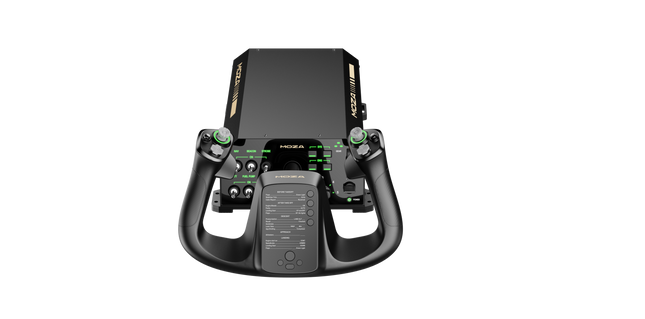
    Moza MGX1000 Instrument Panel puts a full-featured glass cockpit within easy reach, bringing crisp visuals and tactile controls together in one streamlined unit. The true-to-size 10.4-inch IPS display delivers sharp instrument presentation with up to 500 nits of brightness, while DisplayLink connectivity removes the need for an HDMI connection, making multi-screen cockpit builds far easier to manage. Every rotary encoder, button, and joystick switch feels deliberate, giving each flight a satisfying, hands-on rhythm from engine start through shutdown. What Sets the Moza MGX1000 Instrument Panel apart? DisplayLink Makes Multi-Screen Setups Much Simpler – One of the biggest advantages over many competing avionics panels is the use of DisplayLink instead of HDMI. Builders with several cockpit displays can free up valuable graphics card outputs while reducing cable clutter. Enthusiasts who run complex home cockpits often highlight how much easier it becomes to expand a panel layout without constantly juggling GPU ports or display adapters. Controls That Reward Every Input – The rotary knobs have crisp detents, the buttons provide a satisfying mechanical click, and the integrated 7-way ALPS joystick feels deliberate when navigating menus or maps. Pilots regularly appreciate hardware that communicates each action through touch alone, reducing the need to glance away from the virtual windshield during busy approaches or navigation changes. Built for Standalone or Full Cockpit Expansion – Whether mounted on the included desktop stand or installed into a dedicated simulator frame, the MGX1000 adapts easily to different cockpit layouts. Standard VESA compatibility, bottom mounting points, and lightweight construction simplify installation, while the ability to assign each unit as either a PFD or MFD makes dual-screen configurations especially appealing. Broad G1000 Aircraft Support – Rather than limiting users to a small selection of aircraft, the panel supports native G1000 aircraft across Microsoft Flight Simulator and X-Plane, along with several popular third-party add-ons. Builders also appreciate the customizable button mapping and flexible display assignment, allowing the hardware to adapt as new aircraft join their virtual hangar. Pros and Cons Pros Cons DisplayLink reduces HDMI and GPU port requirements. Limited to PC platforms. Excellent tactile controls with crisp rotary detents. 1024 × 768 resolution feels modest today. Supports dual PFD and MFD configurations. Multiple mounting options suit varied cockpit layouts. Specifications Specification Value Product Type G1000-style avionics instrument panel Dimensions 304 × 201 × 66.8 mm Weight 1.17 kg Housing Material ABS + PC Display Size 10.4-inch IPS Display Resolution 1024 × 768 Brightness Up to 500 nits Video Connection DisplayLink (USB) Connection Ports USB-A, DC 5V Rated Voltage 5V USB / 5V DC Rated Current 900mA (USB), 2A (DC) Mounting Options Desktop stand, 75 × 75 mm VESA, bottom mount Supported Platform PC Included Accessories Data cable, desktop stand, power adapter Moza MGX1000 Instrument Panel Compatibility Hardware Compatibility MOZA Cockpit Software Fully supported for configuration and telemetry synchronization Mounting Systems Desktop stand, 75 × 75 mm VESA, bottom mounting points Multi-Panel Setups Supports independent PFD or MFD assignment Flight Simulator Support Microsoft Flight Simulator 2020 Native G1000 aircraft supported Microsoft Flight Simulator 2024 Native G1000 aircraft supported X-Plane 11 Supported X-Plane 12 Supported Selected Third-Party Aircraft COWS DA40, Kodiak 100, and other compatible G1000 aircraft Designed for PC flight simulation, the MGX1000 integrates smoothly with MOZA Cockpit software, allowing telemetry-based lighting synchronization, configurable button mapping, and independent PFD or MFD assignment. Thanks to DisplayLink connectivity, multiple displays can be added without consuming HDMI outputs, making complex cockpit builds considerably easier to manage. The panel is equally comfortable sitting on the included desktop stand or mounted permanently using 75 × 75 mm VESA mounting or the integrated bottom mounting points. Its lightweight construction also places less strain on simulator frames than heavier avionics units, making installation straightforward across a wide range of cockpit designs. Compatible with Microsoft Flight Simulator 2020, Microsoft Flight Simulator 2024, X-Plane 11, and X-Plane 12, the MGX1000 supports native G1000 aircraft along with several popular third-party add-ons. PC is the supported platform; Mac systems and gaming consoles are not supported for this instrument panel.

    2 in stock Shipped in 1-3 business days.

    €469,00

  • Sale -3% Moza MRP Rudder Pedals for sale on FlightSimZone

    Moza Moza MRP Rudder Pedals

    1 review

    Out of stock, Pre-Orders Available. Shipped in 2-2.5 weeks from now.

    Moza MRP Rudder Pedals bring a reassuring sense of solidity the moment your feet settle in. The cool touch of full metal construction and the deliberate sweep of the swing-arm immediately signal serious intent. With generous pedal travel and finely adjustable angles, each input feels deliberate and controlled, whether easing through a crosswind landing or nudging a helicopter in a hover. The wide-ranging adjustability makes it easy to tailor stance, resistance, and motion, turning long sessions into something focused, comfortable, and deeply satisfying for dedicated flight sim pilots. What Sets the Moza MRP Rudder Pedals apart? Built Like Cockpit Hardware, Not Desk Gear – Across forums and long-term user discussions, one recurring theme stands out: these pedals feel closer to fixed-base cockpit hardware than typical consumer peripherals. The extensive metal structure keeps flex at bay even under heavy braking, while the linkage system maintains consistent movement over time. Users often note that this solidity translates into confidence during demanding phases of flight, where lighter pedal sets can feel vague or unsettled. Adjustability That Actually Gets Used – Many pilots praise how often they end up tweaking these pedals, not because something feels wrong, but because the options invite fine-tuning. Stepless pedal tilt, adjustable end stops, spring swaps, and optional damping let pilots dial in behavior for anything from twitchy helicopters to lumbering airliners. Feedback suggests this flexibility encourages experimentation rather than locking users into a single “good enough” setup. Controlled Motion With Purposeful Weight – Community impressions frequently mention the character of the movement itself. The long swing-arm travel and brake range give inputs a measured, progressive feel, avoiding the abrupt on/off sensation common in shorter-throw designs. Combined with adjustable resistance, the pedals convey a sense of mass and inertia that many pilots associate with better directional control during taxi, takeoff roll, and rollout. Distinct Design That Grows on You – While the angular, stealth-inspired look can be polarizing at first glance, many users report that it quickly becomes a visual highlight of their cockpit. The design doesn’t just aim to look aggressive; it visually reinforces the mechanical nature of the unit. Over time, pilots often appreciate how the form mirrors the function, especially when paired with other metal flight hardware. Pros and Cons Pros Cons All-metal structure resists flex under heavy braking. Large footprint may challenge smaller cockpit spaces. Wide adjustment range suits many seating positions. Optional damper adds extra cost for tuning. Long pedal travel supports smooth directional control. Dual connection options simplify system integration. Specifications Specification Value Construction Full metal body and linkage system Pedal Tilt Adjustment Stepless, ±25° per pedal Swing-Arm Rotation ±30° Rudder Travel 15 cm total travel Brake Pedal Travel 25° Sensors High-resolution sensors for rudder and brakes Centering Force Interchangeable springs Damping Optional adjustable damper Connectivity RJ11 (MOZA flight bases), USB (PC) Base Grip Four rubber anti-slip pads Moza MRP Rudder Pedals Compatibility The pedals integrate cleanly into many flight setups thanks to flexible connections. Direct RJ11 linking allows seamless pairing with MOZA flight bases, while the standard USB connection enables standalone PC use without additional adapters. They are commonly paired with yokes and joysticks from other major PC-focused flight hardware brands. However, they are not designed for direct console connection and do not interface natively with non-PC ecosystems. Within a PC-based simulator environment, compatibility is broad and straightforward. Using USB, the pedals work with Windows-based PCs and are supported by popular flight simulators that accept standard HID rudder inputs, including civilian and combat-focused titles. They are not compatible with PlayStation or Xbox consoles, even when using some third-party adapters, as console flight titles generally lack native support for USB rudder peripherals.

    Out of stock, Pre-Orders Available. Shipped in 2-2.5 weeks from now.

    €369,00 €359,00

  • Last stock! MOZA TQA Throttle Module

    MOZA TQA Throttle Module

    3 in stock Shipped in 1-3 business days.

    3 in stock Shipped in 1-3 business days.

    €45,00

  • Last stock! MOZA TQB Throttle Module

    Moza MOZA TQB Throttle Module

    3 in stock Shipped in 1-3 business days.

    3 in stock Shipped in 1-3 business days.

    €45,00

  • Sale -4%Last stock! Moza yoke Bundle for sale at FlightSimZone

    Moza Moza AY210 Yoke Bundle

    3 reviews

    2 in stock Shipped in 1-3 business days.

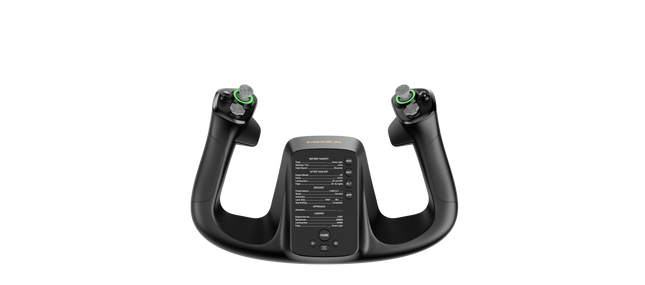
    Moza Yoke Bundle (MFY Yoke + AY210 Yoke Base) brings an impressive blend of engineering and control to flight simulation. The 9Nm torque and 210N push force in the yoke base ensure smooth and forceful feedback, translating every aerodynamic effect into tactile sensations. The fiberglass-reinforced PA66 yoke offers durability and a refined grip, while customizable triggers, an integrated Hall-effect joystick, and magnetic DIY panels add versatility. Paired with an aluminum alloy quick-release system and extensive software customization, this setup is built for those who demand precision and adaptability in every flight. What Sets the Moza Yoke Bundle (MFY Yoke + AY210 Yoke Base) apart? 9Nm Torque and 210N Push Force for Enhanced Control Unlike standard yokes, this system delivers powerful, forceful feedback with 9Nm of sustained roll torque and a 210N pitch axis push-pull force. This level of feedback translates everything from wind resistance to turbulence into a detailed tactile experience. Race Car-Inspired Quick Release for Fast Swaps The aluminum alloy quick-release system enables seamless transitions between different yokes. Whether switching aircraft types or adjusting for different flight tasks, the push-and-pull mechanism allows for quick reconfiguration. Extensive Input Customization Between the MFY Yoke’s 34 configurable inputs and the AY210 Base’s 13 programmable switches, this bundle provides a deep level of cockpit control. Moza’s software allows button remapping, long-press assignments, and telemetry-based lighting adjustments. Hall Effect Sensors and Magnetic DIY Panels The yoke includes dual Hall effect joysticks for precise input and a contactless design for longevity. Additionally, magnetic DIY panels on the front allow users to customize their cockpit interface with printed overlays, making controls easily identifiable. Pros and Cons Pros Cons Strong force feedback with 9Nm torque and 210N push force PC-only, no console support 34 configurable inputs and Hall effect joystick Requires Moza software for full customization Quick-release system for easy yoke swaps Magnetic DIY panels for personalized labeling Specifications Specification Value Yoke Material Fiberglass-reinforced PA66 Yoke Base Material Aluminum alloy Yoke Weight 1.3 kg Base Weight 8.0 kg Maximum Roll Torque 9Nm Maximum Pitch Force 210N Travel Distance 150mm USB Refresh Rate 1000Hz Button Inputs 34 configurable (yoke), 13 programmable (base) Connection Ports Power, USB, throttle, rudder pedals, panel Mounting Options Desktop clamp (optional), cockpit mounting Software Support Moza Cockpit software Platform Support PC Included Accessories Power adapter, power cable, data cable, screws, wrench, user manual Moza Yoke Bundle (MFY Yoke + AY210 Yoke Base) Compatibility Compatible With Not Compatible With Moza Cockpit software for button mapping and telemetry Console platforms Moza Yoke Series Third-party yoke bases Major flight simulators (MSFS, X-Plane 12) MacOS Designed for PC-based flight simulators, this bundle integrates fully with Moza Cockpit software, allowing extensive customization for force feedback, button assignments, and lighting effects. The MFY Yoke is fully compatible with the AY210 Yoke Base, ensuring a plug-and-play experience with Moza’s ecosystem. PC-only compatibility means full support for Microsoft Flight Simulator 2020, Microsoft Flight Simulator 2024, and X-Plane 12. However, console users will need to look for alternative hardware, as this setup does not support Xbox or PlayStation systems.

    2 in stock Shipped in 1-3 business days.

    €949,00 €909,00

  • Last stock! Moza MFY Yoke kopen bij FlightSimZone

    Moza Moza MFY Yoke

    2 in stock Shipped in 1-3 business days.

    Moza MFY Yoke is designed for pilots who demand versatility and control in their flight sim experience. With a fiberglass-reinforced PA66 build, it withstands up to 30kg of force while maintaining structural integrity. The aluminum alloy quick-release mechanism makes swapping setups seamless, mimicking motorsport-style engineering. Packed with 34 configurable inputs, a Hall-effect joystick, and customizable RGB lighting, this yoke delivers a cockpit-grade interface that adapts to a wide range of flight scenarios, from commercial aviation to aerobatic maneuvers. What Sets the Moza MFY Yoke apart? Rugged Yet Lightweight Construction Made from fiberglass-reinforced PA66, this yoke achieves an ideal balance of durability and weight. It can handle up to 30kg of force without flexing, giving pilots a solid grip without excessive bulk. Unlike heavier metal yokes, this one offers long-term resilience without adding strain to mounting systems. Quick-Release System for Fast Swaps Inspired by race car technology, the aluminum quick-release system makes switching between yokes effortless. Whether transitioning from a GA aircraft to a fighter jet setup, the push-and-pull locking mechanism ensures minimal downtime between flights. Hall Effect Joystick for Extra Control Integrated directly into the yoke, the Hall effect joystick provides additional axis control without drift or mechanical wear. It functions as either an axis or button signal, making it perfect for trim adjustments, rudder input, or even camera movement in the cockpit. Extensive Customization Options Between 34 configurable inputs, customizable RGB lighting, and magnetic DIY panels, the MFY Yoke adapts to individual pilot preferences. Whether fine-tuning button assignments or tweaking cockpit aesthetics, this system provides an unparalleled level of user control. Pros and Cons Pros Cons Lightweight yet durable fiberglass-reinforced construction Does not include a dedicated mounting system Quick-release system for fast yoke swaps Limited compatibility with non-Moza ecosystems Hall effect joystick provides additional control inputs 34 configurable inputs for extensive customization Specifications Specification Value Dimensions 142.5 × 202 × 313 mm Case Material Composite materials Quick Release Material Aluminum alloy Button Cap Material ABS plastic Weight 1.3 kg 8-Way Switches 2 Hall Effect Joysticks 2 LB/RB Buttons 2 Triggers 2 Total Signal Outputs Supports up to 34 Included Accessories User manual Moza MFY Yoke Compatibility Compatible With Not Compatible With MOZA Cockpit software Console platforms MOZA ecosystem (yoke bases, throttles, pedals) Third-party yoke bases PC-based flight simulators MacOS Designed for PC flight simulators, the MFY Yoke fully integrates with MOZA Cockpit software, providing extensive customization options for button assignments, trigger configurations, and RGB lighting effects. It is designed to function with MOZA yoke bases, throttles, and pedals, ensuring seamless operation within the brand’s ecosystem. However, it does not support third-party yoke bases or MacOS. PC-only compatibility ensures native support for Microsoft Flight Simulator 2020, Microsoft Flight Simulator 2024, and X-Plane 12, where all configurable inputs are recognized. However, console users will need to look elsewhere, as this yoke does not support Xbox or PlayStation systems.

    2 in stock Shipped in 1-3 business days.

    €159,00

  • Last stock! Moza AY90 Yoke Bundle (Pre-Order! Shipping Starts Late August)

    Moza Moza AY90 Yoke Bundle (Pre-Order! Shipping Starts Late August)

    4 in stock Shipped in 1-3 business days.

    MOZA AY90 Yoke Bundle replaces vague spring tension with control forces that actually tell your hands what the aircraft is doing. The base delivers 4.2 Nm of roll torque and 90 N of push-pull force, while either the MFY or MFY Pro Yoke Handle completes the package with airliner-inspired ergonomics and programmable controls. Ground roll produces a convincing tremor, trim changes alter the resistance, and stall buffet becomes rather difficult to ignore. Despite all that machinery, the compact composite housing remains manageable on a desk or aluminium-profile cockpit. What Sets the Moza AY90 Yoke Bundle apart? Force Feedback Instead of Decorative Resistance Spring-loaded yokes tend to pull toward the centre with little regard for airspeed, trim, or aircraft condition. The AY90 uses 4.2 Nm of roll torque and 90 N of pitch force to communicate ground vibration, aerodynamic loading, autopilot movement, trim resistance, and stall buffet. This gives the pilot useful physical information throughout the flight rather than the same elastic tug from taxiway to final approach. Two Yoke Options for Different Cockpit Priorities The bundle can be configured with either the MFY Yoke Handle or the more extensively equipped MFY Pro Yoke Handle. This allows pilots to choose between a straightforward control interface and a more feature-rich airliner-style option without changing the base. The aluminium-alloy quick-release also makes handle swaps tool-free, secure, and refreshingly free from the sort of mechanical wobble that turns a firm landing into unintended percussion. Compact Construction with Full Control Travel Force-feedback hardware often claims a significant portion of the desk before the aircraft has even loaded. The AY90 keeps its footprint to 325 × 252 mm while still providing ±90° roll movement and 95 mm of pitch travel. Its carbon-fibre-reinforced composite housing weighs 4.5 kg, making it substantial enough to remain controlled under load without becoming an unreasonable burden for desktop clamps or profile mounting. Useful Controls Beyond the Yoke Handle Rocker switches, sliders, rotary inputs, and a five-way hat switch are built into the base, reducing the number of routine functions left to the keyboard. Every input can be remapped through MOZA Cockpit, while the RGB strip can represent engine speed, throttle position, or other telemetry. Dedicated upper mounting points also provide space for gauges, displays, and custom accessories as the cockpit gradually consumes the room around it. Pros and Cons Pros Cons Motor-driven forces communicate trim and aerodynamic loading. Requires mains power alongside the USB connection. Two handle choices suit different cockpit configurations. Supported exclusively on PC flight simulators. Compact housing supports desktop and profile mounting. Tool-free quick-release simplifies yoke handle changes. Specifications Specification Value Product Name MOZA AY90 Yoke Bundle Included Yoke Handle Options MOZA MFY Yoke Handle or MOZA MFY Pro Yoke Handle Base Dimensions 325 × 252 × 111 mm Base Weight 4.5 kg Housing Material Carbon Fiber Reinforced Composite Quick-Release Material Aluminum Alloy Button Cap Material ABS Roll Axis Travel ±90° Total Roll Rotation 180° Pitch Travel 95 mm Roll Torque 4.2 Nm Pitch Push-Pull Force 90 N Motor Encoder 15-bit magnetic encoder 5-Way Hat Switch 1 Rocker Switches 4 Slider Switches 2 RGB Lighting 16.7-million-colour telemetry-capable lighting strip Power Input 12 V, 6 A Configuration Software MOZA Cockpit Mounting Options Desk clamps, profile rails, 80/20-style aluminium extrusion Supported Platform PC Included Accessories Power adapter, USB cable, user manual, sticker, two desk clamps Moza AY90 Yoke Bundle Compatibility Category Compatibility Yoke Handle Options MOZA MFY Yoke Handle or MOZA MFY Pro Yoke Handle Handle Connection MOZA aluminium-alloy quick-release system Desktop Installation Two included desk clamps Cockpit Installation Profile rails and 80/20-style aluminium extrusion Accessory Expansion Top mounting points for gauges, screens, and custom peripherals Configuration Software MOZA Cockpit Simulator or Platform Compatibility Microsoft Flight Simulator Compatible X-Plane Compatible DCS World Compatible War Thunder Compatible Windows PC Supported platform Xbox Not supported PlayStation Not supported The bundle combines the AY90 base with either the MOZA MFY Yoke Handle or the MOZA MFY Pro Yoke Handle. Both attach through the aluminium-alloy quick-release, allowing secure, tool-free changes without replacing the complete control system. The connection is designed specifically around compatible MOZA yoke handles rather than universal third-party yokes, so unrelated handles cannot be fitted directly without a suitable adapter. Installation options include the two supplied desk clamps, profile-rail mounting, and standard holes for 80/20-style aluminium extrusion. The base can sit alongside separate throttles, rudder pedals, instrument panels, and other USB flight controls because these devices are normally recognised independently by the simulator. Upper mounting points also accept custom gauges and displays, although third-party accessories may require separately produced or 3D-printed mounting adapters. The AY90 Yoke Bundle is a PC-only flight control system compatible with Microsoft Flight Simulator, X-Plane, DCS World, and War Thunder. MOZA Cockpit handles force-feedback configuration, button mapping, input adjustment, and telemetry lighting. It is not compatible with Xbox or PlayStation consoles, and force-feedback behaviour can vary between simulator titles, aircraft modules, and the effects supported by each software integration.

    4 in stock Shipped in 1-3 business days.

    €579,00 - €729,00

  • Last stock! MOZA MA3F Electronic Flight Control Modules for sale on FlightSimZone

    Moza MOZA MA3F Electronic Flight Control Modules (Pre-Order! Shipping Starts mid-to-late August)

    2 in stock Shipped in 1-3 business days.

    MOZA MA3F Electronic Flight Control Modules bring the Airbus A320 flight deck to your simulator with controls that feel satisfying from the first heading change to the final approach. The dual-rail spring-loaded push/pull mechanism recreates the distinct operation of Airbus autopilot controls, while custom segmented displays faithfully reproduce the unique FCU character layout and formatting. Every knob rotation, button press, and display update feels purposeful, making long IFR flights far more engaging than relying on virtual cockpit controls alone. What Sets the MOZA MA3F Electronic Flight Control Modules apart? Autopilot Controls That Feel Convincing – One feature frequently praised by experienced Airbus sim pilots is the dual-rail spring-loaded push/pull mechanism. Rather than relying on a basic push button behind a rotary encoder, the controls provide distinct travel and resistance that better reflect Airbus workflow. During climbs, descents, and approach changes, every input feels deliberate and encourages proper cockpit procedures. Displays Designed Around Airbus Styling – The segmented displays do more than simply show numbers. Character spacing, formatting, and typography closely mirror Airbus FCU presentation, creating a cockpit appearance that immediately feels familiar to Airbus enthusiasts. Builders often appreciate this level of visual detail because it helps the hardware blend naturally with other cockpit panels instead of standing out as a generic controller. Flexible Configurations for Every Cockpit – The system is available as an FCU alone, an FCU paired with a single EFIS, or as a complete EFCM suite. This flexibility allows builders to expand gradually instead of purchasing everything at once. The optional extended-function capability also gives one EFIS module additional duties, reducing unnecessary mouse interaction during busy phases of flight. Designed to Fit Existing Flight Decks – Standard 75 mm VESA compatibility, the included mounting bracket, and aluminum-profile support make installation straightforward across a wide variety of simulator frames. Users also appreciate the seamless integration with MOZA Cockpit software, where synchronized lighting and control configuration can be managed without lengthy setup procedures. Pros and Cons Pros Cons Excellent Airbus-style push/pull control mechanism. Focused exclusively on Airbus aircraft. Segmented displays closely match Airbus formatting. PC platform only. Multiple configurations suit different cockpit budgets. Integrated lighting synchronization enhances cockpit consistency. Specifications Specification Value Product Type Airbus A320-style FCU and EFIS control system Configuration FCU only Display Type Custom segmented Airbus-style displays Autopilot Controls Dual-rail spring-loaded push/pull mechanism Lighting Independent screen, character, and status illumination Software MOZA Cockpit integration Supported Platform PC Mounting Options Included bracket, aluminum profile, 75 mm VESA mount Extended Functions Optional EFIS extended-function control mode MOZA MA3F Electronic Flight Control Modules Compatibility Hardware Compatibility Mounting Systems Included bracket, aluminum-profile rigs, 75 mm VESA mounts MOZA Cockpit Software Telemetry synchronization and configuration supported Cockpit Configurations FCU only, single EFIS, or complete EFCM suite Flight Simulator Compatibility Microsoft Flight Simulator Default A320/A330 aircraft and compatible Airbus add-ons X-Plane Compatible Airbus aircraft including ToLiss series Third-Party Aircraft Fenix A320, FlightFactor A320, and other popular Airbus airliners Designed for PC flight simulation, the MA3F Electronic Flight Control Modules integrate with MOZA Cockpit software for telemetry synchronization, lighting control, and straightforward configuration. 75 mm VESA compatibility, aluminum-profile support, and the included mounting bracket allow the modules to fit easily into desktop cockpits or larger simulator frames. The modular design allows builders to start with a single FCU or expand to a complete EFCM suite as their cockpit grows. Independent lighting adjustment for displays, characters, and status indicators helps the modules blend naturally with surrounding instruments during both daytime and night operations. Compatible with Microsoft Flight Simulator and X-Plane, the system supports default Airbus A320 and A330 aircraft alongside leading third-party add-ons including Fenix A320, ToLiss, and FlightFactor A320. The modules are intended for PC use and are not compatible with gaming consoles.

    2 in stock Shipped in 1-3 business days.

    €159,00

  • Last stock! MOZA MA3F Electronic Flight Control Modules R for sale on FlightSimZone

    Moza MOZA MA3F Electronic Flight Control Modules R (Pre-Order! Shipping Starts mid-to-late-August)

    3 in stock Shipped in 1-3 business days.

    MOZA MA3F Electronic Flight Control Modules R capture the distinctive workflow of the Airbus A320 flight deck with hardware that feels satisfying every time you dial in a heading or adjust altitude. The dual-rail spring-loaded push/pull mechanism recreates the signature operation of Airbus autopilot controls, while custom segmented displays faithfully mirror Airbus-specific character formatting and spacing. Every knob, button, and illuminated indicator works together to make route management, climb planning, and approach setup feel remarkably natural throughout every stage of flight. What Sets the MOZA MA3F Electronic Flight Control Modules R apart? Airbus Push/Pull Controls Done Properly – One feature that consistently stands out is the custom dual-rail push/pull mechanism. Instead of using a basic spring-loaded encoder, the controls deliver distinct travel and resistance that closely match Airbus operating procedures. Many experienced Airbus sim pilots appreciate how this makes managed and selected mode changes feel much more deliberate while reducing accidental inputs during busy phases of flight. Displays That Capture Airbus Character – The segmented displays have been carefully designed to reproduce the distinctive appearance of Airbus FCU readouts, including character spacing and formatting. Rather than looking like generic digital displays, they blend naturally into an Airbus cockpit. Enthusiasts often point to details like these as the difference between simply operating a simulator and enjoying a convincing airline cockpit environment. Expandable to Match Your Cockpit – Whether you choose the FCU on its own, pair it with a single EFIS module, or install the complete Electronic Flight Control Module suite, the system grows alongside your cockpit. Builders appreciate this flexibility because it allows gradual upgrades while maintaining a consistent appearance and control layout throughout the simulator. Purpose-Built for Dedicated Airbus Flying – Seamless integration with MOZA Cockpit software, synchronized lighting, and support for leading Airbus aircraft make the system especially attractive for airliner enthusiasts. Community feedback often highlights how easy it is to configure while still providing extensive customization for display lighting, controls, and cockpit organization. Pros and Cons Pros Cons Excellent Airbus-style push/pull autopilot controls. Designed specifically for Airbus aircraft. Displays accurately reproduce Airbus FCU formatting. Requires a Windows PC. Multiple configurations suit evolving cockpit builds. Synchronized lighting enhances cockpit consistency. Specifications Specification Value Product Type Airbus A320-style FCU and EFIS control system Available Configurations EFIS Display Type Custom Airbus-style segmented displays Autopilot Control Mechanism Dual-rail spring-loaded push/pull controls Lighting Independent display, character, and status illumination Software Integration MOZA Cockpit Supported Platform PC Mounting Options Included bracket, aluminum profile, 75 mm VESA mount Extended Function Optional EFIS extended-function control mode MOZA MA3F Electronic Flight Control Modules R Compatibility Hardware Compatibility Mounting Systems Included bracket, aluminum-profile rigs, 75 × 75 mm VESA mounts MOZA Cockpit Software Supported for telemetry synchronization and configuration Cockpit Layouts FCU only, single EFIS, or complete EFCM suite Flight Simulator Compatibility Microsoft Flight Simulator Default Airbus A320/A330 and supported Airbus add-ons X-Plane Compatible with Airbus aircraft including ToLiss models Third-Party Aircraft Fenix A320, FlightFactor A320, ToLiss series, and other Airbus airliners Built for PC flight simulation, the MA3F Electronic Flight Control Modules R work seamlessly with MOZA Cockpit software, providing synchronized lighting, telemetry integration, and straightforward configuration. Included bracket mounting, aluminum-profile compatibility, and 75 mm VESA support make installation simple whether you're assembling a desktop setup or a dedicated Airbus cockpit. The modular design allows builders to begin with a single FCU or expand into a complete Electronic Flight Control Module suite over time. Independent adjustment of display brightness, character illumination, and status lighting helps maintain a consistent cockpit appearance during daytime departures and late-night arrivals. Compatible with Microsoft Flight Simulator and X-Plane, the system supports default Airbus A320 and A330 aircraft together with leading third-party aircraft including Fenix A320, ToLiss, FlightFactor A320, and other popular Airbus airliners. The supported platform is PC; gaming consoles and macOS are not supported.

    3 in stock Shipped in 1-3 business days.

    €109,00

  • Last stock! MOZA FMP18 Panel Bundle for sale on FlightSimZone

    Moza MOZA FMP18 Panel Bundle (Pre-Order! Shipping Starts mid-to-late August)

    2 in stock Shipped in 1-3 business days.

    MOZA FMP18 Panel Bundle transforms a desktop into a carrier-style cockpit with thoughtfully engineered controls, sharp displays, and a layout inspired by the legendary F/A-18. The true-to-life 7.1-inch square displays deliver crisp 800 × 800 visuals, while the magnetic modular quick-swap system makes changing panel configurations remarkably simple. Every button, rotary control, and switch provides a confident mechanical feel, making startup procedures, navigation, and combat tasks satisfying from the first checklist through the final trap aboard the carrier. What Sets the MOZA FMP18 Panel Bundle apart? Square Displays That Match the Aircraft Layout – Many competing cockpit panels rely on conventional rectangular screens that compromise proportions. The FMP18 instead uses dedicated 7.1-inch square displays, creating a much closer visual match to the aircraft's DDI and AMPCD layout. Builders across the community frequently appreciate hardware that avoids stretched graphics and provides a cleaner presentation throughout every stage of flight. Magnetic Modular Expansion – The magnetic quick-swap system with integrated pogo-pin connections makes changing layouts refreshingly straightforward. Rather than rebuilding an entire cockpit for different aircraft, users can swap compatible panels quickly while maintaining a tidy installation. This flexibility has become increasingly popular among enthusiasts who regularly fly multiple aircraft without dedicating permanent space to each one. Controls Designed for Confident Operation – With 95 buttons, 16 rotary controls, and seven toggle switches, every command has a distinct mechanical feel. Pilots often praise hardware that communicates each input through touch, reducing the need to look down during busy carrier approaches or complex weapon management. The result is a cockpit workflow that feels deliberate and highly satisfying. Easy Integration Into Existing Cockpits – Standard 75 × 75 mm VESA compatibility, an adjustable desk clamp, and aluminum-profile support allow the FMP18 to fit naturally into a wide variety of simulator rigs. MOZA Cockpit software also lets users assign displays and customize controls, making the bundle equally appealing for dedicated carrier cockpits or expanding an existing simulator. Pros and Cons Pros Cons Square displays closely match aircraft proportions. Requires significant desk or cockpit space. Magnetic quick-swap system simplifies panel changes. PC platform only. Excellent tactile buttons and rotary controls. Flexible VESA mounting suits many cockpit builds. Specifications Specification Value Product Type Carrier-style front cockpit panel bundle Dimensions 527 × 456 × 212 mm (including clamp) Weight 4.15 kg Housing Material Composite materials Displays Three 7.1-inch square displays Display Resolution 800 × 800 Refresh Rate 60 Hz Buttons 95 Rotary Controls 16 Toggle Switches 7 USB Polling Rate 1000 Hz Connection Ports USB 3.0 Type-A ×3, USB Type-C ×4 Mounting Options Desk clamp, aluminum profile, standard 75 × 75 mm VESA Supported Platform PC Included Accessories USB 3.0 Type-A cables (3), USB Type-C cables (4) MOZA FMP18 Panel Bundle Compatibility Hardware Compatibility Mounting Systems Official desk clamp, aluminum-profile rigs, 75 × 75 mm VESA mounts MOZA Cockpit Software Display assignment and complete control mapping Modular Panels Supports magnetic quick-swap compatible modules Platform Compatibility PC Supported Designed for PC-based flight simulation, the FMP18 integrates with MOZA Cockpit software for display assignment, button mapping, and rotary control customization. The magnetic quick-swap system allows compatible modules to be exchanged rapidly, while standard VESA mounting and aluminum-profile compatibility make installation straightforward across many cockpit designs. The included angle-adjustable clamp supports both the complete assembly and individual modules, allowing builders to tailor positioning without replacing mounting hardware. The lightweight composite construction also reduces the load placed on simulator frames while maintaining excellent rigidity. PC is the supported platform, making the bundle suitable for major flight simulators that support custom cockpit hardware. Gaming consoles are not supported, and the system is intended for users building dedicated desktop or cockpit-based flight simulation environments.

    2 in stock Shipped in 1-3 business days.

    €889,00

Moza Racing flight simulator hardware for sale at FlightSimZone

Welcome to FlightSimZone - Europe's largest flight simulator shop. Our premium collection of Moza flight simulation hardware delivers professional-grade performance for pilots of all experience levels. From high-precision flight sticks to force feedback bases, our Moza selection offers the perfect balance of realism, durability, and advanced technology.

Moza Flight Simulator Bundles

New to the Moza ecosystem or looking for the best value? These bundles give you everything you need to get started with a complete, force feedback-equipped flight control system.

MOZA AB6 Flight Simulator Bundle

The MOZA AB6 Flight Simulator Bundle is the ideal entry point into Moza's force feedback ecosystem. It combines a 6Nm force feedback base with an all-metal build and a full software suite at an accessible price point.

  • 6Nm force feedback outrunner motor for consistent, tactile flight dynamics
  • 15-bit magnetic encoder for smooth and accurate input tracking
  • Aluminum alloy and steel construction for long-term durability
  • 8 programmable front panel buttons with RGB lighting
  • Dual analog throttle sliders for coordinated engine management
  • Universal flightstick connector compatible with MOZA sticks and select third-party options
  • Aircraft-specific force feedback profiles via MOZA Cockpit software

Compatible with MSFS 2020, MSFS 2024, X-Plane 12, DCS World, and IL-2 Sturmovik.

Moza Yoke Bundle (MFY + AY210)

The Moza Yoke Bundle pairs the MFY Yoke with the AY210 Yoke Base for a complete force feedback yoke setup. It delivers a level of tactile realism that rivals systems costing significantly more.

  • 9Nm sustained roll torque and 210N peak pitch force for powerful aerodynamic feedback
  • Fiberglass-reinforced PA66 yoke withstanding up to 30kg of force, weighing just 1.3kg
  • 34 configurable yoke inputs plus 13 programmable base switches
  • Aluminum alloy quick-release for fast yoke swapping between aircraft types
  • Dual Hall effect joysticks for drift-free, long-lasting precision
  • Magnetic DIY panels for custom printable cockpit overlays
  • Native telemetry force feedback for MSFS 2020, MSFS 2024, and X-Plane 12 with no plugins required

A strong choice for civilian aviation sim pilots who want the complete package from day one.

Moza Flight Sticks

Moza flight sticks are built for precision and comfort during extended flying sessions. Each stick features multi-functional controls, ergonomic design, and premium materials that deliver an authentic feel in the cockpit.

Moza MA3X

The Moza MA3X is designed for modern military aircraft simulation. It is built from aircraft-grade aluminum and packed with controls for full cockpit customization.

  • Aircraft-grade aluminum construction for exceptional durability
  • 22 programmable buttons and controls for complete cockpit customization
  • 4-way hat switches with center push function
  • Dual-stage trigger with adjustable resistance
  • Integrated OLED display for real-time feedback
  • Modular design compatible with all Moza flight stick bases

Perfect for DCS World, Microsoft Flight Simulator, and X-Plane enthusiasts seeking military aviation precision.

Moza MH16

The Moza MH16 is built for general aviation simulation. Its GA-style grip is modeled after real aircraft controls and connects plug-and-play with all Moza bases.

  • Authentic GA-style grip designed after real aircraft controls
  • 16 programmable functions for comprehensive flight management
  • Dual-position brake lever with analog input
  • Precision trim hat switch with center push
  • Aircraft-grade polymer construction with soft-touch coating
  • Plug-and-play compatibility with all Moza bases

Ideal for civilian aircraft simulation across all major platforms, the MH16 brings realistic general aviation control to your home cockpit.

Moza Flight Stick Bases

A good base is the foundation of any flight control system. Moza bases deliver the tactile feedback and precision required for immersive flight simulation.

Moza AB9 Force Feedback Flight Stick Base

The Moza AB9 is a high-torque force feedback base built for pilots who demand realistic control loading. Its dual servo motors and high-resolution sensors reproduce flight forces with exceptional fidelity.

  • Powerful 9Nm brushless motor system for realistic resistance and feedback
  • High-resolution 16-bit hall effect sensors for millimeter-precise control
  • 50° maximum deflection range with adjustable stops
  • Integrated Moza FSI protocol for advanced force feedback profiles
  • Aircraft-specific force feedback presets for authentic handling characteristics
  • Quick-disconnect system for easy stick swapping
  • Solid metal construction with desk and cockpit mounting options

The AB9 reproduces control loading, turbulence, stalls, and other flight forces directly through the stick.

MOZA AY210 Yoke Base

The Moza AY210 Yoke Base is a professional-grade force feedback yoke base built entirely from aluminum. It delivers some of the strongest force feedback available in home flight simulation.

  • Premium all-aluminum construction with quick-release mechanism for effortless yoke swapping
  • Powerful dual servo motors delivering 9Nm sustained roll torque and 210N peak pitch force
  • Extended 150mm travel distance for precise, realistic control authority
  • High-precision 15-bit magnetic encoder providing zero-latency response and feedback
  • 13 programmable switches on the front panel for customizable cockpit functions
  • Native telemetry force feedback support for MSFS 2020, MSFS 2024, and X-Plane 12
  • Versatile mounting options including desktop, suspended, and simulator cockpit installations
  • Advanced customization and force feedback profiles via MOZA Cockpit software

The AY210 sets a new benchmark for force feedback yoke bases in home flight simulation.

Moza Yokes for Sale

Moza yokes are built for pilots who need precise, customizable control over the pitch and roll axes. Each yoke is engineered for extended sessions and full simulator compatibility.

MOZA MFY Yoke

The Moza MFY Yoke is designed for pilots who want versatility without sacrificing build quality. Its fiberglass-reinforced PA66 construction handles up to 30kg of force while keeping total weight at just 1.3kg.

  • High-strength fiberglass-reinforced PA66 construction withstanding up to 30kg of force
  • Advanced Hall effect electromagnetic joysticks delivering precise, drift-free performance
  • 34 configurable inputs with customizable axis-to-button mapping options
  • Race car-inspired aluminum alloy quick-release mechanism for effortless swapping
  • Multi-functional triggers programmable as axes or buttons for trim, rudder, or PTT
  • Customizable full-spectrum RGB lighting for personalized cockpit aesthetics
  • Unique magnetic DIY panels allowing for custom printable cockpit inserts
  • Full configuration through MOZA Cockpit software for tailored flight controls

The MFY Yoke works with all MOZA yoke bases and supports all major PC flight simulator platforms.

Moza Throttle Quadrants for Sale

Moza throttles give you precise engine control across a wide range of aircraft types and simulator environments.

MOZA MTP Throttle

The Moza MTP Throttle is designed around a carrier-based fighter jet layout. It combines aluminum construction with vibration feedback and a fully programmable switch layout for high-intensity simulation.

  • Aircraft-inspired aluminum alloy grip with authentic carrier-based fighter layout
  • High-precision 15-bit magnetic encoder for ultra-smooth throttle control
  • 27 programmable switches strategically positioned for intuitive access
  • Customizable detent system for realistic afterburner and center positions
  • Integrated vibration feedback system that simulates aerodynamic effects and warnings
  • Drift-free Hall effect joystick offering superior durability and precision
  • Full customization options via MOZA Cockpit software
  • Modular design compatible with MOZA MTLP panel for complete cockpit integration

The MTP Throttle works with MSFS 2020, MSFS 2024, X-Plane 12, DCS World, and Star Citizen.

MOZA MTLP Take-off Landing Panel

The Moza MTLP Take-off Landing Panel is modeled after the F/A-18 landing panel and designed to pair directly with the MTP Throttle. It gives pilots tactile access to critical flight functions without looking away from the screen.

  • F/A-18 inspired switch layout for instinctive, eyes-free operation
  • Hall effect sensors on landing gear and tailhook levers for long-term accuracy
  • 25 programmable switch signals for full cockpit control
  • Durable aluminum alloy brake lever, tailhook lever, and landing gear components
  • Telemetry-driven lighting via MOZA Cockpit software with no additional plugins required
  • Designed to integrate directly with the MOZA MTP Throttle Panel

The MTLP is the natural companion to the MTP, completing a fighter jet control setup for carrier landing and combat simulation.

MOZA Throttle Modules

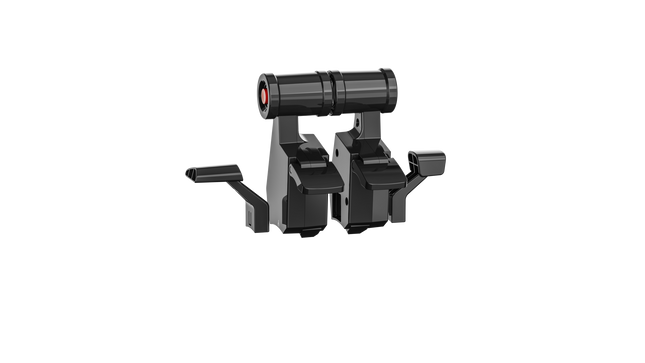
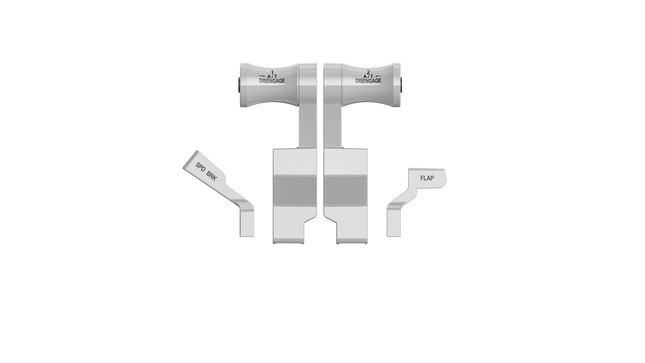
The MOZA TQA and MOZA TQB Throttle Modules are modular add-ons that let you expand your throttle setup without replacing existing hardware. Both integrate directly into the MOZA ecosystem and are fully configurable through MOZA Cockpit software.

Moza Rudder Pedals for Sale

Rudder pedals complete the three-axis control setup. Moza pedals are built from full metal and designed to hold up under heavy, repeated use.

MOZA MRP Rudder Pedals

The Moza MRP Rudder Pedals are built from a full metal body and linkage system. The long swing-arm design and wide adjustment range give pilots precise, progressive control across all aircraft types.

  • Full metal body and linkage system with zero flex under heavy braking
  • 15cm rudder travel and 25° brake pedal travel for smooth, progressive inputs
  • Stepless per-pedal tilt adjustment of up to ±25° for a comfortable fit in any seating position
  • Interchangeable centering springs and optional adjustable damper for fine-tuned resistance
  • Dual connectivity via RJ11 for direct MOZA base pairing and USB for standalone PC use
  • Four rubber anti-slip pads keep the pedals planted during demanding sessions

The MRP pedals suit a wide range of simulation types, from crosswind landings in airliners to precision hovering in helicopters.

Why Choose Moza Flight Hardware?

  • Professional Quality: Engineered to commercial simulator standards
  • Modular Ecosystem: Mix and match components to build your ideal setup
  • Future-Proof Design: Regular firmware updates and expanding compatibility
  • Comprehensive Software: Intuitive configuration tool with aircraft-specific profiles
  • European Warranty Support: Direct service through FlightSimZone's dedicated support team
Product Type Key Features Use Case Purchase Link
Moza AB6 Bundle Flight Simulator Bundle • 6Nm force feedback outrunner motor
• 15-bit magnetic encoder
• All-metal (aluminum + steel) construction
• 8 programmable RGB front panel buttons
• Dual analog throttle sliders
• Universal flightstick connector
• MOZA Cockpit software
Entry-level force feedback setup
• MSFS 2020/2024
• X-Plane 12
• DCS World / IL-2
Buy AB6 Bundle
Moza Yoke Bundle Yoke Bundle (MFY + AY210) • 9Nm roll torque + 210N pitch force
• 34 yoke inputs + 13 base switches
• Quick-release mechanism
• Dual Hall effect joysticks
• Magnetic DIY panels
• Native telemetry FFB (no plugins)
• MOZA Cockpit software
Best-value force feedback yoke
• Civilian aviation simulation
• MSFS 2020/2024
• X-Plane 12
Buy Yoke Bundle
Moza MA3X Flight Stick • Aircraft-grade aluminum construction
• 22 programmable buttons and controls
• 4-way hat switches with center push
• Dual-stage trigger with adjustable resistance
• Integrated OLED display
• Modular design compatible with all Moza bases
Modern military aircraft simulation
• DCS World
• Microsoft Flight Simulator
• X-Plane
Buy MA3X
Moza MH16 Flight Stick • Authentic GA-style grip
• 16 programmable functions
• Dual-position brake lever with analog input
• Precision trim hat switch with center push
• Aircraft-grade polymer construction
• Plug-and-play compatibility with all Moza bases
General aviation (GA)
• Civilian aircraft simulation
• All major simulator platforms
Buy MH16
Moza AB9 Force Feedback Base • 9Nm brushless motor system
• 16-bit hall effect sensors
• 50° maximum deflection range
• Integrated Moza FSI protocol
• Aircraft-specific force feedback presets
• Quick-disconnect system
Force feedback for flight sticks
• Realistic resistance and feedback
• Precision flight simulation
Buy AB9
Moza AY210 Yoke Base • Premium all-aluminum construction
• Dual servo motors (9Nm roll, 210N pitch)
• 150mm travel distance
• 15-bit magnetic encoder
• 13 programmable switches
• Native telemetry force feedback support
• MOZA Cockpit software
Professional yoke control
• MSFS 2020/2024
• X-Plane 12
• Commercial flight simulation
Buy AY210
Moza MFY Yoke • Fiberglass-reinforced PA66 construction
• Hall effect electromagnetic joysticks
• 34 configurable inputs
• Aluminum alloy quick-release mechanism
• Multi-functional programmable triggers
• Customizable RGB lighting
• Magnetic DIY panels
Premium flight control
• Works with MOZA yoke bases
• All major flight simulators
• Customizable cockpit setup
Buy MFY
Moza MTP Throttle • Aircraft-inspired aluminum alloy grip
• 15-bit magnetic encoder
• 27 programmable switches
• Customizable detent system
• Integrated vibration feedback
• Drift-free Hall effect joystick
• Modular design for MTLP panel integration
Professional throttle control
• Fighter jet simulation
• Multiple simulation environments
• Precision engine management
Buy MTP
Moza MTLP Take-off Landing Panel • F/A-18 inspired switch layout
• Hall effect sensors on key levers
• 25 programmable switch signals
• Aluminum alloy brake and tailhook levers
• Telemetry-driven lighting (no plugins)
• Pairs with MOZA MTP Throttle
Fighter jet cockpit completion
• Carrier landing simulation
• DCS World
• MSFS 2020/2024
Buy MTLP
Moza TQA / TQB Throttle Modules • Modular add-on design
• MOZA ecosystem integration
• Configurable via MOZA Cockpit software
• Compact and affordable expansion option
Throttle expansion
• Customisable cockpit builds
• All MOZA-compatible setups
Buy TQA / Buy TQB
Moza MRP Rudder Pedals • Full metal construction
• 15cm rudder travel, 25° brake travel
• Stepless ±25° per-pedal tilt adjustment
• Interchangeable springs + optional damper
• RJ11 (MOZA bases) + USB connectivity
• Four anti-slip base pads
Precision directional control
• Crosswind landings
• Helicopter simulation
• All major PC simulators
Buy MRP

Frequently Asked Questions

Is Moza flight hardware compatible with all simulator platforms?

Yes, Moza flight controllers work seamlessly with all major flight simulator platforms including Microsoft Flight Simulator, X-Plane, Prepar3D, DCS World, and Star Citizen. The Moza configuration software allows for platform-specific profiles to optimize your experience across different simulators.

How does force feedback enhance flight simulation?

Force feedback creates realistic resistance and tactile sensations that mimic actual aircraft control forces. This technology allows you to feel trim changes, turbulence, stalls, and other flight dynamics directly through the controls, dramatically increasing immersion and providing valuable feedback that improves your virtual piloting skills.

Can I upgrade my system over time with additional Moza components?

Absolutely! Moza's ecosystem is designed to be fully modular. You can start with a basic flight stick and base, then add rudder pedals, throttle quadrants, and control panels as your needs evolve. All components are designed to work together seamlessly through Moza's unified configuration software.

What mounting options are available for Moza flight controllers?

Moza flight bases include desk clamps for standard setups, but also feature standardized mounting patterns compatible with most flight simulation cockpits and rigs. For specialized mounting solutions, FlightSimZone offers custom adapters for popular cockpit systems.

How does FlightSimZone support Moza hardware purchases?

As Europe's largest flight simulator shop, we provide comprehensive support for all Moza products including:

    • Pre-purchase consultation to ensure you select the right components
    • Extended European warranty coverage beyond the manufacturer's standard terms
    • Direct technical support from our flight simulation specialists
    • Regular firmware update notifications and installation assistance
    • Repair and replacement services within the EU

Check out our website with Moza flight control systems or contact our specialist team for personalized recommendations for your simulation setup. Tip: add high-end instrument panels like RealSimGear to finish your flight simulator cockpit.


Login

Forgot your password?

Don't have an account yet?
Create account


