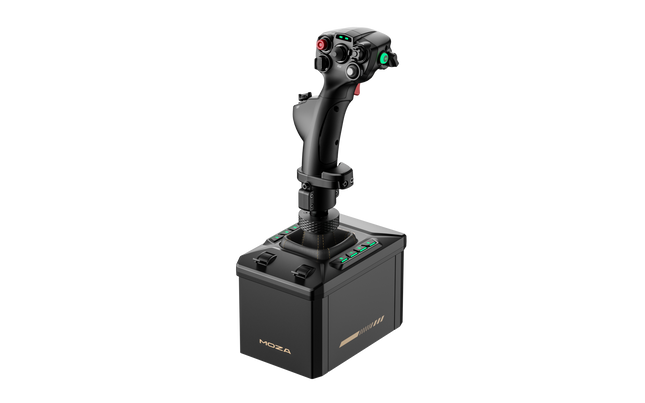
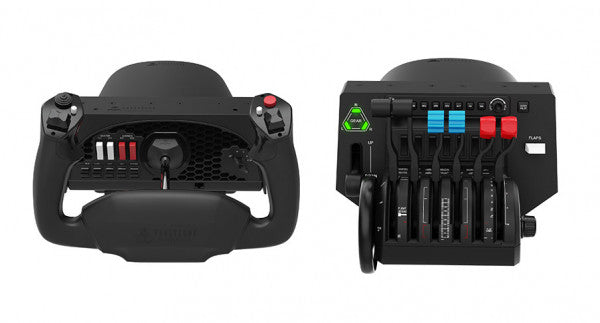
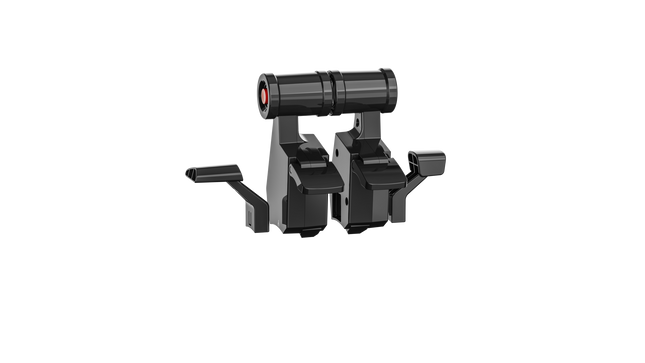
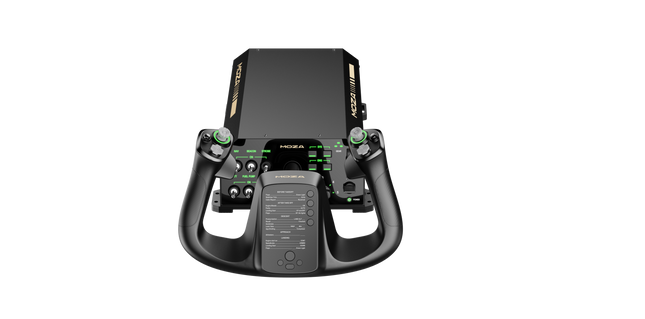
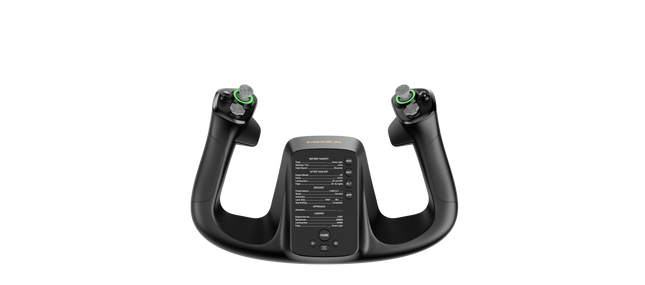
The MOZA AB6 Flight Simulator brings serious aviation enthusiasts closer to the sensation of real cockpit control. With its 6 Nm force feedback base and robust all-metal design, it translates flight dynamics into tactile precision that feels alive in your hands. The included Moza joystick makes up for a great flight immersion. The customizable RGB front panel glows like a command console at dusk, while dual throttle sliders provide smooth, coordinated inputs. Every detail—from its fine-tuned motor to the 15-bit magnetic encoder—makes the AB6 feel like an engineering instrument that just happens to fly.
What Sets the MOZA AB6 Flight Simulator apart?
Exceptional Force Feedback Consistency — Many users note the AB6’s steadiness under prolonged use. While others can fade or jitter under load, this unit maintains its 6 N·m torque output with impressive smoothness, letting pilots feel aerodynamic resistance through turns and dives. The tactile texture of feedback doesn’t fluctuate—it stays tight, confident, and reassuring throughout the session.
Refined Build Quality and Materials — Unlike plastic-heavy bases in its class, the AB6’s aluminum and steel structure provides a reassuring weight and tactile finish. Users appreciate that it stays silent under stress and dissipates heat effectively. It’s not just solid; it feels engineered for endurance—built more like an aircraft component than a gaming peripheral.
Versatile Mounting and Integration — The AB6’s compact form factor hides a mounting system that adapts to nearly any rig. Pilots with limited desk space praise how easily it fits on center-mounts or aluminum profiles. The universal connector means it welcomes multiple flightstick types, both MOZA and third-party, extending its lifespan across evolving setups.
Software Depth Beyond Expectation — The MOZA Cockpit software offers granular tuning—users can adjust friction, damping, centering strength, and even LED telemetry logic. The real advantage lies in its ability to store and recall profiles for different aircraft, making transitions between fighter jets and passenger planes seamless and intuitive.
Pros and Cons
Pros
Cons
Durable full-metal construction enhances stability and longevity.
Limited console compatibility; PC-focused system.
6 N·m torque provides consistent tactile flight feedback.
Compact design limits internal cooling space.
Customizable RGB buttons improve visibility and control mapping.
Magnetic encoder ensures smooth, accurate input tracking.
Specifications
Specification
Value
Force Feedback Torque
6 N·m
Motor Type
Outrunner Motor
Encoder
15-bit Magnetic Encoder
Construction Material
Aluminum Alloy and Steel
Front Panel Buttons
8 Programmable with RGB Lighting
Throttle Sliders
Dual Analog Sliders
Mounting Options
Compatible with Flight Rigs and Aluminum Profiles
Software
MOZA Cockpit
Connector
Universal Flightstick Connector (MOZA and select third-party)
MOZA AB6 Flight Simulator Compatibility
Compatible Flightsticks
Notes
MOZA Flightsticks
Full compatibility via universal connector
Select Third-Party Flightsticks
Supported with adapter or native connector fit
The MOZA AB6 Flight Simulator works seamlessly with MOZA’s own flightsticks and supports several third-party models through its universal connector. Thanks to its mount-friendly form factor, it can be integrated into center-mounted, side-mounted, or overhead setups with minimal adjustment. The solid construction aligns perfectly with metal and profile cockpits, while its USB connectivity ensures reliable communication without proprietary lock-ins. However, it isn’t compatible with console systems such as Xbox or PlayStation, remaining a PC-focused device.
When it comes to software compatibility, the AB6 integrates effortlessly with major flight simulators including Microsoft Flight Simulator 2020 and 2024, X-Plane 10/11/12, DCS World, and IL-2 Sturmovik. Users also report smooth function in War Thunder. It supports Windows operating systems and common USB drivers without additional middleware. While it doesn’t have native Mac or console support, its wide simulator integration ensures it remains at home in virtually any PC cockpit environment.
The Honeycomb Bundle (Yoke & Throttle) is a dream package for flight simulation enthusiasts, combining the acclaimed Alpha Flight Controls and Bravo Throttle Quadrant into a single, cost-saving package. Designed with input from professional pilots and aerospace engineers, it boasts a robust all-metal yoke mechanism and customizable throttle configurations. Whether you're fine-tuning a smooth landing or managing multi-engine systems, the bundle’s intuitive controls and comprehensive switch panels offer unparalleled control and versatility. This isn’t just gear; it’s your co-pilot for a truly elevated sim experience.
What sets the Honeycomb Bundle (Yoke & Throttle) apart?
Durable Build for Long-Term Use The bundle is built with aerospace-grade components and an all-metal yoke mechanism, ensuring it withstands hours of intensive use. This makes it a trusted companion for both aspiring pilots and seasoned sim enthusiasts seeking equipment that doesn’t flinch under pressure.
Incredibly Versatile Throttle Configuration The Bravo Throttle Quadrant is a standout, accommodating single-engine to four-engine setups with ease. Its detailed customization options include thrust reversers, autopilot systems, and a trim wheel, offering flexibility across different aircraft types.
Enhanced Switch and Control Panels The switch panel on the Alpha yoke and the annunciator panel on the Bravo throttle provide a plethora of controls, making external keyboard usage almost obsolete. The clear LED backlighting ensures visibility in any lighting conditions.
Seamless Integration with Popular Simulators The bundle is compatible with all major flight simulators like Microsoft Flight Simulator and X-Plane 11, providing plug-and-play functionality with profiles designed to simplify setup and maximize control precision.
Pros and Cons
Pros
Cons
Exceptional durability with all-metal yoke mechanism.
Throttle quadrant levers feel slightly stiff initially.
Versatile throttle configurations for various aircraft types.
LED backlighting is not adjustable in brightness.
Comprehensive switch and annunciator panels reduce keyboard reliance.
Compatible with multiple operating systems and platforms.
Specifications
Specification
Value
Yoke Turn Radius
180°
Yoke Shaft Travel
15 cm
Throttle Configurations
Single to four-engine, piston or jet
Mounting Compatibility
Honeycomb and Saitek products
Supported OS
Windows 10 (64-bit), macOS, Linux
Warranty
2 years
Honeycomb Bundle (Yoke & Throttle) Compatibility
The Honeycomb Bundle (Yoke & Throttle) offers seamless compatibility with major flight simulation software, including Microsoft Flight Simulator, X-Plane 11, and Prepar3D. While the Alpha yoke functions without additional software for X-Plane 11, the Bravo throttle requires the Honeycomb Config Tool for full functionality on Windows and macOS. It lacks support for older simulators like FSX/P3D v3, but profiles are available for more recent platforms, ensuring a hassle-free experience.
In terms of hardware, the bundle integrates easily with Honeycomb and Saitek mounting systems, adding versatility to your cockpit setup. While it doesn’t support consoles, it connects effortlessly to PCs through USB and offers plug-and-play functionality for supported games. This makes it a solid choice for simmers who value flexibility in their cockpit configuration.
For gaming platforms, the bundle is focused on PC-based simulators and is not compatible with consoles like Xbox or PlayStation. It shines when paired with games like Microsoft Flight Simulator, offering robust support for both general aviation and airliner setups, allowing simmers to explore skies with exceptional control.
Moza Yoke Bundle (MFY Yoke + AY210 Yoke Base) brings an impressive blend of engineering and control to flight simulation. The 9Nm torque and 210N push force in the yoke base ensure smooth and forceful feedback, translating every aerodynamic effect into tactile sensations. The fiberglass-reinforced PA66 yoke offers durability and a refined grip, while customizable triggers, an integrated Hall-effect joystick, and magnetic DIY panels add versatility. Paired with an aluminum alloy quick-release system and extensive software customization, this setup is built for those who demand precision and adaptability in every flight.
What Sets the Moza Yoke Bundle (MFY Yoke + AY210 Yoke Base) apart?
9Nm Torque and 210N Push Force for Enhanced Control Unlike standard yokes, this system delivers powerful, forceful feedback with 9Nm of sustained roll torque and a 210N pitch axis push-pull force. This level of feedback translates everything from wind resistance to turbulence into a detailed tactile experience.
Race Car-Inspired Quick Release for Fast Swaps The aluminum alloy quick-release system enables seamless transitions between different yokes. Whether switching aircraft types or adjusting for different flight tasks, the push-and-pull mechanism allows for quick reconfiguration.
Extensive Input Customization Between the MFY Yoke’s 34 configurable inputs and the AY210 Base’s 13 programmable switches, this bundle provides a deep level of cockpit control. Moza’s software allows button remapping, long-press assignments, and telemetry-based lighting adjustments.
Hall Effect Sensors and Magnetic DIY Panels The yoke includes dual Hall effect joysticks for precise input and a contactless design for longevity. Additionally, magnetic DIY panels on the front allow users to customize their cockpit interface with printed overlays, making controls easily identifiable.
Pros and Cons
Pros
Cons
Strong force feedback with 9Nm torque and 210N push force
PC-only, no console support
34 configurable inputs and Hall effect joystick
Requires Moza software for full customization
Quick-release system for easy yoke swaps
Magnetic DIY panels for personalized labeling
Specifications
Specification
Value
Yoke Material
Fiberglass-reinforced PA66
Yoke Base Material
Aluminum alloy
Yoke Weight
1.3 kg
Base Weight
8.0 kg
Maximum Roll Torque
9Nm
Maximum Pitch Force
210N
Travel Distance
150mm
USB Refresh Rate
1000Hz
Button Inputs
34 configurable (yoke), 13 programmable (base)
Connection Ports
Power, USB, throttle, rudder pedals, panel
Mounting Options
Desktop clamp (optional), cockpit mounting
Software Support
Moza Cockpit software
Platform Support
PC
Included Accessories
Power adapter, power cable, data cable, screws, wrench, user manual
Moza Yoke Bundle (MFY Yoke + AY210 Yoke Base) Compatibility
Compatible With
Not Compatible With
Moza Cockpit software for button mapping and telemetry
Console platforms
Moza Yoke Series
Third-party yoke bases
Major flight simulators (MSFS, X-Plane 12)
MacOS
Designed for PC-based flight simulators, this bundle integrates fully with Moza Cockpit software, allowing extensive customization for force feedback, button assignments, and lighting effects. The MFY Yoke is fully compatible with the AY210 Yoke Base, ensuring a plug-and-play experience with Moza’s ecosystem.
PC-only compatibility means full support for Microsoft Flight Simulator 2020, Microsoft Flight Simulator 2024, and X-Plane 12. However, console users will need to look for alternative hardware, as this setup does not support Xbox or PlayStation systems.
Out of stock,
Pre-Orders Available. Shipped in 2-2.5 weeks from now.
Honeycomb Sierra TPM Module brings the tactile charm of classic general aviation straight to your desk, with a lockable metal throttle vernier that feels satisfyingly mechanical in hand and a high-resolution integrated trim wheel that lets you dial in attitude with fingertip finesse. Designed with single-prop aircraft like the Cessna 172 in mind, it combines all-metal construction, integrated flap and parking brake controls, and LED landing gear indicators into a compact module that slots neatly into a serious home cockpit.
What Sets the Honeycomb Sierra TPM Module apart?
True General Aviation Vernier Feel The lockable metal throttle vernier with fine-tune prop and mixture knobs doesn’t just look the part—it delivers that push-pull, twist-to-adjust sensation pilots associate with classic GA cockpits. Many users highlight how the incremental adjustment allows smoother power changes during climb and approach, especially in piston aircraft, compared to sliding lever-based throttles that can feel too abrupt for delicate engine management.
Integrated Cockpit Workflow Instead of scattering controls across separate panels, the Sierra TPM places trim, flaps, parking brake, and landing gear in one cohesive layout. The low-profile, high-resolution trim wheel earns particular praise for its smooth rotation and granular input, making pitch adjustments during cruise or final approach feel natural. It reduces reliance on keyboard shortcuts and keeps hands where they belong—on dedicated hardware.
Solid All-Metal Construction Built with Honeycomb-grade components and a durable all-metal chassis, this module has noticeable heft and rigidity. Enthusiasts frequently mention that it feels planted on the desk, with minimal flex during aggressive throttle movements. Compared to lighter plastic alternatives, the Sierra TPM maintains structural stability over time, which is especially appreciated in permanent or semi-permanent cockpit setups.
Seamless Integration with Honeycomb Ecosystem Designed to pair cleanly with Honeycomb yokes and mounting systems, the included dual mounting solution simplifies alignment and positioning. Users who already run Alpha or Bravo units often comment on how the design language and control spacing feel unified, creating a visually coherent and ergonomically consistent flight deck without mismatched modules.
Pros and Cons
Pros
Cons
Metal vernier throttle offers fine incremental control.
Designed primarily for single-engine GA aircraft.
Integrated trim wheel provides smooth pitch adjustments.
Requires desk space for full mounting solution.
All-metal chassis feels stable and durable.
LED gear indicators add clear visual feedback.
Specifications
Specification
Value
Product Name
Honeycomb Sierra TPM Module
EAN
4039621003998
Construction
All-metal construction with Honeycomb-grade components
Throttle Type
Lockable metal throttle vernier with prop and mixture knobs
Integrated Controls
Trim wheel, parking brake, flap lever, landing gear lever with LED indicators
Layout
General aviation style for single prop airplanes
Mounting
Dual mounting solution included
Connection
USB-C to USB-A cable
Compatibility
PC and Mac
Drivers
MSFS 2020 Driver, MSFS 2024 Driver
Included in the Box
Sierra TPM Module, Dual Mounting Solution, USB-C to USB-A Cable, Quick Start Guide (EFIGS)
Honeycomb Sierra TPM Module Compatibility
Platform
Compatibility
Operating Systems
PC and Mac
Connection Type
USB-C to USB-A (direct USB connection)
Primary Ecosystem Pairing
Honeycomb Alpha and Bravo hardware
The Sierra TPM Module connects via direct USB, making it straightforward to integrate into most desktop cockpit builds. It pairs especially well with Honeycomb Alpha yokes and Bravo throttle quadrants, sharing the same design philosophy and mounting ecosystem. Thanks to its dual mounting solution, it can be desk-mounted alongside other Honeycomb units for a unified layout. It is not intended for console setups and does not interface directly with standalone hardware without a compatible PC or Mac.
On the software side, it supports Microsoft Flight Simulator 2020 and Microsoft Flight Simulator 2024 through dedicated drivers, and it also works with simulators like X-Plane and Prepar3D on PC. It is not compatible with Xbox consoles, as it relies on standard USB PC/Mac drivers rather than console-certified firmware. For desktop sim pilots focused on general aviation, it slots cleanly into modern PC-based sim platforms.
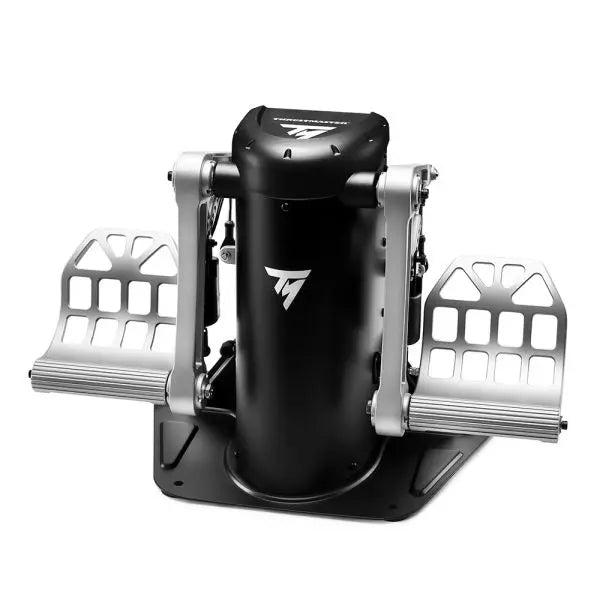
The TPR: Thrustmaster Pendular Rudder brings a whole new dimension to flight simulation with its innovative design and uncompromising build quality. Featuring PENDUL_R technology, it delivers ultra-smooth and fluid motion for precise rudder control. Its 100% metal structure exudes durability, while adjustable pedals and customizable resistance make it adaptable to every pilot’s preference. Paired with H.E.A.R.T. HallEffect magnetic sensors, this rudder system ensures accuracy and longevity, creating an experience that feels as intuitive as it is powerful.
What sets the TPR: Thrustmaster Pendular Rudder apart?
Unique PENDUL_R Mechanism The suspended PENDUL_R technology sets this rudder apart, offering fluid, natural movement that closely mirrors real-world aircraft rudder dynamics. This mechanism creates a more tactile and intuitive experience, especially during small, delicate adjustments, making it stand out in the world of simulation hardware.
Customizable to Your Preferences With adjustable pedal angles and resistance levels, the TPR caters to a variety of preferences and setups. Whether you prefer a light touch or firm resistance, the included springs and versatile configuration options ensure you can tailor it to your exact needs.
Built for Stability and Longevity The TPR’s solid metal construction ensures it remains steadfast during even the most demanding sessions. Its weight and mounting holes keep it stable, while the H.E.A.R.T. sensors deliver frictionless performance that won’t degrade over time, offering incredible reliability.
Comprehensive Ecosystem Integration Designed to work seamlessly with Thrustmaster’s T.A.R.G.E.T software, the TPR can be paired with other devices for unified profiles. This integration enhances its usability across a wide range of flight sim setups, from helicopters to fighter jets.
Pros and Cons
Pros
Cons
Durable 100% metal construction for long-term use.
Expensive compared to other rudder systems.
Fluid, realistic movement with PENDUL_R technology.
Large footprint requires substantial space.
Customizable resistance and pedal angles.
Seamless integration with Thrustmaster T.A.R.G.E.T software.
Specifications
Specification
Value
Product Dimensions
20.9 x 14.2 x 14.2” / 53 x 36 x 36 cm
Product Weight
15.4 lb / 7 kg
Material
100% metal construction
Adjustable Features
Pedal angles (35° to 75°), resistance springs
Package Contents
TPR rudder, brake pedals, tools, manual
TPR: Thrustmaster Pendular Rudder Compatibility
The TPR: Thrustmaster Pendular Rudder is designed to work on PC with all major flight simulation software, including Microsoft Flight Simulator 2020, X-Plane 11/12, and DCS World. It is also compatible with Thrustmaster's T.A.R.G.E.T software, which allows you to integrate it with other Thrustmaster peripherals like the HOTAS Warthog. This creates a unified ecosystem, enabling seamless control across multiple devices. However, it is not compatible with consoles or non-PC platforms.
When it comes to hardware integration, the TPR features standard USB connectivity and operates as a standalone device or part of a setup. Its sturdy metal base includes mounting holes for cockpit setups, ensuring compatibility with a wide range of custom and professional configurations. The adjustable pedals and resistance settings make it flexible for diverse setups, from compact spaces to larger rigs.
For gaming platforms, the TPR connects directly to PC systems via USB, offering plug-and-play functionality. It is automatically recognized by supported software, allowing for quick and hassle-free setup. The lack of console support may be a drawback for some, but its PC-focused design ensures uncompromised performance for simulation enthusiasts.
Moza MFY Yoke is designed for pilots who demand versatility and control in their flight sim experience. With a fiberglass-reinforced PA66 build, it withstands up to 30kg of force while maintaining structural integrity. The aluminum alloy quick-release mechanism makes swapping setups seamless, mimicking motorsport-style engineering. Packed with 34 configurable inputs, a Hall-effect joystick, and customizable RGB lighting, this yoke delivers a cockpit-grade interface that adapts to a wide range of flight scenarios, from commercial aviation to aerobatic maneuvers.
What Sets the Moza MFY Yoke apart?
Rugged Yet Lightweight Construction Made from fiberglass-reinforced PA66, this yoke achieves an ideal balance of durability and weight. It can handle up to 30kg of force without flexing, giving pilots a solid grip without excessive bulk. Unlike heavier metal yokes, this one offers long-term resilience without adding strain to mounting systems.
Quick-Release System for Fast Swaps Inspired by race car technology, the aluminum quick-release system makes switching between yokes effortless. Whether transitioning from a GA aircraft to a fighter jet setup, the push-and-pull locking mechanism ensures minimal downtime between flights.
Hall Effect Joystick for Extra Control Integrated directly into the yoke, the Hall effect joystick provides additional axis control without drift or mechanical wear. It functions as either an axis or button signal, making it perfect for trim adjustments, rudder input, or even camera movement in the cockpit.
Extensive Customization Options Between 34 configurable inputs, customizable RGB lighting, and magnetic DIY panels, the MFY Yoke adapts to individual pilot preferences. Whether fine-tuning button assignments or tweaking cockpit aesthetics, this system provides an unparalleled level of user control.
Pros and Cons
Pros
Cons
Lightweight yet durable fiberglass-reinforced construction
Does not include a dedicated mounting system
Quick-release system for fast yoke swaps
Limited compatibility with non-Moza ecosystems
Hall effect joystick provides additional control inputs
34 configurable inputs for extensive customization
Specifications
Specification
Value
Dimensions
142.5 × 202 × 313 mm
Case Material
Composite materials
Quick Release Material
Aluminum alloy
Button Cap Material
ABS plastic
Weight
1.3 kg
8-Way Switches
2
Hall Effect Joysticks
2
LB/RB Buttons
2
Triggers
2
Total Signal Outputs
Supports up to 34
Included Accessories
User manual
Moza MFY Yoke Compatibility
Compatible With
Not Compatible With
MOZA Cockpit software
Console platforms
MOZA ecosystem (yoke bases, throttles, pedals)
Third-party yoke bases
PC-based flight simulators
MacOS
Designed for PC flight simulators, the MFY Yoke fully integrates with MOZA Cockpit software, providing extensive customization options for button assignments, trigger configurations, and RGB lighting effects. It is designed to function with MOZA yoke bases, throttles, and pedals, ensuring seamless operation within the brand’s ecosystem. However, it does not support third-party yoke bases or MacOS.
PC-only compatibility ensures native support for Microsoft Flight Simulator 2020, Microsoft Flight Simulator 2024, and X-Plane 12, where all configurable inputs are recognized. However, console users will need to look elsewhere, as this yoke does not support Xbox or PlayStation systems.
The Honeycomb Bravo Throttle Quadrant is a versatile all-in-one control system that lets you soar through the skies in virtual aviation with precision. Designed for both casual pilots and seasoned simmers, it adapts to your flying style, offering configurations for small aircraft and large airliners alike. Featuring a fully functional autopilot panel and customizable thrust levers, it puts essential controls at your fingertips. Whether you're managing thrust reversers or adjusting flaps, this sleek device is built to elevate your cockpit setup and make every flight unforgettable.
What sets the Bravo Throttle Quadrant apart?
Unmatched Versatility The Honeycomb Bravo Throttle Quadrant adapts to a variety of aircraft configurations, from single-engine planes to four-engine airliners. This flexibility means it can handle piston, jet, and turboprop controls seamlessly, catering to both general aviation enthusiasts and commercial flight sim fans.
Enhanced Physical Feedback With its sturdy levers, clickable buttons, and smooth trim wheel, the tactile experience feels as close as it gets to operating a real cockpit. The gear lever and annunciator panel add an extra layer of functionality, keeping your hands busy and your keyboard untouched.
Comprehensive Autopilot and Annunciator Features The included autopilot panel mimics the functionality of systems found in real aircraft, while the annunciator panel delivers vital status alerts. These features reduce reliance on on-screen controls and make managing complex systems much easier.
Expandable Design With integrated mounting points, the Bravo works seamlessly with other Honeycomb and Saitek products. This modularity allows users to grow their setup over time, creating a cohesive and customizable virtual cockpit.
Pros and Cons
Pros
Cons
Wide range of configuration options for all aircraft types.
Annunciator lights and some features don’t work on Xbox.
Durable design with a solid, professional feel.
Relatively large footprint, requires space for optimal use.
Comprehensive autopilot and annunciator panels included.
Requires external software for optimal customization.
Compatible with multiple simulators on PC and Mac.
No support for FSX on the latest version of the Config Tool.
Specifications
Specification
Value
Package Contents
Throttle quadrant, mounting points, brackets
Compatibility
Microsoft Flight Simulator, X-Plane 11, Prepar3D V3-V5
Operating Systems
Windows 10 (64-bit), macOS Catalina+
Warranty
2 years
Bravo Throttle Quadrant Compatibility
Simulator
Compatibility
Microsoft Flight Simulator
Fully supported with Config Tool
X-Plane 11
Fully supported, with Windows and Mac versions
Prepar3D
Supported for versions 3, 4, and 5
The Honeycomb Bravo Throttle Quadrant is engineered for compatibility with popular simulator platforms, including Microsoft Flight Simulator 2020, X-Plane 11, and Prepar3D. While PC users can enjoy full functionality, Xbox users must note that some features, such as the annunciator lights, won't work when connected via the XPC Hub. This makes it an excellent choice for PC-based setups but requires consideration for console users.
When it comes to hardware, the Bravo pairs seamlessly with other Honeycomb products, like the Alpha Flight Controls, and integrates with Saitek peripherals through its mounting points. These features ensure a cohesive and expandable setup. However, it’s not compatible with older FSX versions unless you're running the older Config Tool, so check your software version before diving in.
Out of stock,
Pre-Orders Available. Shipped in 2-2.5 weeks from now.
TM Flying Clamp is a rock-solid solution for securing flight controls without the need for a full cockpit setup. The 100% metal structure ensures long-term durability, while the adjustable height and depth settings provide a fully customizable positioning experience. With two anchor screws gripping desks between 15 and 45 mm thick, this clamp locks flight peripherals into place, eliminating unwanted movement. Whether you're banking hard in a dogfight or smoothly guiding an airliner in for landing, this clamp keeps everything where it should be.
What Sets the TM Flying Clamp Apart?
All-Metal Construction for Lasting Durability – Unlike plastic mounts that flex under pressure, this clamp is built entirely from metal. That means it can handle intense use without weakening, offering a secure mount for your flight controls every session.
Adjustable Positioning for Personalized Comfort – Some desk clamps force you into a fixed setup, but this one allows height and depth adjustments. Whether you need to lower your throttle quadrant or bring your sidestick closer, it adapts to your preferences.
Firm Grip with Dual Anchor Screws – Stability is key in flight sims, and the dual anchor screws provide an extra layer of security. Once tightened, the clamp won’t budge, even during aggressive maneuvers or forceful inputs.
Wide Compatibility with Thrustmaster Peripherals – Designed specifically for Thrustmaster gear, this clamp supports the TCA Sidestick Airbus Edition, TCA Quadrant Airbus Edition, T.16000M FCS joystick, and TWCS throttle. It integrates seamlessly with these devices for a hassle-free mounting experience.
Pros and Cons
Pros
Cons
Metal construction provides excellent durability
Only fits desks between 15-45mm thick
Adjustable depth and height for better positioning
Not universally compatible with non-Thrustmaster products
Dual anchor screws offer solid grip
No included padding for desk protection
Specifications
Specification
Value
Material
100% metal
Clamp Thickness Range
15 - 45 mm
Adjustment Options
Height and depth adjustable
Mounting System
Dual anchor screws
Compatible Products
Thrustmaster TCA Sidestick, Quadrant, T.16000M, TWCS
TM Flying Clamp Compatibility
Compatible Thrustmaster Products
Details
TCA Sidestick Airbus Edition
Attaches securely for stable joystick control
TCA Quadrant Airbus Edition
Allows ergonomic positioning of throttle quadrant
T.16000M FCS Joystick
Mounts joystick for steady handling
TWCS Power Controller
Supports throttle attachment for better desk organization
Designed specifically for Thrustmaster peripherals, this clamp offers a seamless fit for supported joysticks and throttles. If you’re using a TCA Sidestick, Quadrant, or TWCS throttle, expect rock-solid mounting with minimal hassle. However, it may not be universally compatible with other brands due to its tailored design.
Strictly a hardware mounting solution, the TM Flying Clamp does not require PC or console connectivity. It works purely as a stabilizing accessory for supported flight sim peripherals, keeping them secured for precise control without requiring a full cockpit setup.
MOZA AY90 Yoke Bundle replaces vague spring tension with control forces that actually tell your hands what the aircraft is doing. The base delivers 4.2 Nm of roll torque and 90 N of push-pull force, while either the MFY or MFY Pro Yoke Handle completes the package with airliner-inspired ergonomics and programmable controls. Ground roll produces a convincing tremor, trim changes alter the resistance, and stall buffet becomes rather difficult to ignore. Despite all that machinery, the compact composite housing remains manageable on a desk or aluminium-profile cockpit.
What Sets the Moza AY90 Yoke Bundle apart?
Force Feedback Instead of Decorative Resistance Spring-loaded yokes tend to pull toward the centre with little regard for airspeed, trim, or aircraft condition. The AY90 uses 4.2 Nm of roll torque and 90 N of pitch force to communicate ground vibration, aerodynamic loading, autopilot movement, trim resistance, and stall buffet. This gives the pilot useful physical information throughout the flight rather than the same elastic tug from taxiway to final approach.
Two Yoke Options for Different Cockpit Priorities The bundle can be configured with either the MFY Yoke Handle or the more extensively equipped MFY Pro Yoke Handle. This allows pilots to choose between a straightforward control interface and a more feature-rich airliner-style option without changing the base. The aluminium-alloy quick-release also makes handle swaps tool-free, secure, and refreshingly free from the sort of mechanical wobble that turns a firm landing into unintended percussion.
Compact Construction with Full Control Travel Force-feedback hardware often claims a significant portion of the desk before the aircraft has even loaded. The AY90 keeps its footprint to 325 × 252 mm while still providing ±90° roll movement and 95 mm of pitch travel. Its carbon-fibre-reinforced composite housing weighs 4.5 kg, making it substantial enough to remain controlled under load without becoming an unreasonable burden for desktop clamps or profile mounting.
Useful Controls Beyond the Yoke Handle Rocker switches, sliders, rotary inputs, and a five-way hat switch are built into the base, reducing the number of routine functions left to the keyboard. Every input can be remapped through MOZA Cockpit, while the RGB strip can represent engine speed, throttle position, or other telemetry. Dedicated upper mounting points also provide space for gauges, displays, and custom accessories as the cockpit gradually consumes the room around it.
Pros and Cons
Pros
Cons
Motor-driven forces communicate trim and aerodynamic loading.
Requires mains power alongside the USB connection.
Two handle choices suit different cockpit configurations.
Supported exclusively on PC flight simulators.
Compact housing supports desktop and profile mounting.
Tool-free quick-release simplifies yoke handle changes.
Specifications
Specification
Value
Product Name
MOZA AY90 Yoke Bundle
Included Yoke Handle Options
MOZA MFY Yoke Handle or MOZA MFY Pro Yoke Handle
Base Dimensions
325 × 252 × 111 mm
Base Weight
4.5 kg
Housing Material
Carbon Fiber Reinforced Composite
Quick-Release Material
Aluminum Alloy
Button Cap Material
ABS
Roll Axis Travel
±90°
Total Roll Rotation
180°
Pitch Travel
95 mm
Roll Torque
4.2 Nm
Pitch Push-Pull Force
90 N
Motor Encoder
15-bit magnetic encoder
5-Way Hat Switch
1
Rocker Switches
4
Slider Switches
2
RGB Lighting
16.7-million-colour telemetry-capable lighting strip
Power Input
12 V, 6 A
Configuration Software
MOZA Cockpit
Mounting Options
Desk clamps, profile rails, 80/20-style aluminium extrusion
Supported Platform
PC
Included Accessories
Power adapter, USB cable, user manual, sticker, two desk clamps
Moza AY90 Yoke Bundle Compatibility
Category
Compatibility
Yoke Handle Options
MOZA MFY Yoke Handle or MOZA MFY Pro Yoke Handle
Handle Connection
MOZA aluminium-alloy quick-release system
Desktop Installation
Two included desk clamps
Cockpit Installation
Profile rails and 80/20-style aluminium extrusion
Accessory Expansion
Top mounting points for gauges, screens, and custom peripherals
Configuration Software
MOZA Cockpit
Simulator or Platform
Compatibility
Microsoft Flight Simulator
Compatible
X-Plane
Compatible
DCS World
Compatible
War Thunder
Compatible
Windows PC
Supported platform
Xbox
Not supported
PlayStation
Not supported
The bundle combines the AY90 base with either the MOZA MFY Yoke Handle or the MOZA MFY Pro Yoke Handle. Both attach through the aluminium-alloy quick-release, allowing secure, tool-free changes without replacing the complete control system. The connection is designed specifically around compatible MOZA yoke handles rather than universal third-party yokes, so unrelated handles cannot be fitted directly without a suitable adapter.
Installation options include the two supplied desk clamps, profile-rail mounting, and standard holes for 80/20-style aluminium extrusion. The base can sit alongside separate throttles, rudder pedals, instrument panels, and other USB flight controls because these devices are normally recognised independently by the simulator. Upper mounting points also accept custom gauges and displays, although third-party accessories may require separately produced or 3D-printed mounting adapters.
The AY90 Yoke Bundle is a PC-only flight control system compatible with Microsoft Flight Simulator, X-Plane, DCS World, and War Thunder. MOZA Cockpit handles force-feedback configuration, button mapping, input adjustment, and telemetry lighting. It is not compatible with Xbox or PlayStation consoles, and force-feedback behaviour can vary between simulator titles, aircraft modules, and the effects supported by each software integration.
MOZA MA3F Electronic Flight Control Modules bring the Airbus A320 flight deck to your simulator with controls that feel satisfying from the first heading change to the final approach. The dual-rail spring-loaded push/pull mechanism recreates the distinct operation of Airbus autopilot controls, while custom segmented displays faithfully reproduce the unique FCU character layout and formatting. Every knob rotation, button press, and display update feels purposeful, making long IFR flights far more engaging than relying on virtual cockpit controls alone.
What Sets the MOZA MA3F Electronic Flight Control Modules apart?
Autopilot Controls That Feel Convincing – One feature frequently praised by experienced Airbus sim pilots is the dual-rail spring-loaded push/pull mechanism. Rather than relying on a basic push button behind a rotary encoder, the controls provide distinct travel and resistance that better reflect Airbus workflow. During climbs, descents, and approach changes, every input feels deliberate and encourages proper cockpit procedures.
Displays Designed Around Airbus Styling – The segmented displays do more than simply show numbers. Character spacing, formatting, and typography closely mirror Airbus FCU presentation, creating a cockpit appearance that immediately feels familiar to Airbus enthusiasts. Builders often appreciate this level of visual detail because it helps the hardware blend naturally with other cockpit panels instead of standing out as a generic controller.
Flexible Configurations for Every Cockpit – The system is available as an FCU alone, an FCU paired with a single EFIS, or as a complete EFCM suite. This flexibility allows builders to expand gradually instead of purchasing everything at once. The optional extended-function capability also gives one EFIS module additional duties, reducing unnecessary mouse interaction during busy phases of flight.
Designed to Fit Existing Flight Decks – Standard 75 mm VESA compatibility, the included mounting bracket, and aluminum-profile support make installation straightforward across a wide variety of simulator frames. Users also appreciate the seamless integration with MOZA Cockpit software, where synchronized lighting and control configuration can be managed without lengthy setup procedures.
Pros and Cons
Pros
Cons
Excellent Airbus-style push/pull control mechanism.
Focused exclusively on Airbus aircraft.
Segmented displays closely match Airbus formatting.
PC platform only.
Multiple configurations suit different cockpit budgets.
Integrated lighting synchronization enhances cockpit consistency.
Specifications
Specification
Value
Product Type
Airbus A320-style FCU and EFIS control system
Configuration
FCU only
Display Type
Custom segmented Airbus-style displays
Autopilot Controls
Dual-rail spring-loaded push/pull mechanism
Lighting
Independent screen, character, and status illumination
Software
MOZA Cockpit integration
Supported Platform
PC
Mounting Options
Included bracket, aluminum profile, 75 mm VESA mount
Extended Functions
Optional EFIS extended-function control mode
MOZA MA3F Electronic Flight Control Modules Compatibility
Hardware
Compatibility
Mounting Systems
Included bracket, aluminum-profile rigs, 75 mm VESA mounts
MOZA Cockpit Software
Telemetry synchronization and configuration supported
Cockpit Configurations
FCU only, single EFIS, or complete EFCM suite
Flight Simulator
Compatibility
Microsoft Flight Simulator
Default A320/A330 aircraft and compatible Airbus add-ons
X-Plane
Compatible Airbus aircraft including ToLiss series
Third-Party Aircraft
Fenix A320, FlightFactor A320, and other popular Airbus airliners
Designed for PC flight simulation, the MA3F Electronic Flight Control Modules integrate with MOZA Cockpit software for telemetry synchronization, lighting control, and straightforward configuration. 75 mm VESA compatibility, aluminum-profile support, and the included mounting bracket allow the modules to fit easily into desktop cockpits or larger simulator frames.
The modular design allows builders to start with a single FCU or expand to a complete EFCM suite as their cockpit grows. Independent lighting adjustment for displays, characters, and status indicators helps the modules blend naturally with surrounding instruments during both daytime and night operations.
Compatible with Microsoft Flight Simulator and X-Plane, the system supports default Airbus A320 and A330 aircraft alongside leading third-party add-ons including Fenix A320, ToLiss, and FlightFactor A320. The modules are intended for PC use and are not compatible with gaming consoles.




