Controles del simulador de vuelo

69 productos

  • VelocityOne Flightdeck

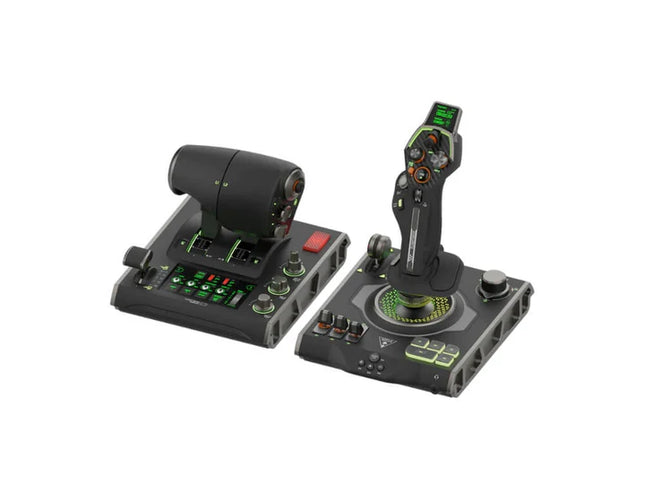
    Turtle Beach VelocityOne Flightdeck

    No disponible en stock, Reservas disponibles. Envío en 2-2,5 semanas.

    VelocityOne Flightdeck delivers an exceptional HOTAS experience, built for sim pilots who crave full control. The Flight Touch Display puts real-time status updates and extra input options at your fingertips, while the adjustable stick height ensures a comfortable grip for every hand size. Its Hall-effect sensors promise long-lasting accuracy, and the customizable OLED HUD offers on-the-fly tuning. Whether you're maneuvering through dogfights or exploring deep space, this setup provides a comprehensive set of controls designed for seamless integration with major flight sims. What Sets the VelocityOne Flightdeck Apart? Flight Touch Display Adds Layers of Control – Unlike traditional HOTAS setups, this system introduces a dedicated touchscreen for managing in-flight status and input commands. It effectively expands your cockpit controls, allowing you to assign up to 39 extra button functions for customized interactions. Fully Adjustable Stick for Comfort and Ergonomics – Many setups lock users into a single grip position, but this one features an adjustable stick height. That means pilots with different hand sizes can fine-tune the control feel, ensuring maximum precision without hand fatigue. Modular Design with Dual USB Connectivity – While some HOTAS systems cram everything into a single unit, this setup consists of two independently connected USB devices. This allows for greater flexibility in mounting options and ensures reliable input recognition without interference. Deep Customization Through the Flight Hangar App – Unlike many competitors, this system comes with a dedicated configuration app that allows users to tweak lighting, input sensitivity, and firmware updates. The ability to save and load profiles for different aircraft ensures consistency across multiple simulations. Pros and Cons Pros Cons Touchscreen display provides extra controls and customization Requires manual mapping for full function in some games Modular design with independent throttle and stick Button layout can feel overwhelming for beginners Adjustable stick height for better ergonomics Limited compatibility with certain space sims Specifications Specification Value Connection Type USB-C to USB-A (Throttle and Stick) Weight (Stick) 1.46kg / 3.22lbs Weight (Throttle) 1.51kg / 3.33lbs Dimensions (Stick) 177 x 215.8 x 234.3 mm / 6.97” x 8.50” x 9.22” Dimensions (Throttle) 177.9 x 207.6 x 134.2 mm / 7.00” x 8.17” x 5.28” Programmable Buttons 139 Throttle Type Dual-engine with independent or linked control Included Accessories 2x USB-C to USB-A cables, mounting screws VelocityOne Flightdeck Compatibility Software Compatibility Details Full Compatibility Microsoft Flight Simulator 2020, X-Plane 11 & 12, DCS World, Prepar3D, Star Citizen, War Thunder Limited Compatibility Star Wars Squadrons, Elite: Dangerous (requires manual mapping) Hardware Compatibility Details PC (Windows 10 & 11) Requires USB connection; no support for Mac or consoles Designed exclusively for Windows 10 & 11 PCs, this HOTAS system does not support MacOS or gaming consoles. The dual USB design allows separate recognition of the throttle and stick, reducing input lag and ensuring stable connection across all supported simulators. Best suited for Microsoft Flight Simulator, X-Plane, and DCS World, the VelocityOne Flightdeck also supports Star Citizen and War Thunder with full button mapping. While it works with Elite: Dangerous and Star Wars Squadrons, manual configuration is required due to button limitations.

    No disponible en stock, Reservas disponibles. Envío en 2-2,5 semanas.

    €419,00

  • ¡Últimas existencias! VelocityOne Flightstick

    Turtle Beach VelocityOne Flightstick

    3 en stock Envío en 1-3 días hábiles.

    The VelocityOne Flightstick is a versatile and feature-rich joystick designed to elevate your flight sim adventures. With a dedicated throttle quadrant and customizable buttons, it offers detailed control for both casual and experienced pilots. Its ergonomic design ensures comfort during marathon sessions, while the integrated OLED display keeps critical data at your fingertips. Whether navigating the skies on PC or Xbox, this Flightstick combines functionality and flair, delivering a tactile experience that keeps you engaged from takeoff to landing. What sets the VelocityOne Flightstick apart? Integrated OLED Display The built-in OLED screen provides essential flight information in real-time, streamlining access to critical settings without distracting from the action. This feature is especially useful for adjusting configurations mid-flight, enhancing control fluidity. Extensive Customization With multiple programmable buttons and profiles, the VelocityOne Flightstick adapts to various flight styles and aircraft. Its dedicated trim wheel and dual hat switches allow for meticulous control adjustments, catering to both beginners and seasoned sim pilots. Dual-Platform Compatibility Seamlessly compatible with both PC and Xbox platforms, this joystick integrates effortlessly with popular simulators. Its USB-C connection ensures low-latency input and modern connectivity standards for hassle-free operation. Ergonomic Design and Build Built with durability and comfort in mind, the Flightstick’s intuitive layout and sturdy construction make it a dependable companion for long flight sessions. Its lightweight design adds portability without sacrificing stability during intense use. Pros and Cons Pros Cons OLED screen offers quick access to critical information. Initial setup may be challenging for beginners. Programmable buttons allow for extensive customization. Not compatible with PlayStation consoles. Works seamlessly with PC and Xbox platforms. Specifications Specification Value Product Type Joystick Rudder Control Yes Magnetic Sensors Yes RGB Lighting Yes Color Black Weight 0.8 kg Platform PC, Xbox One, Xbox Series X|S Operating System Windows 10 or higher Connection USB-C to USB-A Warranty 2 years (Carry-in) VelocityOne Flightstick Compatibility The VelocityOne Flightstick boasts compatibility with both PC and Xbox platforms, making it a versatile choice for flight sim enthusiasts. Designed for Windows 10 or higher, it connects seamlessly via USB-C, ensuring fast and reliable data transmission. However, it is not compatible with PlayStation systems, limiting cross-platform use for some users. The Flightstick integrates effortlessly with major flight simulators such as Microsoft Flight Simulator 2020, leveraging its precision controls to provide an exceptional experience. The joystick’s programmable buttons and trim wheel make it an excellent choice for various aircraft and playstyles. Its compatibility with both Xbox Series X|S and Xbox One ensures that console players can enjoy a robust and immersive flight simulation setup. However, it requires a Windows PC or Xbox, as Linux or macOS compatibility is not supported, and its features are optimized for the listed systems.

    3 en stock Envío en 1-3 días hábiles.

    €169,00

  • Turtle Beach VelocityOne Flight System

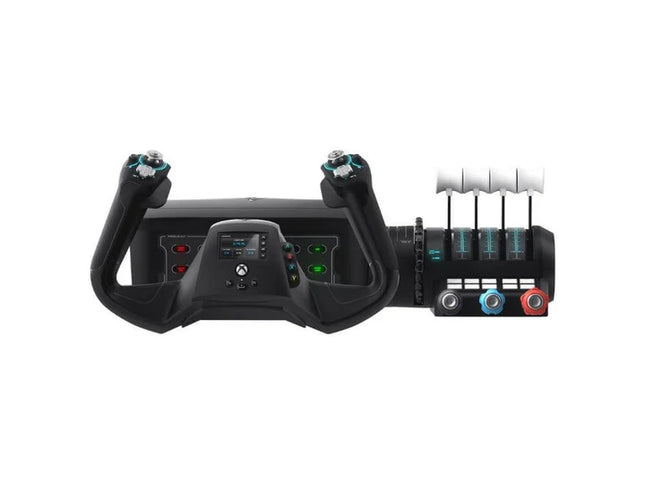
    Turtle Beach Turtle Beach VelocityOne Flight System

    No disponible en stock, Reservas disponibles. Envío en 2-2,5 semanas.

    The VelocityOne Flight System is a robust all-in-one solution for flight enthusiasts on PC and Xbox. With its dual throttle system and status indicator panel, it caters to pilots flying everything from Cessnas to jetliners. The smooth 180° rotating yoke with hall-effect sensors delivers a tactile, dependable feel, while the trim wheel and programmable buttons allow for customization that mirrors real-world operations. Whether you’re cruising through clouds or nailing precision landings, this system ensures you’re in full control. What sets the VelocityOne Flight System apart? Versatile Throttle System The VelocityOne Flight System features dual throttle options—four interchangeable levers for airliners and Vernier-style controls for smaller planes like the Cessna 172. This flexibility allows for accurate power management across different aircraft types, catering to both general aviation and commercial piloting styles. Integrated Annunciator Panel The included Status Indicator Panel adds a layer of realism with its ability to monitor critical systems. With interchangeable plates, it adapts to various aircraft, providing visual feedback on engine issues, warnings, or system states without requiring additional hardware. Rudder Control via Yoke Integrated rudder pedal control on the yoke lets you manage the tail rudder, nose wheel, and brakes with fingertip precision. While it doesn’t replace dedicated pedals, it’s a practical and effective solution for players seeking simplicity without sacrificing control. Flight Management Display The built-in screen serves as a Flight Management Display for Microsoft Flight Simulator, allowing seamless switching between profiles and providing essential data during flight. This feature minimizes reliance on external screens and keeps your focus on piloting. Pros and Cons Pros Cons Includes dual throttle options for diverse aircraft types. Rudder control on yoke lacks realism compared to pedals. Annunciator panel offers visual feedback on system status. Pricier than other entry-level flight controllers. Compatible with PC and Xbox Series X|S systems. Not compatible with PlayStation platforms. Specifications Specification Value Brand Turtle Beach Yoke Rotation 180° Throttle Type Dual (Airliner and Vernier-style) Platform Compatibility PC, Xbox Series X|S, Xbox One Sensor Type Hall-effect Programmable Buttons 10 Annunciator Panel Included with interchangeable plates VelocityOne Flight System Compatibility The VelocityOne Flight System is designed for PC and Xbox platforms, making it an excellent choice for both console and desktop users. It connects seamlessly to Microsoft Flight Simulator on Xbox Series X|S, and its hall-effect sensors ensure smooth, dependable input for precision maneuvers. While it provides button-based rudder control, users seeking a more immersive setup can pair it with dedicated rudder pedals, though this may require additional hardware. For gaming platforms, the VelocityOne is optimized for Xbox Series X|S and Xbox One, as well as Windows-based PCs running modern simulators. Unfortunately, it lacks compatibility with PlayStation consoles or Mac operating systems. While the Flight Management Display works particularly well with Microsoft Flight Simulator, it also integrates with other flight simulators, giving pilots an adaptable and feature-rich experience regardless of their preferred game.

    No disponible en stock, Reservas disponibles. Envío en 2-2,5 semanas.

    €379,00

  • ¡Últimas existencias! TCA Officer Pack Airbus Edition for sale on FlightSimzone

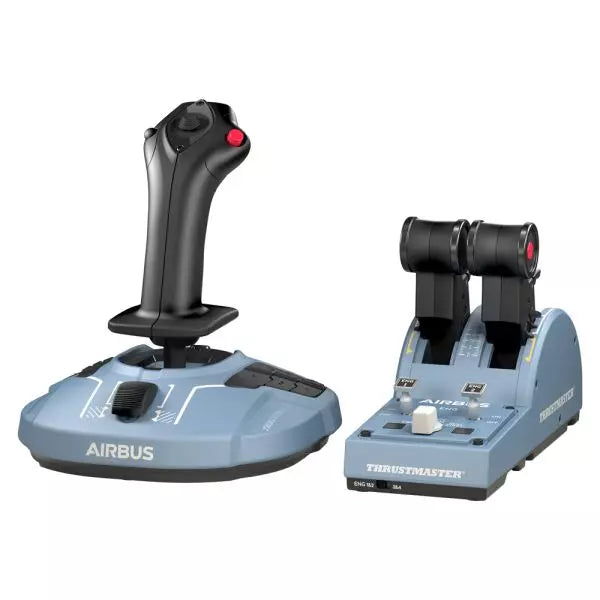
    Thrustmaster TCA Officer Pack Airbus Edition

    5 en stock Envío en 1-3 días hábiles.

    The TCA Officer Pack Airbus Edition is a must-have for anyone looking to bring the feel of commercial aviation into their setup. Featuring an ergonomic design inspired by the Airbus A320, it includes both the TCA Sidestick and Throttle Quadrant for unparalleled control. With magnetic sensor technology ensuring smooth input and a modular sidestick for versatile configurations, this pack allows you to command the skies with precision. Whether you're piloting an airliner or a fighter jet, this pack adapts seamlessly to your needs. What sets the TCA Officer Pack Airbus Edition apart? Modular Sidestick Design The sidestick features swappable head button modules, letting you configure it for captain, co-pilot, or solo flight setups. This modularity is a rarity, offering flexibility for various playstyles and gaming environments. Detents and Thrust Reverser Mechanisms The throttle quadrant includes precise detents and a built-in thrust reverser, creating tactile feedback that simulates real-world controls. The ability to switch to linear mode adds even more versatility for diverse aircraft. Durable Magnetic Technology Both devices leverage contactless magnetic sensors, eliminating potentiometers and ensuring longevity. This design improves reliability and minimizes input lag during critical maneuvers. Seamless Multi-Device Compatibility The pack integrates smoothly with peripherals like the Thrustmaster T.Flight Rudder Pedals and TM Flying Clamp. This ensures a cohesive and immersive setup for dedicated aviation enthusiasts. Pros and Cons Pros Cons Ergonomic design inspired by Airbus A320 controls. Out of stock frequently due to demand. Modular sidestick supports various configurations. Throttle quadrant lacks backlighting for night sessions. Magnetic sensors ensure long-lasting durability. No native console support; PC only. Supports dual throttle for four-engine aircraft. Additional throttle quadrant required for full four-engine control. Specifications Specification Value TCA Sidestick Width 7.7” / 195 mm TCA Sidestick Depth 8.9” / 225 mm TCA Sidestick Height 7.7” / 195 mm TCA Sidestick Weight 2.0 lb / 920 g TCA Quadrant Width 10.0” / 255 mm TCA Quadrant Depth 5.7” / 145 mm TCA Quadrant Height 3.3” / 85 mm TCA Quadrant Weight 1.2 lb / 530 g Box Contents TCA Sidestick, TCA Quadrant, 4 swappable joystick head modules, USB cable, sticker, connectors, attachment rod TCA Officer Pack Airbus Edition Compatibility Hardware Compatibility Rudder Pedals Compatible with Thrustmaster T.Flight and Pendular Rudder Mounting Clamp Compatible with Thrustmaster TM Flying Clamp The TCA Officer Pack Airbus Edition is designed to integrate seamlessly with other Thrustmaster peripherals, making it a versatile addition to an established setup. The throttle quadrant allows for linking two units to handle four-engine aircraft, and the sidestick's modularity adapts easily to a variety of cockpit configurations. However, its PC compatibility means users seeking console integration will need to look elsewhere. On the gaming platform front, this pack is fully compatible with Windows 10 and 8 systems and works well across major flight simulators like Microsoft Flight Simulator and X-Plane. However, it does not natively support console platforms, limiting its use for Xbox or PlayStation users.

    5 en stock Envío en 1-3 días hábiles.

    €179,00

  • ¡Últimas existencias! TCA Sidestick Airbus Edition for sale on FlightSimZone

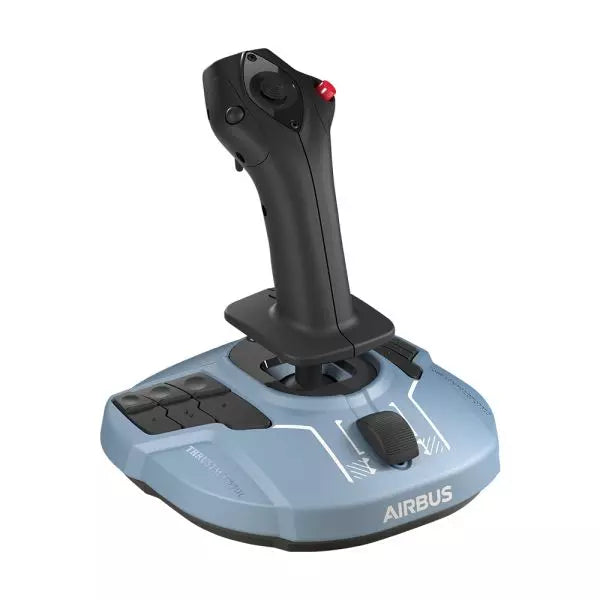
    Thrustmaster TCA Sidestick Airbus Edition

    3 en stock Envío en 1-3 días hábiles.

    The TCA Sidestick Airbus Edition is a robust and versatile sidestick, capturing the essence of Airbus flight controls. With its ergonomic 1:1 scale design inspired by the Airbus A320, this sidestick brings a tactile and customizable edge to your flight simulation. Boasting a built-in throttle axis with a unique thrust reverser mechanism, and 12 remappable buttons, it’s engineered to adapt to your style—be it captain, co-pilot, or central solo position. With the added benefit of contactless magnetic sensor technology, every maneuver feels smooth and natural. What sets the TCA Sidestick Airbus Edition apart? Swappable Joystick Head Modules The sidestick’s head is modular, allowing you to customize it for captain, co-pilot, or solo use. This flexibility makes it a favorite among users who value adaptability, particularly for varied flight scenarios or setups. Built-in Throttle with Thrust Reverser A built-in throttle axis, complete with a thrust reverser mechanism, sets this stick apart. It's a rare inclusion on sidesticks, providing better control during landings and ground maneuvers. HallEffect Magnetic Sensors Using contactless magnetic technology, this sidestick eliminates wear and tear while providing precise inputs over its lifetime. Users consistently praise its longevity and smooth operation. Integrated Rudder Control The twist-rudder mechanism, with an optional lock, offers versatile control for multitasking pilots, enhancing usability in diverse flight conditions. Pros and Cons Pros Cons Modular head design suits different pilot roles. Limited to PC compatibility only. Built-in throttle with thrust reverser adds utility. Smaller base may feel less stable to some. Magnetic sensors ensure long-lasting reliability. No additional programmable dials or sliders. Ergonomic Airbus-inspired design enhances grip and comfort. Specifications Specification Value Width 7.7” / 195 mm Depth 7.7” / 195 mm Height 8.9” / 225 mm Weight 2.0 lb / 920 g Box Contents 1 x Sidestick, 4 x Joystick Head Modules TCA Sidestick Airbus Edition Compatibility The TCA Sidestick Airbus Edition works seamlessly with other components of the Thrustmaster Airbus ecosystem, such as the TCA Quadrant Airbus Edition and the TCA Quadrant Add-On. It also pairs effectively with the T.Flight Rudder Pedals and the TM Flying Clamp for a more stable setup. However, it lacks compatibility with consoles like Xbox or PlayStation, making it ideal for PC users only. This sidestick integrates into setups requiring a versatile input device but isn't suitable for console-based flight simulators. For gaming platforms, the sidestick supports PC (Windows 10 and 8), but does not function with macOS or Linux-based systems. It’s compatible with popular flight simulators like Microsoft Flight Simulator and X-Plane. However, its use is restricted to games that support configurable flight controls, as it lacks plug-and-play support for casual or arcade titles.

    3 en stock Envío en 1-3 días hábiles.

    €69,00

  • ¡Últimas existencias! TCA Yoke Boeing Edition Pack for sale at FlightSimZone

    Thrustmaster TCA Yoke Pack Boeing Edition

    5 en stock Envío en 1-3 días hábiles.

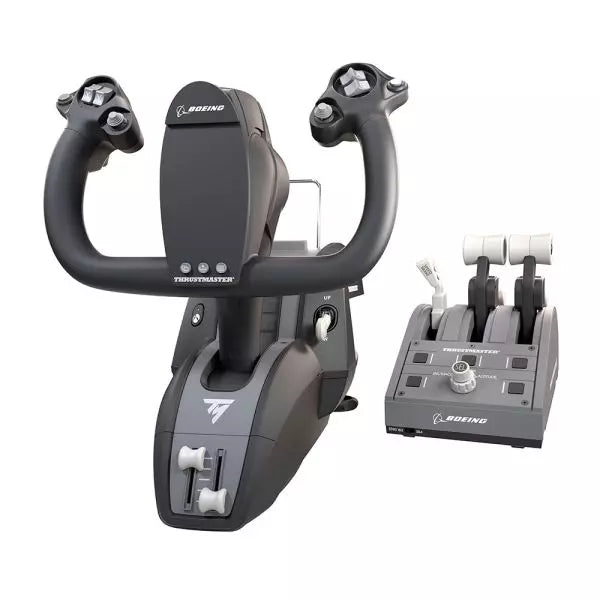
    Step into the captain’s seat with the TCA Yoke Pack Boeing Edition, a flight system designed to emulate the controls of a Boeing 787. With its suspended PENDUL_R mechanism providing fluid motion and a 100% metal internal structure, this yoke system offers durability and balance that will make you feel like you're piloting the real thing. Paired with a throttle quadrant featuring swappable levers and an iconic Boeing autopilot knob, it's an aviation enthusiast's dream grounded in technical brilliance. What sets the TCA Yoke Pack Boeing Edition apart? Boeing-Approved Design and Feel Designed with official Boeing licensing, the TCA Yoke Pack mirrors the ergonomic and operational feel of a 787 cockpit. The PENDUL_R mechanism mimics the genuine pendular motion of a Dreamliner’s yoke, offering an unmatched connection between pilot and machine. Adjustable Resistance for Tailored Control Its customizable spring system allows for precise resistance adjustments, catering to both beginner and experienced aviators. Whether you prefer a light touch or robust tension, the system adapts seamlessly to your needs. Durable All-Metal Construction With a 100% metal frame, this yoke delivers robustness and longevity. Users praise its sturdiness, ensuring it remains a reliable part of your setup for countless flight hours without losing its balanced feel. Swappable and Ambidextrous Throttle Quadrant The throttle levers can be swapped for speed brake and flaps levers, ensuring an ambidextrous setup. This flexibility is particularly lauded by users who need configurations suited to varied aircraft. Pros and Cons Pros Cons Robust metal construction ensures lasting durability. Expensive compared to many flight yoke systems. Suspended PENDUL_R mechanism provides smooth movement. Setup may be challenging for smaller spaces. Swappable levers offer exceptional customization options. Limited throttle quadrant size for complex setups. Compatible with both Xbox and PC for versatile use. Heavier weight makes portability difficult. Specifications Specification Value Yoke Dimensions 11.8" W x 15.4" D x 15.0" H Yoke Weight 14.8 lb / 6,700 g Quadrant Dimensions 5.1" W x 7.7" D x 5.9" H Quadrant Weight 1.3 lb / 600 g Box Contents Yoke, Quadrant, USB Cable, Mount, Levers, Flyers TCA Yoke Pack Boeing Edition Compatibility The TCA Yoke Pack Boeing Edition is officially licensed for use with Xbox One and Xbox Series X|S, making it an excellent choice for console-based aviators. Its PC compatibility adds flexibility, allowing for use with Microsoft Flight Simulator and other popular platforms. However, it may not be directly compatible with older Xbox models or PlayStation systems, so plan accordingly. The yoke and quadrant integrate automatically with Microsoft Flight Simulator, ensuring quick setup and recognition. It supports USB-C to USB-A connections, broadening its range of hardware compatibility. Be mindful of the need for supported software, as its advanced features require compatible simulation environments. With its seamless integration into modern gaming systems, the TCA Yoke Pack elevates the experience for casual flyers and hardcore enthusiasts alike. Whether flying on console or PC, it delivers the tools needed to take virtual aviation to new heights.

    5 en stock Envío en 1-3 días hábiles.

    €499,00

  • T.Flight Hotas One Microsoft Flight Simulator Edition for sale on FlightSimZone

    Thrustmaster T.Flight Hotas One Microsoft Flight Simulator Edition

    No disponible en stock, Reservas disponibles. Envío en 2-2,5 semanas.

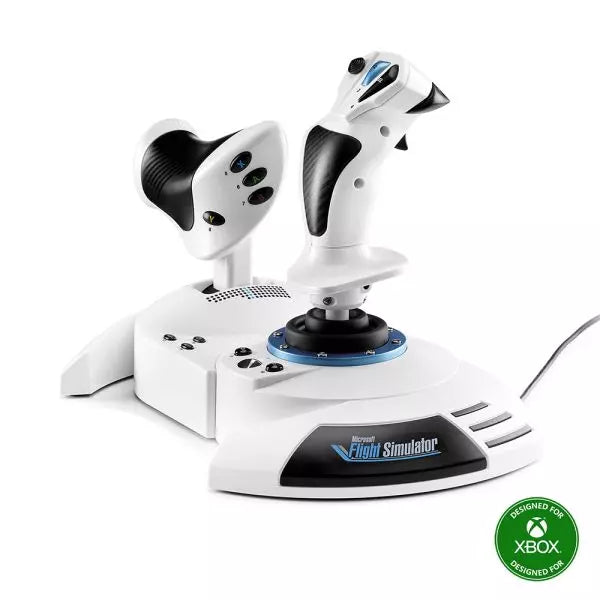
    The T.Flight Hotas One Microsoft Flight Simulator Edition is an adaptable and beginner-friendly flight system crafted for PC and Xbox Series X|S. With its detachable throttle and dual rudder control options, this setup caters to diverse play styles and environments. The ergonomic button placement, adjustable joystick resistance, and smooth Z-axis rudder make it perfect for exploring skies in Microsoft Flight Simulator 2024. Its official licensing ensures seamless plug-and-play functionality, making your journey from ground to cruising altitude as smooth as it is exciting. What sets the T.Flight Hotas One Microsoft Flight Simulator Edition apart? Detachable Throttle for Versatile Play The throttle can be detached and positioned separately, allowing for a more tailored setup. Whether placed on your lap for comfort or on your desk for stability, this feature accommodates different play spaces and flight styles, offering the flexibility many pilots crave. Dual Rudder System Enhances Control This joystick includes both a twist rudder on the stick and a tilting rudder lever on the throttle. Pilots can choose their preferred method for controlling lateral movement, catering to those who favor traditional joystick twisting or more precise lever input. Ergonomic and Adjustable Design Adjustable joystick resistance and a wide hand rest make long flights manageable and enjoyable. Combined with strategically placed buttons, the design minimizes hand strain while keeping all critical functions within easy reach. Plug-and-Play Convenience Designed for immediate recognition on PC and Xbox Series X|S, this controller eliminates complicated setups. Simply connect it, and you'll be ready to soar in Microsoft Flight Simulator 2024 and other supported titles with minimal fuss. Pros and Cons Pros Cons Detachable throttle adds flexibility to setups. Plastic components feel less durable than metal alternatives. Dual rudder control options provide added versatility. Not compatible with older gaming consoles. Plug-and-play simplifies use with PC and Xbox Series X|S. Specifications Specification Value Dimensions (Width x Depth x Height) 13.8 in x 7.9 in x 9.3 in (350 mm x 200 mm x 235 mm) Weight 4.5 lb (2 kg) Buttons 14 buttons, 1 rapid trigger, 1 hat switch Axes 5 (including Z-axis) Rudder Control Twist rudder or lever rudder (throttle) Throttle Detachable Included Accessories Hex key, 1-month Xbox Game Pass subscription Compatibility PC, Xbox Series X|S T.Flight Hotas One Microsoft Flight Simulator Edition Compatibility Platform Compatibility PC Compatible with Windows systems Consoles Works with Xbox Series X|S The T.Flight Hotas One Microsoft Flight Simulator Edition is officially licensed for Xbox Series X|S and PC, ensuring seamless integration with these platforms. It connects via USB for PC and console use, making setup effortless. However, it does not support older systems like the Xbox One or other consoles, focusing on next-gen compatibility for optimal performance. For games, it pairs effortlessly with Microsoft Flight Simulator 2024 and other popular flight sims. However, its functionality outside of these genres or with certain arcade-style flying games may be limited. Pilots interested in expanding their setup can integrate it with the Thrustmaster TFRP rudder pedals for a more refined flight experience.

    No disponible en stock, Reservas disponibles. Envío en 2-2,5 semanas.

    €99,00

  • ¡Últimas existencias! TCA Yoke Boeing Edition for sale on FlightSimZone

    Thrustmaster TCA Yoke Boeing Edition

    5 en stock Envío en 1-3 días hábiles.

    Take your flight simulation to the next level with the TCA Yoke Boeing Edition. Designed with official Boeing licensing, this yoke is a 1:1 ergonomic replica of the 787 Dreamliner controls. Its suspended PENDUL_R mechanism delivers a smooth, pendular motion for authentic maneuvering, while the 100% metal frame ensures stability and long-lasting durability. Complete with adjustable springs and two additional axes, this yoke is perfect for takeoffs, landings, and everything in between. If you're serious about flight simulation, this is an experience that’s hard to ignore. What sets the TCA Yoke Boeing Edition apart? Licensed Boeing Replica Design The TCA Yoke Boeing Edition replicates the ergonomic design and controls of a Boeing 787 cockpit, offering enthusiasts the opportunity to feel like they’re gripping the real deal. This level of accuracy is rare in the sim market and appeals to those who demand authenticity in their setups. Suspended PENDUL_R Mechanism Unlike conventional yoke systems, the suspended PENDUL_R mechanism simulates the pendular movement of a genuine airliner yoke, offering a fluid and realistic range of motion. This feature is especially appreciated for its natural feel during pitch and roll adjustments. Customizable Spring Resistance The adjustable spring system allows you to fine-tune the tension to your preference, making it suitable for both novice and seasoned pilots. This flexibility ensures comfort and precision regardless of your flying style or aircraft type. Versatile Control Options With 18 action buttons, 6 axes, and a built-in mini-stick, the yoke provides ample mapping possibilities for various aircraft types. Whether navigating a jumbo jet or a small propeller plane, you’ll have the tools to control it all. Pros and Cons Pros Cons Official Boeing-licensed design for an authentic feel. Higher price point compared to other yokes. Suspended PENDUL_R mechanism offers fluid movement. Bulky design may be difficult to mount in tight spaces. Adjustable springs for tailored resistance preferences. 18 action buttons and versatile mapping possibilities. Specifications Specification Value Dimensions (Yoke) 11.8" W x 15.4" D x 15.0" H Weight (Yoke) 14.8 lb / 6,700 g Additional Axes 2 built-in Frame Material 100% Metal Action Buttons 18 Box Contents Yoke, USB Cable, Extra Spring, Tablet Stand TCA Yoke Boeing Edition Compatibility The TCA Yoke Boeing Edition is fully compatible with Xbox One, Xbox Series X|S, and PC. Its integration with Microsoft Flight Simulator ensures a seamless connection right out of the box. However, it may lack compatibility with older systems or non-Xbox consoles, making it essential to confirm your setup before purchase. Its USB-C to USB-A connection broadens compatibility with modern PC hardware. Users appreciate the plug-and-play convenience for supported systems. While the yoke lacks native support for macOS or Linux platforms, its design is tailored for a rich experience on officially supported devices. For gaming platforms, the TCA Yoke integrates naturally with Microsoft Flight Simulator, making it an ideal choice for sim enthusiasts. It’s also likely compatible with other simulation software, provided they support generic joystick input devices. However, it's worth noting that its advanced features may require dedicated profiles or configurations in less popular software.

    5 en stock Envío en 1-3 días hábiles.

    €399,00

  • Venta -3% Moza MRP Rudder Pedals for sale on FlightSimZone

    Moza Pedales de timón Moza MRP

    1 revisar

    No disponible en stock, Reservas disponibles. Envío en 2-2,5 semanas.

    Pedales de timón Moza MRP aportan una sensación tranquilizadora de solidez en el momento en que tus pies se apoyan en ellos. El tacto frío de la construcción totalmente metálica y el recorrido deliberado del brazo oscilante transmiten de inmediato una intención seria. Con un amplio recorrido de los pedales y ángulos finamente ajustables, cada entrada se siente precisa y controlada, ya sea al suavizar un aterrizaje con viento cruzado o al ajustar un helicóptero en estacionario. La amplia capacidad de ajuste facilita adaptar la posición, la resistencia y el movimiento, convirtiendo las sesiones largas en algo enfocado, cómodo y profundamente satisfactorio para los pilotos dedicados de simulación de vuelo. ¿Qué distingue a los Pedales de timón Moza MRP? Construidos como hardware de cabina, no como equipo de escritorio – A lo largo de foros y debates de usuarios a largo plazo, destaca un tema recurrente: estos pedales se sienten más cercanos al hardware de cabina de base fija que a los periféricos de consumo típicos. La extensa estructura metálica evita la flexión incluso bajo frenadas intensas, mientras que el sistema de articulación mantiene un movimiento constante con el tiempo. Los usuarios suelen señalar que esta solidez se traduce en confianza durante fases exigentes del vuelo, donde conjuntos de pedales más ligeros pueden sentirse imprecisos o inestables. Una capacidad de ajuste que realmente se utiliza – Muchos pilotos elogian la frecuencia con la que terminan ajustando estos pedales, no porque algo esté mal, sino porque las opciones invitan a la optimización. La inclinación de los pedales sin pasos, los topes ajustables, el intercambio de muelles y la amortiguación opcional permiten adaptar el comportamiento para todo, desde helicópteros sensibles hasta grandes aviones comerciales. Los comentarios sugieren que esta flexibilidad fomenta la experimentación en lugar de limitar al usuario a una única configuración “suficientemente buena”. Movimiento controlado con un peso intencional – Las impresiones de la comunidad mencionan con frecuencia el carácter del propio movimiento. El largo recorrido del brazo oscilante y del freno proporciona una sensación progresiva y medida, evitando la sensación brusca de encendido/apagado común en diseños de recorrido corto. Combinados con una resistencia ajustable, los pedales transmiten una sensación de masa e inercia que muchos pilotos asocian con un mejor control direccional durante el rodaje, la carrera de despegue y la carrera de aterrizaje. Un diseño distintivo que acaba conquistando – Aunque el aspecto angular inspirado en el sigilo puede resultar polarizante a primera vista, muchos usuarios informan que rápidamente se convierte en un elemento visual destacado de su cabina. El diseño no solo busca parecer agresivo; también refuerza visualmente la naturaleza mecánica de la unidad. Con el tiempo, los pilotos suelen apreciar cómo la forma refleja la función, especialmente cuando se combina con otro hardware de vuelo metálico. Pros y Contras Pros Contras La estructura totalmente metálica resiste la flexión bajo frenadas intensas. El gran tamaño puede ser un desafío en cabinas más pequeñas. Amplio rango de ajuste adecuado para múltiples posiciones de asiento. El amortiguador opcional añade un coste extra para el ajuste. El largo recorrido de los pedales permite un control direccional suave. Opciones de doble conexión simplifican la integración del sistema. Especificaciones Especificación Valor Construcción Cuerpo totalmente metálico y sistema de articulación Ajuste de inclinación de los pedales Sin pasos, ±25° por pedal Rotación del brazo oscilante ±30° Recorrido del timón 15 cm de recorrido total Recorrido del pedal de freno 25° Sensores Sensores de alta resolución para timón y frenos Fuerza de centrado Muelles intercambiables Amortiguación Amortiguador ajustable opcional Conectividad RJ11 (MOZA flight bases), USB (PC) Base de agarre Cuatro almohadillas de goma antideslizantes Compatibilidad de Pedales de timón Moza MRP Los pedales se integran fácilmente en muchas configuraciones de vuelo gracias a sus conexiones flexibles. La conexión directa RJ11 permite una vinculación sin problemas con MOZA flight bases, mientras que la conexión USB estándar permite el uso independiente en PC sin adaptadores adicionales. Se combinan comúnmente con yokes y joysticks de otras grandes marcas de hardware de vuelo centradas en PC. Sin embargo, no están diseñados para conexión directa a consolas y no se integran de forma nativa con ecosistemas que no sean de PC. Dentro de un entorno de simulador basado en PC, la compatibilidad es amplia y directa. Mediante USB, los pedales funcionan con PCs basados en Windows y son compatibles con simuladores de vuelo populares que aceptan entradas estándar HID de timón, incluyendo títulos tanto civiles como de combate. No son compatibles con consolas PlayStation o Xbox, incluso utilizando algunos adaptadores de terceros, ya que los títulos de vuelo en consola generalmente carecen de soporte nativo para periféricos de timón USB.

    No disponible en stock, Reservas disponibles. Envío en 2-2,5 semanas.

    €369,00 €359,00

  • Honeycomb Sierra TPM Module

    Fly Honeycomb Honeycomb Sierra TPM Module

    No disponible en stock, Reservas disponibles. Envío en 2-2,5 semanas.

    Honeycomb Sierra TPM Module lleva el encanto táctil de la aviación general clásica directamente a tu escritorio, con un acelerador vernier metálico con bloqueo que se siente satisfactoriamente mecánico en la mano y una rueda de trim integrada de alta resolución que te permite ajustar la actitud con precisión con la yema de los dedos. Diseñado pensando en aeronaves monomotor de hélice como la Cessna 172, combina una construcción totalmente metálica, controles integrados de flaps y freno de estacionamiento, e indicadores LED del tren de aterrizaje en un módulo compacto que encaja perfectamente en un home cockpit serio. ¿Qué distingue al Honeycomb Sierra TPM Module? Auténtica sensación Vernier de aviación general El acelerador vernier metálico con bloqueo con mandos de ajuste fino de hélice y mezcla no solo tiene la apariencia adecuada, sino que ofrece esa sensación de empujar-tirar y girar-para-ajustar que los pilotos asocian con los cockpits clásicos de GA. Muchos usuarios destacan cómo el ajuste incremental permite cambios de potencia más suaves durante el ascenso y la aproximación, especialmente en aeronaves de pistón, en comparación con los aceleradores de palanca deslizante que pueden resultar demasiado bruscos para una gestión delicada del motor. Flujo de trabajo de cabina integrado En lugar de dispersar los controles en paneles separados, el Sierra TPM sitúa trim, flaps, freno de estacionamiento y tren de aterrizaje en un diseño cohesivo. La rueda de trim de perfil bajo y alta resolución recibe elogios especiales por su rotación suave y entrada precisa, haciendo que los ajustes de cabeceo en crucero o en aproximación final se sientan naturales. Reduce la dependencia de atajos de teclado y mantiene las manos donde deben estar: en hardware dedicado. Construcción sólida totalmente metálica Fabricado con componentes de calidad Honeycomb y un chasis duradero completamente metálico, este módulo ofrece un peso y una rigidez notables. Los entusiastas mencionan con frecuencia que se siente firme sobre el escritorio, con una flexión mínima durante movimientos agresivos del acelerador. En comparación con alternativas de plástico más ligeras, el Sierra TPM mantiene la estabilidad estructural con el tiempo, algo especialmente valorado en configuraciones de cabina permanentes o semipermanentes. Integración perfecta con el ecosistema Honeycomb Diseñado para combinarse perfectamente con los yokes y sistemas de montaje de Honeycomb, la solución de montaje dual incluida simplifica la alineación y el posicionamiento. Los usuarios que ya utilizan unidades Alpha o Bravo suelen comentar cómo el lenguaje de diseño y el espaciado de los controles se sienten unificados, creando una cabina visualmente coherente y ergonómicamente consistente sin módulos desiguales. Pros y Contras Pros Contras El acelerador vernier metálico ofrece un control incremental preciso. Diseñado principalmente para aeronaves GA monomotor. La rueda de trim integrada proporciona ajustes de cabeceo suaves. Requiere espacio en el escritorio para la solución de montaje completa. El chasis totalmente metálico se siente estable y duradero. Los indicadores LED del tren añaden una retroalimentación visual clara. Especificaciones Especificación Valor Product Name Honeycomb Sierra TPM Module EAN 4039621003998 Construction Construcción totalmente metálica con componentes de calidad Honeycomb Throttle Type Acelerador vernier metálico con bloqueo con mandos de hélice y mezcla Integrated Controls Rueda de trim, freno de estacionamiento, palanca de flaps, palanca del tren de aterrizaje con indicadores LED Layout Estilo de aviación general para aviones monomotor de hélice Mounting Solución de montaje dual incluida Connection USB-C to USB-A cable Compatibility PC y Mac Drivers MSFS 2020 Driver, MSFS 2024 Driver Included in the Box Sierra TPM Module, Dual Mounting Solution, USB-C to USB-A Cable, Quick Start Guide (EFIGS) Compatibilidad del Honeycomb Sierra TPM Module Platform Compatibility Operating Systems PC y Mac Connection Type USB-C to USB-A (conexión USB directa) Primary Ecosystem Pairing Hardware Honeycomb Alpha y Bravo El Sierra TPM Module se conecta mediante USB directo, lo que facilita su integración en la mayoría de configuraciones de cabina de escritorio. Combina especialmente bien con Honeycomb Alpha yokes y Bravo throttle quadrants, compartiendo la misma filosofía de diseño y ecosistema de montaje. Gracias a su dual mounting solution, puede montarse en el escritorio junto a otras unidades Honeycomb para lograr un diseño unificado. No está destinado a configuraciones de consola y no se conecta directamente a hardware independiente sin un PC o Mac compatible. En el apartado de software, es compatible con Microsoft Flight Simulator 2020 y Microsoft Flight Simulator 2024 mediante drivers dedicados, y también funciona con simuladores como X-Plane y Prepar3D en PC. No es compatible con consolas Xbox, ya que depende de drivers USB estándar para PC/Mac en lugar de firmware certificado para consola. Para pilotos de simulación en escritorio centrados en la aviación general, encaja perfectamente en plataformas de simulación modernas basadas en PC.

    No disponible en stock, Reservas disponibles. Envío en 2-2,5 semanas.

    €269,00

  • Honeycomb Bravo Throttle Quadrant Lite for sale on FlightSimZone

    Fly Honeycomb Honeycomb Bravo Throttle Quadrant Lite

    No disponible en stock, Reservas disponibles. Envío en 2-2,5 semanas.

    Honeycomb Bravo Throttle Quadrant Lite concentra la experiencia esencial del Bravo original en un paquete más compacto y enfocado. Las cuatro palancas intercambiables con tensión ajustable se deslizan con un peso mecánico tranquilizador, mientras que la rueda de trim integrada de perfil bajo y alta resolución permite ajustar el cabeceo con precisión con la punta de los dedos. Desde el clic firme de la palanca del tren de aterrizaje con indicación LED hasta la satisfactoria tracción del freno de estacionamiento, esta unidad ofrece una entrada fiable para configuraciones GA y bimotor sin abrumar a quienes están construyendo su cockpit por primera vez. ¿Qué distingue al Honeycomb Bravo Throttle Quadrant Lite? Simplificado Sin Sentirse Limitado A diferencia de muchos throttle quadrants orientados a la gama de entrada que sacrifican flexibilidad, el Bravo Lite mantiene vivo su ADN modular. Los usuarios suelen destacar que conserva las palancas intercambiables y la personalización de los detents de flaps, reduciendo al mismo tiempo parte de la complejidad del Bravo completo. El resultado es una unidad compacta que sigue siendo compatible con configuraciones monomotor y bimotor, lo que la hace atractiva para pilotos que actualizan desde throttles básicos de plástico. Tensión Ajustable con Sensación Mecánica La resistencia de las palancas puede ajustarse según las preferencias personales, lo que marca una diferencia notable durante los cambios de potencia en ascenso y los ajustes en final corta. Muchos sim pilots mencionan que el movimiento se siente suave y controlado en lugar de suelto o elástico. En comparación con quadrants más ligeros, el Bravo Lite ofrece una sensación más estable durante las transiciones de potencia, especialmente cuando está montado de forma segura con la dual mounting solution incluida. Trim y Controles en Tierra Integrados La rueda de trim y el freno de estacionamiento integrados eliminan la necesidad de periféricos adicionales. La alta resolución de la rueda de trim es frecuentemente elogiada por ayudar a estabilizar aproximaciones sin microcorrecciones constantes mediante teclado o botones del yoke. Añade la palanca del tren de aterrizaje con indicador LED de estado, y obtendrás confirmación visual clara durante los ciclos del tren — un pequeño detalle que aporta gran confianza en circuitos con mucho tráfico. Optimización Enfocada en MSFS Diseñado pensando en Microsoft Flight Simulator, el Bravo Lite cuenta con soporte de drivers dedicados y perfiles descargables. Los usuarios valoran la rapidez con la que se configura en MSFS 2020 y 2024 en comparación con algunos quadrants USB genéricos. Al mismo tiempo, sigue siendo compatible con X-Plane y Prepar3D, lo que le otorga un atractivo más amplio que muchas unidades throttle específicas de un solo simulador en este rango de precio. Pros y Contras Pros Contras Palancas intercambiables compatibles con múltiples tipos de aeronaves. Menos controles que la versión completa Bravo. La tensión ajustable mejora la sensación del throttle. Solo PC y Mac, sin soporte para consolas. La rueda de trim integrada añade control fino de cabeceo. El indicador LED del tren proporciona un claro feedback de estado. Especificaciones Especificación Valor Product Name Honeycomb Bravo Throttle Quadrant Lite Dimensions (L x H x W) 40 x 13 x 27 cm (15.75 x 5.19 x 10.63 inches) Throttle Levers Cuatro palancas intercambiables con tensión ajustable Flap System Insertos de detent de flaps intercambiables incluidos Trim Control Rueda de trim integrada de perfil bajo y alta resolución Landing Gear Lever Con indicador LED de estado Parking Brake Palanca integrada Connectivity USB-C to USB-A (cable incluido) System Compatibility PC y Mac Software Compatibility Microsoft Flight Simulator 2020/2024, FSX, Prepar3D V3-V5, X-Plane 11/12 Included in the Box Throttle Quadrant Lite, Flap detent inlays, Interchangeable levers (Commercial & GA), USB-C cable, Dual mounting solution, Quick Start Guide Compatibilidad del Honeycomb Bravo Throttle Quadrant Lite Categoría Compatibilidad Operating Systems Microsoft Windows (64-bit), macOS Connection USB-C to USB-A (puerto USB estándar requerido) Supported Simulators MSFS 2020/2024, FSX, Prepar3D V3–V5, X-Plane 11/12 El Bravo Lite se conecta mediante USB estándar, lo que facilita su integración con yokes, sticks y pedales de timón de distintas marcas. Combina especialmente bien con los yokes Honeycomb Alpha y otros componentes modulares de cockpit gracias a la dual mounting solution. Está diseñado exclusivamente para sistemas PC y Mac y no funciona de forma independiente sin un ordenador conectado. En el apartado de simulación, está optimizado para Microsoft Flight Simulator 2020 y 2024, con drivers LED dedicados y perfiles de aeronaves descargables. También funciona con X-Plane 11 y 12, FSX y Prepar3D V3–V5 mediante reconocimiento USB HID estándar. No es compatible con consolas Xbox, ya que depende de una arquitectura USB y drivers basados en PC en lugar de firmware certificado para consola.

    No disponible en stock, Reservas disponibles. Envío en 2-2,5 semanas.

    €209,00

  • ¡Últimas existencias! Honeycomb Foxtrot Aviation Stick for sale on FlightSimZone

    Fly Honeycomb Honeycomb Foxtrot Aviation Stick

    4 en stock Envío en 1-3 días hábiles.

    Honeycomb Foxtrot Aviation Stick está diseñado para pilotos que prefieren un sidestick en la mano y un escritorio despejado frente a ellos. Desde el primer movimiento, el sistema de resistencia lineal suave sin center detent se siente fluido y preciso, ideal para entradas al estilo Airbus y maniobras acrobáticas. En su interior, la resolución de 16-bit con tecnología de sensores Hall Effect traduce sutiles movimientos de muñeca en un control preciso en pantalla. Añade tensión ajustable y un diseño completamente ambidiestro, y obtendrás un stick con una sensación profesional y bien definida, no como un juguete. ¿Qué distingue al Honeycomb Foxtrot Aviation Stick? Filosofía de Control Sin Center Detent Muchos sticks dependen de un punto central perceptible, lo que puede hacer que las pequeñas correcciones se sientan mecánicas. El sistema de resistencia lineal del Foxtrot elimina ese punto, creando una transición suave en todo el recorrido del eje. Los pilotos que vuelan aeronaves Airbus valoran especialmente este diseño, ya que reproduce con mayor fidelidad el comportamiento de un sidestick y permite correcciones suaves de cabeceo y alabeo sin luchar contra un “clic” con resorte en el centro. Sinergia entre Sensores y Resolución Con una resolución de 16-bit combinada con sensores Hall Effect, el Foxtrot ofrece una detección de entrada limpia y sin contacto. Los entusiastas destacan a menudo su consistencia a lo largo del tiempo: sin picos, sin degradación progresiva típica de los potenciómetros físicos. Los ajustes sutiles de trim en aproximación o las entradas de alabeo cuidadosas en acrobacia se sienten estables y predecibles, especialmente en comparación con sticks de nivel básico que pueden mostrar vibraciones cerca del centro. Resistencia y Ergonomía Configurables La tensión ajustable permite adaptar el stick a las preferencias personales, ya sea que prefieras entradas ligeras con la punta de los dedos o una resistencia más firme para movimientos controlados. Combinado con su diseño de empuñadura ambidiestro, el Foxtrot es adecuado tanto para configuraciones para zurdos como para diestros. Los usuarios con cockpits compactos suelen destacar lo adaptable que resulta en distintas posiciones de asiento, incluyendo montajes centrales o laterales. Alta Densidad de Switches Sin Saturación Entre los 5 switches de dos vías, 4 botones de acción programables, POV hat, gatillo, rockers y panel rotativo multidireccional, el stick ofrece una gran flexibilidad de entradas. Lo que destaca es la distribución lógica de los controles; los sim pilots mencionan con frecuencia que funciones como trim, modos de piloto automático o controles de cámara pueden asignarse sin sensación de saturación ni necesidad de buscar botones a ciegas en pleno vuelo. Pros y Contras Pros Contras Resistencia lineal sin center detent con sensación suave. Sin compatibilidad nativa con consolas. Los sensores Hall Effect reducen el desgaste a largo plazo. No incluye base de montaje dedicada. Tensión ajustable para distintos estilos de vuelo. Amplias opciones de configuración de switches y botones. Especificaciones Especificación Valor Product Name Honeycomb Foxtrot Aviation Stick Control System Sistema de resistencia lineal sin center detent Sensor Technology Sensores Hall Effect Resolution 16-bit Tension Adjustment Resistencia del stick ajustable Switches 5 switches de dos vías Action Buttons 4 botones programables Rotary Panel Controles rotativos de 3, 4 y 5 vías Grip Design Ambidiestro Connection USB-C to USB-A cable System Compatibility PC y Mac Included in the Box Foxtrot Aviation Stick, USB-C to USB-A Cable, Quick Start Guide (EFIGS) Download Support Perfiles Basic Bindings (XML) para MSFS 2024 Compatibilidad del Honeycomb Foxtrot Aviation Stick Platform Compatibility Operating Systems PC y Mac Connection Type USB-C to USB-A interfaz USB directa Primary Sim Support MSFS 2024 (XML bindings), MSFS, X-Plane, Prepar3D El Foxtrot Aviation Stick se conecta mediante USB estándar, lo que permite integrarlo fácilmente en la mayoría de configuraciones de cockpit de escritorio. Funciona sin problemas junto a throttle quadrants, pedales de timón y paneles de radio de otras marcas importantes gracias a su arquitectura HID plug-and-play. Su diseño ambidiestro lo hace adecuado tanto para configuraciones de asiento izquierdo como derecho, incluido el montaje lateral al estilo Airbus. No es compatible con consolas Xbox y no funciona como dispositivo independiente sin un PC o Mac conectado. En el apartado de software, es compatible con Microsoft Flight Simulator 2024 mediante perfiles XML dedicados y funciona con simuladores populares de PC como Microsoft Flight Simulator (2020), X-Plane y Prepar3D a través de configuraciones manuales o mapeos de la comunidad. No está diseñado para plataformas basadas en consola, ya que depende del reconocimiento de drivers nativos de PC/Mac en lugar de firmware certificado para consola.

    4 en stock Envío en 1-3 días hábiles.

    €165,00

Flight Simulator Controls for sale at FlightSimZone

Al adentrarte en el mundo de la aviación virtual, los controles para simulador de vuelo son tu conexión física con la cabina virtual. Estos sofisticados dispositivos transforman tu escritorio en un auténtico panel de vuelo, brindando el feedback táctil y la precisión necesarios para una experiencia de vuelo inmersiva.

Controles de vuelo para simulador

Los controles de vuelo modernos han evolucionado notablemente, ofreciendo niveles de precisión y funcionalidad sin precedentes. El TCA Captain Pack X Airbus Edition es un claro ejemplo de esta evolución, ofreciendo controles estilo Airbus auténticos que replican perfectamente sus equivalentes reales. Estos periféricos de nivel profesional incorporan tecnología de sensores avanzada para una detección de entrada precisa y operación fluida en todos los ejes de movimiento.

Control de Accesibilidad para Simulador de Vuelo

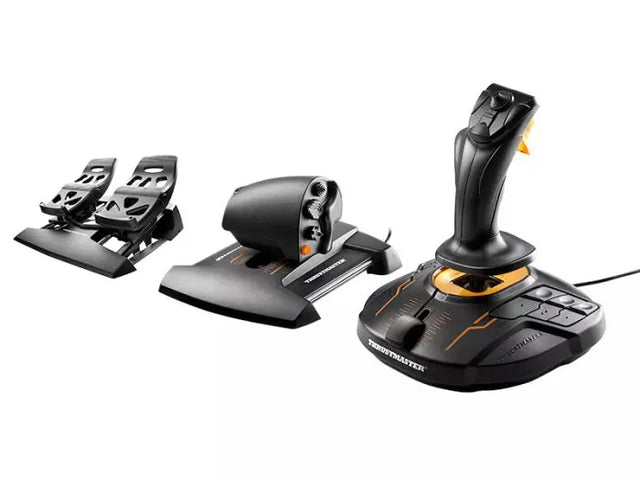
La accesibilidad en la simulación de vuelo ha dado grandes pasos, con fabricantes que desarrollan sistemas modulares que se adaptan a distintos niveles de habilidad y necesidades físicas. Estas soluciones de control adaptativas garantizan que la aviación virtual siga siendo accesible para todo tipo de usuario. El T16000M FCS Flight Pack demuestra esta versatilidad con su diseño ergonómico y distribución personalizable de botones, permitiendo a cada piloto crear su configuración de control ideal.

Controles para simulador de vuelo en Xbox

La simulación de vuelo en consola ha crecido exponencialmente, especialmente con las plataformas Xbox ofreciendo opciones de control avanzadas. El Turtle Beach VelocityOne Flight System lidera este segmento brindando a usuarios de Xbox una solución integral que rivaliza incluso con setups tradicionales de PC. Estos controles específicos para consola mantienen funciones


Explora los favoritos de nuestros clientes

Ingresa en

¿Ha olvidado su contraseña?

¿Aún no tienes una cuenta?
Crear una cuenta


