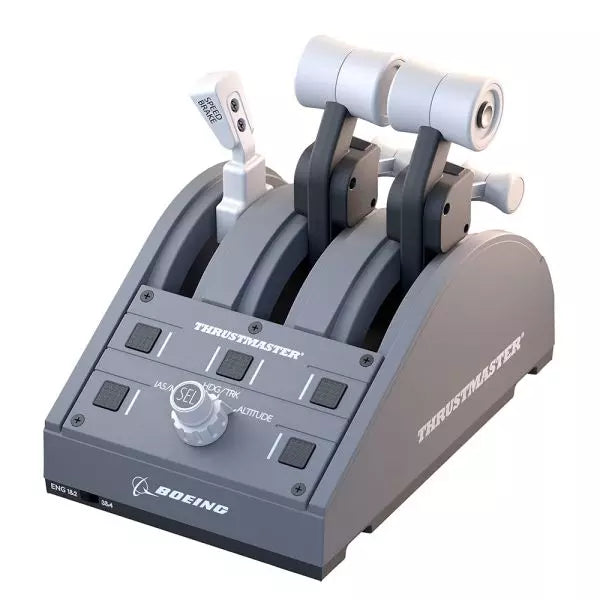
The TCA Quadrant Boeing Edition is a throttle quadrant that brings the iconic feel of Boeing airliners into your hands. With swappable levers for a customizable experience and magnetic technology ensuring smooth operation across all three axes, this device lets you experience the same tactile control as real Boeing pilots. Officially licensed by Boeing and Xbox, and compatible with PC, it’s a compact yet robust addition to any flight sim setup, designed to elevate your virtual cockpit.
What sets the TCA Quadrant Boeing Edition apart?
Swappable and Customizable Levers The TCA Quadrant Boeing Edition includes four interchangeable levers that can be arranged to suit your preference. Whether you need a speed brake, throttle, or flaps, the levers can adapt, making it ideal for left- or right-handed pilots seeking precise control over their setup.
Boeing-Inspired Linear Resistance The throttle levers are built to mimic the resistance you’d feel in the Dreamliner’s throttle quadrant. This subtle detail brings a sense of heft and deliberation to every adjustment, ensuring you feel each power setting in your fingertips.
Iconic Autopilot Controls The integrated autopilot rotary knob allows for intuitive adjustments to altitude, airspeed, and heading. This feature mirrors the functionality of real Boeing airliners, giving you an intuitive way to manage your flight path without additional peripherals.
Magnetic Technology for Smooth Operation Utilizing Thrustmaster’s H.E.A.R.T magnetic technology, this quadrant offers seamless movement with pinpoint accuracy. The lack of mechanical parts means no degradation over time, ensuring lasting performance in your flight simulator cockpit.
Pros and Cons
Pros
Cons
Swappable levers allow for a tailored setup.
Requires TCA Yoke Boeing Edition for Xbox use.
Boeing-inspired linear resistance adds tactile feedback.
Limited functionality without a matching yoke system.
Magnetic sensors ensure smooth, wear-free operation.
Autopilot control can be tricky to master initially.
Specifications
Specification
Value
Dimensions
130mm (W) x 195mm (D) x 150mm (H)
Weight
600 g / 1.3 lb
Included Components
Throttle quadrant, 4 levers, crossbar, attachment pieces
Connection Type
USB
Compatibility
Xbox (with TCA Yoke), PC
TCA Quadrant Boeing Edition Compatibility
The TCA Quadrant Boeing Edition is designed to work seamlessly with Thrustmaster’s TCA Yoke Boeing Edition, required for Xbox compatibility. When paired with the yoke, it connects directly to Xbox Series X|S or Xbox One. On PC, it integrates smoothly into flight simulators, making it an excellent choice for users of Microsoft Flight Simulator 2020. However, it’s not compatible with other yoke systems or standalone operation on Xbox platforms.
The quadrant is officially licensed by both Boeing and Xbox, ensuring a fully-supported experience across compatible systems. It supports Microsoft Windows PCs and works automatically with Microsoft Flight Simulator on Xbox Series X|S, delivering plug-and-play convenience. Unfortunately, it lacks Mac compatibility, so macOS users may need to explore alternative options for their flight sim needs.
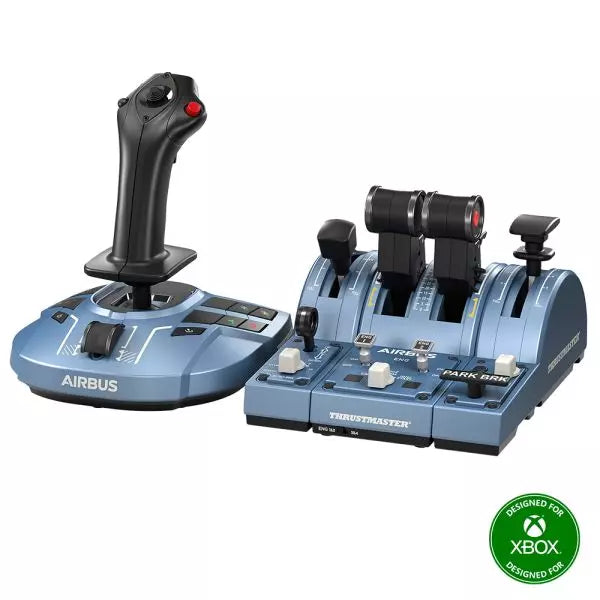
The TCA Captain Pack X Airbus Edition is an exciting leap for flight sim enthusiasts who dream of commanding the cockpit of an Airbus A320. Combining the ergonomic replicas of the Airbus sidestick and quadrant, it delivers a feature-rich experience inspired by authentic aviation controls. From the tactile feedback of its 31 action buttons to the satisfying resistance of the throttle’s detents, this setup immerses you in every aspect of flight. Whether you're handling precise approaches or testing the thrust reverser, this package elevates your sim flights to a whole new level.
What sets the TCA Captain Pack X Airbus Edition apart?
Airbus-Authentic Design The sidestick and quadrant are true 1:1 scale replicas, giving you the same control layout and feel as the real Airbus A320. With this attention to detail, everything from the landing gear lever to the speed brake mimics the actual aircraft, making your setup as close to a real cockpit as possible.
Thrust Reverser Mechanism A rare addition to home flight sim controllers, the built-in thrust reverser adds depth to your landing sequences. It’s a unique feature that brings added realism to your sessions, especially when combined with the quadrant's detailed throttle detents.
Integrated Ecosystem Hub Simplified connectivity is a game-changer with the new hub design. Connect all your Thrustmaster Airbus accessories—rudder pedals, add-ons, and more—using a single USB cable. This design minimizes clutter and enhances compatibility with Xbox Series X|S and PC platforms.
Versatility and Modularity The sidestick offers customizable button head modules and can adapt for left-handed, right-handed, or central cockpit positions. This makes the controller versatile for solo flights or co-pilot setups, catering to both casual simmers and serious enthusiasts.
Pros and Cons
Pros
Cons
Authentic Airbus-inspired layout enhances flight realism.
Limited compatibility with non-Airbus-style setups.
Thrust reverser adds depth to landing procedures.
No force feedback or vibration features included.
Integrated hub reduces cable clutter significantly.
Specifications
Specification
Value
Sidestick Dimensions
7.7” x 7.7” x 8.9” (195 mm x 195 mm x 225 mm)
Quadrant Dimensions
7.5” x 9.3” x 3.3” (190 mm x 235 mm x 85 mm)
Sidestick Weight
1.7 lb (787 g)
Quadrant Weight
2 x 1.2 lb (2 x 530 g)
Package Contents
Sidestick, Quadrant, Add-on Modules, USB Cable, Connectors
Connectivity
USB-C to USB-A, 2x SATA cables
TCA Captain Pack X Airbus Edition Compatibility
The TCA Captain Pack X Airbus Edition integrates seamlessly with the Thrustmaster T.Flight Rudder Pedals (TFRP) and the Thrustmaster Pendular Rudder (TPR) systems, as well as with other add-ons like the TM Flying Clamp. Its Ecosystem Hub makes it easier than ever to connect all components using a single USB cable, supporting both Xbox Series X|S and PC platforms. However, the quadrant’s Airbus-specific design may not suit enthusiasts looking for a Boeing-style setup or generic controls.
On the gaming front, it’s fully compatible with Microsoft Flight Simulator 2020 and integrates automatically on both PC and Xbox Series X|S. This pack also supports various other titles on Xbox and PC with customizable mappings, though it may not work with older consoles or unsupported games.
Honeycomb Foxtrot Aviation Stick está diseñado para pilotos que prefieren un sidestick en la mano y un escritorio despejado frente a ellos. Desde el primer movimiento, el sistema de resistencia lineal suave sin center detent se siente fluido y preciso, ideal para entradas al estilo Airbus y maniobras acrobáticas. En su interior, la resolución de 16-bit con tecnología de sensores Hall Effect traduce sutiles movimientos de muñeca en un control preciso en pantalla. Añade tensión ajustable y un diseño completamente ambidiestro, y obtendrás un stick con una sensación profesional y bien definida, no como un juguete.
¿Qué distingue al Honeycomb Foxtrot Aviation Stick?
Filosofía de Control Sin Center Detent Muchos sticks dependen de un punto central perceptible, lo que puede hacer que las pequeñas correcciones se sientan mecánicas. El sistema de resistencia lineal del Foxtrot elimina ese punto, creando una transición suave en todo el recorrido del eje. Los pilotos que vuelan aeronaves Airbus valoran especialmente este diseño, ya que reproduce con mayor fidelidad el comportamiento de un sidestick y permite correcciones suaves de cabeceo y alabeo sin luchar contra un “clic” con resorte en el centro.
Sinergia entre Sensores y Resolución Con una resolución de 16-bit combinada con sensores Hall Effect, el Foxtrot ofrece una detección de entrada limpia y sin contacto. Los entusiastas destacan a menudo su consistencia a lo largo del tiempo: sin picos, sin degradación progresiva típica de los potenciómetros físicos. Los ajustes sutiles de trim en aproximación o las entradas de alabeo cuidadosas en acrobacia se sienten estables y predecibles, especialmente en comparación con sticks de nivel básico que pueden mostrar vibraciones cerca del centro.
Resistencia y Ergonomía Configurables La tensión ajustable permite adaptar el stick a las preferencias personales, ya sea que prefieras entradas ligeras con la punta de los dedos o una resistencia más firme para movimientos controlados. Combinado con su diseño de empuñadura ambidiestro, el Foxtrot es adecuado tanto para configuraciones para zurdos como para diestros. Los usuarios con cockpits compactos suelen destacar lo adaptable que resulta en distintas posiciones de asiento, incluyendo montajes centrales o laterales.
Alta Densidad de Switches Sin Saturación Entre los 5 switches de dos vías, 4 botones de acción programables, POV hat, gatillo, rockers y panel rotativo multidireccional, el stick ofrece una gran flexibilidad de entradas. Lo que destaca es la distribución lógica de los controles; los sim pilots mencionan con frecuencia que funciones como trim, modos de piloto automático o controles de cámara pueden asignarse sin sensación de saturación ni necesidad de buscar botones a ciegas en pleno vuelo.
Pros y Contras
Pros
Contras
Resistencia lineal sin center detent con sensación suave.
Sin compatibilidad nativa con consolas.
Los sensores Hall Effect reducen el desgaste a largo plazo.
No incluye base de montaje dedicada.
Tensión ajustable para distintos estilos de vuelo.
Amplias opciones de configuración de switches y botones.
Especificaciones
Especificación
Valor
Product Name
Honeycomb Foxtrot Aviation Stick
Control System
Sistema de resistencia lineal sin center detent
Sensor Technology
Sensores Hall Effect
Resolution
16-bit
Tension Adjustment
Resistencia del stick ajustable
Switches
5 switches de dos vías
Action Buttons
4 botones programables
Rotary Panel
Controles rotativos de 3, 4 y 5 vías
Grip Design
Ambidiestro
Connection
USB-C to USB-A cable
System Compatibility
PC y Mac
Included in the Box
Foxtrot Aviation Stick, USB-C to USB-A Cable, Quick Start Guide (EFIGS)
Download Support
Perfiles Basic Bindings (XML) para MSFS 2024
Compatibilidad del Honeycomb Foxtrot Aviation Stick
Platform
Compatibility
Operating Systems
PC y Mac
Connection Type
USB-C to USB-A interfaz USB directa
Primary Sim Support
MSFS 2024 (XML bindings), MSFS, X-Plane, Prepar3D
El Foxtrot Aviation Stick se conecta mediante USB estándar, lo que permite integrarlo fácilmente en la mayoría de configuraciones de cockpit de escritorio. Funciona sin problemas junto a throttle quadrants, pedales de timón y paneles de radio de otras marcas importantes gracias a su arquitectura HID plug-and-play. Su diseño ambidiestro lo hace adecuado tanto para configuraciones de asiento izquierdo como derecho, incluido el montaje lateral al estilo Airbus. No es compatible con consolas Xbox y no funciona como dispositivo independiente sin un PC o Mac conectado.
En el apartado de software, es compatible con Microsoft Flight Simulator 2024 mediante perfiles XML dedicados y funciona con simuladores populares de PC como Microsoft Flight Simulator (2020), X-Plane y Prepar3D a través de configuraciones manuales o mapeos de la comunidad. No está diseñado para plataformas basadas en consola, ya que depende del reconocimiento de drivers nativos de PC/Mac en lugar de firmware certificado para consola.
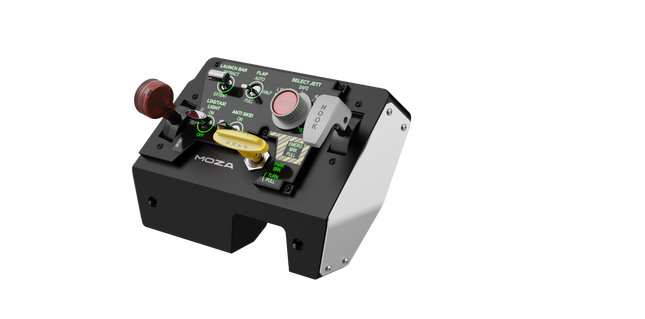
Moza MTLP Take-off Landing Panel lleva la esencia de las operaciones de aviones de combate a la cabina de simulación en casa con un sistema de control robusto y táctil diseñado para pilotos serios de simuladores. Modelado a partir del panel de aterrizaje del F/A-18, ofrece una disposición de interruptores intuitiva que permite entradas rápidas e instintivas sin depender de confirmaciones visuales. El mecanismo auténtico de freno de estacionamiento proporciona un rebote mecánico sólido que parece salido de un avión de combate real. Con 25 señales de interruptores programables y sensores de efecto Hall para precisión, este panel cierra la brecha entre la interacción virtual y la real en la cabina.
¿Qué distingue al Moza MTLP Take-off Landing Panel?
Diseñado para control táctil – Modelado a partir del panel de aterrizaje del F/A-18, esta configuración prioriza la operación instintiva. La disposición de los interruptores permite a los pilotos gestionar funciones críticas de la aeronave por sensación, reduciendo la necesidad de apartar la vista de la pantalla. Este tipo de refuerzo táctil es esencial para entornos de ritmo rápido, como vuelos de combate y aterrizajes en portaaviones.
Precisión del sensor Hall para funciones clave – A diferencia de los interruptores mecánicos estándar, el MTLP integra sensores de efecto Hall en entradas clave como las palancas del tren de aterrizaje y el gancho de cola. Estos sensores proporcionan fiabilidad a largo plazo y precisión consistente en las entradas, eliminando el deslizamiento o la degradación relacionados con el desgaste con el tiempo.
Construido para soportar un uso repetido – La construcción de aleación de aluminio utilizada en la palanca de freno, la palanca del gancho de cola y el tren de aterrizaje garantiza durabilidad. Estos componentes pueden soportar un uso repetido y forzoso, lo que hace que el panel sea una inversión a largo plazo para los entusiastas de los vuelos que exigen robustez mecánica.
Integración sin problemas con el ecosistema de Moza – El MTLP está diseñado para funcionar sin esfuerzo con el panel de acelerador Moza MTP, formando un conjunto cohesivo de control de avión de combate. A través del software Moza Cockpit, los usuarios pueden sincronizar los efectos de iluminación impulsados por telemetría y personalizar sus configuraciones de botones para adaptarse a su estilo de vuelo.
Pros y Contras
Pros
Contras
Modelado a partir del panel de aterrizaje del F/A-18
El soporte de escritorio se vende por separado
Sensores de efecto Hall para precisión y longevidad
Compatibilidad limitada solo para PC
25 señales de interruptores programables para un control extenso
Compatible con el ecosistema de Moza para un conjunto completo de control de avión de combate
Especificaciones
Especificación
Valor
Dimensiones
196.5 × 134.7 × 149 mm
Material de la carcasa
Materiales compuestos
Material de la palanca de freno
Aleación de aluminio
Peso
680g
Señales de interruptores
25
Iluminación por telemetría
Sí (no se requieren complementos adicionales)
Plataforma soportada
PC
Abrazadera de escritorio
Accesorio opcional
Accesorios incluidos
Cable de datos, manual de usuario
Compatibilidad del Moza MTLP Take-off Landing Panel
Compatible con
No compatible con
Panel Moza MTP Throttle
Paneles de acelerador de terceros
Software Moza Cockpit para personalización
Plataformas de consola
Simuladores de vuelo en PC
MacOS
Diseñado para simuladores en PC, el MTLP se integra perfectamente con el Panel Moza MTP Throttle para crear un conjunto de control estilo avión de combate. El panel se configura a través del software Moza Cockpit, lo que permite una amplia personalización, incluidos los efectos de iluminación vinculados a la telemetría. Sin embargo, no es compatible con paneles de acelerador de terceros, lo que significa que la funcionalidad completa se logra mejor dentro del ecosistema de Moza.
La compatibilidad solo con PC asegura soporte para los principales simuladores de vuelo, pero MacOS y las consolas no son compatibles. Los entusiastas de los simuladores de vuelo que utilicen Microsoft Flight Simulator 2020, Microsoft Flight Simulator 2024 y X-Plane 12 encontrarán que el panel es reconocido de forma nativa, ofreciendo funcionalidad plug-and-play directa a través de USB. Sin embargo, los usuarios que busquen soporte para Xbox o PlayStation deberán considerar otro hardware.
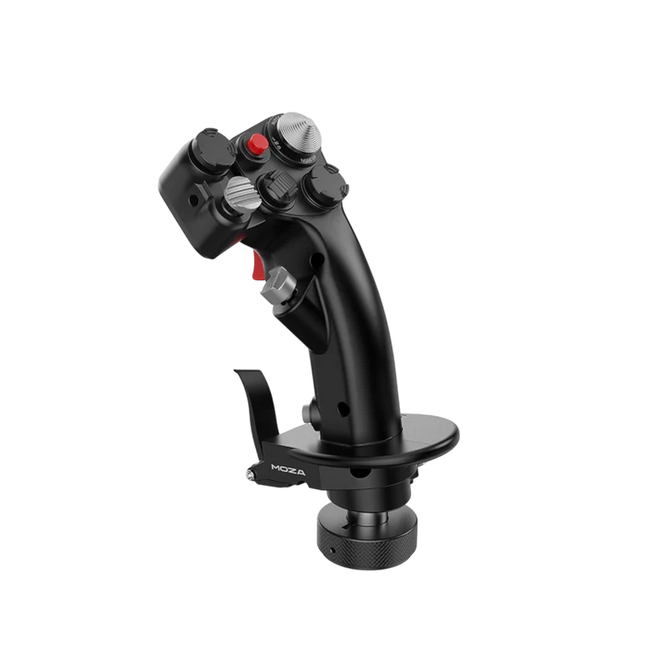
El Moza MH16 Flightstick aporta un enfoque audaz y sin concesiones a la simulación de vuelo. Diseñado con aleación de aluminio de grado aeroespacial, este flightstick no solo es estéticamente atractivo, sino que está construido para resistir sesiones intensas sin sudar. Con 27 señales de entrada y un joystick ALPS de 8 direcciones, cada comando está al alcance de tu mano, listo para maniobras precisas. Los componentes modulares desmontables permiten adaptar la configuración a tus necesidades, mientras que la construcción robusta garantiza estabilidad incluso en los combates más exigentes. Ya sea que estés volando a gran altitud o haciendo un giro cerrado, este flightstick ofrece un nivel de control que te mantiene completamente involucrado.
¿Qué distingue al Moza MH16 Flightstick?
Construido como el stick de un avión de combate real – El diseño completamente metálico no es solo para la estética; proporciona el peso y la sensación de un sistema de control de aeronave real. En comparación con los competidores de plástico, el MH16 ofrece un agarre más sustancial y robusto, reduciendo la flexión y garantizando durabilidad a largo plazo.
Modular y expansible – A diferencia de muchos flightsticks fijos, el MH16 cuenta con módulos desmontables con conexiones de pines pogo, lo que permite una fácil personalización. Esto significa que los usuarios pueden cambiar o actualizar los componentes sin la molestia de volver a cablear o desarmar toda la unidad.
Extensa personalización – Con 27 señales de entrada y un joystick ALPS de 8 direcciones, los pilotos pueden asignar los comandos exactamente como deseen. Este nivel de flexibilidad en la asignación de botones y funciones lo convierte en una opción destacada para quienes exigen control total sobre su experiencia de simulación.
Compatibilidad sin problemas y plug-and-play – No hay configuraciones complicadas, ni drivers adicionales necesarios: simplemente conecta y listo. El conector de aviación de 5 pines asegura una transmisión de entrada segura y estable, lo que lo hace operativo al instante con la mayoría de las bases de vuelo disponibles en el mercado.
Pros y Contras
Pros
Contras
El cuerpo de aluminio de grado aeroespacial ofrece durabilidad y un agarre sólido.
Fuera de stock; la disponibilidad puede ser un problema.
Los módulos desmontables permiten una fácil personalización.
No hay soporte oficial para MacOS.
27 entradas y joystick ALPS proporcionan control extenso.
Plug-and-play con la mayoría de las bases de vuelo.
Especificaciones
Especificación
Valor
Plataforma
PC
Material principal
Aleación de aluminio de grado aeroespacial
Voltaje nominal
3.3V
Corriente nominal
5A
Conector
Conector de aviación de 5 pines
Módulo Z-axis
Opcional
Dimensiones
99×213.5×132mm
Compatibilidad del Moza MH16 Flightstick
Compatible con
No compatible con
PC (sistemas basados en Windows)
MacOS
La mayoría de las bases de vuelo con conector de aviación de 5 pines
Consolas (PlayStation, Xbox)
Software de control de cockpit MOZA
Interfaces USB no estándar
El Moza MH16 Flightstick funciona perfectamente con la mayoría de las configuraciones de vuelo basadas en PC, gracias a su conector de aviación de 5 pines y a su capacidad plug-and-play. Sin embargo, los usuarios de Mac deberán buscar otras opciones, ya que no existe soporte oficial para macOS. Los usuarios han informado de una integración sólida con una variedad de bases, lo que lo convierte en una opción flexible para aquellos que desean combinar su equipo.
En cuanto a plataformas de juegos, el MH16 es estrictamente para usuarios de PC. Funciona sin problemas en simuladores de vuelo basados en Windows como DCS, MSFS2020 y X-Plane, pero los jugadores de consola no tienen suerte: no hay soporte nativo para PlayStation o Xbox. Sin embargo, si eres un apasionado de los simuladores de vuelo, esto no es un problema, ya que PC sigue siendo la plataforma preferida para pilotos serios.
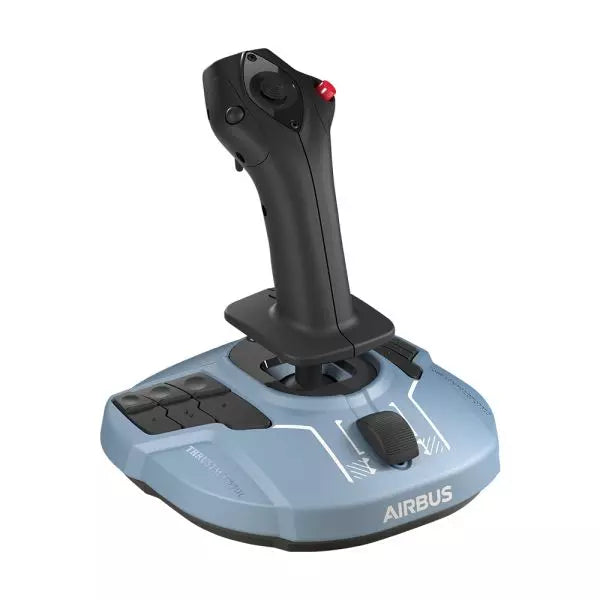
The TCA Sidestick X Airbus Edition is a sleek and versatile flight stick designed to bring Airbus-inspired handling into your hands. With an ergonomic design modeled on the Airbus A320, it offers an incredible feel for any virtual pilot. Featuring a built-in throttle with thrust reverser and 21 remappable buttons, this sidestick delivers control options galore for every phase of flight. Its integrated Ecosystem Hub simplifies setup, allowing seamless compatibility with Xbox Series X|S and PC. A perfect balance of function and flair, this sidestick is ready for takeoff!
What sets the TCA Sidestick X Airbus Edition apart?
1:1 Airbus Ergonomics Crafted as a true-to-life Airbus A320 sidestick replica, this device provides a tactile connection that mirrors the real-world aircraft. The design makes it ideal for Airbus enthusiasts or anyone wanting to elevate their sim experience with authentic shaping and layout.
Swappable Head Modules With four interchangeable head button modules, you can adapt the stick’s configuration for left-handed, right-handed, or central positioning. This modularity allows personalized setups, whether you're flying solo or as part of a crew.
Integrated Ecosystem Hub The built-in hub brings the entire Thrustmaster Airbus ecosystem to Xbox Series X|S. Connecting add-ons like throttles or pedals is now streamlined, reducing cable clutter to a single USB connection for the PC or console.
Enhanced Throttle with Thrust Reverser The improved throttle in the base features a thrust reverser, a rare addition for airliner flight sticks. It delivers greater control during landings, especially in demanding runway conditions.
Pros and Cons
Pros
Cons
Ergonomic Airbus-inspired design feels natural and intuitive.
Not compatible with PlayStation systems.
Swappable modules allow flexible configurations.
Some users report light base weight causing movement.
Integrated Ecosystem Hub simplifies connectivity across devices.
Throttle lacks fine adjustment for some sim setups.
Built-in throttle includes thrust reverser for better landing control.
Specifications
Specification
Value
Width
7.7 inches / 195 mm
Depth
7.7 inches / 195 mm
Height
8.9 inches / 225 mm
Weight
787 g
Package Contents
1 TCA Sidestick X, 4 swappable joystick head modules, 1 USB-C cable, User manual
TCA Sidestick X Airbus Edition Compatibility
The TCA Sidestick X Airbus Edition integrates smoothly into the Thrustmaster ecosystem. It connects to add-ons like the TCA Quadrant Airbus Edition and T.Flight Rudder Pedals, expanding its functionality. The built-in hub reduces clutter by allowing multiple devices to link through a single USB connection to your PC or Xbox Series X|S. However, this sidestick is not compatible with PlayStation systems, limiting its audience to PC and Xbox users.
On the gaming side, the sidestick is fully compatible with Microsoft Flight Simulator 2020 on both PC and Xbox, making it an excellent choice for simmers on those platforms. While its compatibility with other simulators like X-Plane and DCS World isn't officially listed, PC users should experience no issues thanks to its flexible design and connectivity options.
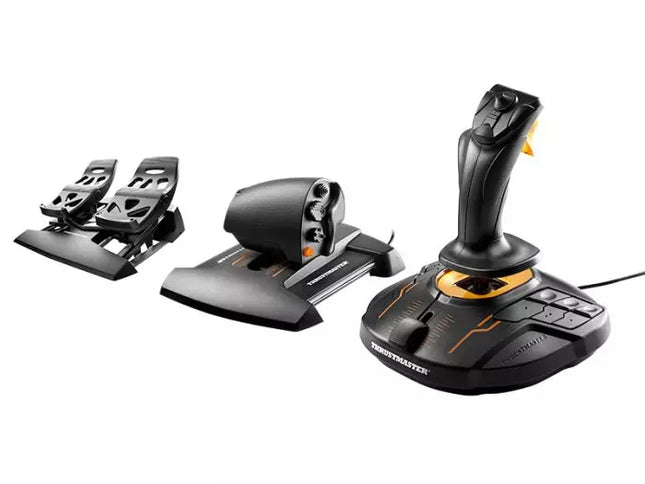
The T.16000M FCS Flight Pack is a standout choice for sim pilots who demand precise and versatile controls. This all-in-one pack features the T.16000M FCS joystick, TWCS throttle, and TFRP rudder pedals, delivering an intricate control setup ideal for aviation and space simulation. With its smooth sliding mechanisms, programmable software, and magnetic sensors for lasting accuracy, it’s a tactile and technical delight. From pitch-perfect inputs to ergonomic designs, this setup transforms your desk into a cockpit, putting you in command of every maneuver.
What sets the T.16000M FCS Flight Pack apart?
Unrivaled Longevity with Magnetic Sensors The H.E.A.R.T HallEffect technology relies on magnetic sensors for unmatched durability, ensuring the joystick’s accuracy remains unchanged over years of use. Unlike potentiometer-based systems, this design eliminates wear and tear, providing consistently smooth and precise inputs that hold steady even during intensive flight campaigns.
Comprehensive All-in-One Control System With a joystick, throttle, and rudder pedals included, the T.16000M FCS Flight Pack offers a complete setup for advanced simmers. This trio eliminates the need for additional peripherals, letting users seamlessly coordinate complex flight maneuvers while reducing clutter with integrated, ergonomic components.
Customizable for Every Pilot’s Needs The T.A.R.G.E.T programming software allows users to map buttons, axes, and macros to fit their unique playstyle. Whether flying civilian aircraft, jets, or navigating through space, this flexibility ensures optimal functionality tailored to specific games and scenarios, providing control tailored to your exact specifications.
Smooth and Comfortable Motion Both the TWCS throttle and TFRP rudder pedals utilize S.M.A.R.T technology for smooth sliding. These components provide intuitive resistance and glide, making every adjustment precise and comfortable. The ergonomic placement further enhances accessibility, even during extended play sessions.
Pros and Cons
Pros
Cons
Exceptional accuracy thanks to HallEffect magnetic sensors.
Not compatible with consoles like Xbox or PlayStation.
All-in-one system reduces need for additional peripherals.
Pedals may feel too small for larger feet.
Customizable controls via T.A.R.G.E.T software.
Throttle lacks a detent for afterburner or idle.
Smooth sliding motion enhances precision and comfort.
Specifications
Specification
Value
Components
Joystick, throttle, rudder pedals
Compatibility
Windows 10, 8, 7, Vista (32-bit & 64-bit)
Connection Type
USB
Joystick Axes
4 (including twist rudder)
Buttons
30 across all components
Rudder Technology
S.M.A.R.T sliding motion
Throttle Travel Range
3.2 inches (80 mm)
Color
Black with orange accents
T.16000M FCS Flight Pack Compatibility
The T.16000M FCS Flight Pack is fully compatible with PCs running Windows 10, 8, 7, and Vista (both 32-bit and 64-bit). Its USB connection ensures straightforward integration with most setups, while the T.A.R.G.E.T software enhances compatibility by allowing users to program the system to function as a single USB device. The pack seamlessly integrates with other Thrustmaster peripherals, such as the MFD panels, providing a cohesive ecosystem for ambitious flight sim setups.
While this system excels on PC, it is not compatible with consoles like Xbox or PlayStation, making it unsuitable for console-based simmers. The pack also works harmoniously with popular simulation titles like Microsoft Flight Simulator, X-Plane, and Elite Dangerous. However, its lack of native support for MacOS limits its use for Apple users, so check your platform’s compatibility before diving into your next flight adventure.
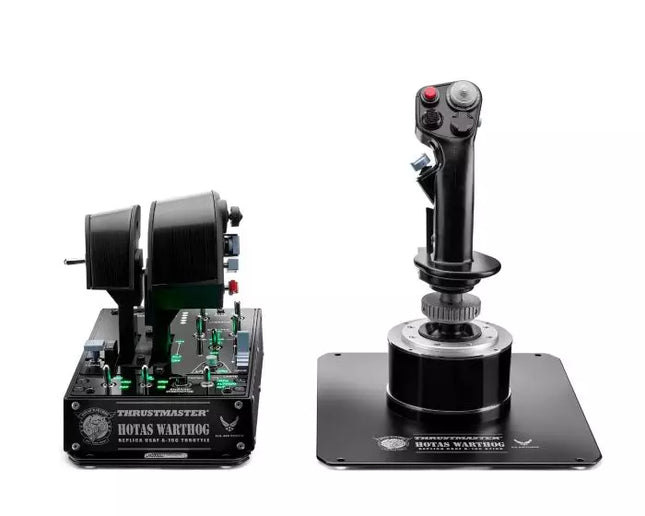
HOTAS WARTHOG is a flight simulation enthusiast’s dream. Designed to replicate the U.S. Air Force A-10C joystick and throttle controls, this joystick brings realistic functionality and impressive precision to the virtual cockpit. With its fully metal construction, H.E.A.R.T Hall Effect AccuRate Technology sensors, and magnetic throttle sensors, the HOTAS WARTHOG delivers a solid, immersive feel that lasts for years. Whether you’re flying for hours or fine-tuning every input, this joystick setup offers a satisfying and durable experience that stands out in the world of flight sims.
What sets the HOTAS WARTHOG apart?
Authentic A-10C Aircraft Replica The HOTAS WARTHOG features an exact replica of the U.S. Air Force's A-10C joystick, dual throttles, and control panel. The attention to detail extends to the metal construction and accurate button placements, which create a more convincing and rewarding flying experience. This level of realism is rare in the world of flight sim peripherals and appeals to users who demand precision in both design and function.
Durable All-Metal Construction Unlike many competitors, the HOTAS WARTHOG boasts a full metal frame across the joystick and throttle, making it a tank in terms of durability and feel. Users frequently note the substantial weight and the robust, industrial-quality switches and buttons. This sturdy design ensures the HOTAS WARTHOG will handle intensive use for years without showing signs of wear and tear, while also offering a premium tactile experience that’s hard to match.
Advanced Sensor Technology The H.E.A.R.T (HallEffect AccuRate Technology) ensures that the joystick and throttles provide superior precision with 16-bit resolution. This results in inputs that remain accurate and smooth over time without degrading, even after extended use. The technology behind this setup guarantees that every movement you make is reflected instantly in the simulation, with no mechanical drift or wear as you continue flying.
Customizable and Programmable Features With 55 fully programmable buttons, 2 four-way hats, and even 5 programmable LEDs, the HOTAS WARTHOG offers an extraordinary level of customization. Whether you need to tweak functions for different aircraft or streamline your setup for specific missions, the T.A.R.G.E.T software suite ensures that all these controls can be easily configured to match your preferences and provide seamless integration with flight simulators.
Pros and Cons
Pros
Cons
All-metal construction for durability and realism.
Heavy design may not be suitable for all setups.
Highly precise H.E.A.R.T sensor technology for accurate inputs.
Large form factor may take up significant desk space.
Extensive customization with 55 programmable buttons.
Specifications
Specification
Value
Joystick Construction
Metal
Throttle System
Dual throttle, metal handles
Total Buttons
55 programmable buttons
Weight
14 lbs
Control Panel
15 buttons, TRIM wheel, backlighting
Hats and Switches
2 four-way hats, 1 POV hat, 1 mouse hat
Sensor Technology
H.E.A.R.T Hall Effect AccuRate Technology
Detachable Components
Joystick and throttle handles
HOTAS WARTHOG Compatibility
The HOTAS WARTHOG is primarily designed for use with PC and features comprehensive software support through the T.A.R.G.E.T programming suite, which allows for deep customization and integration across various flight simulators. While it does not support console gaming, it is compatible with many popular flight simulation games available on PC, including DCS World and Microsoft Flight Simulator. Additionally, the HOTAS WARTHOG works seamlessly with other Thrustmaster flight peripherals like rudder pedals and MFD cockpit panels, providing a cohesive simulation experience.
As a USB-connected device, the HOTAS WARTHOG is plug-and-play with Windows PCs, and users can rely on the T.A.R.G.E.T software to further personalize their setup. Unfortunately, it is not compatible with consoles, including PlayStation and Xbox. However, for serious sim pilots who are dedicated to PC flight simulation, this is less of a limitation and more of a focus on fine-tuning the experience for desktop enthusiasts.
The Alpha Flight Controls by Honeycomb Aeronautical is a feature-rich, durable yoke designed to elevate your flight simulation experience. Built with aerospace-grade internal components, it offers a buttery-smooth 180° turn radius and 15 cm of travel along its steel shaft, delivering precision and fluidity in every maneuver. Its integrated switch panel with red LED backlighting replicates real-world avionics, while the ergonomic handle design packs an array of tactile buttons and switches for versatile control. This is a simulator tool for those who appreciate robust design and reliable performance.
What sets the Alpha Flight Controls apart?
Robust Construction Built with a steel shaft and aerospace-grade components, the yoke ensures durability for years of regular use. This sturdiness gives users the confidence to push boundaries without worrying about wear and tear, a significant advantage over its plastic-heavy competitors.
Comprehensive Switch Panel The integrated switch panel with master, alternator, avionics, and light switches is a standout feature. Coupled with an ignition switch, it allows users to simulate pre-flight checks and engine starts accurately, adding a layer of realism many products overlook.
Ergonomic Design and Customization Thoughtfully designed handles include multiple buttons, hat switches, and a push-to-talk button for intuitive control. The array of functions and customizable software profiles cater to both casual sim enthusiasts and aspiring pilots looking to fine-tune their experience.
Cross-Compatible and Future-Ready Mounting points and brackets allow seamless integration with other Honeycomb and Saitek products, making it ideal for those with an expanding home cockpit. Its compatibility with popular simulators ensures versatility for any flight sim setup.
Pros and Cons
Pros
Cons
Durable steel shaft with aerospace-grade components.
Not compatible with older operating systems like Windows 7.
Integrated switch panel with LED backlighting.
Software required for full functionality can be complex to set up.
Compatible with major flight simulators and accessories.
Limited adjustability for handle ergonomics.
Wide 180° turn radius for smooth control inputs.
No included mount for desk setups, requires separate purchase.
Specifications
Specification
Value
Dimensions (Sleeve)
44.8 x 31.4 x 23.7 cm
Dimensions (Carton)
46.2 x 32.7 x 25.5 cm
Travel Length
15 cm
Turn Radius
180°
Compatibility
Windows 10 (64-bit), macOS
Package Contents
Alpha Flight Controls unit, drivers
Alpha Flight Controls Compatibility
The Alpha Flight Controls is compatible with major flight simulators, including Microsoft Flight Simulator 2020, X-Plane 11, and Lockheed Martin Prepar3D (v3-v5). It supports both Windows 10 (64-bit) and macOS, although some features require the Honeycomb Config Tool for optimal use. Notably, older operating systems like Windows 7 and FSX are not supported, which may limit users with legacy setups.
For hardware compatibility, it includes mounting points and brackets designed to pair seamlessly with Honeycomb Bravo Throttle Quadrant and Saitek panels. The yoke integrates effortlessly into a range of cockpit builds, making it an excellent choice for expandable setups. However, note that desk clamps or mounts are sold separately.
In terms of gaming platforms, the Alpha Flight Controls is PC-centric, with no console support. It’s optimized for simulation platforms requiring USB connections and doesn’t cater to Xbox or PlayStation. Its compatibility with varied simulators ensures a flexible and robust option for PC-based flight enthusiasts.
No disponible en stock,
Reservas disponibles. Envío en 2-2,5 semanas.
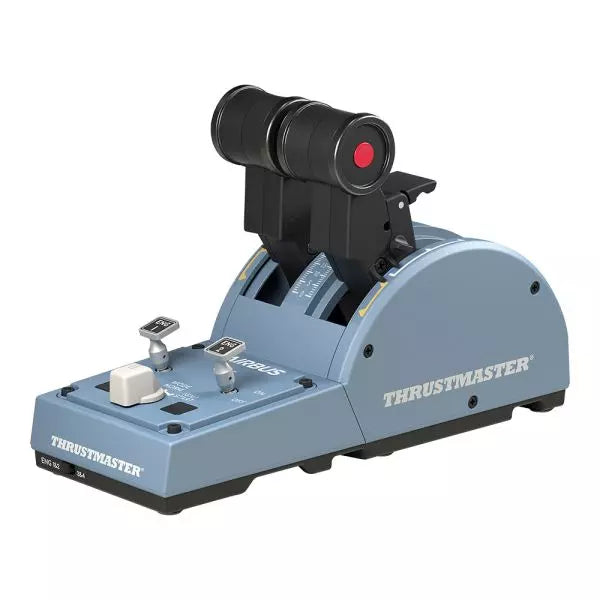
The TCA Quadrant Airbus Edition is a dream come true for flight sim enthusiasts who crave a tactile, civil aviation throttle experience. Featuring dual thrust levers with the iconic Airbus detents and a thrust reverser mechanism, it offers unparalleled control for everything from smooth takeoffs to precise landings. With 16 assignable buttons and contactless magnetic sensor technology ensuring an unlimited lifespan, this throttle quadrant delivers versatility and durability. Its mechanical selectors enable seamless adaptability across various aircraft types, putting endless possibilities at your fingertips.
What sets the TCA Quadrant Airbus Edition apart?
Iconic Airbus Detents and Thrust Reverser The quadrant’s detents replicate the flight modes of Airbus airliners, from "Idle" to "TO/GA." Paired with the thrust reverser mechanism, these details make transitions between power settings a tactile delight, giving users fine-tuned control that’s intuitive and deeply satisfying.
Contactless Magnetic Sensor Technology Unlike many competing products that rely on potentiometers, the TCA Quadrant Airbus Edition uses HallEffect magnetic sensors. These sensors provide an extended lifespan, superior sensitivity, and smoother operation, even during demanding and frequent use.
Expandable Ecosystem The quadrant’s compatibility with additional accessories, like the TCA Quadrant Add-On Airbus Edition or Thrustmaster T.Flight rudder systems, offers an upgrade path for four-engine aircraft setups and advanced control schemes. This modular approach ensures long-term value for dedicated sim pilots.
Customizable Tension and Modes The built-in tensioning screw lets users adjust the throttle feel to match their preferences. Additionally, mechanical selectors allow detents to be disabled, enabling smooth axis transitions for other types of aircraft, such as fighter jets or general aviation planes.
Pros and Cons
Pros
Cons
Accurate Airbus detents for mode-specific control.
Limited compatibility with non-Windows platforms.
Contactless magnetic sensors ensure long-term durability.
Requires additional accessories for multi-engine setups.
Expandable with Thrustmaster’s TCA ecosystem.
Includes 16 buttons for extensive customization.
Specifications
Specification
Value
Width
10.0” / 255 mm
Depth
5.7” / 145 mm
Height
3.3” / 85 mm
Weight
1.2 lb / 530 g
Box Contents
TCA Quadrant, USB cable, attachment rod, connectors
Technology
HallEffect AccuRate Technology (contactless magnetic sensors)
Buttons
16 physical and virtual buttons
TCA Quadrant Airbus Edition Compatibility
Compatible Devices
Details
TCA Sidestick Airbus Edition
Works seamlessly for a full Airbus cockpit experience.
Thrustmaster T.Flight Rudder Pedals
Provides enhanced control for ground and in-flight maneuvers.
Thrustmaster T.A.R.G.E.T Software
Allows programming and testing of complex setups.
The TCA Quadrant Airbus Edition is compatible with Windows 10 and Windows 8 PCs, ensuring integration with popular sim setups. While it excels with the Thrustmaster T.A.R.G.E.T software for added customization, it does not offer native console compatibility, making it ideal for PC-exclusive pilots. Pairing it with accessories like the T.Flight rudder pedals enhances the experience further.
In gaming platforms, the quadrant shines in Microsoft Flight Simulator and X-Plane. Compatibility with games that support multiple button configurations, along with its detent and axis settings, ensures flexibility. It is less suitable for general-purpose gaming setups due to its civil aviation-focused design.
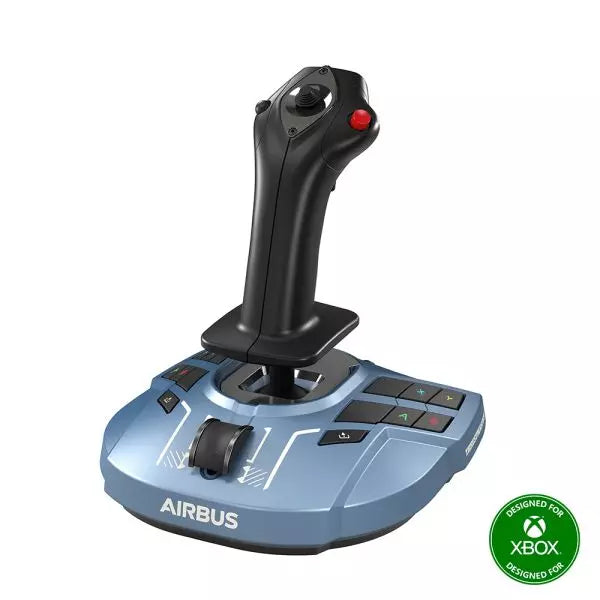
The TCA Sidestick Airbus Edition is a robust and versatile sidestick, capturing the essence of Airbus flight controls. With its ergonomic 1:1 scale design inspired by the Airbus A320, this sidestick brings a tactile and customizable edge to your flight simulation. Boasting a built-in throttle axis with a unique thrust reverser mechanism, and 12 remappable buttons, it’s engineered to adapt to your style—be it captain, co-pilot, or central solo position. With the added benefit of contactless magnetic sensor technology, every maneuver feels smooth and natural.
What sets the TCA Sidestick Airbus Edition apart?
Swappable Joystick Head Modules The sidestick’s head is modular, allowing you to customize it for captain, co-pilot, or solo use. This flexibility makes it a favorite among users who value adaptability, particularly for varied flight scenarios or setups.
Built-in Throttle with Thrust Reverser A built-in throttle axis, complete with a thrust reverser mechanism, sets this stick apart. It's a rare inclusion on sidesticks, providing better control during landings and ground maneuvers.
HallEffect Magnetic Sensors Using contactless magnetic technology, this sidestick eliminates wear and tear while providing precise inputs over its lifetime. Users consistently praise its longevity and smooth operation.
Integrated Rudder Control The twist-rudder mechanism, with an optional lock, offers versatile control for multitasking pilots, enhancing usability in diverse flight conditions.
Pros and Cons
Pros
Cons
Modular head design suits different pilot roles.
Limited to PC compatibility only.
Built-in throttle with thrust reverser adds utility.
Smaller base may feel less stable to some.
Magnetic sensors ensure long-lasting reliability.
No additional programmable dials or sliders.
Ergonomic Airbus-inspired design enhances grip and comfort.
Specifications
Specification
Value
Width
7.7” / 195 mm
Depth
7.7” / 195 mm
Height
8.9” / 225 mm
Weight
2.0 lb / 920 g
Box Contents
1 x Sidestick, 4 x Joystick Head Modules
TCA Sidestick Airbus Edition Compatibility
The TCA Sidestick Airbus Edition works seamlessly with other components of the Thrustmaster Airbus ecosystem, such as the TCA Quadrant Airbus Edition and the TCA Quadrant Add-On. It also pairs effectively with the T.Flight Rudder Pedals and the TM Flying Clamp for a more stable setup. However, it lacks compatibility with consoles like Xbox or PlayStation, making it ideal for PC users only. This sidestick integrates into setups requiring a versatile input device but isn't suitable for console-based flight simulators.
For gaming platforms, the sidestick supports PC (Windows 10 and 8), but does not function with macOS or Linux-based systems. It’s compatible with popular flight simulators like Microsoft Flight Simulator and X-Plane. However, its use is restricted to games that support configurable flight controls, as it lacks plug-and-play support for casual or arcade titles.
MOZA MA3F Electronic Flight Control Modules L bring the unmistakable Airbus A320 flight deck to your simulator with controls that make every heading change, altitude adjustment, and approach setup feel deliberate. The dual-rail spring-loaded push/pull mechanism recreates the distinctive operation of Airbus autopilot controls, while custom segmented displays faithfully mirror Airbus-specific character formatting and spacing. From the satisfying click of each selector to the coordinated cockpit lighting, every interaction encourages proper Airbus procedures throughout the entire flight.
What Sets the MOZA MA3F Electronic Flight Control Modules L apart?
Faithful Airbus Push/Pull Operation – The dual-rail spring-loaded push/pull mechanism delivers a noticeably more convincing feel than conventional encoder-based controls. Airbus enthusiasts often point out that having distinct push and pull actions makes switching between managed and selected modes feel far more intuitive, helping reproduce familiar cockpit workflows without relying on keyboard shortcuts or mouse clicks.
Displays That Match Airbus Presentation – Rather than using generic digital readouts, the custom segmented displays reproduce Airbus-style character spacing, typography, and formatting. Builders frequently appreciate these visual details because the modules blend naturally with other Airbus cockpit hardware, creating a clean and cohesive flight deck instead of a collection of mismatched peripherals.
Flexible Expansion for Growing Cockpits – Available as an FCU only, FCU with a single EFIS, or a complete Electronic Flight Control Module suite, the system adapts to different cockpit sizes and budgets. The optional extended-function EFIS mode adds further flexibility, allowing additional controls to be accessed without filling the cockpit with extra hardware.
Straightforward Installation and Configuration – The included mounting bracket, aluminum-profile compatibility, and standard 75 mm VESA support make installation simple across desktop and full-frame cockpits. Users also appreciate MOZA Cockpit software for its synchronized lighting, streamlined configuration process, and flexible control customization without requiring complicated setup procedures.
Pros and Cons
Pros
Cons
Excellent Airbus-style push/pull control mechanism.
Designed specifically for Airbus aircraft.
Displays closely match Airbus FCU formatting.
Requires a Windows PC.
Modular configurations support gradual cockpit upgrades.
Synchronized lighting creates a cohesive cockpit appearance.
Specifications
Specification
Value
Product Type
Airbus A320-style FCU and EFIS control system
Available Configurations
FCU only, FCU + single EFIS, complete EFCM suite
Display Type
Custom Airbus-style segmented displays
Autopilot Control Mechanism
Dual-rail spring-loaded push/pull controls
Lighting
Independent display, character, and status illumination
Software Integration
MOZA Cockpit
Supported Platform
PC
Mounting Options
Included bracket, aluminum profile, 75 mm VESA mount
Extended Function
Optional EFIS extended-function control mode
MOZA MA3F Electronic Flight Control Modules L Compatibility
Hardware
Compatibility
Mounting Systems
Included bracket, aluminum-profile rigs, 75 × 75 mm VESA mounts
MOZA Cockpit Software
Telemetry synchronization and configuration supported
Cockpit Configurations
FCU only, single EFIS, or complete EFCM suite
Flight Simulator
Compatibility
Microsoft Flight Simulator
Default Airbus A320/A330 and supported Airbus add-ons
X-Plane
Compatible with Airbus aircraft including ToLiss series
Third-Party Aircraft
Fenix A320, FlightFactor A320, ToLiss series, and other popular Airbus airliners
Designed for PC flight simulation, the MA3F Electronic Flight Control Modules L integrate with MOZA Cockpit software for telemetry synchronization, synchronized lighting, and simple configuration. Included bracket mounting, aluminum-profile compatibility, and 75 mm VESA support allow the modules to fit comfortably into desktop cockpits or larger Airbus flight deck projects.
The modular design allows builders to begin with a single FCU or expand into a complete Electronic Flight Control Module suite as their simulator grows. Independent adjustment of display brightness, character illumination, and status lighting helps maintain a consistent cockpit appearance during daytime departures and night operations alike.
Compatible with Microsoft Flight Simulator and X-Plane, the system supports default Airbus A320 and A330 aircraft together with leading third-party aircraft including Fenix A320, ToLiss, FlightFactor A320, and other popular Airbus airliners. The supported platform is PC; gaming consoles and macOS are not supported.