Todos los productos

111 productos

  • ¡Últimas existencias! TCA Yoke Boeing Edition for sale on FlightSimZone

    Thrustmaster TCA Yoke Boeing Edition

    5 en stock Envío en 1-3 días hábiles.

    Take your flight simulation to the next level with the TCA Yoke Boeing Edition. Designed with official Boeing licensing, this yoke is a 1:1 ergonomic replica of the 787 Dreamliner controls. Its suspended PENDUL_R mechanism delivers a smooth, pendular motion for authentic maneuvering, while the 100% metal frame ensures stability and long-lasting durability. Complete with adjustable springs and two additional axes, this yoke is perfect for takeoffs, landings, and everything in between. If you're serious about flight simulation, this is an experience that’s hard to ignore. What sets the TCA Yoke Boeing Edition apart? Licensed Boeing Replica Design The TCA Yoke Boeing Edition replicates the ergonomic design and controls of a Boeing 787 cockpit, offering enthusiasts the opportunity to feel like they’re gripping the real deal. This level of accuracy is rare in the sim market and appeals to those who demand authenticity in their setups. Suspended PENDUL_R Mechanism Unlike conventional yoke systems, the suspended PENDUL_R mechanism simulates the pendular movement of a genuine airliner yoke, offering a fluid and realistic range of motion. This feature is especially appreciated for its natural feel during pitch and roll adjustments. Customizable Spring Resistance The adjustable spring system allows you to fine-tune the tension to your preference, making it suitable for both novice and seasoned pilots. This flexibility ensures comfort and precision regardless of your flying style or aircraft type. Versatile Control Options With 18 action buttons, 6 axes, and a built-in mini-stick, the yoke provides ample mapping possibilities for various aircraft types. Whether navigating a jumbo jet or a small propeller plane, you’ll have the tools to control it all. Pros and Cons Pros Cons Official Boeing-licensed design for an authentic feel. Higher price point compared to other yokes. Suspended PENDUL_R mechanism offers fluid movement. Bulky design may be difficult to mount in tight spaces. Adjustable springs for tailored resistance preferences. 18 action buttons and versatile mapping possibilities. Specifications Specification Value Dimensions (Yoke) 11.8" W x 15.4" D x 15.0" H Weight (Yoke) 14.8 lb / 6,700 g Additional Axes 2 built-in Frame Material 100% Metal Action Buttons 18 Box Contents Yoke, USB Cable, Extra Spring, Tablet Stand TCA Yoke Boeing Edition Compatibility The TCA Yoke Boeing Edition is fully compatible with Xbox One, Xbox Series X|S, and PC. Its integration with Microsoft Flight Simulator ensures a seamless connection right out of the box. However, it may lack compatibility with older systems or non-Xbox consoles, making it essential to confirm your setup before purchase. Its USB-C to USB-A connection broadens compatibility with modern PC hardware. Users appreciate the plug-and-play convenience for supported systems. While the yoke lacks native support for macOS or Linux platforms, its design is tailored for a rich experience on officially supported devices. For gaming platforms, the TCA Yoke integrates naturally with Microsoft Flight Simulator, making it an ideal choice for sim enthusiasts. It’s also likely compatible with other simulation software, provided they support generic joystick input devices. However, it's worth noting that its advanced features may require dedicated profiles or configurations in less popular software.

    5 en stock Envío en 1-3 días hábiles.

    €399,00

  • Honeycomb Alpha Flight Controls XPC

    Fly Honeycomb Honeycomb Alpha Flight Controls XPC

    1 revisar

    No disponible en stock, Reservas disponibles. Envío en 2-2,5 semanas.

    Honeycomb Alpha Flight Controls XPC brings a refined yoke experience to sim pilots seeking robust control and ergonomic design. The 180° yoke rotation with upgraded Hall Effect sensors ensures smooth handling without a center detent, while the multi-function switch panel gives instant access to critical aircraft systems. The damped, self-centering mechanism allows for fluid maneuvering, and the illuminated base provides visibility for night flights. With full Xbox and PC compatibility, it integrates seamlessly with Microsoft Flight Simulator and other major titles. What Sets the Honeycomb Alpha Flight Controls XPC Apart? Smooth and Accurate Hall Effect Sensors – Unlike traditional potentiometers, Hall Effect sensors provide longevity and reliability by eliminating physical wear. The result is consistent control input over time, free from degradation or calibration drift. Comprehensive Switch Panel for Realistic Workflow – The built-in switch panel eliminates the need for extra hardware, featuring controls for master, alternator, avionics, and lights, plus a five-position ignition switch for proper startup sequences. Ergonomic and Fully-Equipped Handles – The left handle features an 8-way hat switch and two-way rocker switches, while the right includes additional toggles and buttons. This ensures easy camera control, trim adjustment, and in-flight commands without lifting a hand off the yoke. True Multi-Platform Support – Many yokes are PC-exclusive, but this one works with Xbox Series X|S as well, making it a rare option for console sim enthusiasts. It’s automatically recognized in Microsoft Flight Simulator, reducing setup time. Pros and Cons Pros Cons Durable Hall Effect sensors reduce calibration drift No force feedback or haptic resistance Integrated switch panel for electrical controls Not compatible with PlayStation Xbox compatibility expands beyond PC users Mounting requires additional space Specifications Specification Value Yoke Rotation 180° Sensor Type Hall Effect Switch Panel Master, alternator, avionics, light switches Ignition 5-position rotary switch Connectivity USB-C to USB-A Dimensions 40 x 13 x 27 cm / 15.75 x 5.19 x 10.63 in Compatibility PC (Windows), Xbox Series X|S, Xbox One Warranty 2 years Honeycomb Alpha Flight Controls XPC Compatibility Software Compatibility Details Full Compatibility Microsoft Flight Simulator, X-Plane 11 & 12, Prepar3D Hardware Compatibility Details PC (Windows) Works with all major flight sims via USB connection Xbox Series X|S Full plug-and-play functionality with Microsoft Flight Simulator Seamlessly integrates with Microsoft Flight Simulator, automatically detecting the yoke and eliminating the need for extensive setup. It also works with X-Plane and Prepar3D, making it a versatile choice for flight sim enthusiasts across multiple platforms. Designed for PC and Xbox Series X|S, this yoke does not support PlayStation or MacOS. The direct USB connection ensures low latency input, while the integrated switches add extra functionality without requiring additional peripherals.

    No disponible en stock, Reservas disponibles. Envío en 2-2,5 semanas.

    €399,00

  • VelocityOne Flightdeck

    Turtle Beach VelocityOne Flightdeck

    No disponible en stock, Reservas disponibles. Envío en 2-2,5 semanas.

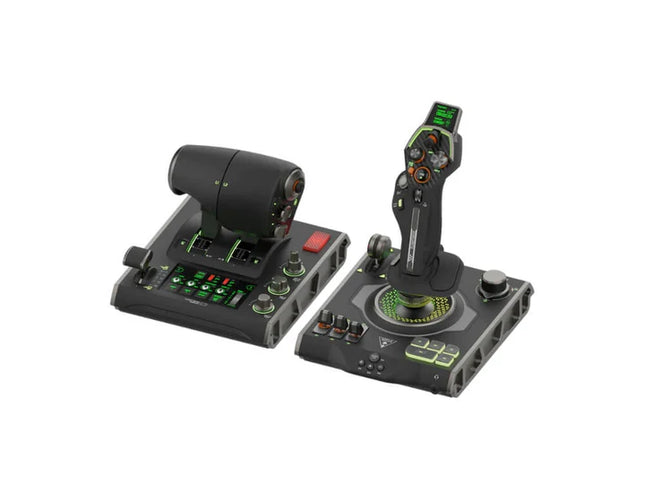
    VelocityOne Flightdeck delivers an exceptional HOTAS experience, built for sim pilots who crave full control. The Flight Touch Display puts real-time status updates and extra input options at your fingertips, while the adjustable stick height ensures a comfortable grip for every hand size. Its Hall-effect sensors promise long-lasting accuracy, and the customizable OLED HUD offers on-the-fly tuning. Whether you're maneuvering through dogfights or exploring deep space, this setup provides a comprehensive set of controls designed for seamless integration with major flight sims. What Sets the VelocityOne Flightdeck Apart? Flight Touch Display Adds Layers of Control – Unlike traditional HOTAS setups, this system introduces a dedicated touchscreen for managing in-flight status and input commands. It effectively expands your cockpit controls, allowing you to assign up to 39 extra button functions for customized interactions. Fully Adjustable Stick for Comfort and Ergonomics – Many setups lock users into a single grip position, but this one features an adjustable stick height. That means pilots with different hand sizes can fine-tune the control feel, ensuring maximum precision without hand fatigue. Modular Design with Dual USB Connectivity – While some HOTAS systems cram everything into a single unit, this setup consists of two independently connected USB devices. This allows for greater flexibility in mounting options and ensures reliable input recognition without interference. Deep Customization Through the Flight Hangar App – Unlike many competitors, this system comes with a dedicated configuration app that allows users to tweak lighting, input sensitivity, and firmware updates. The ability to save and load profiles for different aircraft ensures consistency across multiple simulations. Pros and Cons Pros Cons Touchscreen display provides extra controls and customization Requires manual mapping for full function in some games Modular design with independent throttle and stick Button layout can feel overwhelming for beginners Adjustable stick height for better ergonomics Limited compatibility with certain space sims Specifications Specification Value Connection Type USB-C to USB-A (Throttle and Stick) Weight (Stick) 1.46kg / 3.22lbs Weight (Throttle) 1.51kg / 3.33lbs Dimensions (Stick) 177 x 215.8 x 234.3 mm / 6.97” x 8.50” x 9.22” Dimensions (Throttle) 177.9 x 207.6 x 134.2 mm / 7.00” x 8.17” x 5.28” Programmable Buttons 139 Throttle Type Dual-engine with independent or linked control Included Accessories 2x USB-C to USB-A cables, mounting screws VelocityOne Flightdeck Compatibility Software Compatibility Details Full Compatibility Microsoft Flight Simulator 2020, X-Plane 11 & 12, DCS World, Prepar3D, Star Citizen, War Thunder Limited Compatibility Star Wars Squadrons, Elite: Dangerous (requires manual mapping) Hardware Compatibility Details PC (Windows 10 & 11) Requires USB connection; no support for Mac or consoles Designed exclusively for Windows 10 & 11 PCs, this HOTAS system does not support MacOS or gaming consoles. The dual USB design allows separate recognition of the throttle and stick, reducing input lag and ensuring stable connection across all supported simulators. Best suited for Microsoft Flight Simulator, X-Plane, and DCS World, the VelocityOne Flightdeck also supports Star Citizen and War Thunder with full button mapping. While it works with Elite: Dangerous and Star Wars Squadrons, manual configuration is required due to button limitations.

    No disponible en stock, Reservas disponibles. Envío en 2-2,5 semanas.

    €419,00

  • ¡Últimas existencias! Moza AY210 for sale at FlightSimZone

    Moza Moza AY210 Force Feedback Yoke Base

    2 en stock Envío en 1-3 días hábiles.

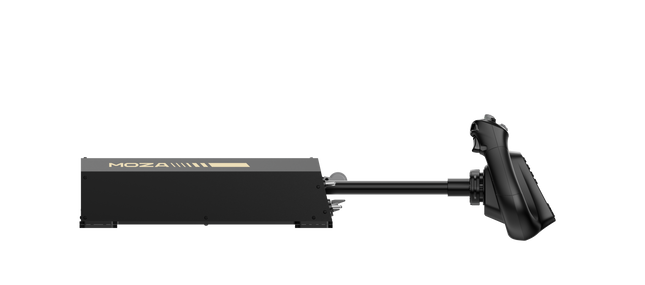
    La Moza AY210 Force Feedback Yoke Base aporta un enfoque audaz a la simulación de vuelo, combinando una construcción robusta con tecnología avanzada de retroalimentación de fuerza. Con un torque de 9Nm y una fuerza de empuje de 210N, ofrece un nivel de control intenso, haciendo que cada cabeceo y alabeo se sientan como si estuvieras manejando una aeronave real. Su construcción de aleación de aluminio le da una sensación de calidad industrial, mientras que el sistema de yugo de liberación rápida permite intercambios fáciles. Diseñada con la versatilidad en mente, admite múltiples opciones de montaje y cuenta con un panel de interruptores completamente personalizable. Para aquellos que se toman en serio la simulación de vuelo, esta base de yugo es un cambio radical. ¿Qué distingue a la Moza AY210 Force Feedback Yoke Base? Retroalimentación de fuerza impresionante – Con un torque de rollo continuo de 9Nm y un eje de cabeceo que entrega hasta 210N de fuerza, esta base de yugo ofrece un nivel de retroalimentación táctil que pocos otros pueden igualar. Ya sea que estés saliendo de una escalada empinada o sintiendo la resistencia de la turbulencia, el sistema de retroalimentación de fuerza proporciona una conexión profunda entre el piloto y la aeronave. Mecanismo de liberación rápida para el yugo – A diferencia de la mayoría de los yugos que requieren un proceso tedioso de reensamblaje para la personalización, este cuenta con un mecanismo de liberación rápida al estilo de los deportes de motor. Cambia los yugos sin esfuerzo dependiendo del tipo de aeronave, reduciendo el tiempo de inactividad entre vuelos y permitiendo una transición fluida entre diferentes configuraciones de cabina. Construcción de aluminio de alta resistencia – Fabricada completamente de aleación de aluminio, esta base de yugo está diseñada para soportar maniobras agresivas y vuelos largos sin flexión ni desgaste. Su construcción pesada proporciona estabilidad, asegurando que se mantenga fija incluso bajo cargas de retroalimentación de fuerza alta. Personalización de software extensiva – El software MOZA Cockpit permite ajustes finos, desde perfiles de retroalimentación de fuerza hasta configuraciones del panel de interruptores. Los usuarios pueden ajustar la iluminación, la integración de telemetría e incluso los comandos de botones de presión prolongada para añadir más funcionalidades. Pros y Contras Pros Contras Retroalimentación de fuerza fuerte con 9Nm de torque y 210N de fuerza de empuje Pesa 8kg, lo que dificulta la portabilidad Construcción completamente de aluminio para durabilidad y estabilidad Requiere un adaptador de potencia externo (incluido) Diseño modular con mecanismo de liberación rápida del yugo Panel de interruptores totalmente personalizable con el software MOZA Cockpit Especificaciones Especificación Valor Dimensiones 243 × 403 × 216 mm Material de la carcasa Aleación de aluminio Peso 8.0 kg Motores Motores servo dobles Fuerza máxima de cabeceo 210N Torque de rollo sostenido 9Nm Distancia de desplazamiento 150mm Yugos compatibles Serie MOZA Yoke Potencia 216W Voltaje 110~220V AC → 36V DC Precisión del chip Codificador magnético de 15 bits Frecuencia de actualización USB 1000Hz Opciones de montaje Abrazadera para escritorio (opcional), montaje en cabina Puertos de conexión Potencia, USB, acelerador, pedales de timón, panel Interruptor de parada de emergencia Opcional Retroalimentación de fuerza de telemetría Compatible (sin necesidad de complementos) Plataforma compatible PC Compatibilidad de la Moza AY210 Force Feedback Yoke Base Compatible con No compatible con Serie MOZA Yoke Yugos de terceros Software MOZA Cockpit para personalización Plataformas de consola Configuraciones de simuladores de vuelo en PC MacOS La compatibilidad total con PC asegura una integración perfecta con los principales títulos de simulación, incluidos Microsoft Flight Simulator 2020, Microsoft Flight Simulator 2024 y X-Plane 12. El sistema de retroalimentación de fuerza de telemetría integrado significa que no se requieren complementos adicionales, ofreciendo a los usuarios retroalimentación háptica directa de su simulador de elección. Sin embargo, no es compatible con MacOS ni con consolas de videojuegos. Diseñado exclusivamente para PC, este sistema ofrece soporte completo para simuladores de vuelo de alta gama. Microsoft Flight Simulator y X-Plane 12 funcionan de forma nativa, con amplias opciones de mapeo de controles. A diferencia de algunos productos de la competencia, esta base no ofrece funcionalidad plug-and-play para usuarios de Xbox o PlayStation, enfocándose en ofrecer una profunda personalización de software y retroalimentación de fuerza basada en telemetría.

    2 en stock Envío en 1-3 días hábiles.

    €769,00

  • ¡Últimas existencias! RealSimGear GFC700 Autopilot for sale on FlightSimZone

    RealSimGear RealSimGear GFC700 Autopilot

    3 en stock Envío en 1-3 días hábiles.

    El RealSimGear GFC700 Autopilot aporta precisión y simplicidad a tu configuración de simulación de vuelo. Modelado a partir de la unidad GFC700 encontrada en los aviones Cirrus SR20/SR22, presenta botones de goma funcionales para todos los modos y una rueda ajustable para afinar la velocidad del aire, la velocidad vertical o la altitud. Con indicadores LED integrados y controles dedicados para los modos, garantiza una experiencia intuitiva y táctil. La conexión USB es fácil y es compatible tanto con MSFS 2020 como con X-Plane 11/12, lo que convierte a esta unidad de piloto automático en una adición versátil para los entusiastas de la aviación general en simuladores. ¿Qué distingue al RealSimGear GFC700 Autopilot? Controles de modo auténticos y retroalimentación El GFC700 incluye botones de goma funcionales que imitan los encontrados en los sistemas de piloto automático reales. Cada botón activa modos distintos, complementados con indicadores LED, lo que proporciona retroalimentación operativa directa y reduce la dependencia de los avisos en pantalla durante ajustes críticos. Rueda ajustable para parámetros de vuelo La rueda integrada permite a los pilotos afinar su velocidad del aire, velocidad vertical o altitud con precisión. Este control táctil proporciona una experiencia práctica, funcional y satisfactoria, ideal para aquellos que valoran ajustes detallados de entrada. Integración USB sin complicaciones El GFC700 se conecta a través de un único cable USB, simplificando la configuración y eliminando el desorden. Su compatibilidad con el complemento RealSimGear asegura un rendimiento suave y una conexión sin problemas a simuladores populares como MSFS 2020 y X-Plane 11/12. Diseño específico para entusiastas de la aviación general Diseñado para replicar el piloto automático encontrado en los aviones Cirrus SR20/SR22, se destaca por ofrecer una experiencia adaptada a los fanáticos de la aviación general, centrándose en características específicas que coinciden con estos modelos de aeronaves. Pros y Contras Pros Contras Replica el GFC700 encontrado en los aviones Cirrus reales. Funcionalidad limitada fuera de configuraciones de aviación general. Incluye botones de goma táctiles totalmente funcionales. No es compatible con sistemas Mac. Fácil de integrar con soporte USB y complementos. Los indicadores LED proporcionan retroalimentación clara sobre los modos. Especificaciones Especificación Valor Tipo de unidad Réplika de piloto automático GFC700 Conectividad USB Componentes incluidos Unidad de piloto automático GFC700, cable USB Indicadores LED Indicador de modo activo Sistemas operativos Windows 64-bit Compatibilidad con simuladores X-Plane 11/12, MSFS 2020 Compatibilidad del RealSimGear GFC700 Autopilot El RealSimGear GFC700 Autopilot está diseñado pensando en los entusiastas de la aviación general. Es altamente compatible con MSFS 2020 y X-Plane 11/12, asegurando una excelente integración con estos simuladores. Su conexión USB única simplifica la configuración, pero es importante señalar que está diseñado para aeronaves como el Cirrus SR20/SR22. Sin embargo, su funcionalidad puede ser limitada con otros tipos de aeronaves. En cuanto a sistemas operativos, el GFC700 es compatible con Windows 64-bit, pero no funciona en plataformas Mac. Este dispositivo se enfoca en mejorar la simulación de la aviación general en lugar de atender aplicaciones más amplias de simuladores, lo que lo convierte en una herramienta especializada para una audiencia de nicho.

    3 en stock Envío en 1-3 días hábiles.

    €345,00

  • ¡Últimas existencias! RealSimGear GMA Audio Panel For G1000 for sale on FlightSimZone

    RealSimGear Panel de Audio RealSimGear GMA para G1000

    4 en stock Envío en 1-3 días hábiles.

    El Panel de Audio RealSimGear GMA para G1000 eleva tu cabina virtual proporcionando un control intuitivo sobre las fuentes de audio COM y NAV. Con sus botones de goma e indicadores LED, te permite gestionar las comunicaciones de radio sin problemas mientras vuelas. El diseño táctil de este panel no solo es funcional, sino que mejora tu conexión con los servicios ATC virtuales como PilotEdge. Es el compañero perfecto para la suite G1000, trayendo más funcionalidad e interacción a tu experiencia de simulación. ¿Qué distingue el Panel de Audio RealSimGear GMA para G1000? Control de audio integrado A diferencia de otras soluciones de audio, este panel permite un control preciso de las fuentes COM y NAV con botones de goma e indicadores LED. Puedes monitorear múltiples radios y asegurar una comunicación clara con facilidad, lo que lo convierte en una herramienta esencial para pilotos de simulador serios. Funciones personalizables Los botones adicionales y el control de volumen pueden asignarse a otras funciones cuando no se usan para audio. Esta flexibilidad añade valor al permitir que los usuarios adapten el panel a sus necesidades específicas de simulación. Combinación perfecta con la suite G1000 Diseñado exclusivamente para su uso con los módulos PFD/MFD de RealSimGear G1000, este panel se integra sin esfuerzo para completar tu configuración de cabina de vuelo. Proporciona una experiencia que refleja las configuraciones reales de aviones. Diseñado para servicios ATC virtuales Este panel brilla cuando se combina con herramientas ATC virtuales como PilotEdge, donde gestionar las comunicaciones de manera efectiva es crucial. Sus controles dedicados aseguran que cambiar entre radios sea suave y eficiente, permitiéndote mantener el enfoque en tu vuelo. Pros y Contras Pros Contras Proporciona controles dedicados de audio COM y NAV. Compatibilidad limitada con configuraciones que no son de RealSimGear. Botones personalizables para funciones adicionales. No es compatible con sistemas Mac. Los indicadores LED proporcionan retroalimentación clara del estado. Especificaciones Especificación Valor Compatibilidad Módulos PFD/MFD RealSimGear G1000 Componentes incluidos Panel de audio GMA, soportes de montaje, cable USB Sistemas operativos Microsoft Windows 64-bit Simuladores compatibles Microsoft Flight Simulator 2020, X-Plane 11/12 Accesorios opcionales Soportes laterales y centrales GMA Compatibilidad del Panel de Audio RealSimGear GMA para G1000 El Panel de Audio RealSimGear GMA para G1000 está diseñado para trabajar exclusivamente con los módulos PFD y MFD RealSimGear G1000, lo que lo convierte en una adición especializada para completar tu cabina de vuelo. Se conecta directamente al sistema G1000 utilizando el cable USB incluido, asegurando una integración perfecta. El panel no es independiente y no es compatible con otras marcas de hardware ni configuraciones, reforzando su papel como una extensión dedicada de la suite G1000. Este panel es compatible con Microsoft Flight Simulator (2020) y X-Plane 11/12 en sistemas Windows 64-bit, ofreciendo una funcionalidad confiable en plataformas populares. No es compatible con sistemas operativos Mac ni con consolas PlayStation o Xbox. Los pilotos de simulador que utilicen estos simuladores compatibles encontrarán este panel una adición altamente funcional a su configuración, especialmente cuando se involucren en entornos ATC virtuales.

    4 en stock Envío en 1-3 días hábiles.

    €345,00

  • ¡Últimas existencias! RealSimGear GMA350 Audio Panel for sale on FlightSimZone

    RealSimGear Panel de Audio RealSimGear GMA350

    3 en stock Envío en 1-3 días hábiles.

    El Panel de Audio RealSimGear GMA350 lleva el control de la aviación virtual a un nuevo nivel, permitiendo una gestión sin interrupciones de las fuentes de radio COM y NAV. Con botones de goma e indicadores LED, este panel facilita el monitoreo y cambio de canales de radio, mejorando tu conexión con los servicios ATC virtuales como PilotEdge. Los botones adicionales y el control de volumen ofrecen personalización extra para otras funciones, asegurando versatilidad para diversas configuraciones de simuladores de vuelo. Compacto pero impactante, es la herramienta perfecta para una experiencia de cabina más interactiva. ¿Qué distingue el Panel de Audio RealSimGear GMA350? Control dedicado COM y NAV A diferencia de los paneles de audio genéricos, esta unidad te permite monitorear y cambiar independientemente entre las fuentes de radio COM y NAV con indicadores LED claros. Es una experiencia precisa y táctil que simplifica la comunicación durante escenarios de vuelo complejos. Integración sin interrupciones con los sistemas G1000 Diseñado específicamente para complementar la suite RealSimGear G1000, funciona sin esfuerzo con sus módulos PFD y MFD, ofreciendo una sensación de cabina unificada para configuraciones avanzadas de simulación. Botones personalizables para funciones adicionales El control de volumen y otros botones pueden asignarse a diferentes comandos, añadiendo funcionalidad extra para los pilotos de simulador que desean más control sin abarrotar su cabina. Diseño compacto y robusto Con solo 158 mm de ancho, el panel es lo suficientemente compacto para configuraciones ajustadas, manteniendo una calidad de construcción sólida. Su construcción de aluminio asegura que pueda resistir un uso extenso sin desgaste. Pros y Contras Pros Contras Monitorea y cambia entre las fuentes de radio sin esfuerzo. Funcionalidad limitada fuera de los sistemas G1000. Los botones personalizables añaden opciones versátiles a la cabina. No es compatible con sistemas Mac. Los indicadores LED proporcionan retroalimentación clara en tiempo real. Requiere hardware adicional de montaje para algunas configuraciones. Especificaciones Especificación Valor Dimensiones 158 mm (An) x 32 mm (Al) x 84 mm (Pr) Componentes incluidos Panel de audio GMA350, cable USB Compatibilidad Módulos PFD y MFD RealSimGear G1000 Sistemas operativos compatibles Microsoft Windows 64-bit Simuladores compatibles Microsoft Flight Simulator (2020), X-Plane 11/12 Compatibilidad del Panel de Audio RealSimGear GMA350 El Panel de Audio RealSimGear GMA350 está diseñado exclusivamente para su uso con los módulos PFD y MFD RealSimGear G1000. Se conecta sin esfuerzo a través de una interfaz USB, asegurando una configuración rápida e integración impecable con la suite G1000. Su diseño especializado lo convierte en una herramienta indispensable para los pilotos que utilizan los sistemas modulares de cabina de RealSimGear, pero no es compatible con configuraciones independientes o configuraciones de otros fabricantes. Este panel funciona con Microsoft Flight Simulator (2020) y X-Plane 11/12 en sistemas Windows 64-bit. Lamentablemente, no es compatible con sistemas operativos Mac, lo que lo hace menos versátil para los usuarios que no usan Windows. Sin embargo, para las plataformas compatibles, es una adición invaluable para aquellos que buscan un control de audio mejorado en sus vuelos virtuales.

    3 en stock Envío en 1-3 días hábiles.

    €345,00

  • ¡Últimas existencias! TCA Captain Pack X Airbus Edition for sale on FlightSimZone

    Thrustmaster TCA Captain Pack X Airbus Edition

    2 en stock Envío en 1-3 días hábiles.

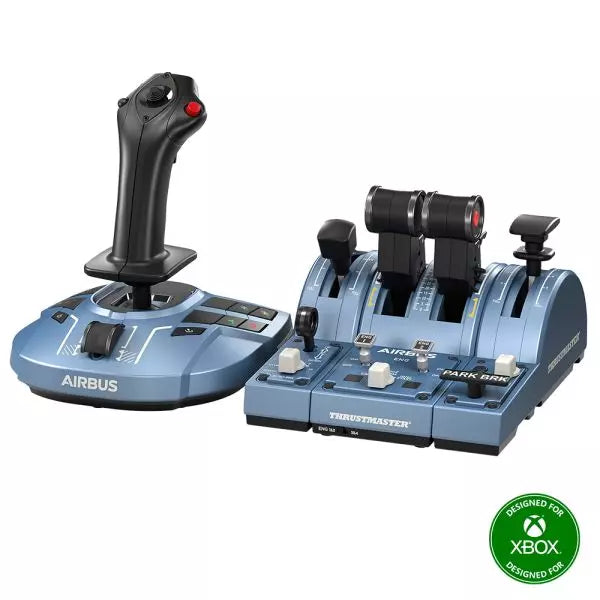
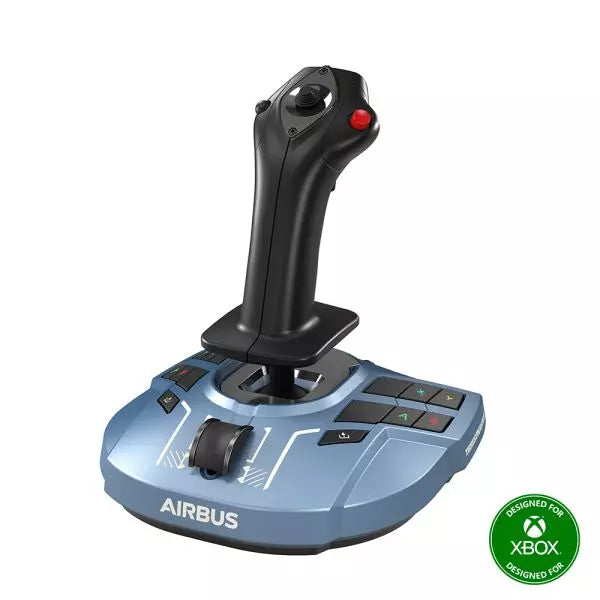
    The TCA Captain Pack X Airbus Edition is an exciting leap for flight sim enthusiasts who dream of commanding the cockpit of an Airbus A320. Combining the ergonomic replicas of the Airbus sidestick and quadrant, it delivers a feature-rich experience inspired by authentic aviation controls. From the tactile feedback of its 31 action buttons to the satisfying resistance of the throttle’s detents, this setup immerses you in every aspect of flight. Whether you're handling precise approaches or testing the thrust reverser, this package elevates your sim flights to a whole new level. What sets the TCA Captain Pack X Airbus Edition apart? Airbus-Authentic Design The sidestick and quadrant are true 1:1 scale replicas, giving you the same control layout and feel as the real Airbus A320. With this attention to detail, everything from the landing gear lever to the speed brake mimics the actual aircraft, making your setup as close to a real cockpit as possible. Thrust Reverser Mechanism A rare addition to home flight sim controllers, the built-in thrust reverser adds depth to your landing sequences. It’s a unique feature that brings added realism to your sessions, especially when combined with the quadrant's detailed throttle detents. Integrated Ecosystem Hub Simplified connectivity is a game-changer with the new hub design. Connect all your Thrustmaster Airbus accessories—rudder pedals, add-ons, and more—using a single USB cable. This design minimizes clutter and enhances compatibility with Xbox Series X|S and PC platforms. Versatility and Modularity The sidestick offers customizable button head modules and can adapt for left-handed, right-handed, or central cockpit positions. This makes the controller versatile for solo flights or co-pilot setups, catering to both casual simmers and serious enthusiasts. Pros and Cons Pros Cons Authentic Airbus-inspired layout enhances flight realism. Limited compatibility with non-Airbus-style setups. Thrust reverser adds depth to landing procedures. No force feedback or vibration features included. Integrated hub reduces cable clutter significantly. Specifications Specification Value Sidestick Dimensions 7.7” x 7.7” x 8.9” (195 mm x 195 mm x 225 mm) Quadrant Dimensions 7.5” x 9.3” x 3.3” (190 mm x 235 mm x 85 mm) Sidestick Weight 1.7 lb (787 g) Quadrant Weight 2 x 1.2 lb (2 x 530 g) Package Contents Sidestick, Quadrant, Add-on Modules, USB Cable, Connectors Connectivity USB-C to USB-A, 2x SATA cables TCA Captain Pack X Airbus Edition Compatibility The TCA Captain Pack X Airbus Edition integrates seamlessly with the Thrustmaster T.Flight Rudder Pedals (TFRP) and the Thrustmaster Pendular Rudder (TPR) systems, as well as with other add-ons like the TM Flying Clamp. Its Ecosystem Hub makes it easier than ever to connect all components using a single USB cable, supporting both Xbox Series X|S and PC platforms. However, the quadrant’s Airbus-specific design may not suit enthusiasts looking for a Boeing-style setup or generic controls. On the gaming front, it’s fully compatible with Microsoft Flight Simulator 2020 and integrates automatically on both PC and Xbox Series X|S. This pack also supports various other titles on Xbox and PC with customizable mappings, though it may not work with older consoles or unsupported games.

    2 en stock Envío en 1-3 días hábiles.

    €299,00

  • Venta -3%¡Últimas existencias! Honeycomb Bravo Throttle Quadrant For Sale On FlightSimZone

    Fly Honeycomb Honeycomb Bravo Throttle Quadrant

    1 en stock Envío en 1-3 días hábiles.

    The Honeycomb Bravo Throttle Quadrant is a versatile all-in-one control system that lets you soar through the skies in virtual aviation with precision. Designed for both casual pilots and seasoned simmers, it adapts to your flying style, offering configurations for small aircraft and large airliners alike. Featuring a fully functional autopilot panel and customizable thrust levers, it puts essential controls at your fingertips. Whether you're managing thrust reversers or adjusting flaps, this sleek device is built to elevate your cockpit setup and make every flight unforgettable. What sets the Bravo Throttle Quadrant apart? Unmatched Versatility The Honeycomb Bravo Throttle Quadrant adapts to a variety of aircraft configurations, from single-engine planes to four-engine airliners. This flexibility means it can handle piston, jet, and turboprop controls seamlessly, catering to both general aviation enthusiasts and commercial flight sim fans. Enhanced Physical Feedback With its sturdy levers, clickable buttons, and smooth trim wheel, the tactile experience feels as close as it gets to operating a real cockpit. The gear lever and annunciator panel add an extra layer of functionality, keeping your hands busy and your keyboard untouched. Comprehensive Autopilot and Annunciator Features The included autopilot panel mimics the functionality of systems found in real aircraft, while the annunciator panel delivers vital status alerts. These features reduce reliance on on-screen controls and make managing complex systems much easier. Expandable Design With integrated mounting points, the Bravo works seamlessly with other Honeycomb and Saitek products. This modularity allows users to grow their setup over time, creating a cohesive and customizable virtual cockpit. Pros and Cons Pros Cons Wide range of configuration options for all aircraft types. Annunciator lights and some features don’t work on Xbox. Durable design with a solid, professional feel. Relatively large footprint, requires space for optimal use. Comprehensive autopilot and annunciator panels included. Requires external software for optimal customization. Compatible with multiple simulators on PC and Mac. No support for FSX on the latest version of the Config Tool. Specifications Specification Value Package Contents Throttle quadrant, mounting points, brackets Compatibility Microsoft Flight Simulator, X-Plane 11, Prepar3D V3-V5 Operating Systems Windows 10 (64-bit), macOS Catalina+ Warranty 2 years Bravo Throttle Quadrant Compatibility Simulator Compatibility Microsoft Flight Simulator Fully supported with Config Tool X-Plane 11 Fully supported, with Windows and Mac versions Prepar3D Supported for versions 3, 4, and 5 The Honeycomb Bravo Throttle Quadrant is engineered for compatibility with popular simulator platforms, including Microsoft Flight Simulator 2020, X-Plane 11, and Prepar3D. While PC users can enjoy full functionality, Xbox users must note that some features, such as the annunciator lights, won't work when connected via the XPC Hub. This makes it an excellent choice for PC-based setups but requires consideration for console users. When it comes to hardware, the Bravo pairs seamlessly with other Honeycomb products, like the Alpha Flight Controls, and integrates with Saitek peripherals through its mounting points. These features ensure a cohesive and expandable setup. However, it’s not compatible with older FSX versions unless you're running the older Config Tool, so check your software version before diving in.

    1 en stock Envío en 1-3 días hábiles.

    €309,00 €300,00

  • Venta -3%¡Últimas existencias! Honeycomb Alpha Flight Controls For Sale On FlightSimZone

    Fly Honeycomb Honeycomb Alpha Flight Controls

    3 en stock Envío en 1-3 días hábiles.

    The Alpha Flight Controls by Honeycomb Aeronautical is a feature-rich, durable yoke designed to elevate your flight simulation experience. Built with aerospace-grade internal components, it offers a buttery-smooth 180° turn radius and 15 cm of travel along its steel shaft, delivering precision and fluidity in every maneuver. Its integrated switch panel with red LED backlighting replicates real-world avionics, while the ergonomic handle design packs an array of tactile buttons and switches for versatile control. This is a simulator tool for those who appreciate robust design and reliable performance. What sets the Alpha Flight Controls apart? Robust Construction Built with a steel shaft and aerospace-grade components, the yoke ensures durability for years of regular use. This sturdiness gives users the confidence to push boundaries without worrying about wear and tear, a significant advantage over its plastic-heavy competitors. Comprehensive Switch Panel The integrated switch panel with master, alternator, avionics, and light switches is a standout feature. Coupled with an ignition switch, it allows users to simulate pre-flight checks and engine starts accurately, adding a layer of realism many products overlook. Ergonomic Design and Customization Thoughtfully designed handles include multiple buttons, hat switches, and a push-to-talk button for intuitive control. The array of functions and customizable software profiles cater to both casual sim enthusiasts and aspiring pilots looking to fine-tune their experience. Cross-Compatible and Future-Ready Mounting points and brackets allow seamless integration with other Honeycomb and Saitek products, making it ideal for those with an expanding home cockpit. Its compatibility with popular simulators ensures versatility for any flight sim setup. Pros and Cons Pros Cons Durable steel shaft with aerospace-grade components. Not compatible with older operating systems like Windows 7. Integrated switch panel with LED backlighting. Software required for full functionality can be complex to set up. Compatible with major flight simulators and accessories. Limited adjustability for handle ergonomics. Wide 180° turn radius for smooth control inputs. No included mount for desk setups, requires separate purchase. Specifications Specification Value Dimensions (Sleeve) 44.8 x 31.4 x 23.7 cm Dimensions (Carton) 46.2 x 32.7 x 25.5 cm Travel Length 15 cm Turn Radius 180° Compatibility Windows 10 (64-bit), macOS Package Contents Alpha Flight Controls unit, drivers Alpha Flight Controls Compatibility The Alpha Flight Controls is compatible with major flight simulators, including Microsoft Flight Simulator 2020, X-Plane 11, and Lockheed Martin Prepar3D (v3-v5). It supports both Windows 10 (64-bit) and macOS, although some features require the Honeycomb Config Tool for optimal use. Notably, older operating systems like Windows 7 and FSX are not supported, which may limit users with legacy setups. For hardware compatibility, it includes mounting points and brackets designed to pair seamlessly with Honeycomb Bravo Throttle Quadrant and Saitek panels. The yoke integrates effortlessly into a range of cockpit builds, making it an excellent choice for expandable setups. However, note that desk clamps or mounts are sold separately. In terms of gaming platforms, the Alpha Flight Controls is PC-centric, with no console support. It’s optimized for simulation platforms requiring USB connections and doesn’t cater to Xbox or PlayStation. Its compatibility with varied simulators ensures a flexible and robust option for PC-based flight enthusiasts.

    3 en stock Envío en 1-3 días hábiles.

    €299,00 €289,00

  • VelocityOne Rudder Pedals

    Turtle Beach VelocityOne Rudder Pedals

    No disponible en stock, Reservas disponibles. Envío en 2-2,5 semanas.

    The VelocityOne Rudder Pedals from Turtle Beach bring precision control and ergonomic design to your flight simulation setup. With a smooth rudder axis supported by non-contact hall-effect sensors, they offer durable, low-maintenance performance for the long haul. Adjustable pedal width and interchangeable springs let you tailor the feel for different aircraft, while the differential brakes add tight control on the ground. Whether you’re taxiing a heavy jet or maneuvering a fighter, these pedals offer an intuitive and customizable flying experience. What sets the VelocityOne Rudder Pedals apart? Non-Contact Hall Effect Sensors These sensors deliver exceptional durability by eliminating wear-prone parts like potentiometers. With consistent, fluid performance and no need for frequent recalibration, the pedals remain reliable even after countless flight hours. Customizable Setup Options Featuring adjustable pedal width, swappable pedal styles, and interchangeable springs, the VelocityOne Rudder Pedals cater to a wide range of aircraft types. You can fine-tune the resistance and setup for optimal comfort and functionality, whether you're flying a small prop plane or a commercial airliner. Differential Braking for Ground Control The integrated differential brakes allow for precise taxiing and smooth braking during landing. This feature enhances realism and control when navigating tight turns on taxiways or bringing your aircraft to a safe stop on the runway. Stable, Versatile Mounting Options A non-slip base and multiple mounting solutions ensure these pedals stay firmly planted during use. Whether on carpet, hardwood, or a custom cockpit setup, they provide a secure and consistent foundation for immersive flight control. Pros and Cons Pros Cons Hall-effect sensors reduce maintenance and improve durability. Requires the VelocityOne Flight system for Xbox use. Swappable pedals and springs for customization. No native support for PlayStation platforms. Includes differential braking for enhanced ground control. Limited compatibility with non-Turtle Beach ecosystems. Specifications Specification Value Pedal Axis Type Hall-Effect Sensors Adjustable Pedal Width Yes Swappable Pedals 2 styles (2 mounted, 2 extra included) Swappable Springs 2 installed, 2 extra included Cables 2m USB-A to USB-C, 2.5m USB-C to USB-C Additional Accessories M4 Screws (4), Grip Pads (8), Allen Key Compatibility PC (Windows 10/11), Xbox (Series X|S, One)* VelocityOne Rudder Pedals Compatibility The VelocityOne Rudder Pedals are designed for use with Windows 10 and 11 PCs and Xbox Series X|S and Xbox One consoles. Xbox compatibility requires the VelocityOne Flight Universal Control System or the VelocityOne Flightstick, making this an excellent addition for existing Turtle Beach ecosystem users. On PC, they integrate seamlessly via USB, making them versatile for most flight sim setups. However, they do not support PlayStation platforms or standalone Xbox use without the VelocityOne base system. The pedals are compatible with popular flight simulators, including Microsoft Flight Simulator 2020 and X-Plane 11/12, delivering a smooth experience for both casual and hardcore sim pilots. The inclusion of USB-A and USB-C cables ensures easy connectivity with modern hardware, but compatibility with older systems or alternative control bases is not guaranteed. They work best in setups designed specifically around the VelocityOne ecosystem.

    No disponible en stock, Reservas disponibles. Envío en 2-2,5 semanas.

    €299,00

  • ¡Últimas existencias! Thrustmaster T.16000M FCS Flight Pack for sale on FlightSimZone

    Thrustmaster T.16000M FCS Flight Pack

    4 en stock Envío en 1-3 días hábiles.

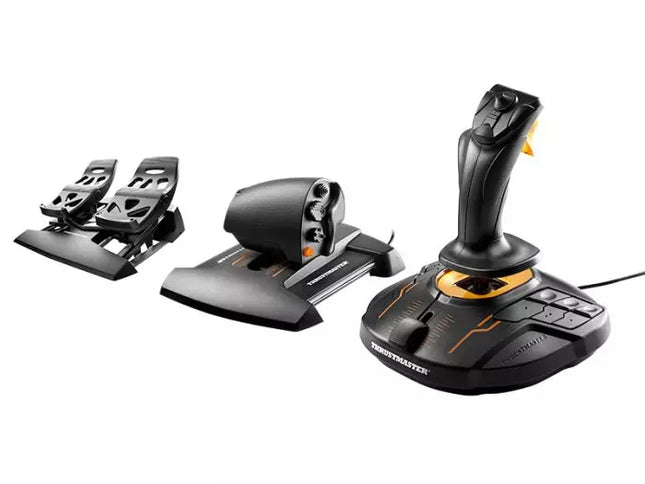
    The T.16000M FCS Flight Pack is a standout choice for sim pilots who demand precise and versatile controls. This all-in-one pack features the T.16000M FCS joystick, TWCS throttle, and TFRP rudder pedals, delivering an intricate control setup ideal for aviation and space simulation. With its smooth sliding mechanisms, programmable software, and magnetic sensors for lasting accuracy, it’s a tactile and technical delight. From pitch-perfect inputs to ergonomic designs, this setup transforms your desk into a cockpit, putting you in command of every maneuver. What sets the T.16000M FCS Flight Pack apart? Unrivaled Longevity with Magnetic Sensors The H.E.A.R.T HallEffect technology relies on magnetic sensors for unmatched durability, ensuring the joystick’s accuracy remains unchanged over years of use. Unlike potentiometer-based systems, this design eliminates wear and tear, providing consistently smooth and precise inputs that hold steady even during intensive flight campaigns. Comprehensive All-in-One Control System With a joystick, throttle, and rudder pedals included, the T.16000M FCS Flight Pack offers a complete setup for advanced simmers. This trio eliminates the need for additional peripherals, letting users seamlessly coordinate complex flight maneuvers while reducing clutter with integrated, ergonomic components. Customizable for Every Pilot’s Needs The T.A.R.G.E.T programming software allows users to map buttons, axes, and macros to fit their unique playstyle. Whether flying civilian aircraft, jets, or navigating through space, this flexibility ensures optimal functionality tailored to specific games and scenarios, providing control tailored to your exact specifications. Smooth and Comfortable Motion Both the TWCS throttle and TFRP rudder pedals utilize S.M.A.R.T technology for smooth sliding. These components provide intuitive resistance and glide, making every adjustment precise and comfortable. The ergonomic placement further enhances accessibility, even during extended play sessions. Pros and Cons Pros Cons Exceptional accuracy thanks to HallEffect magnetic sensors. Not compatible with consoles like Xbox or PlayStation. All-in-one system reduces need for additional peripherals. Pedals may feel too small for larger feet. Customizable controls via T.A.R.G.E.T software. Throttle lacks a detent for afterburner or idle. Smooth sliding motion enhances precision and comfort. Specifications Specification Value Components Joystick, throttle, rudder pedals Compatibility Windows 10, 8, 7, Vista (32-bit & 64-bit) Connection Type USB Joystick Axes 4 (including twist rudder) Buttons 30 across all components Rudder Technology S.M.A.R.T sliding motion Throttle Travel Range 3.2 inches (80 mm) Color Black with orange accents T.16000M FCS Flight Pack Compatibility The T.16000M FCS Flight Pack is fully compatible with PCs running Windows 10, 8, 7, and Vista (both 32-bit and 64-bit). Its USB connection ensures straightforward integration with most setups, while the T.A.R.G.E.T software enhances compatibility by allowing users to program the system to function as a single USB device. The pack seamlessly integrates with other Thrustmaster peripherals, such as the MFD panels, providing a cohesive ecosystem for ambitious flight sim setups. While this system excels on PC, it is not compatible with consoles like Xbox or PlayStation, making it unsuitable for console-based simmers. The pack also works harmoniously with popular simulation titles like Microsoft Flight Simulator, X-Plane, and Elite Dangerous. However, its lack of native support for MacOS limits its use for Apple users, so check your platform’s compatibility before diving into your next flight adventure.

    4 en stock Envío en 1-3 días hábiles.

    €239,00

Flight Simuator Gear for sale at SimRacerZone

Explora los favoritos de nuestros clientes

Ingresa en

¿Ha olvidado su contraseña?

¿Aún no tienes una cuenta?
Crear una cuenta




