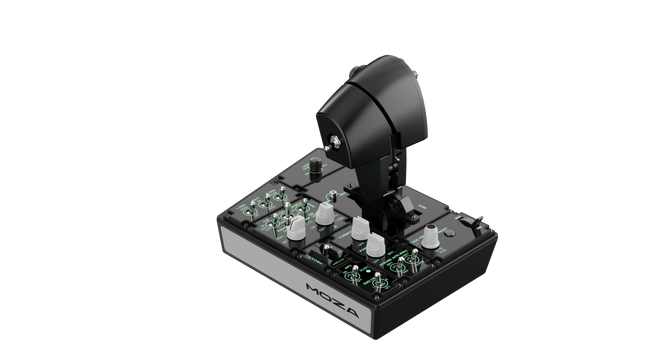
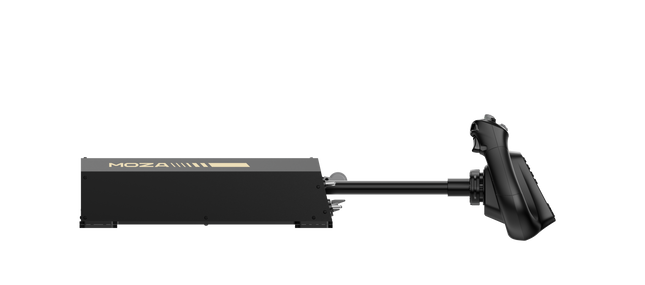
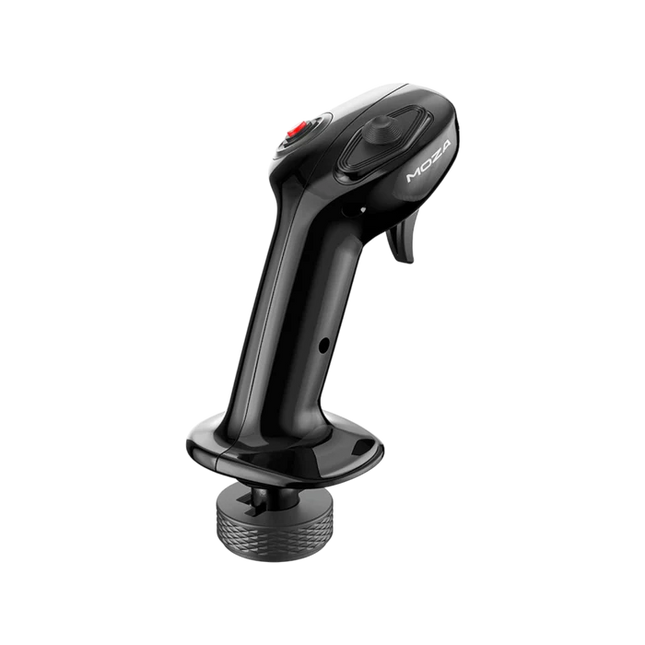
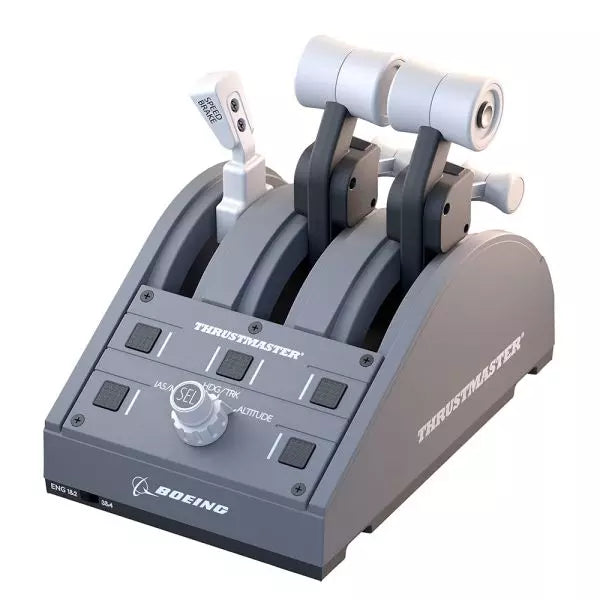
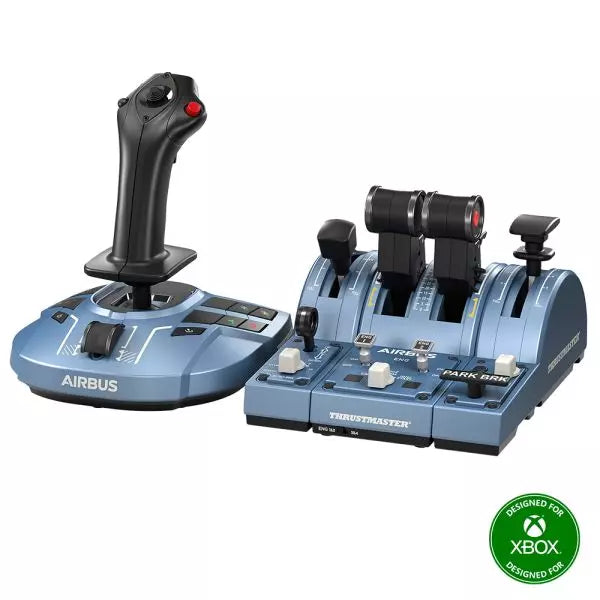
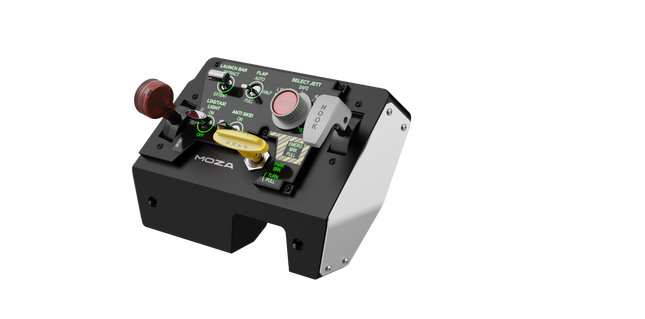
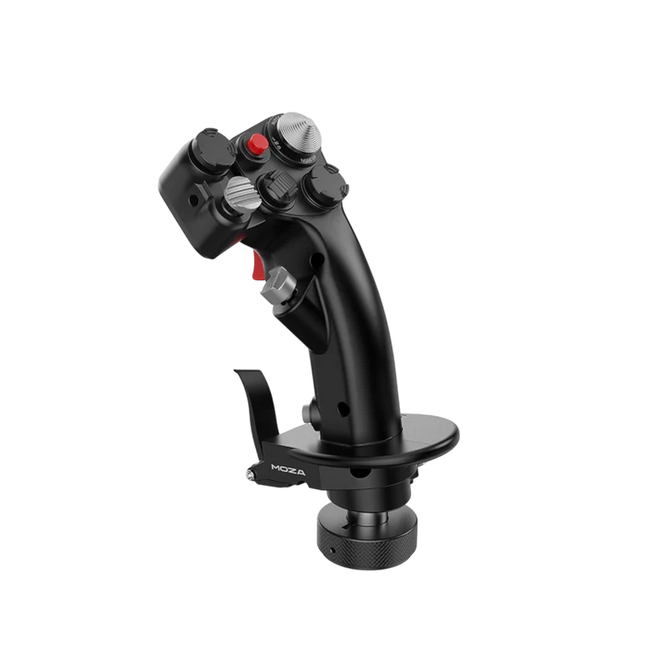
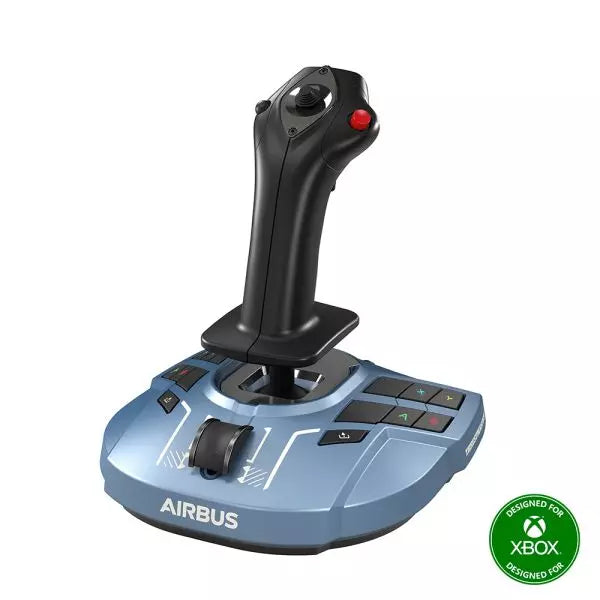
Moza MTP Throttle Panel delivers a robust flight control experience inspired by carrier-based fighter jets. The adjustable detent system allows for fine-tuned control, whether managing afterburners or simulating center detents in space sims. The built-in vibration feedback enhances situational awareness, alerting pilots to aerodynamic shifts, overspeed warnings, and combat conditions. With 27 programmable switches, a Hall effect joystick, and aluminum alloy grips, this throttle panel is built for flight sim enthusiasts who want precision control in high-stakes environments.
What Sets the Moza MTP Throttle Panel apart?
Customizable Detent System for Maximum Control The MTP Throttle allows users to fine-tune detent positions, making it ideal for afterburner settings, reverse thrust, or precise spaceflight maneuvers. Whether fine-tuning power curves or creating distinct engine stages, this feature provides flexibility not commonly found in other throttle setups.
Built-In Vibration Feedback for Enhanced Awareness Unlike passive throttles, the MTP includes vibration motors that react to telemetry data from the simulator. This feedback system provides haptic alerts for conditions like aerodynamic resistance, overspeed warnings, and system failures, offering pilots an extra layer of situational awareness.
27 Programmable Switches for Complex Flight Operations The control surface is loaded with 27 switches, all of which can be configured for essential functions such as gear deployment, engine ignition, or combat systems. The optimized layout ensures that commands remain easily accessible without fumbling mid-flight.
Hall Effect Joystick for Additional Input Flexibility Integrated directly into the throttle, this joystick offers drift-free input for fine control adjustments. Whether assigned to pitch trim, rudder inputs, or even camera navigation, the Hall effect sensor ensures consistent performance without the wear and tear of traditional potentiometers.
Pros and Cons
Pros
Cons
Adjustable detent system for afterburners and space sims
Desktop clamp sold separately
Built-in vibration feedback reacts to flight conditions
PC-only support, no console compatibility
27 programmable switches for extensive control mapping
Durable aluminum grip with tactile feel
Specifications
Specification
Value
Dimensions
277 × 194 × 216 mm
Housing Material
Composite material
Throttle Grip Material
Aluminum alloy
Weight
2.1 kg
Physical Switches
27
Vibration Telemetry
Supported (no plug-ins required)
Lighting Telemetry
Supported (no plug-ins required)
Supported Platform
PC
Desktop Clamp
Optional
Desktop Mounting Plate
Optional
Included Accessories
Data cable, wrench, user manual
Moza MTP Throttle Panel Compatibility
Compatible With
Not Compatible With
MOZA Cockpit software for customization
Console platforms
MOZA MTLP Panel for full fighter jet setup
Third-party throttle quadrants
PC-based flight simulation rigs
MacOS
Designed for PC-based simulators, the MTP Throttle integrates seamlessly with MOZA Cockpit software, enabling fine-tuned adjustments for vibration feedback, switch mapping, and telemetry-based lighting effects. It also pairs with the MOZA MTLP Panel, creating a modular fighter jet control system that enhances the takeoff and landing experience.
PC-only compatibility ensures plug-and-play functionality with Microsoft Flight Simulator 2020, Microsoft Flight Simulator 2024, and X-Plane 12. However, this system does not support MacOS or consoles, meaning Xbox and PlayStation users will need to look elsewhere for compatible throttle solutions.
Moza AY210 Force Feedback Yoke Base brings a bold approach to flight simulation, combining robust construction with powerful force feedback technology. The 9Nm torque and 210N push force provide an intense level of control, making every pitch and roll feel like commanding a real aircraft. The all-aluminum alloy build gives it an industrial-grade feel, while the quick-release yoke system allows for easy swaps. Designed with versatility in mind, it supports multiple mounting options and features a fully customizable switch panel. For those who take their sim flying seriously, this yoke base is a game-changer.
What Sets the Moza AY210 Force Feedback Yoke Base apart?
Force Feedback That Packs a Punch With a continuous roll torque of 9Nm and a pitch axis delivering up to 210N of force, this yoke base delivers a level of tactile feedback that few others can match. Whether you're pulling out of a steep climb or feeling the resistance of turbulence, the force feedback system provides a deep connection between pilot and aircraft.
Quick-Release Yoke Mechanism Unlike most yokes that require tedious reassembly for customization, this one features a motorsport-style quick-release mechanism. Swap yokes effortlessly depending on aircraft type, reducing downtime between flights and allowing a seamless transition between different cockpit setups.
Heavy-Duty Aluminum Construction Built entirely from aluminum alloy, this yoke base is engineered to handle aggressive maneuvers and long-haul flights without flex or wear. The weighty build provides stability, ensuring it stays planted even under high-force feedback loads.
Extensive Software Customization The MOZA Cockpit software enables fine-tuned adjustments, from force feedback profiles to switch panel configurations. Users can tweak lighting, telemetry integration, and even long-press button commands for added functionality.
Pros and Cons
Pros
Cons
Strong force feedback with 9Nm torque and 210N push force
Weighs 8kg, making portability a challenge
Full aluminum build for durability and stability
Requires external power adapter (included)
Modular design with a quick-release yoke mechanism
Fully customizable switch panel with MOZA Cockpit software
Specifications
Specification
Value
Dimensions
243 × 403 × 216 mm
Housing Material
Aluminum alloy
Weight
8.0 kg
Motors
Dual servo motors
Max Pitch Force
210N
Sustained Roll Torque
9Nm
Travel Distance
150mm
Compatible Yokes
MOZA Yoke Series
Power
216W
Voltage
110~220V AC → 36V DC
Chip Precision
15-bit magnetic encoder
USB Refresh Rate
1000Hz
Mounting Options
Desktop clamp (optional), cockpit mounting
Connection Ports
Power, USB, throttle, rudder pedals, panel
Emergency Stop Switch
Optional
Telemetry Force Feedback
Supported (no plug-in required)
Platform Support
PC
Moza AY210 Force Feedback Yoke Base Compatibility
Compatible With
Not Compatible With
MOZA Yoke Series
Third-party yokes
MOZA Cockpit software for customization
Console platforms
PC flight simulation setups
MacOS
Full PC compatibility ensures seamless integration with major simulation titles, including Microsoft Flight Simulator 2020, Microsoft Flight Simulator 2024, and X-Plane 12. The built-in telemetry force feedback system means no additional plugins are required, giving users direct haptic feedback from their sim of choice. However, it does not support MacOS or gaming consoles.
While designed exclusively for PC, this system provides full support for high-end flight sims. Microsoft Flight Simulator and X-Plane 12 work natively, with extensive control mapping options. Unlike some competitor products, this base does not offer plug-and-play functionality for Xbox or PlayStation users, focusing instead on delivering deep software customization and telemetry-based force feedback.
Moza MA3X Flightstick blends classic aircraft-inspired design with modern engineering to deliver an engaging flight simulation experience. Built from ultra-strong composite material, it remains lightweight yet durable enough to handle up to 30 kg of force. The ALPS switches ensure longevity, rated for 100,000 cycles, giving pilots consistent and reliable control. A multi-layer spray and UV treatment replicate the tactile sensation of real aircraft materials, elevating the overall feel. With an expanded button layout and broad compatibility, the MA3X adapts seamlessly to any setup, offering both flexibility and reliability.
What Sets the Moza MA3X Flightstick Apart?
Durable Yet Lightweight Build – Unlike bulkier metal-based flightsticks, the MA3X is constructed from ultra-strong composite material. This allows it to remain lightweight at just 220g while still handling up to 30 kg of force without compromising structural integrity.
Enhanced Button Layout – The MA3X comes with four physical buttons but can be expanded to support up to 12 input signals. This added flexibility ensures that users can configure their controls exactly how they need for various simulation scenarios.
ALPS Switches for Longevity – Many flightsticks suffer from wear and tear over time, but the MA3X is equipped with ALPS switches rated for 100,000 cycles. This means pilots can rely on smooth and consistent operation, even after extensive use.
Wide Compatibility and Plug-and-Play Setup – Designed to work with all Moza bases and most third-party bases, the MA3X requires no additional drivers or complex setup. The 5-pin aviation connector ensures a stable and secure connection.
Pros and Cons
Pros
Cons
Durable composite material withstands heavy use.
No official support for MacOS.
Expandable button layout with up to 12 input signals.
Limited standalone functionality without a compatible base.
ALPS switches rated for 100,000 cycles.
Works with Moza and most third-party bases.
Specifications
Specification
Value
Housing Material
Composite
Switch Material
ABS
Weight
220g
8-Position Switch
1
Trigger
1
Changeover Switch
1
Connector
5-pin aviation connector
Moza MA3X Flightstick Compatibility
Compatible With
Not Compatible With
PC (Windows-based systems)
MacOS
All Moza bases
Consoles (PlayStation, Xbox)
Most third-party bases
USB-only input systems
The Moza MA3X Flightstick integrates effortlessly with all Moza bases and supports most third-party bases using its 5-pin aviation connector. Unlike some flightsticks that lock users into specific ecosystems, the MA3X maintains a more flexible design, allowing for broader compatibility without extra adapters.
On the software side, the MA3X is fully compatible with Windows-based flight simulators but does not support MacOS. It works well with leading titles such as MSFS2020, X-Plane, and DCS. However, console users should look elsewhere, as the MA3X does not support PlayStation or Xbox platforms.
The TCA Quadrant Boeing Edition is a throttle quadrant that brings the iconic feel of Boeing airliners into your hands. With swappable levers for a customizable experience and magnetic technology ensuring smooth operation across all three axes, this device lets you experience the same tactile control as real Boeing pilots. Officially licensed by Boeing and Xbox, and compatible with PC, it’s a compact yet robust addition to any flight sim setup, designed to elevate your virtual cockpit.
What sets the TCA Quadrant Boeing Edition apart?
Swappable and Customizable Levers The TCA Quadrant Boeing Edition includes four interchangeable levers that can be arranged to suit your preference. Whether you need a speed brake, throttle, or flaps, the levers can adapt, making it ideal for left- or right-handed pilots seeking precise control over their setup.
Boeing-Inspired Linear Resistance The throttle levers are built to mimic the resistance you’d feel in the Dreamliner’s throttle quadrant. This subtle detail brings a sense of heft and deliberation to every adjustment, ensuring you feel each power setting in your fingertips.
Iconic Autopilot Controls The integrated autopilot rotary knob allows for intuitive adjustments to altitude, airspeed, and heading. This feature mirrors the functionality of real Boeing airliners, giving you an intuitive way to manage your flight path without additional peripherals.
Magnetic Technology for Smooth Operation Utilizing Thrustmaster’s H.E.A.R.T magnetic technology, this quadrant offers seamless movement with pinpoint accuracy. The lack of mechanical parts means no degradation over time, ensuring lasting performance in your flight simulator cockpit.
Pros and Cons
Pros
Cons
Swappable levers allow for a tailored setup.
Requires TCA Yoke Boeing Edition for Xbox use.
Boeing-inspired linear resistance adds tactile feedback.
Limited functionality without a matching yoke system.
Magnetic sensors ensure smooth, wear-free operation.
Autopilot control can be tricky to master initially.
Specifications
Specification
Value
Dimensions
130mm (W) x 195mm (D) x 150mm (H)
Weight
600 g / 1.3 lb
Included Components
Throttle quadrant, 4 levers, crossbar, attachment pieces
Connection Type
USB
Compatibility
Xbox (with TCA Yoke), PC
TCA Quadrant Boeing Edition Compatibility
The TCA Quadrant Boeing Edition is designed to work seamlessly with Thrustmaster’s TCA Yoke Boeing Edition, required for Xbox compatibility. When paired with the yoke, it connects directly to Xbox Series X|S or Xbox One. On PC, it integrates smoothly into flight simulators, making it an excellent choice for users of Microsoft Flight Simulator 2020. However, it’s not compatible with other yoke systems or standalone operation on Xbox platforms.
The quadrant is officially licensed by both Boeing and Xbox, ensuring a fully-supported experience across compatible systems. It supports Microsoft Windows PCs and works automatically with Microsoft Flight Simulator on Xbox Series X|S, delivering plug-and-play convenience. Unfortunately, it lacks Mac compatibility, so macOS users may need to explore alternative options for their flight sim needs.
The TCA Captain Pack X Airbus Edition is an exciting leap for flight sim enthusiasts who dream of commanding the cockpit of an Airbus A320. Combining the ergonomic replicas of the Airbus sidestick and quadrant, it delivers a feature-rich experience inspired by authentic aviation controls. From the tactile feedback of its 31 action buttons to the satisfying resistance of the throttle’s detents, this setup immerses you in every aspect of flight. Whether you're handling precise approaches or testing the thrust reverser, this package elevates your sim flights to a whole new level.
What sets the TCA Captain Pack X Airbus Edition apart?
Airbus-Authentic Design The sidestick and quadrant are true 1:1 scale replicas, giving you the same control layout and feel as the real Airbus A320. With this attention to detail, everything from the landing gear lever to the speed brake mimics the actual aircraft, making your setup as close to a real cockpit as possible.
Thrust Reverser Mechanism A rare addition to home flight sim controllers, the built-in thrust reverser adds depth to your landing sequences. It’s a unique feature that brings added realism to your sessions, especially when combined with the quadrant's detailed throttle detents.
Integrated Ecosystem Hub Simplified connectivity is a game-changer with the new hub design. Connect all your Thrustmaster Airbus accessories—rudder pedals, add-ons, and more—using a single USB cable. This design minimizes clutter and enhances compatibility with Xbox Series X|S and PC platforms.
Versatility and Modularity The sidestick offers customizable button head modules and can adapt for left-handed, right-handed, or central cockpit positions. This makes the controller versatile for solo flights or co-pilot setups, catering to both casual simmers and serious enthusiasts.
Pros and Cons
Pros
Cons
Authentic Airbus-inspired layout enhances flight realism.
Limited compatibility with non-Airbus-style setups.
Thrust reverser adds depth to landing procedures.
No force feedback or vibration features included.
Integrated hub reduces cable clutter significantly.
Specifications
Specification
Value
Sidestick Dimensions
7.7” x 7.7” x 8.9” (195 mm x 195 mm x 225 mm)
Quadrant Dimensions
7.5” x 9.3” x 3.3” (190 mm x 235 mm x 85 mm)
Sidestick Weight
1.7 lb (787 g)
Quadrant Weight
2 x 1.2 lb (2 x 530 g)
Package Contents
Sidestick, Quadrant, Add-on Modules, USB Cable, Connectors
Connectivity
USB-C to USB-A, 2x SATA cables
TCA Captain Pack X Airbus Edition Compatibility
The TCA Captain Pack X Airbus Edition integrates seamlessly with the Thrustmaster T.Flight Rudder Pedals (TFRP) and the Thrustmaster Pendular Rudder (TPR) systems, as well as with other add-ons like the TM Flying Clamp. Its Ecosystem Hub makes it easier than ever to connect all components using a single USB cable, supporting both Xbox Series X|S and PC platforms. However, the quadrant’s Airbus-specific design may not suit enthusiasts looking for a Boeing-style setup or generic controls.
On the gaming front, it’s fully compatible with Microsoft Flight Simulator 2020 and integrates automatically on both PC and Xbox Series X|S. This pack also supports various other titles on Xbox and PC with customizable mappings, though it may not work with older consoles or unsupported games.
Please note! The item may take 7-10 business days to ship!
Wingflex DAP 500 puts dedicated general aviation autopilot controls right where your hand expects them, combining fully customizable controls with plug-and-play USB connectivity for a clean desktop setup. Instead of reaching for on-screen knobs every few minutes, you can adjust heading, altitude and navigation modes through tactile buttons and encoders that feel purposeful. The aluminum stand, automatic aircraft configuration and ambient-light-controlled backlighting make it equally comfortable during a sunny VFR hop or a late-night IFR approach.
What Sets the Wingflex DAP 500 apart?
Designed Specifically for General Aviation While many autopilot panels focus on airliners, the DAP 500 is built around the aircraft most GA pilots actually fly. Its control layout suits piston singles, turboprops and light business aircraft, making routine autopilot adjustments feel intuitive. Pilots who regularly fly aircraft like the C172, TBM, Vision Jet or King Air often appreciate hardware that reflects their everyday flying instead of borrowing layouts from transport-category aircraft.
Flexible Controls That Adapt to Your Flying Style With twelve programmable push buttons, two pushable rotary encoders and an additional scroll-wheel encoder, the panel can be tailored well beyond its default assignments. Community discussions around configurable hardware consistently highlight this flexibility as a major advantage because it allows pilots to create workflows that match their preferred aircraft rather than forcing identical controls across every simulator.
Automatic Aircraft Profiles Reduce Setup Time WingFlex Bridge software automatically configures supported aircraft, helping users spend more time flying and less time assigning controls. Reviewers generally regard automatic profile detection as one of the biggest quality-of-life improvements in modern simulator hardware, particularly for pilots who regularly switch between multiple aircraft during the same week instead of flying a single favourite.
Built to Grow With Future Cockpit Expansions The DAP 500 is designed as part of a broader modular ecosystem, with support planned for additional DAP-series expansion panels. Combined with firmware updates delivered through OTA software, it offers a platform that can continue evolving without replacing the core autopilot unit. That modular philosophy appeals to cockpit builders who prefer expanding their simulator gradually rather than purchasing an entire panel stack in one go.
Pros and Cons
Pros
Cons
Automatic aircraft profiles simplify supported aircraft setup.
Designed primarily for general aviation aircraft.
Extensive programmable controls suit different flying styles.
Requires WingFlex Bridge for automatic configuration features.
Ambient light sensor adjusts backlighting automatically.
Aluminum stand provides stable desktop positioning.
OTA firmware updates add future functionality.
Specifications
Specification
Value
Product
Wingflex DAP 500 Digital Autopilot Panel
Primary Use
General aviation flight simulation
Connection
USB plug-and-play
Push Buttons
12
Pushable Rotary Encoders
2
Scroll-Wheel Encoder
1
Key Assignment
Fully user customizable
Configuration
Automatic via WingFlex Bridge software
Backlighting
Adjustable with ambient light sensor
Firmware
OTA firmware upgrade support
Construction
Aluminum alloy stand
Expandability
Supports future DAP-series auxiliary panels
Wingflex DAP 500 Compatibility
Simulator
Compatible Aircraft
X-Plane
Baron 58, King Air C90B, Citation XLS, Skyhawk G1000, Cirrus SR22, Vision SF50, Lancair Evolution, RV10
Microsoft Flight Simulator 2020
NXCub, XCub, King Air 350, Bonanza G36, C208B Grand Caravan EX, CJ4, C172 G1000, DA40 NG, Pilatus PC-6, TBM 930
Microsoft Flight Simulator 2024
TBM 930, Bonanza G36, King Air 350, C172 G1000, C208B Grand Caravan EX, C400 Corvalis, CJ4, DA62, DA40 NG, Draco X, Vision SF50, Archer, ES30, NXCub, PC-12 NGX, XCub
The DAP 500 connects through USB and uses WingFlex Bridge software to automatically configure supported aircraft profiles. It is designed for general aviation cockpits and works especially well alongside hardware such as G1000 panels, radio stacks, throttle quadrants and yokes. The panel also supports future DAP-series expansion modules, allowing users to gradually build a more complete general aviation cockpit instead of replacing existing hardware.
Compatibility is focused on aircraft equipped with autopilot systems commonly found in general aviation rather than commercial airliners. It supports a broad collection of Asobo, Laminar Research and Microsoft aircraft, including the C172 G1000, King Air, TBM 930, Vision Jet, DA62 and PC-12 NGX. It is not intended for Boeing or Airbus airliner autopilot systems, which use different control layouts and operating logic.
The DAP 500 is compatible with Microsoft Flight Simulator 2020, Microsoft Flight Simulator 2024 and X-Plane on PC. It connects as a USB peripheral and relies on WingFlex Bridge software for supported aircraft integration. It is not compatible with Xbox or PlayStation consoles, as those platforms do not support dedicated desktop flight simulation control panels of this type.
MOZA MA3F Electronic Flight Control Modules L bring the unmistakable Airbus A320 flight deck to your simulator with controls that make every heading change, altitude adjustment, and approach setup feel deliberate. The dual-rail spring-loaded push/pull mechanism recreates the distinctive operation of Airbus autopilot controls, while custom segmented displays faithfully mirror Airbus-specific character formatting and spacing. From the satisfying click of each selector to the coordinated cockpit lighting, every interaction encourages proper Airbus procedures throughout the entire flight.
What Sets the MOZA MA3F Electronic Flight Control Modules L apart?
Faithful Airbus Push/Pull Operation – The dual-rail spring-loaded push/pull mechanism delivers a noticeably more convincing feel than conventional encoder-based controls. Airbus enthusiasts often point out that having distinct push and pull actions makes switching between managed and selected modes feel far more intuitive, helping reproduce familiar cockpit workflows without relying on keyboard shortcuts or mouse clicks.
Displays That Match Airbus Presentation – Rather than using generic digital readouts, the custom segmented displays reproduce Airbus-style character spacing, typography, and formatting. Builders frequently appreciate these visual details because the modules blend naturally with other Airbus cockpit hardware, creating a clean and cohesive flight deck instead of a collection of mismatched peripherals.
Flexible Expansion for Growing Cockpits – Available as an FCU only, FCU with a single EFIS, or a complete Electronic Flight Control Module suite, the system adapts to different cockpit sizes and budgets. The optional extended-function EFIS mode adds further flexibility, allowing additional controls to be accessed without filling the cockpit with extra hardware.
Straightforward Installation and Configuration – The included mounting bracket, aluminum-profile compatibility, and standard 75 mm VESA support make installation simple across desktop and full-frame cockpits. Users also appreciate MOZA Cockpit software for its synchronized lighting, streamlined configuration process, and flexible control customization without requiring complicated setup procedures.
Pros and Cons
Pros
Cons
Excellent Airbus-style push/pull control mechanism.
Designed specifically for Airbus aircraft.
Displays closely match Airbus FCU formatting.
Requires a Windows PC.
Modular configurations support gradual cockpit upgrades.
Synchronized lighting creates a cohesive cockpit appearance.
Specifications
Specification
Value
Product Type
Airbus A320-style FCU and EFIS control system
Available Configurations
FCU only, FCU + single EFIS, complete EFCM suite
Display Type
Custom Airbus-style segmented displays
Autopilot Control Mechanism
Dual-rail spring-loaded push/pull controls
Lighting
Independent display, character, and status illumination
Software Integration
MOZA Cockpit
Supported Platform
PC
Mounting Options
Included bracket, aluminum profile, 75 mm VESA mount
Extended Function
Optional EFIS extended-function control mode
MOZA MA3F Electronic Flight Control Modules L Compatibility
Hardware
Compatibility
Mounting Systems
Included bracket, aluminum-profile rigs, 75 × 75 mm VESA mounts
MOZA Cockpit Software
Telemetry synchronization and configuration supported
Cockpit Configurations
FCU only, single EFIS, or complete EFCM suite
Flight Simulator
Compatibility
Microsoft Flight Simulator
Default Airbus A320/A330 and supported Airbus add-ons
X-Plane
Compatible with Airbus aircraft including ToLiss series
Third-Party Aircraft
Fenix A320, FlightFactor A320, ToLiss series, and other popular Airbus airliners
Designed for PC flight simulation, the MA3F Electronic Flight Control Modules L integrate with MOZA Cockpit software for telemetry synchronization, synchronized lighting, and simple configuration. Included bracket mounting, aluminum-profile compatibility, and 75 mm VESA support allow the modules to fit comfortably into desktop cockpits or larger Airbus flight deck projects.
The modular design allows builders to begin with a single FCU or expand into a complete Electronic Flight Control Module suite as their simulator grows. Independent adjustment of display brightness, character illumination, and status lighting helps maintain a consistent cockpit appearance during daytime departures and night operations alike.
Compatible with Microsoft Flight Simulator and X-Plane, the system supports default Airbus A320 and A330 aircraft together with leading third-party aircraft including Fenix A320, ToLiss, FlightFactor A320, and other popular Airbus airliners. The supported platform is PC; gaming consoles and macOS are not supported.
Honeycomb Foxtrot Aviation Stick is built for pilots who prefer a sidestick in hand and a clean desk in front of them. From the first movement, the smooth linear resistance system with no center detent feels fluid and deliberate, ideal for Airbus-style inputs and aerobatic maneuvers. Under the hood, 16-bit resolution with Hall Effect sensor technology translates subtle wrist movements into accurate on-screen control. Add adjustable tension and a fully ambidextrous layout, and you’ve got a stick that feels purposeful rather than toy-like.
What Sets the Honeycomb Foxtrot Aviation Stick apart?
Center-Detent-Free Control Philosophy Many sticks rely on a noticeable center bump, which can make small corrections feel mechanical. The Foxtrot’s linear resistance system eliminates that notch, creating a smooth transition across the full axis range. Pilots flying Airbus aircraft in particular appreciate this design, as it mirrors sidestick behavior more closely and allows gentle pitch and roll corrections without fighting a spring-loaded “click” at center.
Sensor and Resolution Synergy With 16-bit resolution paired to Hall Effect sensors, the Foxtrot delivers clean, contactless input detection. Enthusiasts often point out the consistency over time—no spiking, no gradual degradation from physical potentiometers. Subtle trim adjustments during approach or careful roll inputs in aerobatics feel steady and predictable, especially when compared to entry-level sticks that can show jitter near center.
Configurable Resistance and Ergonomics Adjustable tension allows the stick to be tuned to personal preference, whether you prefer lighter fingertip inputs or firmer resistance for controlled movements. Combined with its ambidextrous grip design, the Foxtrot suits both left- and right-handed setups. Users with compact cockpit builds often highlight how adaptable it feels in different seating positions, including center-mounted or side-mounted configurations.
Switch Density Without Clutter Between the 5 two-way switches, 4 programmable action buttons, POV hat, trigger, rockers, and multi-way rotary panel, the stick offers serious input flexibility. What stands out is how logically the controls are spaced; sim pilots frequently mention that functions like trim, autopilot modes, or camera controls can be assigned without feeling cramped or hunting blindly mid-flight.
Pros and Cons
Pros
Cons
Linear resistance without center detent feels smooth.
No native console compatibility.
Hall Effect sensors reduce long-term wear.
No included dedicated mounting base.
Adjustable tension suits different flying styles.
Extensive switch and button configuration options.
Specifications
Specification
Value
Product Name
Honeycomb Foxtrot Aviation Stick
Control System
Linear resistance system with no center detent
Sensor Technology
Hall Effect sensors
Resolution
16-bit
Tension Adjustment
Adjustable stick resistance
Switches
5 two-way switches
Action Buttons
4 programmable buttons
Rotary Panel
3-, 4-, and 5-way rotary controls
Grip Design
Ambidextrous
Connection
USB-C to USB-A cable
System Compatibility
PC and Mac
Included in the Box
Foxtrot Aviation Stick, USB-C to USB-A Cable, Quick Start Guide (EFIGS)
Download Support
Basic Bindings Profiles (XML) for MSFS 2024
Honeycomb Foxtrot Aviation Stick Compatibility
Platform
Compatibility
Operating Systems
PC and Mac
Connection Type
USB-C to USB-A direct USB interface
Primary Sim Support
MSFS 2024 (XML bindings), MSFS, X-Plane, Prepar3D
The Foxtrot Aviation Stick connects via standard USB, allowing it to integrate easily into most desktop cockpit setups. It works seamlessly alongside throttle quadrants, rudder pedals, and radio panels from other major brands thanks to its plug-and-play HID architecture. Its ambidextrous design makes it suitable for left- or right-seat configurations, including Airbus-style side mounting. It is not compatible with Xbox consoles and does not function as a standalone device without a connected PC or Mac.
On the software side, it supports Microsoft Flight Simulator 2024 with dedicated XML binding profiles and operates with popular PC simulators such as Microsoft Flight Simulator (2020), X-Plane, and Prepar3D through manual or community mappings. It is not designed for console-based platforms, as it relies on native PC/Mac driver recognition rather than console-certified firmware.
Moza MTLP Take-off Landing Panel brings the essence of fighter jet operations to the home cockpit with a rugged, tactile control system built for serious sim pilots. Designed after the F/A-18 landing panel, it offers an intuitive switch layout that allows for quick, instinctive inputs without relying on visual confirmation. The authentic parking brake mechanism delivers a solid, mechanical rebound that feels straight out of a real fighter jet. With 25 programmable switch signals and Hall effect sensors for accuracy, this panel bridges the gap between virtual and hands-on cockpit interaction.
What Sets the Moza MTLP Take-off Landing Panel apart?
Designed for Hands-On Control Modeled after the F/A-18 landing panel, this setup prioritizes instinctive operation. The switch layout allows pilots to manage critical aircraft functions by feel, reducing the need to glance away from the screen. This kind of tactile reinforcement is essential for fast-paced environments like combat flights and carrier landings.
Hall Sensor Precision for Key Functions Unlike standard mechanical switches, the MTLP integrates Hall effect sensors into key inputs like the landing gear and tailhook levers. These sensors provide long-term reliability and consistent input accuracy, eliminating wear-related drift or degradation over time.
Built to Handle Repeated Use The aluminum alloy construction used in the brake lever, tailhook lever, and landing gear ensures durability. These components can withstand repeated, forceful engagement, making the panel a long-term investment for flight enthusiasts who demand mechanical robustness.
Seamless Integration with Moza's Ecosystem The MTLP is designed to work effortlessly with the Moza MTP Throttle Panel, forming a cohesive fighter jet control setup. Through Moza Cockpit software, users can synchronize telemetry-driven lighting effects and customize their button configurations to match their flying style.
Pros and Cons
Pros
Cons
Modeled after the F/A-18 landing panel
Desk clamp sold separately
Hall effect sensors for accuracy and longevity
Limited to PC compatibility
25 programmable switch signals for extensive control
Compatible with Moza’s ecosystem for full fighter setup
Specifications
Specification
Value
Dimensions
196.5 × 134.7 × 149 mm
Housing Material
Composite materials
Brake Lever Material
Aluminum alloy
Weight
680g
Switch Signals
25
Telemetry Lighting
Yes (no additional plugins required)
Supported Platform
PC
Desk Clamp
Optional accessory
Included Accessories
Data cable, user manual
Moza MTLP Take-off Landing Panel Compatibility
Compatible With
Not Compatible With
Moza MTP Throttle Panel
Third-party throttle panels
Moza Cockpit software for customization
Console platforms
PC-based flight simulators
MacOS
Designed for PC-based simulators, the MTLP integrates seamlessly with Moza's MTP Throttle Panel to create a fighter jet-style control suite. The panel is configured through Moza Cockpit software, allowing for extensive customization, including telemetry-linked lighting effects. However, it does not support third-party throttle panels, meaning full functionality is best achieved within the Moza ecosystem.
PC-only compatibility ensures support for major flight simulators, but MacOS and consoles are not supported. Flight sim enthusiasts using Microsoft Flight Simulator 2020, Microsoft Flight Simulator 2024, and X-Plane 12 will find the panel natively recognized, offering direct plug-and-play functionality through USB. However, users looking for Xbox or PlayStation support will need to consider alternative hardware.
Moza MH16 Flightstick brings a bold, no-compromise approach to flight simulation. Designed with aerospace-grade aluminum alloy, this flightstick isn’t just about looks—it’s built to withstand intense sessions without breaking a sweat. With 27 input signals and an 8-way ALPS thumbstick, every command is at your fingertips, ready for precision maneuvers. Detachable modular components mean you can tailor the setup to your needs, while the sturdy construction ensures stability even in the most demanding dogfights. Whether you're cruising at altitude or locking into a tight turn, this flightstick offers a level of control that keeps you fully engaged.
What Sets the Moza MH16 Flightstick Apart?
Built Like a Real Fighter Jet Stick – The all-metal design isn't just for aesthetics—it provides the heft and feel of a real aircraft control system. Compared to plastic-based competitors, the MH16 gives a more substantial and robust grip, reducing flex and ensuring long-term durability.
Modular and Expandable – Unlike many fixed flightsticks, the MH16 features detachable modules with pogo pin connections, allowing for easy customization. This means users can swap out or upgrade components without the hassle of rewiring or disassembling the entire unit.
Extensive Customization – With 27 input signals and an 8-way ALPS thumbstick, pilots can map commands exactly how they want. This level of button and function assignment flexibility makes it a standout choice for those who demand complete control over their simulation experience.
Seamless Plug-and-Play Compatibility – No convoluted setup, no extra drivers needed—just connect and go. The 5-pin aviation connector ensures secure and stable input transmission, making it instantly operational with most flight bases on the market.
Pros and Cons
Pros
Cons
Aerospace-grade aluminum body offers durability and solid grip.
Out of stock—availability can be an issue.
Detachable modules allow for easy customization.
No official MacOS support.
27 inputs and ALPS thumbstick provide extensive control.
Plug-and-play with most flight bases.
Specifications
Specification
Value
Platform
PC
Main Material
Aerospace-grade aluminum alloy
Rated Voltage
3.3V
Rated Current
5A
Connector
5-pin aviation connector
Z-axis Module
Optional
Dimensions
99×213.5×132mm
Moza MH16 Flightstick Compatibility
Compatible With
Not Compatible With
PC (Windows-based systems)
MacOS
Most flight bases with a 5-pin aviation connector
Consoles (PlayStation, Xbox)
MOZA Cockpit Control Software
Non-standard USB interfaces
The Moza MH16 Flightstick works seamlessly with most PC-based flight setups, thanks to its 5-pin aviation connector and plug-and-play capability. However, Mac users will need to look elsewhere, as no official support exists for macOS. Users have reported solid integration with a variety of bases, making it a flexible option for those who like to mix and match their gear.
As for gaming platforms, the MH16 is strictly for PC users. It runs smoothly on Windows-based flight simulators like DCS, MSFS2020, and X-Plane, but console gamers are out of luck—there’s no native PlayStation or Xbox support. If you're deep into flight sims, though, this is a non-issue, as PC remains the go-to platform for serious pilots.
The Virtual Fly Yoko+ is a meticulously crafted flight yoke designed for pilots who demand superior control and durability. Featuring magnetic Hall sensors for wear-free accuracy and a robust 90% metal construction, this yoke excels in precision and longevity. With a 14.4 cm pitch travel and 180° range of motion, it provides an expansive, fluid control experience. The addition of a POV hat switch ensures seamless camera management, making it a standout choice for serious sim pilots.
What sets the Virtual Fly Yoko+ apart?
Exceptional Build Quality The Yoko+ is constructed with 90% metal, giving it a rugged yet refined build that stands up to years of intense use. Its weight and solid design provide a dependable, substantial feel, elevating it beyond other yokes that rely heavily on plastic components.
Magnetic Hall Sensors Unlike potentiometers found in some yokes, the Yoko+ employs magnetic sensors, offering wear-free operation and consistent input accuracy. These sensors ensure long-lasting performance, making it a reliable choice for extended simulation sessions.
Wide Range of Motion With 14.4 cm of pitch travel and a 180° rotational range, the Yoko+ provides nuanced control for even the most demanding flight maneuvers. This extensive movement range mimics real-world yoke behavior, giving pilots an authentic experience.
POV Hat Switch The addition of a hat switch enables precise camera control, a feature absent in its predecessor. This improvement streamlines cockpit navigation, ensuring you maintain focus on critical flight controls without interruption.
Pros and Cons
Pros
Cons
Solid metal construction ensures durability and stability.
Does not include throttle control functionality.
Magnetic sensors provide accurate and wear-free operation.
Higher price point compared to other yokes.
Wide pitch and roll range for realistic input control.
POV hat switch simplifies cockpit camera management.
Specifications
Specification
Value
Material
90% metal construction
Pitch Travel
14.4 cm
Roll Range
180°
Sensors
Magnetic Hall sensors
Connectivity
USB
Virtual Fly Yoko+ Compatibility
The Virtual Fly Yoko+ is compatible with a wide range of flight simulators, including Microsoft Flight Simulator (FSX and MSFS), Prepar3D, and X-Plane. Its plug-and-play USB connection ensures easy integration, while tools like FSUIPC allow for advanced customization. However, it is not compatible with console platforms, focusing exclusively on PC setups.
In terms of hardware, the Yoko+ connects seamlessly to standard flight sim rigs and complements other Virtual Fly products. The metal build and smooth movement make it suitable for use with professional and enthusiast-grade setups. It is best paired with other high-quality peripherals for a cohesive experience.
On the platform side, the Yoko+ excels on PC, working perfectly with major simulation software. However, its USB-only connection means it cannot natively support gaming consoles. For PC users, this yoke delivers an exceptional flying experience across supported titles.
The TCA Sidestick X Airbus Edition is a sleek and versatile flight stick designed to bring Airbus-inspired handling into your hands. With an ergonomic design modeled on the Airbus A320, it offers an incredible feel for any virtual pilot. Featuring a built-in throttle with thrust reverser and 21 remappable buttons, this sidestick delivers control options galore for every phase of flight. Its integrated Ecosystem Hub simplifies setup, allowing seamless compatibility with Xbox Series X|S and PC. A perfect balance of function and flair, this sidestick is ready for takeoff!
What sets the TCA Sidestick X Airbus Edition apart?
1:1 Airbus Ergonomics Crafted as a true-to-life Airbus A320 sidestick replica, this device provides a tactile connection that mirrors the real-world aircraft. The design makes it ideal for Airbus enthusiasts or anyone wanting to elevate their sim experience with authentic shaping and layout.
Swappable Head Modules With four interchangeable head button modules, you can adapt the stick’s configuration for left-handed, right-handed, or central positioning. This modularity allows personalized setups, whether you're flying solo or as part of a crew.
Integrated Ecosystem Hub The built-in hub brings the entire Thrustmaster Airbus ecosystem to Xbox Series X|S. Connecting add-ons like throttles or pedals is now streamlined, reducing cable clutter to a single USB connection for the PC or console.
Enhanced Throttle with Thrust Reverser The improved throttle in the base features a thrust reverser, a rare addition for airliner flight sticks. It delivers greater control during landings, especially in demanding runway conditions.
Pros and Cons
Pros
Cons
Ergonomic Airbus-inspired design feels natural and intuitive.
Not compatible with PlayStation systems.
Swappable modules allow flexible configurations.
Some users report light base weight causing movement.
Integrated Ecosystem Hub simplifies connectivity across devices.
Throttle lacks fine adjustment for some sim setups.
Built-in throttle includes thrust reverser for better landing control.
Specifications
Specification
Value
Width
7.7 inches / 195 mm
Depth
7.7 inches / 195 mm
Height
8.9 inches / 225 mm
Weight
787 g
Package Contents
1 TCA Sidestick X, 4 swappable joystick head modules, 1 USB-C cable, User manual
TCA Sidestick X Airbus Edition Compatibility
The TCA Sidestick X Airbus Edition integrates smoothly into the Thrustmaster ecosystem. It connects to add-ons like the TCA Quadrant Airbus Edition and T.Flight Rudder Pedals, expanding its functionality. The built-in hub reduces clutter by allowing multiple devices to link through a single USB connection to your PC or Xbox Series X|S. However, this sidestick is not compatible with PlayStation systems, limiting its audience to PC and Xbox users.
On the gaming side, the sidestick is fully compatible with Microsoft Flight Simulator 2020 on both PC and Xbox, making it an excellent choice for simmers on those platforms. While its compatibility with other simulators like X-Plane and DCS World isn't officially listed, PC users should experience no issues thanks to its flexible design and connectivity options.