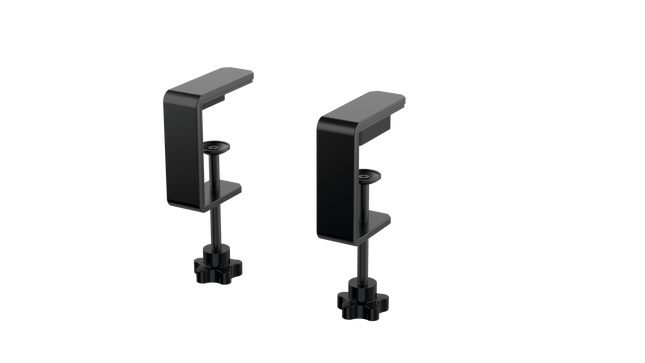
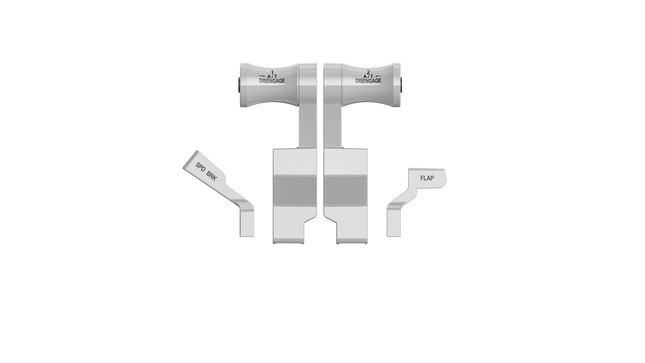
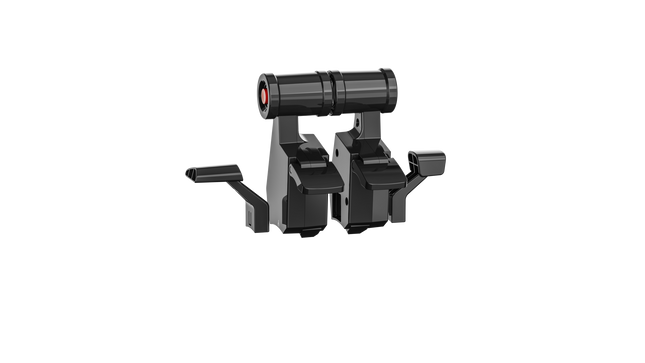
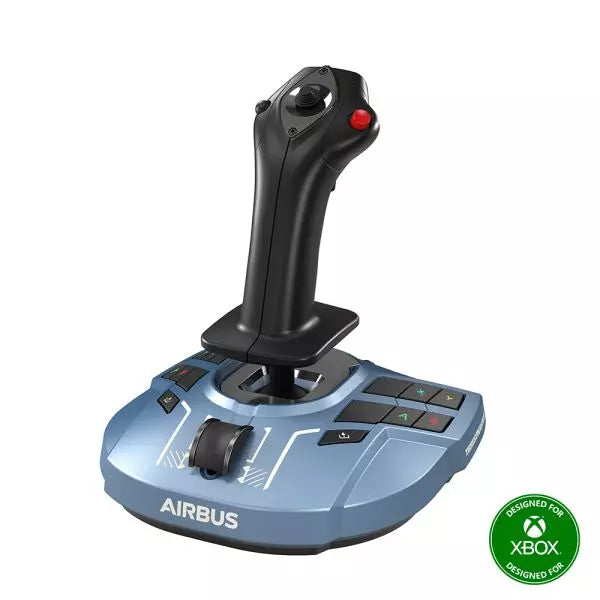
The RealSimGear - Dual Desktop Stand for RealSimGear GNS530 & GNS430 is built to provide a stable, elevated home for your avionics setup. Made from sturdy 3mm stainless steel, this stand boasts a durable, powder-coated matte black finish that resists wear and keeps things looking sharp. With rubber non-slip feet, your devices stay put during the most demanding flights. Its thoughtful design mimics real cockpit placements, ensuring your GNS530 and GNS430 are mounted at a comfortable and practical angle.
RealSimGear - Dual Desktop Stand for RealSimGear GNS530 & GNS430 apart?
Durable and Robust Construction Constructed from 3mm stainless steel, this stand is built to last. The powder-coated matte black finish not only adds a sleek appearance but also ensures the stand withstands long-term use without corrosion or wear. It's a dependable piece that can handle regular setup and breakdown without losing its shape or stability.
Thoughtful Mounting Compatibility The base comes with mounting holes that cater to various setups, including the Honeycomb Alpha yoke, Bravo throttle, and Saitek/Logitech yoke systems. This versatility makes it easy to integrate the stand into a broader flight sim configuration, avoiding compatibility headaches.
Realistic Placement Angle This stand provides an elevated mounting position similar to what you’d find in general aviation aircraft, giving your GNS530 and GNS430 a realistic layout. This attention to detail makes practice sessions more intuitive and comfortable, fostering a familiar feel when training or flying.
Solid Stability Features The rubber non-slip feet ensure that the stand stays firmly on your desk even during intense maneuvers. No sliding or shifting, so you can focus on piloting without constantly adjusting your setup. This small feature adds significant value by ensuring steady operation throughout flights.
Pros and Cons
Pros
Cons
Sturdy 3mm stainless steel construction with matte black finish.
Specifically designed for GNS530 & GNS430 only.
Rubber non-slip feet provide strong stability on any surface.
May occupy more space than single-unit stands.
Compatible with multiple yoke systems and mounting plates.
Specifications
Specification
Value
Material
3mm stainless steel
Finish
Powder-coated matte black
Foot Type
Rubber non-slip feet
Mounting Holes
Compatible with Honeycomb Alpha/Bravo, Saitek/Logitech yoke
RealSimGear - Dual Desktop Stand for RealSimGear GNS530 & GNS430 Compatibility
The RealSimGear - Dual Desktop Stand for RealSimGear GNS530 & GNS430 is engineered to perfectly fit both the GNS530 and GNS430 units, providing a cohesive mounting solution. It features pre-drilled holes that support a range of popular systems, including the Honeycomb Alpha yoke, Bravo throttle, and Saitek/Logitech yoke mounting plates. This ensures that it integrates seamlessly with a variety of cockpit configurations, making it an adaptable option for many sim pilots.
When it comes to gaming platforms, this stand is tailored for PC-based flight simulations, aligning well with simulators such as X-Plane and Microsoft Flight Simulator. It is not designed for console use, making it best suited for those running dedicated PC setups with realistic avionics add-ons.
Moza MH16 Flightstick brings a bold, no-compromise approach to flight simulation. Designed with aerospace-grade aluminum alloy, this flightstick isn’t just about looks—it’s built to withstand intense sessions without breaking a sweat. With 27 input signals and an 8-way ALPS thumbstick, every command is at your fingertips, ready for precision maneuvers. Detachable modular components mean you can tailor the setup to your needs, while the sturdy construction ensures stability even in the most demanding dogfights. Whether you're cruising at altitude or locking into a tight turn, this flightstick offers a level of control that keeps you fully engaged.
What Sets the Moza MH16 Flightstick Apart?
Built Like a Real Fighter Jet Stick – The all-metal design isn't just for aesthetics—it provides the heft and feel of a real aircraft control system. Compared to plastic-based competitors, the MH16 gives a more substantial and robust grip, reducing flex and ensuring long-term durability.
Modular and Expandable – Unlike many fixed flightsticks, the MH16 features detachable modules with pogo pin connections, allowing for easy customization. This means users can swap out or upgrade components without the hassle of rewiring or disassembling the entire unit.
Extensive Customization – With 27 input signals and an 8-way ALPS thumbstick, pilots can map commands exactly how they want. This level of button and function assignment flexibility makes it a standout choice for those who demand complete control over their simulation experience.
Seamless Plug-and-Play Compatibility – No convoluted setup, no extra drivers needed—just connect and go. The 5-pin aviation connector ensures secure and stable input transmission, making it instantly operational with most flight bases on the market.
Pros and Cons
Pros
Cons
Aerospace-grade aluminum body offers durability and solid grip.
Out of stock—availability can be an issue.
Detachable modules allow for easy customization.
No official MacOS support.
27 inputs and ALPS thumbstick provide extensive control.
Plug-and-play with most flight bases.
Specifications
Specification
Value
Platform
PC
Main Material
Aerospace-grade aluminum alloy
Rated Voltage
3.3V
Rated Current
5A
Connector
5-pin aviation connector
Z-axis Module
Optional
Dimensions
99×213.5×132mm
Moza MH16 Flightstick Compatibility
Compatible With
Not Compatible With
PC (Windows-based systems)
MacOS
Most flight bases with a 5-pin aviation connector
Consoles (PlayStation, Xbox)
MOZA Cockpit Control Software
Non-standard USB interfaces
The Moza MH16 Flightstick works seamlessly with most PC-based flight setups, thanks to its 5-pin aviation connector and plug-and-play capability. However, Mac users will need to look elsewhere, as no official support exists for macOS. Users have reported solid integration with a variety of bases, making it a flexible option for those who like to mix and match their gear.
As for gaming platforms, the MH16 is strictly for PC users. It runs smoothly on Windows-based flight simulators like DCS, MSFS2020, and X-Plane, but console gamers are out of luck—there’s no native PlayStation or Xbox support. If you're deep into flight sims, though, this is a non-issue, as PC remains the go-to platform for serious pilots.
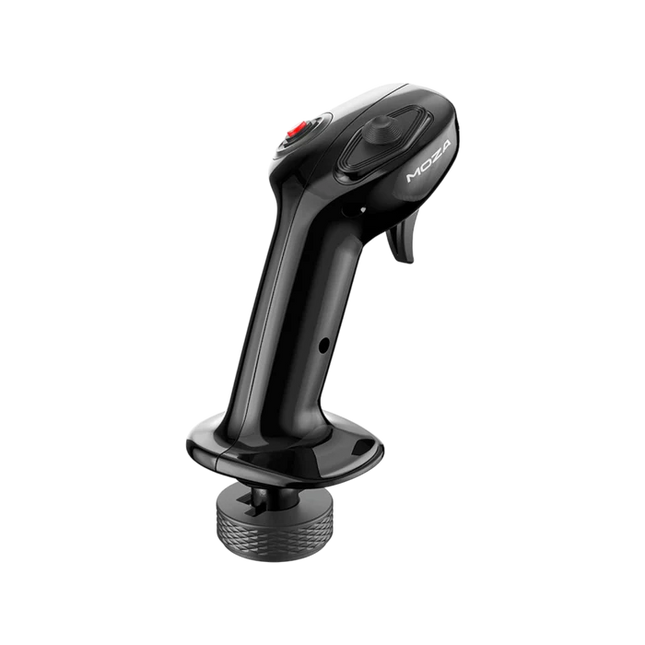
Moza MA3X Flightstick blends classic aircraft-inspired design with modern engineering to deliver an engaging flight simulation experience. Built from ultra-strong composite material, it remains lightweight yet durable enough to handle up to 30 kg of force. The ALPS switches ensure longevity, rated for 100,000 cycles, giving pilots consistent and reliable control. A multi-layer spray and UV treatment replicate the tactile sensation of real aircraft materials, elevating the overall feel. With an expanded button layout and broad compatibility, the MA3X adapts seamlessly to any setup, offering both flexibility and reliability.
What Sets the Moza MA3X Flightstick Apart?
Durable Yet Lightweight Build – Unlike bulkier metal-based flightsticks, the MA3X is constructed from ultra-strong composite material. This allows it to remain lightweight at just 220g while still handling up to 30 kg of force without compromising structural integrity.
Enhanced Button Layout – The MA3X comes with four physical buttons but can be expanded to support up to 12 input signals. This added flexibility ensures that users can configure their controls exactly how they need for various simulation scenarios.
ALPS Switches for Longevity – Many flightsticks suffer from wear and tear over time, but the MA3X is equipped with ALPS switches rated for 100,000 cycles. This means pilots can rely on smooth and consistent operation, even after extensive use.
Wide Compatibility and Plug-and-Play Setup – Designed to work with all Moza bases and most third-party bases, the MA3X requires no additional drivers or complex setup. The 5-pin aviation connector ensures a stable and secure connection.
Pros and Cons
Pros
Cons
Durable composite material withstands heavy use.
No official support for MacOS.
Expandable button layout with up to 12 input signals.
Limited standalone functionality without a compatible base.
ALPS switches rated for 100,000 cycles.
Works with Moza and most third-party bases.
Specifications
Specification
Value
Housing Material
Composite
Switch Material
ABS
Weight
220g
8-Position Switch
1
Trigger
1
Changeover Switch
1
Connector
5-pin aviation connector
Moza MA3X Flightstick Compatibility
Compatible With
Not Compatible With
PC (Windows-based systems)
MacOS
All Moza bases
Consoles (PlayStation, Xbox)
Most third-party bases
USB-only input systems
The Moza MA3X Flightstick integrates effortlessly with all Moza bases and supports most third-party bases using its 5-pin aviation connector. Unlike some flightsticks that lock users into specific ecosystems, the MA3X maintains a more flexible design, allowing for broader compatibility without extra adapters.
On the software side, the MA3X is fully compatible with Windows-based flight simulators but does not support MacOS. It works well with leading titles such as MSFS2020, X-Plane, and DCS. However, console users should look elsewhere, as the MA3X does not support PlayStation or Xbox platforms.
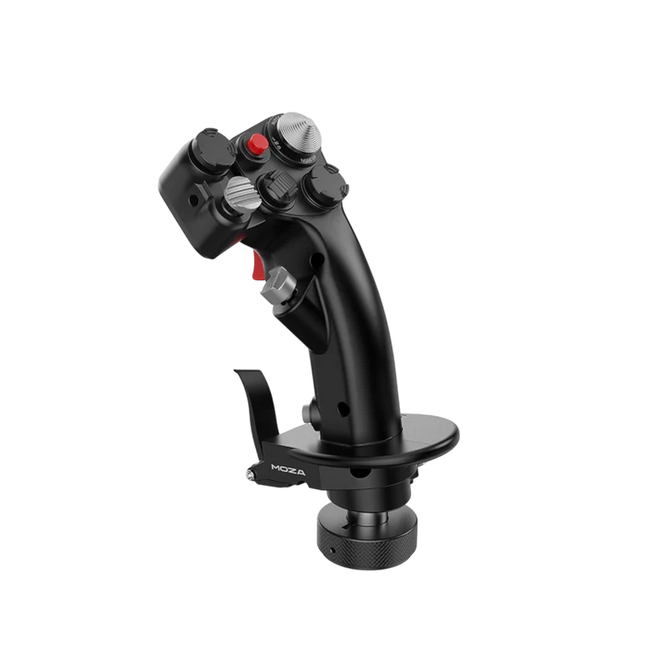
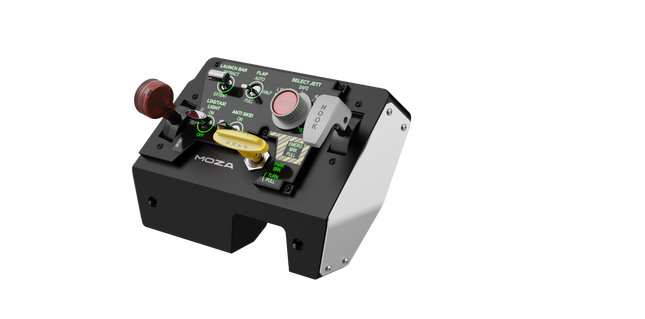
Moza MTLP Take-off Landing Panel brings the essence of fighter jet operations to the home cockpit with a rugged, tactile control system built for serious sim pilots. Designed after the F/A-18 landing panel, it offers an intuitive switch layout that allows for quick, instinctive inputs without relying on visual confirmation. The authentic parking brake mechanism delivers a solid, mechanical rebound that feels straight out of a real fighter jet. With 25 programmable switch signals and Hall effect sensors for accuracy, this panel bridges the gap between virtual and hands-on cockpit interaction.
What Sets the Moza MTLP Take-off Landing Panel apart?
Designed for Hands-On Control Modeled after the F/A-18 landing panel, this setup prioritizes instinctive operation. The switch layout allows pilots to manage critical aircraft functions by feel, reducing the need to glance away from the screen. This kind of tactile reinforcement is essential for fast-paced environments like combat flights and carrier landings.
Hall Sensor Precision for Key Functions Unlike standard mechanical switches, the MTLP integrates Hall effect sensors into key inputs like the landing gear and tailhook levers. These sensors provide long-term reliability and consistent input accuracy, eliminating wear-related drift or degradation over time.
Built to Handle Repeated Use The aluminum alloy construction used in the brake lever, tailhook lever, and landing gear ensures durability. These components can withstand repeated, forceful engagement, making the panel a long-term investment for flight enthusiasts who demand mechanical robustness.
Seamless Integration with Moza's Ecosystem The MTLP is designed to work effortlessly with the Moza MTP Throttle Panel, forming a cohesive fighter jet control setup. Through Moza Cockpit software, users can synchronize telemetry-driven lighting effects and customize their button configurations to match their flying style.
Pros and Cons
Pros
Cons
Modeled after the F/A-18 landing panel
Desk clamp sold separately
Hall effect sensors for accuracy and longevity
Limited to PC compatibility
25 programmable switch signals for extensive control
Compatible with Moza’s ecosystem for full fighter setup
Specifications
Specification
Value
Dimensions
196.5 × 134.7 × 149 mm
Housing Material
Composite materials
Brake Lever Material
Aluminum alloy
Weight
680g
Switch Signals
25
Telemetry Lighting
Yes (no additional plugins required)
Supported Platform
PC
Desk Clamp
Optional accessory
Included Accessories
Data cable, user manual
Moza MTLP Take-off Landing Panel Compatibility
Compatible With
Not Compatible With
Moza MTP Throttle Panel
Third-party throttle panels
Moza Cockpit software for customization
Console platforms
PC-based flight simulators
MacOS
Designed for PC-based simulators, the MTLP integrates seamlessly with Moza's MTP Throttle Panel to create a fighter jet-style control suite. The panel is configured through Moza Cockpit software, allowing for extensive customization, including telemetry-linked lighting effects. However, it does not support third-party throttle panels, meaning full functionality is best achieved within the Moza ecosystem.
PC-only compatibility ensures support for major flight simulators, but MacOS and consoles are not supported. Flight sim enthusiasts using Microsoft Flight Simulator 2020, Microsoft Flight Simulator 2024, and X-Plane 12 will find the panel natively recognized, offering direct plug-and-play functionality through USB. However, users looking for Xbox or PlayStation support will need to consider alternative hardware.
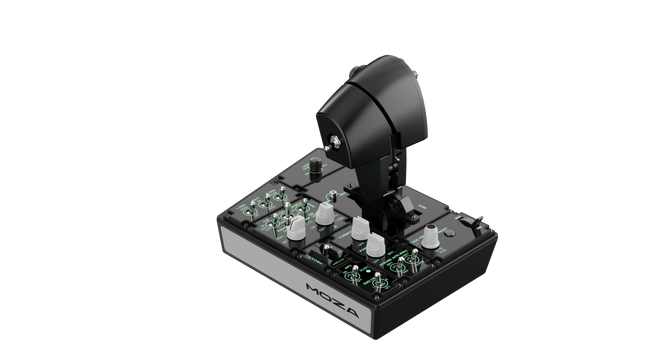
Moza MTP Throttle Panel delivers a robust flight control experience inspired by carrier-based fighter jets. The adjustable detent system allows for fine-tuned control, whether managing afterburners or simulating center detents in space sims. The built-in vibration feedback enhances situational awareness, alerting pilots to aerodynamic shifts, overspeed warnings, and combat conditions. With 27 programmable switches, a Hall effect joystick, and aluminum alloy grips, this throttle panel is built for flight sim enthusiasts who want precision control in high-stakes environments.
What Sets the Moza MTP Throttle Panel apart?
Customizable Detent System for Maximum Control The MTP Throttle allows users to fine-tune detent positions, making it ideal for afterburner settings, reverse thrust, or precise spaceflight maneuvers. Whether fine-tuning power curves or creating distinct engine stages, this feature provides flexibility not commonly found in other throttle setups.
Built-In Vibration Feedback for Enhanced Awareness Unlike passive throttles, the MTP includes vibration motors that react to telemetry data from the simulator. This feedback system provides haptic alerts for conditions like aerodynamic resistance, overspeed warnings, and system failures, offering pilots an extra layer of situational awareness.
27 Programmable Switches for Complex Flight Operations The control surface is loaded with 27 switches, all of which can be configured for essential functions such as gear deployment, engine ignition, or combat systems. The optimized layout ensures that commands remain easily accessible without fumbling mid-flight.
Hall Effect Joystick for Additional Input Flexibility Integrated directly into the throttle, this joystick offers drift-free input for fine control adjustments. Whether assigned to pitch trim, rudder inputs, or even camera navigation, the Hall effect sensor ensures consistent performance without the wear and tear of traditional potentiometers.
Pros and Cons
Pros
Cons
Adjustable detent system for afterburners and space sims
Desktop clamp sold separately
Built-in vibration feedback reacts to flight conditions
PC-only support, no console compatibility
27 programmable switches for extensive control mapping
Durable aluminum grip with tactile feel
Specifications
Specification
Value
Dimensions
277 × 194 × 216 mm
Housing Material
Composite material
Throttle Grip Material
Aluminum alloy
Weight
2.1 kg
Physical Switches
27
Vibration Telemetry
Supported (no plug-ins required)
Lighting Telemetry
Supported (no plug-ins required)
Supported Platform
PC
Desktop Clamp
Optional
Desktop Mounting Plate
Optional
Included Accessories
Data cable, wrench, user manual
Moza MTP Throttle Panel Compatibility
Compatible With
Not Compatible With
MOZA Cockpit software for customization
Console platforms
MOZA MTLP Panel for full fighter jet setup
Third-party throttle quadrants
PC-based flight simulation rigs
MacOS
Designed for PC-based simulators, the MTP Throttle integrates seamlessly with MOZA Cockpit software, enabling fine-tuned adjustments for vibration feedback, switch mapping, and telemetry-based lighting effects. It also pairs with the MOZA MTLP Panel, creating a modular fighter jet control system that enhances the takeoff and landing experience.
PC-only compatibility ensures plug-and-play functionality with Microsoft Flight Simulator 2020, Microsoft Flight Simulator 2024, and X-Plane 12. However, this system does not support MacOS or consoles, meaning Xbox and PlayStation users will need to look elsewhere for compatible throttle solutions.
Out of stock,
Pre-Orders Available. Shipped in 2-2.5 weeks from now.
Honeycomb Sierra TPM Module brings the tactile charm of classic general aviation straight to your desk, with a lockable metal throttle vernier that feels satisfyingly mechanical in hand and a high-resolution integrated trim wheel that lets you dial in attitude with fingertip finesse. Designed with single-prop aircraft like the Cessna 172 in mind, it combines all-metal construction, integrated flap and parking brake controls, and LED landing gear indicators into a compact module that slots neatly into a serious home cockpit.
What Sets the Honeycomb Sierra TPM Module apart?
True General Aviation Vernier Feel The lockable metal throttle vernier with fine-tune prop and mixture knobs doesn’t just look the part—it delivers that push-pull, twist-to-adjust sensation pilots associate with classic GA cockpits. Many users highlight how the incremental adjustment allows smoother power changes during climb and approach, especially in piston aircraft, compared to sliding lever-based throttles that can feel too abrupt for delicate engine management.
Integrated Cockpit Workflow Instead of scattering controls across separate panels, the Sierra TPM places trim, flaps, parking brake, and landing gear in one cohesive layout. The low-profile, high-resolution trim wheel earns particular praise for its smooth rotation and granular input, making pitch adjustments during cruise or final approach feel natural. It reduces reliance on keyboard shortcuts and keeps hands where they belong—on dedicated hardware.
Solid All-Metal Construction Built with Honeycomb-grade components and a durable all-metal chassis, this module has noticeable heft and rigidity. Enthusiasts frequently mention that it feels planted on the desk, with minimal flex during aggressive throttle movements. Compared to lighter plastic alternatives, the Sierra TPM maintains structural stability over time, which is especially appreciated in permanent or semi-permanent cockpit setups.
Seamless Integration with Honeycomb Ecosystem Designed to pair cleanly with Honeycomb yokes and mounting systems, the included dual mounting solution simplifies alignment and positioning. Users who already run Alpha or Bravo units often comment on how the design language and control spacing feel unified, creating a visually coherent and ergonomically consistent flight deck without mismatched modules.
Pros and Cons
Pros
Cons
Metal vernier throttle offers fine incremental control.
Designed primarily for single-engine GA aircraft.
Integrated trim wheel provides smooth pitch adjustments.
Requires desk space for full mounting solution.
All-metal chassis feels stable and durable.
LED gear indicators add clear visual feedback.
Specifications
Specification
Value
Product Name
Honeycomb Sierra TPM Module
EAN
4039621003998
Construction
All-metal construction with Honeycomb-grade components
Throttle Type
Lockable metal throttle vernier with prop and mixture knobs
Integrated Controls
Trim wheel, parking brake, flap lever, landing gear lever with LED indicators
Layout
General aviation style for single prop airplanes
Mounting
Dual mounting solution included
Connection
USB-C to USB-A cable
Compatibility
PC and Mac
Drivers
MSFS 2020 Driver, MSFS 2024 Driver
Included in the Box
Sierra TPM Module, Dual Mounting Solution, USB-C to USB-A Cable, Quick Start Guide (EFIGS)
Honeycomb Sierra TPM Module Compatibility
Platform
Compatibility
Operating Systems
PC and Mac
Connection Type
USB-C to USB-A (direct USB connection)
Primary Ecosystem Pairing
Honeycomb Alpha and Bravo hardware
The Sierra TPM Module connects via direct USB, making it straightforward to integrate into most desktop cockpit builds. It pairs especially well with Honeycomb Alpha yokes and Bravo throttle quadrants, sharing the same design philosophy and mounting ecosystem. Thanks to its dual mounting solution, it can be desk-mounted alongside other Honeycomb units for a unified layout. It is not intended for console setups and does not interface directly with standalone hardware without a compatible PC or Mac.
On the software side, it supports Microsoft Flight Simulator 2020 and Microsoft Flight Simulator 2024 through dedicated drivers, and it also works with simulators like X-Plane and Prepar3D on PC. It is not compatible with Xbox consoles, as it relies on standard USB PC/Mac drivers rather than console-certified firmware. For desktop sim pilots focused on general aviation, it slots cleanly into modern PC-based sim platforms.
Honeycomb Foxtrot Aviation Stick is built for pilots who prefer a sidestick in hand and a clean desk in front of them. From the first movement, the smooth linear resistance system with no center detent feels fluid and deliberate, ideal for Airbus-style inputs and aerobatic maneuvers. Under the hood, 16-bit resolution with Hall Effect sensor technology translates subtle wrist movements into accurate on-screen control. Add adjustable tension and a fully ambidextrous layout, and you’ve got a stick that feels purposeful rather than toy-like.
What Sets the Honeycomb Foxtrot Aviation Stick apart?
Center-Detent-Free Control Philosophy Many sticks rely on a noticeable center bump, which can make small corrections feel mechanical. The Foxtrot’s linear resistance system eliminates that notch, creating a smooth transition across the full axis range. Pilots flying Airbus aircraft in particular appreciate this design, as it mirrors sidestick behavior more closely and allows gentle pitch and roll corrections without fighting a spring-loaded “click” at center.
Sensor and Resolution Synergy With 16-bit resolution paired to Hall Effect sensors, the Foxtrot delivers clean, contactless input detection. Enthusiasts often point out the consistency over time—no spiking, no gradual degradation from physical potentiometers. Subtle trim adjustments during approach or careful roll inputs in aerobatics feel steady and predictable, especially when compared to entry-level sticks that can show jitter near center.
Configurable Resistance and Ergonomics Adjustable tension allows the stick to be tuned to personal preference, whether you prefer lighter fingertip inputs or firmer resistance for controlled movements. Combined with its ambidextrous grip design, the Foxtrot suits both left- and right-handed setups. Users with compact cockpit builds often highlight how adaptable it feels in different seating positions, including center-mounted or side-mounted configurations.
Switch Density Without Clutter Between the 5 two-way switches, 4 programmable action buttons, POV hat, trigger, rockers, and multi-way rotary panel, the stick offers serious input flexibility. What stands out is how logically the controls are spaced; sim pilots frequently mention that functions like trim, autopilot modes, or camera controls can be assigned without feeling cramped or hunting blindly mid-flight.
Pros and Cons
Pros
Cons
Linear resistance without center detent feels smooth.
No native console compatibility.
Hall Effect sensors reduce long-term wear.
No included dedicated mounting base.
Adjustable tension suits different flying styles.
Extensive switch and button configuration options.
Specifications
Specification
Value
Product Name
Honeycomb Foxtrot Aviation Stick
Control System
Linear resistance system with no center detent
Sensor Technology
Hall Effect sensors
Resolution
16-bit
Tension Adjustment
Adjustable stick resistance
Switches
5 two-way switches
Action Buttons
4 programmable buttons
Rotary Panel
3-, 4-, and 5-way rotary controls
Grip Design
Ambidextrous
Connection
USB-C to USB-A cable
System Compatibility
PC and Mac
Included in the Box
Foxtrot Aviation Stick, USB-C to USB-A Cable, Quick Start Guide (EFIGS)
Download Support
Basic Bindings Profiles (XML) for MSFS 2024
Honeycomb Foxtrot Aviation Stick Compatibility
Platform
Compatibility
Operating Systems
PC and Mac
Connection Type
USB-C to USB-A direct USB interface
Primary Sim Support
MSFS 2024 (XML bindings), MSFS, X-Plane, Prepar3D
The Foxtrot Aviation Stick connects via standard USB, allowing it to integrate easily into most desktop cockpit setups. It works seamlessly alongside throttle quadrants, rudder pedals, and radio panels from other major brands thanks to its plug-and-play HID architecture. Its ambidextrous design makes it suitable for left- or right-seat configurations, including Airbus-style side mounting. It is not compatible with Xbox consoles and does not function as a standalone device without a connected PC or Mac.
On the software side, it supports Microsoft Flight Simulator 2024 with dedicated XML binding profiles and operates with popular PC simulators such as Microsoft Flight Simulator (2020), X-Plane, and Prepar3D through manual or community mappings. It is not designed for console-based platforms, as it relies on native PC/Mac driver recognition rather than console-certified firmware.
Out of stock,
Pre-Orders Available. Shipped in 2-2.5 weeks from now.
Honeycomb Bravo Throttle Quadrant Lite distills the core experience of the original Bravo into a tighter, more focused package. The four interchangeable levers with adjustable tension glide with reassuring mechanical weight, while the integrated low-profile, high-resolution trim wheel lets you fine-tune pitch with fingertip control. From the firm click of the landing gear lever with LED indication to the satisfying pull of the parking brake, this unit delivers dependable input for GA and twin-engine setups without overwhelming newer cockpit builders.
What Sets the Honeycomb Bravo Throttle Quadrant Lite apart?
Streamlined Without Feeling Stripped Unlike many entry-focused throttle quadrants that sacrifice flexibility, the Bravo Lite keeps the modular DNA alive. Users often highlight how it maintains interchangeable levers and flap detent customization while shedding some of the complexity of the full Bravo. The result is a compact unit that still supports single-engine and twin-engine layouts, making it appealing for pilots upgrading from basic plastic throttles.
Adjustable Tension with Mechanical Feedback The lever resistance can be tuned to personal taste, which makes a noticeable difference during climb power changes and short final adjustments. Many sim pilots mention that the movement feels smooth and controlled rather than loose or springy. Compared to lighter quadrants, the Bravo Lite offers a more planted sensation during throttle transitions, especially when mounted securely with the included dual mounting solution.
Integrated Trim and Ground Controls The built-in trim wheel and parking brake eliminate the need for separate peripherals. The trim wheel’s fine resolution is frequently praised for helping stabilize approaches without constant micro-corrections via keyboard or yoke buttons. Add the landing gear lever with LED status indicator, and you get clear visual confirmation during gear cycles—small detail, big confidence boost during busy patterns.
Focused MSFS Optimization Designed with Microsoft Flight Simulator in mind, the Bravo Lite benefits from dedicated driver support and downloadable profiles. Users appreciate how quickly it maps in MSFS 2020 and 2024 compared to some generic USB quadrants. At the same time, it remains compatible with X-Plane and Prepar3D, giving it broader appeal than many simulator-specific throttle units in this price bracket.
Pros and Cons
Pros
Cons
Interchangeable levers support multiple aircraft types.
Fewer controls than full Bravo version.
Adjustable tension improves throttle feel.
PC and Mac only, no console support.
Integrated trim wheel adds fine pitch control.
LED gear indicator provides clear status feedback.
Specifications
Specification
Value
Product Name
Honeycomb Bravo Throttle Quadrant Lite
Dimensions (L x H x W)
40 x 13 x 27 cm (15.75 x 5.19 x 10.63 inches)
Throttle Levers
Four interchangeable levers with adjustable tension
Flap System
Swappable flap detent inlays included
Trim Control
Integrated low-profile, high-resolution trim wheel
Landing Gear Lever
With LED status indicator
Parking Brake
Integrated lever
Connectivity
USB-C to USB-A (cable included)
System Compatibility
PC and Mac
Software Compatibility
Microsoft Flight Simulator 2020/2024, FSX, Prepar3D V3-V5, X-Plane 11/12
Included in the Box
Throttle Quadrant Lite, Flap detent inlays, Interchangeable levers (Commercial & GA), USB-C cable, Dual mounting solution, Quick Start Guide
Honeycomb Bravo Throttle Quadrant Lite Compatibility
Category
Compatibility
Operating Systems
Microsoft Windows (64-bit), macOS
Connection
USB-C to USB-A (standard USB port required)
Supported Simulators
MSFS 2020/2024, FSX, Prepar3D V3–V5, X-Plane 11/12
The Bravo Lite connects through standard USB, making it easy to integrate with yokes, sticks, and rudder pedals from various brands. It pairs especially well with Honeycomb Alpha yokes and other modular cockpit hardware thanks to the dual mounting solution. It is designed strictly for PC and Mac systems and does not function independently without a connected computer.
On the simulator side, it is optimized for Microsoft Flight Simulator 2020 and 2024, with dedicated LED drivers and downloadable aircraft profiles. It also works with X-Plane 11 and 12, FSX, and Prepar3D V3–V5 through standard USB HID recognition. It is not compatible with Xbox consoles, as it relies on PC-based driver and USB architecture rather than console-certified firmware.
Out of stock,
Pre-Orders Available. Shipped in 2-2.5 weeks from now.
WINCTRL URSA MINOR Airline Joystick R brings airline-style control to the desktop with a clever mix of tactile feedback and thoughtful engineering. The standout feature is the flight-data-linked vibration engine, which adds subtle physical cues during events like flap deployment, airflow changes, and touchdown. Pair that with non-contact magnetic resistance sensors on the X and Y axes, and the stick delivers smooth, stable inputs without the wear issues common in cheaper mechanisms. The result is a joystick that feels lively in hand yet technically grounded under the hood.
What Sets the WINCTRL URSA MINOR Airline Joystick R apart?
Flight Data Driven Vibration Feedback The URSA MINOR stands out with a vibration motor tied directly to in-sim flight data. Instead of generic rumble, the stick reacts to events like landing contact, airflow changes, or flap movement. Pilots online often mention how this adds subtle physical cues during phases like flare or speed changes, providing a tactile reminder of what the aircraft is doing without constantly glancing at instruments.
Robust Gimbal With Magnetic Sensors At the core of the stick is a glass-fiber-reinforced nylon gimbal running on ball bearings, paired with non-contact magnetic sensors for the primary axes. This combination helps maintain smooth motion over time without the jitter common in potentiometer-based designs. Enthusiasts frequently note that the stick movement feels stable across the entire travel range, particularly during small pitch adjustments on final approach.
Airliner-Inspired Grip Layout The grip design borrows cues from airline sidestick ergonomics, offering a balanced control layout that includes a PTT trigger, autopilot disconnect switch, and a concealed five-way switch beneath a magnetic cover. Pilots often highlight how practical this arrangement is for everyday flying tasks—radio calls, autopilot overrides, and camera views can all be handled without reaching for the keyboard.
Flexible Mounting and Maintenance Design The base includes anti-slip pads for desktop use along with pre-drilled mounting holes for cockpit rigs. A quick-release base cover allows access to internal adjustments without dismantling the entire unit. This detail is frequently appreciated by sim cockpit builders who prefer gear that can be tuned or serviced easily rather than permanently sealed hardware.
Pros and Cons
Pros
Cons
Flight-data vibration feedback adds tactile flight cues.
Plastic construction compared to metal joystick designs.
Magnetic sensors reduce wear and input drift.
Limited axis travel compared to extended bases.
Good button layout for airliner-style flying tasks.
Desk or cockpit mounting options included.
Specifications
Specification
Value
Product Model
URSA MINOR-Airline-Joystick R
Material
Industrial ABS plastic (PC + ABS)
Controller
32-bit ARM controller
X/Y Axis Movement Angle
±15°
Z Axis Rotation Angle
±20°
X/Y Sensors
Non-contact magnetic resistance sensors
Gimbal Construction
Glass fiber reinforced nylon with ball bearings
Operating Force (X/Y)
Approximately 6N
Rotation Torque (Z)
~4 kgf·cm
Throttle Axis Type
Long-travel sliding potentiometer
Throttle Axis Travel
38 mm
Buttons
14 buttons (250gf press force, 0.25 mm travel)
Special Controls
Hidden 5-way switch, PTT trigger, autopilot disconnect
Vibration Feature
Adjustable amplitude levels from 0–255
Mounting Options
Anti-slip desktop pads and cockpit mounting holes
Item Weight
3 kg
Included in Box
J5-BASE-BLACK + JGRIP-C1-R, Data Cable, Toolkit, Accessories Pack
WINCTRL URSA MINOR Airline Joystick R Compatibility
Platform
Compatibility
Connection Type
USB plug-and-play connection
Software Configuration
WW SIMAPP Pro software for button mapping
Mounting
Desktop use or cockpit mounting
The URSA MINOR Airline Joystick R connects via standard USB, allowing it to integrate easily with throttle quadrants, rudder pedals, and other flight hardware from many manufacturers. The base supports both desktop placement with anti-slip pads and cockpit mounting using pre-drilled holes, which is useful for sim rigs or permanent setups. Configuration is handled through WW SIMAPP Pro software, enabling button assignments and vibration adjustments directly from a visual interface.
Within a flight setup, the joystick works well alongside external throttles, radio panels, or pedal systems because it behaves as a standard USB HID controller. It does not require proprietary ecosystems and can coexist with other brands in the same cockpit. However, it is intended for PC-based simulation environments and does not integrate directly with console platforms.
In terms of simulators, the stick supports Microsoft Flight Simulator 2020, X-Plane, Prepar3D, and also space or combat titles like Star Citizen, Elite Dangerous, and War Thunder. Its plug-and-play USB design allows quick recognition in most PC simulation platforms. It is not designed for Xbox or PlayStation consoles, as those systems typically require licensed hardware and different firmware structures.